Weflow and Sales Engagement Tools: Why There Is No Sequencing, and How It Works Alongside Outreach and Salesloft
Learn why Weflow has no sequencing and how compatibility mode works with Outreach and Salesloft.


If you're looking for sequencing in Weflow, you won't find it. Weflow is the Revenue AI Orchestration platform for sales, customer success, and RevOps teams, but it has no cadence engine, no dialer, and it never sends email on a rep's behalf.
None of that is on our 2026 roadmap, either.
That's a deliberate choice. Weflow picks up at the opportunity, where deal reviews in Weflow need every email, meeting and call mapped to the right deal, and leaves prospecting and sequencing to Outreach, Salesloft or Apollo.
So the two tools run side by side. Weflow's compatibility mode recognizes your sequencer's sends by their tracking links and skips them, so each email lands in Salesforce only once.
If your team is keeping its sequencer, this guide covers:
- An ownership map of which tool writes which activity.
- The two settings that control logging, and when to use each.
- The gotchas that cause silent duplicates and silent holes.
- A pilot test that proves your activity counts don't inflate.
Weflow has no sequencing, cadences or dialer, on purpose
Think of it as a handoff: the two tools split the work at the opportunity.
Before a deal exists, prospecting, sequencing and prospect scoring live in the sales engagement platform, which syncs its data into Salesforce.
Once there's an opportunity to manage, Weflow takes over, across new logo, expansion and renewal, for account executives, managers, customer success and revenue leadership.
Weflow's agent workflows can draft an outbound message and route it to the rep, but the rep still hits send. So if you need fully automated customer touches, you'll need another tool alongside Weflow.
| Job | Who owns it |
|---|---|
| Sequences and cadences | Outreach, Salesloft, Apollo or Clay |
| High-velocity outbound dialing | The sequencer's dialer |
| Sending email on the rep's behalf | The sequencer |
| Prospect scoring | The sequencer |
| Capturing inbox email and meetings for every enrolled user | Weflow Activity & Contact Capture |
| Mapping activity to the right opportunity | Weflow |
| Recording, transcribing and summarizing conversations | Weflow Conversation Intelligence |
| Deal health, pipeline and forecasting | Weflow Deal Intelligence & Forecasting |
There's one catch with this split, though: your sequencer keeps writing to Salesforce, which means two tools are now reading the same mailbox. The rest of this article shows you how to handle that.
Why Outreach and mailbox capture log the same email twice
It comes down to one thing: both tools read the same mail. Your sequencer sends from the rep's own mailbox, and server-side capture reads that same tenant.
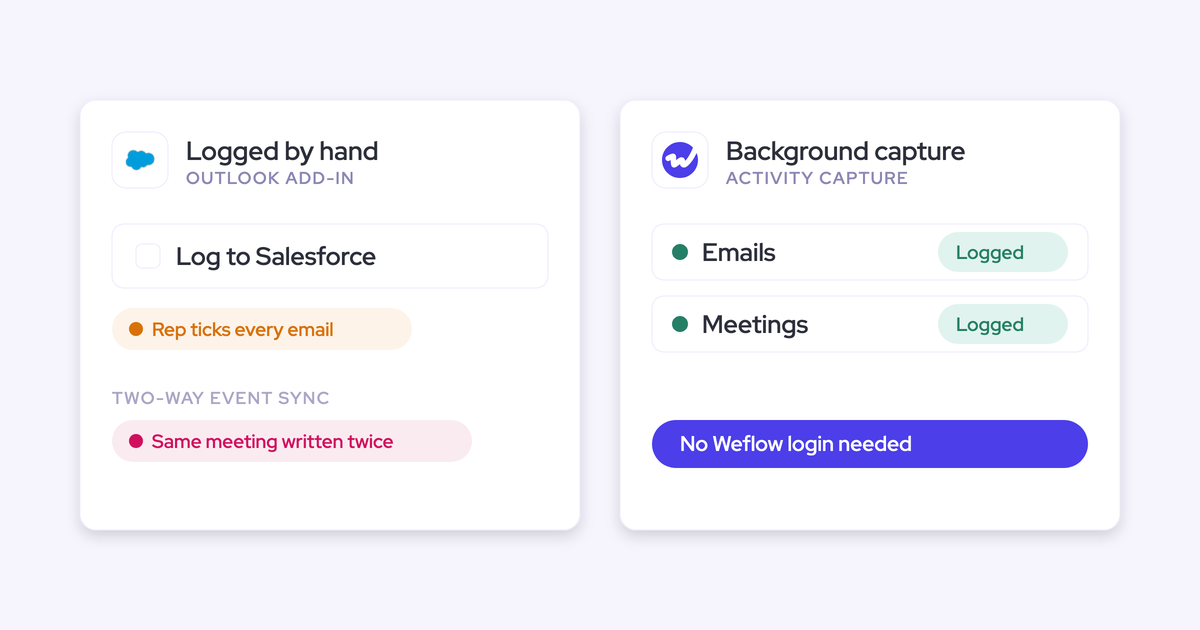
Outreach logs each send as a Task (Apollo does too, and adds an Apollo prefix to the subject). A capture tool, meanwhile, sees the same message as ordinary sent mail and logs it again, usually as an EmailMessage.
Since nothing links the two records by default, you end up with one email and two activities.
And you won't see an error. You'll only notice when you pull the activity report and the numbers don't add up.
| For one sequence email | Sequencer (Outreach, Apollo) | Weflow mailbox capture |
|---|---|---|
| Salesforce object | Task | EmailMessage |
| Record it attaches to | Lead or contact. Outreach reaches the opportunity only through a contact role or a "most recent opportunity" fallback | The matched opportunity, account, contact or lead |
| Sender and recipient direction | Dropped | Kept |
| Reply rate | Can't be calculated | Can be calculated |
The same setup causes two more problems:
- Holes: AE one-off emails sent outside the sequencer often go uncaptured, because Outreach only captures activity for contacts it already knows. AEs without a sequencer seat aren't captured at all.
- Contact-level activity: Sequencer Tasks sit on the contact, not the deal, so you can't answer questions like "how many follow-ups went out, did the buyer reply, how long were the gaps" at the opportunity level.
Who logs which activity when Outreach and Weflow both run
The fix is to give each activity type one owner and one Salesforce object. The last column shows the Weflow setting that enforces each split.
| Activity | Who writes it to Salesforce | Salesforce object | Weflow behavior or setting |
|---|---|---|---|
| SDR sequence emails | The sequencer | Task | Compatibility mode skips them |
| AE one-off emails from Gmail or Outlook | Weflow | EmailMessage | Default server-side capture, no rep action |
| Buyer replies | Weflow | EmailMessage | Logged like outbound mail |
| Emails sent from the Salesforce composer | Salesforce | EmailMessage | Weflow detects the existing record and skips it. Replies still log |
| Calendar meetings | Weflow | Event | Calendar sync from Workspace to Salesforce |
| Outreach dialer calls | Outreach logs the call. Weflow adds the recording | Task (Outreach) | Outreach connection in Setup & Integrations |
| Apollo calls | Apollo | As Apollo logs them | No direct Apollo dialer integration |
| Sends from a deliverability subdomain | Not Weflow | Not captured |
One Outreach setting can throw this map off, though. Through Standard Task Mapping, Outreach syncs emails that reps send from a connected Gmail or Outlook mailbox (outside Outreach) as Tasks.
So if an AE's mailbox is connected in Outreach, their one-off emails can land twice: once as an Outreach Task and once as a Weflow EmailMessage. Pick one owner for that mail. We'd go with Weflow, since the EmailMessage keeps the email's direction and maps to the deal.
How Weflow compatibility mode stops sequencer emails logging twice
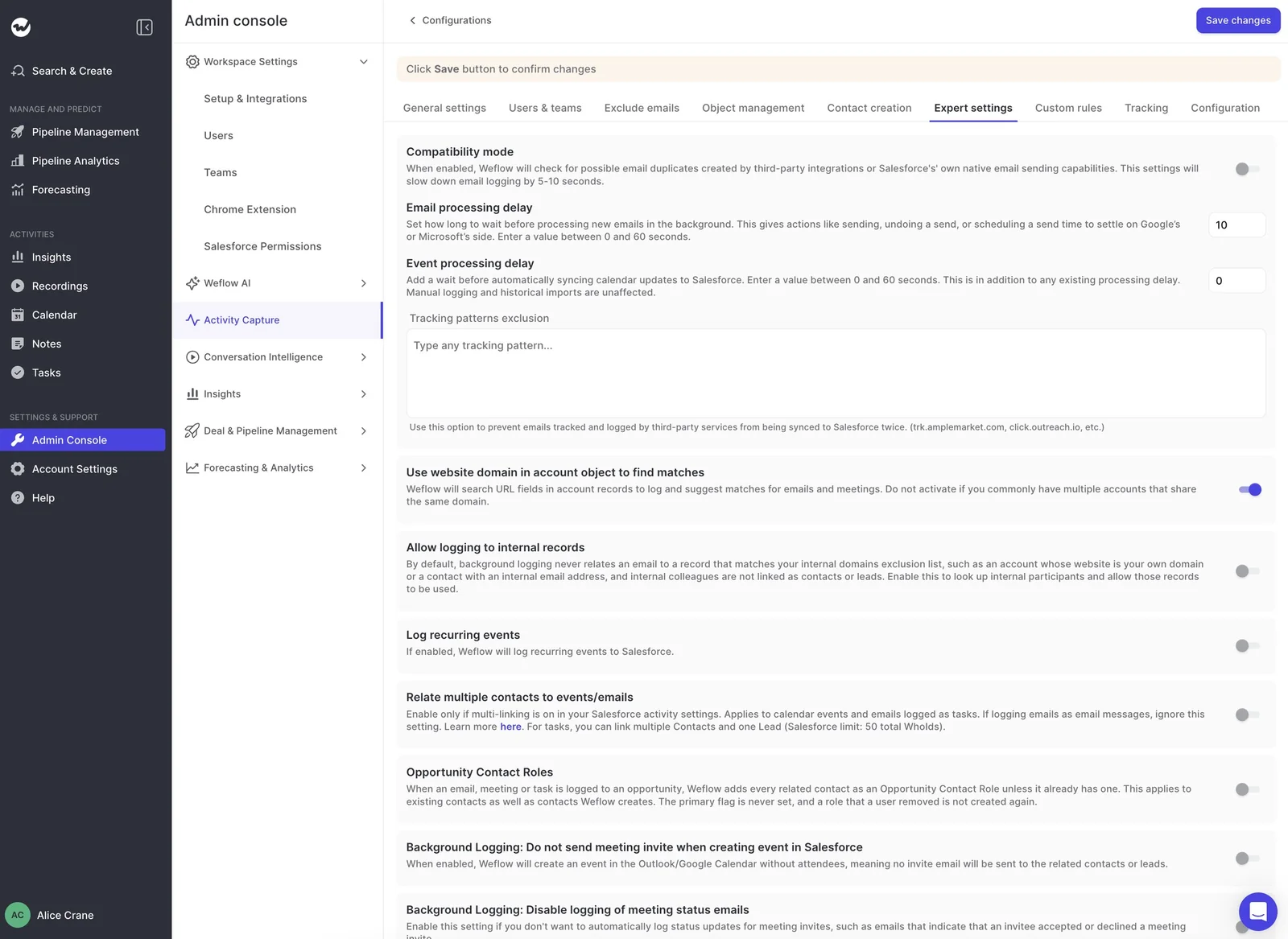
Compatibility mode detects your sequencer's email and steps back, so you don't have to switch logging off in either tool. To turn it on, open the expert settings of your activity capture configuration and pick your sequencer's preset.
Weflow waits about ten seconds so Outreach logs first
Weflow holds each new email for about 10 seconds before processing it, giving Outreach time to log first. You can set this delay anywhere from 0 to 60 seconds.
The delay also protects you from recalled mail. Outlook and Google Workspace let mail admins set an undo window on sent email, and if Weflow processed an email inside that window, it would log a message the sender then pulled back.
That's why you should set Weflow's delay higher than the undo timeout your mail admin configured.
Weflow spots the tracking link and skips the email
Weflow recognizes a sequencer's email by the click-tracking link in the body. Outreach and similar tools rewrite links for click tracking, usually through their own domain, like click.outreach.io.
When Weflow finds that pattern, it skips the message and matches on the record ID, so only one record lands in Salesforce.
Outreach, Salesloft, Apollo and Clay all come as presets, so once you pick yours, the default pattern is already in place.
Why Weflow detects duplicates instead of switching Salesloft logging off
Most tools in this category avoid duplicates through configuration: someone either switches off one tool's logging for an activity type or maps a shared message ID across the two systems.
Both approaches work once they're set up, but neither one detects what another tool has already written.
| Approach | How it avoids a duplicate | What it needs from the admin |
|---|---|---|
| Salesloft per-type logging switch | Salesloft stops logging an activity type, so the other tool owns it | A team-wide toggle per type: emails, calls, meetings, notes, cadence steps |
| Salesloft Email Message ID field | Prevents duplicates among the emails Salesloft itself logs | Map the property to a custom activity field. It doesn't see other tools' records |
| Outreach with Backstory.ai (People.ai) | Outreach writes each email's message ID to the Task, and Backstory skips or updates the match | Advanced Task Mapping, standard email sync switched off, message ID mapping, and matching setup in Backstory |
| Weflow compatibility mode | Weflow waits, recognizes the sequencer's tracking pattern and skips the email | A toggle and a preset, plus any custom tracking domain |
To be fair, a message-ID upsert is exact once both sides are mapped, and Salesloft's per-type switch works cleanly when one tool owns an entire activity type.
The difference is that Weflow's approach needs no custom field on the activity object and no matching setup inside the sequencer.
Should you use compatibility mode or the tracking-pattern exclusion list?
- Use compatibility mode when the sequencer should keep logging.
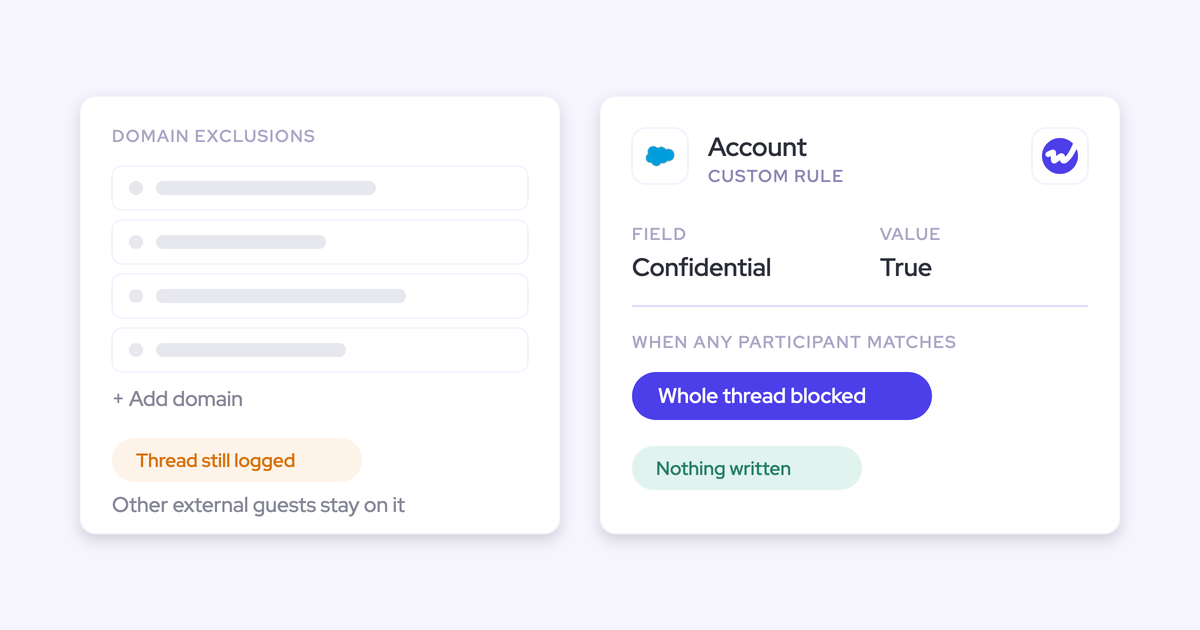
- Use the tracking-pattern exclusion list when a sequencer's bulk sends should never reach Salesforce.
They're two separate settings, and picking the wrong one gives you either doubled counts or a silent hole in a rep's history.
| Situation | Setting to use | What goes wrong with the other choice |
|---|---|---|
| SDR sequence emails, with Outreach still logging them as Tasks | Compatibility mode with the sequencer preset | Without it, every send lands twice: a Task and an EmailMessage |
| Bulk sends you never want in Salesforce | Tracking-pattern exclusion list with the sequencer's tracking domain | Compatibility mode is built for a tool that logs. It isn't an exclusion tool, and it slows logging while it's on |
| Sequence emails whose own logging you've switched off in the sequencer | Neither, if you want them in Salesforce. Let Weflow capture them | Exclude them and they exist nowhere in Salesforce. Nothing errors |
| A sequencer on a branded custom tracking domain | Add the custom domain to the tracking patterns next to the preset | Without it, Weflow doesn't recognize the link and logs every send a second time |
For most teams keeping their sequencer, start with compatibility mode and the preset, and only add exclusion patterns for traffic you've decided Salesforce should never hold.
Add your custom tracking domain, or Outreach emails log twice
If Outreach sends through a branded custom tracking domain, Weflow's default pattern won't recognize it, and every sequence email will log twice, even if the rest of your compatibility mode setup is correct. Here's how to fix it.
- Find the domain in your engagement tool's admin console, under Custom Domain.
- Add it to the tracking patterns in Weflow's expert settings.
- Send a test sequence email and check that only the sequencer's Task lands in Salesforce.
What Weflow won't capture or show while a sequencer runs
There are four limits to plan around.
Emails from a deliverability subdomain don't reach Salesforce through Weflow
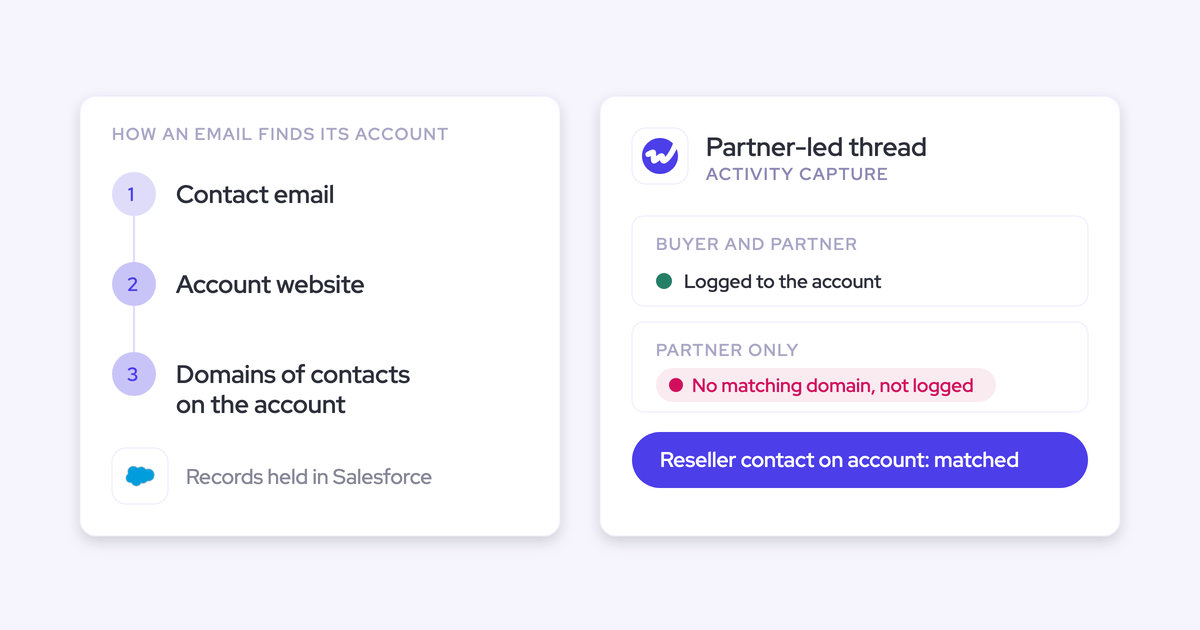
Weflow capture matches on the sender address held in Salesforce. But sequencers often send from a separate subdomain to protect deliverability, which gives one rep several sending addresses, and Weflow only captures the primary one.
That means pre-engagement touches from the subdomain are invisible to Weflow. It picks up the thread once the buyer replies and the conversation moves back to the main domain, so if you want those earlier touches in Salesforce, the sequencer has to log them.
Activity your sequencer logs stays out of the Weflow Activity Timeline
The Weflow Activity Timeline is a Lightning component that shows only the activity Weflow logs, so anything Outreach logs won't appear there.
Outreach's Tasks stay in the standard Salesforce activity views instead. If your reps rely on both, keep the standard view on the page next to the Timeline.
Compatibility mode slows Weflow's logging while it's on
Letting the other tool go first costs a few seconds per email. You only need compatibility mode while a second logger is live.
So if you later switch the sequencer's logging off, turn compatibility mode off too. That's the cleaner end state.
Let the sequencer keep logging high-velocity SDR outbound
If your SDRs run high-frequency outbound, the sequencer should keep logging their calls and emails, since it owns sequence and step metrics that don't exist anywhere else.
Weflow covers the inbox work the sequencer can't see: AE one-offs, replies, meetings, and every role without a sequencer seat.
How Outreach dialer calls reach Weflow Conversation Intelligence
Each Outreach dialer call arrives in Weflow Conversation Intelligence as a recording, labeled as outbound with the name of the person called. You get audio, speaker separation, a transcript, a summary and coaching, but no video.
Because the recording lands the same way a mobile recording does, field updates, scorecards and search all work on it. A meeting recorder would never see these calls, since they don't happen on a meeting link.
Connect the Outreach dialer yourself in the Weflow admin console
You don't need the Weflow team for this one. It's an established connection, so you can even set it up during a trial.
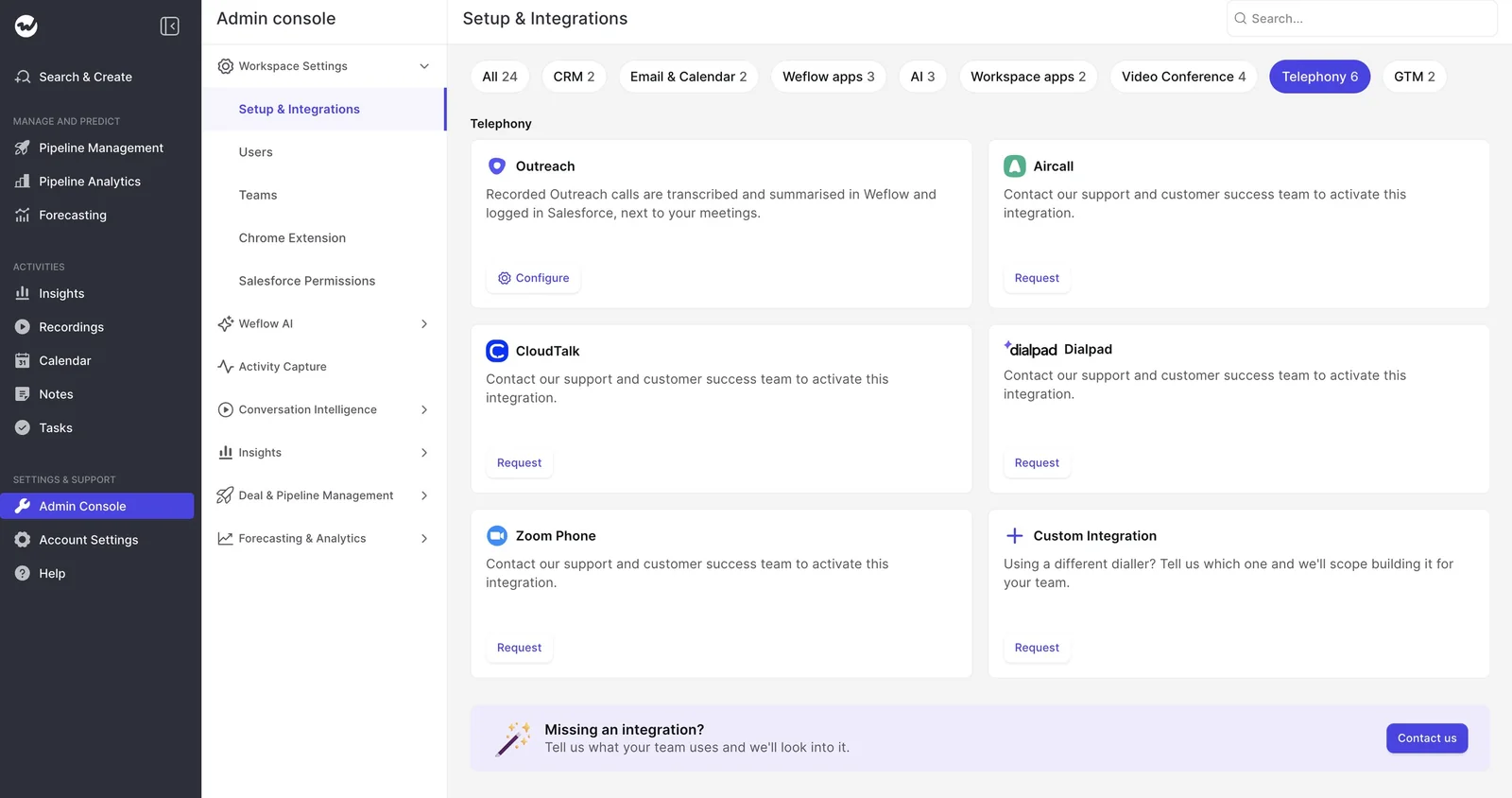
- Open Setup & Integrations in the Weflow Admin Console and filter to Telephony.
- Click Configure on the Outreach card.
- Connect your Outreach account.
Apollo calls and softphones like Aircall take a different route
Other dialers connect to Weflow in different ways, and some don't connect at all.
| Dialer | How calls reach Weflow | Who sets it up |
|---|---|---|
| Outreach dialer | Pulled in as recordings with transcript, summary and coaching | Your admin, in the admin console |
| Apollo dialer | Only as the activities Apollo logs to Salesforce | No direct integration |
| Aircall, CloudTalk, Dialpad, Zoom Phone | Provider integration | Weflow support and customer success activate it |
| Any softphone running on the computer | The Weflow desktop app records the system audio. The rep starts each recording | The rep installs the desktop app |
| A dialer Weflow doesn't connect to yet | Custom Integration request | Weflow's team, which takes hours to days. Not available during a trial |
| A rep's own mobile carrier line | Not captured | Only a manual log puts it in Salesforce |
Run Einstein, Chili Piper or Gong beside Outreach and Weflow
Each extra logger needs one specific decision, and it's best to make it before anyone is enrolled.
Switch Einstein Activity Capture event sync to one direction first
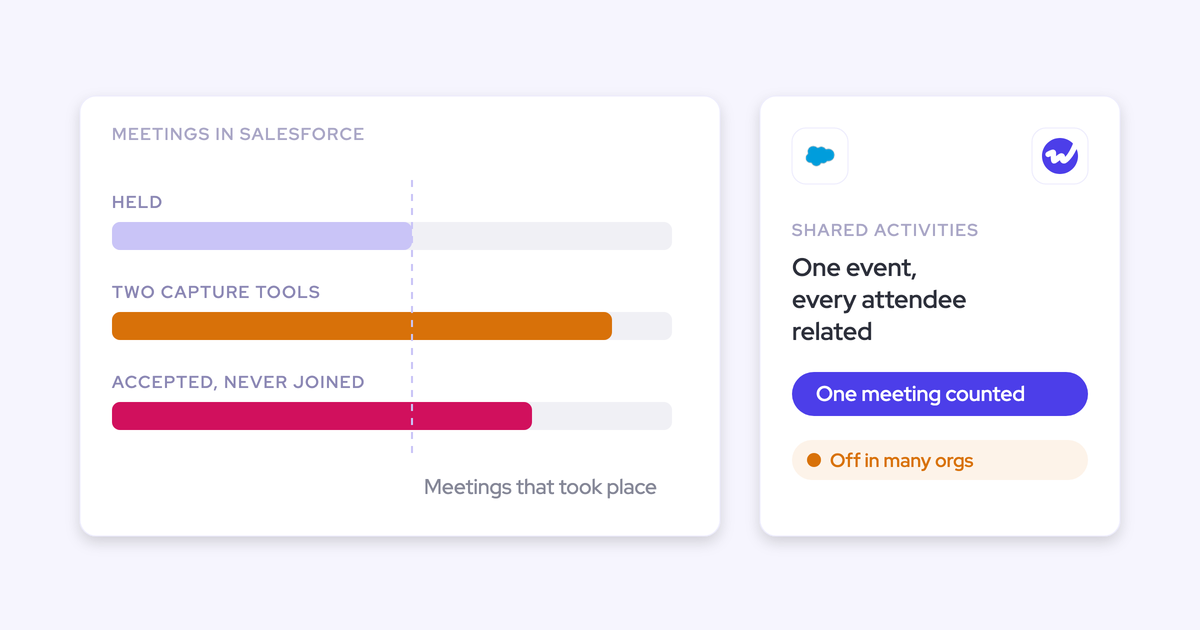
Weflow can run in parallel with Einstein Activity Capture, as long as Einstein's event sync runs one way, from the calendar into Salesforce. Leave it two-way and you'll get a loop: Einstein logs the event, pushes it back to the calendar, and the event gets logged again.
And the loop doesn't stay in the CRM. An update to an event with external attendees can send your customers repeat calendar notifications.
Note that removing the Einstein permission from users doesn't stop the loop.
Once you've changed that setting, Weflow adds call summaries and codings to the events Einstein already creates, so you don't have to switch Einstein off to adopt Weflow.
The Salesforce for Outlook extension is a separate service. Running it next to server-side capture logs the same email twice, but it won't create a loop.
Keep one meeting record when schedulers and notetakers also write
When a scheduler like Chili Piper creates the calendar event and a capture tool logs it again, you end up with two meetings, and once again, nothing errors.
To avoid that, decide which tool owns the Event first, then decide which recorder joins:
- Weflow notetaker: It joins any meeting with external participants that lands in a connected calendar, however the meeting was booked.
- Apollo booking link: If you keep it, switch Apollo's recorder off. If both recorders stay on, two notetakers join the same call.
- Gong email export: If Gong exports emails, set it to export only emails written in the Gong composer.
- Gong call export: If Gong exports calls, limit it to calls made with the Gong Dialer.
Configure Weflow beside Outreach before it reads any mailbox
You can complete this whole setup before enrollment, since Weflow doesn't read any mailbox until a user is enrolled in an activity capture configuration.
- Install the managed packages, connect the integration user and add the workspace application in Microsoft Entra or Google Workspace.
- Turn on compatibility mode with your sequencer's preset in the activity capture configuration's expert settings.
- Add your custom tracking domain to the tracking patterns.
- Set the email processing delay higher than your mail admin's undo-send window.
- Set Einstein Activity Capture event sync to one way, or switch the pilot users off in Einstein.
- Connect the Outreach dialer under Setup & Integrations.
- Enroll a pilot group in the configuration's Users & teams tab.
Prove zero duplicate activities in your Weflow pilot
Before go-live, run a short controlled test with two or three pilot users to check whether your activity counts inflate.
- Send four test emails: a sequence email, a sequence email through your custom tracking domain, an AE one-off from Gmail or Outlook, and a buyer reply.
- For each send, count the records. Sequence emails should show one Outreach Task and no Weflow EmailMessage. The one-off and the reply should each show one EmailMessage.
- Book a test meeting and compare the Event count against Einstein. One meeting should equal one Event.
- Look for warning icons next to users in the configuration. An icon next to one user means that user failed the mailbox access check, while icons next to every user point to the tenant connection. Once you've fixed it, save the configuration again to clear them.
- For any email that synced or got skipped unexpectedly, ask Weflow support for the logging decision. Support sees which rule skipped or synced a message, such as compatibility mode, without seeing the email's content.
If you're assembling the go-live doc now, our free Salesforce Activity Capture Cheat Sheet puts the rest of the capture setup on one page.
FAQ: Running Weflow alongside Outreach, Salesloft and Apollo
Does Weflow create duplicate contacts when Apollo or Outreach creates people?
Not with Apollo. When Apollo also sends email, compatibility mode recognizes what Apollo has already logged, so Weflow won't create duplicate activities or duplicate contacts.
You can also control Weflow's own contact creation in the Contact creation tab, where you can limit it to existing accounts or switch it off.
What happens to duplicate activities already in Salesforce?
They stay until you deal with them. Weflow's settings stop new duplicates, but they don't clean up old ones.
You can deduplicate in Salesforce or in your analysis by marking one record as primary. And if your team mines email content, keep in mind that missing emails cost you more than duplicates do, because a missing thread can't be recovered.
Can we configure Weflow while our legal review is still open?
Yes. Installing the packages, connecting the integration user and adding the workspace application don't capture anything. Enrollment is what flips the switch, so you can finish the technical setup while legal review is still open.
Does Weflow log emails reps send from the Salesforce composer?
No. Salesforce logs those as an EmailMessage itself, so Weflow detects the existing record and skips it. Replies in the thread still log.
Does Weflow have native integrations with Clay and Salesloft?
Yes, on request. Click Request on the Clay or Salesloft card under GTM in Setup & Integrations, or ask your account owner or Weflow support.
You don't need to wait for it, though. Compatibility mode already stops the email Clay and Salesloft log from being logged a second time.
What does Weflow Activity & Contact Capture cost on its own?
Weflow Activity & Contact Capture costs $19 per user per month, billed annually, with a 10-user minimum. It includes:
- Auto-sync of emails, meetings and contacts from Outlook or Google into Salesforce.
- Pre-built activity insights and reports.
- Ask AI Pro.
- Agent Builder on the free tier, with 25 agent actions per month.
This comes in handy if your team pays for Sequencer seats that AEs only use for activity capture. You can price capture separately for those seats and keep sequencer seats for the people who actually sequence.