How to Keep Health Data and Other Sensitive Information Out of Activity Capture
Learn how to keep health data and other sensitive info out of activity capture in Salesforce and Outlook.


No rule-based capture tool reads what an email means, and Weflow doesn't either. You keep health data, Social Security numbers and other sensitive mail out of Salesforce by design, not by detection. In practice that means three moves:
- Decide who never gets logged, using rules on the Salesforce record.
- Narrow what's left with domain, object and keyword exclusions.
- Put the teams whose risk sits inside normal customer threads on manual logging.
That design is usually what stands between you and capture. Legal or IT won't approve automatic email and calendar capture until you can show how sensitive mail stays apart from commercial mail. A promise that an AI "knows what's sensitive" won't get you through that review. A set of layered rules you can describe, test and audit will.
Weflow is the Revenue AI Orchestration platform for sales, customer success, and RevOps teams. Every layer in this guide is a real control in Weflow Activity & Contact Capture, which we built for Salesforce teams. The method still works as a decision aid if you haven't picked a tool. Your options are no capture, manual logging, capture with exclusions, or capture for some teams only.
Why sensitive email ends up in Salesforce in the first place
Capture tools identify activity by email address, because that's the only unique identifier available. An address doesn't know what a message contains or which relationship it belongs to. That's why domain filters keep falling short in regulated work: the sensitive message rides the same thread as legitimate business.
| What you see | Why it happens |
|---|---|
| A sensitive message lands on a normal customer account | It sits on a legitimate thread with a contact who exists in Salesforce. The address matches, so nothing looks wrong. |
| A patient who is also a donor or client has their health conversation on the record | One person holds two relationships with you and has one address. Capture can't tell which relationship a given email belongs to. |
| An executive reads something they shouldn't have | Over-capture fails silently. The record looks correct, and the first person to notice is usually someone who shouldn't have seen it. |
| Legal blocks capture entirely | Domain lists can't express "never log this category of person," so blocking everything becomes the rational default. |
The block carries its own cost. Your CRM keeps running on partial, hand-logged data. Every report, automation and AI use case built on that data inherits the gap.
What exclusion rules can and can't keep out of Salesforce
Rules can guarantee that a named category of person stays out of Salesforce. They can't guarantee anything about what an individual message says.
Much sensitive data is a "who is this person" problem: a patient, a confidential account, a personal contact. Record rules handle that class. A smaller "what does this message say" problem remains, and you handle it by deciding which teams log manually.
| Risk class | Example | Layer that stops it | What it guarantees |
|---|---|---|---|
| Internal-only mail | HR writing to a manager, board prep between colleagues | Internal-domain exclusion (step 2) | Never logs when every participant is on your configured internal domains |
| Unrelated personal mail | A rep's appointment confirmation, a shopping receipt | Baseline matching (steps 2 and 3) | Never logs without a matching Salesforce contact, lead or account domain |
| A named category of person or account | Patients, confidential accounts, personal contacts | Custom record rules (step 4) | Nothing logs against any record that matches the rule |
| Known domains and objects | Outside counsel, a payroll provider, leads | Domain and object exclusions (step 5) | Blocks those senders and objects, except domains already in Salesforce as a contact or account |
| Literal strings in the body | A matter code, a program name, the word "confidential" | Keyword exclusions (step 5) | Catches that exact string, nothing phrased differently |
| Sensitive content on a normal customer thread | A client mentions a diagnosis in a renewal email | Team mode (step 6) | None by filter. Handled by putting that team on manual or hybrid logging |
That last row is the one to take to your compliance owner, because it's honest. For a reader who doesn't want a model reading every mailbox, the absence of content-reading is the reassurance. Every capture decision traces back to a rule you wrote, so a reviewer can audit it.
Some tools add pattern or content filters on top of address rules. We cover how those compare in the FAQ on Social Security number detection below.
What you need in place before you configure exclusions
Your exclusion design is only as good as the Salesforce fields and team map it reads from. Settle these before you touch configuration:
- Sensitivity fields: the Salesforce fields that mark sensitive people or accounts, or a decision to create one, such as a patient flag or a confidential checkbox.
- A team map: which teams handle threads where sensitive content shows up inside normal customer conversations.
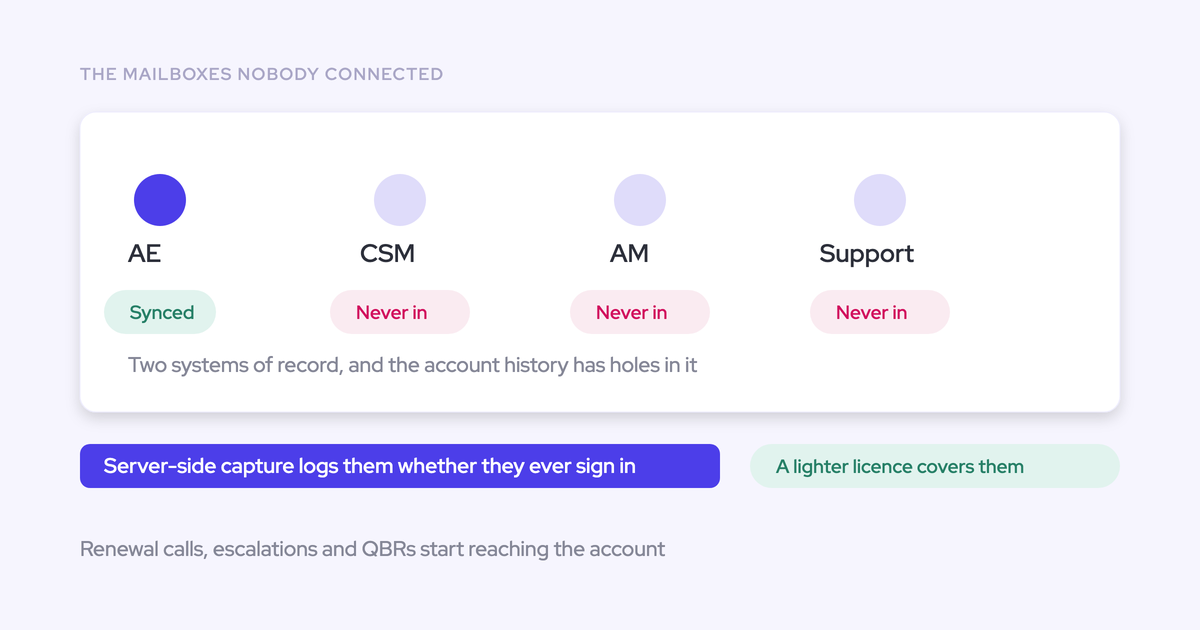
- Admin access: to the Microsoft Entra app or Google Workspace, so you control which mailboxes are in scope.
- A Salesforce sandbox: to test every layer before anyone in production is enrolled.
- Your sharing model: who can see which accounts, because that's who will see anything that logs.
- A named compliance owner: someone who signs off on the risk-class split above, including the row no filter covers.
How to layer exclusions in Weflow Activity & Contact Capture
Work outward from what you can guarantee toward what you can't. Each layer catches something the others miss, and each one is a sentence you can hand to a reviewer.
Step 1: Limit which mailboxes Weflow can read at all
Weflow reads no mailbox until you enroll a user in an activity capture configuration. Installing the managed packages, connecting the integration user and adding the workspace application grant access without capturing anything. That means you can finish technical setup while the legal review is still open.
On Microsoft 365, lock the scope down in three moves:
- Install and connect. Nothing is read at this point.
- In Microsoft Entra, open the Weflow Activity Capture enterprise app, assign your group, and set Assignment required to Yes. Assigning a group with Assignment required set to No leaves unassigned mailboxes reachable, guest accounts included.
- Add someone outside the scope to a capture configuration and save. A warning icon next to their name means the restriction holds.
The same warning icon appears when a user's email address differs between Microsoft and Salesforce, so read it in context. Some IT teams add a second layer by scoping the app's Exchange Online access to the same group's mailboxes.
Guarantees: no mailbox outside the assigned group is reachable. Doesn't cover: anything inside the mailboxes you do enroll.

Step 2: Confirm what Weflow never logs by default
Weflow's baseline already removes most of the problem before you write a single rule:
- No match, no log. Without a matching Salesforce contact, lead or account domain, nothing reaches the CRM.
- Internal-only activity never logs. Emails and meetings where every participant is on your own domain stay out.
- Empty calendar entries are skipped. A lunch block or a reminder with no other attendees and no meeting link has nothing to log against.
- Private items are skipped. Events and emails the user marks private stay out, even when others are invited.
This changes what your exclusion list is for. You only need entries for mail that does match a Salesforce record and should still stay out.
Guarantees: unrelated and internal mail stays out. Doesn't cover: a sensitive email from a real customer contact, because that address matches.
Step 3: Clear the over-capture traps already in your Salesforce
The most common source of unwanted capture is your own Salesforce. Most teams don't know what's sitting in their instance, so audit these before you switch anything on:
- Personal mailbox domains in Account Website fields. Weflow matches accounts on the Website field. A free-mail domain there pulls every matching email, from every connected mailbox, onto that one account, where anyone who can see the account can read it. Correct the field, exclude the domain if you don't use it with customers, and delete the activity already written.
- Domain matching for people not yet in Salesforce. An optional setting logs mail from unknown senders to the account whose Website domain matches. It keeps capture complete early in a rollout, and it also inherits every error in those Website fields. Clean the fields before you turn it on.
- Test and demo accounts built with employee addresses. Weflow automatically blocks logging to your own internal records by matching on the Salesforce instance name. For inherited orgs or old company names, add the company-name filter. For anything else, put a test flag on the object and exclude it with a custom rule in step 4.
- Duplicate accounts sharing a website domain. Capture can't tell which of two identical accounts an email belongs to, so activity spreads across both.
- Partner and reseller contacts. The same person legitimately belongs to more than one account relationship. Exclude partner domains or partner account types.
- Vendors you buy from. Exclude the domains of tools your company uses, so payroll and applicant notifications don't match a customer account of the same name.
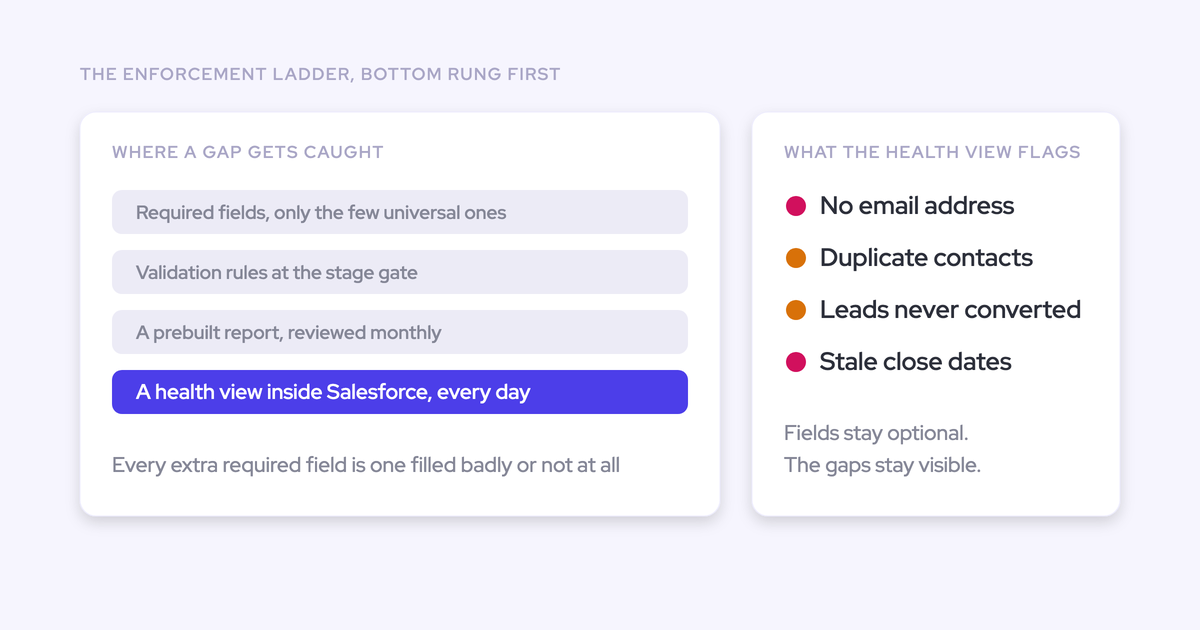
The Activity Capture Health view inside Salesforce flags several of these for you, including duplicate accounts, duplicate contacts and accounts with no website or domain.

Guarantees: baseline matching behaves the way you assume it does. Doesn't cover: new bad data entered after the audit.
Step 4: Block whole records with custom rules on Salesforce fields
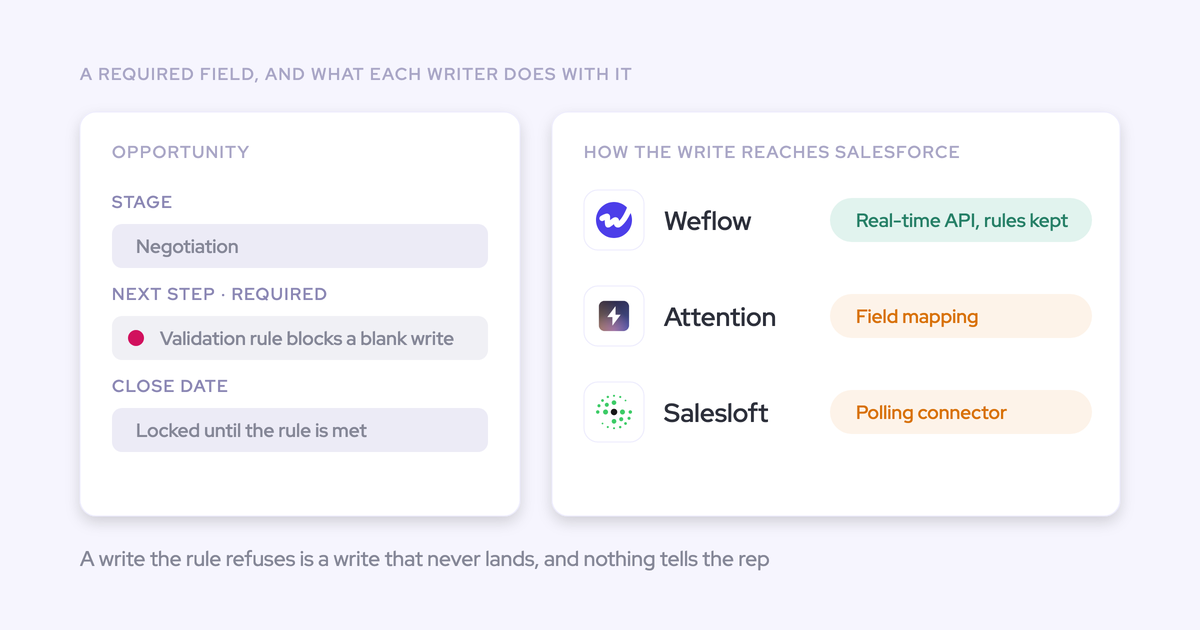
This is the layer that expresses "who the person is," and it's the center of the method. A custom rule reads any field on the account, contact, opportunity or case and blocks capture against that whole record. Custom rules sit above every other layer, so a matching record stays out regardless of domain, keyword or mode.
Here's how compliance rules translate into field conditions:
| Compliance rule as legal states it | Salesforce field condition |
|---|---|
| Never log anything about patients | Contact: Patient flag is true |
| Never log to confidential accounts | Account: Confidential is true |
| Keep personal contacts out of the CRM | Contact: marked Personal |
| Log nothing for accounts in a given country | Account: Billing Country equals that country |
| Exclude a client whose vendor governance forbids new sub-processors | Account: Capture opt-out checkbox is true |
| Never log to internal test records | Account: Test flag is true |
A rule is only as good as the field behind it. If nobody sets the patient flag, the rule has nothing to fire on. That's why the prerequisites ask you to decide who owns those fields.
Field-based exclusion isn't unique to Weflow. Momentum, for example, also offers exclusion rules that read CRM fields. What matters here is that the rule sits above everything else in the capture path.
Guarantees: nothing logs against a record that matches the rule. Doesn't cover: people whose records nobody has flagged.
Step 5: Add domain, object and keyword exclusions for the rest
Domains, objects and keywords handle what record rules don't express, and each one catches something different:
| Filter | Use it for | It won't catch |
|---|---|---|
| Domain | Outside counsel, suppliers, noisy free-mail and notification senders | A domain that already exists as a Salesforce contact or account. That needs a step 4 rule. |
| Object | Rules like "never log to leads" for a team that doesn't work them | Anything on the objects you still log to |
| Keyword | Literal strings in the email body, such as a matter code or program name | Anything that says the same thing in different words |
The domain behavior in that first row helps in regulated work. Excluding a free-mail domain doesn't stop mail from existing contacts who write from it. That's usually what you want when real donors or clients use personal addresses.
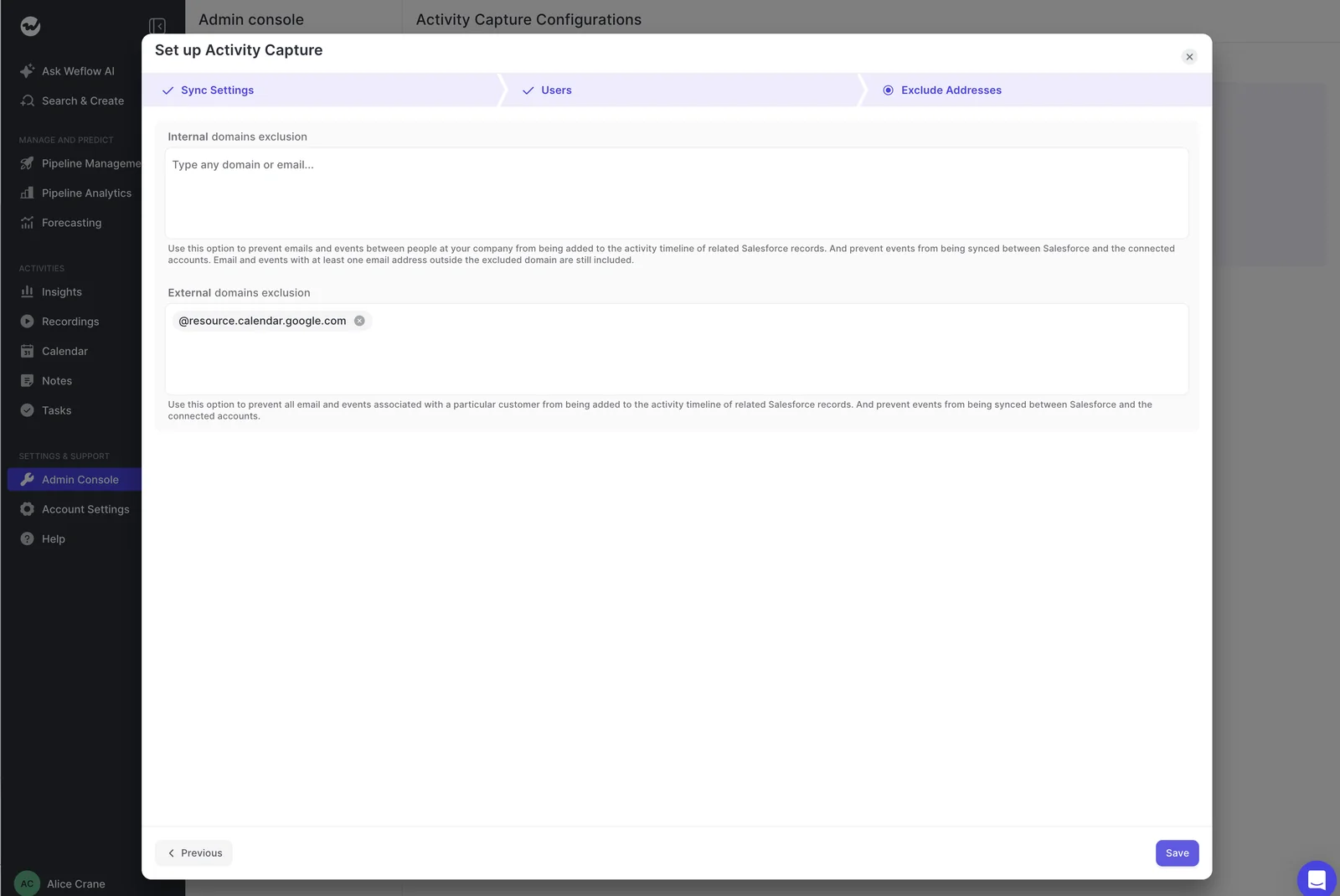
Guarantees: the listed senders, objects and strings stay out. Doesn't cover: meaning.
Step 6: Move content-sensitive teams to manual or hybrid capture
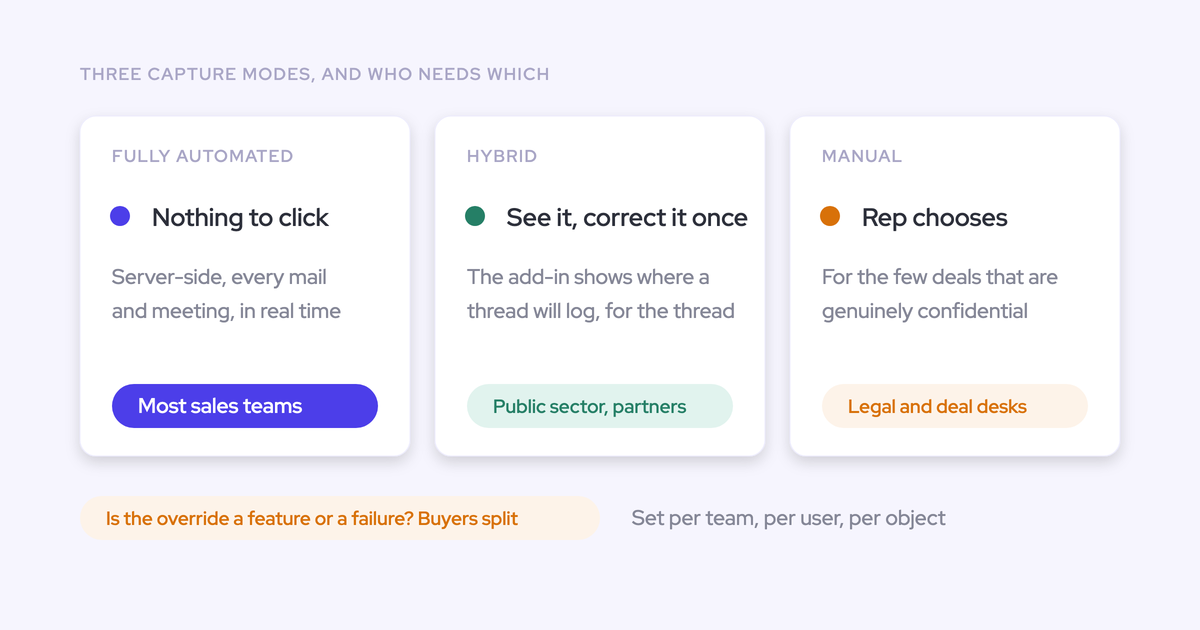
This step is the answer to the risk no rule can catch. You set capture mode per team, so teams whose risk lives inside normal customer threads can log opt-in while everyone else stays automated.
| Mode | What the rep does | Which team it suits |
|---|---|---|
| Fully automated | Nothing. Capture runs server-side. | Teams whose sensitive people are already covered by step 4 rules |
| Hybrid, with the Outlook add-in | Sees what's about to log, re-maps it, and can untick logging for a thread. You can issue the add-in without the suppress control. | Most teams. Most customers run hybrid. |
| Fully manual | Nothing logs unless the rep chooses to log it. | Leadership, and teams handling content-sensitive threads |
| Not enrolled | Nothing. The mailbox is out of scope from step 1. | A team whose mail must never reach the CRM |
Rep-side suppression only works where the rep notices. A customer who must never be captured belongs in a step 4 rule, not in someone's memory.
Step 7: Test every exclusion layer in a sandbox before enrolling anyone
Prove the design in a sandbox with one test user before real mail flows. The test results also give your reviewer evidence instead of assurances.
Use an external test address, because mail between two colleagues is internal and logs nothing. Then run one case per layer:
- Scope: add an out-of-scope user to the configuration and save. Expect the warning icon.
- Internal: email a colleague. Expect nothing to log.
- Unmatched: email a personal address that isn't in Salesforce. Expect nothing to log.
- Matched: add that address as a contact on a test account and email it. Expect it to log.
- Record rule: set your sensitivity flag on that contact and email it again. Expect nothing to log.
- Domain: exclude a test domain that isn't in Salesforce and email it. Expect nothing to log. Then add it as a contact and email again. Expect it to log, which shows the reviewer why step 4 exists.
- Keyword: send an email containing a listed keyword. Expect nothing to log.
- Private: mark a meeting private before it's processed. Expect it to stay out.
- Calendar permissions: create, move, reschedule and delete a meeting. A missing update right otherwise surfaces weeks after go-live.
- Mode: put the test user on fully manual. Expect nothing to log until they choose to log it.
Mistakes that let sensitive email reach Salesforce anyway
Some leaks come from assumptions about how a control behaves rather than from missing controls.
| Mistake | What happens | The fix |
|---|---|---|
| Assuming a domain block covers existing contacts | Mail from that domain keeps logging to records already in Salesforce | A custom record rule (step 4) |
| Marking an item private after it logged | The record stays in Salesforce | Delete it there, and fix the cause (steps 3 and 4) |
| Relying on reps to tick suppress for regulated threads | Anything the rep doesn't notice logs | Manual mode for that team, or a record rule (steps 4 and 6) |
| Letting the keyword list grow without an owner | Hundreds of entries nobody can explain or migrate | An owner and a reason per entry, with person-based risk moved to rules (step 4) |
| Treating vendor certification as the answer | A certified vendor still lands the email where everyone with account access can read it | Answer "does it land at all" with the layers (steps 1 to 6) |
Where captured email lives and what Weflow's AI can see
Exclusion decides what lands. These answers cover where it lands and who or what can read it, which is the second half of most security reviews.
Weflow stores captured email in your own Salesforce org
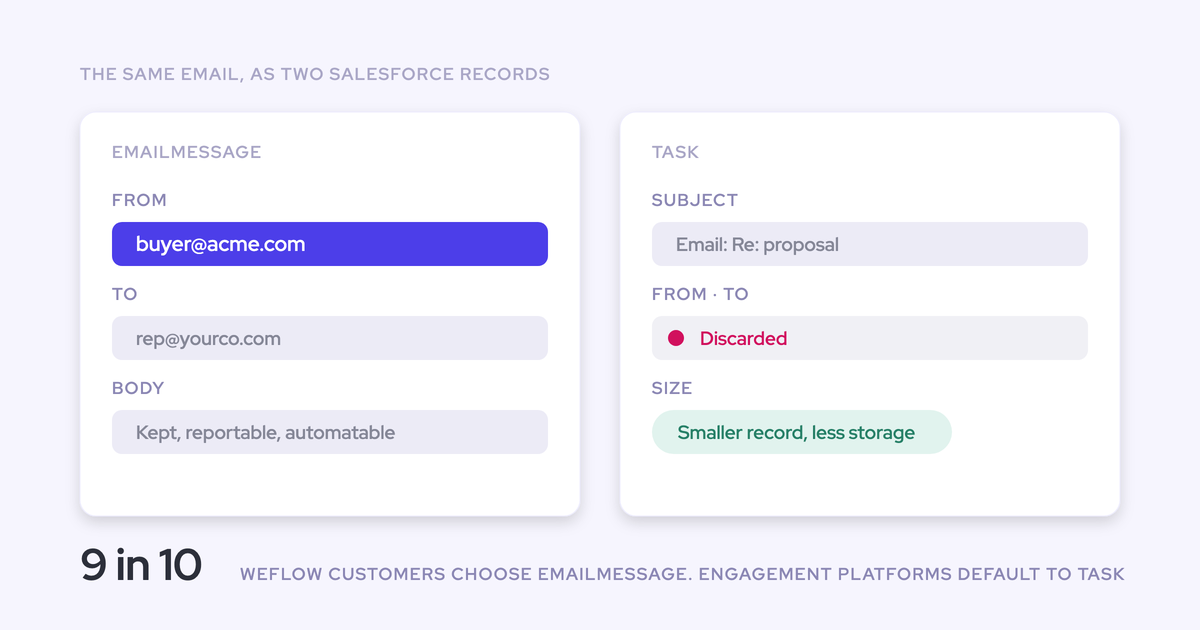
Weflow writes captured email as standard Email Message or Task records, whichever your admin chooses, and calendar events as Event records in your Salesforce. Weflow Activity & Contact Capture keeps nothing of substance on our side. Weflow data follows the region of your Salesforce instance, with an override to keep it in the EU or UK.
If you add Weflow Conversation Intelligence later, recordings are the exception. We store those, because Salesforce is a poor place for large video files.
For comparison, Salesforce Einstein Activity Capture processes email outside your main org and holds it there for up to 30 days. It also keeps de-identified derived data for up to two years for machine learning, and admins can opt out of that.
Weflow capture and support never read message content
Weflow maps each email using the address and the Salesforce relationships around it, never the message content. We tested content-based matching and dropped it because it wasn't accurate enough.
Our support team sees how Weflow decided to log or skip each email: whether it synced, and which rule skipped it. They don't see what the message says. Only you do.
Weflow AI runs under Zero Data Retention and never trains on your data
Weflow's AI processing runs under Zero Data Retention, and we never use customer data to train AI models. We use third-party foundation models, primarily Google Gemini. That gives your reviewer a vendor name and a contractual position instead of a claim about proprietary technology.
How to get capture approved now and AI reviewed later
Capture and AI are separable decisions, so you can run them as two reviews. Nothing is read until enrollment, which lets setup finish while legal is still deciding. Capture also comes first for a practical reason: conversation intelligence, deal intelligence and forecasting all depend on a complete activity layer.
- Set up: install the packages, connect the integration user and restrict the Entra app. Nothing is read.
- Approve the capture scope: take the risk-class table, your record rules and your team modes to your compliance owner.
- Enroll: start with the teams on automated or hybrid mode, after the sandbox tests pass.
- Run: watch what lands and adjust rules where the data shows a gap.
- Open the AI review: review AI features separately, against the Zero Data Retention and no-training position above.
If you'd like to see the exclusion controls before you talk to anyone, walk through the product yourself, no call required.
FAQ: keeping sensitive data out of Weflow activity capture
Is Weflow HIPAA compliant, and will it sign a BAA?
The trust claims we make here are SOC 2 Type II, GDPR compliance, Zero Data Retention for AI processing, and never using customer data to train AI models. Your security review handles HIPAA and BAA questions through our trust center, which holds our certificates and controls.
Vendor compliance doesn't decide whether health data lands in a CRM that hundreds of people can read. Your exclusion design does.
Can Weflow detect Social Security numbers or medical terms automatically?
No. Weflow matches rules and literal keywords, not meaning or number patterns. Other tools do more here:
- Einstein Activity Capture automatically excludes emails containing credit card numbers, US Social Security and driver's license numbers, and Canadian social insurance numbers.
- Backstory screens activity with machine learning in English and pattern matching in twelve other languages.
- Aviso runs sensitive-content filters before mapping.
Some regulated teams prefer rules they can audit over a filter that decides on their behalf. Every Weflow capture decision traces to a rule your admin wrote.
Which keywords should go on the exclusion list, and who maintains it?
Keep the list short, give it a named owner, and record a reason for every entry. Use keywords only for literal strings like matter codes or program names. Push anything about who a person is into record rules, so the list doesn't grow into hundreds of entries nobody can explain.
Who in our organization can see logged emails in Salesforce?
Your Salesforce sharing model decides it. Activity on an account is visible to anyone who can see that account. That's why "does it land at all" is the question your design has to answer.
How do we remove sensitive email that has already logged to Salesforce?
Logged items are native Salesforce records, so you delete them with Salesforce's own tools. Marking the item private afterward doesn't remove it. Fix the cause, whether that's a missing record rule or a bad Website field, so it doesn't happen again.
Can Weflow skip email attachments or cap their size?
Yes. Attachment storage is optional per capture configuration, and you can set a size cap.

How much does Weflow Activity & Contact Capture cost?
Weflow Activity & Contact Capture is $19 per user per month, billed annually, with a minimum of 10 users.