How Activity Capture Tools Handle Salesforce Validation Rules, Field Dependencies and Permission Sets
Learn how activity capture tools handle Salesforce validation rules, field dependencies, and permissions.


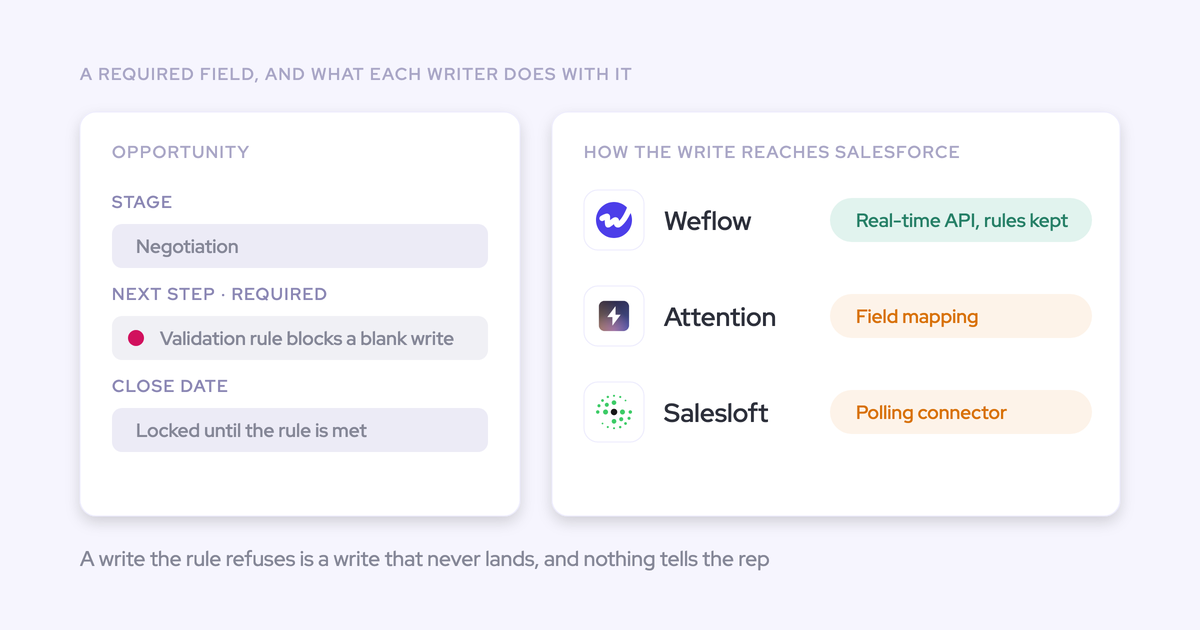

Every activity capture tool that writes through the Salesforce API runs into your validation rules. Salesforce enforces them on every API write, whatever permissions the writing user holds. So "does it respect validation rules?" isn't the useful question. Three things separate one tool from another:
- Which user the write runs as, and how much access that user holds.
- Whether the tool keeps a second field map that drifts away from your org.
- What happens when Salesforce says no.
A tool that respects your rules will sometimes get rejected. The real test is whether you can see the rejection, and whether there's a fix that keeps the rule in place. Weflow is the Revenue AI Orchestration platform for sales, customer success, and RevOps teams. Weflow Activity & Contact Capture writes through a least-privilege integration user that reads your Salesforce configuration live, so there's one rule set and it's yours.
Below, we walk the three layers Salesforce enforces through each way a vendor can connect. Then we compare Weflow, Einstein Activity Capture, Gong, Attention and Momentum on how they write into Salesforce, show what our integration user touches, and finish with a sandbox test you can run this afternoon.
What it means when a capture tool respects your Salesforce rules
A capture tool respects your Salesforce rules when it does three things:
- It writes through the API as a user whose access you scoped.
- It reads your validation rules, field dependencies and permissions from Salesforce, not from a copy it maintains.
- It makes visible the writes Salesforce rejects.
"Respects validation rules" is where an evaluation starts. The failure question comes right after it.
This article covers tools that write captured activity or conversation data into Salesforce. Not all of them capture email:
- Gong, Attention and Momentum are built around calls.
- Momentum logs no email from the mailbox.
- Attention keeps imported emails in its own store.
One Salesforce fact holds for all five: validation rules fire on every API write, regardless of the writing user's permission level.
Why automated Salesforce writes fail without anyone noticing
Several outside tools now write into the same Salesforce objects: activity capture, conversation intelligence, sequencers and Einstein Activity Capture. Each one brings its own mapping logic and its own idea of which user it writes as.
The capture layer is the thinnest writer of all. It usually knows a first name, a last name and an email address. Your rules were built for records a person fills in properly, so they reject the capture tool's creations.
Here's the chain we see on sales calls:
- Many writers: capture, CI, sequencer and EAC all write into Contact, Event, Task and EmailMessage.
- Thin data: the capture layer can't supply the Title, phone or lead source your rules require.
- Silent result: the rejected write raises no alert anyone watches. Or the activity lands on the account instead of the deal, and the opportunity looks dormant.
That's why admins can't tell whether a gap comes from the tool, the rules or the permissions. Reps usually spot it first.
"Whenever that sync would break, there was no trigger. We never knew. People would realise activities were missing from their report, and we could never proactively manage that sync." (Salesforce admin, on a previous capture tool)
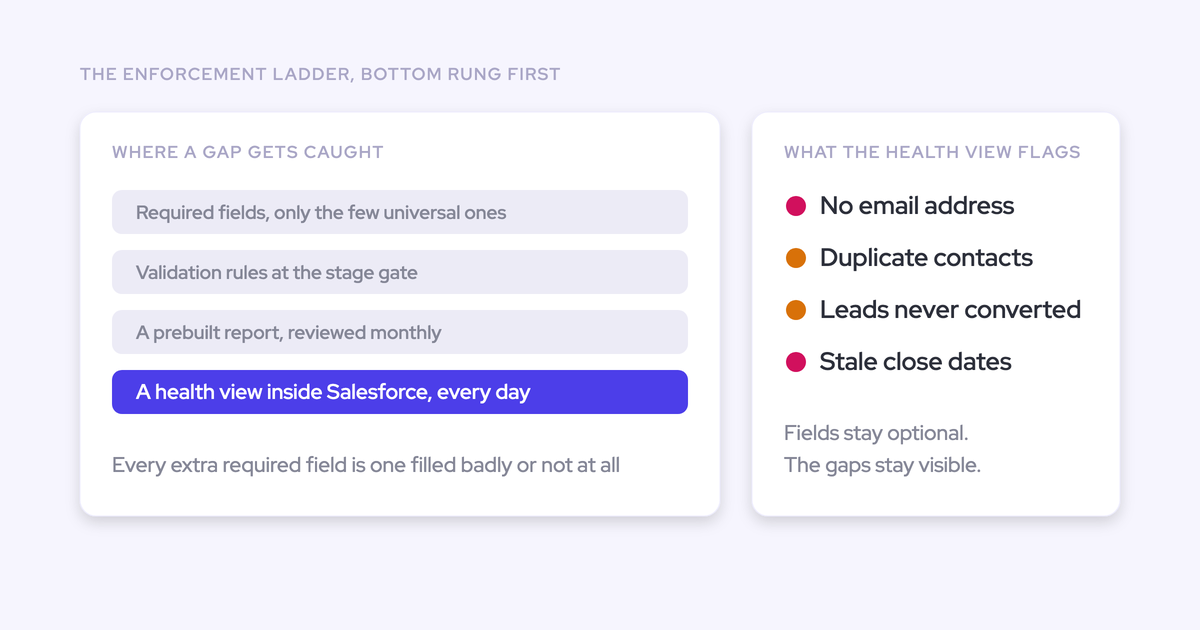
You already know the other side of this. Every validation rule carries maintenance cost, and every rule is another thing an integration can trip over. So what you want is a writer that works with a lean rule set, not one that needs your rules weakened to function.
"I think you start with, like, two or three dependencies and validation rules, and then you see how it goes. And if this, like, leads to high quality data already, then just stop there. Don't, like, don't go crazy because this creates, like, maintenance efforts. This will create other problems with other integrations that you may have."
— Philipp Stelzer, CPO & Co-founder of Weflow
Every automated write goes through three Salesforce layers
Salesforce checks any write against three separate layers, and a tool can pass one while failing another.
Data rules: validation rules, field dependencies, required fields and picklists
Data rules judge what a write contains. A capture tool supplies little, so this is the layer that stops auto-created contacts and AI writes to gated fields.
- Required fields block any contact the tool can't fully populate. A required Title or Account is the most common reason contact creation fails after an otherwise clean install.
- Validation rules tied to stage block an AI stage change until the fields the rule checks have values.
- Field dependencies limit which values a dependent field accepts. A writer has to read them from Salesforce to pick a valid value.
- Picklists reject values that aren't defined on the field. A required picklist like lead source has no value an automated writer can know on its own.
Access: object permissions, field-level security, sharing and org-wide defaults
Access decides reach, not content. It controls which objects, fields and records the writing user can touch at all. The first question is which user the write runs as.
This is where Modify All Data belongs in the conversation. It lets a user read and edit every record of every object, regardless of sharing rules. It doesn't switch off validation rules. A tool connected with Modify All Data still gets rejected by your data rules, while holding far more reach than writing activity requires.
Under Private org-wide defaults, access also becomes record-by-record. A write can succeed on one record and fail on the next, which is why failures there look random.
Record structure: record types, contact roles and lookup fields
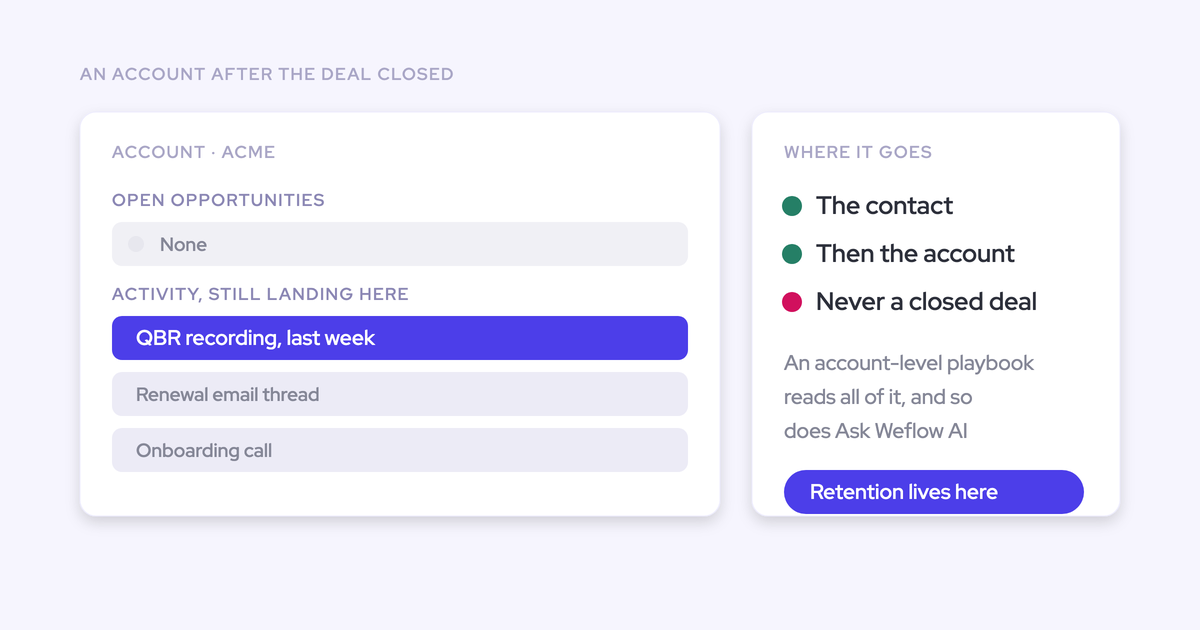
Record structure decides where a write lands. An activity reaches an opportunity through the contact's role on that opportunity. When the tool can't settle which opportunity it belongs to, the activity falls back to the account.
That fallback raises no error. The account timeline looks healthy and the deal looks dormant.
- Record types: when Event has several record types and no default is set, a writer can't choose one and the log fails.
- Opportunity Contact Roles: they're the path from contact to deal. When they're empty or missing from the integration user's access, emails land on the account.
- Account fallback: several open opportunities on one account is the common case, not the edge case. We built Weflow to log to the account rather than guess, because an activity on the account is easy to move and one on the wrong deal isn't.
- Lookups: these are how Salesforce expresses relationships between records. Weflow's AI field updates can't write them, so an automation that depends on setting a lookup can't be built on Weflow's AI updates.
How a tool's connection pattern decides where your rules bite
How a vendor connects changes where each layer bites and how failure shows up. Salesloft appears below only to illustrate the polling pattern. It isn't one of the five tools we compare.
| Service user with sweeping rights | Per-user OAuth or named licenses | Vendor-side field map | Polling connector, writes as acting user | Least-privilege integration user, config read live | |
|---|---|---|---|---|---|
| How it connects | OAuth app authenticated by one user who holds API Enabled, Customize Application and Modify All Data | Each rep authenticates their own Salesforce connection, or holds their own license and permission set | Vendor keeps its own list of CRM fields an admin imports or maps | Designated connector user polls every 1, 5 or 10 minutes | Dedicated Minimum Access API Only Integrations user with a purpose-built permission set |
| Data rules | Validation rules still fire. Fields are mapped by hand in the vendor | Validation rules fire as each user | A field the vendor hasn't imported or mapped gets no write | Picklist errors are reported as sync failures | Rules, dependencies and picklists read from Salesforce, cached for about an hour |
| Access | Reaches every record regardless of sharing | Limited to each rep's own access | Depends on the connecting user | Reads through the connector user, writes as the acting user | Scoped to the objects mapping needs. Modify All Records only under Private OWD |
| Record structure | Calls matched to records through participants | Each rep's matching runs under their own connection | Custom objects often need workarounds | Standard objects | Contact roles, account fallback, default record type set in Weflow |
| How failure shows up | A new field stays blank with nothing reporting an error | Connections decay one rep at a time with no central signal | New Salesforce fields stay empty until someone maps them | Alert email to one contact every 48 hours until resolved | Admin and CSM alerted on connection breaks. Per-record skips in capture health metrics |
| Example | Attention | Salesforce Outlook and Gmail extension, Einstein Activity Capture | Gong, Attention | Salesloft (illustration only) | Weflow |
Each pattern has an honest trade-off:
- Service user with sweeping rights: setup is quick, and you pay for it in security review. Your data rules still hold, but the connection can reach every record in the org.
- Per-user OAuth or named licenses: access stays tied to each rep's permissions, which is good. The cost is that coverage depends on every rep keeping their connection alive.
- Vendor-side field map: it works for the fields you set up on day one. Every schema change afterward becomes a second task in a second system.
- Polling connector: writing as the acting user keeps permissions intact, and failures reach a person by email. Writes run on the poll interval, not immediately.
- Least-privilege integration user reading config live: one rule set, one place to change access. The catch is the Private OWD grant and a configuration cache, both covered below.
"Everything we do has a bi-directional Salesforce integration that is real time and API based, that respects all your validation, field dependencies, permission sets. And that is actually quite different to for example Gong or Attention, that typically have to do field mapping."
— Janis Zech, Co-founder and CEO of Weflow
What happens when Salesforce rejects a capture tool's write
A tool that respects your rules gets rejected sometimes. What separates tools is whether you see the rejection, and whether there's a fix that keeps the rule.
Where a rejected write shows up, or why it doesn't
Most rejected writes don't surface as errors. The record looks dormant, or the activity lands on the account. So you diagnose from symptoms.
| Symptom you see | Likely cause |
|---|---|
| AI summaries land on opportunities but not on accounts | Private OWD, and the integration user lacks Modify All Records on Account |
| Meetings appear to log from the extension, then never reach Salesforce, while emails keep working | Missing full access to Event, or to a single Event field such as location |
| Calendar logging fails on some orgs but not others | Event has several record types and no default is set |
| Emails land on the account instead of the deal | Missing Opportunity Contact Role access, no contact role on the deal, or several open opportunities |
| Auto-created contacts never appear | A required Contact field with no default value |
| A meeting logs correctly, then goes stale when it's rescheduled | The user can create events but not update them |
| A new Salesforce field stays empty | A vendor field map nobody updated, or a field sync that hasn't run yet |
Three questions separate tools that fail silently from tools that tell you:
- What alerts fire when the connection itself breaks, and who receives them?
- Where do per-record skips and errors appear, and can you export them?
- Can the diagnosis live inside Salesforce, where you and RevOps can act on it?
Here's how Weflow answers them. When capture breaks at the connection level, for example when the integration user disconnects, Weflow emails your admin and alerts the customer success manager on your account. Skipped or errored emails and meetings show in the admin console's capture health metrics for a chosen period, with a CSV download.
Inside Salesforce, Weflow Analytics runs an Activity Capture Health view. It flags the data conditions that make capture fail quietly: contacts with no email, duplicate accounts and contacts, and unconverted leads that match a contact. It also checks the org settings capture depends on.

How to keep contact creation on when validation rules feed billing
This is the hardest case, and we hear it in almost these words:
"We do not create contacts, because we have validation rules and we do not want duplicated contacts. This links into our subscription management platform, which is a big, big problem if we do." (Salesforce admin, on a Weflow sales call)
You don't have to weaken the rule. Here are the paths, from least to most invasive:
- Set a default in Salesforce. When a required Contact field has a default value, Weflow fills it with that default on creation. The rule stays as it is.
- Let enrichment fill what it can. Weflow enriches a contact before writing it, so a required Title or phone often arrives filled. Enrichment finds most people, not everyone, so a share of creations in a strict org still won't save.
- Add a flow keyed to the integration user. For a required picklist like lead source, a flow sets a value on contacts the Weflow integration user creates. Human-created contacts still hit the full rule.
- Exempt the integration user from the rule. The rule keeps protecting manual entry, and you've made one scoped exception.
- Accept some manual creation. Contacts enrichment couldn't complete get created by hand, and everything else flows.
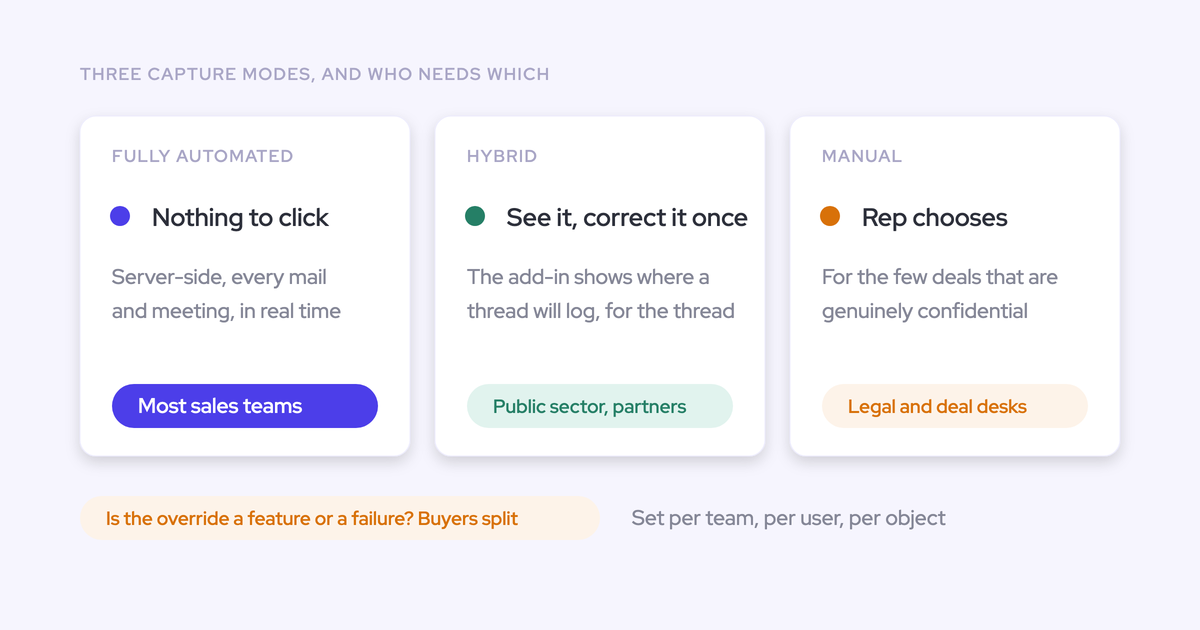
- Keep contact creation off and capture activity only. This is a legitimate choice where rules are immovable. The cost is visibility into the buying committee, because contact creation is what reveals who's really on the deal.
Two scoping facts matter for the billing case:
- Weflow only creates a new contact when the person's domain resolves to an existing account, which keeps unknown people out.
- When Weflow creates or enriches a contact, it writes eight fields and nothing else: first name, last name, email, account, website, LinkedIn URL, title and phone. You can scope the integration user's field-level edit access to exactly those eight.
How AI field updates should behave at a stage-gated rule
You want to know whether the AI will skip the gate, get stuck on it, or fill it with junk. Here's Weflow's documented behavior. We don't have evidence on how the other tools behave at a stage gate, so this section describes ours only.
- A stage change blocked by a validation rule stays blocked until the fields the rule depends on are filled.
- Those gating fields can themselves be filled from what was said on the call, so the gate is met by the conversation, not by a form after the fact.
- Whether an AI field update writes automatically or waits for review is set per field. You can let a website update itself and keep Stage and interpretive fields like champion under review.
The quieter risk is a field filled with plausible junk. A value that satisfies the rule and means nothing misleads every report and every AI that reads the record afterward.
"If the metrics comes back and says they have 50,000 staff, that is a metric, but it's not relevant to what we're looking at in our sales process." (Sales leader, on a Weflow sales call)
Three questions to put to any vendor writing into gated fields:
- When a rule blocks the write, does the value wait, retry, or disappear?
- What does the tool write when the call contains nothing for that field?
- Can Stage and interpretive fields sit under human review while unambiguous fields update on their own?
How Weflow, Einstein Activity Capture, Gong, Attention and Momentum compare
The five tools sit on different connection patterns. Each is strong where its pattern is strong, and each has a specific point where it stops.
| Capability | Weflow | Einstein Activity Capture | Gong | Attention | Momentum |
|---|---|---|---|---|---|
| Salesforce integration | Offers. Real-time two-way REST API writes in about 200ms. Inherits objects, validation rules, permissions and hierarchy | Offers. Salesforce's own feature. Saves email as EmailMessage and Task, syncs contacts and events | Offers. Imports accounts, contacts, leads and opportunities and writes AI values back. Mapping is painful, and the sync breaks stage updates | Offers. OAuth app with real-time writes. Connecting user needs Modify All Data | Offers. Managed package. Reads records to map calls, writes field values, call logs and Events |
| Activity stored as native CRM records | Offers. Email as EmailMessage or Task, meetings as Event | Offers. Task and EmailMessage since Summer '25, meetings as Event. Email also held off-org up to 30 days | Offers. Tasks or events once an admin enables export. Only matched contacts and leads, email forward from enablement, no transcripts | Partial. Emails stay in Attention's store. Call outcomes land as mapped field values | Partial. Call logs to Event once enabled, summaries as notes. Recordings and transcripts stay in Momentum |
| CRM field updates from conversations | Offers. Every field type except lookups, auto or review per field. Custom objects set up by support | Not offered. Writes email, event and contact records only | Partial. Up to 20 admin-created extractors, existing imported fields only, overwrites | Offers. A prompt per mapped field. New fields fill forward only, and empty findings arrive as prose | Offers. Autopilot writes Opportunity, Account, Lead, Event and Contact fields with a save mode per extraction |
| Logging to custom objects | Offers. Any object, including Case and custom objects, surfaced in the mail extension | Partial. Needs Flow Builder or Apex changes to the matching flow | Partial. Roll-up workarounds. AI write-back only to existing one-to-one records | Partial. Writes to CRM objects an admin maps. Imported emails stay in Attention | Not offered. Calls link to accounts, leads or their opportunities |
| Setup and rollout | Offers. Two managed packages, one integration user, one central mail app. 30 to 60 minute session, two to four weeks to roll out | Partial. License, permission set and configuration per user, then each rep connects | Partial. Company-wide mail connection from the admin side. Rollout sold as paid professional services | Partial. Each rep links their own calendar and email | Partial. Admin installs once, then every recorded user authorizes their own calendar |
| Integrations with other tools | Partial. Salesforce, Gmail, Google Calendar, Outlook, Zoom, Teams, Meet, Slack, Outreach dialer, plus API and MCP. No native warehouse connector | Partial. Office 365, on-premises Exchange and Google Workspace. No catalogue for dialers or BI | Offers. About 450 integrations and partner solutions, about thirty dialers | Offers. Calendars, Zoom Phone, Aircall, Slack, workflow steps into Salesforce, HubSpot, Snowflake and more | Offers. Five CI tools, seven dialers and contact centers, Slack or Teams, Gmail for follow-ups |
| Access from AI assistants (MCP) | Offers. Official read-only connector with a separate transcript toggle | Partial. No server of its own. Reached through Salesforce Hosted MCP Servers | Partial. Three record-scoped, read-only tools, insights only, metered credits | Offers. 68 read-write tools, raw transcripts, rate limits instead of charges | Partial. No server of its own. Reached through Salesforce Hosted MCP |
| Raw data access outside the tool | Offers. REST API bulk export as JSON or CSV, recordings to your own storage | Partial. Records reachable through reports, SOQL and APIs. Data EAC holds itself isn't exportable | Offers. API capped at 3 calls a second and 10,000 a day. Data Cloud sold separately | Offers. Raw transcripts through MCP and API keys, workflows to Snowflake or any API | Partial. API off by default, enabled through support, 100 requests per 15 minutes |
| Pricing | Offers. Published per-seat prices from $19 per user per month | Offers. Standard included with several editions, full version in Sales Engagement at $50 per user per month | Partial. Model published, no prices | Not offered. No published pricing | Offers. Published standalone plans and Salesforce edition prices |
Weflow writes through a least-privilege integration user that reads your config live
- Salesforce integration: Weflow writes in real time through the Salesforce REST API, in about 200 milliseconds, and reads your validation rules, field dependencies, permissions and hierarchy from Salesforce. You change access in one place, and there's no second rule set to keep in step.
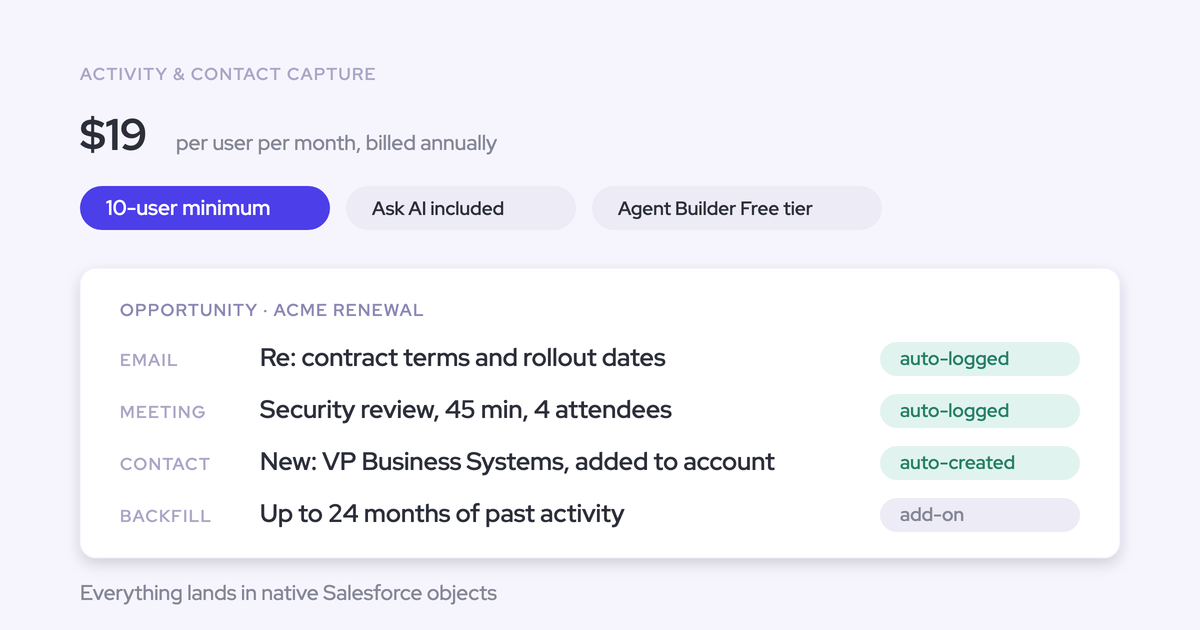
- Native CRM records: emails land as EmailMessage or Task records (your choice) and meetings as Event records. Your flows, reports and BI tools read them directly, and they stay if you ever stop using Weflow.
- CRM field updates: AI field updates write every field type except lookups, including picklists, dates, numbers and multi-selects. You set auto or review per field, and AI updates to custom objects need setup by Weflow support.
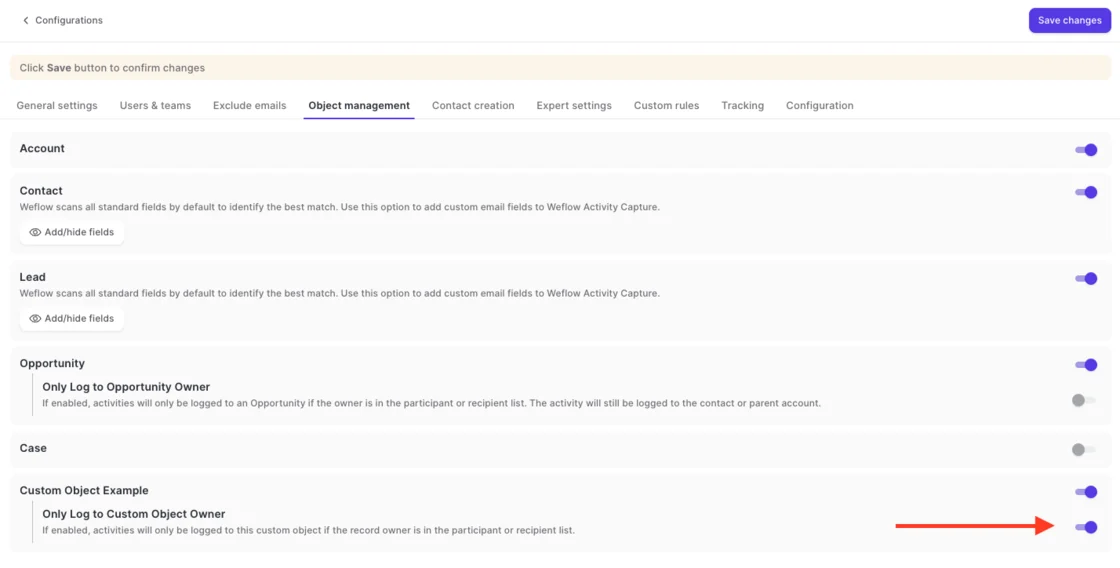
- Custom objects: activity logs to any object, including Case and custom objects. Reps can link emails to custom objects from the mail extension, and you can restrict logging on an object to conversations its owner joined, so the object stays reportable.
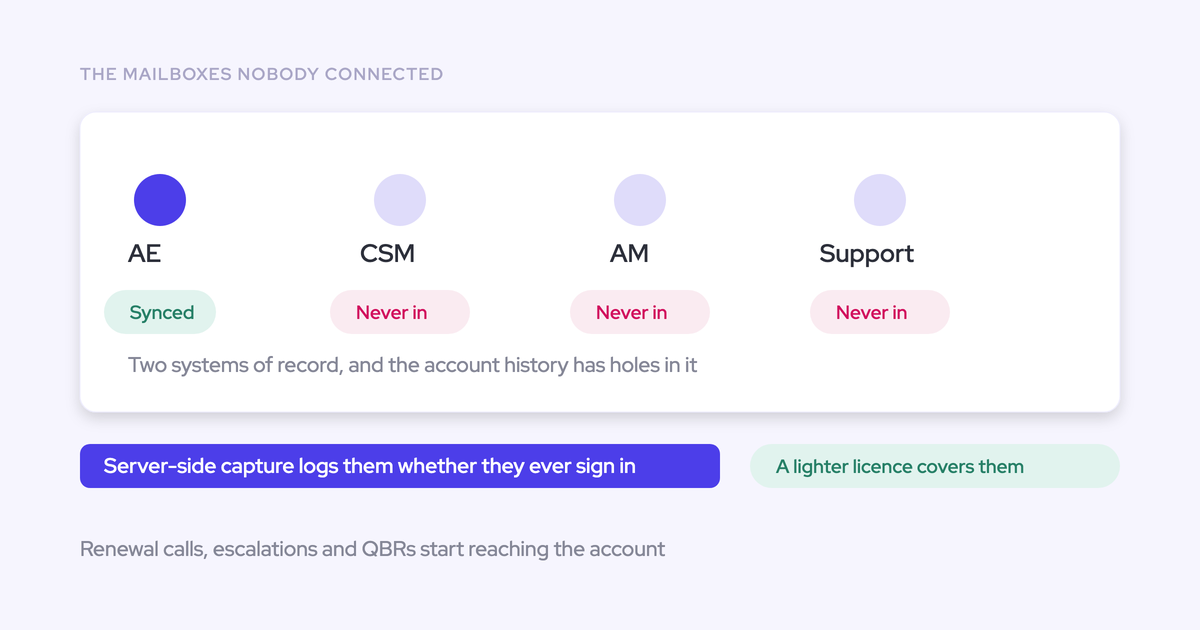
- Setup and rollout: the install is two managed packages, one integration user and one mail app installed centrally in Microsoft or Google, with no code. Capture runs server-side at the tenant level, so no rep has to connect anything.
- Integrations: Weflow integrates natively with Salesforce, Gmail, Google Calendar, Outlook, Zoom, Teams, Meet, Slack and the Outreach dialer. It isn't an integration platform with a connector catalogue, and teams move data into Snowflake, Databricks or BigQuery through the API.
- MCP access: the read-only connector gives Claude, ChatGPT and other assistants playbooks, call summaries, transcripts, forecast calls and pipeline metrics. An admin switches it on per workspace and decides separately whether transcripts are included.
- Raw data access: the REST API bulk-exports transcripts, metadata, scores and signals as JSON or CSV. Meeting recordings export to your own cloud storage, not into Salesforce.
- Pricing: published per seat, starting at $19 per user per month for Weflow Activity & Contact Capture, billed annually with a 10-user minimum.
Suits: Sales Ops who want one Salesforce-governed rule set, a least-privilege integration user, and centrally deployed capture for email, meetings and contacts, with AI field updates that respect validation rules.
Stops: Private OWD needs Modify All Records. Lookups aren't writable. AI updates to custom objects need support. There's no read-only admin role. Config changes take about an hour to apply, and new fields up to eight hours.
Einstein Activity Capture needs a license and permission set per user
- Salesforce integration: EAC is Salesforce's own capture feature. It saves sent and received email as Salesforce records, syncs contacts both ways and syncs events in whichever direction you choose.
- Native CRM records: since Summer '25, email lands as Task and EmailMessage records that reports, flows and triggers can use. Email is also held on Salesforce's Activity Platform for up to 30 days, and orgs set up before Summer '25 keep email off the org until they switch.
- CRM field updates: EAC writes no fields from conversations. Salesforce handles calls in Einstein Conversation Insights, a separate feature.
- Custom objects: default matching covers users, contacts, leads, accounts and opportunities. Relating email to custom objects means editing the Activities: Match Email to Records flow or adding Apex.
- Setup and rollout: an admin assigns each user a license and a permission set and adds them to a configuration, then each user connects and sets personal settings. Salesforce says missing any of the three causes connection and access issues.
- Integrations: EAC connects to Office 365, on-premises Exchange and Google Workspace, and works with Salesforce's own Inbox, Einstein Conversation Insights and Agentforce. It has no catalogue of dialer, sequencing or BI integrations.
- MCP access: EAC has no MCP server. Assistants reach the records it writes through Salesforce Hosted MCP Servers, which are intended for customers with Flex Credits.
- Raw data access: email stored as Task and EmailMessage is reachable through reports, SOQL and the APIs. Salesforce doesn't support exporting the activity data EAC holds in its own store.
- Pricing: the Standard version comes with Starter, Pro Suite, Professional and Enterprise editions. The full version comes with Unlimited, Einstein 1 Sales and Agentforce 1, or inside Sales Engagement at $50 per user per month billed annually.
Suits: orgs that want Salesforce's own included capture, now that email lands as Task and EmailMessage records reports and flows can reach.
Stops: capture is tied to named user licenses with per-user setup. There's no automatic contact creation under Sync Email as Salesforce Activity. Custom-object matching needs Flow or Apex. It writes no fields from conversations, and Salesforce now names Momentum as the future of activity capture in Salesforce.
Gong writes AI values only into fields you've already imported
- Salesforce integration: Gong imports accounts, contacts, leads and opportunities and writes AI values and methodology status back. Buyers describe the field mapping as painful, and a sync that breaks often enough for deal stage updates to stop flowing.
- Native CRM records: Gong exports meetings, calls and emails as tasks or events once a tech admin turns export on. It exports only activity with an external participant matching a Salesforce contact or lead, email only from the day export is enabled, and no call transcripts.
- CRM field updates: AI Data Extractor writes into CRM fields that already exist and are already imported into Gong. A workspace can publish up to 20 extractors, only a business admin creates them, and each new reading overwrites the last.
- Custom objects: Gong can't import custom objects directly, so admins build roll-up fields or Flows onto a supported parent. AI write-back reaches a custom object only where the relationship is one-to-one and the record already exists.
- Setup and rollout: an admin connects Google Workspace or Office 365 company-wide, with no install per rep, and the Google connection completes within 24 hours. Gong sells implementation as professional services packages of 8 to 15 hours, used within 30 to 45 days.
- Integrations: this is where Gong is strongest. Its marketplace lists about 450 integrations and partner solutions, and it imports calls from about thirty dialers.
- MCP access: the MCP server exposes three read-only tools that each answer about one account, deal or contact. It returns AI insights rather than transcripts, and programmatic calls draw on a shared credit pool.
- Raw data access: the public API returns transcripts, participants, trackers and scorecards, capped at 3 calls a second and 10,000 a day. Warehouse delivery runs through Data Cloud, a separate purchase we see at about $5,000 a year.
- Pricing: Gong publishes the model but not the numbers: a per-user license plus a platform fee that scales with users, on top of a mandatory Gong Foundation core license.
Suits: teams whose center of gravity is call recording and coaching, and who rely on a broad integration ecosystem.
Stops: AI field writes need existing, imported fields and are capped at 20 extractors. Custom objects need workarounds. Activity export has conditions, and the Salesforce sync can hold up stage progression.
Attention writes to Salesforce through a user with Modify All Data
- Salesforce integration: Attention connects through an OAuth app calling the REST API, with writes in real time after each call. The authenticating user must hold API Enabled, Customize Application and Modify All Data, which will come up in your security review.
- Native CRM records: imported emails stay as Attention's own records, tied to an account and deal, not as Salesforce activity. Call outcomes reach Salesforce as values in fields an admin maps.
- CRM field updates: each field has a written extraction prompt, and automatic sync is the recommended default. When the call has nothing for a field, Attention writes prose explaining the absence, which reads as populated data to every report.
- Custom objects: Attention writes to the CRM objects an admin maps, including HubSpot custom objects. Imported emails stay in Attention's store either way.
- Setup and rollout: each rep links their own calendar and connects their own email, and an admin uses a connection report to find who hasn't. On Google Workspace, an admin also marks Attention as a trusted app.
- Integrations: Attention connects to Google, Outlook and Zoom calendars, imports calls from Zoom Phone and Aircall, and works both ways with Slack. Its workflow steps act inside Salesforce, HubSpot, Google Sheets, Notion, Snowflake and more.
- MCP access: this is where Attention leads the group. Its read-write MCP server has 68 tools, returns raw transcripts, runs under the caller's own permissions, and uses rate limits rather than consumption charges. Org-level API keys carry full organization access with no user binding.
- Raw data access: raw transcripts, scorecard results and AI insights are reachable through MCP and API keys. Workflows can send data to Snowflake or any API.
- Pricing: Attention doesn't publish pricing. Cost is a negotiated contract.
Suits: teams that want to automate the work coming out of calls, with rich workflows and the widest MCP surface in this group.
Stops: the connecting user needs Modify All Data. New fields are mapped by hand and fill forward only. Empty findings land as prose. Emails stay out of Salesforce activity, and capture rolls out rep by rep.
Here's Attention's CRM tab on a demo call. The Economic Buyer and Decision Criteria fields each hold a paragraph saying the call didn't cover them.
Momentum writes to Salesforce fields with a save mode you set per field
- Salesforce integration: Momentum installs as a Salesforce managed package with an admin authorization. It reads records to map calls and trigger alerts, and writes field values, call logs and Event records back. It works with Sales Cloud only.
- Native CRM records: call logs land on Event records once an admin switches on Event mapping, and summaries can be saved as Salesforce notes. Recordings and transcripts stay in Momentum's Call Library.
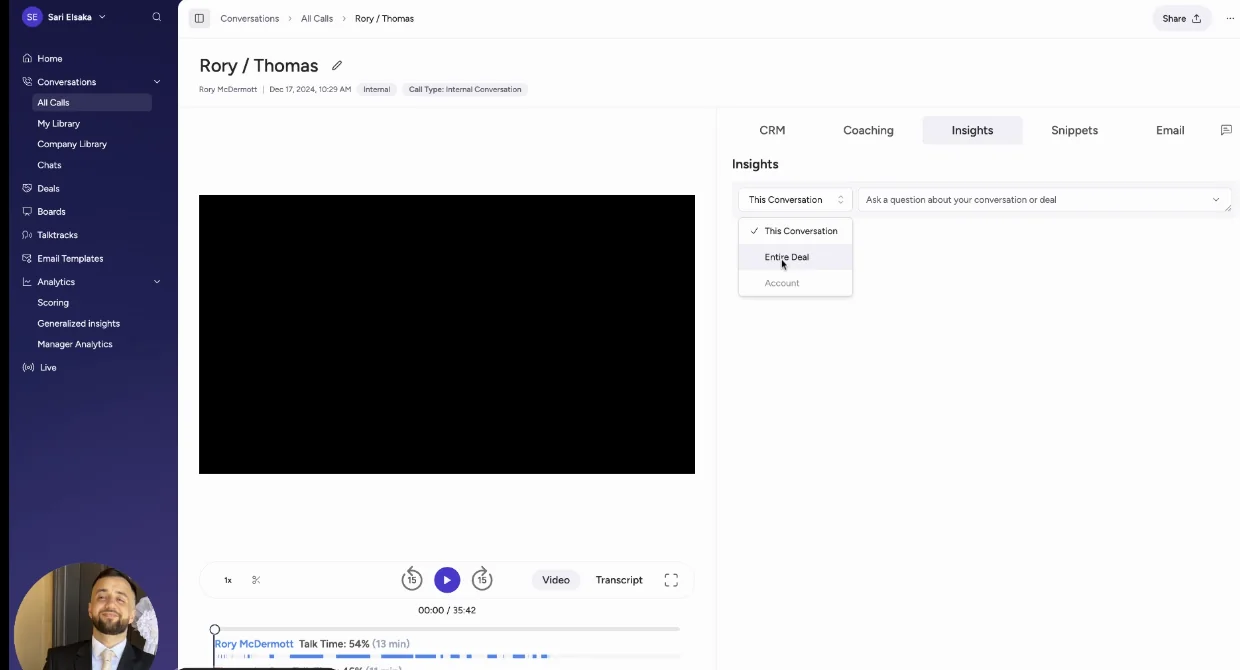
- CRM field updates: this is Momentum's clearest strength for this reader. Each Autopilot extraction has its own save mode: write automatically, confirm after a human reviews it, or write only when the field is empty.
- Custom objects: Momentum links a call to an account, a lead, or an opportunity under one of them. It doesn't log to custom objects.
- Setup and rollout: an admin installs Momentum once, which Momentum says takes minutes, then every recorded user authorizes their own Google Calendar or Outlook calendar. Momentum logs no email from the mailbox, so there's no email capture to roll out.
- Integrations: Momentum runs on top of five conversation intelligence tools, including Gong and Attention, plus seven dialers and contact centers. That lets you keep an existing recorder.
- MCP access: Momentum has no MCP server of its own. Assistants reach what it writes through Salesforce's Hosted MCP Server, reading the CRM records rather than Momentum.
- Raw data access: the API returns meetings with full transcripts and recording download links. It's off by default, switched on per workspace through support, and capped at 100 requests per 15 minutes.
- Pricing: Momentum is included in Salesforce's Max edition and announced for Core and Advanced. Momentum also lists standalone plans.
Suits: Salesforce-committed orgs heading to the new editions or Agentforce, and teams keeping an existing recorder who want explicit per-field save modes.
Stops: no email capture or email-thread contacts, no custom-object logging, per-user calendar authorization, and Sales Cloud only.
What the Weflow integration user can and can't touch
Our access is scoped to what the mapping logic has to read and write, and we explain it object by object. The broadest grant depends on Private OWD, and we say so plainly.
The Weflow permission set, object by object
The Weflow integration user is a dedicated Salesforce Integration user on the Minimum Access API Only Integrations profile, with no role and no Modify All Data. It's never an admin's own login.
Give it a username email on a mailbox your company keeps long term. Since a Salesforce policy change in 2026, the integration user can't also be a normal platform user, and a full user license pressed into service tends to time out. We recommend a separate permission set rather than editing an existing one, so the access stays auditable.
| Object or permission | Access | Why the mapping needs it | What breaks if it's missing |
|---|---|---|---|
| Salesforce API Integration permission set license | Assigned | Licenses the API-only integration user | The integration user can't connect |
| Account | Read and edit | New contacts are created against accounts, and activity rolls up to them | Contact creation and mapping degrade |
| Contact | Read, edit and create. Field edit can be scoped to eight fields | Activity logs to the contact holding the address. New people on a thread become contacts | Contacts can't be created or enriched |
| Opportunity | Read and edit | Activity has to be assigned to the right deal | Activity can't reach the deal |
| Opportunity Contact Role | Read and edit | The contact's role decides which deal an activity belongs to | Emails land on the account instead of the deal |
| Lead | Read and edit | Activity logs to leads that hold the address | Activity with leads can't be logged |
| Event | Full access, every field and record type it writes. Delete on events only | Meetings are logged, updated, and removed when a calendar deletion propagates | Meetings fail to log while emails keep working. The most common first-day failure |
| Task | Full access | Emails log as Task records if you choose Task | Task-based email logging fails |
| Three Weflow custom objects | Edit | Hold recordings, linking and event data from the managed package | Recording data can't be written |
| System permissions | Update email messages, edit tasks, access activities, edit events | The background sync writes and updates activity records | Activity writes and updates fail |
| Modify All Records on Account, Opportunity and Contact | Only under Private OWD | Updates activity on records the integration user doesn't own | Writes succeed on some records and fail on others |
One permission is a confidentiality decision, not a configuration step. The recording object holds the executive summary and the full transcript. Profile access to it is access to what was said on every call it holds. You set it per profile; it isn't granted with the package.
Why Contact-only access breaks opportunity mapping
Least privilege makes Contact-only access look right, since emails and meetings resolve through the contact. The logic runs the other way.
An activity reaches an opportunity through the contact's role on it, so Weflow has to read the opportunity to make the assignment at all. Contact creation needs the account too: a new person is only created when their domain resolves to an existing account.
So cutting Account or Opportunity access doesn't restrict scope. It degrades mapping, and the activity ends up somewhere less useful.
Why Private org-wide defaults need Modify All Records
Under Private OWD, the Weflow integration user needs Modify All Records on Account, Opportunity and Contact. Read, Edit and View All aren't enough. With those alone, the user can create the first event or email on a record it doesn't own, then can't update it.
The failure looks random:
| What you see | What's happening |
|---|---|
| A meeting summary lands on an opportunity, and the same summary fails on an account | Whether the write succeeds depends on which record the activity mapped to and who owns it |
| Some meetings have summaries in Salesforce and others don't | The failed writes return an insufficient access error nobody sees. The summary still exists in the Weflow recording object |
Security teams push back on Modify All Records because it includes delete. That's a fair concern, and it's the broadest grant we ask for. In practice, Weflow never deletes an opportunity. It deletes an event it logged incorrectly.
Weflow admin controls on top of Salesforce security
Salesforce permissions stay the source of truth. Weflow adds controls on top:
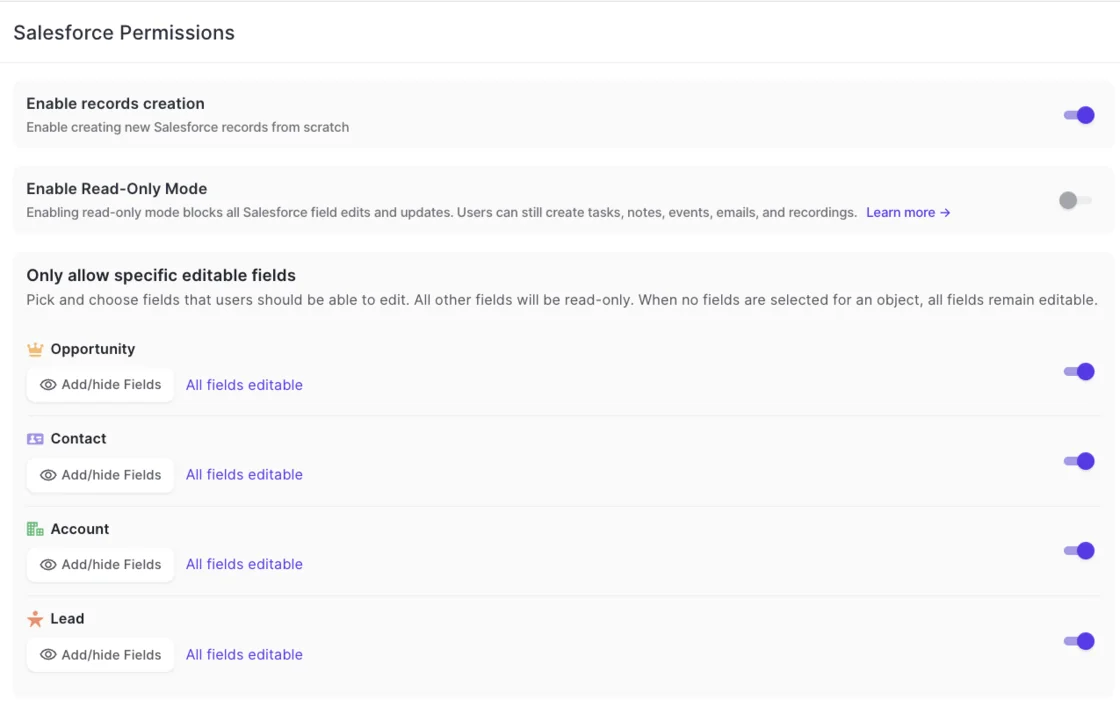
- Field-level write lock per object: you pick which fields users may edit on Opportunity, Contact, Account and Lead, and every other field on that object becomes read-only. The default is permissive, so saving the screen with nothing selected changes nothing.
- Read-only mode: one switch blocks every record creation and field update from Weflow into Salesforce. Tasks, notes, events, emails and recordings keep flowing, so capture continues.
- Record creation toggle: a separate setting decides whether new Salesforce records may be created from Weflow at all.
- Salesforce access applies to users: a field someone can't see or edit in Salesforce isn't visible or editable in Weflow.
- Sign-in through Salesforce only: login runs on your Salesforce authentication and whatever SSO or two-factor your org enforces. Deactivating a user in Salesforce removes their Weflow access immediately.
- Change history: field changes made through Weflow are reviewable in Weflow for up to 100 days, and an exportable audit log records field write-backs and configuration changes.
Limits to plan for before you roll out Weflow
- Lookup fields can't be written by AI field updates. Everything else, including picklists, is in scope.
- AI updates to custom objects need Weflow support to set up. Activity logging to custom objects doesn't have this limit.
- There's no read-only admin role. Seeing everything in the workspace takes full admin, which also allows configuration changes. A view-only license covers recordings, not the admin console.
- There's no Weflow sandbox. You point a separate Weflow workspace at your Salesforce sandbox. Our team copies teams and templates to production, so the pilot setup isn't rebuilt by hand.
- Config changes take about an hour to apply, because Weflow caches your Salesforce configuration. New Salesforce fields can take up to 8 hours to appear, and support can trigger a manual sync sooner.
- Private OWD needs Modify All Records, including the delete right, on Account, Opportunity and Contact.
What each activity capture tool costs
The five tools price on very different models, and two of them publish no price at all.
| Tool or product | Pricing model | List price | What's required first or costs extra | Published |
|---|---|---|---|---|
| Weflow Activity & Contact Capture | Per seat, billed annually | $19 per user per month | Includes Ask Weflow AI Pro and Agent Builder Free. 10-user minimum | Yes |
| Weflow Conversation Intelligence | Per seat, billed annually | $39 per user per month | Includes Mobile Copilot and the desktop app. Call recording lives here, not in capture | Yes |
| Weflow Deal Intelligence & Forecasting | Per seat, billed annually | $39 per user per month | Includes Ask Weflow AI Pro and Agent Builder Free | Yes |
| Weflow Revenue AI Foundation | Bundle, per seat | $49 per user per month | Activity & Contact Capture plus Conversation Intelligence | Yes |
| Weflow Revenue AI Business | Bundle, per seat | $59 per user per month | Adds Deal Intelligence | Yes |
| Weflow Revenue AI Enterprise | Bundle, per seat | $79 per user per month | All Weflow products, including Forecasting | Yes |
| Weflow Agent Builder | Per workspace, by agent actions | Free (25 actions a month), Growth $299 (500), Scale $999 (2,500), Enterprise custom | Free tier included in every plan. The only consumption-priced product | Yes |
| Einstein Activity Capture | Included with editions, or inside an add-on | Standard included, free up to 100 users. Sales Engagement at $50 per user per month | Full version needs Unlimited, Einstein 1 Sales, Agentforce 1, or an add-on | Yes |
| Gong | Per-user license plus a platform fee that scales with users | Custom proposal only | Gong Foundation core license first. AI usage metered in credits. Data Cloud sold separately | Model only |
| Attention | Negotiated contract | No public price | Pricing through a demo | No |
| Momentum | Standalone plans, or inside Salesforce sales editions | Business $69, Transformation $99 per user per month. Included in Max at $550 | Enterprise on quote. Conversation Intelligence add-on at $30 per user per month. Announced for Core ($195) and Advanced ($395) | Yes |
Weflow's contracts run 12 months, and seats added mid-term are charged pro rata. Gong and Attention publish no price, so any figure for them comes from a proposal. The Gong Data Cloud figure in the comparison is our read from the market, not a list price.
How to test a capture tool in your Salesforce sandbox
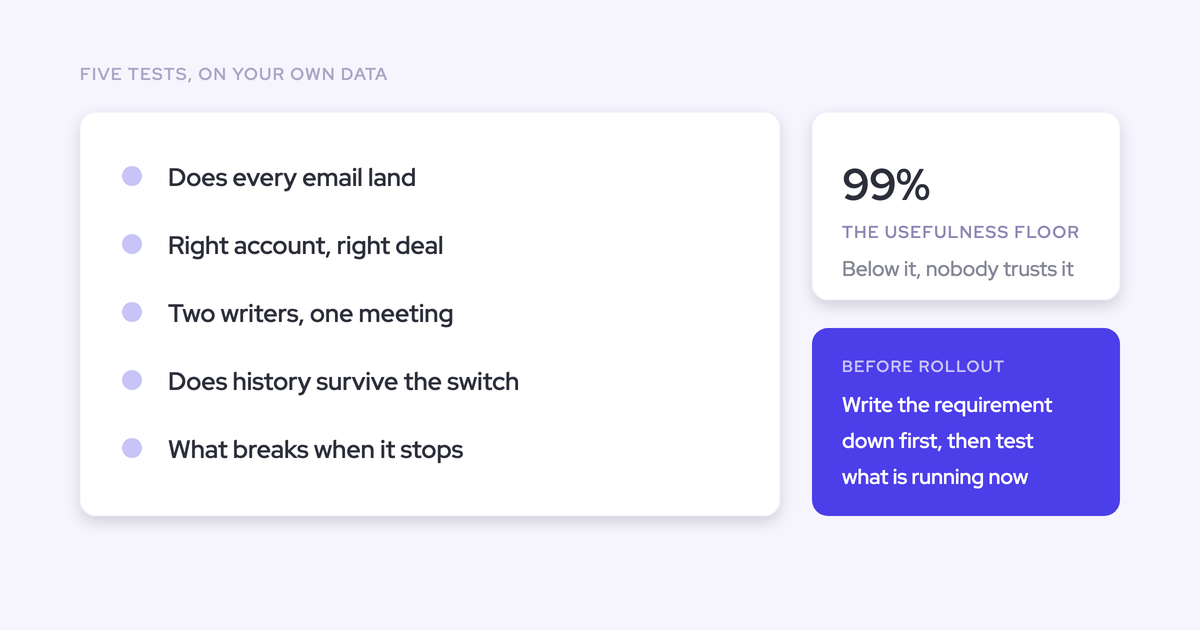
Test the part that's hard to get right, not the demo features. Here's the sequence we'd run:
- Audit required fields on Contact. List every required field and every validation rule on Contact before you switch capture on. A failure looks like contacts that never appear and no error anywhere.
- Use a unique domain per test company and one clear contact role per opportunity. Test accounts carrying gmail.com or outlook.com match every test sender to several accounts at once. A failure here measures your test data: emails land on the account because the deals tie.
- Create, move, reschedule and delete a meeting. Permission to create an event isn't permission to update it. A failure shows up as a meeting that logged fine and then went stale.
- Map activity to an opportunity and an account the integration user doesn't own. Under Private OWD, this is where the "random" failures show. A failure is a summary on the deal and nothing on the account.
- Wait out the configuration cache before retesting a rule change. With Weflow, a changed validation rule takes effect within about an hour, and a new field can take up to 8 hours. An immediate retest shows the old behavior and misleads you.
- Plan the move to production. A Weflow sandbox workspace is separate from production. Packages, integration user and mail connection are set up again there, capture is switched off on the sandbox at cutover, and our team copies teams and templates across. EAC has its own version of this: a user tested in a sandbox is removed from the sandbox configuration before being added in production.
Before you configure templates or anything clever, run a one-for-one parity check against your incumbent on defaults, and judge it only on whether anything went missing.
To go into vendor calls with the full requirement list, get the Free Salesforce Activity Capture Cheat Sheet.
Questions admins ask about capture tools and Salesforce permissions
Does Modify All Data let an integration skip validation rules?
No. Modify All Data bypasses sharing and object access, so the user can reach every record in the org. Validation rules still fire on every API write. A tool holding Modify All Data gets rejected by your data rules like any other writer, with far broader reach than activity capture needs.
What's the difference between an integration user and per-user OAuth for capture?
An integration user is one governed identity: you scope its permission set once, and capture doesn't depend on any rep. Per-user OAuth runs each write under a rep's own connection, which keeps their permissions but decays one rep at a time with no central signal. Weflow writes through an integration user and captures mail at the tenant level, so a rep disconnecting their inbox isn't a failure mode. In the app, users still see and edit only what their Salesforce access allows.
Does Einstein Activity Capture create contacts automatically?
Not under Sync Email as Salesforce Activity, the default for setups since Summer '25. An email that matches no Salesforce record isn't logged. Email with that address is logged only once someone creates a contact or lead for it, and only from then on.
Can Weflow run alongside Einstein Activity Capture without duplicate meetings?
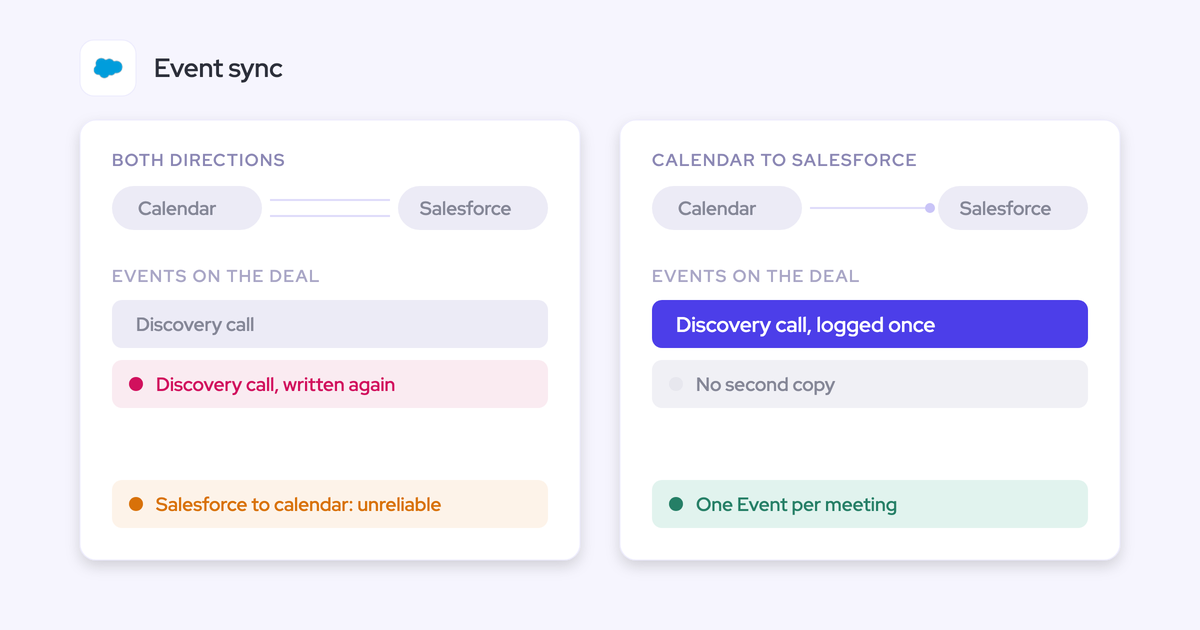
Yes, once you set EAC's event sync to one direction, from the mail and calendar system into Salesforce. A two-way sync creates a loop that logs the same meeting twice, and removing the EAC permission from users doesn't stop it. Duplicates already written aren't cleaned up automatically. With the setting changed, Weflow adds call summaries onto the events EAC already creates.
Does Weflow skip activity already logged by Outreach or Salesloft?
Yes. Compatibility mode recognizes activity logged by Outreach, Salesloft, Apollo or Clay by reading the sequencer's tracking pattern in the email, and skips it. Only one system writes that email to Salesforce.
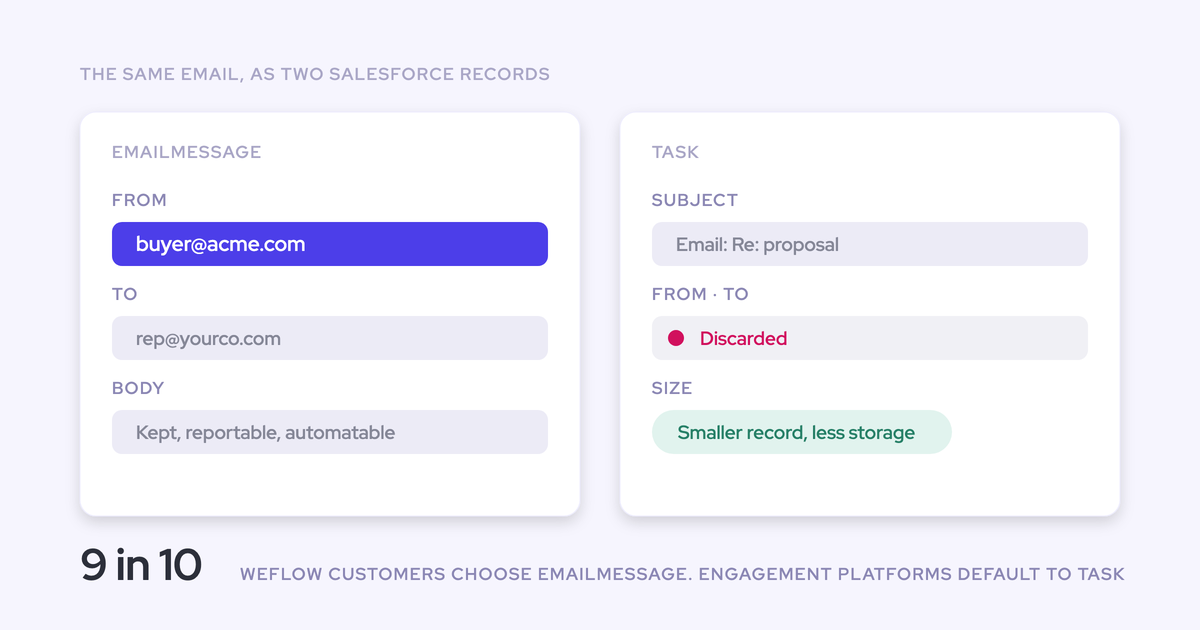
Should captured emails land as Task or EmailMessage records?
About nine in ten of our customers choose EmailMessage:
- EmailMessage carries native From, To and Cc and thread structure. One record can relate to up to fifty recipients. It's roughly seven times heavier than a Task.
- Task suits orgs watching storage, and teams whose reporting already runs on tasks, since one activity report can span tasks and events.
The captured content is identical either way.
What does Weflow read before anyone is enrolled in capture?
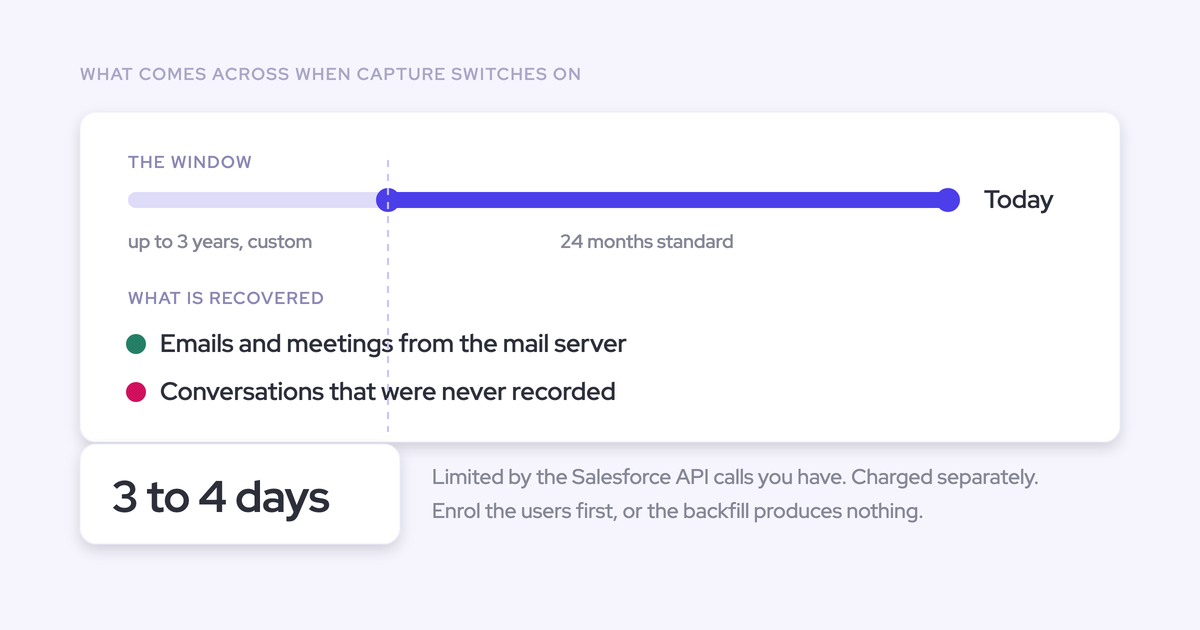
Nothing. Installing the managed packages, connecting the integration user and adding the workspace app grant access without reading any mailbox or writing anything to Salesforce. Enrollment in a capture configuration is the switch, so you can finish the technical setup while legal review is still open.
What does a security review need to know about Weflow's Salesforce access?
- Weflow uses a dedicated Minimum Access API Only Integrations user with a purpose-built permission set and no Modify All Data.
- The only broad grant is Modify All Records on Account, Opportunity and Contact, and only under Private OWD.
- Sign-in runs exclusively through Salesforce authentication.
- Our support team sees how Weflow decided to log or skip each email, not what the email says.
- Weflow is SOC 2 Type II certified and GDPR compliant, uses Zero Data Retention for AI processing, and never uses customer data to train AI models.
Can we trial Weflow on our own Salesforce org first?
Yes. The 14-day free trial runs on your own Salesforce and your own activity, with implementation done by our team at no cost. You can also run it as a proof of concept in a sandbox, typically with one team of five to ten people, with pricing and success criteria agreed before it starts.