How to Enforce Contact Role Requirements on Salesforce Opportunities
Learn how to enforce contact role requirements on Salesforce opportunities with flows and validation rules.


A validation rule on Opportunity can't see contact roles directly, because they live on a separate object. The pattern that works is to put a contact role count field on the opportunity, keep it current with a record-triggered flow, and then write a stage-gated validation rule against that number.
How strictly you enforce it matters as much as the formula. Use one hard rule at a single late stage, warnings at earlier stages, and no requirement at creation. That gets you coverage without teaching reps to work around the gate.
Keep the real goal in front of you. Contact roles decide whether email and meeting activity reaches the deal or quietly lands on the account, and they're how leadership sees who's actually in a deal. If you'd rather fill most of that gap without manual cleanup, we cover automating deal hygiene in Salesforce with Weflow later in this guide. The enforcement mechanics come first.
Why empty contact roles send your activity to the account
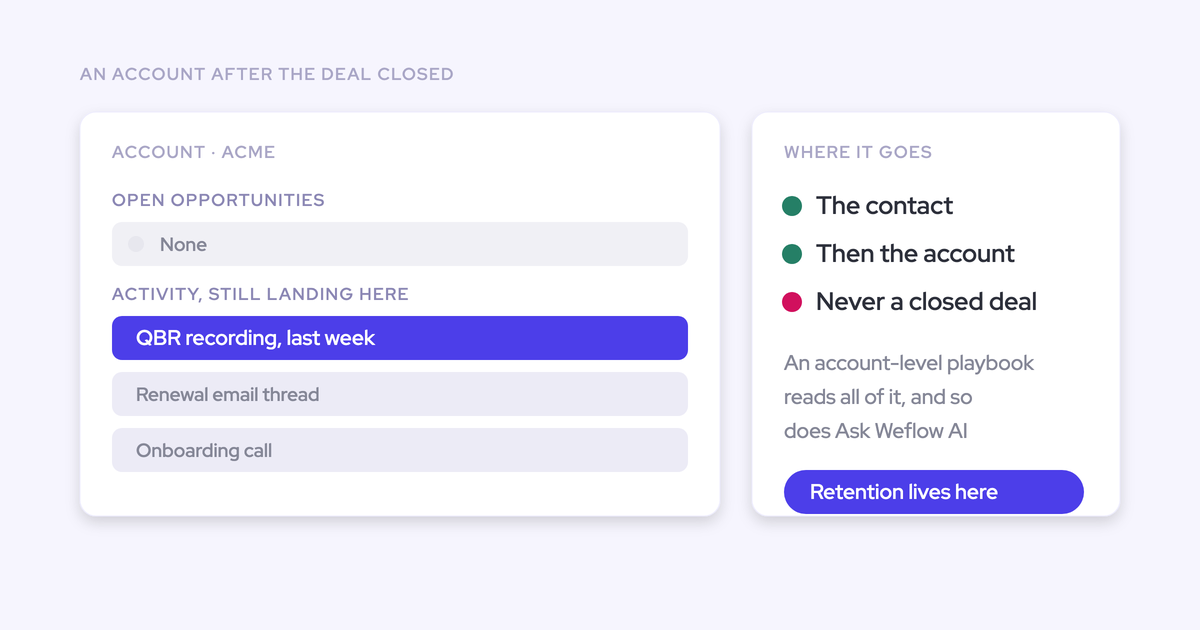
A Salesforce activity relates to one record through its WhatId: an opportunity or the account, never both. So when a contact emails about a deal, something has to decide which opportunity that email belongs to, and the opportunity contact role is the signal every capture tool uses.
This is a platform constraint, so it applies to every vendor. Einstein Activity Capture checks contact roles first and falls back to tiebreakers like close date and opportunity owner. Most other tools fall back to the account. On an account with two open opportunities and no contact roles, nothing in the CRM says which deal an email is about. Nothing errors, either.
| What you see | What's actually happening |
|---|---|
| The account timeline is full of emails and meetings | Activity is logging, then falling back to the account |
| The deal timeline looks dormant | No contact role ties those people to the opportunity |
| The capture tool gets blamed | Contact role coverage sets the ceiling for any capture tool |
Decide what your contact role rule should enforce
A contact role requirement comes down to three choices: which stage, what counts as satisfied, and how hard it blocks. Make all three before you touch a formula, because the formula depends on them. And build as little as you can get away with.
"I think you start with, like, two or three dependencies and validation rules, and then you see how it goes. And if this, like, leads to high quality data already, then just stop there."
Which opportunity stage should require a contact role?
Require it at one late stage, where knowing the buying committee is a real exit criterion. In most orgs that's the move into proposal or commit, once a rep can name who is evaluating and who signs.
Here's how the placement options play out:
- At creation: This fails. The rep often doesn't know the committee yet, so you get whoever is easiest to add.
- Early discovery: Too early for a block, but it's the right place for a warning.
- Entry to a late stage, such as Proposal: This is the right spot. It reads as the exit criterion of the stage before it, which is how your reps already think about stage gates.
- Closed Won only: Too late. By then every email in the cycle has already mapped to the wrong place.
Write it as an entry rule on the gate stage and everything after it. It's easier to explain to reps, and it holds when someone skips a stage.
Should the rule check presence, Primary, or a role value?
Presence is easy to enforce and easy to game. Checking Primary or a specific role value enforces judgement, and only a human can make that judgement.
| What the rule checks | What it proves | How reps game it |
|---|---|---|
| At least one contact role | Someone at the customer is linked to the deal | They add the first contact on the account |
| Two or more contact roles | The deal is at least nominally multi-threaded | They add two random contacts |
| A Primary contact role is set | The rep has named a main point of contact | They tick Primary on the only contact they added |
| A specific Role value, such as Economic Buyer | The rep has named who signs | Harder to fake, and a manager can see it in deal review |
Build effort goes up as you move down the table. Presence needs one count field. Primary and role-value checks each need their own filtered count, which Step 1 covers.
When to use a hard block and when a warning
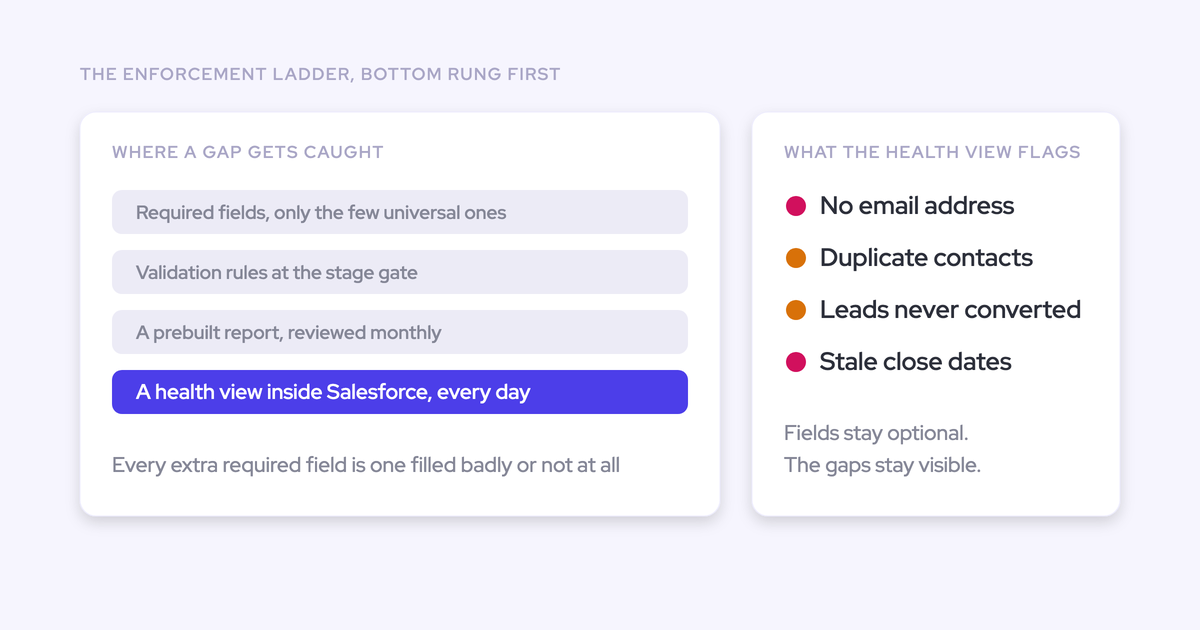
Use hard blocks for process compliance at one stage. Use warnings everywhere else. Warnings feed deal review and coaching without making the rep fight the CRM in the moment.
| Tier and Salesforce mechanism | Use it for | Contact role example |
|---|---|---|
| Required field | Values every record needs, always | Not contact roles. Don't put them here |
| Stage-gated validation rule | Process compliance at a defined gate | Block entry to Proposal with zero contact roles |
| Warning or notification | Flexible expectations that feed coaching | Weekly list of discovery deals with zero contact roles |
| RevOps review | Checking that what was entered is true | Spot-check new roles on deals that just passed the gate |
What to have ready before you build the rule
Get these in place first so nothing fails halfway through the build:
- A sandbox refreshed recently enough to have your current Opportunity validation rules and flows.
- Permission to create custom fields, record-triggered flows, custom permissions and validation rules.
- A list of every integration user that writes to Opportunity or Opportunity Contact Role, such as capture, call recording, CPQ and enrichment tools.
- Your agreed gate stage and the check you picked from the section above.
- A decision on field history tracking for the new count field. Salesforce caps tracking at 20 fields per object and records only from the day you turn it on, so make the call before go-live.
How to require contact roles on opportunities, step by step
The build pattern is simple: make contact roles visible on the opportunity as a number, keep that number current, measure it, then gate one stage on it.
Step 1: Create a contact role count field on Opportunity
A number field on Opportunity is something a validation rule and a standard report can both read.
- Go to Setup, Object Manager, Opportunity, Fields & Relationships, New.
- Choose Number.
- Set the label, length and default value from the spec below.
- Make it visible to all profiles and read-only for everyone except the automation that maintains it.
- Leave it off page layouts for reps. It's plumbing.
- Label: Contact Role Count
- API name: Contact_Role_Count__c
- Type: Number (3, 0)
- Default value: 0
If your rule checks Primary or a role value, add a second field, for example Economic_Buyer_Count__c. The flow in Step 2 fills it with a filtered count.
Step 2: Keep the contact role count current with a flow
Two record-triggered flows on Opportunity Contact Role keep the count accurate: one for create and update, one for delete.
Flow one, on create or update:
- New record-triggered flow. Object: Opportunity Contact Role. Trigger: when a record is created or updated. Optimize for: Actions and Related Records.
- Add a Get Records element on Opportunity Contact Role where OpportunityId equals {!$Record.OpportunityId}. Store all records.
- Add an Assignment that sets a number variable using the Equals Count operator on that collection.
- Add an Update Records element on Opportunity where Id equals {!$Record.OpportunityId}, setting Contact_Role_Count__c to the variable.
Flow two, on delete, uses the same pattern with one change: make sure the count excludes the record being deleted, so it stays accurate.
For a role-value count, add a second Get Records filtered on Role equals Economic Buyer and write that count to the second field.
There's one trap to watch for here. The count update is an Opportunity edit, so any existing Opportunity validation rule that fires on every save can fail it. When an after-save flow fails, the contact role insert rolls back with it. If your org already maintains contact role logic in Apex, put the count in that same trigger handler so only one thing writes the field.
Step 3: Backfill the count on your open opportunities
Your existing open opportunities read 0 until something recalculates them. Skip this and the rule fires on deals that already have contact roles.
- Build a schedule-triggered flow on Opportunity with the condition IsClosed equals false.
- Reuse the Get Records, count and update logic from Step 2, with {!$Record.Id} as the opportunity.
- Run it once in the sandbox, then spot-check ten deals against their Contact Roles related list.
- Run it in production, then deactivate it.
For large orgs, a Data Loader approach works too: export Opportunity Contact Role, count per OpportunityId in a spreadsheet, and import the counts. Either way, run the backfill before the rule goes live.
Step 4: Report contact role coverage before you enforce anything
With the count on Opportunity, a standard opportunity report can show coverage by stage and owner. That gets you around the limit that contact-level fields can't sit as columns in an opportunity report.
- Report type: Opportunities
- Filters: Closed equals False, Contact Role Count equals 0
- Group rows by: Stage, then Opportunity Owner
- Columns: Opportunity Name, Account Name, Amount, Close Date, Contact Role Count
Save a copy without the count filter and add a summary on Contact Role Count. This is your baseline. Once the rule is live you'll want the before-and-after, and you can't rebuild the "before" later.
Step 5: Write the stage-gated contact role validation rule
The rule blocks a stage change into the gate stage, or any stage after it, when the count is zero. Earlier stages and Closed Lost stay open.
AND(
  ISCHANGED(StageName),
  CASE(StageName,
    "Proposal", 1,
    "Negotiation", 1,
    "Closed Won", 1,
    0) = 1,
  Contact_Role_Count__c < 1,
  NOT($Permission.Bypass_Contact_Role_Rule)
)
Swap in your own stage names. Closed Lost isn't in the CASE list, so reps can always lose a deal cleanly. For a role-value check, replace the third condition with Economic_Buyer_Count__c < 1.
An error message that tells the rep exactly what to do:
Add at least one contact role in the Contact Roles related list before moving this deal to Proposal. Use the people you're actually working with on this deal.
Before you activate it, run through these conditions:
- ISCHANGED(StageName): The rule only fires on a stage move, so integrations editing other fields aren't blocked.
- Record types: If renewals follow different rules, add a RecordType.DeveloperName condition.
- Order of operations: The rep adds the contact role, which updates the count, then changes stage. The error message should make that order obvious.
Step 6: Test integration user writes in a sandbox first
Every new validation rule can break integrations that write into the same objects. Test each integration user's writes before production.
- Create a custom permission called Bypass_Contact_Role_Rule. Don't assign it yet.
- For each integration user on your list, run its normal writes in the sandbox: field updates, stage updates if it makes them, and contact role creation.
- Check that contact role inserts from each tool still trigger the count flow and save.
- Only assign the bypass to a user whose stage writes you trust more than the rule, and document why.
Failure shows up in two ways. Either the integration logs a validation error on a stage update, or contact roles stop appearing because the count flow failed and rolled back the insert. The second one is quieter, so check for it specifically.
Step 7: Warn reps at earlier stages instead of blocking
The warning tier gives coaching feedback without a block. The lightest version runs on the report you already built.
- Clone the Step 4 report and filter Stage to the stages before your gate.
- Subscribe each sales manager to it weekly, filtered to their team, ahead of deal review.
- Optionally, add a record-triggered flow on Opportunity that sends a custom notification to the owner when a deal enters a pre-gate stage with Contact Role Count equal to 0.
Then activate the rule in production and re-run the Step 4 report two weeks later.
What breaks when you enforce contact roles in Salesforce
Enforcement fixes coverage partially and quality not at all. It relies on the same manual entry that caused the gap in the first place.
Reps park deals in earlier stages to avoid the gate
Heavy stage gates push reps to leave deals sitting in a lower stage, where the form isn't demanded yet. We hear this from prospects regularly: the qualification questions at a stage change take time, so deals stay put.
Every stage-based number then skews the same way: coverage, conversion and the weighted forecast. Keep the gate to this one requirement and watch time-in-stage for the stage just before the gate after go-live. A sudden pile-up there tells you the rule is costing you stage accuracy.
Reps pass the rule by adding any contact
A presence check is satisfied by whoever is easiest to add. That raises your coverage number and puts filled-but-false data in front of everyone who reads it.
"It's worse to have incomplete, inconsistent, or inaccurate data than to have no data at all, because then you have this illusion that you can trust the data."
Mitigate it with a role-value check at the gate and a RevOps spot-check of new contact roles on deals that just passed it. An empty field is honest. A random contact on a deal is wrong data you'll make decisions on.
Renewal and expansion deals often share one copied contact role
When the primary contact is copied onto parallel opportunities, the rule passes on both, and the mapping signal still points at both.
Say an account has a renewal and an expansion open at the same time, and the CFO's contact role sits on both. Your rule is happy. But when the CFO emails about pricing, any capture tool sees one contact with roles on two open deals, and the email falls back to the account. Enforcement doesn't resolve that. Separating renewal and new business activity by opportunity type does.
How Weflow fills contact roles without rep data entry
Weflow is the Revenue AI Orchestration platform for sales, customer success, and RevOps teams. It's built for Salesforce teams, and for this problem the relevant part is that contact roles get created as a side effect of email, not from a form.
"as long as it's a manual process, it won't be 100%, it won't be close to it actually"
Weflow Activity & Contact Capture adds roles as emails log
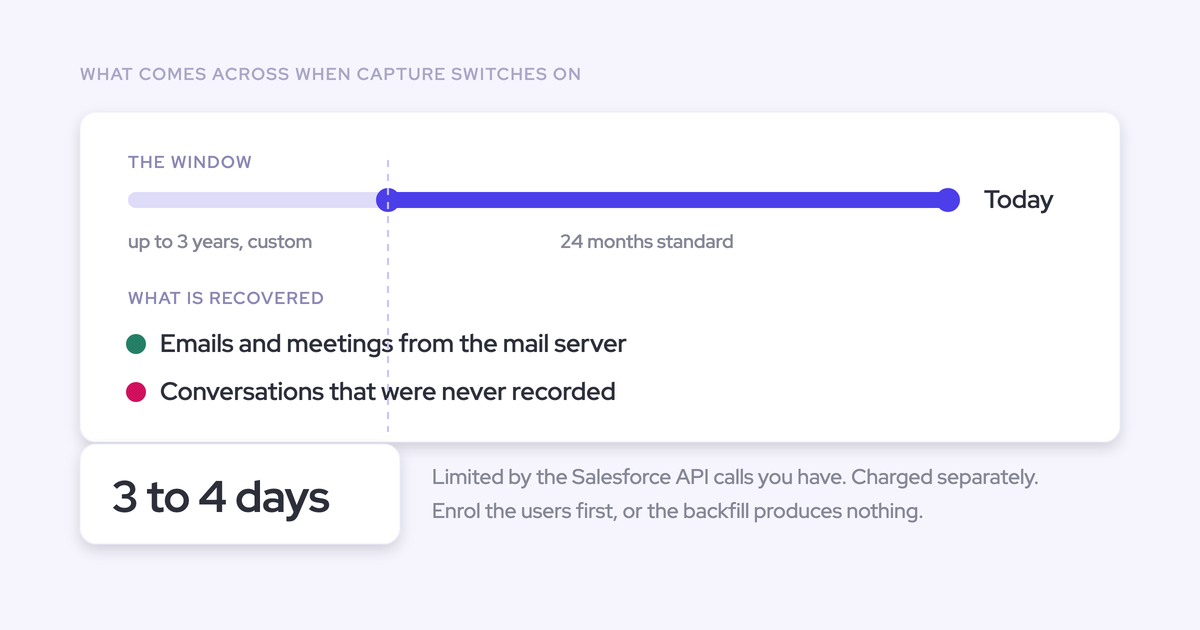
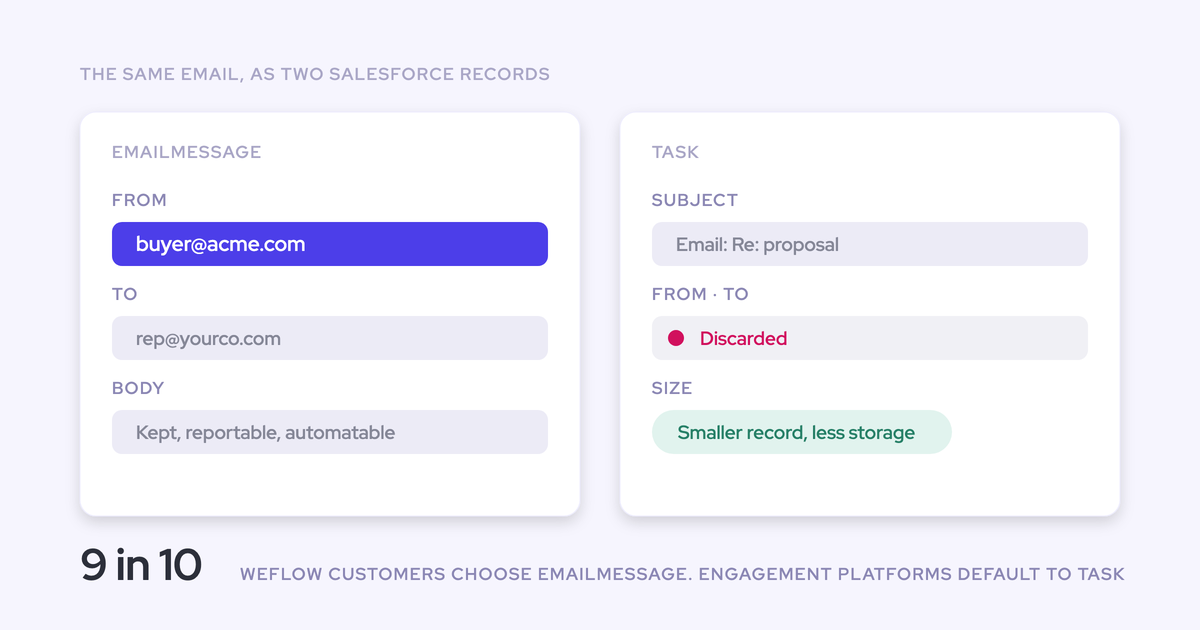
When Weflow logs an email to a contact and an opportunity where that contact has no role, an option creates the opportunity contact role on the spot. Every later email or meeting from that contact then resolves to the deal through the role, so mapping gets more accurate the longer it runs.
- An email logs to a contact and opportunity, and the contact has no role.
- Weflow creates the opportunity contact role.
- The next email from that contact maps straight to the deal.
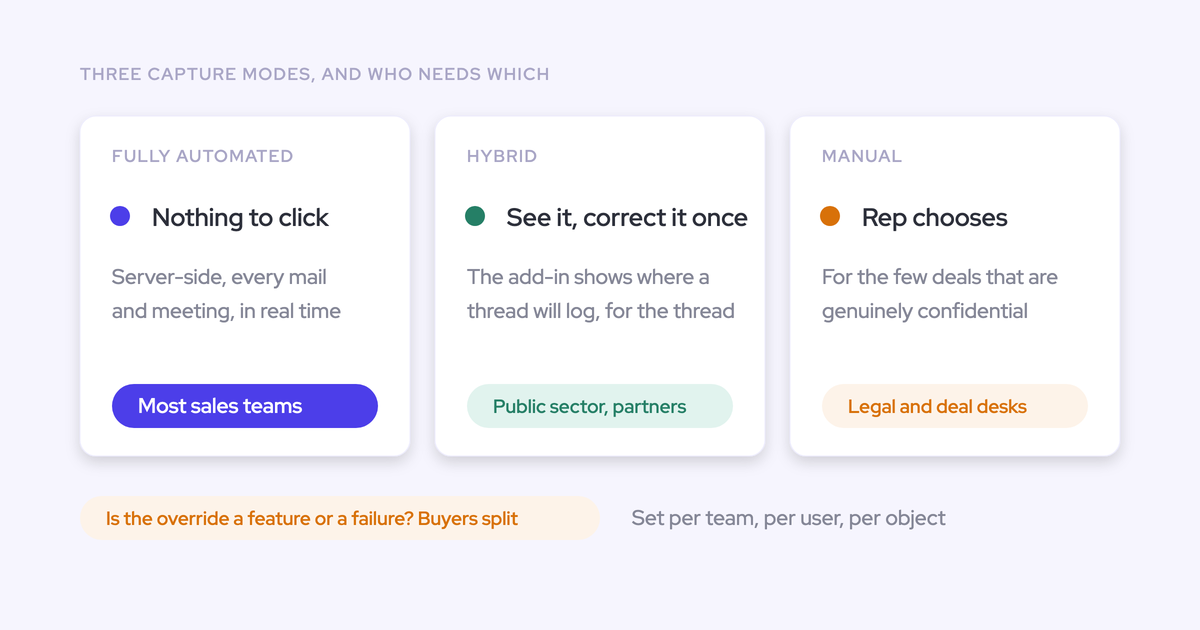
Where mapping is ambiguous, for example a contact with roles on two open deals, the activity goes to the account until the rep picks the deal in the Outlook or Gmail extension. That's a correction step the rep can see. Weflow never writes to closed opportunities.
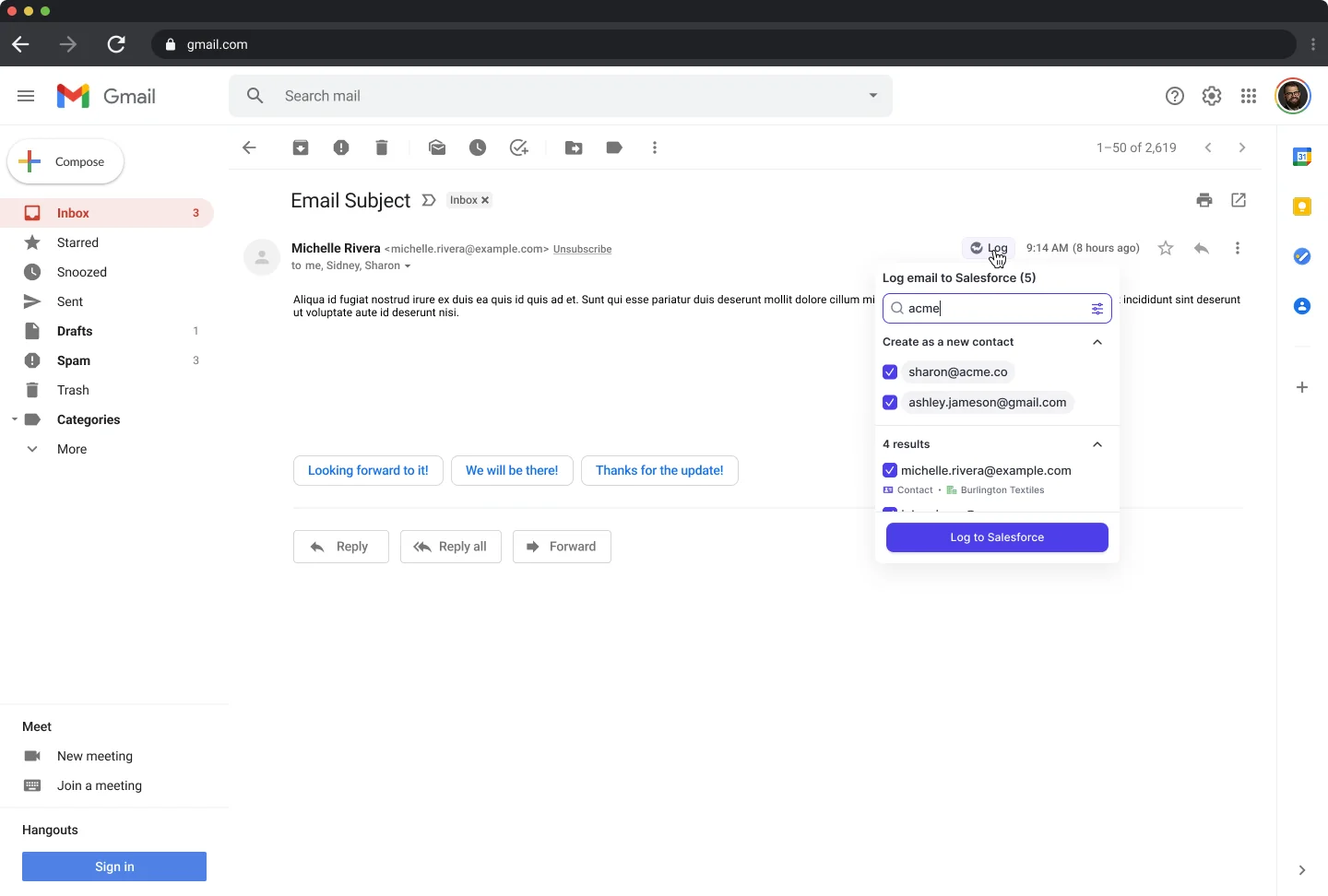
New people on email threads become opportunity contact roles
When new people show up in To or CC and the rep replies, Weflow creates them as Salesforce contacts and attaches them to the opportunity as contact roles. That's what makes multi-threading reportable. Reps almost never add a new participant by hand, so without it the CRM shows one champion on a deal with five people on the thread.
The guardrails that keep your contact table clean:
- Creation runs only for domains that match an existing account, so there are no orphan records.
- A per-event cap stops a webinar invite from creating a contact for every attendee.
- A dedup layer sits on top of Salesforce's own duplicate rules.
- Standard prefixes such as invoice, billing, no-reply and support are blocked.
- Weflow never creates accounts, leads or opportunities.
Weflow writes through your validation rules, not around them
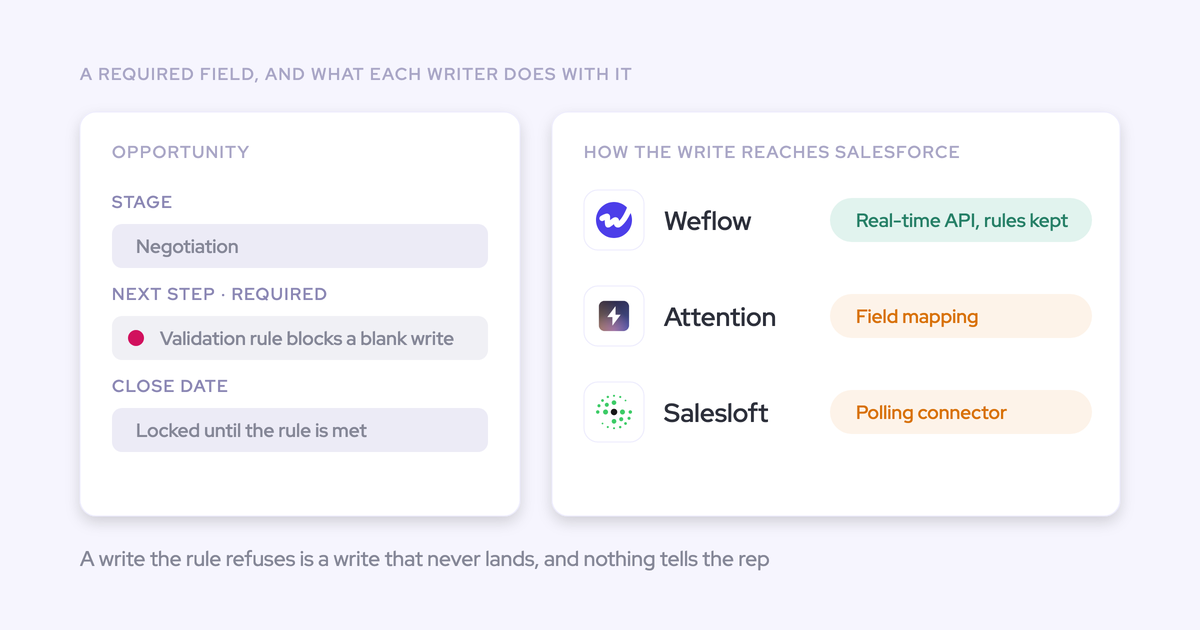
Weflow inherits your validation rules, field dependencies and permissions through a real-time API integration, so it won't bypass the rule you built in Step 5. There's no second configuration to maintain.
Weflow reads your Salesforce configuration and caches it for about an hour, so a rule you change takes effect in Weflow within the hour. Treat the Weflow integration user like any other in Step 6: a contact role Weflow creates fires your count flow, and that flow has to save.
Weflow AI Field Updates fill stage-gate fields from calls
AI Field Updates are part of Weflow Conversation Intelligence, a separate product from capture. They fill the fields your stage gate depends on from what was said on calls, so a rep doesn't have to choose between paperwork and moving the deal forward. That goes straight at the gate-avoidance problem.
They can write Stage itself too, but we recommend keeping stage under human review. A wrong stage change has consequences.
Where Weflow stops: contact role coverage, not role quality
Weflow raises coverage. Role quality is still a human call. Here's where it stops:
- Weflow writes one fixed role value per capture configuration, or no role type at all, and never infers champion or economic buyer from a title.
- Contacts are created when the rep sends, from To and CC only.
- A required Contact field with no default value blocks automatic contact creation.
- A motion with one open opportunity per account may need only a light rule, or none.
The FAQ below covers each of these edge cases.
What Weflow Activity & Contact Capture costs
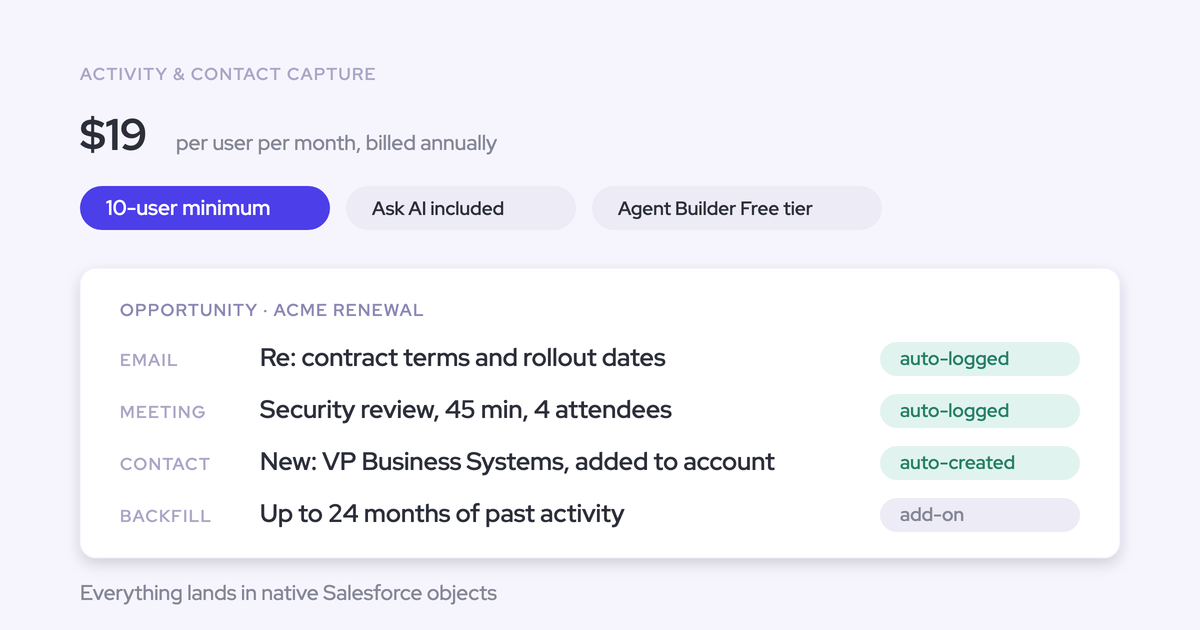
Weflow Activity & Contact Capture is $19 per user per month, billed annually. Seats added mid-term are charged pro rata to the end of the term.
| Product or bundle | Price per user per month, billed annually | What's included |
|---|---|---|
| Weflow Activity & Contact Capture | $19 | Email, meeting and contact capture, contact role creation, Ask Weflow AI, Agent Builder |
| Weflow Conversation Intelligence | $39 | Recording, transcription, AI Field Updates, Mobile Copilot, Ask Weflow AI, Agent Builder |
| Revenue AI Foundation | $49 | Both products above, about 16% less than buying them separately |
All plans have a 10-user minimum and include unlimited view-only licenses.
Pair automatic contact roles with one late-stage rule
Enforcement alone buys coverage at the cost of rep avoidance. Automation alone buys coverage without quality. Together they fix the mapping ceiling. This is the configuration we'd build:
- Let capture create contact roles as emails log, so presence fills itself on every deal reps actually work.
- Run the Step 7 warning at early stages, so managers see thin deals in review without blocking anyone.
- Put one hard rule at the late gate stage that checks a role value, such as Economic Buyer, which only a human can judge.
- Re-run the Step 4 report monthly and loosen or tighten the rule based on what it shows.
All of it is reversible. If the late-stage rule creates more friction than signal, drop it back to a warning and keep the count field and the report. If you want a reference for the objects, fields and rules behind all this, grab the free Salesforce cheat sheet.
FAQ: enforcing contact roles on Salesforce opportunities
Should I require a contact role when an opportunity is created?
No. At creation the rep often doesn't know the buying committee, so the requirement adds work at the worst moment and invites a random contact. Use a warning in early stages and save the hard rule for one late stage.
Do I need a contact role rule with one opportunity per account?
Often you only need a light rule, or none. With a single open opportunity on the account, mapping has one candidate, so activity reaches the deal even without contact roles. You'd still want roles if leadership needs to see the buying committee.
Should I turn on field history tracking before I enforce contact roles?
Yes, if you want to measure the effect. Salesforce caps tracking at 20 fields per object and records only from the day you enable it, so turn it on for the count field before the rule goes live.
Can the rule require a specific role like Economic Buyer?
Yes. Use a filtered count field, such as Economic_Buyer_Count__c, maintained by the same flow, and point the validation rule at it. Naming the economic buyer stays a human or playbook step, because a job title doesn't tell you a contact's buying role.
Do Gong, Jiminny or Momentum add opportunity contact roles too?
Some do, in different ways:
- Gong ships a Flow template that adds call participants as contact roles. It's inactive until an admin activates it.
- Jiminny adds contact roles for external meeting participants who joined.
- Momentum updates contact roles in Salesforce automatically.
- Chorus doesn't work with Opportunity Contact Roles.
- Salesloft requires a rep to add each stakeholder as a contact role.
What permissions does Weflow need on Opportunity Contact Role?
The Weflow integration user needs read and edit on Opportunity Contact Role, along with Account, Contact, Opportunity and Lead. Missing the Opportunity Contact Role object is the usual reason emails land on the account instead of the deal.
Why does Weflow skip creating a contact when a field is required?
A required Contact field with no default blocks automatic creation. Weflow supplies name and email, plus whatever enrichment finds, such as title or phone. For a field it can't fill, set a default value, add a flow that sets it on contacts the Weflow integration user creates, or relax the rule for that user.
Does Weflow create contacts from email threads a rep never answers?
No. Weflow creates contacts when the rep sends, from To and CC only, so an unanswered thread creates none. BCC recipients are never created either.