Best Tools That Set Salesforce Opportunity Contact Roles From Meeting Attendees (2026)
See which Salesforce activity capture tools set opportunity contact roles from meeting attendees in 2026.


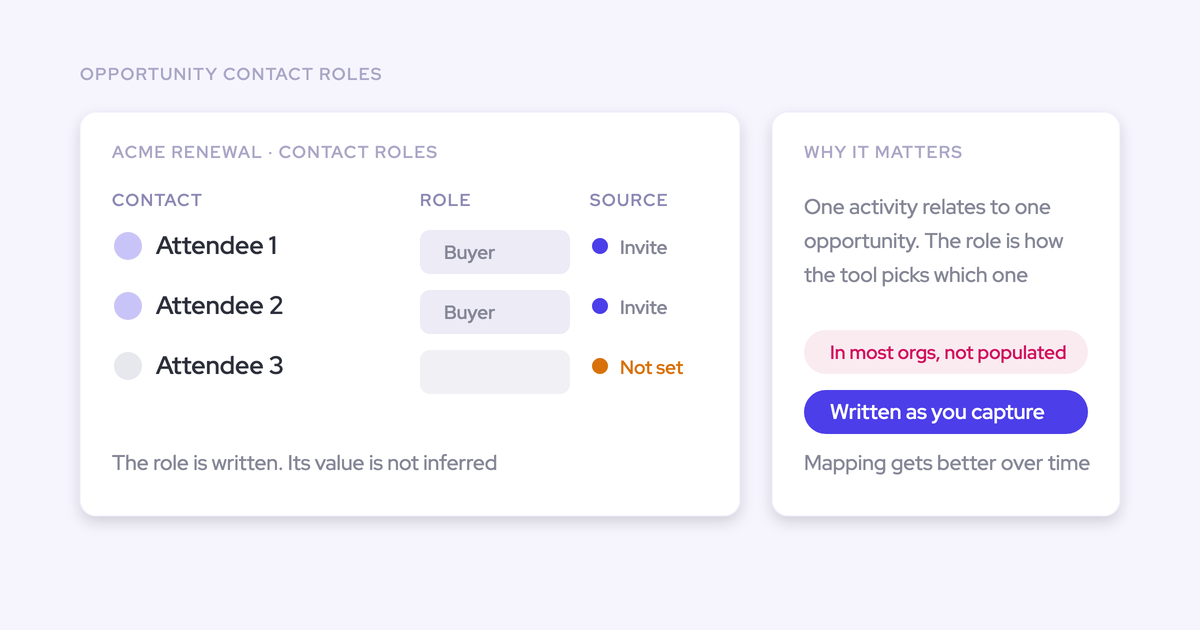

Three of the six tools on most shortlists write opportunity contact roles automatically, and each does it under a different trigger:
- Weflow writes them from email logging and calendar-invite contact creation.
- Nektar.ai writes them in its Harvest package only.
- Gong writes them through an admin-activated Flow, for call participants who already exist as contacts.
The other three don't write them. Momentum says it updates contact roles but doesn't document whom it adds. Einstein Activity Capture and Revenue Grid don't write contact roles automatically at all.
"Does it create contact roles?" is a checkbox that decides nothing. So we judge every tool on the loop around the role:
- what triggers it;
- which opportunity it lands on when several are open;
- what role value it writes;
- what stops it writing;
- whether a human can correct it.
We build Weflow Activity & Contact Capture, so we're one of the six. You'll find our limits written up with the same bluntness as everyone else's.
How the six tools compare on opportunity contact roles
The six split sharply on contact roles, and the split carries through to everything around them.
| Capability | Weflow | Gong | Nektar.ai | Einstein Activity Capture | Revenue Grid | Momentum |
|---|---|---|---|---|---|---|
| Opportunity contact roles | Written when an email logs to a deal where the contact has no role; new invite contacts attach as roles; one fixed role value | Admin-activated Flow, call participants already in Salesforce | Every participant on opportunity-linked activity, with inferred role values; Harvest only | Not offered; reads existing roles only | Manual; rep creates one in the Sidebar | Claims automatic updates; whom it adds is undocumented |
| Automatic contact creation | To/CC on send and calendar invites; existing accounts only, per-event cap, prefix blocks; never leads | Not by Gong itself; inactive Flow for call participants, overwrites titles | Domain-matched, signature fields, skips public domains; limits in Harvest | Address-book sync; auto-creation unavailable in the default mode since Summer '25 | Two modes, both off by default; skips free mail | Meeting attendees, including no-shows; none from email |
| Choosing the right opportunity | Fixed order, account fallback, rep re-maps once in the inbox for the thread | Admin rules; associates several deals up to 20; manual fix in Gong | ML scoring, account when ambiguous, learns from reversals | Role first, then a tiebreaker chain; fails on multi-opportunity accounts | Needs rep ownership plus an existing role | Most existing roles, then LastActivityDate; manual remap on multi-deal accounts |
| Buying committee mapping | Every person on the deal with engagement; no role inference | Deal panel with 21-day engagement and suggested contacts | Buyer roles and engagement scores (Harvest) | No stakeholder view | Relationship intelligence in Ultimate; no stakeholder map | Account Briefs stakeholder mapping; no per-person engagement |
| Automatic meeting capture | Every external meeting to Event, recorded or not | Recorded meetings; others only when matched; export must be on | Events with attendees; events over 3 months out wait | Event sync, 50 attendees, copies when organizer is outside config | Two-way sync; pre-activation items excluded | Events only when Event mapping is on; no backfill |
| Integrations | Salesforce only; mail, calendar, Zoom, Teams, Meet, Slack, Outreach dialer | About 450 marketplace listings | Short list: Salesforce, Google, Microsoft 365, Zoom, Snowflake | Mail and calendar only | Mail platforms, Teams, Zoom; third-party APIs in a paid package | 5 CI tools, 7 dialers, Slack or Teams |
| AI assistant (MCP) access | Official read-only connector with a transcript toggle | 3 record-scoped tools, insights only, metered | None of its own; via Salesforce MCP | Via Salesforce Hosted MCP, needs Flex Credits | MCP server since July 2026, connected manually | None of its own; via Salesforce Hosted MCP |
| Raw data access | REST API bulk export; no native warehouse connector | API at 10,000 calls a day; Data Cloud extra | Snowflake and headless delivery | Synced records via Salesforce API; off-org store not exportable | No public API; records via Salesforce API | API off by default, 100 requests per 15 minutes |
| Pricing | $19 per user per month, published | Unpublished; Foundation required | Quote only | Standard included; full version via a $50 add-on | $30, $49, $149 published | Bundled in Core, Advanced, Max; standalone $69 or $99 |
Each cell condenses the per-tool sections below.
Why a tool that only reads contact roles can't fix empty ones
Contact roles are both the input every capture tool needs to find the right deal and the output you're trying to get. That's the whole problem in one sentence.
Salesforce lets an activity sit on the opportunity or the account, and the path to the opportunity runs through the contact role. You already know that. What most shortlists miss is what follows from it.
A tool that routes activity by existing roles, but never writes them, is standing on the exact gap you're trying to close. Einstein Activity Capture, Revenue Grid and Momentum's opportunity chooser all work this way. On an org with empty roles, they fall back to the account. Your account timelines look busy while the deals look dead, and the tool gets the blame.
"If there are multiple opportunities, they just don't know where to map it and just randomly assign it to something. This is not acceptable."
A tool that writes the role as it captures breaks the loop. The first email logs to the deal, the role gets written, and every later email from that person resolves to the same deal through the role. Mapping gets more accurate the longer the tool runs, instead of staying stuck at whatever your reps last maintained.
| Tool | Reads roles or writes them | The nuance |
|---|---|---|
| Weflow | Writes as it captures | From email logging and invite-created contacts |
| Nektar.ai | Writes as it captures | Harvest package only |
| Gong | Writes, with conditions | Only through an inactive Flow an admin turns on, for call participants who are already contacts |
| Momentum | Reads to choose the deal; writes are claimed | Opportunity choice depends on existing roles; whom it adds as a role isn't documented |
| Einstein Activity Capture | Reads only | Uses roles to match, never creates or suggests them |
| Revenue Grid | Reads only | Auto-linking needs an existing role; reps add roles by hand |
Five questions we'd ask every contact role tool
Judge the loop, not the checkbox. These are the five questions we'd put to every vendor in a demo, and the sandbox test that settles each one.
| Question | Why it decides the outcome | How to test it in a sandbox |
|---|---|---|
| What triggers the role: email, calendar invite or recorded call? | A call-only trigger misses every stakeholder who only ever appears on email threads | Add a new person on CC to a live thread, invite a second to a meeting, and see which one gets a role |
| Which opportunity does it land on when several are open? | A role on the wrong deal pulls every later email onto the wrong deal | Seed a renewal and an expansion on one account with a shared contact and send one email |
| What role value gets written? | An inferred value you can't audit ends up in deal reviews as fact | Open the new OpportunityContactRole record and read the Role and Is Primary fields |
| What stops it writing? | Guardrails decide whether your contact table grows by six people or by two hundred | Send from a free-mail address, a no-reply address and a webinar invite with a long list |
| Can a human correct it when the answer is known? | The rep is the only person who knows which deal a shared contact meant | Have a rep move one email to the other opportunity and check whether the next reply follows |
Test the ambiguous case: renewal plus expansion, with no roles on either. Every tool passes the clean single-opportunity case.
Weflow writes the contact role while it logs activity
Weflow is the Revenue AI Orchestration platform for sales, customer success, and RevOps teams. Weflow Activity & Contact Capture is the part that syncs emails, meetings and contacts from Google Workspace or Microsoft 365 into native Salesforce objects, and it's where contact roles get written.
- Best for: Salesforce teams that want roles written from both email and calendar activity, with visible matching rules, rep correction in the inbox, named guardrails and a published price.
- Stops at: it doesn't infer role type, has no pre-creation review queue, never creates leads, and needs Shared Activities for every-attendee meetings.
How Weflow handles contact roles, contacts and the right deal
Opportunity contact roles. When Weflow logs an email to an opportunity and the contact has no role on it, an option creates the contact role at that moment, on that opportunity. New contacts Weflow creates from threads and calendar invites can attach to the matched opportunity as a role too.
Here's the precise scope for meetings:
- The rule that adds a role for an existing contact without one runs on email logging.
- New contacts created from calendar invites attach to the opportunity as a role.
- Relating a meeting to every attendee, not just the primary contact, needs Salesforce Shared Activities switched on. In a large org that's a change request, so raise it early.
Weflow writes one fixed role value per configuration. We don't infer the role type on purpose. A VP of RevOps on a thread could be your champion or your loudest detractor, and a job title can't tell you which. What the activity proves is that the person is active on the deal, so that's what we record. Naming them champion or economic buyer stays a step in your sales process.
Automatic contact creation. Weflow creates contacts from To and CC recipients when the rep sends, and from calendar invites. BCC isn't covered. These are the guardrails you can check off:
- creation restricted to accounts that already exist in Salesforce;
- a cap per event, so a webinar doesn't write a contact for every invitee;
- standard prefix blocks such as no-reply, invoice, billing and support;
- a real-time lookup across contacts, leads, custom objects and secondary email fields before creating anything;
- no leads, accounts or opportunities, ever.
Enrichment runs before the contact is written and fills title, phone and LinkedIn at no extra charge. Where the email carried only an address, the address goes into the last name field and the first name stays blank, because capture reproduces what arrived.
The limits you'll meet:
- There's no admin review queue. The per-message control sits with the rep, who can clear the tick in the Outlook or Gmail extension before sending.
- A thread the rep never answers creates nothing.
- With existing-accounts-only on, a new stakeholder at a company with no account creates no contact, and nobody gets told.
- Required page-layout fields and validation rules can block creation. Page layouts aren't exposed through the API, so that one fails silently.
- A partner on a customer thread lands on the customer's account. Corrections happen downstream, with a Flow or an agent.
Choosing the right opportunity. Weflow maps on the email address and the Salesforce relationships around it, in a fixed order:
- A contact wins over a lead with the same address.
- A single open opportunity where the person holds a contact role wins.
- If several are open, Weflow weighs the contact role, the opportunity owner, the mailbox owner, the account relationship and the stage.
- Anything still unresolved falls back to the account. Closed opportunities are never written to.
Our principle behind the fallback: logging to the account is easy to fix, logging to the wrong deal is not. We tested matching on email content and left it out because it wasn't accurate enough.
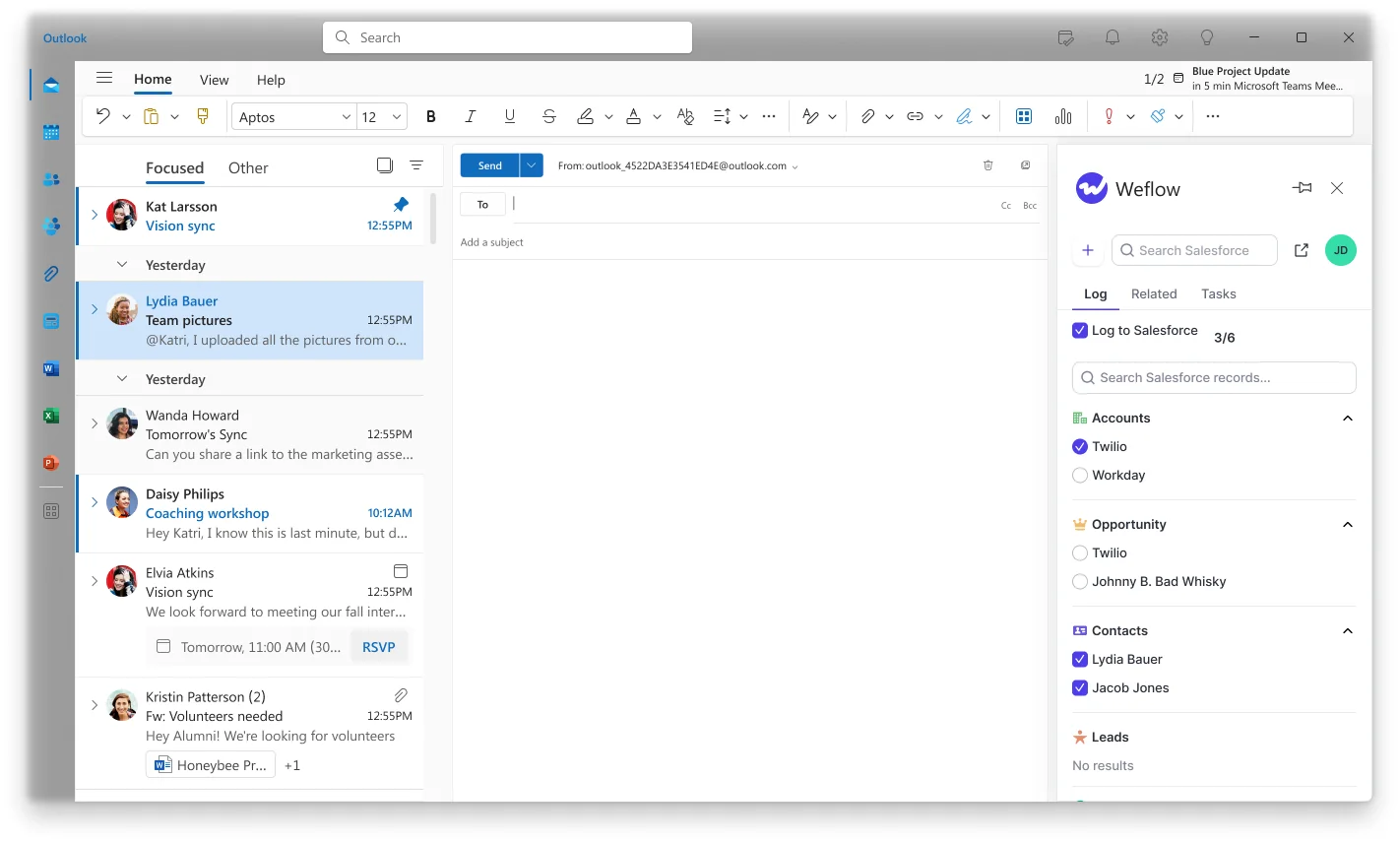
The correction point is the rep's inbox. The Outlook add-in or Chrome extension shows the matched opportunity, the rep re-maps once, and every later reply in that thread follows the choice.
Two limits matter most on renewal-heavy accounts. An email logs to one opportunity only, and there's no nearest-close-date rule. The workaround is to separate the lanes: one capture configuration for the renewals team and one for everyone else, filtered on opportunity type or a close-date threshold.
| Weflow does | Weflow deliberately doesn't |
|---|---|
| Write a contact role when an email logs to a deal where the contact has none | Infer champion, economic buyer or any other role type |
| Create contacts from To, CC and calendar invites | Create leads, accounts or opportunities |
| Restrict creation to existing accounts and cap it per event | Queue new contacts for admin review before writing |
| Fall back to the account when the evidence is ambiguous | Guess the deal from what the email says |
| Let the rep re-map once and hold it for the thread | Log one email to two opportunities |
| Prefer the opportunity where the contact holds a role | Pick the opportunity with the nearest close date |
What Weflow Activity & Contact Capture covers beyond the loop
- Buying committee mapping: Weflow's deal view shows every person involved with per-contact engagement and multi-threading signals, fed by the contacts it creates, without inferring anyone's role.
- Automatic meeting capture: every external meeting lands on the Salesforce Event object whether or not it was recorded, private and no-attendee entries are skipped, and we recommend one-way calendar-to-Salesforce sync because the reverse direction is unreliable.
- Integrations: Weflow works with Salesforce only and connects natively to Gmail, Google Calendar, Outlook, Zoom, Teams, Meet, Slack and the Outreach dialer, but it isn't an integration catalogue.
- AI assistant (MCP) access: an official read-only MCP connector lets Claude or ChatGPT query your Weflow data, with a separate admin toggle for whether assistants can read full transcripts.
- Raw data access: the REST API bulk-exports transcripts, metadata, scores and signals as JSON or CSV, and there's no native Snowflake, Databricks or BigQuery connector.
- Pricing: Activity & Contact Capture is $19 per user per month with a 10-user minimum on a 12-month term (details in the pricing section).
Gong writes contact roles only through an admin-activated Flow
Gong is a conversation intelligence platform that records and analyses sales calls in its own cloud, sold as a Foundation core licence with applications on top. If you already run Gong, you partly have this. Roles come from call participants who are already contacts, and only once an admin activates the Flow.
- Best for: teams already running Gong for conversation intelligence, with a Salesforce admin willing to activate and maintain its Flow templates.
- Stops at: email-only stakeholders never become roles, Gong itself creates no contacts, and pricing is unpublished.
How Gong handles contact roles, contacts and the right deal
Contact roles. Gong for Salesforce ships a Flow template that adds call participants who are Salesforce contacts as roles on the related opportunity. It skips people who already hold a role. It sits inactive until an admin turns it on.
Contact creation. Gong's own sync doesn't create contacts. When it finds a new person, it logs their email in Gong only. A separate inactive Flow creates a contact, or a lead when no account is found, for call participants not in Salesforce. It skips your own domain, and it overwrites a known contact's title with the one from their email signature.
Opportunity choice. An admin sets association rules: deal filters, whether the owner, a role holder or a deal team member joined, the number of contacts involved, and a date field. If the rules still leave several deals, Gong associates all of them up to a set maximum of 20.
Any user can re-associate a call inside Gong. That manual choice freezes the association, so a later contact role or new opportunity won't move that call. There's no in-mailbox correction. Gong also can't model one contact belonging to several accounts, which rules it out for agency and reseller shapes.
What an admin has to switch on before Gong writes anything here:
- the contact-role Flow template;
- the contact-creation Flow, if you want unknown participants created (the role Flow can run as its last step);
- export of activity to Salesforce as tasks or events;
- the deal association rules, which can be simulated before activation.
What Gong covers beyond the contact role loop
- Buying committee mapping: Gong's deal panel shows who's engaged on both sides and how active each person was over the last 21 days, and recommends further contacts.
- Automatic meeting capture: Gong imports meetings server-side and exports them as tasks or events once enabled, but non-recorded meetings come in only when a participant matches a CRM record.
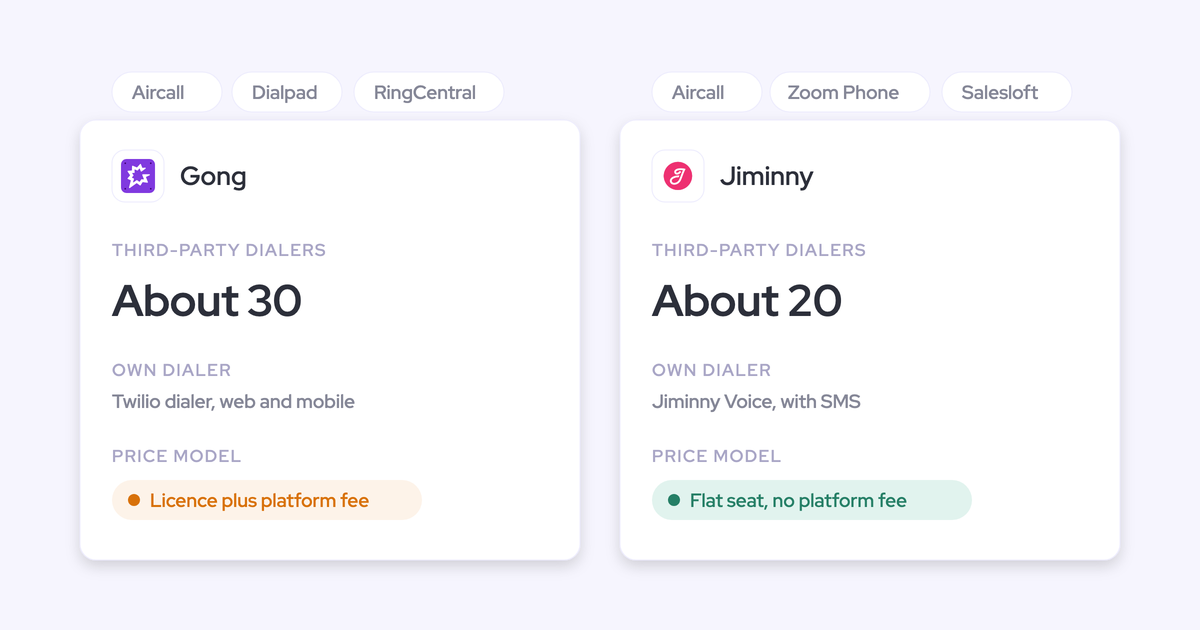
- Integrations: Gong's marketplace lists about 450 integrations and partner solutions.
- AI assistant (MCP) access: Gong's MCP server has three record-scoped tools, returns AI insights rather than transcripts, and draws metered credits.
- Raw data access: the API is capped at 3 calls a second and 10,000 a day, and warehouse delivery through Data Cloud is a separate purchase.
- Pricing: Gong publishes no prices and requires the Foundation licence (details in the pricing section).
Nektar.ai assigns buyer roles, but only in Harvest
Nektar.ai is a background data service for enterprise Salesforce teams, with no rep-facing interface. It goes further than anyone else on this list on role inference, and that's a real strength. The catch is how much control you hand over to get it.
- Best for: enterprise data or AI teams that want headless capture with automatic role assignment, including title and engagement-based role values, fed into Salesforce and Snowflake.
- Stops at: Harvest-only roles, latency in hours, uninspectable matching, a Modify All Data default, no rep correction point and no published price.
How Nektar.ai handles contact roles, contacts and the right deal
Contact roles. Nektar creates a role for every contact who took part in an activity linked to an opportunity, filling Role and Is Primary. Guardrails can restrict roles to likely influencers. Custom logic can assign decision maker, sponsor or influencer from title and engagement.
Roles that depend on a contact Nektar first has to create take about 2 hours, and up to 18. Nektar learns from reps adding or removing roles by hand. All of this sits in Harvest, not the entry package, Bloom.
Contact creation. Nektar creates contacts under the account whose domain matches, taken from the Website field or inferred from existing contacts. It never creates contacts for public domains, and it won't create one when a contact or lead with that email exists. Name, title and phone come from signatures.
Duplicates can still happen when Nektar can't see an existing record. Nektar resolves them later by deleting its own contact and moving the activity, typically 25 to 33 hours after the duplicate appears.
Opportunity choice. Machine-learning affinity models score candidate opportunities on timestamps, shared keywords, participants, owner and the paths between records. When the choice is ambiguous, the activity goes to the account. Nektar remembers when a manual edit reverses one of its decisions.
Self-healing then re-evaluates past decisions as data arrives. It can delete and recreate a contact role or an activity, which changes the activity's created date.
| What Nektar does that others don't | What it costs you in control |
|---|---|
| Infers role values from title and engagement | Only in Harvest, at a quoted price |
| Writes a role for every participant on a linked activity | Roles on new contacts take about 2 hours, up to 18 |
| Scores opportunities with ML affinity models | You see a score, not rules you can read or adjust |
| Self-heals past decisions as new data arrives | It deletes and recreates records it created |
| Runs with no rep interface to adopt | No point where a rep corrects a mapping in the inbox |
| Manages records end to end | The default integration user asks for Modify All Data |
What Nektar.ai covers beyond the contact role loop
- Buying committee mapping: buyer role identification and engagement scoring on contacts and opportunities, in Harvest.
- Automatic meeting capture: Nektar writes calendar events to Salesforce with attendees, and ignores events more than three months ahead until they come into range.
- Integrations: the list is short: Salesforce, Google Workspace, Microsoft 365, Zoom and Snowflake, plus meeting data from Teams and Meet.
- AI assistant (MCP) access: Nektar has no MCP server of its own, and assistants reach its data through Salesforce's MCP.
- Raw data access: Nektar delivers to Snowflake, including a headless option with no user interface.
- Pricing: quote only (details in the pricing section).
Einstein Activity Capture reads contact roles but never writes them
Einstein Activity Capture is Salesforce's own background capture for email and calendar. It routes by existing contact roles, but it never creates, maintains or suggests them. So the answer to "can I get this from what I already pay Salesforce for?" is no.
- Best for: cost-constrained orgs with roles already maintained and mostly one open opportunity per account.
- Stops at: no contact roles, no contact auto-creation in the default mode, and unreliable mapping on multi-opportunity accounts.
How Einstein Activity Capture handles contact roles, contacts and the right deal
Contact roles. EAC treats roles as a read-only input to matching. Adding them stays a manual Salesforce task.
Contact creation. Contact sync brings contacts in from users' Microsoft or Google address books, up to 50,000 per user. Under Sync Email as Salesforce Activity, the default for every setup since Summer '25, Contact Auto-Creation and Contact Suggestions aren't available. Email from an unknown address isn't logged until someone creates the contact or lead.
Opportunity choice. EAC matches through a contact who holds a role on the opportunity first, then falls back to the account's opportunities. When several qualify, it runs this tiebreaker chain in order:
- Exclude opportunities whose close date is more than 60 days before the email.
- Weigh whether the opportunity owner is on the email.
- Weigh whether the related account is owned by a matched user.
- Weigh creation within 60 days after the email date.
- Weigh whether the email date falls between the opportunity's create and close dates.
- Prefer open over closed.
- Prefer the earlier close date.
- Prefer the most recent LastActivityDate, then the most recent LastModifiedDate.
Admins can edit the chain in the Activities: Match Email to Records flow or extend it with Apex. A rep can correct the match on the email record, and the flow keeps that change. In practice it holds up with one opportunity per account and breaks as soon as there are several.
"I would say it works more or less if you have just one opportunity per account. But let's face it, like, you typically have more than one."
What Einstein Activity Capture covers beyond the contact role loop
- Buying committee mapping: EAC has no stakeholder or buying committee view.
- Automatic meeting capture: events sync to Salesforce with up to 50 attendees, and when the organizer is outside the sync configuration each syncing attendee gets their own copy.
- Integrations: EAC connects to Microsoft 365, on-premises Exchange and Google Workspace mail and calendars, and that's it.
- AI assistant (MCP) access: assistants reach EAC's records only through Salesforce Hosted MCP Servers, which need Flex Credits.
- Raw data access: records synced as Task and EmailMessage are reachable through reports and the Salesforce API, but the off-org activity store isn't exportable.
- Pricing: Standard comes with several editions and the full version comes through the Sales Engagement add-on (details in the pricing section).
Revenue Grid leaves contact roles to the rep
Revenue Grid is a Salesforce activity capture tool: an Outlook add-in or Gmail extension plus a server-side Sync Engine. A rep can create a contact role by hand in the Sidebar, but Revenue Grid never adds one itself. It deserves credit for a published $30 capture tier and a clear fit as a Salesforce for Outlook replacement.
- Best for: mid-market teams replacing Salesforce for Outlook who want a sidebar plus server-side sync at a published price.
- Stops at: no automatic contact roles, and email links to an opportunity only when the rep owns it and a role already exists.
How Revenue Grid handles contact roles, contacts and the right deal
Contact roles. Roles are manual only, through the Sidebar's Create menu. Even that works only after an admin adds Opportunity Contact Role to the Sidebar's objects and turns on Allow create.
Contact creation. Revenue Grid has two creation modes, and both are off by default:
- one creates a contact when the address domain matches an account's website and an existing contact's domain, and a lead otherwise;
- the other creates accounts and contacts or leads for every unmatched participant.
Free email domains such as gmail.com never trigger creation.
Opportunity choice. An auto-saved email links to an opportunity only when all four conditions hold:
- the rep owns the opportunity;
- an address on the email belongs to a contact with a role on it;
- the opportunity is open;
- opportunity linking is switched on in sync settings.
For meetings, Revenue Grid's AI assistants link using the record owner, attendee addresses and the subject, body or transcript. To put one email on several records, it clones the Task or EmailMessage, up to ten per email.
What Revenue Grid covers beyond the contact role loop
- Buying committee mapping: relationship intelligence comes only in the Ultimate tier, and there's no stakeholder map with roles and engagement.
- Automatic meeting capture: calendar items sync two ways, but items created before activation are excluded unless a rep marks them or you buy a bulk sync.
- Integrations: Revenue Grid connects to Microsoft 365, on-premises Exchange, Google Workspace, Teams and Zoom, with third-party API integrations in a paid customization package.
- AI assistant (MCP) access: an MCP server launched on 13 July 2026, and customers connect it manually.
- Raw data access: there's no public API for captured activity or AI outputs, so records are reached through Salesforce's API.
- Pricing: three published tiers (details in the pricing section).
Momentum updates contact roles but doesn't document whose
Momentum is the Salesforce-owned capture and conversation layer, and Salesforce has named it the future of activity capture in Salesforce. It's worth taking seriously. On contact roles, though, what's documented is thin.
- Best for: Salesforce-committed, meeting-centric teams moving to Core, Advanced or Max who work in Slack.
- Stops at: undocumented role logic, opportunity choice that relies on existing roles, and no email capture.
How Momentum handles contact roles, contacts and the right deal
Contact roles. Momentum says it updates contact roles in Salesforce automatically, alongside notes, stage changes and custom fields. It doesn't describe how it picks the people it adds, or whether it removes roles that no longer apply. Its permissions guide lists read access to OpportunityContactRole.
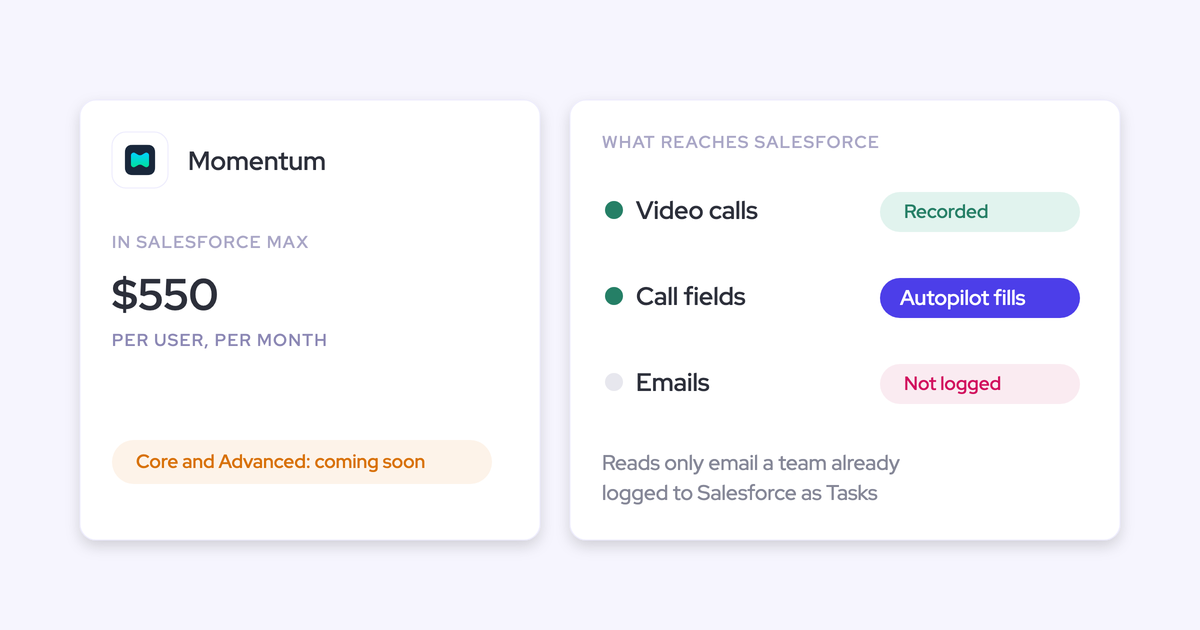
Contact creation. Momentum adds meeting attendees as contacts or leads, including invitees who didn't join, automatically or through a manual sync. A Slack notification lets the rep fill in details before saving. It creates nothing from email, because it doesn't capture email; it reads only emails someone already logged as Salesforce Tasks.
Opportunity choice. Momentum matches attendee addresses to contacts, derives the account, and picks the open opportunity with the most contact roles among the external attendees. Ties break on LastActivityDate. With no open opportunity, the call lands on the account by domain.
On an org with empty roles, every opportunity scores zero, so the tiebreaker becomes whichever deal a rep touched last. Momentum's own remapping guide sends multi-deal accounts to a manual remap in the web app. You can't remap from Slack.
| What Momentum states | What it doesn't document |
|---|---|
| It updates contact roles automatically | Which attendees become roles |
| It adds attendees as contacts or leads, including no-shows | Whether roles are removed when people drop off the deal |
| It picks the opportunity with the most existing roles | How it chooses when no attendee holds a role |
| Wrong calls can be remapped in the web app | A rule for accounts with several active deals |
What Momentum covers beyond the contact role loop
- Buying committee mapping: Account Briefs include stakeholder mapping, and Autopilot can fill Contact lookup fields such as Decision Maker with an external attendee from the call.
- Automatic meeting capture: Momentum writes call logs to Event records only when an admin switches on Event mapping, and earlier calls aren't backfilled.
- Integrations: Momentum connects to five conversation intelligence tools, seven dialers and contact centres, and Slack or Microsoft Teams.
- AI assistant (MCP) access: Momentum has no MCP server of its own, and assistants reach its output through Salesforce's Hosted MCP Server.
- Raw data access: the API is off by default, switched on per workspace through support, and capped at 100 requests per 15 minutes.
- Pricing: bundled in the new Salesforce editions, with standalone plans too (details in the pricing section).
What you'll pay for contact roles with each tool
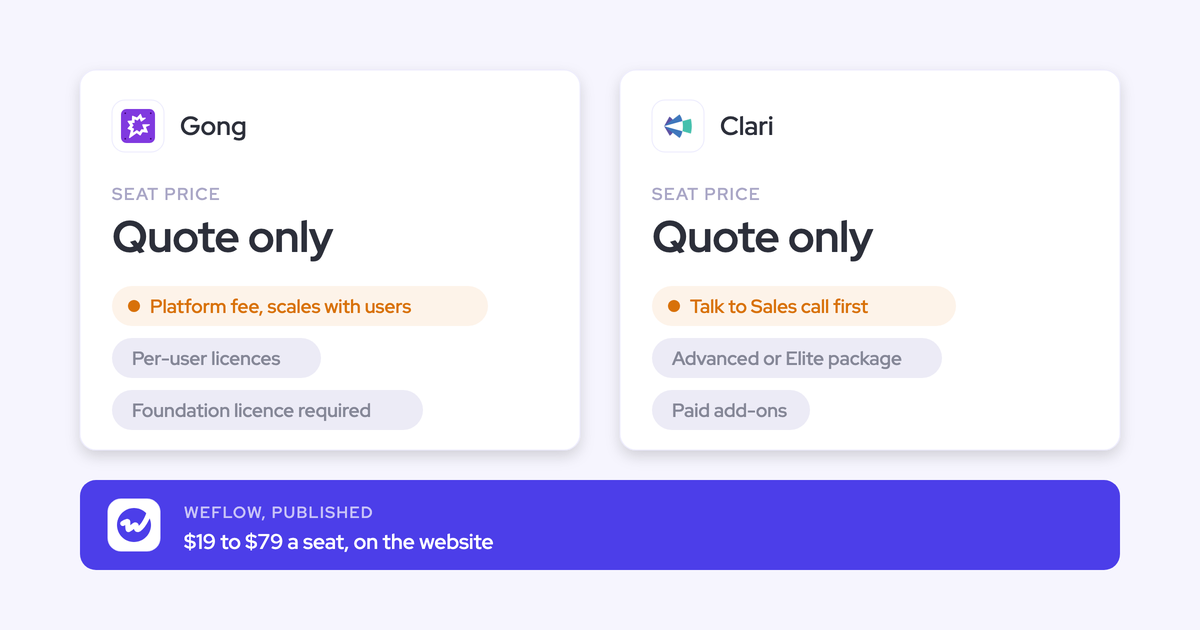
Where contact roles sit in each vendor's packaging matters as much as the list price. Gong and Nektar publish no per-user price at all.
| Tool | Published list price | Tier that includes contact roles | Extras, minimums and term |
|---|---|---|---|
| Weflow | Activity & Contact Capture at $19 per user per month, billed annually | Activity & Contact Capture, with enrichment included | 10-user minimum, 12-month term; bundles at $49, $59 and $79 |
| Gong | None; per-user licences plus a platform fee that scales with users | The Flow ships with Gong for Salesforce; the Foundation licence is required for everything | AI usage metered in credits; Data Cloud about $5,000 a year |
| Nektar.ai | None; quoted per organisation | Harvest only, not Bloom | No platform fee; backfill at $8 per user per month of history |
| Einstein Activity Capture | Standard included in Starter, Pro Suite, Professional and Enterprise; full version via Sales Engagement at $50 per user per month | None; EAC doesn't write roles at any tier | Sales Engagement included in Unlimited and Agentforce 1 editions |
| Revenue Grid | $30, $49 and $149 per user per month | None; roles are manual at every tier | Yearly commitment; one-time implementation fee |
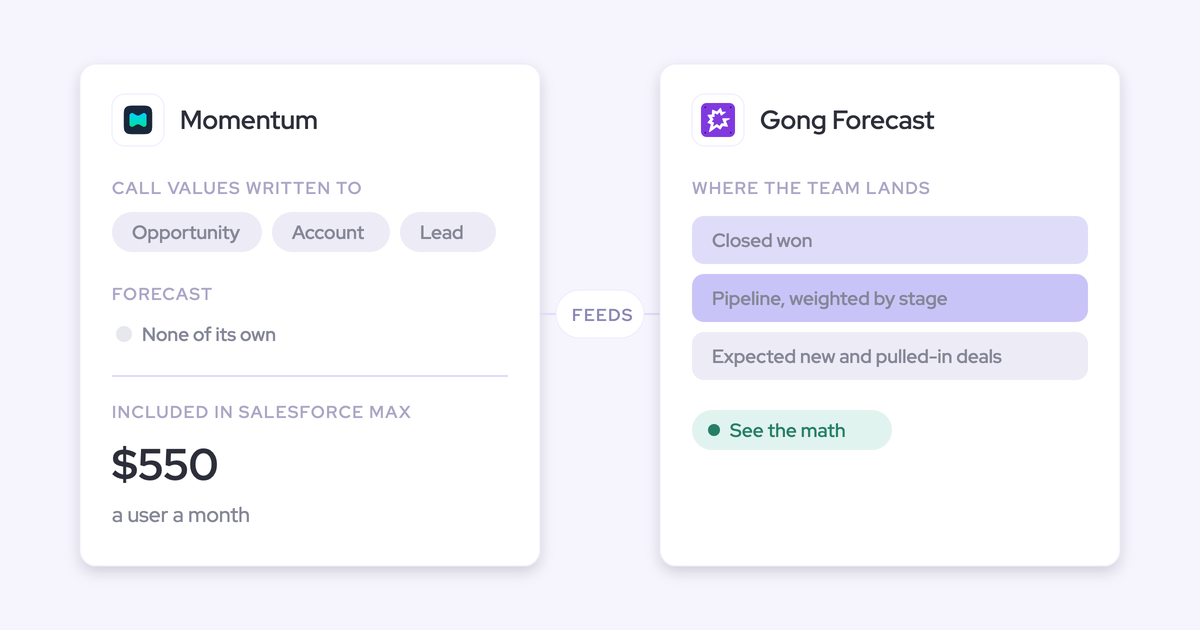
| Momentum | Core $195, Advanced $395, Max $550; standalone Business $69, Transformation $99 | Bundled in Max now, announced for Core and Advanced | Legacy Enterprise and Unlimited don't get it bundled |
"Free" EAC means the Standard version, free for up to 100 users. Standard keeps at most six months of captured activity, and the full product is a paid add-on on most editions.
Which contact role tool fits your Salesforce org
Fit follows the loop. Here's where each tool lands, grouped by primary need, team size and budget.
| If your situation is… | Choose | Why (the loop question it answers) |
|---|---|---|
| Need: roles written from email and calendar, with rules you can read | Weflow | Trigger and correction: roles on email logging and invites, rep re-maps in the inbox |
| Need: inferred role labels such as decision maker or sponsor | Nektar.ai Harvest | Role value: the only tool here that infers it |
| Need: roles for recorded-call participants, Gong already entrenched | Stay on Gong | Trigger: the Flow covers call participants who are already contacts |
| Team size: enterprise with a data team and a headless stack | Nektar.ai | What stops it writing: guardrails and Snowflake delivery, no rep interface to adopt |
| Team size: mid-market, 10 users and up | Weflow | Which deal: fixed matching order with account fallback |
| Team size: under 100 users, roles maintained, one open opportunity per account | Einstein Activity Capture | Which deal: role-first matching works when roles already exist |
| Budget: replacing Salesforce for Outlook, reps own their roles | Revenue Grid | Correction: the rep adds each role by hand from the Sidebar |
| Budget: already moving to Core, Advanced or Max, meeting-centric, in Slack | Momentum | Trigger: meeting attendees, bundled in the edition |
Two of these are stay-put answers. If Gong is entrenched and an admin will own its Flows, or your roles are clean and your accounts carry one open deal, you don't need a new vendor for this.
How to test contact role tools against your incumbent
Run a parity test built for the ambiguous case, not the clean one. Here's the plan we'd paste into a ticket:
- Audit contact role coverage first. Your current role population sets the ceiling on how well any tool can map, so you need the baseline before you compare.
- Use unique test domains, not free mail. Test accounts with gmail.com in the Website field match every sender to several accounts, so the test measures your test data, not the tool.
- Seed a renewal and an expansion with a shared contact. This is the case every tool struggles with, and it shows you whether you get the account, the wrong deal, or a correction point.
- Never run two capture tools on the same user. Move users fully to the new tool, backfill the period with a message-ID check, and compare against saved reports from the old one. Nektar, for one, doesn't deduplicate against other capture tools.
- Keep the new tool unconfigured for the parity check. Settle whether anything is lost against the incumbent before you tune templates.
- Check your org before you blame the tool. Look at required page-layout fields, validation rules, Shared Activities, integration-user permissions and any personal domains sitting in account Website fields.
- Count your own override rate. No vendor publishes one, so the number of re-mapped emails per rep per week is the figure you size the rollout on.
- Use compatibility settings where a sequencer keeps logging. Weflow's compatibility mode holds sync back about ten seconds and matches on the record ID, and tracking patterns suppress a sequencer's bulk sends entirely.
Weflow's Activity Capture Health view runs several of the step 6 checks inside Salesforce, including Shared Activities, duplicate contacts and non-converted leads that match a contact.

Want to see the mapping panel and the capture settings before you touch a sandbox? Walk through the product yourself, no call required.
What changed for contact role tools in 2026
- Einstein Activity Capture's default mode since Summer '25, Sync Email as Salesforce Activity, has no Contact Auto-Creation, so Salesforce's native path now creates neither contacts nor roles from email.
- Salesforce named Momentum the future of call recording and activity capture in Salesforce, which leaves EAC without a forward roadmap of its own.
- Salesforce announced on 3 September 2026 that Momentum is bundled into the new Core, Advanced and Max editions, so its undocumented role logic arrives by default for teams that move edition.
- Salesforce is retiring EAC's Activity 360 Reporting, Activity Metrics and Activities Dashboard, so any role coverage reporting built on them needs rebuilding on standard activity reports.
- Gong introduced metered AI credits in 2026, so pulling Gong insights about a deal's participants through the API or MCP now draws on a shared pool.
- Revenue Grid launched an MCP server on 13 July 2026, which opens its data to assistants but doesn't change that roles stay manual.
How we compared these six tools
We wrote this, and we build one of the six. Competitor verdicts come from each vendor's public documentation and pricing pages, plus what buyers tell us on evaluation calls. Weflow's verdicts come from our own product documentation and implementation experience.
We rated each capability as offered, partial or not offered, and held Weflow's limits to the same standard as everyone else's.
Questions Sales Ops asks about automating contact roles
Can a tool set the role value to champion or economic buyer?
Nektar.ai Harvest can, with custom logic that assigns decision maker, sponsor or influencer from title and engagement. Weflow writes one fixed role value per configuration by design, because a job title can't tell a champion from a detractor. Gong, Momentum, EAC and Revenue Grid don't document inferred role values.
What stops automatic contact creation from flooding Salesforce?
Weflow restricts creation to existing accounts, caps contacts per event, blocks prefixes such as no-reply and invoice, and looks up contacts, leads and secondary emails first. Nektar skips public domains and existing records, with extra limits in Harvest. Revenue Grid's modes are off by default and skip free mail, Gong's Flow skips your own domain, and Momentum adds every attendee, including no-shows.
"We can't anticipate the domain of every possible email that we could get. You know, so we, it's not feasible for us to maintain this list."
Which opportunity gets the contact role when renewal and expansion are open?
No tool resolves a shared contact perfectly. Weflow prefers the opportunity where the contact holds a role, falls back to the account, and lets the rep re-map once for the thread; renewal teams can run a separate configuration lane. Gong associates several deals up to 20, Nektar logs to the account when ambiguous, EAC runs its tiebreaker chain, and Momentum picks the deal with the most existing roles.
Do these tools add roles for existing contacts or only new ones?
Gong's Flow covers only call participants who are already contacts. Nektar adds a role for every contact on an opportunity-linked activity. Weflow's rule adds a role for an existing contact without one when an email logs to the deal, new contacts from invites attach as roles, and relating a meeting to every attendee needs Shared Activities.
What happens when a meeting attendee already exists as a lead?
Weflow attaches the activity to the lead and never converts it; conversion stays a manual Salesforce step. Nektar prefers contacts, and when a lead is added for someone it created as a contact, it merges the contact into the lead and deletes it. Momentum creates a contact or a lead according to your Salesforce setup.
How long until a new contact role shows up in Salesforce?
Weflow creates the role at the moment it logs the email, and its writes go through the integration user almost immediately. Nektar takes about 2 hours, up to 18, for roles that depend on a new contact. Revenue Grid's auto-saved emails run on 30-minute sync cycles, and Gong and Momentum don't publish a figure.
Which Salesforce settings silently block contact or role creation?
Required page-layout fields are the most common cause, because tools can't see them through the API. Validation rules that demand a field enrichment couldn't fill stop that contact too. Shared Activities decides whether a meeting relates to every attendee, and hiding records from the integration user leads to duplicates and mis-mapped activity.
Can the integration user run with least-privilege permissions?
Only so far. Weflow needs Account and Opportunity access, because the contact role decides which deal an activity belongs to and contacts are created against accounts. Nektar's default asks for Modify All Data, with reduced alternatives that need considerable admin expertise, and Revenue Grid's Instant Sync and Scheduler Adapter need a System Administrator profile.
How often will reps have to override the opportunity mapping?
No vendor publishes an override rate, so measure it in your POC. Nektar markets over 85% accuracy matching contacts to opportunities, which isn't the same number. In advertising and hospitality, where one contact sits on several live deals, plan for manual selection as part of the answer.
"If it is 99% of the time correct and then there are the very rare cases where they change it, that would help, because then we can see how much manual task we can expect."
Can an admin review new contacts before they're written?
Weflow has no review queue; the per-message control sits with the rep in the Outlook or Gmail extension. Momentum's confirm-to-write applies to field updates, and its Slack notification lets the rep fill contact details before saving. Nektar's write rules, which decide what reaches Salesforce, are in beta.
Can these tools backfill contact roles on older opportunities?
Nektar's paid backfill, at $8 per user per month of history for up to 18 months, creates contacts, activity links and contact roles for the historical period. Weflow's historical backfill brings in up to 24 months of activity as an add-on. EAC can bring in up to six months of past email when you switch to Sync Email as Salesforce Activity.
Is contact role creation included in each tool's base price?
In Weflow, yes: it's part of Activity & Contact Capture at $19 per user per month. Nektar puts it in Harvest, Gong requires the Foundation licence, and Momentum is bundled in Max and announced for Core and Advanced. EAC and Revenue Grid don't write roles automatically at any tier.