Weflow vs Backstory.ai (People.ai) vs Nektar.ai: enterprise Salesforce activity capture compared
Decide between Weflow, Backstory.ai (People.ai), and Nektar.ai for Salesforce activity capture.


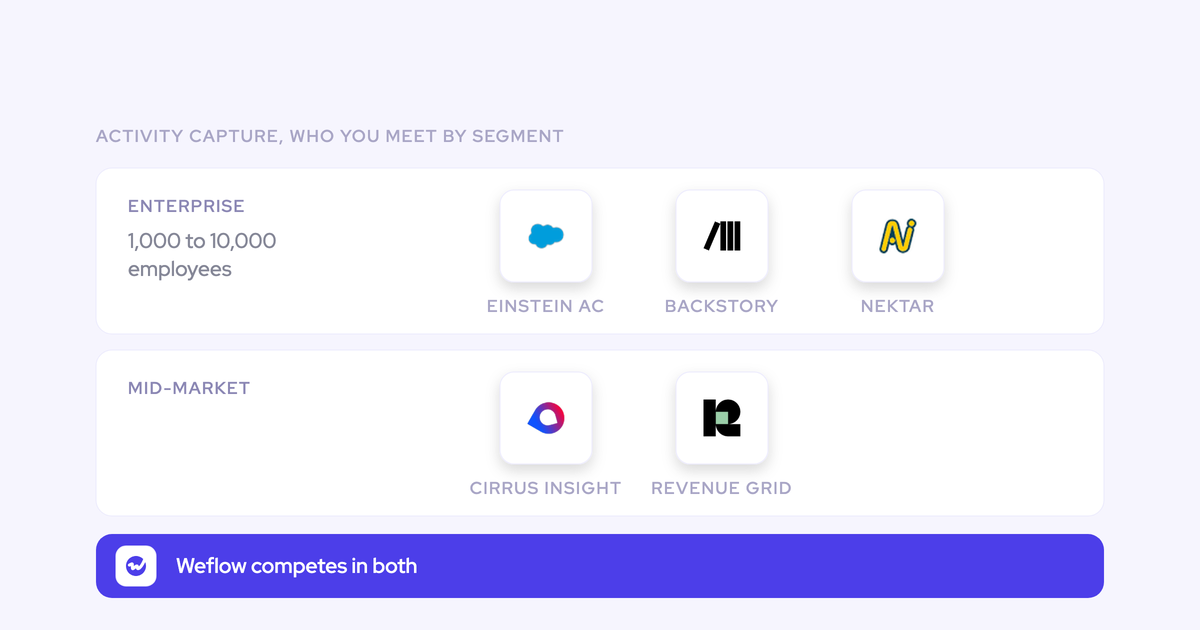

All three of these vendors sell you the same sentence: automated, org-wide activity capture into Salesforce, switched on centrally, nothing for reps to learn. The sentence is true in all three cases. That's exactly why a feature grid can't decide this evaluation, and why the shortlist you're holding looks like a coin flip.
The separation sits on two properties, and neither shows up in a demo.
First, where the captured activity physically lands: a native Salesforce record your flows, reports and BI can read, or a vendor-side store that mirrors into a timeline.
Second, what it maps to once an account carries more than one open opportunity. Get the second one wrong and you don't get an error, you get activity data that quietly lies: busy account, dead-looking deal.
Weflow is the Revenue AI Orchestration platform for sales, customer success, and RevOps teams, built for Salesforce teams, so we have a side in this. We'll take it openly, and we'll say where Backstory and Nektar are the better call, because at your seat count some of the time they are.
Weflow vs Backstory.ai vs Nektar.ai at a glance
| Dimension | Weflow | Backstory.ai (People.ai) | Nektar.ai |
| Where captured activity is stored | Written permanently into native Salesforce objects: EmailMessage, Task, Event. Admin chooses the object. | Capture runs on People.ai's own activity data platform, which it patented and builds its orchestration on. Ask them to demo a Salesforce flow reading a captured email. | Capture-only vendor writing to Salesforce. Same test applies: which object, and does it stay there. |
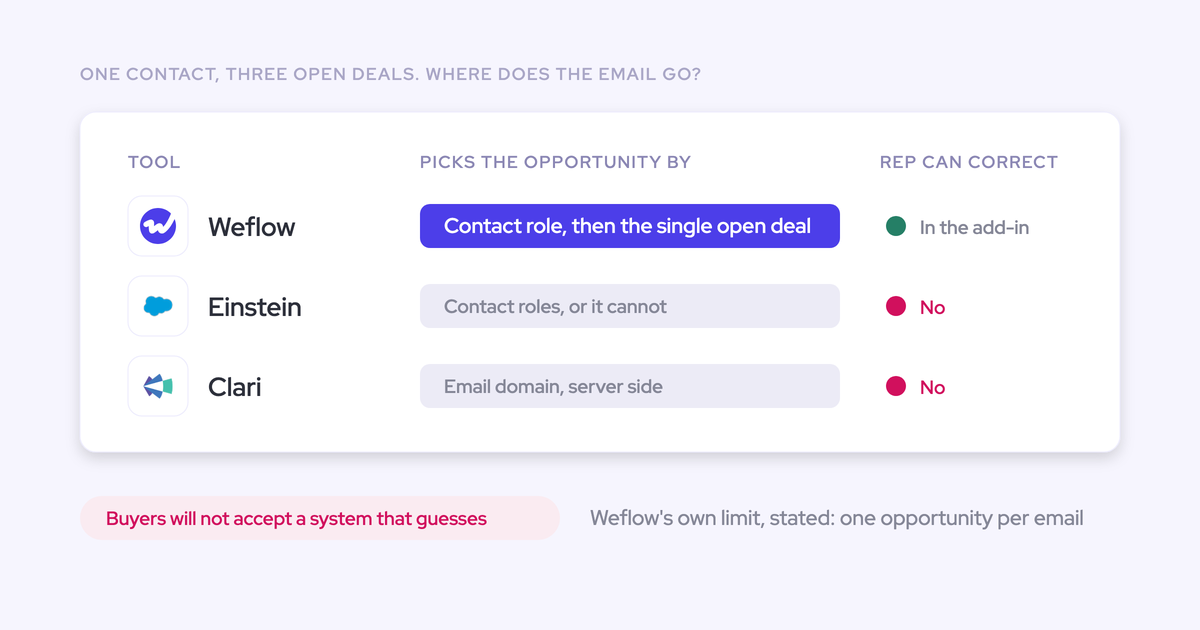
| Mapping on multi-opportunity accounts | Automated matching plus a rep-facing correction step that locks the choice for the thread. | Server-side matching. On two open deals with the same contacts, the algorithm decides and nothing surfaces the call it made. | Server-side matching by design. No interface exists for anyone to correct a mapping. |
| Rep-facing correction layer | Outlook add-in and Gmail/Chrome extension showing the suggested record; override can be restricted by config. | None we've seen for mapping correction. | None, deliberately. It's the product's central promise. |
| Role coverage | Every customer-facing role including CS and account management, on the same capture layer at $19 per user per month. | Enterprise seat contracts. Coverage of post-sale roles becomes a licensing negotiation. | Enterprise capture, no engagement below roughly 50 Salesforce seats. |
| Scope beyond capture | Conversation Intelligence, Deal Intelligence and Forecasting on the same data layer, bought when you want them. | Revenue orchestration on top of capture, but no native conversation intelligence: it leans on Gong or Chorus. | Capture only. |
| Implementation time | Around 2 weeks (G2 Fall 2023). Technical setup with a Salesforce admin runs 30 to 45 minutes. | Around 13 weeks (G2 Fall 2023), the slowest in this comparison. | Not published. Background deployment is genuinely light. |
| Pricing transparency | Transparent: $19 per user per month, billed annually, 10-user minimum, 14-day trial. | Quote-based. Reported figures exist but are second-hand; enterprise contracts commonly clear six figures. | Quote-based. List has been reported around the high twenties per seat, which we'd treat as indicative only. |
Everything below argues the two rows that decide it: storage and mapping. The rest, coverage, scope, deployment and price, follows from what kind of product each of these is.
Why these three tools end up on the same enterprise shortlist
Search "enterprise Salesforce activity capture" and you get these names because all three aim at the same estate: hundreds to thousands of Salesforce seats, org-wide capture, admin-switched, no rep training. Nektar won't even engage below about 50 seats. People.ai runs capture at Verizon, IBM and Cisco scale and reports around 500 customers.
So the shortlist is correct. What it hides is that two of the three are capture-only point solutions, which quietly sets the axis of the evaluation for you.
When both vendors in the room sell one capability, the conversation becomes a capture feature comparison. Nobody asks what happens to that data layer in eighteen months, when the AI mandate needs conversation content on the same records, or when the renewal team asks why post-sale activity isn't in the pipeline.
The other reason the grid can't decide it: capture always looks fine in week one. It fails in week six, in a way nobody attributes to the tool.
Where captured activity lives and who owns the records
Activity that isn't stored as a record in the core Salesforce database can't be automated on, can't be reported on flexibly, and isn't yours. That's the whole argument, and it's the one property you can test in an afternoon.
We hear the requirement in almost exactly these words from RevOps leaders who've been burned once:
if you haven't stored an object or record into the core Salesforce database, then you cannot do automations with it. You cannot trigger automations or flows, and you cannot retrieve any information from that within flows.
Native storage on EmailMessage, Task and Event is what gives you:
- Flows and automations that read and trigger on activity: move a lead forward when a meeting is booked, raise a task when a strategic account goes quiet for 30 days.
- Reports you build yourself, on your fields, instead of one canned report a vendor generated for you.
- Export into Looker, Tableau or Power BI, because there's raw data to extract.
- Ownership. If the contract ends, the emails and meetings stay in your org.
Turn that into a single pass/fail question for all three vendors: build a Salesforce flow in the sandbox that queries an email your tool captured yesterday. If the flow can't see it, the activity exists in a timeline, not in your database.
Weflow Activity & Contact Capture writes emails, meetings and contacts permanently into native Salesforce objects, and the admin picks the object, so an activity can land on EmailMessage rather than being flattened into a Task that discards direction and makes reply rate impossible to calculate.

How each tool maps activity on multi-opportunity accounts
Salesforce lets an activity relate to either an opportunity or an account, not both. Any capture tool that can't determine the opportunity falls back to the account, and that fallback throws no error, logs no warning and shows no flag.
This single constraint explains most activity capture disappointment across every vendor in the category, ours included when contact roles are a mess.
| What you see | What actually happened |
| Account timeline is busy and healthy | Capture is working; the email was stored |
| Opportunity timeline is empty on your biggest accounts | The tool couldn't pick a deal and silently attached to the account |
| Deal health signals look flat on deals you know are active | Every signal computed from activity is reading a deal with no activity |
| Capture volume metrics look great | Volume was never the problem; attribution was |
And multi-opportunity accounts aren't the edge case. Any org selling several product lines, or splitting new business, upsell and renewal into separate record types under one parent account, has them everywhere. Usually with the same contacts on both.
Why background-only capture falls back to the account silently
When the same contacts sit on two open opportunities, nothing in the data says which deal a thread belongs to. That's not a quality gap in Nektar or Backstory. It's a missing signal, and no server-side algorithm can invent it.
Think about what the server actually has: sender, recipients, domain, subject line, timestamps. Two open deals, same account, same four people on the thread, both progressing. Which one does "following up on the pricing we discussed" belong to?
The common fallback is opportunity contact roles. That works, right up until you look at how well contact roles are maintained in a real enterprise org, which is one of the least populated objects in Salesforce. Now your opportunity activity data is a function of a hygiene practice nobody enforces rather than of your capture layer.
This is the trade-off buried inside the zero-interface pitch. No rep interface means no change management, and it also means no path for the one person who knows the answer to supply it.
How Weflow's hybrid mapping resolves the ambiguous case
The only reliable resolver of the ambiguous case is the seller who was on the call. So Weflow puts the correction step where they already are, in their mailbox, and keeps the capture automatic either way.
The mechanics:
- Capture runs server-side. Emails, meetings and contacts are logged with no rep action, and the matching algorithm proposes the record.
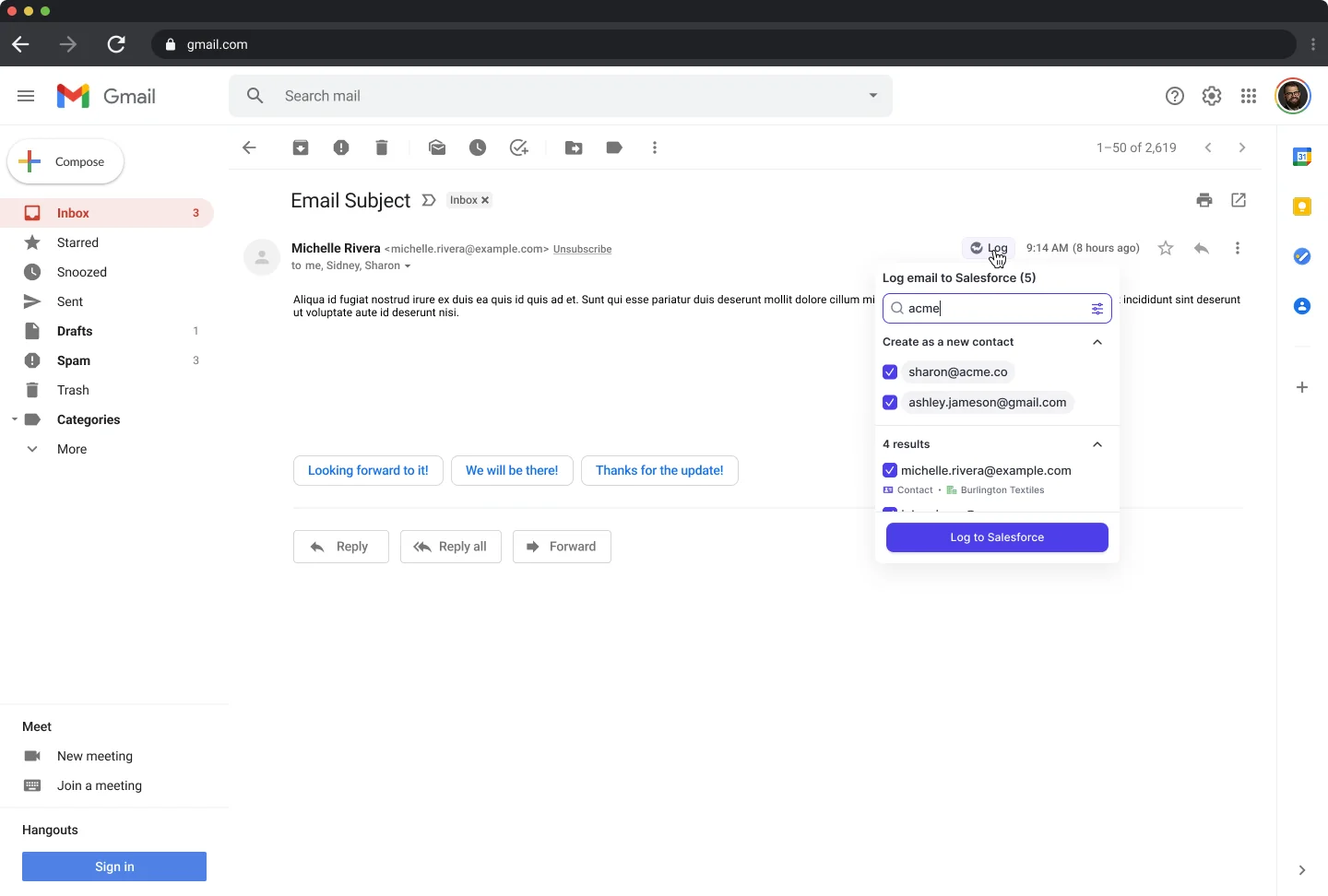
- The Outlook add-in or Gmail extension shows the suggested Salesforce record on the thread the rep is already reading, with matching accounts, opportunities, contacts and leads.
- If the suggestion is wrong, the rep picks the right opportunity in one action, and that choice sticks for the thread rather than being re-guessed on every reply.
- Admins can restrict who's allowed to override, so the mapping stays governed rather than becoming a free-for-all.
Note what this isn't: manual logging. Nobody hunts for a record, nobody clicks log four times per email. The rep only ever touches the suggestion, on the small subset of threads where the algorithm had two defensible answers. Capture completeness doesn't depend on them at all.
Where Backstory.ai and Nektar.ai are genuinely stronger
Both have real strengths, and in a couple of situations those strengths should win the deal. Here they are without spin.
Nektar.ai: zero rep-facing interface, minimal change management
Nektar runs entirely in the background with no interface for reps to learn. If your organization has a hard mandate that sellers touch nothing new, that's not a marketing line, it's a genuine change-management advantage.
It matters more than RevOps leaders expect. Every rep-facing element you add is an adoption risk, an enablement session, and a thing that decays quietly once the launch email is forgotten.
The cost is the one from the previous section: with no interface anywhere, the ambiguous multi-opportunity case gets resolved by algorithm or not at all. If deal-level activity reporting is a top-three requirement, you're trading it for the smoother rollout. If account-level engagement is genuinely enough for your reporting, that's a fair trade and you should take it.
Backstory.ai: proven capture at very large enterprise scale
People.ai has run org-wide capture at Verizon, IBM, Cisco and Zoom, across roughly 500 customers, and it built its whole revenue orchestration story on a patented activity-capture foundation. That's not a startup claim, it's a decade of operating at a scale most vendors in this space have never seen.
And when it goes on, leadership visibility genuinely changes. Buyers who've lived a People.ai rollout don't argue about whether capture should be automatic anymore, which is usually how they end up on a shortlist like this one in the first place.
Be honest about the size question. Weflow is built for mid-market B2B revenue teams and scales into enterprise; we're not going to tell you we have the same 5,000-seat track record. If you're a very large, very complex org with a strict "reps touch nothing" mandate and account-level capture clears your bar, incumbency at that scale is a real argument and you should weigh it.
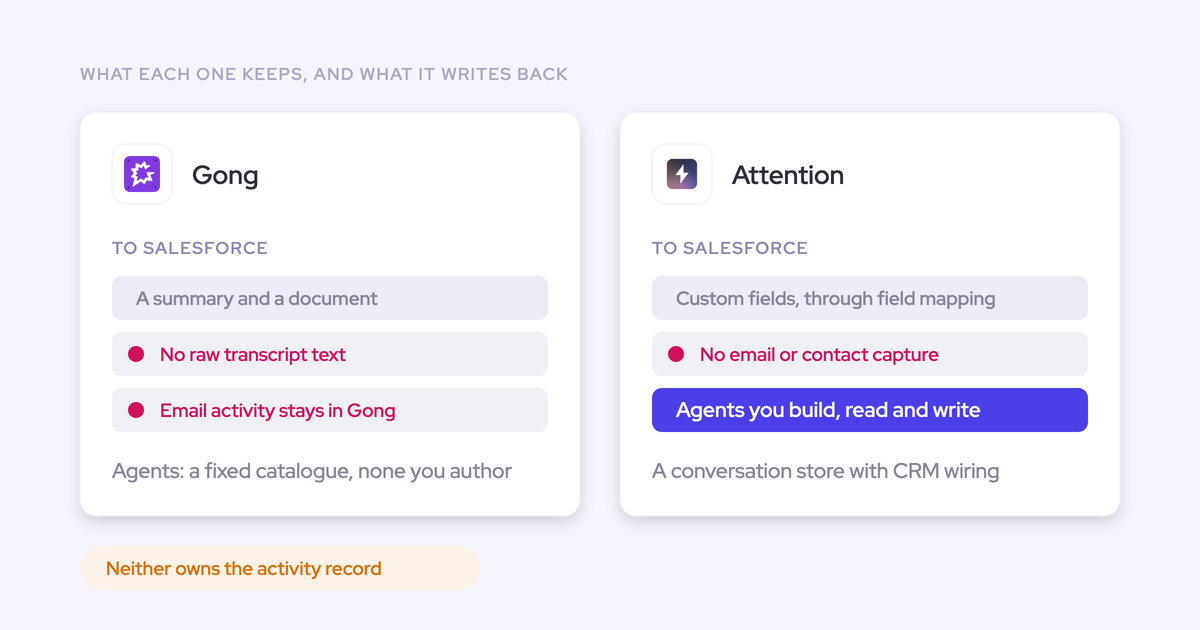
The trade you're accepting is scope: Backstory has no conversation intelligence of its own, so the call content half of your data layer arrives as a second contract with Gong or Chorus.
Where Weflow pulls ahead of both point solutions
Beyond storage and mapping, Weflow differs in kind rather than degree: who it covers, what sits under it, and how long it takes to turn on.
Capture for every customer-facing role, including CS
Point-solution licensing is why your post-sale funnel is dark. Seats got bought for the people running sequences, then extended to some AEs, and the CSMs and account managers were never in scope.
The consequence lands at exactly the wrong moment. Every renewal call, escalation and expansion conversation happens outside the CRM, so when an account churns nobody can show what was actually done for it, and CS defends retention with recollections.
Two things follow from that:
- Full-funnel reporting isn't possible at all unless every customer-facing team sits on one capture layer with one mapping logic. Meetings are the backbone: enterprise cycles start with a meeting and keep producing them through onboarding, QBRs, renewal and expansion.
- Per-seat economics decide whether CS gets included. At $19 per user per month for Weflow Activity & Contact Capture, adding your CSMs and AMs is a rounding error rather than a business case.
A platform under the capture layer, not a point solution
Nektar is capture-only. Backstory has no native conversation intelligence. Both decisions push you toward a stack of point tools, and both look free today because capture is all you're buying.
Then the bill arrives in a shape you didn't plan for. The AI mandate needs call content on the same records as the activity, so a notetaker gets bought. And when an activity capture tool and a conversation intelligence tool both write the same meeting to Salesforce, you get two meeting records for one meeting, and every meetings-per-rep and meetings-per-closed-deal report is inflated.
if you record a meeting, it's not another meeting. It's the same meeting.
Weflow expands from capture into Conversation Intelligence, Deal Intelligence & Forecasting on the same data layer, so the recording attaches to the meeting activity that already exists rather than creating a second one. You don't have to buy any of that on day one, and most teams don't. Capture goes first because it asks nothing of reps and everything downstream depends on it.
What that buys you is optionality at the next two renewals: a consolidation path instead of another procurement cycle per capability.
Implementation measured in weeks, not months
Weflow implements in around two weeks against People.ai's thirteen, per the G2 Fall 2023 Report. That's the widest gap in this comparison and it isn't a services difference, it's an architectural one.
Capture is a configuration exercise. The technical setup runs 30 to 45 minutes with a Salesforce admin and your Google Workspace or Microsoft admin. Enrollment is central: an admin adds a team to a capture configuration and those users start capturing immediately, whether or not they've ever signed in.
Weflow teams build dynamically from Salesforce, pulling users by manager, role or a field condition, so a rep who changes team in Salesforce changes in Weflow without anyone touching a seat list.
One customer had capture live in under an hour, rolled out centrally through OAuth. Reps did nothing, which is the point:
Most of our team doesn't even know we have Weflow for activity capture. That was a big attraction for me: I didn't need them to set it up or learn anything new.
The one to five weeks of remaining work in a typical rollout is business logic, not plumbing: exclusion rules, object choices, mapping configuration, reporting.
What Backstory.ai, Nektar.ai, and Weflow cost
Weflow publishes its capture price. Both competitors quote, which means your first real number arrives after two or three calls and a discovery process.
| Vendor | Price | Model | Transparency and trial |
| Weflow Activity & Contact Capture | $19 per user per month, billed annually, 10-user minimum | Seat-based, no platform fee, no implementation fee, no usage metering. Unlimited view-only licenses. | Published on the pricing page. 14-day free trial with guided onboarding. Volume discounts on request. |
| Backstory.ai (People.ai) | Quote-based. Reported entry figures cluster around the $30 to $50 per user range, and enterprise contracts have been reported above $100k ARR. Treat both as second-hand. | Enterprise contract, negotiated. | Not published. Only the PeopleGlass tier is free, and there's no free trial of the core product, so real evaluation needs a commitment. |
| Nektar.ai | Quote-based. List has been reported around the high twenties per seat; low-confidence and not something we'd build a business case on. | Enterprise contract, negotiated. No engagement below roughly 50 Salesforce seats. | Not published. |
Transparency isn't a virtue signal, it's cycle time. A published price means you can model the CS and AM seats before you ever take a call, and you find out in minutes rather than in week three whether including the post-sale org is affordable.
It also changes the negotiation. When the list price is public, the conversation is about volume, not about what your logo can bear.
How to run a two-week bake-off before you commit
Nobody should buy capture on a demo. The demo always looks the same, because week one always looks the same. Write your requirements down first, then run each vendor against the same list.
A workable two-week sequence:
- Connect in a Salesforce sandbox, not production. You're testing how the tool writes to your data model, and you want the first attempt to be reversible.
- Pick 8 to 10 real accounts, and make sure at least half carry more than one open opportunity with overlapping contacts. This is the test, not a nice-to-have.
- Run one capture engine per inbox. Two tools writing the same emails and meetings produce duplicates, and you'll spend the pilot debugging the collision instead of evaluating the tool.
- Let it run a full week untouched, then audit: pull every captured activity for those accounts and check which record each one landed on, opportunity or account.
- Build one flow that queries a captured email and fires an action. If it can't, stop, you've already got your answer.
- Watch your daily Salesforce API consumption across the whole week, not on day one.
- Re-sync a slice of history for two or three reps and check the backfilled records map as well as the live ones.
The requirements list worth holding them to:
- Inbound replies are captured, not just outbound sends, because replies are the evidence that a real conversation exists.
- Activity is stored permanently in native Salesforce objects, on the object you choose, and a flow can read it.
- You can name which opportunity each activity landed on, and explain why it landed there.
- Existing duplicate rules are respected, and a contact with two email addresses doesn't become two contacts.
- Attachments are captured, or you know explicitly that they aren't.
- Internal domains and partner or reseller domains are excluded by rule, not by trust.
- Contacts are created and opportunity contact roles set, so the buying committee stays current without rep effort.
- CSMs and account managers are in scope at a price you'd actually approve.
- Historical sync-back covers enough months to make your first reports comparable.
On duplicates, this is the most common thing we hear from teams mid-evaluation, usually a week after they turned something back on:
All my activities are already logged through Outreach. Is there any conflict with weflow? Is it gonna double log into Salesforce?
The answer is architectural, not a setting you discover late. Weflow runs a compatibility mode so it coexists with an engagement platform's logging, and the general rule holds regardless of vendor: one capture engine owns each inbox, and everything else consumes the activity from Salesforce.
Choosing between Weflow, Backstory.ai, and Nektar.ai
Choose Weflow if:
- Captured activity has to live as native Salesforce records your flows, reports, BI and your own agents can read, and you intend to prove that with a flow before you sign.
- Multi-opportunity accounts are your normal case and deal-level activity reporting is a top requirement, not a nice-to-have.
- You need every customer-facing role covered, including CS and account management, without a licensing fight.
- Capture is step one of a data layer that will need conversation content, deal signals and forecasting on the same records.
- You want a published price and a two-week path to live rather than a quarter of implementation.
Choose Nektar.ai if:
- You have a strict mandate that reps touch nothing at all, and that outweighs deal-level mapping accuracy.
- Account-level engagement genuinely satisfies your reporting, and nobody downstream needs opportunity activity.
- Capture is the only thing you're buying, now and later.
Choose Backstory.ai (People.ai) if:
- You're at the very large, very complex end of enterprise and want a vendor with a long track record at that scale.
- Account-level capture plus revenue orchestration is the shape of what you want, and you're comfortable adding Gong or Chorus for call content.
- A 13-week implementation is acceptable inside your program plan.
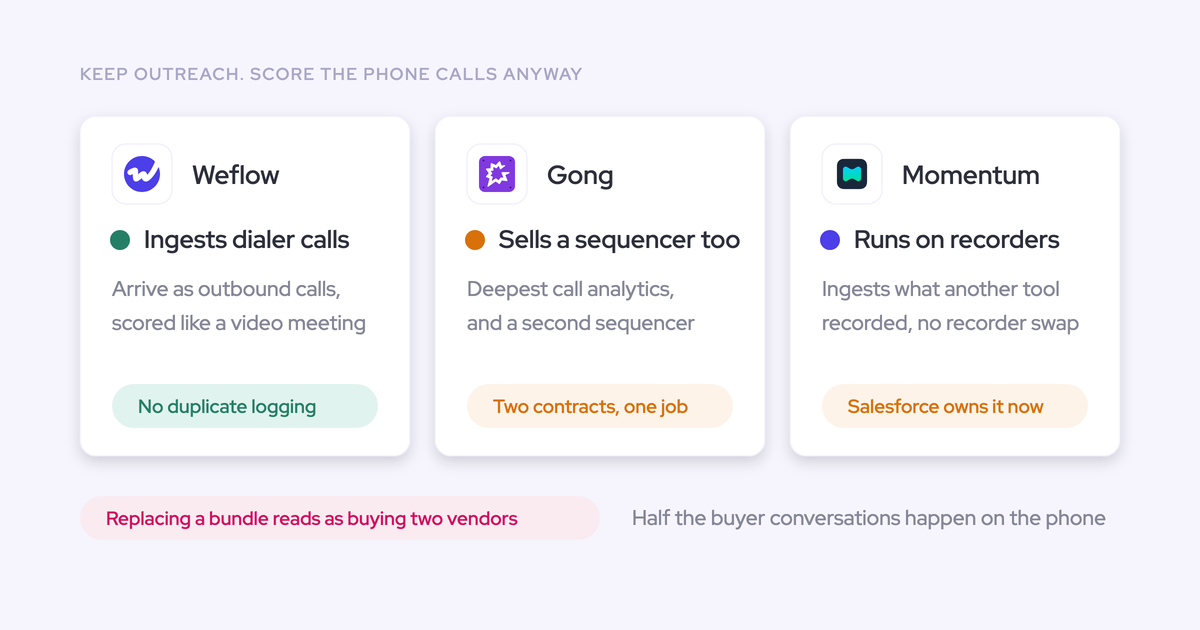
Where Weflow isn't the answer: we don't capture VoIP or phone calls, so a phone-heavy motion won't be fully covered by capture. We're built mid-market up and scale into enterprise rather than arriving with a 5,000-seat reference list. We're SOC 2 Type II, HIPAA and GDPR compliant with ISO 27001 in progress, and we are not FedRAMP certified, which rules us out for US government contractors.
If your shortlist is set and your requirements list is written, the fastest way to settle it is to put the multi-opportunity account in front of all three and watch what each one does.
FAQ: evaluating enterprise Salesforce activity capture
How does Weflow handle duplicates and existing dirty records?
Capture checks against what's already in Salesforce rather than creating blindly. Multiple email addresses can be associated with a single contact record, so a buyer who uses two addresses doesn't become two contacts, and exclusion rules keep internal, partner and B2C domains out entirely.
Activity Capture Health, a view inside Salesforce, flags duplicate accounts, duplicate contacts, non-converted leads, accounts sharing the same website domain, and capture settings that aren't configured for optimal capture. That last one matters most on a new install, because a quietly wrong configuration produces missing activity nobody diagnoses for months.
The duplicate-account-same-domain pattern is worth naming, because it's the specific thing that breaks mapping: capture can't tell which of two identical accounts an email belongs to.
Can Weflow backfill historical email activity from before rollout?
Yes. Historical sync-back pulls email and calendar history in bulk, per user, so your first activity reports aren't starting from zero on the day you go live. Up to 24 months is available as an add-on.
Can our own AI agents and BI stack reach the captured data?
Yes, and this is the practical payoff of native storage. Because activity lands as native Salesforce records, anything that already reads Salesforce reads it too: your flows, your warehouse pipeline, your BI tool, and the agents your team built against the CRM. There's also a public API for anything that needs to come out of Weflow directly.
This question now comes up on nearly every enterprise call, usually phrased like this:
Do you guys have an MCP with Claude as well? Because a lot of our team uses that.
The honest framing: if the data sits in a vendor's cloud, it lives behind one more login that nobody outside the revenue team will ever open, and it never reaches the AI workflows your company is standardizing on. Records in your own CRM don't have that problem.
One more detail for reporting at scale: the Weflow Analytics package gives you activity reports natively inside Salesforce and consumes no Salesforce API calls, so continuous activity reporting doesn't compete with every other integration for your daily limit.
How does enterprise provisioning work: SSO, joiners, leavers?
The only way to sign in to Weflow is through your Salesforce authentication, using OAuth and whatever SSO your org already enforces. There's no email and password login, so there's no second identity to provision, no separate password to be phished, and deactivating a user in Salesforce removes their Weflow access immediately.
Teams build dynamically from Salesforce by manager, role or field condition, and those teams drive product enrollment. Users who are only on Activity & Contact Capture need no Weflow seat and are asked to do nothing, so for the capture population joiner and leaver is a non-event for IT.
Does Weflow capture phone and VoIP calls?
No. Weflow captures emails, meetings, contacts and video-meeting conversations, and it does not capture VoIP or phone calls today. Zoom Phone is on the roadmap; SMS is not.
If a large share of your customer conversations happen on the phone, that portion of your activity picture stays uncaptured, and you should weigh that against the rest of the comparison rather than discover it in week six.
What security certifications does Weflow hold?
SOC 2 Type II, HIPAA, GDPR and CCPA, with ISO 27001 in progress and not yet certified. Zero data retention for AI processing, and customer data is never used to train models.
For procurement: there's a Data Processing Agreement with EU Standard Contractual Clauses, a public sub-processor list with advance change notification, a 48-hour breach notification commitment, third-party penetration testing, selectable EU, US and APAC regions, and a public trust center with the certificates. Weflow is not FedRAMP certified.