How Weflow Backfills Historical Emails and Meetings Into Salesforce: What Comes Across, How Long It Takes, and What It Costs
Learn what Weflow backfills into Salesforce, what won't sync, how long it takes, and what it costs.


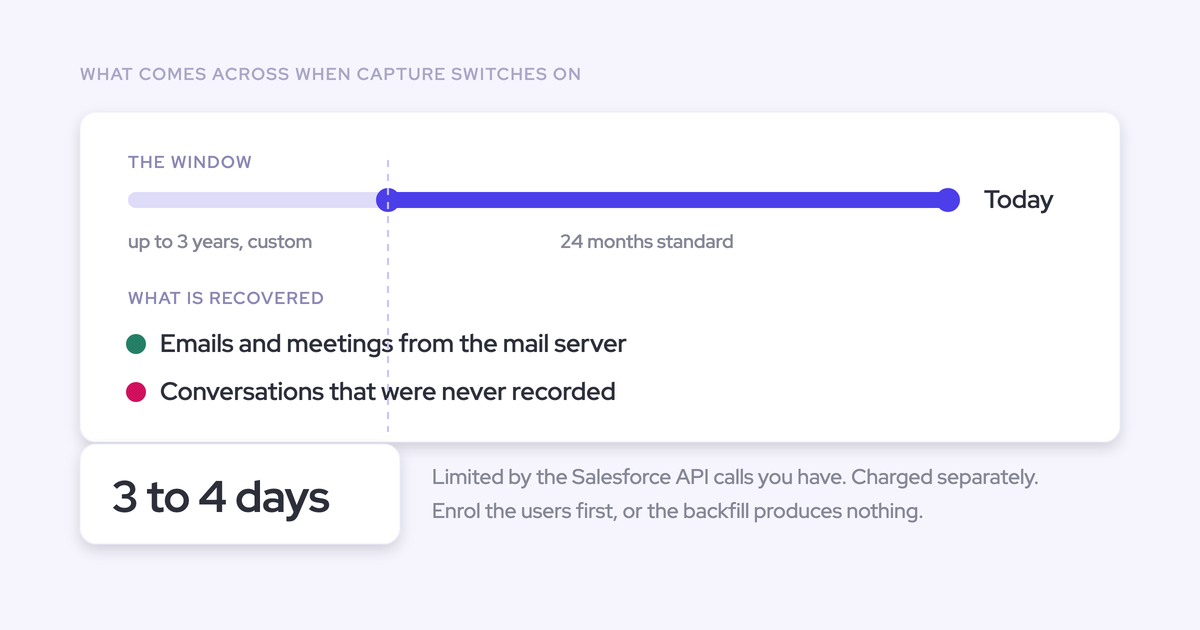

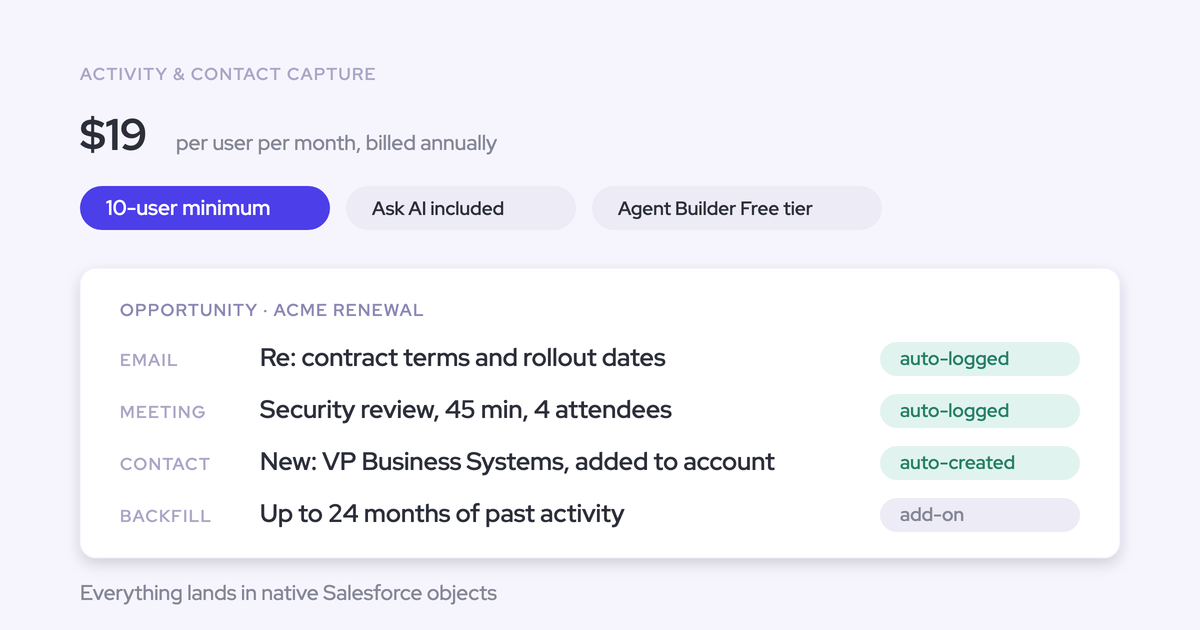
No, you don't start from zero. Weflow pulls up to 24 months of emails, meetings and contacts back into Salesforce as standard, and up to 3 years on request. It writes them as native records your org owns.
Weflow is the Revenue AI Orchestration platform for sales, customer success, and RevOps teams. The backfill is part of Weflow Activity & Contact Capture, and it comes with three terms you should know before you sign:
- Our team runs it. It isn't self-serve.
- Your Salesforce API allowance sets the pace, so plan in days to weeks, not hours.
- It's charged separately from the subscription. Implementation itself has no fee.
Some history never comes back. Conversations nobody recorded are gone, and badly named meetings stay badly named. Below is exactly what lands, what doesn't, how long it takes, and how to use the backfill to prove one-for-one against your old tool.
What comes across in a Weflow backfill, and what doesn't
A Weflow backfill writes emails, meetings and contacts from a defined window into Salesforce. It also has hard edges, and you're better off knowing them now than finding them after go-live.
Weflow brings back 24 months of emails, meetings and contacts
Weflow's historical sync-back covers 24 months standard, up to 3 years on request. It runs for every user enrolled in a Weflow Activity & Contact Capture configuration, and the history goes into the same Salesforce objects that live capture writes to.
| Activity type | What Weflow writes into Salesforce |
|---|---|
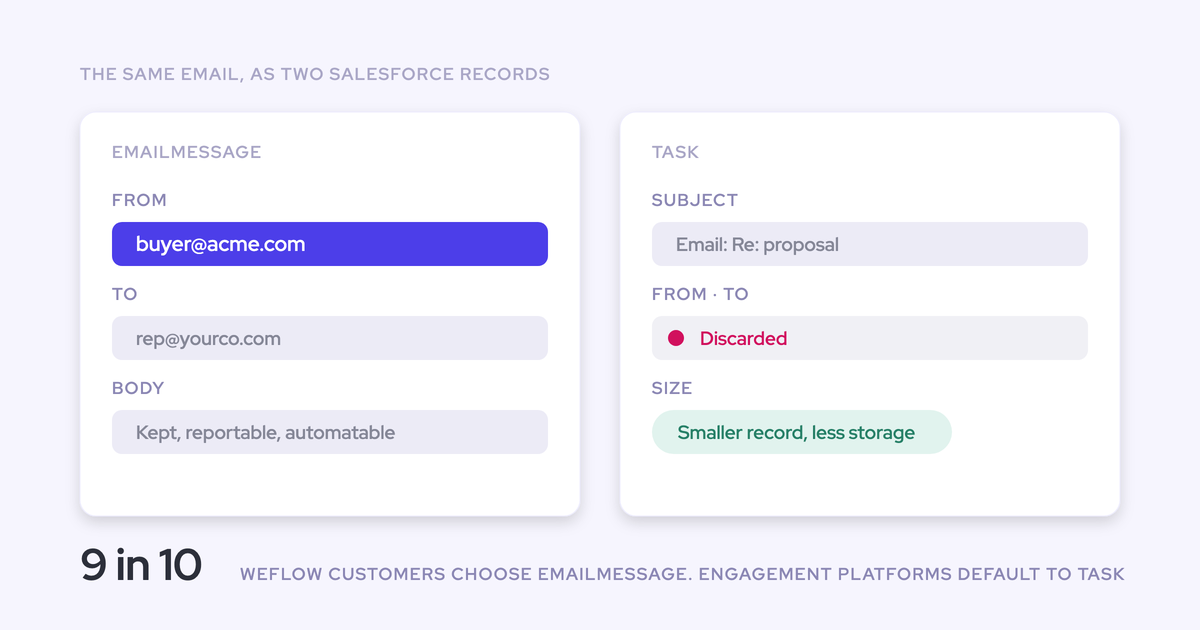
| Emails | Native email records, on the object your capture configuration logs to (EmailMessage, for example), mapped to the matching contact, account or opportunity |
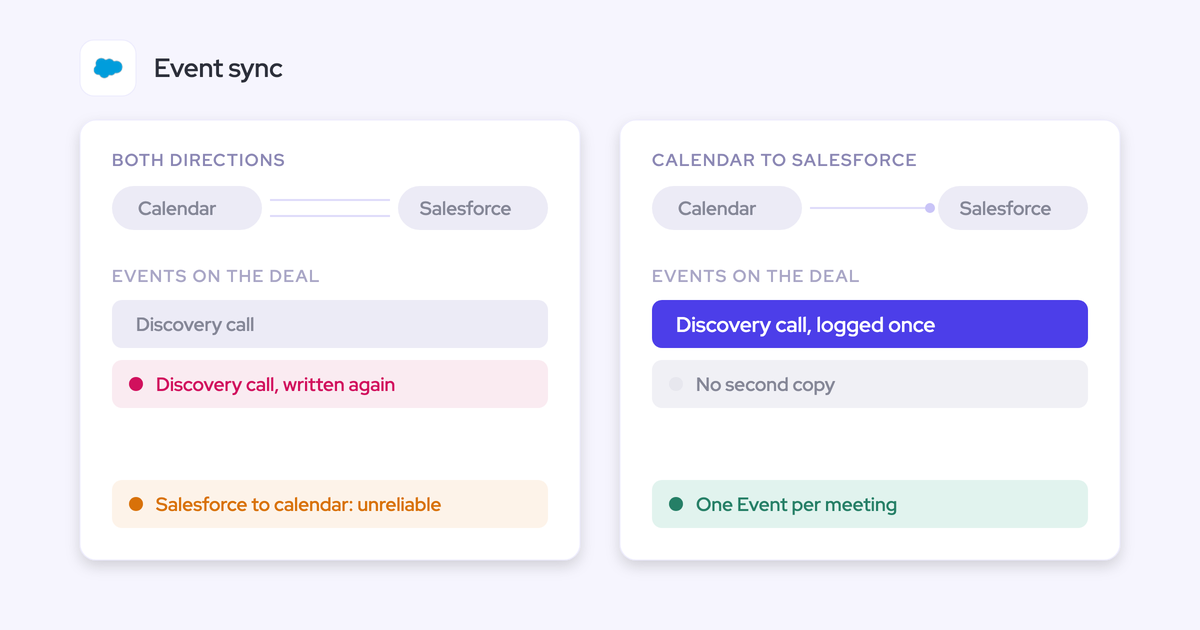
| Meetings | Event records from the calendar, mapped to the matching records |
| Contacts | Contact records for people found on historic threads and invites, created only on accounts that already exist, through Weflow's deduplication layer |
What a backfill can't bring back for you
Three things stay out of reach, and none of them is something a rerun fixes:
- Conversations nobody recorded. The email and the calendar invite still sit in the mailbox. The call itself was the only copy of what was said, so there's nothing to pull back.
- Suspended mailboxes. Weflow reads history from the live mailbox. Once a mailbox is suspended, its history can't be read.
- The meaning of meeting names. Backfilled meetings arrive under whatever names reps gave the invites. Weflow doesn't rebuild which meeting was discovery and which was negotiation, so a win/loss reconstruction can't separate them by name alone.
That last one only shows up after the data is in, which is why we name it first.
Gaps Weflow still fills after the backfill finishes
A miss at cutover doesn't become a permanent hole. Two kinds of gap get filled later:
- Failed syncs. When a meeting or email failed to sync, whether a week or a month ago, our support team finds why the match failed, corrects the rule and pushes the record into Salesforce.
- Emails to companies with no account yet. Weflow logs only activity it can match to a Salesforce record. When someone creates the account later, Weflow logs the earlier emails to it automatically, with no re-sync and no support request.
Why switching capture tools feels like starting from zero
New capture starts a forward-only timeline. On day one, every in-flight deal looks dead, and anything that reads activity (signals, engagement trends, deal scores) has nothing to work with.
The second problem is that the old tool's history often isn't usable Salesforce data:
- Einstein Activity Capture Standard keeps at most 6 months of captured activity.
- Legacy EAC setups without Sync Email as Salesforce Activity kept email on Salesforce's Activity Platform, outside the org, where reports and flows can't reach it.
- EAC's own email backfill is capped at 50,000 emails per user from the past 180 days.
- Gong imports 12 months of email history, into Gong's own store rather than your Salesforce.
So switching looks like resetting the record. That switching cost is what keeps teams on a capture tool they've stopped trusting.
How Weflow's historical sync-back works under the hood
The backfill is a controlled, per-user, rerunnable write into native Salesforce objects. Here's what happens when we run it.
Weflow writes history as native Salesforce records you own
Weflow writes backfilled emails and meetings as ordinary Salesforce records. Your reports, flows and your own AI read them exactly like activity captured yesterday, and they stay in your org if you ever stop using Weflow.
We use the native objects in Salesforce. If you ever stop using Weflow, the data persists. It is your data.
— Janis Zech, Co-founder and CEO of Weflow
Lendz shows what that's worth. We backfilled several months of their historical email, which gave them a complete picture of past activity. They used that history as input to train their internal AI models, which is only possible because it's their data, in their CRM.
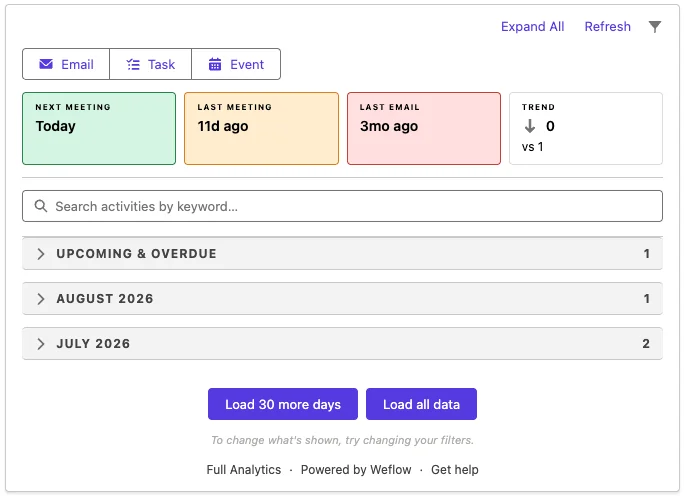
On the record itself, backfilled history sits in the Weflow Activity Timeline next to everything captured since go-live.
Weflow works backwards per user in rolling windows
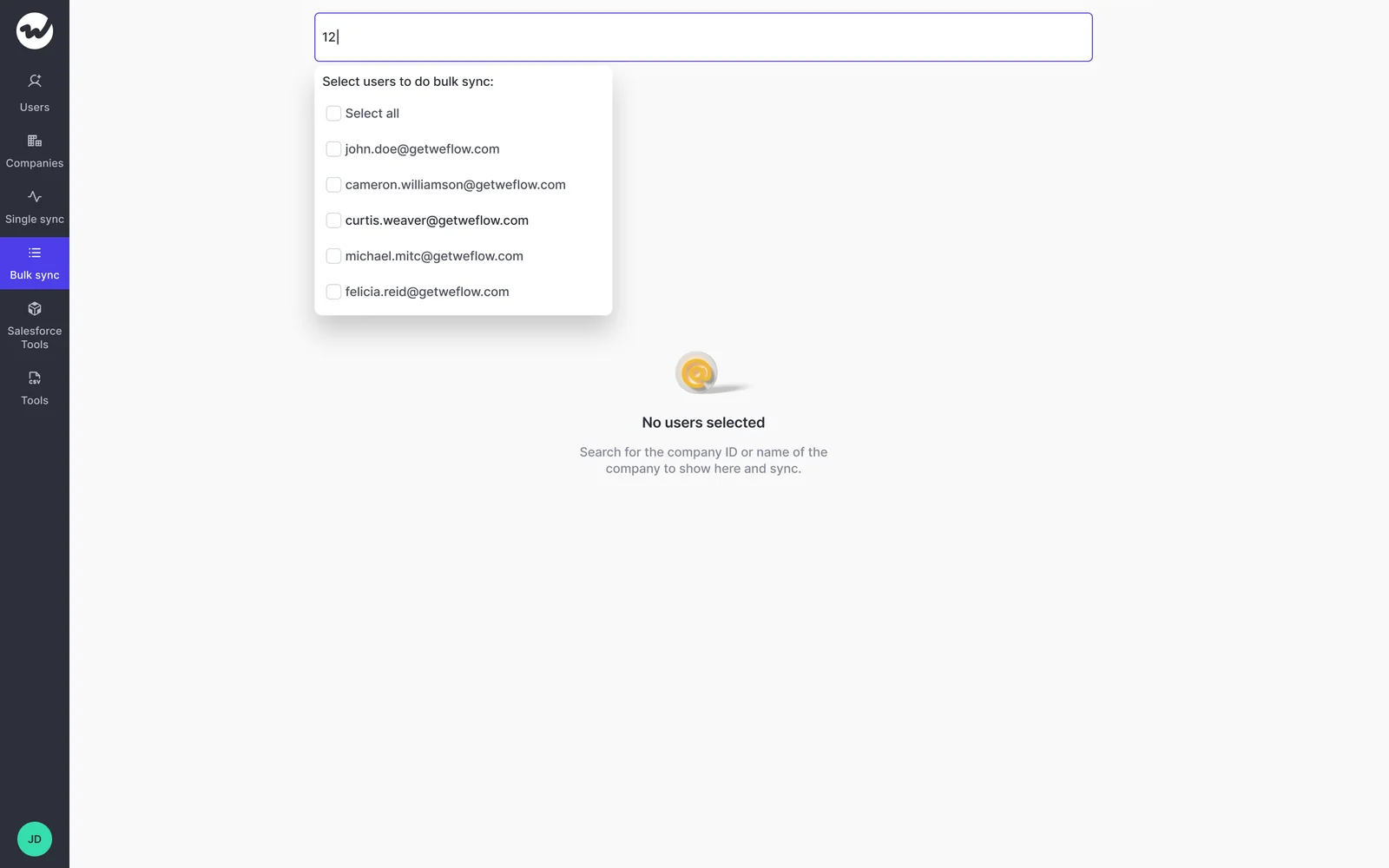
Weflow runs the sync-back per user for a chosen period, or for the whole org. It starts at today and works backwards in rolling windows, so the most recent history lands first.
Our team picks the users and the period from Weflow's bulk sync tool.
Weflow checks message IDs before writing, so reruns don't duplicate
Weflow tracks what it has already written. Before writing a historic email, it checks the email's message ID, so a rerun or a re-added user only adds what's missing.
That's what makes reruns safe. If you restructure teams, remove someone from capture and add them back, or rerun a window, you don't end up cleaning duplicates afterwards.
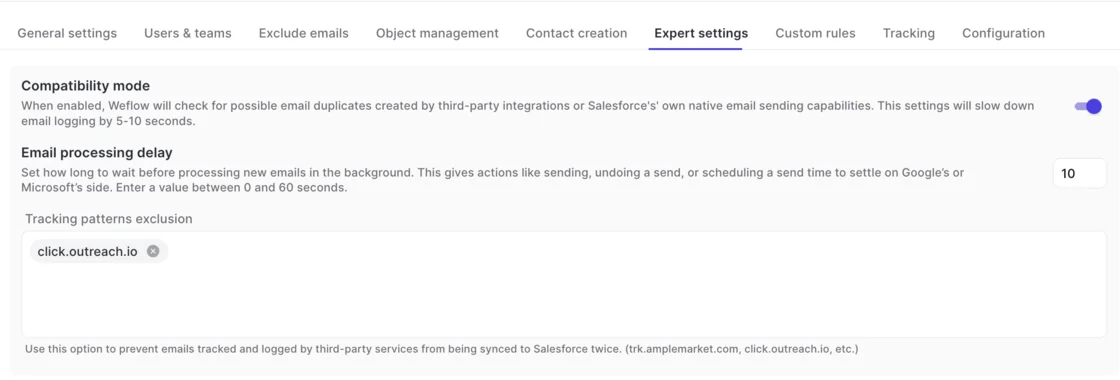
Compatibility mode skips history your sequencer already logged
When Outreach or another sequencer already logged a user's emails to Salesforce, Weflow's compatibility mode skips them as already logged. For a sequencer-heavy user, that's most of their history, which also shrinks the backfill and its API draw.
How long a Weflow backfill takes on your Salesforce API limit
Plan in days to weeks. Your history volume and your org's daily Salesforce API headroom decide where you land.
Your Salesforce API allowance sets the pace
Every backfilled email and meeting is a set of Salesforce API calls. A single email can cost up to about 50 calls, and the daily allowance is shared with every other integration in your org.
Our sizing anchor is one user, one month: about 15 to 20 minutes to process and 2,000 to 3,000 API calls. Google and Microsoft rate limits apply on the mailbox side too.
To protect everything else you run, Weflow caps the backfill at 50,000 API calls per company per day. At the cap, it pauses and resumes the next day. That keeps your other integrations running, and it's also why the backfill can't finish in one burst.
For a rough plan, divide your history by that cap. At 2,000 to 3,000 calls per user-month, 50,000 calls a day covers roughly 16 to 25 user-months of history, with nothing else competing. There's one thing to watch for: an unrelated integration that eats the quota slows the backfill down, because the ceiling is shared.
Reference durations from real Weflow backfills
These are the reference points we have. They range widely because the inputs do.
| Scope | Reference duration | What drove it |
|---|---|---|
| One former employee's mailbox | 1 to 3 days | That one mailbox's volume |
| Typical historic email sync | About 72 hours | Google, Microsoft and Salesforce API rate limits |
| 12 to 24 months for enrolled users | 3 to 4 days | The Salesforce API calls the org had available |
| Team with heavy mailbox history | Several days, up to about a week | The 50,000-call daily cap |
| Blacklane, 4 months of emails and meetings | One week | Batched on purpose to protect daily API limits |
| Multi-month history across a sales team | Weeks | Up to about 50 calls per email, plus what other integrations draw |
What a Weflow historical backfill costs and how it's scoped
The backfill is a separate charge from your subscription, scoped per engagement. We don't publish a price for it. Implementation itself carries no fee.
We publish our subscription pricing openly. Weflow Activity & Contact Capture is $19 per user per month, billed annually. The backfill sits outside that because the cost is mechanical: pulling two years of mail into Salesforce spends a large share of an API allowance the whole org depends on.
What scoping depends on:
- The window you want (24 months standard, up to 3 years on request)
- Which users, and how many, need history
- How much mail and calendar history those users carry, minus what compatibility mode skips
The other cost is yours, not ours: the API draw lands on your own Salesforce allowance. That's why we schedule it with you rather than run it blind.
Which Weflow backfill options to pick first
Before you request a backfill, decide three things: whether you need one at all, who goes first, and in what order.
Skip the backfill if your old tool wrote native records
If your previous tool already wrote complete native records into Salesforce, the history is already there, and teams in that position often skip the backfill. EAC on Sync Email as Salesforce Activity is a real example: it stores email as Salesforce records your reports and flows can use.
The backfill earns its charge where the old history is short, off-org, capped, or sitting in another vendor's store. The tool you're leaving tells you which case you're in.
Backfill a test group before you buy the full rollout
The backfill needs enrollment in a capture configuration, not a license. You can backfill a test group before you buy the wider rollout.
The same mechanism lets a trial start from a past date. Your test users open Salesforce on day one and see months of their own real activity, not an empty timeline.
Order the backfill by user, not by opportunity
You prioritize by choosing which users run first. Running users one at a time finishes faster than a whole team at once.
There's no way to prioritize by opportunity. If your top deals matter most, put the reps who own them at the front of the queue.
How to set up a Weflow historical backfill, step by step
Three preconditions make or break the backfill: users enrolled in a capture configuration, an integration user with full Event and Task access, and the old tool switched off for those users. Get those right and our team does the rest.
- Complete the standard install. That's the Weflow managed packages, the integration user with its permission set, and the mail app installed centrally in Microsoft Entra or Google Workspace. On Microsoft, the Microsoft admin has to start the install from Weflow's admin console, so plan for both admins in one session.
- Grant the integration user full access to Event and Task. That means every field and record type Weflow writes, plus a default Event record type set in Weflow if you have several. A single missing field, such as location, makes meetings fail to log while emails keep working.
- Enroll the users in a Weflow Activity & Contact Capture configuration. Inviting someone to the Weflow app isn't enrollment, even though the two look interchangeable. This is the usual cause of a backfill that appears to do nothing.
- Turn on compatibility mode if a sequencer logs email. Weflow then skips sequencer-logged history instead of writing it twice.
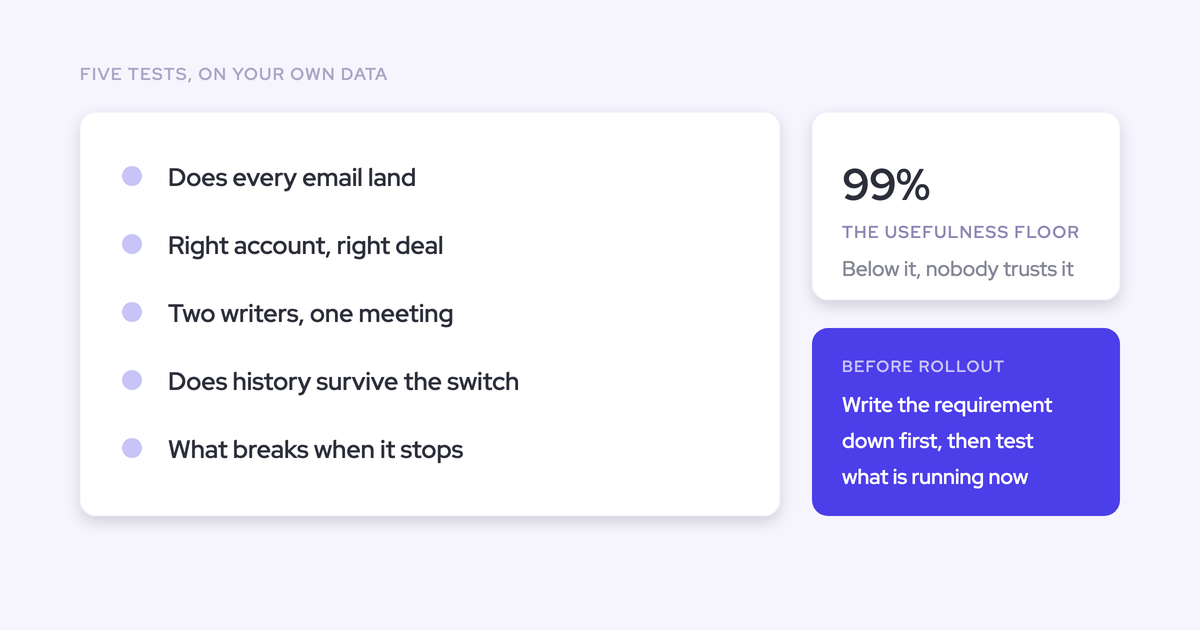
- Save the old tool's activity reports, then switch it off for those users. Two capture tools on one user create duplicates. The saved reports become your parity baseline.
- Agree the window, the users and the order with our team. Put the users whose history matters most first.
- Weflow runs the backfill within the daily cap. Then you read the result, using the parity method below.
Enrollment happens on the Users step of the capture configuration, where you add the teams that should be captured.

How to run your capture parity test with the backfill
Two capture tools can't run on the same user without duplicates. So the fair test moves users fully to Weflow and lets the deduplicated backfill measure what the old tool missed.
Move each test user fully to Weflow, then backfill the gap
The two designs teams try first both fail:
- Running both tools on the same user writes the same emails and meetings twice.
- Putting some users on each tool compares people, not tools, because activity volumes differ from rep to rep.
What works is switching a test user over completely and backfilling the period the old tool covered. Weflow's Settings Health panel shows whether Einstein Activity Capture is still detected in your org, so you know the old tool is actually off.

Read what the backfill filled in as your parity result
Because the backfill adds only what isn't already written, what it fills in is the old tool's gap. That's the number you take to leadership.
What to compare:
- Activity counts per test user against the reports you saved before switching
- Emails and meetings Weflow added for the period the old tool covered
- A qualitative check with the users who complained most about the old tool
When a specific email didn't log, our support team can see how Weflow decided to log or skip it, such as a compatibility mode skip. They see the decision, not the content. Only you can read what the message says.
Why email history can wait for a clean-up, but calls can't
Plenty of teams want to fix Salesforce first and switch capture later. It sounds prudent.
The cost runs in one direction. Email and calendar history waits in the mailbox, and Weflow backfills it after any clean-up you run. Delaying capture loses you nothing on that side.
Recording is different. Every week without it permanently loses that week's conversations, and no refactor recreates them. If you already record with another vendor, migrate that library during onboarding and the covered period is safe. Then start recording now, and backfill the activity history when Salesforce is ready for it.
See how Weflow captures activity, updates Salesforce fields from calls, and rolls up your forecast. Book a 30-minute demo.
Weflow historical backfill FAQ
Can Weflow run a backfill during the free 14-day POC?
Yes. A backfill needs users enrolled in a capture configuration, not a license, so a test group can be backfilled during the POC. A trial can start from a past date and show months of real activity from day one. We scope and charge the backfill separately.
Does the backfill bring over Gong or Chorus call recordings too?
Recordings migrate through a separate process. With an API key for your current provider, such as Gong, Chorus or Jiminny, our team imports the recordings and re-links them to the right Salesforce records, using our own lookup where the provider's API doesn't carry the association. We migrate Gong history at no charge. Recording itself lives in Weflow Conversation Intelligence.
Can Weflow backfill a former rep's email history?
Yes, if their mailbox is still active and their Salesforce user is reactivated with a license for the duration of the sync. Capture pairs one mailbox with one Salesforce license, so both have to exist while it runs. It takes 1 to 3 days depending on volume, and you can deactivate the user again afterwards. A suspended mailbox can't be read.
Which Salesforce record does a backfilled email land on?
Weflow logs each email according to its mapping rules against your Salesforce data. Once an email is logged, Weflow doesn't move it on its own. A rep or admin can move it to a different record from the Outlook add-in or the Chrome extension.
Does the backfill create historic contacts in Salesforce?
Yes, the backfill covers contacts. Weflow creates contacts only on accounts that already exist, never creates accounts, leads or opportunities, and runs every new contact through a deduplication layer on top of Salesforce's own duplicate rules. If an address already exists as a lead, the activity attaches to that lead instead.
What happens to backfilled activity if we remove a user from capture?
The activity stays in Salesforce. Removing a user from capture doesn't delete anything already logged for them. Adding them back, or rerunning the backfill, doesn't create duplicates.