
How to Import 12 Months of Chorus, Gong, or Fathom Recordings Into Salesforce
Learn how to import 12 months of Chorus, Gong, or Fathom recordings into Salesforce.



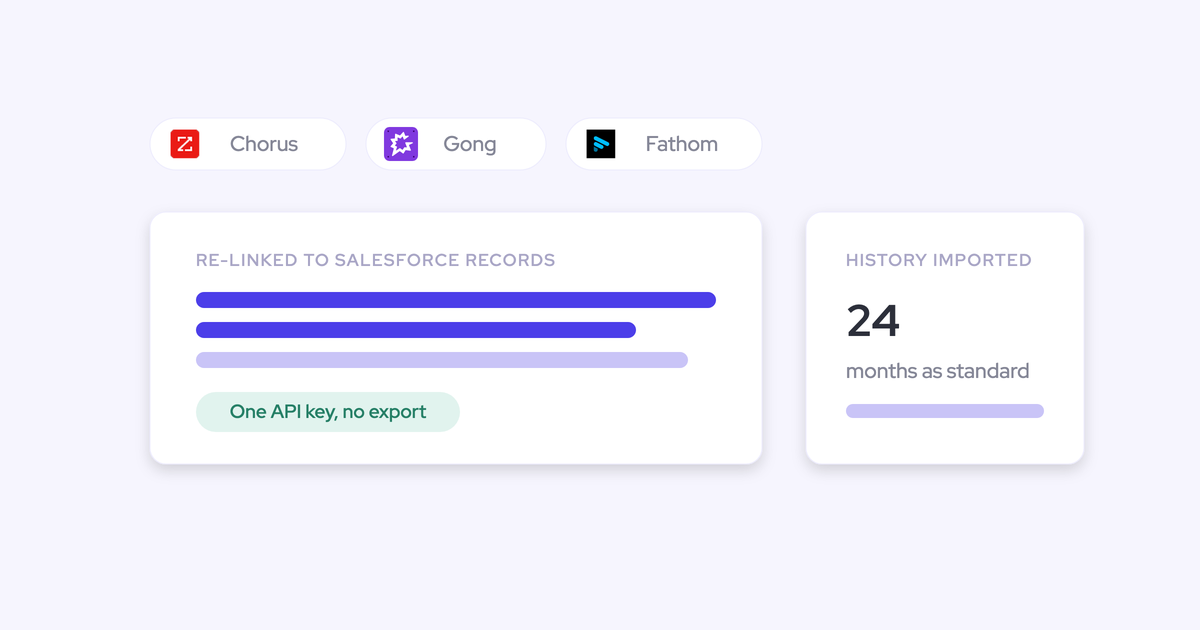

You've mostly decided to switch. What's holding you up is the two years of recorded calls sitting inside the tool you're leaving, and the fact that nobody has told you in mechanics how they'd come across.
Short answer: they come with you. Weflow imports recordings, transcripts, and call metadata from Gong, Chorus, Jiminny and others using an API key, re-links them to the right Salesforce accounts, opportunities, and contacts, and a Gong migration runs in about a week. This piece walks through exactly what transfers, how the mapping works, what you have to provide, what it costs, and the edge cases worth knowing before you commit to a cutover date.
Weflow is the Revenue AI Orchestration platform for sales, customer success, and RevOps teams, built for Salesforce teams. That last part is why the import gets judged on one thing: whether the history lands on the right Salesforce records, so those years of calls and activity are feeding your deal reviews from day one instead of restarting from zero. And because that data lands in objects you own, this is a migration you run once.
What transfers when you leave Gong, Chorus, or Fathom
Recordings, transcripts, and call metadata all transfer, up to 24 months of history as standard and up to 3 years on a custom scope. The migration isn't limited to calls either: Weflow backfills email and calendar activity over the same window, which your recording tool likely never held in the first place.
| Data type | What transfers | Where it lands |
| Call recordings | Up to 24 months standard, up to 3 years custom | Your own cloud storage, linked from the recording in Weflow |
| Transcripts | Reused where the provider's API exposes them, retranscribed otherwise | Salesforce, alongside the structured outputs of each call |
| Call metadata | Title, date, duration, participants | Mapped to the matching Salesforce account, opportunity, or contact |
| Email and calendar activity | Up to 24 months backfill from Google Workspace or Microsoft | Native Salesforce Task, Event, and EmailMessage records |
| Keyword trackers | Your existing tracker set, applied retroactively over imported calls | Weflow trackers and analytics, reportable by rep and team |
| Clips and playlists | Rebuilt in Weflow | Weflow call library |
Everything imported gets reprocessed through Weflow AI. So the old calls come out with the same summaries, field extractions, and coaching scores as the calls you record next week, which is what makes the history usable rather than archival.
How Weflow re-links imported recordings to Salesforce records
Re-linking is automatic, and it runs on two paths depending on what your current provider exposes.
| Situation | How the mapping happens |
| The Salesforce association is retrievable through your provider's API | Weflow uses that association directly to map each recording to the correct account, opportunity, or contact |
| The association isn't available through the API | Weflow runs its own lookup service to match each recording to the right Salesforce record |
That second path is the one that matters, because it's the exact gap teams hit coming off Chorus: exported calls arrive without the account and opportunity links they had inside the old tool. A lookup that resolves them is the difference between recovered history and an orphaned pile of media files.
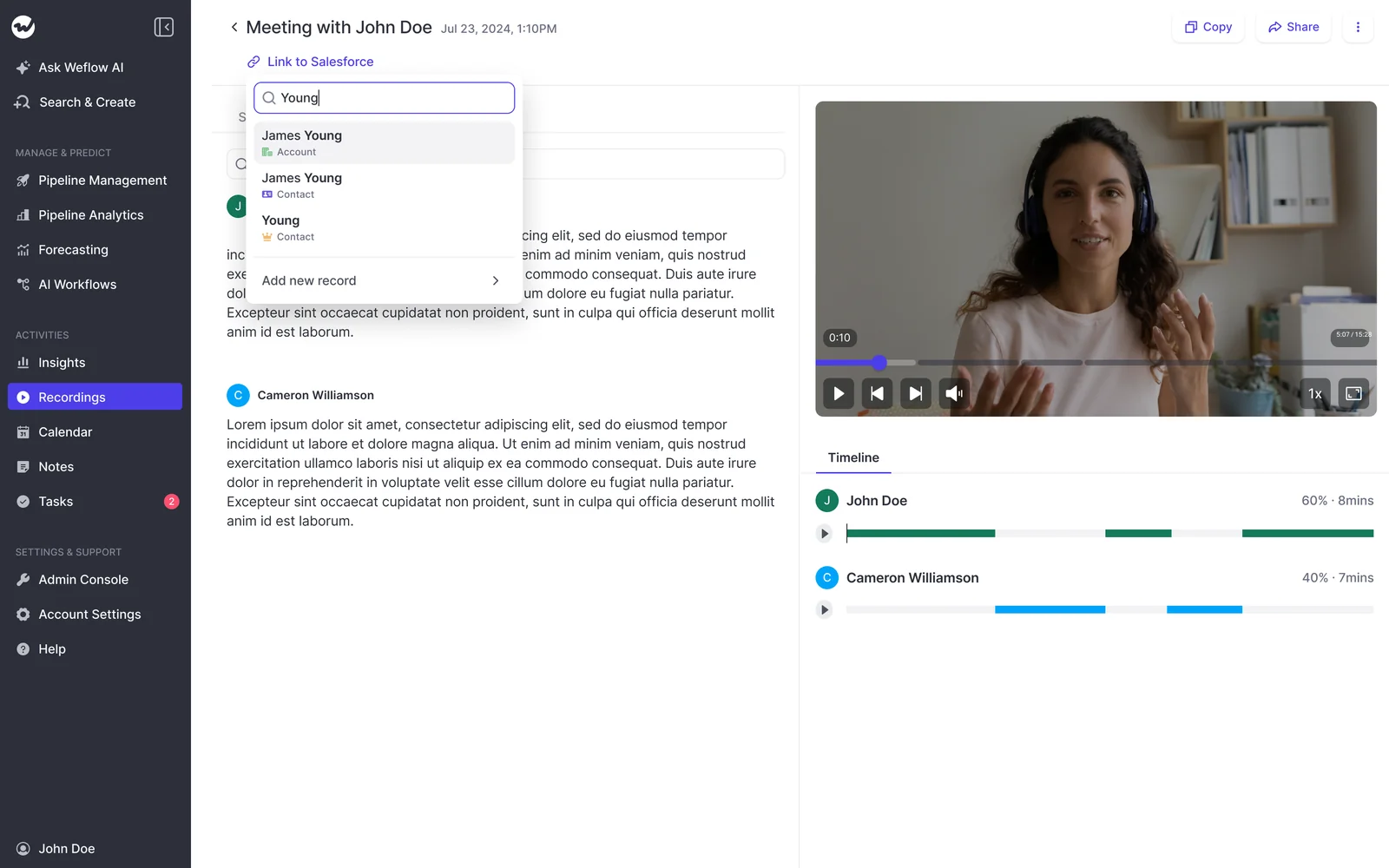
You still get a manual override. Open any recording, search Salesforce from the record, and link or relink it yourself.
What you need before the import starts
The ask is short. An API key for your current provider is essentially the whole thing, and Weflow handles the import on its end with no manual export or file upload from you.
- An API key for your current provider. Once you share it, the import runs on Weflow's side. If no API key is available, a raw file export can work, but our team evaluates it first.
- A decision on the history window. 24 months is standard and covers most teams; longer cycles usually want the custom 3-year scope, and it's cheaper to decide now than to re-run later.
- Cloud storage for the video files. Recordings go to your own storage, not into Salesforce, so provision the bucket before the import rather than during it.
- Salesforce admin plus a Google Workspace or Microsoft admin. The technical setup is a 30 to 45 minute session with both, and mailbox and calendar access is the part that tends to attract extra security scrutiny, so start it early.
- Your existing tracker list. Bring the keywords you've built up over years so reporting continues instead of restarting.
How Weflow runs the migration: three steps, one week
The migration is a defined three-phase process and Weflow runs it, rather than handing you to an implementation partner. It's free, and there are no implementation or platform fees on our side.
Step 1: Import recordings and map them to Salesforce records
You share the API key. Weflow pulls recordings, transcripts, and metadata from Gong, Chorus, Jiminny, or another provider, or from CSV where that's the cleaner route, and maps each one to the correct Salesforce record.
Transcripts are reused where the provider exposes them and retranscribed where it doesn't. Everything runs through Weflow AI afterwards.
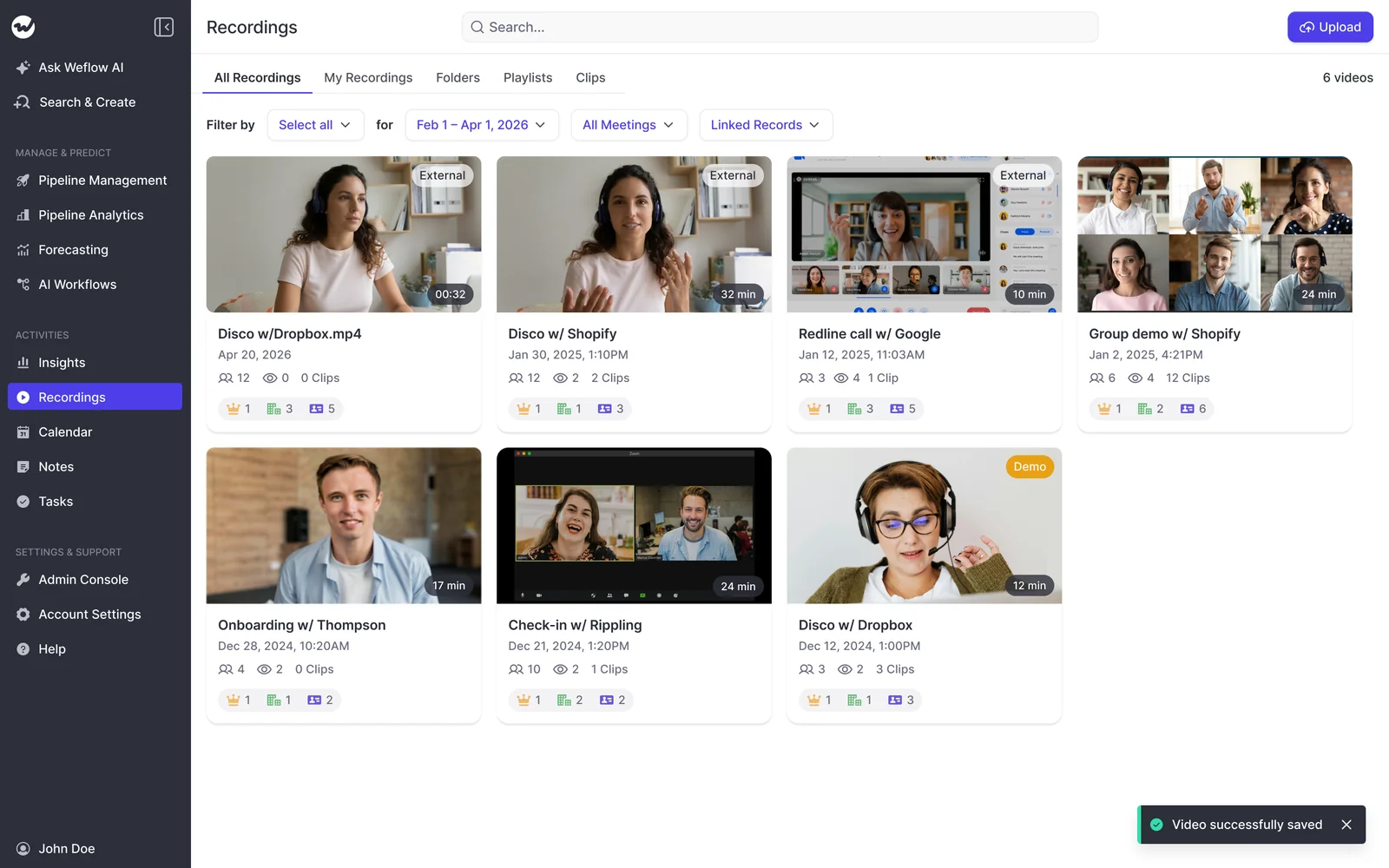
Done looks like this: your call library is populated, and each recording resolves to an account, opportunity, or contact you can open in Salesforce.
Step 2: Configure Weflow for your team's workflows
This is where the days actually go, and it's the step that decides whether day one after cutover is productive. The decisions are yours, the build is ours.
- Summary templates. Every AI output is a prompt an admin can rewrite, so you can reproduce the note format your managers already expect.
- AI field updates. Map your MEDDIC, MEDDPICC, SPICED, BANT, or in-house qualification fields to prompts, drawing on 250+ pre-built prompts and around thirty methodology templates.
- Trackers and coaching scorecards. Load the tracker set you brought across and set the scorecards per team and call type.
- Consent mode and notetaker settings. Opt-out, opt-in, or manual, plus which meetings the notetaker joins. This one belongs in a conversation with legal before reps go live, not after the first guest objects.

Step 3: Roll out to reps with role-based training
The cutover to live recording is an enablement job, not a login dump. Weflow runs the training itself, by role, and we'll run it in the language the team actually works in.
Split the audiences on purpose. Reps get the parts that give them time back: the summary, the follow-up email, the fields written from the call. Managers get the coaching and insight views in their own session.
Put talk ratio and monologue length in front of the whole team on launch day and the rollout gets read as surveillance. We've watched that kill adoption more than once.
How long the migration takes and what it costs
The one-week timeline for a Gong migration
About a week, end to end. Recordings, metadata, and transcripts come back through the Gong API, and the import itself runs on our side rather than on your team's calendar.
The technical setup is a single 30 to 45 minute session. The rest of the week is configuration and the role-based rollout.
If you're also standing up deal intelligence and forecasting at the same time, plan two to three weeks to full value instead. That's a rollout choice, not an import constraint, and most teams sequence capture and conversation intelligence first.
What the migration costs, and where fees hide
Weflow's migration is free. No implementation fee, no platform fee, no per-recording charge for the import.
The fees to budget for sit on the incumbent's side:
- Gong charges roughly $1,000 for the migration API that gets your recordings and transcripts out.
- Data access can carry its own licensing depending on how your contract is structured, which is worth checking before you assume the export is included.
Ask your incumbent for the export cost in writing while you still have renewal leverage. That's the one number in this project you don't control.
Migration differences between Gong, Chorus, and Fathom
The three steps are the same for all three providers. What changes is the specific friction each one brings.
Gong: API import, the export fee, missing email history
The Gong path is the cleanest of the three technically. Recordings, transcripts, and metadata come through the Gong API, and Gong documents the migration as a paid service at around $1,000.
Gong invented this category and still has the deepest conversation analytics in it. The exit mechanics are a separate question from the analytics.
What to plan for: Gong never backfilled historical email or calendar activity, so it isn't in the export and can't be. That backfill comes from Weflow reading your Google Workspace or Microsoft data directly, up to 24 months.
Chorus: exports don't auto-link, lookup matching fixes it
Chorus is the older, rule-based product in this group, and customers moving off it tell us the same two things: no control over custom keyword trackers, and shared snippets that carry video with no transcript.
The migration-specific issue is linkage. Imported Chorus calls don't auto-link to Salesforce accounts and opportunities on their own.
What to plan for: nothing, in practice, because that's the case Weflow's lookup service handles. Ask for the mapping report after import and spot-check a dozen calls on your messiest multi-opportunity accounts.
Fathom: file exports work but get evaluated first
Fathom is the lighter, HubSpot-shaped tool of the three. Its custom summary sections push into HubSpot deal fields, which suits a flat single-buyer model and doesn't map onto Salesforce opportunity contact roles.
Migrations off it typically run through recording exports rather than a clean API import.
What to plan for: honest answer, a file-based import is possible but not guaranteed. Our team evaluates the export before we commit to it. Get that evaluation done before you put a cutover date in front of your VP.
Three migration pitfalls to plan for
Every one of these is a gap between what people assume transfers and what actually does.
| The assumption | What actually happens | How to plan for it |
| Email and calendar history is inside the export | Gong holds no historical email or calendar backfill, so there's nothing to export | Scope the mailbox and calendar backfill as its own workstream, and start the security review early because email access draws extra scrutiny |
| Video files will live in Salesforce | Video goes to your own cloud storage by design, since Salesforce storage is expensive and heavy. Transcripts and structured outputs land in Salesforce | Provision the storage bucket before import day and confirm who owns it internally |
| A raw file export is as good as an API key | File-based imports have to be evaluated by Weflow's team before we commit to them | Get the evaluation done during evaluation, not after signature |
Why this is the last conversation intelligence migration
The reason this project is worth running is that you never have to run it again.
Weflow writes captured activity and conversation outputs into native Salesforce objects: Task, Event, EmailMessage, and the standard or custom fields you already report on. Those records are yours. They stay in your Salesforce after a contract ends, readable by your own reports, flows, and AI.
Compare that with the position you're leaving. Gong keeps recordings, transcripts, and its intelligence layer in its own cloud, which is why getting years of history back out is a paid API call and a week of work.
I've used Gong before. I'm a previous Gong user. I know they're weak and also you can never leave them because you don't own any of the data. And also they take you away from the Salesforce interface and you have to work within their interface.
That's the trap you're paying to escape. Writing everything into objects you own is what stops it recurring, because the next time you evaluate a vendor, the history is already sitting in your CRM rather than theirs.
See how Weflow captures activity, updates Salesforce fields from calls, and rolls up your forecast. Book a 30-minute demo.
FAQ: migrating call recordings into Salesforce
Do keyword trackers, clips, and playlists carry over?
Trackers carry over, clips and playlists get rebuilt. You bring your existing tracker set across so keyword reporting doesn't restart from zero, and Weflow's historical crawl applies those trackers retroactively to the imported calls. Clips and playlists are recreated in Weflow, which in practice means picking the ones your enablement team actually uses rather than porting hundreds nobody opens.
Can we run our old tool and Weflow in parallel?
Yes, and it's a sensible way to de-risk a cutover. The risk to sequence around is duplicate data: if two tools both write the same customer meeting into Salesforce, you get two meeting records, and meetings per rep and meetings per closed opportunity get double counted. Keep one tool writing to Salesforce at a time and let the other run read-only during the overlap.
Are imported transcripts reused or retranscribed?
Reused where your provider's API exposes them, retranscribed where it doesn't. Either way, every imported call is reprocessed through Weflow AI, so the summaries, field extractions, and coaching scores on your old calls match the templates you just configured.
Does the migration work if we're not on Salesforce?
No. Weflow works exclusively with Salesforce, so there's no HubSpot, Dynamics, or Pipedrive path. If you're on another CRM, we're not a fit and you'll save time knowing that now.
How is imported call data secured during and after migration?
Weflow is SOC 2 Type II certified, GDPR, CCPA and HIPAA compliant, and runs zero data retention for AI processing, so customer data is never used to train models. ISO 27001 is in progress rather than certified, and European customers can run on Frankfurt data center infrastructure. If your procurement mandates FedRAMP, we're not certified and won't clear that gate.







