Why Einstein Activity Capture and Momentum Cannot Run in the Same Salesforce Org
Learn why Einstein Activity Capture and Momentum can't run in one Salesforce org and how to replace EAC.


Since Salesforce released the rebuilt Momentum in October 2026, you can't run it and Einstein Activity Capture (EAC) in the same Salesforce org.
Both products sync events and capture email on the same infrastructure, so before Momentum can turn on, you have to switch EAC off, delete every connected account, and reset the product.
Einstein Conversation Insights (ECI) is affected too: Momentum replaces it, and there's no switching back.
And even if you stay on EAC, its legacy reporting retires in February 2027..
Below, we walk through how the block works, based on Salesforce's own documentation. Then we compare the three realistic options for an EAC org, including what each costs and what Salesforce hasn't published yet:
- Stay on EAC.
- Move to Momentum.
- Add a third-party capture layer such as Weflow Activity & Contact Capture.
Momentum and Einstein Activity Capture run on the same sync engine
According to Salesforce's Momentum requirements, Momentum's event sync and email capture work the same way as EAC's. So you're not choosing between two products that could sit side by side. You're choosing which one drives a single engine.
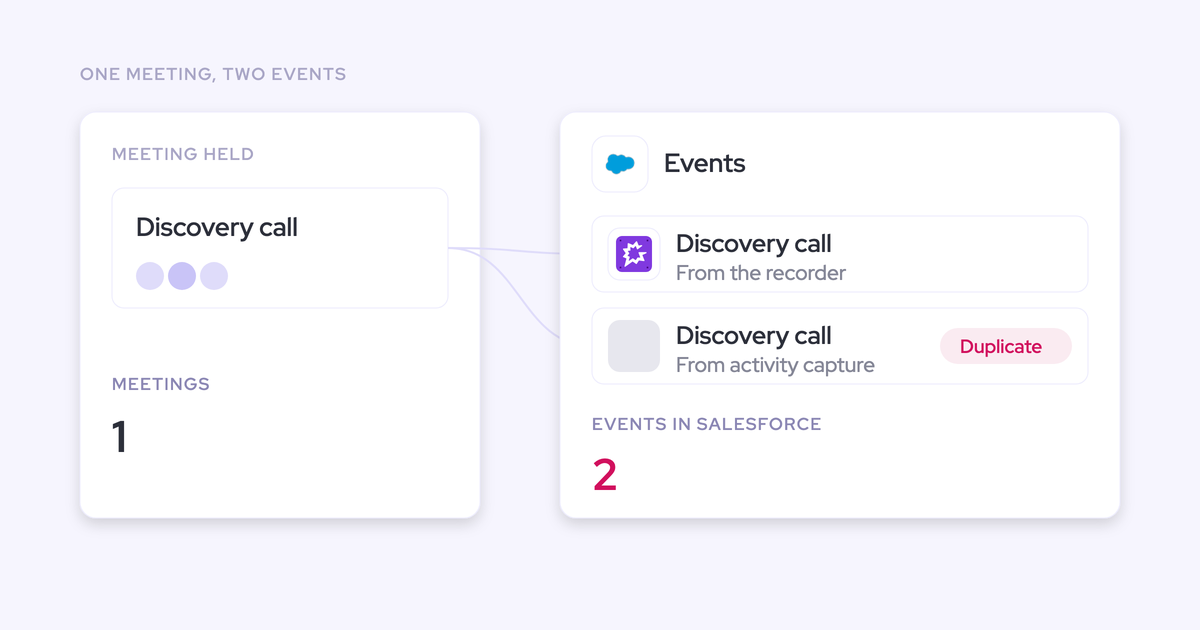
It's a problem we see whenever two tools write the same calendar into Salesforce: each one syncs the meeting, and you end up with duplicates or a loop. Salesforce sidesteps that by allowing only one.
Momentum also replaces ECI rather than layering on top of it, so your conversation layer flips along with your capture layer.
Why Salesforce is replacing Einstein Activity Capture with Momentum
Salesforce has named Momentum the future of capture and recording, but it hasn't told EAC customers what happens to the product they run today.
Its Momentum announcements also carry the standard forward-looking-statements disclaimer, which tells you to buy based on what's available today.
So if your CRO or AE asks what Momentum means for EAC and ECI, the honest answer is that Salesforce has only told part of the story.
Here's what Salesforce has said:
- Momentum is the future of call recording and activity capture in Salesforce.
- Momentum can't run in the same org as EAC or ECI, and you can't turn ECI back on once Momentum is on.
- EAC's legacy reporting retires with Spring '27 in February 2027.
And here's what it hasn't published:
- A migration path from EAC to Momentum.
- An end-of-life date for EAC or ECI.
- Any pricing consequence for orgs that hold EAC and ECI today.
- A forward roadmap for EAC or ECI.
Salesforce's marketing doesn't make things easier. The old ECI product page now redirects to a Conversation Intelligence page powered by Momentum, which blends ECI features, Momentum's capture, and Agentforce's pipeline updates into one story.
From the outside, it's hard to tell what you already own from what you'd be buying.
This also changes what "native" means. Many teams picked EAC because it was native, included, and low-risk. Now, Salesforce's native path runs through a separately packaged product that's gated by edition and sold alongside Agentforce.
What you tear down in EAC before Momentum turns on
EAC has to be completely gone before Momentum can start, so plan the cutover as a single event rather than a gradual migration.
Turning off EAC means deleting every connected account and resetting it
Salesforce's Momentum requirements set out three steps, in this order:
- Turn off Einstein Activity Capture.
- Delete every EAC connected account.
- Reset Einstein Activity Capture.
Once all three are done, you can turn Momentum on. What the reset does to the activity EAC already wrote depends on how your org stores it (more on that in the FAQ).
Why user-level authorization makes the cutover wait on every rep
How long step two takes depends on how you authorized EAC:
| Global authorization | User-level authorization | |
|---|---|---|
| Who deletes connected accounts | You, as admin, by turning EAC off | Each user deletes their own |
| What turning EAC off does | Removes every connected account | Stops EAC, but connected accounts remain until each user acts |
| When Momentum can turn on | After the reset | After the last user has deleted their account and you've reset |
| What sets your timeline | Your own change window | The slowest rep in the org |
So if you're on user-level authorization, your go-live date is in the hands of the rep on parental leave or the AE who ignores IT emails.
What you lose when Momentum replaces Einstein Conversation Insights
This section covers the two things that matter most if you run a careful change process: what you can't undo, and which calls stop being covered.
Why you can't switch Einstein Conversation Insights back on
You have to disable ECI before Momentum turns on, and you can't turn it back on afterwards. So if you discover in week three that Momentum is missing something your managers rely on, there's no going back.
Your call history takes a hit too. Until you migrate it to Momentum, calls that ECI already processed lose their:
- Video playback.
- Metrics.
- Transcripts.
- Summaries.
- Insights.
There's one more catch: if your ECI data hasn't been migrated to the Salesforce Platform, you can't use Momentum at all, even with ECI turned off.
Which ECI call coverage Momentum doesn't carry over
Momentum only records video calls, and Salesforce's documentation lists several other ECI features it doesn't support:
| ECI capability | In Momentum |
|---|---|
| Video calls from Zoom, Google Meet and Microsoft Teams | Recorded. Video is the call type Momentum covers. |
| Voice calls from connected dialers | Not supported |
| Manual call upload | Not available |
| In-person meeting transcription | Not available |
| Conversation Insights and Hub tabs | Not available |
| Sales Signals | Not available |
| Conversation Search | Not available |
| Call Summary related list | Not available |
| Call Highlights emails | Not available |
| Sales Engagement actions triggered by call insights | Not available |
| Insights on Service Cloud Voice calls | Not available |
If your team records phone calls or in-person meetings in ECI, you'll lose that coverage for good once Momentum is on.
How contact sync and record matching change under Momentum
Coming from EAC, contact handling changes in one important way, while record matching stays the same.
Momentum creates contacts from email instead of syncing address books
Here's how contact handling compares:
| Contact handling | EAC | Momentum |
|---|---|---|
| Address-book sync | Two-way, between Google or Microsoft and Salesforce | None |
| Contact creation | Through address-book sync | Automatic, from captured email |
| Existing contacts | Kept in sync with the address book | Enriched from captured email |
So if your reps count on contacts they add in Outlook or Gmail showing up in Salesforce, that won't happen anymore.
Momentum still matches activity to records through Salesforce flows
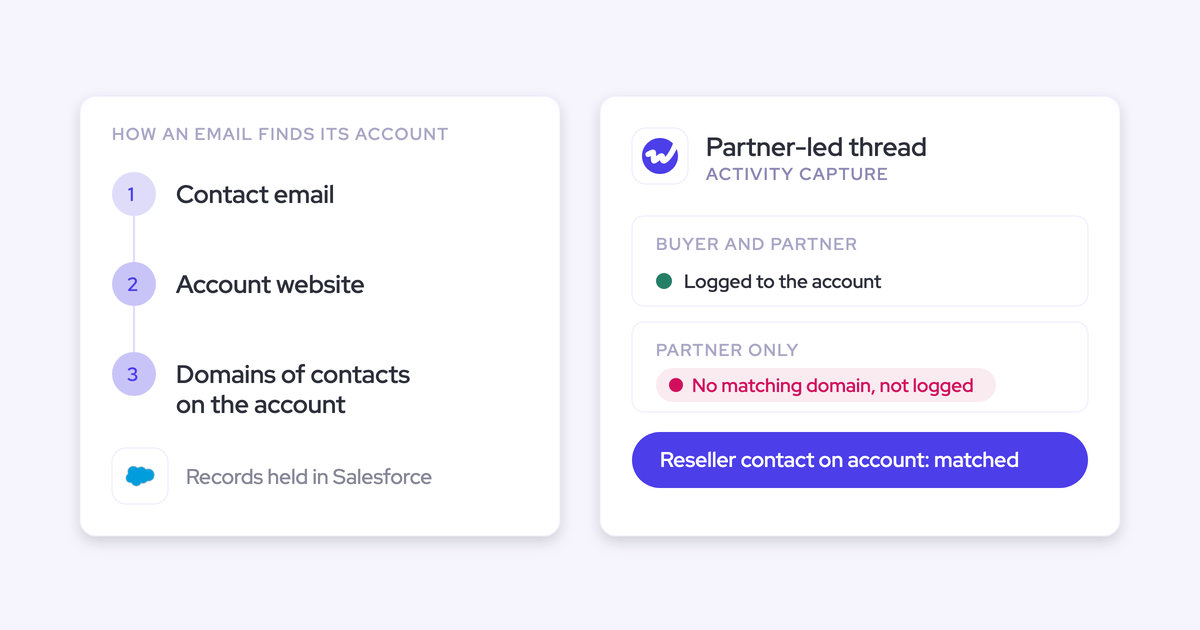
Momentum saves emails, calendar events, and video calls as Salesforce records, then two flows match each record to a user, contact, or lead and, where available, to an account and opportunity. These flows rerun whenever the record updates.
The default logic weighs record ownership, recent activity, and other factors, which is the same pattern you know from EAC. Salesforce's documentation doesn't say matching gets better or worse, so expect to keep adjusting it in Flow Builder the way you do today.
What Momentum needs from your org and your Salesforce edition
Beyond the teardown, Momentum has platform prerequisites, needs an action from every user, and depends on your edition.
Momentum requires Data 360, Einstein Generative AI and every user's access
Before Momentum can record anything, all of these need to be in place:
- Your org runs Google Workspace or Microsoft 365, which serves as the provider for calendar sync, email capture and video recording.
- Data 360 is in place.
- Einstein Generative AI is in place.
- Every user grants Salesforce access to their own Google or Microsoft account.
- Each user's calendar is connected and syncing to Salesforce before their video calls record automatically.
- Your org isn't on Government Cloud, where Momentum isn't supported.
The per-user grant is the one that stings. Your rollout can only move as fast as your users do, which is the same dependency user-level authorization creates on the way out of EAC.
Which Salesforce editions include Momentum today
Whether you're already paying for Momentum depends on your edition. Here's where things stand under the new sales editions Salesforce announced on 3 September 2026:
| Edition | Momentum status | List price |
|---|---|---|
| Max | Included | $550 per user per month |
| Advanced | Announced, not yet available | $395 per user per month |
| Core | Announced, not yet available | $195 per user per month |
| Pro Suite | Paid add-on | Salesforce publishes no add-on price. It appears only in a quote. |
| Starter Suite | Paid add-on | Salesforce publishes no add-on price. It appears only in a quote. |
| Legacy Enterprise, Performance, Unlimited | Not bundled. You get it through Agentforce for Sales or by moving edition. | Agentforce for Sales from $125 per user per month, on top of the edition |
If you chose Unlimited because EAC and ECI came bundled, note that Momentum doesn't. Each Momentum licence also comes with a pool of call hours, which we explain in the FAQ.
Staying on Einstein Activity Capture still changes in February 2027
Doing nothing has a cost too. EAC's legacy reporting retires with Salesforce's Spring '27 release in February 2027, whatever you decide about Momentum, and rebuilding it is left to you.
| What retires | What happens to it |
|---|---|
| Saved reports on Activity 360 | They stop returning data. The objects behind them (UnifiedEmail, UnifiedMeeting, UnifiedTask and their participant objects) retire. |
| Activity Metrics fields on accounts and opportunities | They return null. Custom code, validation rules and reports that reference them fail or come back empty. |
| Activities Dashboard | It's no longer reachable from Setup, and its historical data isn't preserved. |
| Recommended Connections | The components disappear from record pages and Seller Home. Salesforce's replacement is custom invocable actions you build. |
| Captured email and activity records | Not affected. They stay available as standard activity records. |
Salesforce suggests this rebuild timeline:
- Audit your usage of the legacy reports by June 2026.
- Build replacements between June and December 2026, using standard activity reports, flows or scheduled jobs that write engagement metrics into custom fields, Tableau, and custom invocable actions.
- Validate the replacements in a sandbox in January 2027.
- The legacy reporting retires with Spring '27 in February 2027.
If you haven't started yet, you're already behind.
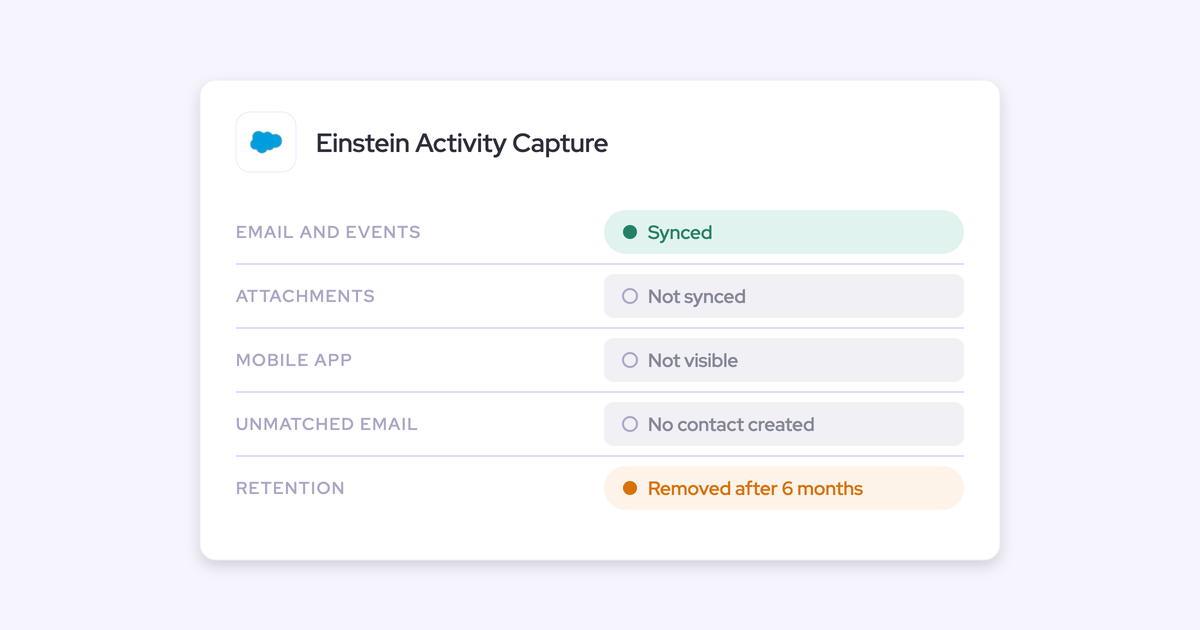
There's some good news, though. Every org that turned on EAC after the Summer '25 release uses Sync Email as Salesforce Activity, which stores captured email as Task and EmailMessage records you can use in reports, workflows, triggers, SOQL, and the APIs.
So the old complaint that captured email wasn't really your data mostly applies to legacy setups that haven't moved over. If you're on the newer architecture, your February 2027 work is mostly about rebuilding reports, not recovering data.
Three paths for an EAC org and what each costs
In short, staying (or waiting) means a February 2027 rebuild. Momentum is irreversible on the ECI side and depends on your edition. A third-party capture layer can be staged and run during the transition.
| Stay on EAC | Move to Momentum | Add a third-party capture layer | |
|---|---|---|---|
| What you do first | Audit and rebuild Activity 360 and Activity Metrics reporting on standard activity reports before February 2027 | Turn off EAC, delete every connected account, reset. Disable ECI and migrate its data. Put Data 360 and Einstein Generative AI in place. | Set EAC's event sync one way if you run both during the transition, then enroll the first team |
| Reversible? | Yes. Nothing structural changes. | No on the ECI side. ECI can't be turned back on. | Depends on the vendor. With Weflow, enrollment is per user and per team. |
| Call coverage | ECI keeps phone, upload, in-person and video | Video calls only | Depends on the vendor |
| What it costs or forces | Admin rebuild time. Full EAC sits in Sales Engagement at $50 per user per month unless your edition includes it. | Max at $550, Core or Advanced once Momentum ships there, an add-on on Starter and Pro Suite, or Agentforce for Sales from $125 on a legacy edition | A separate licence. Weflow Activity & Contact Capture is $19 per user per month. |
| What's still unknown | No end-of-life date and no forward roadmap for EAC or ECI | Salesforce says "more to come," with no published EAC migration path | Whether third-party capture can run next to Momentum if you move later |
When moving to Momentum is the right call
For some orgs, Momentum is the right move. If you're moving to Max anyway and want Agentforce acting on captured data, you've already paid for Momentum, so staying on the Salesforce path is a defensible choice.
It also integrates with Gong, Chorus, Clari Copilot and several dialers, which helps if you want to keep your current recorder.
Momentum is a good fit if:
- Your org is on Max, or you've already decided to move there.
- You want Salesforce's own agents working directly on your captured calls and email.
- Your team records video calls only and doesn't depend on ECI for phone, upload or in-person meetings.
- You can get every user to grant access, and Data 360 and Einstein Generative AI are already part of your plan.
How to test a capture replacement without losing activity
Whichever path you choose, judge a capture replacement on parity, not features. The real risk is a gap in the activity record that nobody notices for months.
You can't compare two capture tools on the same user at the same time, since both write the same emails and meetings. Splitting users between tools doesn't work either, because activity volume varies from person to person.
Instead, try this method, which works with any vendor:
- Save the reports you trust from the current tool, such as meetings and emails per user per week.
- Move a user or a team fully onto the new tool.
- Leave the new tool on its defaults, with no templates and no custom use cases.
- Backfill the test period with a sync-back that checks each email's message ID before writing, so it only adds what the old tool missed.
- Compare against your saved reports. Whatever the backfill added is the difference between the two tools.
Then check in with the users who complained most about the old tool. They'll know which emails used to go missing.
How Weflow Activity & Contact Capture handles the move off EAC
Weflow Activity & Contact Capture is the foundation of Weflow's Revenue AI Orchestration platform for sales, customer success, and RevOps teams.
It's built for Salesforce and writes emails, meetings, and contacts into native Salesforce objects that your reports, flows, and AI can use.
During the transition, Weflow can run alongside EAC and roll out team by team, so the move is staged and reversible. And if you're rebuilding activity reporting for February 2027 anyway, Weflow Analytics runs as a Salesforce app and uses no Salesforce API calls.
Running Weflow alongside EAC with one-way event sync
To run Weflow in parallel with EAC, set EAC's event sync to one way, from the calendar into Salesforce. Weflow then adds to the events EAC creates instead of writing a second copy.
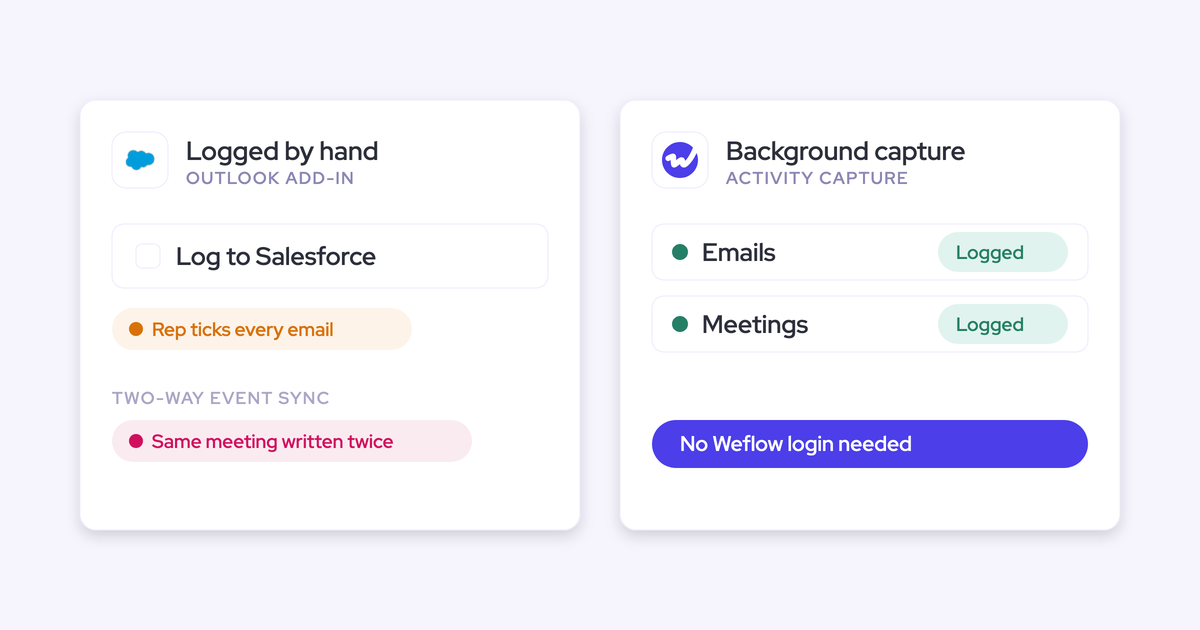
If you leave it two-way, you get a loop: the event is logged to Salesforce, pushed back to the calendar, and logged again. That creates duplicate events and can send customers repeated calendar notifications, which is why we check the sync direction before anyone is enrolled.
Weflow itself syncs one way by default.
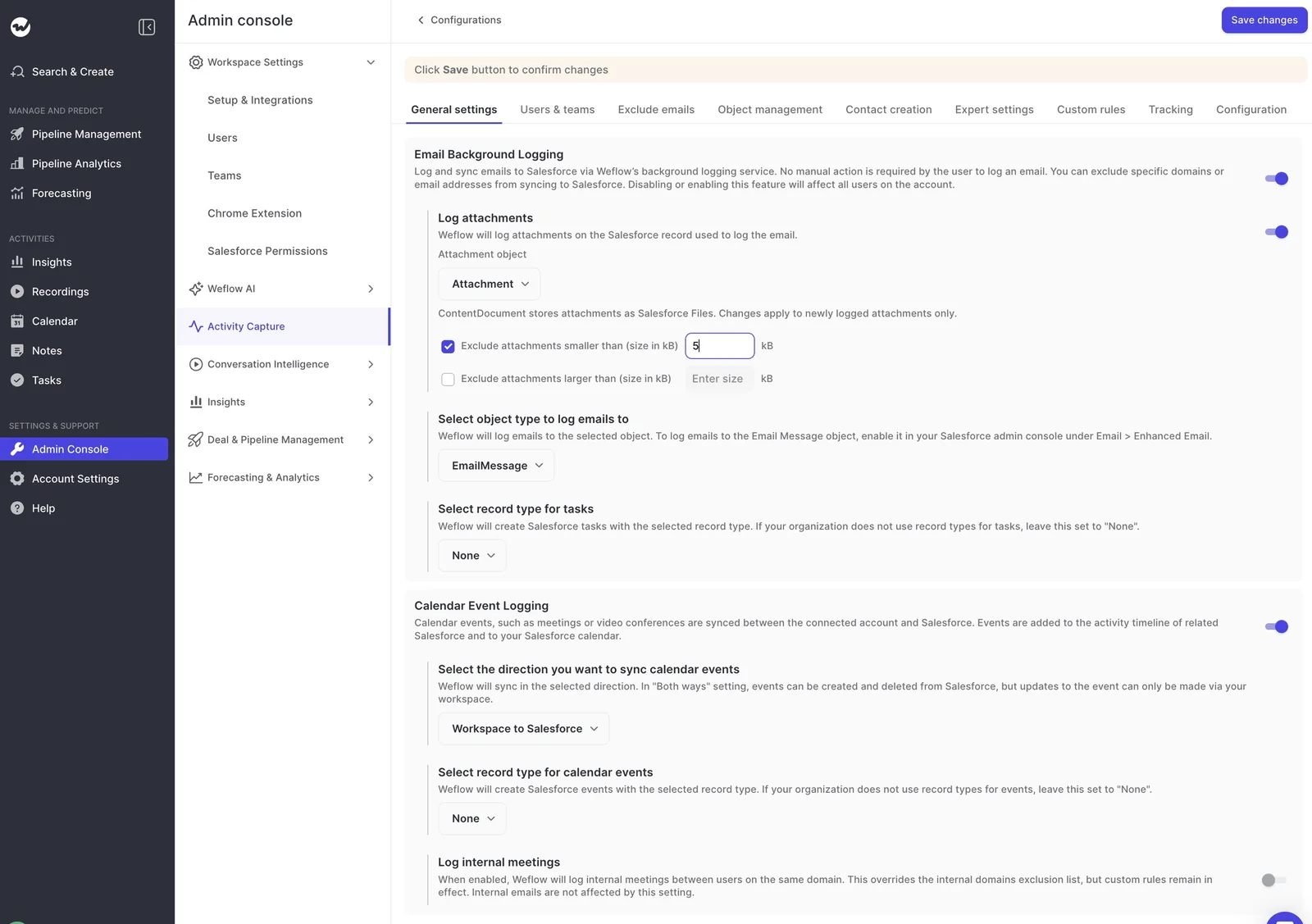
That said, running both tools isn't ideal. Even with one-way sync, EAC and Weflow together cause race conditions, and EAC stores email in a way that's hard to read for deduplication, so we strongly recommend turning EAC off.
The difference is when and how you do it. With Weflow, you turn EAC off team by team, after the parity run. With Momentum, you turn it off all at once, before anything else.
Weflow checks each email's message ID and each event's ID before writing to Salesforce, so a backfill only adds what EAC missed (step four of the parity run above).
For periods EAC captured, our team backfills the earliest stretch first and has you check it before going further.
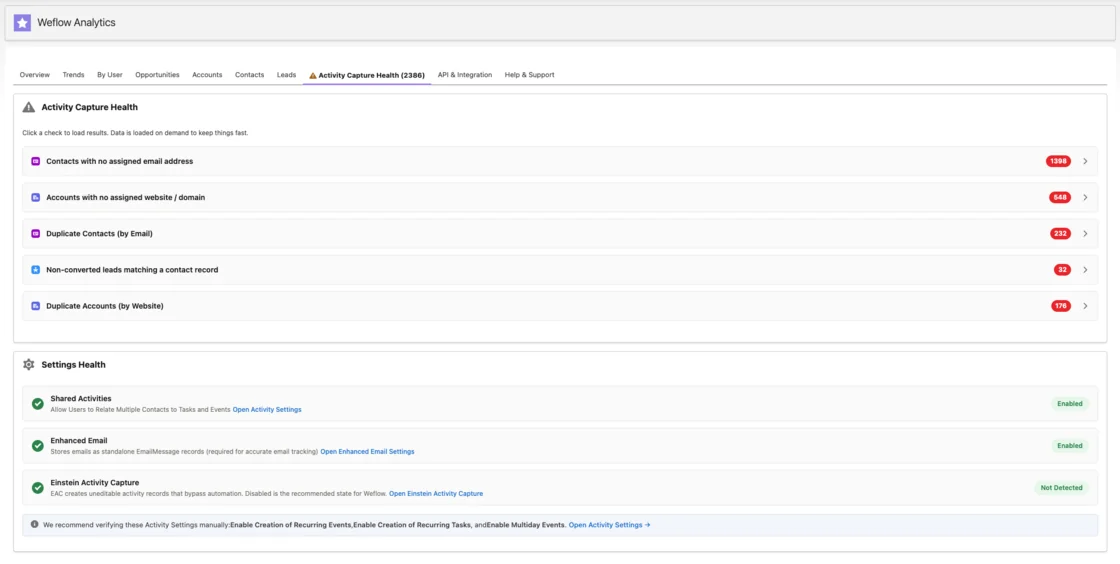
Weflow Analytics' Settings Health check also detects EAC in your org, flags that it creates uneditable activity records that bypass automation, and recommends disabling it.
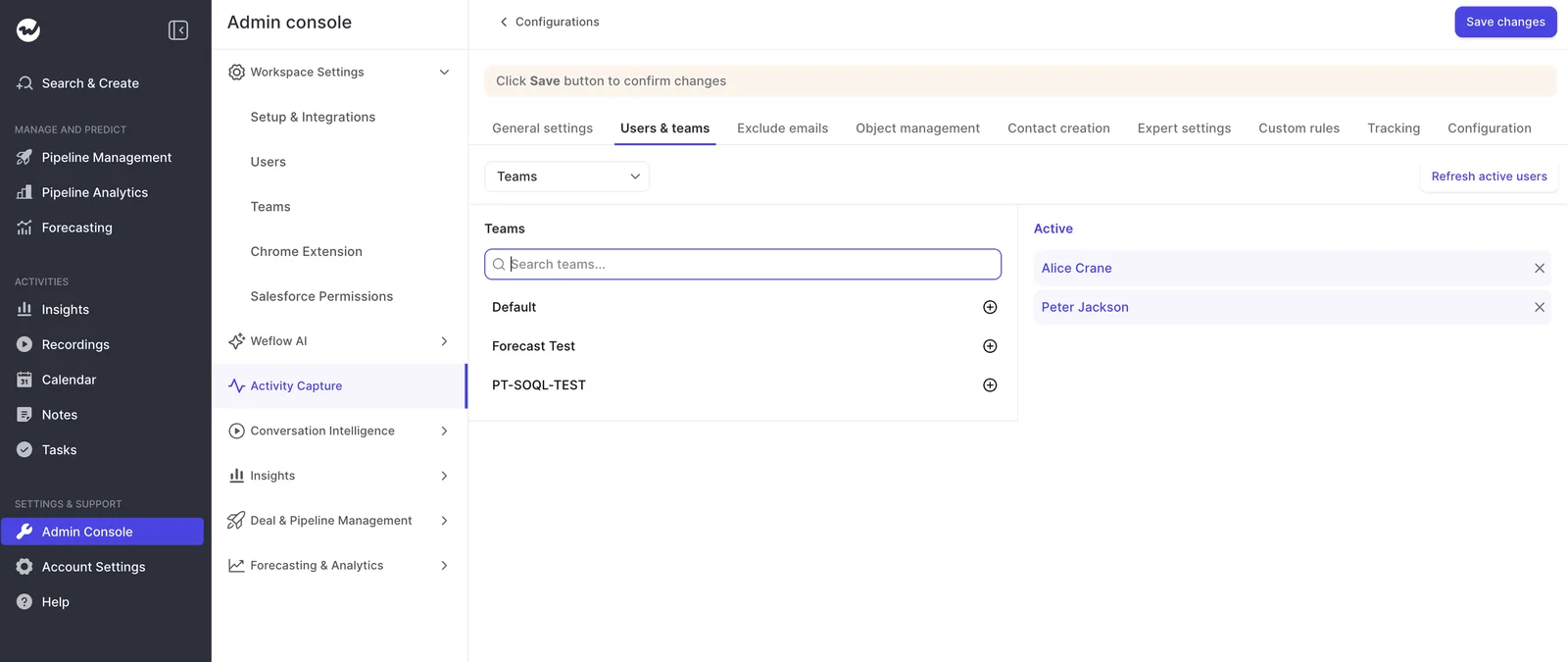
Rolling out Weflow team by team through an integration user
Weflow logs activity through an integration user for every enrolled mailbox, whether or not the mailbox owner ever signs in. EAC, by contrast, can't run on a Salesforce integration user licence, so its capture is tied to named users.
You install the Google Workspace app or Microsoft Entra app once, centrally, and Weflow doesn't read any mailbox until you enroll a user. That means you can finish the whole technical setup while your security review is still open.
| Momentum rollout | Weflow rollout | |
|---|---|---|
| Who authorizes | Every user grants access to their own Google or Microsoft account | You install the workspace app centrally and connect an integration user |
| When capture starts | Once the user's calendar is connected and syncing to Salesforce | When you enroll the user in a capture configuration |
| Scope of each step | The whole org, after EAC is torn down | Per team, per user and per object |
| Who writes to Salesforce | Momentum, for each user who has granted access | The integration user, for every enrolled mailbox |
You can also run one configuration per team or region, so sales and customer success can log to different objects with different rules. Rollouts and rollbacks both happen one team at a time.
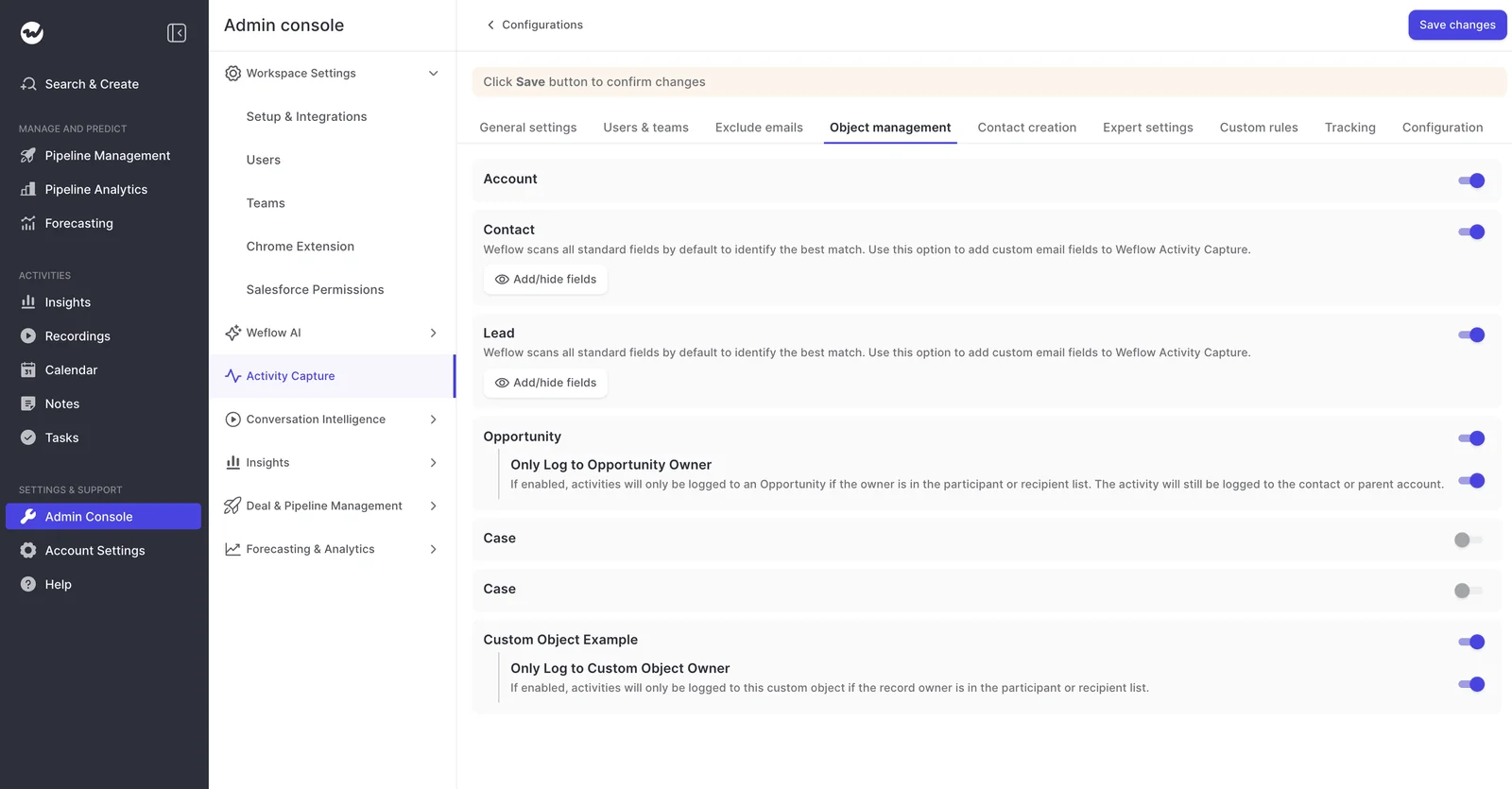
Weflow logs to custom objects and lets reps fix opportunity mapping
Weflow logs activity to custom Salesforce objects as well as standard ones. Roughly 20 to 30 percent of our customers use this because their sales process runs on more than accounts and opportunities.
Mapping matters most on accounts with several open opportunities. In the Outlook add-in or Chrome extension, reps can see which record an activity maps to and correct it. And since Weflow never moves logged activity on its own, the correction stays put.
There are two limits worth knowing about:
- Weflow doesn't capture VoIP or phone calls today, though most dialers log calls to Salesforce through their own integrations.
- Weflow doesn't claim to run alongside Momentum.
What Weflow Activity & Contact Capture costs
Weflow Activity & Contact Capture is $19 per user per month, billed annually, with a 10-user minimum.
That includes automatic sync of emails, meetings and contacts from Outlook or Google, activity insights and reports, Ask Weflow AI, and Agent Builder on the free tier of 25 agent actions per month.
The price is the same whichever Salesforce edition you're on, whereas Momentum comes through your edition, an add-on, or Agentforce for Sales.
If you want to audit your own capture setup before you decide anything, get the Free Salesforce Activity Capture Cheat Sheet.
FAQs Salesforce admins ask about Momentum and EAC
What happens to activity EAC already wrote when you reset it?
It depends on how your org stores it. If you use Sync Email as Salesforce Activity, captured email lives in your org as standard Task and EmailMessage records, which Salesforce says the February 2027 retirement doesn't affect.
For legacy off-org storage, Salesforce's Momentum requirements don't say what a reset does.
Can you pilot Momentum with one team while EAC covers the rest?
No. The restriction applies to the whole org, so EAC has to be off and reset for everyone before Momentum turns on for anyone.
Can you keep Einstein Conversation Insights and never turn on Momentum?
Yes, for now. Nothing in Salesforce's documentation forces the switch, but with no roadmap or end-of-life date for ECI, you'd be running a product Salesforce has said isn't its future.
Is Momentum the same product as Einstein Conversation Insights?
No. They're separate products that Salesforce now markets together as conversation intelligence powered by Momentum, but they can't coexist in your org.
What do Momentum's 120 pooled call hours per licence mean?
Each Momentum licence includes up to 120 processed call hours a year, prorated for your contract length and pooled across all your org's licences. Unused hours expire at the end of the contract.
For example, 25 licences give you a shared pool of 3,000 hours a year. If your reps average more than about two and a half hours of recorded calls a week, you'll run out before the year ends.