What Salesforce Momentum Requires: Editions, Data 360, Einstein Generative AI and User Setup
Learn Salesforce Momentum requirements: editions, Data 360, Einstein Generative AI, and user setup.


Salesforce Momentum runs only after your org meets a fixed list of requirements. You Before you can switch on Salesforce Momentum, your org has to meet a fixed list of requirements. Here's what you need:
- An edition that includes Momentum, or the Agentforce for Sales add-on.
- Data 360 provisioned in your org.
- Einstein Generative AI switched on, and left on.
- Google Workspace or Microsoft 365, and an org outside Government Cloud.
- Einstein Activity Capture switched off, with every connected account deleted.
- Einstein Conversation Insights disabled for good.
- Every recorded user authorizing their own Google or Microsoft account.
- Call volume that fits a pool of 120 processed hours per license per year.
Two of these steps are one-way: removing EAC means deleting every connected account, and disabling ECI is permanent.
Every requirement here is sourced from Salesforce's own help documentation, so you can hand this list straight to security, your AI governance committee and leadership. Where a detail comes only from Momentum's own docs, we flag it.
Full disclosure: we build Weflow Activity & Contact Capture, a capture layer with a different set of requirements. We cover it at the end for teams where one of these items is a blocker.
What Salesforce Momentum requires before you can switch it on
Here's where each one is documented, what it takes to meet it and whether you can undo it. The one-way rows are in bold.
| Requirement | Where Salesforce documents it | What it costs to meet | Reversible? |
|---|---|---|---|
| Edition that includes Momentum | Salesforce sales pricing page; Salesforce Help, Momentum permissions | Max at $550 per user per month, or Agentforce for Sales from $125 per user per month on top of Enterprise, Performance or Unlimited | Partly. It's a contract decision, so it runs on your contract terms |
| Data 360 provisioned | Salesforce Help, Momentum requirements | A platform decision with an owner outside Sales Ops | Momentum depends on it for as long as Momentum runs |
| Einstein Generative AI on and kept on | Salesforce Help, Momentum requirements | Setup turns it on for the org; your AI policy has to allow it | No. Turn it off and Momentum isn't guaranteed to work |
| Google Workspace or Microsoft 365, not Government Cloud | Salesforce Help, Momentum requirements | Nothing if you already run one; a hard stop on Government Cloud | Not applicable. It's a gate |
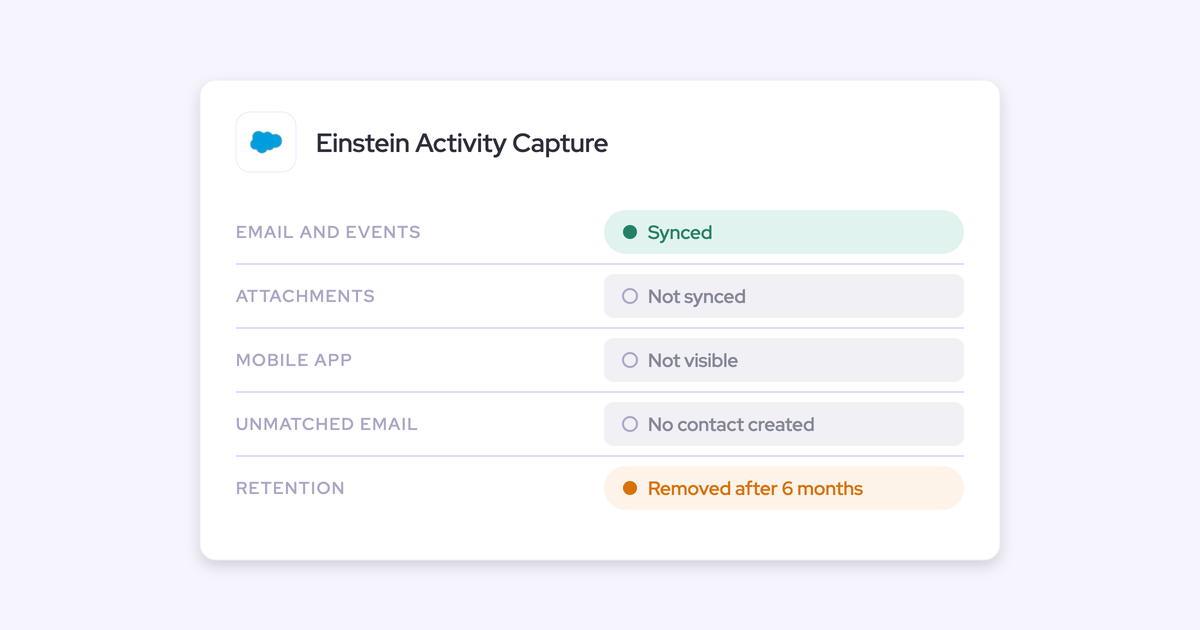
| Einstein Activity Capture off, every connected account deleted, product reset | Salesforce Help, Momentum requirements | Admin effort, plus effort from each user where EAC uses user-level authorization | No in practice. The two can't run in the same org |
| Einstein Conversation Insights disabled | Salesforce Help, Momentum requirements | Migrating ECI call history before you switch | No. ECI can't be enabled again |
| Every user authorizes their own Google or Microsoft account | Salesforce Help, Momentum requirements (scopes detailed in Momentum's docs) | One action from every recorded user | Yes, per user |
| Call volume within 120 pooled hours per license per year | Salesforce Help, Momentum requirements | License count; unused hours expire | No rollover. Unused hours are gone at contract end |
Why Momentum's requirements follow the Agentforce stack
Momentum's requirements make more sense once you know why Salesforce bought it: to be the capture-and-structure layer under Agentforce.
Salesforce acquired Momentum to extend Agentforce 360 and Slackbot with conversation data, and positions it as the data foundation beneath Agentforce Sales.
Salesforce has also named Momentum the future of call recording and activity capture, which leaves EAC and ECI without a roadmap of their own.
Because Momentum shares the infrastructure EAC uses to sync events and capture email, the two can't coexist. That makes Momentum a replacement for Einstein Activity Capture and Einstein Conversation Insights, not an upgrade.
The Data 360 and Einstein Generative AI requirements come from the same design: the product exists to feed agents. So saying yes to Momentum isn't just choosing a recorder. It's a platform-wide AI decision too.
Which Salesforce editions include Momentum today
Right now, Max is the only edition with Momentum included. Here's where every edition stands:
| Edition | Momentum status | What Momentum costs you | What else the edition bundles |
|---|---|---|---|
| Starter Suite | Paid add-on | Priced in a quote | Not part of the new bundles |
| Pro Suite | Paid add-on | Priced in a quote | Not part of the new bundles |
| Core ($195 per user per month) | Coming soon | Included once it ships | Premier Success, Slack Business+, Tableau Next, 500,000 Flex Credits a year; Agentforce for Sales is an add-on from $125 |
| Advanced ($395 per user per month) | Coming soon | Included once it ships | Core plus Sales Programs, Backup and Recover, Archive, Data Detect, Security Center, 1 million Flex Credits; Agentforce for Sales is an add-on from $125 |
| Max ($550 per user per month) | Included | Already in the license | Agentforce for Sales, Agentforce Coworker, Salesforce Spiff, Sales Planning, Salesforce Maps, Slack Enterprise+, 2.75 million Flex Credits, and the only full sandbox in the new editions |
| Legacy Enterprise, Performance, Unlimited | Not bundled | Agentforce for Sales add-on from $125 per user per month on top of your edition, or move edition | Pricing unchanged |
One naming note: Salesforce Help still uses the edition names from before September 2026, so where it says Agentforce 1 Sales Edition, read Max (same $550 price).
The license itself is Momentum Premium, assigned through the Premium Momentum permission set in orgs with Agentforce for Sales or Agentforce 1 Sales Edition. Momentum also runs in Lightning Experience only.
If you're on legacy Unlimited, expect Momentum to cost at least $125 per user per month on top of what you pay today.
Platform prerequisites Momentum switches on in your org
Each of these three prerequisites has an owner outside Sales Ops, so they're the first conversations to have.
Momentum needs Data 360 provisioned in your org
Start your rollout plan by checking whether Data 360 is already provisioned. If it isn't, adding it becomes its own platform conversation before Momentum is even on the table.
Salesforce Help doesn't say what adding Data 360 involves for an org that doesn't have it, so that cost sits with whoever owns your Salesforce contract and data platform.
Momentum turns on Einstein Generative AI and needs it to stay on
Momentum's setup turns Einstein Generative AI on if it's off. And if anyone switches it off later, Salesforce says Momentum features, and any products that rely on Momentum data, aren't guaranteed to work as expected.
So if your policy keeps Einstein Generative AI off, you can't run Momentum reliably.
That changes the question for your AI governance review. The committee isn't approving a call recorder; it's approving Salesforce's generative AI layer for the whole org.
Momentum runs on Google Workspace or Microsoft 365, not Government Cloud
Momentum uses Google or Microsoft as the activity provider for calendar sync, email capture and video recording. And if your org runs on Government Cloud, Momentum isn't supported at all.
What you tear out to turn Momentum on
This is the part of the checklist that decides what you lose.
Einstein Activity Capture goes off, with every connected account
Here's the sequence:
- Turn off Einstein Activity Capture.
- Delete every connected account.
- Reset the product.
- Turn on Momentum.
- Have each user authorize their own Google or Microsoft account so their capture starts again.
How much effort this takes depends on how you set up EAC. With org-level authorization, turning EAC off removes every connected account at once.
With user-level authorization, each user has to delete their own, and Momentum can't turn on until every last one is gone.
You'll also need to plan for a capture gap. Capture stops the moment EAC goes off, and it only comes back for each rep once they've authorized their account in Momentum.
With user-level authorization, that means chasing every rep twice: once to delete, once to connect.
Einstein Conversation Insights switches off for good
Unlike the EAC teardown, this step is permanent.Once Momentum is on, ECI can't be enabled again, so if Momentum turns out to be missing something your team relied on, there's no way back.
Your call history is affected too. Calls ECI processed lose their video playback, metrics, transcripts, summaries and insights until that data moves to Momentum.
An org whose ECI data hasn't been migrated to the Salesforce Platform can't use Momentum at all, even with ECI turned off.
Migrate your ECI call history before you switch.
Which Einstein Conversation Insights features Momentum doesn't carry over
Momentum records video calls only, and Salesforce Help lists the ECI features it doesn't carry over. Tick off the ones your team uses today, because each one you tick is coverage you give up for good.
| ECI feature | What your team loses without it |
|---|---|
| Voice call support | Recording and insights on phone calls |
| Manual call upload | Adding a recording by hand |
| In-person meeting transcription | Transcripts of meetings that happen in a room |
| Conversation Insights and Hub tabs | The tabs where users find call insights today |
| Sales Signals | ECI's signals from calls |
| Conversation Search | Searching across recorded conversations |
| Call Summary related list | Call summaries listed on the record |
| Call Highlights emails | Highlight emails after calls |
| Sales Engagement actions triggered by call insights | Automations that start from what was said on a call |
| Insights on Service Cloud Voice calls | Conversation insights for your service team's voice calls |
How the switch lands against EAC's February 2027 reporting retirement
EAC's legacy reporting retires with Salesforce's Spring '27 release in February 2027, whatever you decide about Momentum. You'll have to rebuild that reporting either way, so it shouldn't sway your capture choice.
| What survives the retirement | What stops working |
|---|---|
| Captured email and activity records, as standard activity records | Saved reports built on Activity 360 objects, which return no data |
| Standard activity reports on Tasks and Events or Activities with Accounts | Activity Metrics fields, which return null values |
| Reports rebuilt with Email Message as the primary object | The Activities Dashboard, which stops loading and loses its history |
| Flows or scheduled jobs you build to write engagement scores into custom fields | Recommended Connections on record pages and Seller Home |
| Anything you've already moved off the retired objects | Custom code, validation rules and reports that reference Activity Metrics |
Salesforce's own timeline asks you to audit usage by June 2026, build replacements between June and December 2026 and validate them in a sandbox in January 2027.
Whichever way you go, save your EAC numbers before February if you want them as a baseline for a parity comparison. The Activities Dashboard history won't be preserved.
What every recorded user has to do in Momentum
Every Momentum user has to grant Salesforce access to their own Google or Microsoft account, and their video calls only record automatically once their calendar is connected and syncing.
So rollout isn't an admin-only job: it needs an action from every rep you want recorded.
Google Workspace users grant Calendar and Drive access themselves
On Google Workspace, each user with an AI license authorizes Salesforce and grants Calendar and Drive access themselves. Momentum's Google Meet documentation lays out the flow:
- An admin assigns the user an AI seat.
- The user authorizes Salesforce for their Google account.
- The user grants Calendar and Drive access, ticking both permission boxes.
The grant is broad:
- Momentum can see, edit and share the user's calendars.
- Momentum can see, edit, create and delete the user's Drive files, which is where it stores transcripts.
- If either box is left unticked, recording and participant detection fail.
Expect security to ask about the Drive delete scope, especially since each rep grants it individually rather than IT approving it centrally.
Outlook users authorize from Slack after support enables a beta
Outlook users authorize Momentum from Slack with the /configure command, but only after three things are in place. Here's the sequence from Momentum's own documentation:
- An admin installs the Momentum app in Slack or Microsoft Teams, which needs access to a Slack or Teams administrator instance.
- An admin assigns the user an AI license seat.
- Momentum support switches on the Outlook beta for your organization.
- The user runs
/configurein Slack and completes an OAuth2 flow with Microsoft Graph to give Momentum read access to their calendar.
Once connected, Momentum syncs external meetings every two minutes and flags them for automatic recording. Users can disconnect from the same /configure command.
How to check whether 120 pooled call hours cover your team
Each Momentum license includes up to 120 processed call hours a year, prorated to your contract length and pooled across all your org's licenses.
Unused hours expire at the end of the contract without rolling over. So 10 licenses give you 1,200 hours a year, shared across your team.
That works out to roughly 2.3 recorded hours per rep per week, or about 2.5 if you only count working weeks. Because the hours are pooled, a light user's spare hours cover a heavy user, and seats that rarely record still add to the total.
To size it against your own data:
- Pull recorded call hours per user for the last three months from your current recorder.
- Keep video calls only, since phone calls and in-person meetings won't run through Momentum.
- Multiply each user's total by four to get an annual figure, then sum across the team.
- Compare that total with your license count times 120, prorated to your contract length.
Here's what different recording habits mean per user:
| Average recorded hours per user per week | Annual hours per user (52 weeks) | Against 120 hours per license |
|---|---|---|
| 1 | 52 | Fits, with 68 hours to share |
| 2 | 104 | Fits, with 16 hours to share |
| 2.5 | 130 | 10 hours over |
| 3 | 156 | 36 hours over |
| 5 | 260 | 140 hours over |
Salesforce Help doesn't document what happens when the pool runs out, so overage terms come down to your contract.
When saying yes to Momentum is the right call
Momentum makes sense, and is effectively already paid for, when all of these are true:
- Your org is already on Max or Agentforce 1 Sales Edition.
- Data 360 is provisioned and Einstein Generative AI is approved for the org.
- Your team records video calls only and doesn't depend on the ECI features listed above.
- Your recorded call volume fits inside the hour pool.
In that case Momentum gives you something an outside vendor can't: it's Salesforce's own product, it needs no separate integration, and it counts as consolidation when you present the stack to leadership.
What Weflow Activity & Contact Capture requires instead
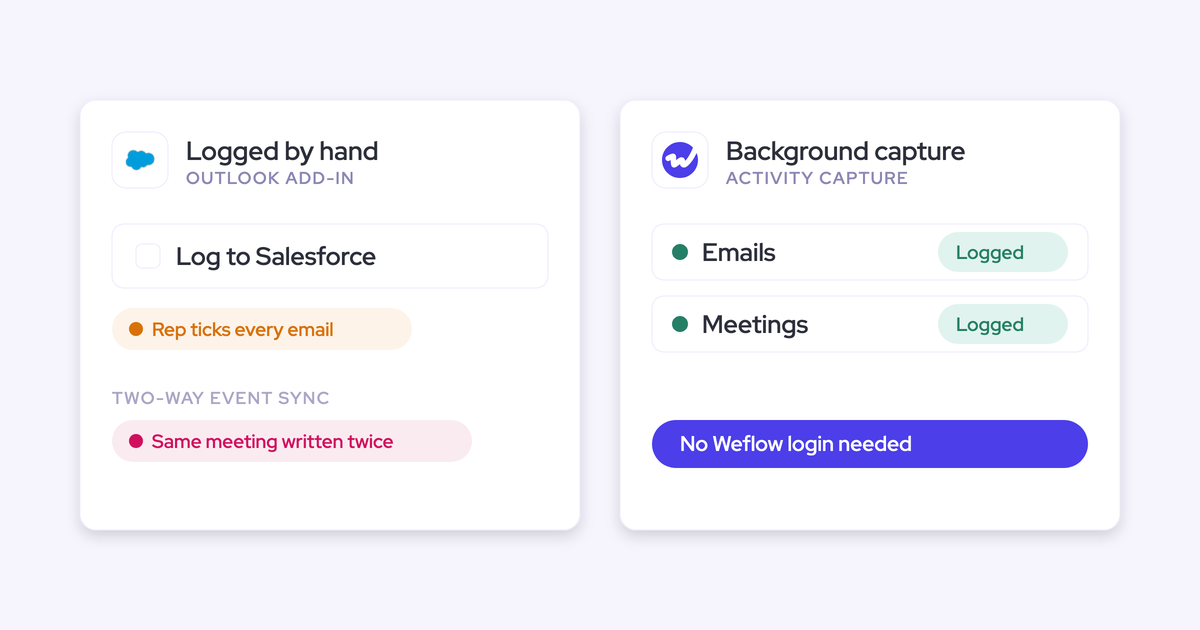
If one of Momentum's requirements is a blocker, here's how Weflow compares. It installs centrally, captures without any action from reps, runs alongside EAC while you test parity, and is bought separately from any AI decision.
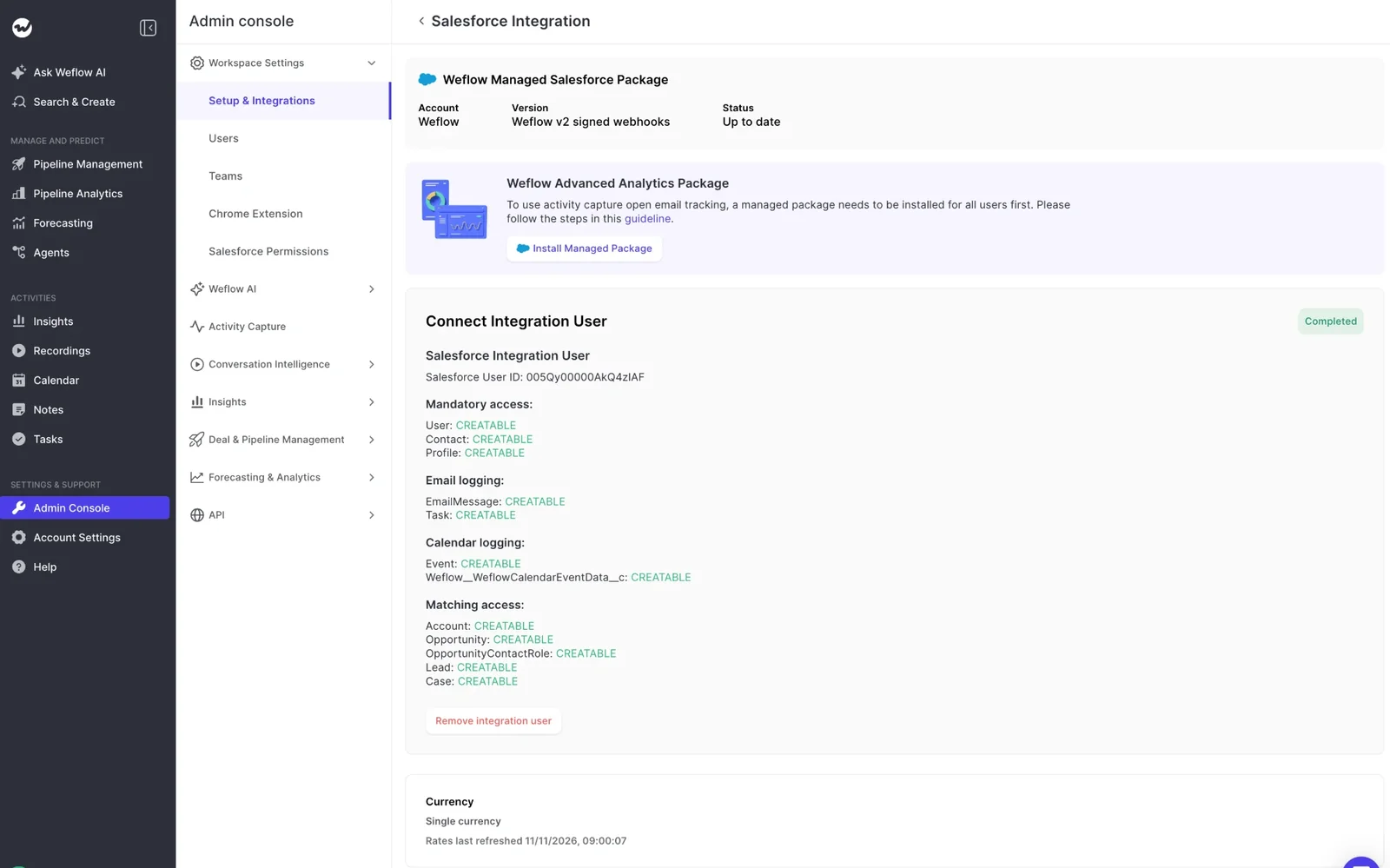
Installing Weflow takes two managed packages and one mail app
There's no code to deploy and nothing for reps to set up:
- One Salesforce managed package carries the core capture objects and fields.
- A second, optional managed package adds email open tracking and the Weflow Analytics package, which needs Enhanced Email switched on in Salesforce first.
- One integration user writes everything to Salesforce, with a dedicated permission set.
- One mail app is installed centrally in Microsoft Entra or Google Workspace and can be scoped to the users you license.
- If your org uses IP restrictions, you allowlist Weflow's three backend IP addresses for the integration user.
Neither Data 360 nor Einstein Generative AI is on that list.
The technical session takes 30 to 45 minutes with a Salesforce admin and a mail admin in the room. If your Google or Microsoft admin sits in IT without a Salesforce login, just send them a one-time link to complete the tenant connection.
Reps do nothing for capture and sign in once for recording
Weflow captures email and meetings server-side through the integration user, so capture-only users never have to sign in.
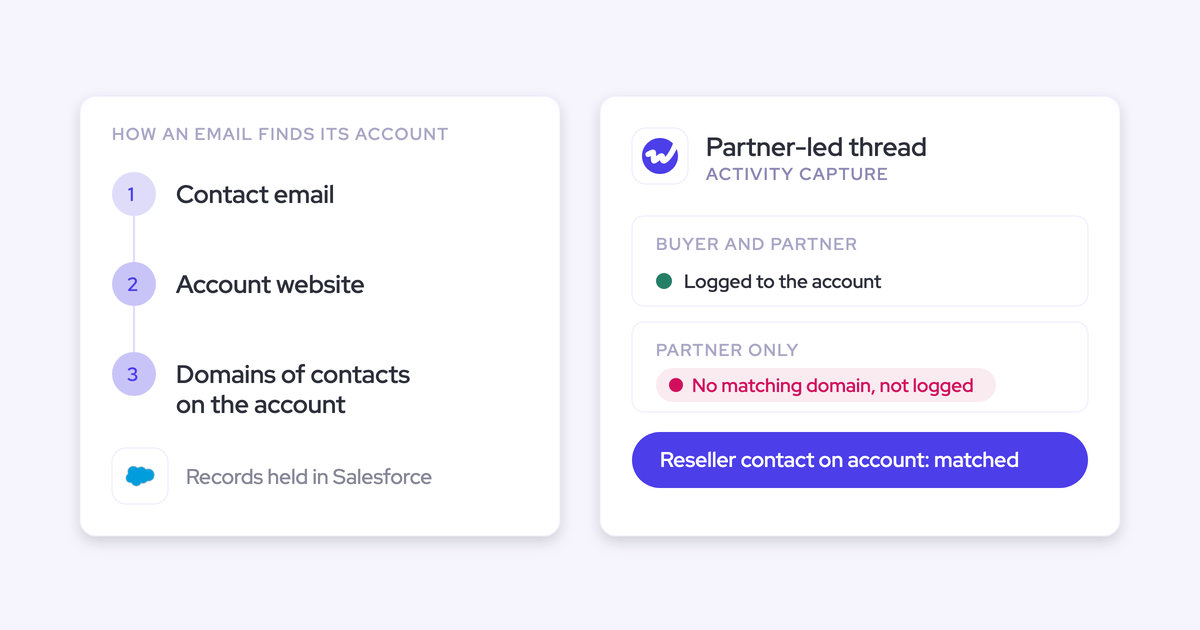
A rep starts capturing as soon as an admin adds them to a capture configuration, even if they've never opened Weflow, so there's no per-user grant to chase.
"Most of our team doesn't even know we have Weflow for activity capture. That was a big attraction for me: I didn't need them to set it up or learn anything new."
Recording is the one exception. Weflow Conversation Intelligence needs each licensed user to sign in once before the notetaker joins their meetings.
We also enroll reps after a short training session, so nobody gets caught in front of a customer with a notetaker they don't know how to stop.
One tip from past rollouts: inviting users to the Weflow app sends each of them an invitation email, even on a capture-only rollout. Send a short heads-up before activation explaining what the email is and that no action is needed, so nobody reports it as phishing.
Weflow runs alongside Einstein Activity Capture while you test parity
Once EAC's event sync is set to one direction (calendar into Salesforce), Weflow can run in parallel with it. You don't have to tear anything out to start, so you can prove one-for-one parity before you remove EAC.
The parity test runs like this:
- Set EAC's event sync to one-way for every user Weflow will capture, or switch those users off in EAC. A two-way sync writes the same meeting twice and can send customers repeated calendar notifications.
- Save EAC's reports for the comparison period, before the February 2027 retirement removes them.
- Move a group of test users fully onto Weflow, on default settings with nothing custom switched on.
- Finalize exclusions and rules, then run a historical sync-back over the period. Weflow checks each email's message ID before writing, so what the backfill adds is the activity the old setup missed. For activity EAC wrote, our team runs the earliest stretch first and you review it before the rest.
- Compare the result against your saved EAC reports, and check in with the users who complained most about EAC.
- Switch EAC off once parity is proven.
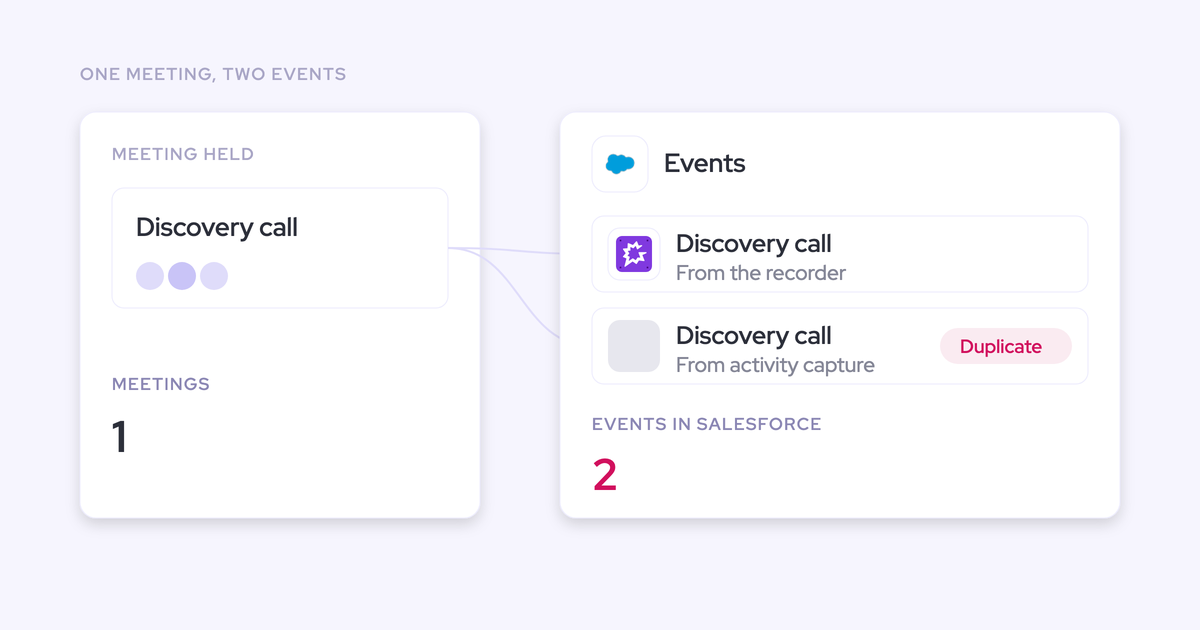
Don't skip that last step. Even with one-way sync, running EAC next to Weflow causes race conditions, and EAC stores email in a way that makes deduplication hard.
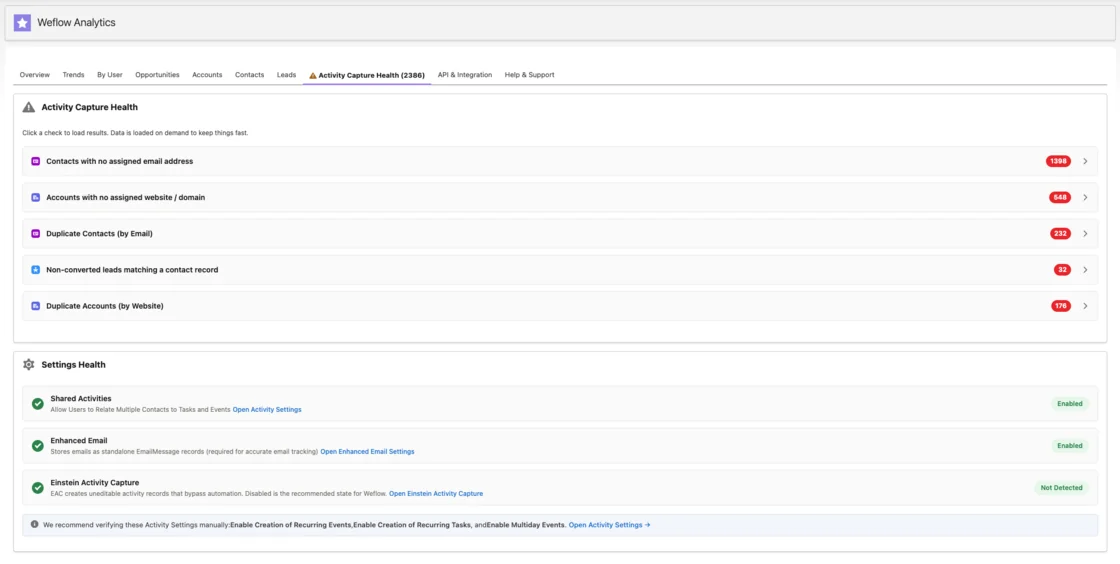
Weflow Analytics flags this inside Salesforce too: its Settings Health check reports whether EAC is detected and recommends disabling it.
Weflow keeps activity capture separate from the AI decision
Weflow doesn't read any mailbox until a user is enrolled in an activity capture configuration.
Installing the packages, connecting the integration user and adding the mail app grant access without capturing anything, so you can finish the technical setup while an AI or legal review is still open.
Weflow Activity & Contact Capture is its own product, so you can buy the capture layer without committing to conversation intelligence.
For the security review, Weflow is SOC 2 Type II certified and GDPR compliant, runs Zero Data Retention for AI processing, and never uses customer data to train AI models.
How Weflow Activity & Contact Capture is priced
Weflow Activity & Contact Capture costs $19 per user per month, billed annually, with a 10-user minimum. Pricing is per seat rather than a pooled hour allowance, and seats added mid-term are charged pro rata to the end of the term.
If you add recording later, the Revenue AI Foundation bundle combines Activity & Contact Capture and Conversation Intelligence at $49 per user per month.
Where Weflow is not the better fit
Weflow has limits too, and they're worth weighing:
- Weflow is a separate vendor. It writes into native Salesforce objects, but it isn't Salesforce's own product and doesn't count as consolidation inside the Salesforce contract.
- Weflow's agents deliver output by email, Slack and Microsoft Teams, and don't yet write to Salesforce directly. Field updates after calls and AI Playbooks do write to Salesforce.
- A group running several mail tenants manages one capture configuration per tenant, without a single administrative view across them.
- Weflow doesn't capture phone calls today. If losing ECI's voice call coverage is your blocker, Weflow doesn't close that gap.
- Weflow isn't FedRAMP certified and works only with Salesforce.
If you'd rather inspect the install footprint and capture behavior yourself before talking to anyone, walk through the product yourself, no call required.
Salesforce Momentum requirements: FAQ
Can a legacy Enterprise or Unlimited org get Momentum without changing edition?
Yes, through the Agentforce for Sales add-on, from $125 per user per month on top of an Enterprise, Performance or Unlimited license. The other option is moving to one of the new editions that bundle Momentum: Core, Advanced or Max.
Can Einstein Activity Capture and Momentum run in the same org?
No. They share the infrastructure that syncs events and captures email, so EAC has to be turned off, every connected account deleted and the product reset before Momentum turns on.
Can you turn Einstein Conversation Insights back on after enabling Momentum?
No. Once Momentum is on, ECI can't be enabled again, so migrate your call history before you switch.
Does Momentum record phone calls and in-person meetings?
No. Momentum records video calls only.
Does Momentum capture email?
Yes. Salesforce Help says email capture runs through Google or Microsoft as the activity provider, and Momentum saves email messages as Salesforce records matched to users, contacts, leads, accounts and opportunities through flows.
Momentum's own docs, written for the original momentum.io product, describe ingesting email from Salesforce Tasks instead. For the Salesforce-released version, go by Salesforce Help.
Do you need Slack or Microsoft Teams admin access for Momentum?
Yes, according to Momentum's install documentation. You need access to a Slack or Microsoft Teams administrator instance, plus the ability to authorize Momentum in Salesforce as an admin.
Can you pilot Momentum in a Salesforce sandbox first?
Yes. Momentum's documentation describes production and sandbox installers for its managed package, along with a two-week proof of concept over three meetings, where a Momentum Solutions Architect handles installation, prompt design and workflow configuration.