Duplicate Salesforce Events When Conversation Intelligence and Activity Capture Come From Different Vendors
Learn how to stop duplicate Salesforce Events from Gong/Attention and Einstein Activity Capture/Weflow.


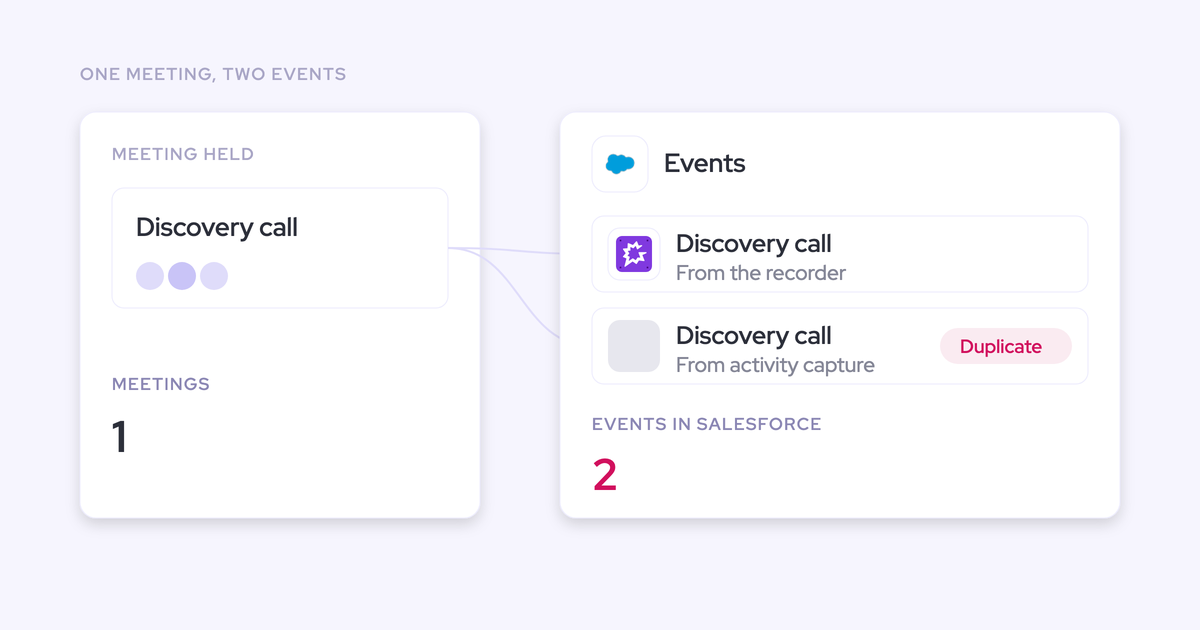

If the same meeting shows up twice in Salesforce, it's usually because two vendors are each writing their own Event for it, and neither knows the other exists.
Your conversation intelligence tool logs the recorded call, your capture tool logs the calendar meeting, and Salesforce counts two meetings.
The lasting fix is to decide which system owns the meeting record, then have every other tool either attach to that record or stop writing meetings.
You'll see this most often when a capture tool like Weflow Activity & Contact Capture or Einstein Activity Capture, which writes calendar meetings into Salesforce as Events, runs next to a recorder like Gong or Attention that writes its own.
This guide gives you three things:
- A Created By check you can run in your org today.
- The four patterns behind duplicate events.
- The ways to fix them, including the ones that cost nothing.
Why one recorded meeting shows up as two Salesforce events
Each vendor treats its own Event as the meeting, so your timeline shows two. Neither tool is broken, though. The capture tool reads the calendar and logs the meeting, while the recorder joins the call and logs the conversation.
Both are doing their jobs; nobody told them they're describing the same thing.
As our CEO put it on the RevOps Lab podcast:
"If you record a meeting, it's not another meeting. It's the same meeting."
What duplicate meeting events do to your Salesforce reporting
A messy timeline is the least of your problems. Here's what duplicates actually do:
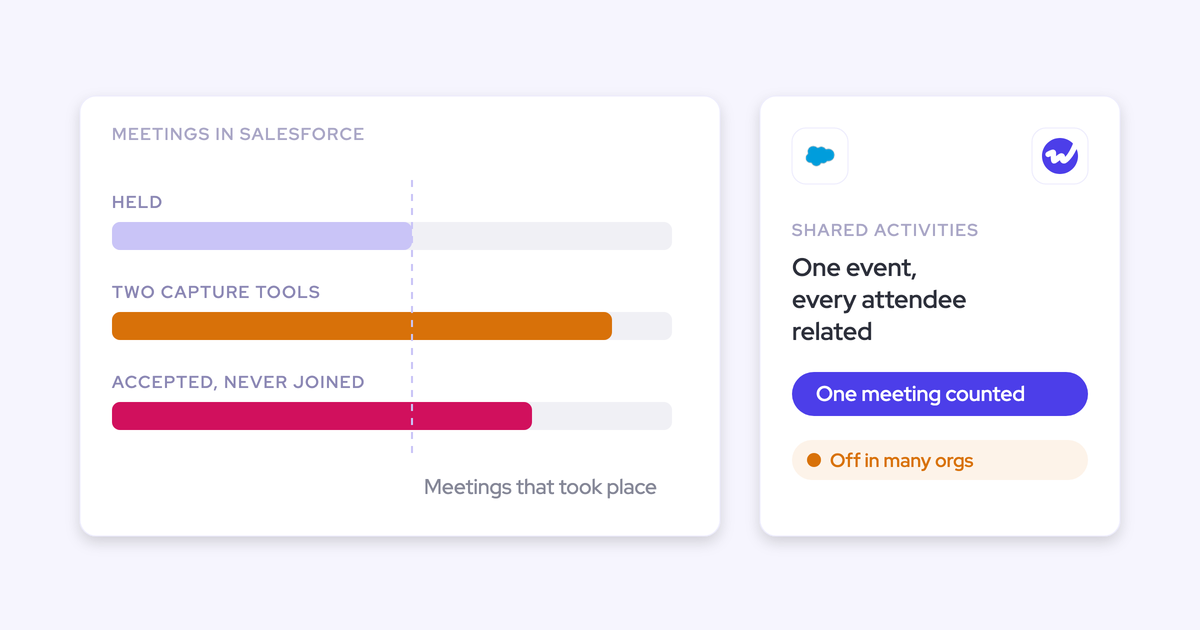
- Per-meeting metrics inflate: Meetings per rep, meetings per closed opportunity and touches per deal all read high.
- Views disagree: One rep can show thirteen meetings a week in one view and eight in another, depending on which records a report picks up.
- Every report needs its own dedup step: You rebuild the same filter in each report, and the next person to build one will probably forget it.
- The deal history splits: The summary and AI field updates sit on the recorder's event, while the activity your reports count sits on the capture tool's.
- Customers can get repeated calendar notifications: In the sync-loop pattern below, each pass writes the event back to the calendar, and updates to events with external attendees can notify them.
- Old duplicates stay: Fixing a setting stops new duplicates, but it won't remove the ones already written.
- The newest tool gets blamed: Reps see doubled meetings after a rollout and assume the new tool is broken.
And since meeting counts drive real decisions, this matters. As our CPO Philipp Stelzer likes to say, wrong data is worse than no data. With no data, at least you know you're blind. With doubled meeting counts, the dashboard still looks fine, and people act on it.
Why your recorder and capture tool can't dedupe each other
In short, nothing connects the two writers. Nobody owns the activity layer, there's no shared key to match on, and the vendor settings you'd look for don't cover meetings.
Nobody owns the activity layer when each team buys a tool
Duplicates usually start with how the stack was bought. Sales picked up a sequencer, CS got Einstein Activity Capture, and someone added Gong for meetings. Each purchase solved one team's problem, but nobody decided who writes what.
One prospect listed their stack back to us and did the math out loud:
"We are using Einstein also Chili Piper and Outreach. Right back to Salesforce, but. And then Weflow. So I was like, is it half? Do we have four events every time?"
It's exactly the right question to ask, because every tool that touches the calendar is a potential writer.
Each vendor writes its own Event and ignores the other
Both tools legitimately represent the meeting, so both create an Event. Run Attention for conversation intelligence next to a separate capture tool, for example, and you'll get two records for the same meeting.
That's because, for most conversation intelligence vendors, the Salesforce integration isn't the main focus. They're built to produce a good transcript and summary, not to write onto a meeting record that already exists, so creating a new record is the default.
Gong writes no calendar event ID another tool could match
Gong doesn't write the Microsoft or Google message or event ID into Salesforce, so a second tool has nothing reliable to dedupe against when it logs.
Without a shared key, the only way to tell that two events are the same meeting is to guess from the subject and time. So the second tool can't fix this on the fly, because the information simply isn't on the record.
Vendor export controls stop at email and dialer calls
Gong has coexistence controls for email and calls, but nothing equivalent for meetings. So if you've searched Gong's settings for a meeting option and come up empty, that's why.
| Activity type | Gong's control for running next to another logger |
|---|---|
| Export only emails written in the Gong composer, instead of all emails | |
| Dialer calls | Export only calls made with the Gong Dialer, instead of all imported calls |
| Meeting invites and web conference calls | No equivalent setting |
How to find which duplication pattern runs in your org
Before you change anything, a quick check on the Created By field, plus the shape of the duplicates, will tell you which pattern you're dealing with. It also gives you evidence to show reps which writer is at fault.
Check Created By on both events for the same meeting
Created By tells you who wrote each record. Since integration tools write through an integration user, this field usually names the tool.
- Pick one meeting that appears twice on an opportunity or contact timeline.
- Build an Event report or list view for that date, with Subject, Start, Created By, Assigned To and the related records as columns.
- Compare Created By on the duplicates. Two different integration users means two writers.
- If both carry the same user, compare the number of events to the number of attendees. One event per attendee points to the per-attendee pattern. Two events for the same organizer points to a sync loop or a tool duplicating itself.
- Repeat this for three or four meetings across different reps. That way, you're fixing the pattern, not one rep's calendar quirk.
Match what you see to one of four event duplication patterns
Each pattern leaves a distinct signature in Salesforce, so you can match your Created By results against this table.
| Pattern | What you see in Salesforce | How to confirm it |
|---|---|---|
| Two vendors each writing an event (Gong or Attention plus a capture tool) | Two Events per meeting, one with the recording or summary, one plain | Created By shows two different integration users |
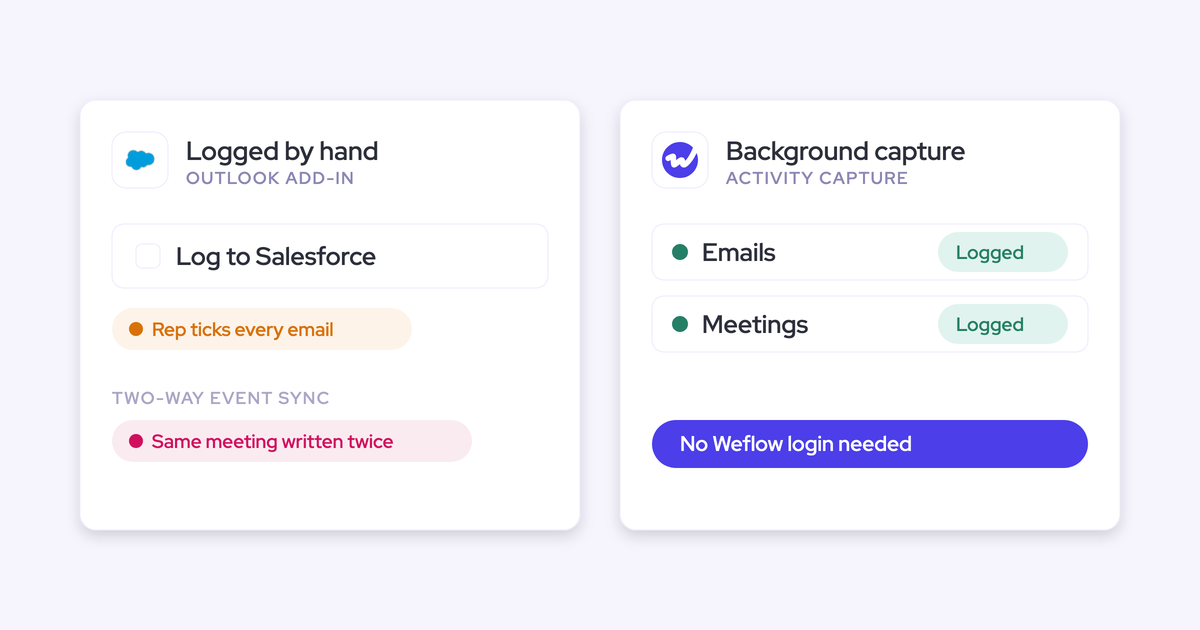
| Sync loop (Einstein Activity Capture two-way event sync) | The same meeting written again after it's pushed back to the calendar; customers may get repeat notifications | Einstein event sync is set to both directions while a second capture tool is also writing |
| One event per attendee (Einstein Activity Capture, Apollo) | A meeting with five attendees shows as five meetings, or attendees each hold their own standalone copy | Event count matches attendee count; for Einstein, the organizer sits outside the sync configuration |
| A tool duplicating itself (Gong) | Two Events per recorded call, both from Gong | The Create Event from Gong Conversation flow is active and meeting invites and conference calls are also exported as events |
A few details on the less obvious rows:
- Sync loop: Removing the Einstein permission from users won't stop it. What matters is the event sync direction.
- Standalone copies: When a meeting's organizer isn't in a syncing Einstein configuration, each syncing attendee becomes the organizer of their own copy, and the other attendees don't show on it. Admins resetting sync can also produce duplicates.
- Per-attendee counts aren't unique to Einstein: A prospect described Apollo "logging five calls or five meetings because five people joined."
Separate sequencer email duplicates from meeting event duplicates
Outreach, Salesloft and Apollo mostly duplicate emails and tasks, not events. It's a related problem, but it has a different fix, so keep it out of your meeting diagnosis.
Turning a sequencer's Salesforce sync back on while a capture tool is also syncing produces duplicate activities. Teams know this, and some scope their pilots specifically to test it:
"We do plan to continue using Outreach. One of the main reasons for the pilot is to see how these activities will log in Salesforce where there could be duplication."
If your duplicates are Tasks with the same email body, you're looking at sequencer coexistence. If they're Events for the same meeting, keep reading.
Pick one system to own the meeting record
The fix that lasts is one writer per activity type. Meetings get one owner, and every other tool either attaches its summaries and field updates to that Event or stops writing meetings.
Most teams treat duplicates as a reporting problem and build filters, which works until the next report. Those filters are really standing in for an ownership decision, and that's a decision you can take to the other tool owners in your org.
Our rule of thumb is simple: capture follows where the seller actually works.
| Activity type | System that should write it |
|---|---|
| Inbox email (one-off replies, threads) | The activity capture layer, because nothing else sees those messages |
| Sequencer email and calls | The sequencer, which also owns metrics that exist nowhere else |
| Dialer calls | The dialer, through its own Salesforce integration |
| Calendar meetings | One system only, ideally the one that sees every meeting, recorded or not |
| Recordings and summaries | Attach to the meeting Event; never create a new one |
The last two rows are where most stacks break. Whoever owns meetings needs to see the unrecorded ones too, or your meeting counts will drop the moment a recorder isn't let into a call.
Four ways to stop duplicate meeting events, cheapest first
Each path trades effort for how much it fixes. Only a single meeting owner removes duplicates at the source, but the cheaper paths are still worth weighing.
| Path | What it costs you | What it leaves behind |
|---|---|---|
| Filter meeting reports to one writer's Created By user | Nothing; you can do it today | Duplicates on timelines, and a filter in every report |
| Keep Gong for conversation intelligence, turn off its meeting export | Nothing, if you're happy with Gong | Recordings on separate Gong records, apart from the activity timeline |
| Set Einstein Activity Capture event sync to one-way | A settings change | Existing duplicates, and the other patterns |
| Let one vendor own both capture and the recording | Switching a tool, and planning for the old tool's data | Historical data held in the previous tool |
Filter meeting reports to one writer's Created By user
This one is free, works immediately, and fixes your counts. Just pick the writer that sees every meeting and filter on its Created By user.
The catch is that both records stay on contact and opportunity timelines, and the filter has to live in every meeting report anyone builds.
Keep Gong for conversation intelligence and turn off its meeting export
If your team likes Gong for recording and coaching, this is the cheapest fix that lasts. Gong keeps the conversations, one capture tool owns meetings, and the two coexist without duplicate activities.
The trade-off is where the recording lives. Gong writes each call to its own conversation object, so anyone reviewing an account has to look in two places: the activity timeline and the Gong records.
Call transcripts aren't exported to Salesforce either way, so they stay in Gong.
Set Einstein Activity Capture event sync to one-way
Setting Einstein's event sync to one direction (from the calendar into Salesforce) breaks the loop without turning Einstein off.
It's a quick settings change, but it only fixes that one pattern. It won't clean up duplicates already written, and it won't touch per-attendee copies.
Let one vendor own both capture and the recording
When one vendor writes the meeting Event and attaches the recording to it, the cross-vendor problem disappears. With only one writer, there's nothing to dedupe.
The cost is switching tools. You'll need to plan the cutover and decide what to do with the recordings and transcripts that stay in the old vendor's cloud, especially if you rely on old calls for coaching or deal history.
How Weflow keeps capture and recording on one meeting record
Weflow is the Revenue AI Orchestration platform for sales, customer success, and RevOps teams.
It's built for Salesforce teams, so when you run Weflow Activity & Contact Capture and Weflow Conversation Intelligence together, the recording is added to the meeting Event instead of creating a second one.
Here's how that works, and where it stops.
Weflow logs the meeting once, whether or not it was recorded
Weflow logs every external calendar meeting as a Salesforce activity, recorded or not. Recording simply adds the summary and AI field updates to that same activity.
So if you see a meeting on a deal with no summary, the meeting happened and was logged, but the recorder wasn't let in or the rep chose not to record. Either way, your activity trail stays complete.
There's one condition: this one-record model only works when Weflow is both your capture layer and your conversation intelligence layer.
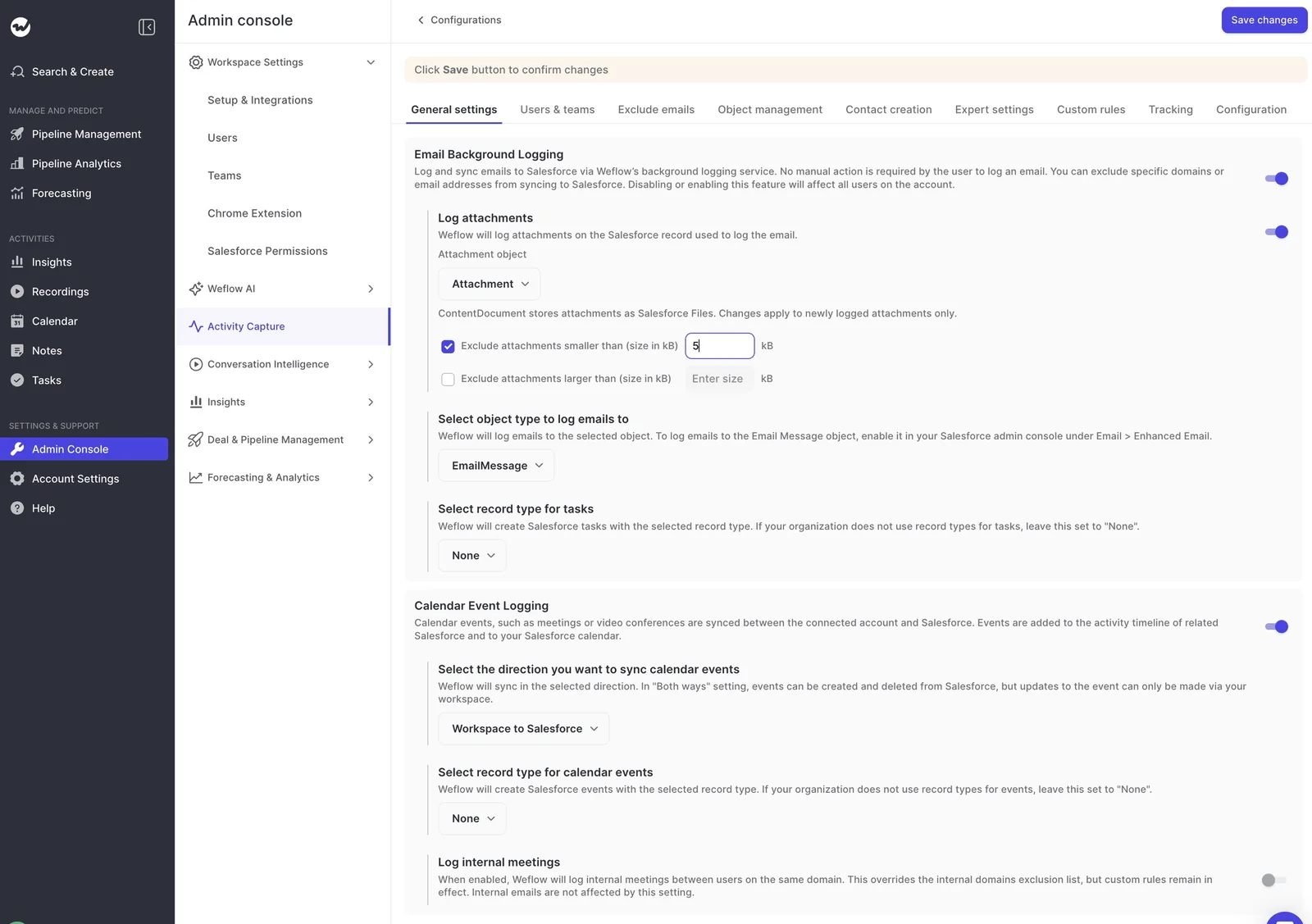
We also recommend one-way sync from the calendar into Salesforce, since the Salesforce-to-calendar direction is the one that tends to fail.
One parent event per meeting, with child events per attendee
Weflow creates one parent Event per meeting, plus a child Event for each attendee. That way, the meeting counts once, and each attendee is still tied to it. When you build meeting reports, count the parent Events to get one meeting per meeting.
Compare that with one Event per attendee, where a five-person meeting shows up as five meetings in every report.
Where Weflow compatibility mode helps, and where it stops
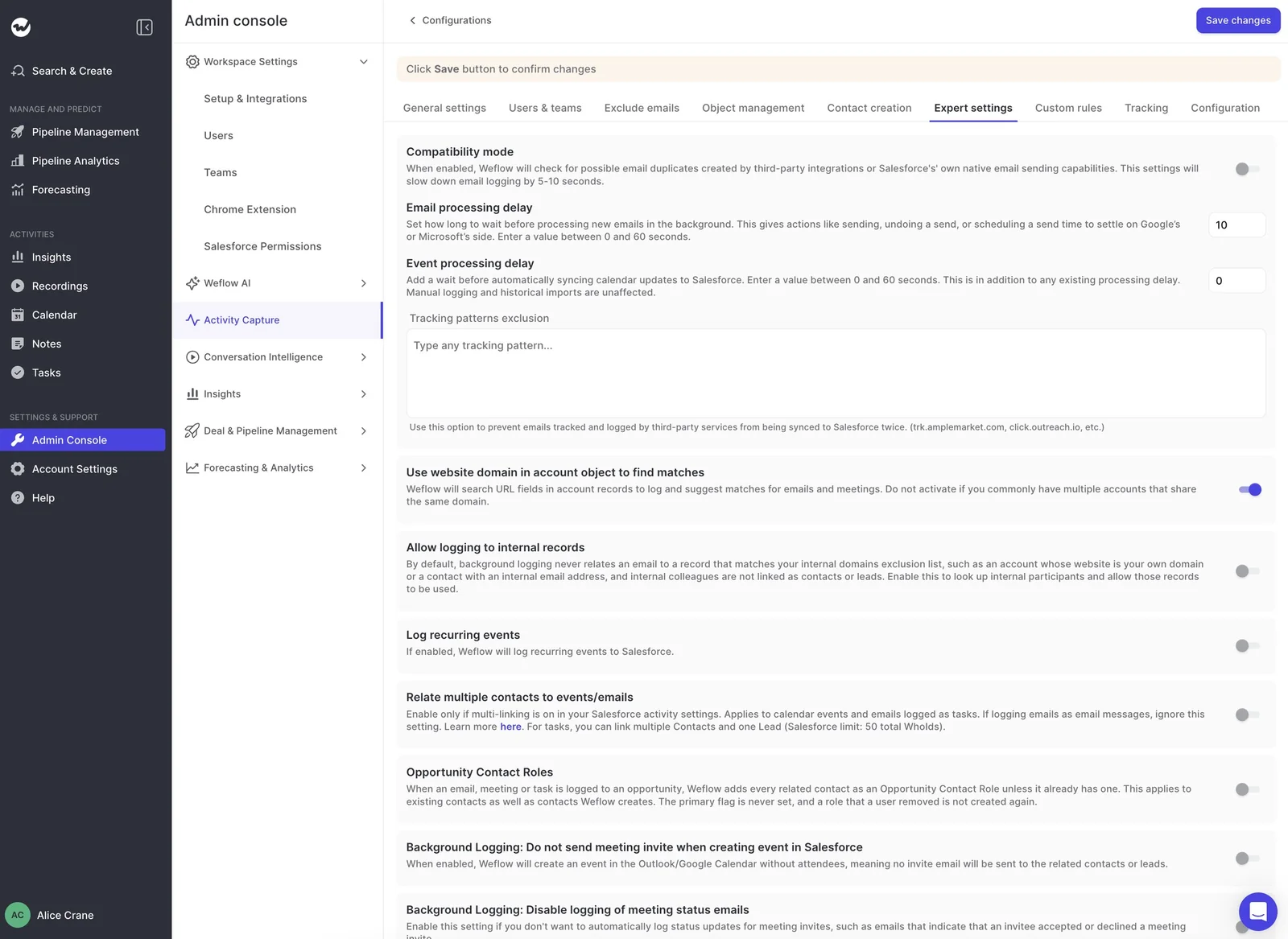
Compatibility mode takes care of the sequencer side. Weflow waits about ten seconds before syncing so the other tool can log first, then checks the message for that tool's tracking pattern and skips it if it finds one.
| Situation | What Weflow does |
|---|---|
| Email already logged by Outreach, Salesloft, Apollo or Clay | Skips it, using presets for those tools |
| Email a rep sent from inside Salesforce | Skips it, as long as the EmailMessage object is active |
| Sequencer email sent through a custom tracking domain | Logs it twice unless you add the domain to the Tracking patterns exclusion list in Expert settings |
| Events Einstein Activity Capture creates with one-way sync | Adds summaries and codings onto those events |
| Meeting events created by Gong or Attention | Doesn't detect or attach to them |
The custom tracking domain is the one that most often catches teams out. Even some of our own customers have run into Outreach overlap:
"we have an issue with activity coming in that we can't totally log to something or duplicate activity. Mostly because of that overlap between outreach and weflow."
The reverse can happen too. If compatibility mode stays on after a sequencer stops logging to Salesforce, Weflow will keep skipping that tool's emails, so turn it off once the other tool is gone.
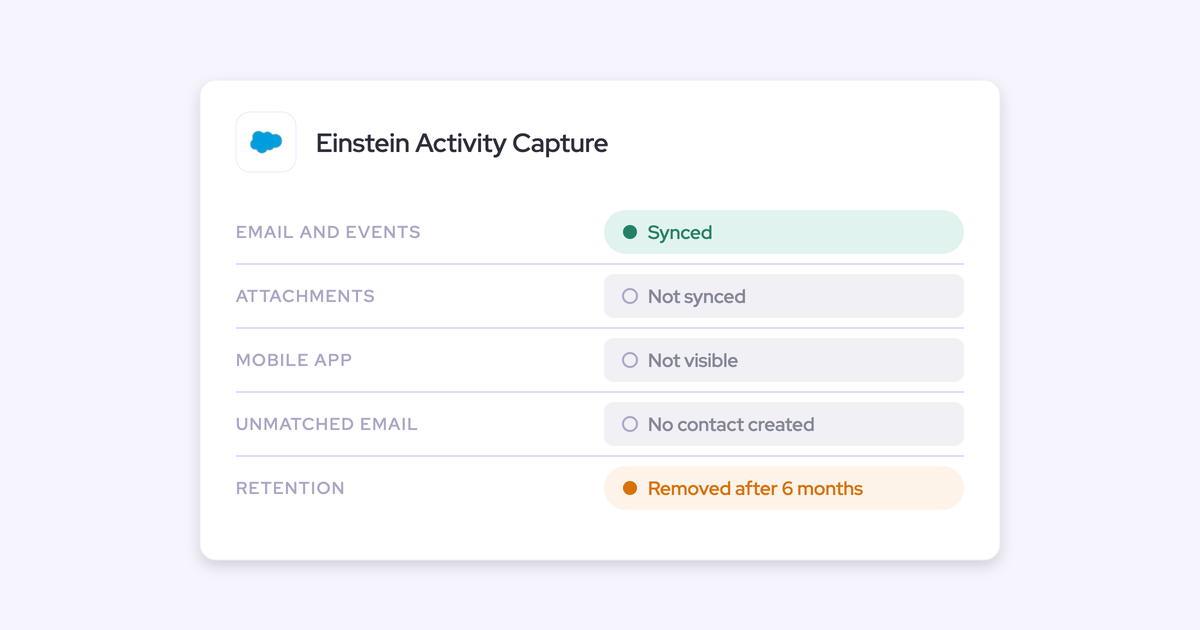
As for Einstein, because Weflow attaches to its events with one-way sync, you don't have to switch Einstein off to adopt Weflow. That said, we strongly recommend turning it off, since running both causes race conditions.
Audit every Weflow record with Created By and W_ message IDs
Every record Weflow creates is traceable.
Weflow records carry the integration user in Created By, and emails Weflow logs as Email Messages carry a message ID beginning W_. Emails logged as Tasks have no message ID field, so you filter those by the Weflow integration user.
That gives you the evidence you need when a rep says the tool is broken, since you can reconcile Weflow's records against any other writer, one meeting at a time.
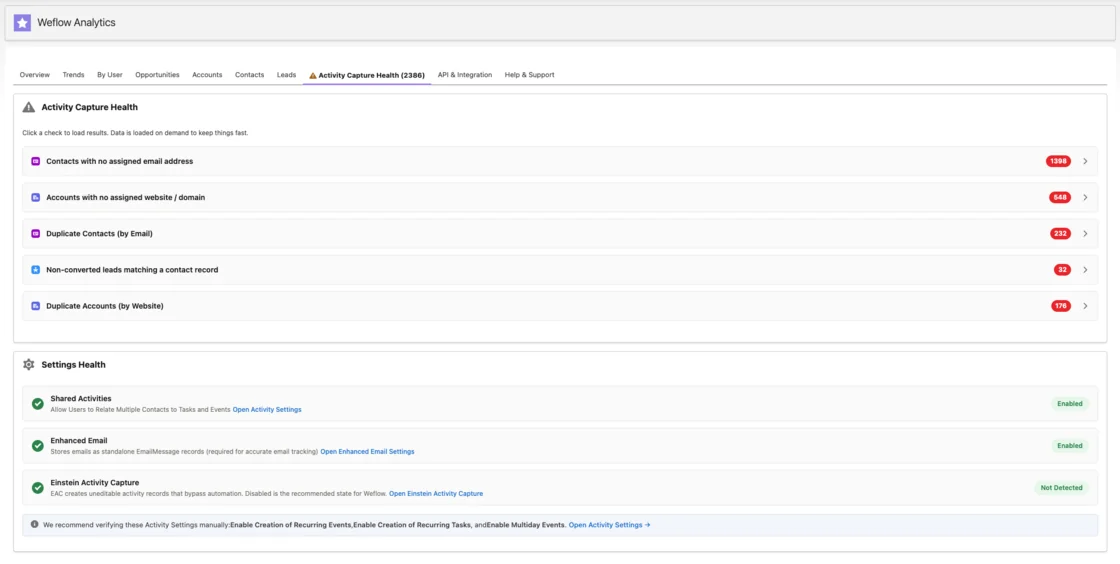
Weflow Analytics also runs a Settings Health check inside Salesforce. It reports whether Einstein Activity Capture is detected in your org, alongside the Shared Activities and Enhanced Email settings Weflow needs.
What Weflow Activity & Contact Capture and Conversation Intelligence cost
Weflow Activity & Contact Capture is $19 per user per month. Weflow Conversation Intelligence is $39 per user per month on its own.
Revenue AI Foundation bundles the two for $49 per user per month, roughly a 16% discount against buying them standalone. It also includes Mobile Copilot, Ask Weflow AI and Agent Builder.
All plans are billed annually, with a 10-user minimum. Weflow works exclusively with Salesforce.
How to test one meeting owner before you cut over
Before you switch anything off, run a parallel pilot on default settings to check that each meeting produces exactly one Event. Then switch the losing writer off at cutover. Teams replacing capture tools do exactly this:
"we tested it out, made sure it tracked one for one."
- Pick the meeting owner: Decide which system will write meeting Events before the pilot starts.
- Run it on defaults in a sandbox: Leave templates and custom use cases out for now, since you're testing parity, not features.
- Check Created By counts per meeting: Each meeting should have one Event from the owner. Anything else shows you which writer still needs to be switched off.
- Check recorded and unrecorded meetings: The owner has to log both, or your counts drop wherever the recorder didn't join.
- Check sequencer email: Send through Outreach or Salesloft, including any custom tracking domain, and look for doubled Tasks.
- Cut over cleanly: Switch off capture and conversation intelligence on the sandbox workspace before production goes live, and disable the other writer's meeting export.
If you're moving to Weflow, our team can copy teams and templates from the sandbox to production, and sandbox recordings can move across too. You'll just need to set up the packages, the integration user and the Microsoft Entra connection again in production.
If you want the full picture of how activity lands in Salesforce while you plan the pilot, get the free Salesforce Activity Capture Cheat Sheet.
FAQs Sales Ops teams ask about duplicate Salesforce events
Can we clean up duplicate events already written to Salesforce?
Yes, but not by changing settings. Every fix above only stops new duplicates, so the existing ones stay until someone deletes them. Weflow never moves or removes activity on its own once it's logged.
Will meetings nobody recorded still be logged in Salesforce?
With Weflow, yes. Meetings are logged whether or not they're recorded. Gong, by comparison, imports every meeting set to be recorded, but only imports non-recorded meetings when a participant matches a CRM record.
Do internal meetings and room bookings inflate meeting counts too?
They can. Einstein Activity Capture logs internal meetings, including calendar entries for meeting rooms and video-conference resources.
Weflow skips these by default: it excludes activity where every participant is on an internal domain, and it ignores calendar entries with no other attendees and no meeting link.