Weflow vs Avoma: Forecasting and Deal Intelligence Compared (2026)
Decide between Weflow vs Avoma for forecasting: roll-ups, weighted forecasts, and AI predictions.



On a feature checklist, Weflow and Avoma look like a tie. Both record calls, score deals and roll up a forecast.
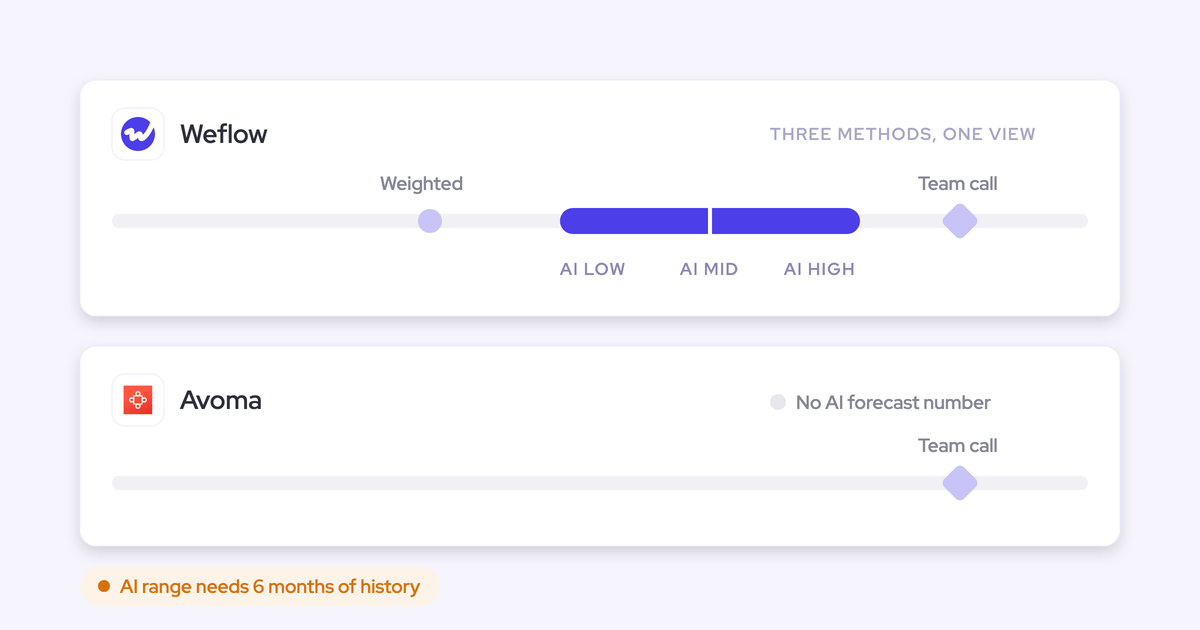
As forecasting processes, they're built differently. Avoma's Revenue Intelligence add-on gives you one rep-and-manager roll-up per organization, calculated on the CRM deal amount. Weighted amounts are still marked "coming soon", and Avoma documents no model-predicted number beside your team's call.
Weflow is the Revenue AI Orchestration platform for sales, customer success, and RevOps teams. Its forecasting product, Weflow Deal Intelligence & Forecasting, runs three numbers per motion side by side:
- your team's call
- a weighted forecast recalculated from recent win rates
- an AI range you can inspect
Below we compare both tools capability by capability. Avoma gets credit where it's strong: submission history, Slack reminders, transparent risk factors and CRM breadth. Where Weflow has a gap, we say so in the section it applies to.
Weflow vs Avoma at a glance: forecasting and deal intelligence
The two tools diverge on the capabilities that decide a forecasting purchase. A checkmark grid hides those differences, so every cell below says what each tool actually does.
| Capability | Weflow | Avoma |
|---|---|---|
| Forecast submissions and roll-ups | Baseline and best case per rep, tied to named deals. Every version kept, overrides logged with rationale, a separate roll-up per record type. Submitted in the web app only, not written to Salesforce fields. | Amount per pipeline and period, with included deals. Managers approve, roll up and can submit for reps, and a History tab keeps every change. One forecast configuration per organization. |
| AI forecast prediction | Low, middle and high range from 50+ deal signals and up to two years of history, shown beside the weighted and roll-up forecasts. Needs six months of history and doesn't yet adjust for ramping reps. | Forecasts described as AI-driven from conversation and CRM data. No model-predicted number or method documented beside the call. Weighted amounts marked "coming soon". |
| Deal risk warnings | 50+ signals plus customer-built AND/OR rules on opportunity and computed fields, shown in the forecast submission screen. Warnings are Weflow fields, not reportable in Salesforce or BI. | AI risk score, keyword alerts to Slack or email, deal-risk and forecast-risk replies in Slack threads, stakeholder alerts and a risk detection agent template. |
| AI deal scoring | 0 to 100, recalculated nightly, trained on your own closed-won and closed-lost deals, with drivers shown. Needs about six months of closed history. | 0 to 100 risk score from meetings, emails and CRM updates, with positive and negative factors and a trend timeline. Avoma doesn't say it's trained on your own won and lost deals. |
| Deal board | Opportunity, account and contact fields in one view, with last email, last and next meeting and the activity timeline. Edits write to Salesforce, and templates lock per team. | Revenue Insights saved views with up to 50 columns of CRM and Avoma data. Inline edits write back to the CRM. |
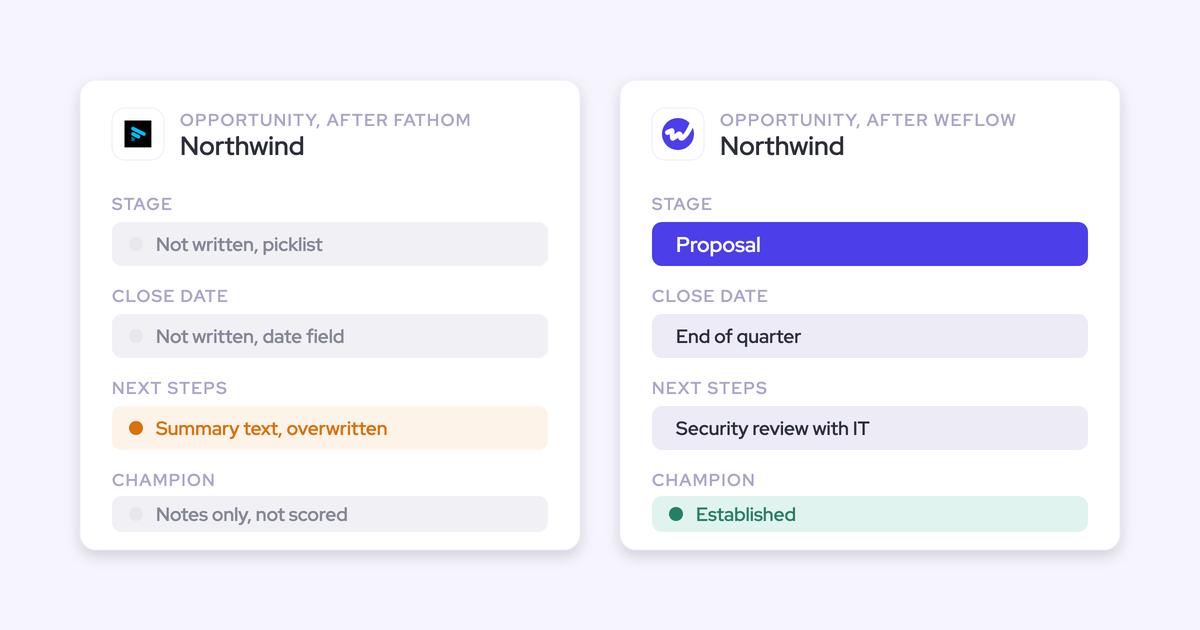
| CRM field updates from conversations | Any object and field type except lookups, including picklists and Stage. Auto-write or review is set per field. Custom objects need setup by Weflow support. | Smart Topics mapped to Opportunity and Account fields. No custom objects or single-line text, and the sync is automatic with no review step. |
| Integrations with other tools | Salesforce, Gmail, Google Calendar, Outlook, Zoom, Teams, Meet, Slack and the Outreach dialer, plus BI through the API. No native warehouse connector, and Salesforce only. | 26 native integrations: eight conferencing tools, six CRMs, nine dialers and engagement tools, Slack, Teams chat and ClickUp, plus Zapier. |
| Access from AI assistants (MCP) | Read-only connector returning forecast calls, live pipeline total and the delta, per-rep pipeline metrics, playbooks, summaries and transcripts. Per-rep breakdowns cap at 25 owners. | Connector reads meetings, transcripts, notes, scorecards and usage metrics, and sets a meeting's outcome, purpose and privacy. Needs the Organization plan or above, or the API Access add-on. |
| Raw data access outside the tool | REST API bulk export of transcripts, metadata, scores and signals as JSON or CSV to warehouses and BI. Recordings export to your own storage. | REST API and webhooks for meetings, recordings, transcripts, notes and scorecards. 60 requests a minute, Organization plan and above, no managed warehouse export described. |
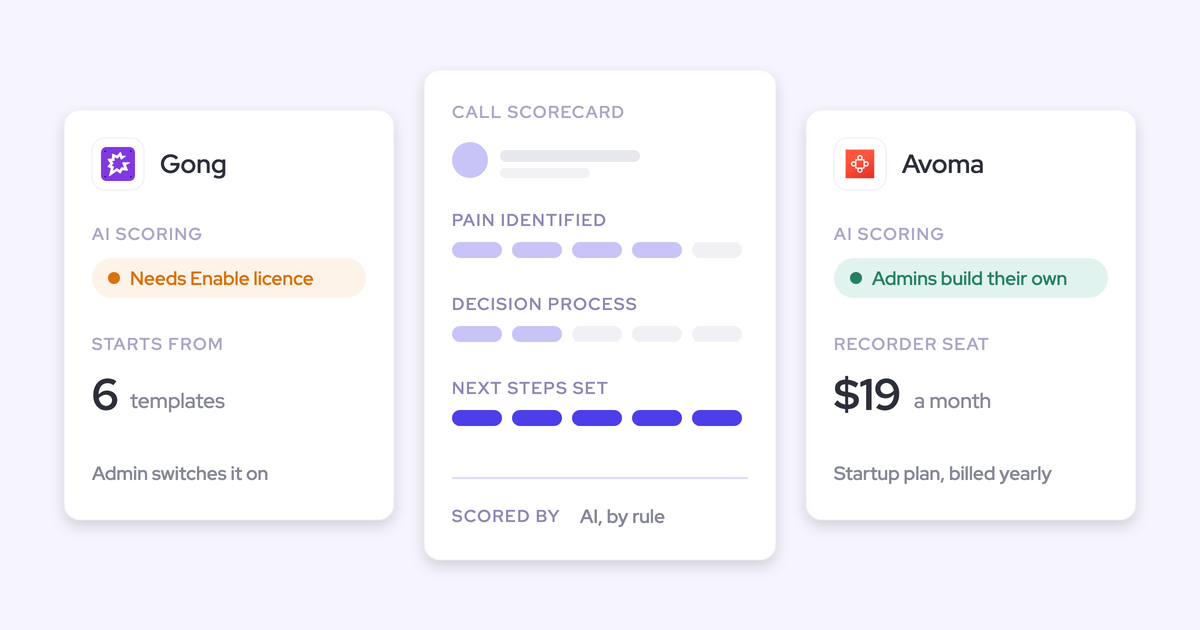
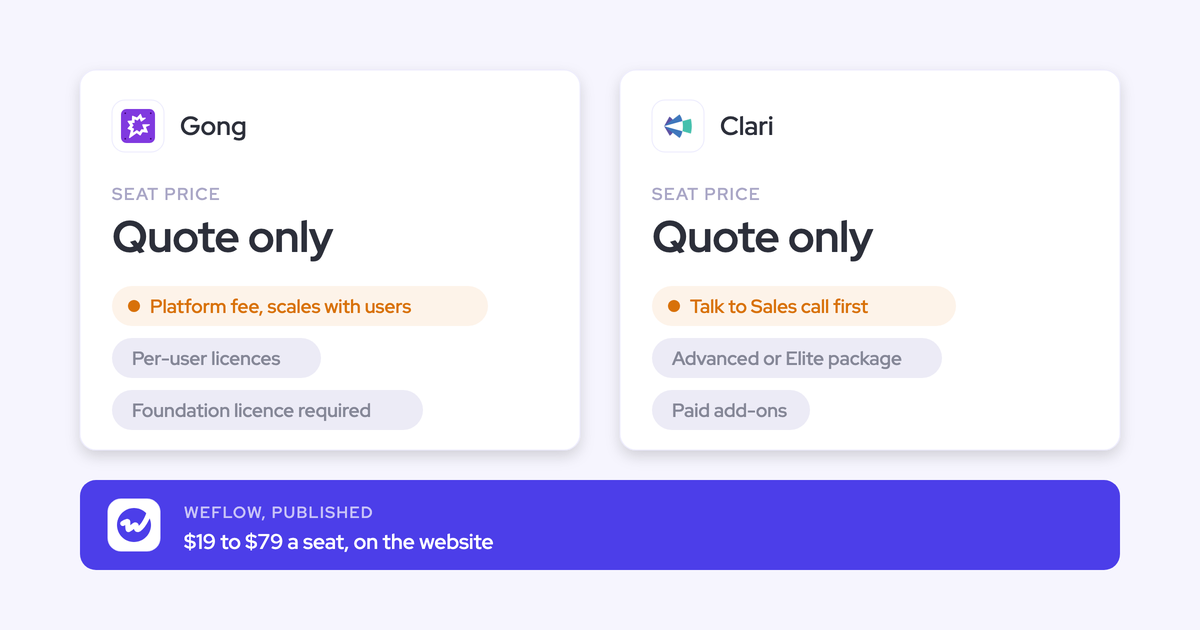
| Pricing | Published: Deal Intelligence & Forecasting at $39, bundles at $49, $59 and $79 per user per month. Annual billing, 10-user minimum. | Published: recorder seats at $19, $29 and $39 per month billed annually. Forecasting needs the $29 per seat Revenue Intelligence add-on. |
The rest of this article is organized around the forecasting capabilities, because that's where your decision gets made.
Why RevOps teams compare Avoma's Revenue Intelligence add-on with Weflow
Avoma grew outward from the meeting. It started with recording, transcribing and summarizing, then added CRM depth, deal scoring and forecasting as a per-seat add-on. If Avoma already records your calls, switching on Revenue Intelligence looks like a small upsell from a tool your team already uses. That makes it the default option to beat.
If you're replacing a spreadsheet forecast, you probably found both tools under "conversation intelligence plus forecasting". You know how your forecast breaks today:
- last week's call lives in a file nobody can compare against
- someone takes a manual Monday snapshot just to see what moved
- a manager overwrite leaves no trace
Either way, the real question is the one neither homepage answers. Is Avoma's forecast a forecasting process, or a roll-up screen next to the recordings?
Run this three-number forecast test on Weflow and Avoma
A forecasting tool earns its seat if it shows three numbers per motion, every week, and the gap between them. Those numbers are:
- the team's call
- a live weighted forecast
- a visible AI range
Each one alone is wrong in a predictable direction. The team's call carries judgement and incentives, the weighted number carries history with no context, and the AI projection carries signals nobody has time to read with no accountability. Read together, they give you a corridor, and the gaps between them become the agenda for the forecast call.
We hear the three-number problem on almost every forecasting call. One buyer put it this way:
"Maybe they say they're going to close 300. My weighted forecast is saying 700. My deal forecast is saying 400. I want to get them to converge."
| Test item | Weflow | Avoma |
|---|---|---|
| The team's call, with history | Baseline and best case tied to named deals. Every version kept, plus an independent manager call. | Holds up: amount per pipeline and period with included deals, and a History tab showing every change and its note. |
| A weighted forecast from recent win rates | Stage win rates recalculated from a rolling 90 or 180 day window, per rep and per team. | Weighted amounts marked "coming soon". The forecast runs on the CRM deal amount. |
| A visible AI projection | Low, middle and high range on the pacing chart, with a stated history requirement. No range shown when the model isn't confident. | Described as AI-driven. No predicted number or method documented beside the call. |
| A separate forecast per motion | Each record type gets its own stage path, category mapping, roll-up and quota. | One forecast configuration per organization, on a single period. |
| Accountability for overrides and accuracy | Overrides timestamped, attributed and logged with rationale. Accuracy tracked per rep, manager and segment without setup. | History keeps every change. Pipeline Trend overlays forecast submissions on the pipeline, so you can compare commits with what's actually there. |
Weflow passes all five. Avoma passes the first and gives you a useful commit-versus-pipeline overlay, but its add-on stops at one roll-up per organization.
How Weflow Deal Intelligence & Forecasting runs your forecast
We built Weflow forecasting-first: submissions, weighting, the AI projection and deal signals all feed one weekly roll-up per motion. Here's how each piece works, limits included.
How Weflow rolls rep and manager forecast calls up the hierarchy
Weflow reps submit a baseline and a best case, either as totals or by picking the opportunities behind each figure. Because the call points at named deals, your forecast review runs deal by deal instead of arguing about a total.
- Submission: each call carries a free-text comment, and every version is kept. Deadlines lock the field, and a reminder email deep-links reps straight into the submission.
- Overrides: managers adjust at the deal or total level. Each override is timestamped, attributed, logged with its rationale and retained across quarters.
- Manager's independent call: a manager submitting for the team picks deals from across the team, so their number is a separate judgement rather than a sum of reps.
- Per-motion forecasts: each Salesforce record type (New Business, Renewal, Expansion, Partner) runs its own stage path, category mapping and roll-up. Combined and per-type quotas work at the same time, in a tab per type plus a combined view.
- Line items: a forecast configuration can run on opportunity product line items, for multi-product or multi-year deals that book in different periods.
- Accuracy: Weflow records every submission against the final closed amount and reports variance per rep, manager and segment. It's on for every Forecasting customer, and your admin picks the field accuracy is measured against.
That version history is what turns a forecast into a track record. After a missed quarter, you can see whose judgement moved and when.
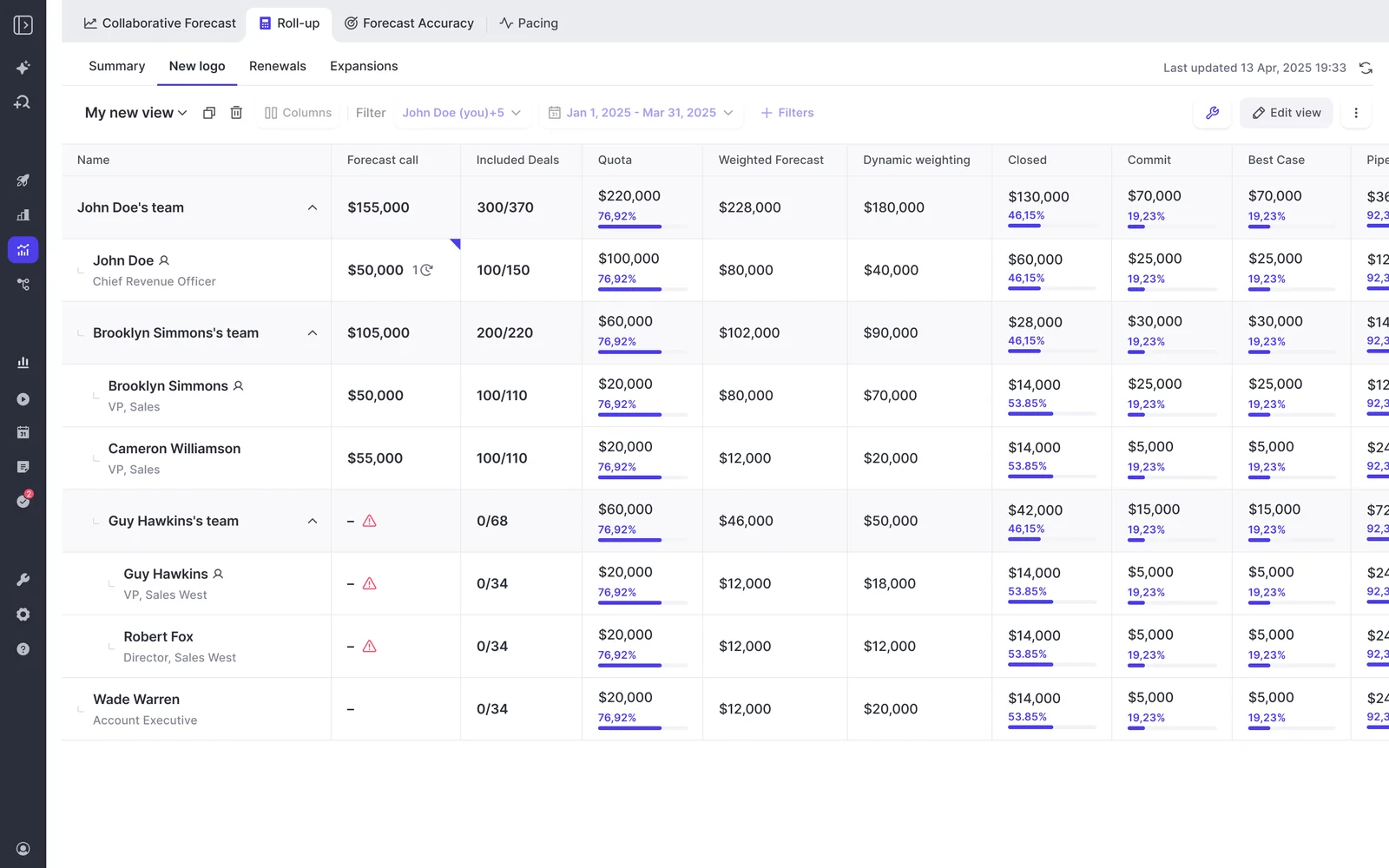
Two limits apply. Forecast submissions live in the Weflow app and aren't written to any Salesforce field. You also can't submit from a phone or a chat tool: Weflow emails a reminder and flags a missing submission as a warning, and the submission itself happens in the web app.
How Weflow puts a weighted forecast and AI range beside the call
Weflow's pacing chart shows the team forecast, a weighted forecast and the AI projection side by side, against pipeline, commit and closed. That's the corridor from the test above, on one screen.
The weighted forecast recalculates each stage's win rate from a rolling window, such as the last 90 or 180 days, per rep and per team. It doesn't use the stage probability typed into Salesforce once and never revisited. It's still a weighting: accurate across many opportunities, and saying little about any single deal.
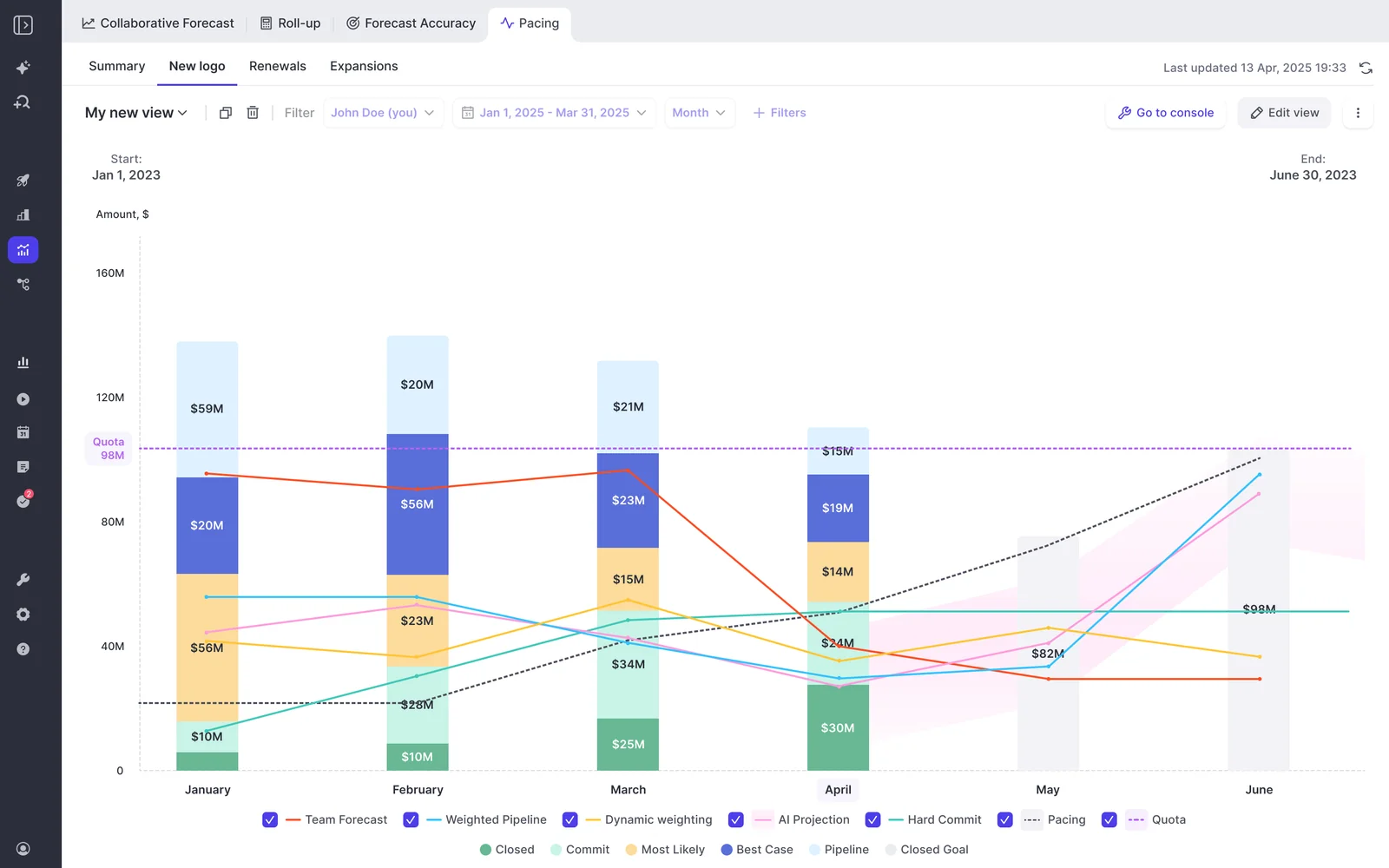
The AI projection is where buyers ask the hard questions, so here's the method:
- Inputs: more than fifty deal signals, including seasonality, rep performance, conversion rates, communication cadence, whether a next meeting is booked and methodology health. A large deal that's being poorly worked gets projected down.
- History: at least six months of opportunity history, and up to two years. Weflow imports twelve months of Salesforce opportunity data at install by default, and more on request where field history allows.
- Time to first projection: 48 to 72 hours after install, once that history is in place.
- Per-configuration models: Weflow builds a separate model for each forecast configuration, so new logo and renewal are each projected from their own history.
- Output: a low, middle and high value, refreshed nightly. The range widens when your business is changing, such as new products, motions or territories.
- When it isn't sure: it shows no range and says why.
Two limits here. The projection doesn't yet adjust for ramping reps, so a new hire's line rests on very little history of their own. And the roll-up itself sums the chosen amount field unless you build it on a weighted field. The weighted forecast and the AI projection are where likelihood gets modeled.
How Weflow deal warnings show up when reps commit deals
Weflow deal warnings appear inside the forecast submission screen, at the moment a rep picks which deals to commit. That's what stops an unhealthy deal from entering the forecast, rather than surfacing it in a report after the number is already wrong.
You write the rules, because warnings only work when they encode your own slippage patterns. A team with a 60-day cycle can call 14 days of silence a risk. A team with a 12-month cycle wouldn't.
- Typical triggers: close date pushed more than twice, only one contact on the deal, a missing methodology field, too many days in the current stage, no activity for a set number of days.
- What rules run on: AND/OR logic on any opportunity-related field except text fields, plus computed fields like days inactive and close-date push count.
- What's already there: 50+ pre-built signals. Weflow tracks days in stage and push count automatically, so you don't build custom fields for them.
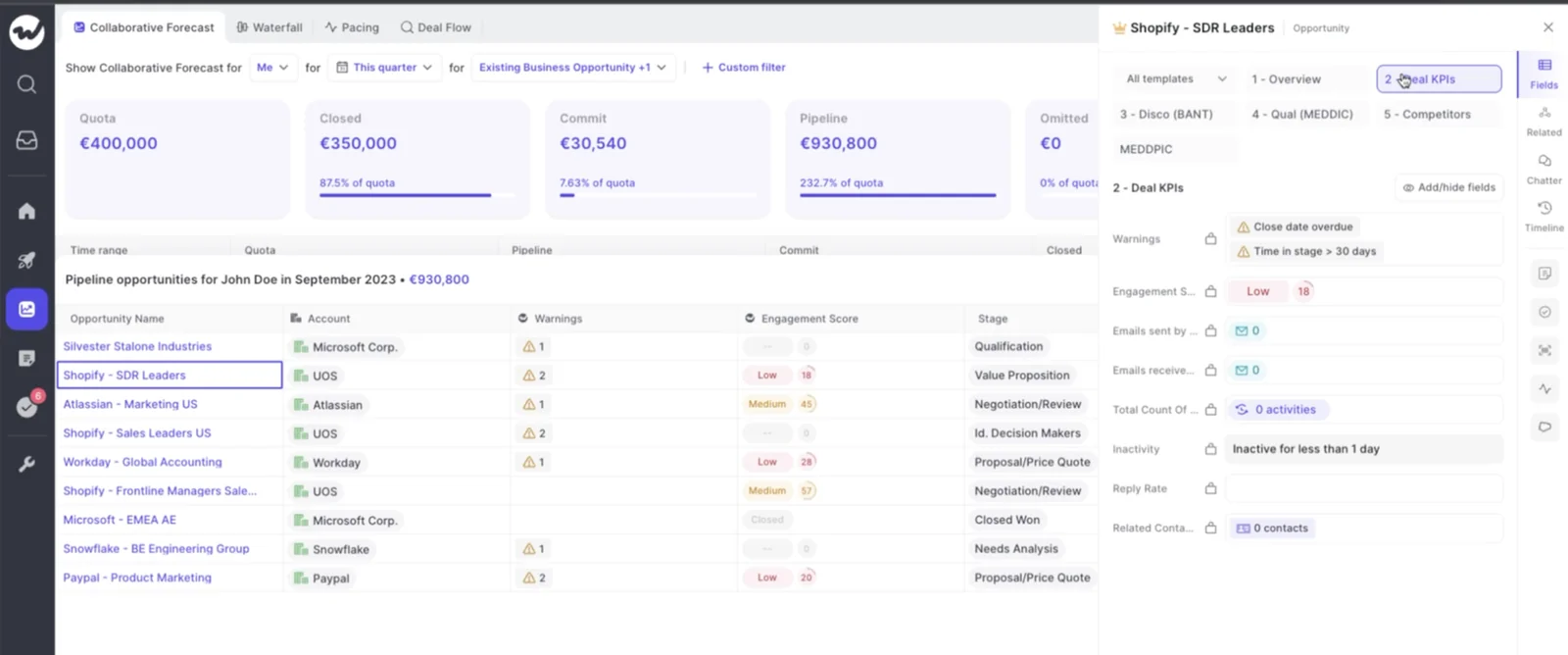
The limit: warnings are Weflow fields, not Salesforce fields. You can't put them in a Salesforce dashboard or pull them into BI. The workaround today is an agent that writes the assessment into a Salesforce field you create, which works but has to be built.
How Weflow scores each deal on your own won and lost history
Weflow scores every opportunity from 0 to 100 on its likelihood to close, recalculated nightly. The model trains on your own closed-won and closed-lost deals, not a generic model, and learns what separated them in your business: time in each stage, number of activities, communication cadence.
Each score shows the drivers behind it, so you can see why a deal sits where it does. The model needs about six months of closed history to score accurately, and trains within a few days once that history is there.
What the Weflow deal board shows on every opportunity
The Weflow deal board is one editable view you can run a deal review from. On each opportunity it shows:
- opportunity, account and contact fields side by side, which a standard Salesforce opportunity report can't do
- last email, last meeting and next meeting
- the full activity timeline, clickable through to the messages
- an AI summary that reasons across every meeting on the deal, with communication velocity and everyone involved
- computed fields such as days inactive, close-date pushes and methodology adherence
Every field writes back to Salesforce. Admins can lock a template per team, so the shared view doesn't drift into ten personal versions.
Which Salesforce fields Weflow AI Field Updates can write
A weighted forecast is only as honest as the stage. When stages move because a rep remembered to move them, the weighting compounds optimism. When they move because written exit criteria were met on a recorded call, the same calculation starts describing your pipeline.
That's why field updates are a forecasting argument, not an admin-saving one. Weflow AI Field Updates write call outcomes into Salesforce fields, so the stage your weighted forecast reads reflects what buyers actually said.
- Scope: any Salesforce object and any field type except relationship lookups. That includes picklists (respecting the defined values), numbers, dates and multi-select.
- Stage: an update can move the opportunity Stage when the exit criteria in the prompt are met. Validation rules still apply, and Weflow can fill the fields a stage gate depends on.
- Review: auto-write or human review is set per field. A website field can update itself while Stage and champion wait for a person.
- Methodology fields: MEDDIC or SPICED fields accumulate across the deal instead of being overwritten by the latest call.
- Prompts: 250+ pre-built prompts get you started.
Standard objects work out of the box. Custom objects need setup by Weflow support.
Which tools Weflow connects to, and where it stops
Weflow's integration list is narrower than Avoma's, and we'd rather you see that here than in week two.
Connects natively:
- Salesforce, as the system of record everything lands in
- Gmail, Google Calendar and Outlook
- Zoom, Microsoft Teams, Google Meet and WebEx for recording
- Slack
- the Outreach dialer, whose calls arrive as recordings with transcript, summary and coaching
- BI tools such as Tableau and Looker, through the API
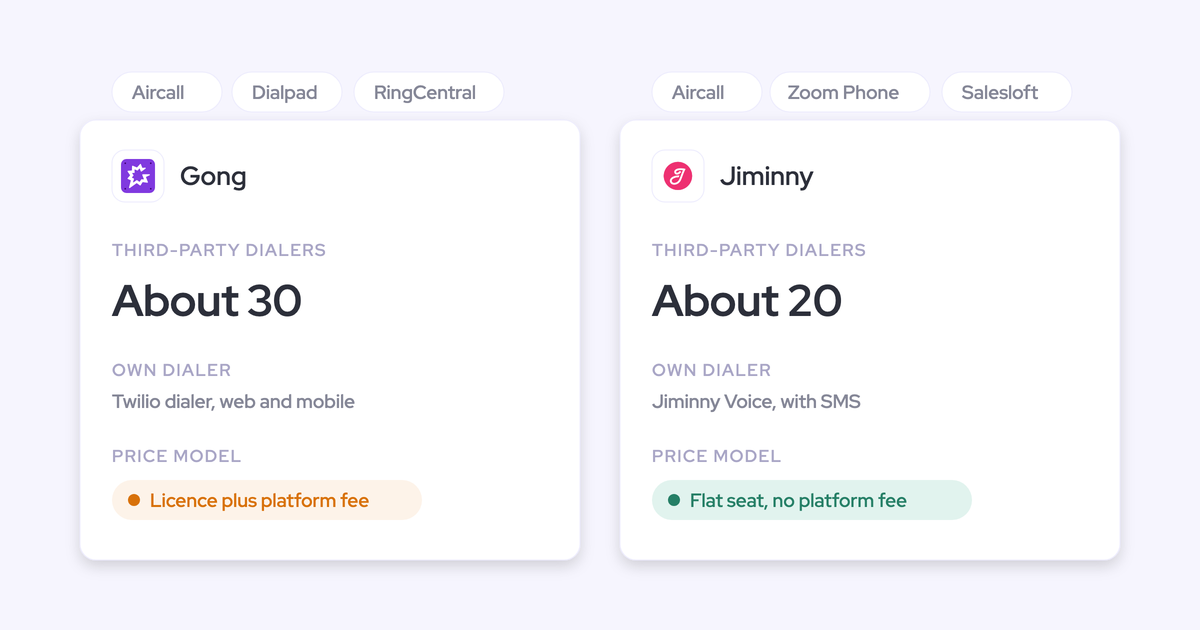
The Weflow desktop app also records softphone calls that run through the computer, such as Aircall or RingCentral, by capturing system audio.
Not covered:
- CRMs other than Salesforce
- a native Snowflake, Databricks or BigQuery connector (teams use the API instead)
- a connector catalogue for systems like finance or ERP, since Weflow isn't an integration platform
What forecast data Weflow's MCP connector gives Claude and ChatGPT
Weflow's read-only MCP connector lets Claude, ChatGPT and other assistants answer forecast questions, not just call-search questions. For a chosen close-date period it returns the latest submitted forecast call, the live pipeline total and the delta between them. That's how you ask an assistant whether your team is calling above or below its own pipeline.
Per rep, it returns weighted and unweighted pipeline, win rate, average deal size, sales cycle length, coverage ratio, gap to forecast and the opportunity IDs behind them. Playbooks, call summaries and transcripts are reachable too. Salesforce's own connector can't see forecast calls, because they don't live on Salesforce objects.
Admins switch the connector on per workspace, with a separate toggle deciding whether assistants read full transcripts or only summaries. Per-rep breakdowns cap at 25 owners, so a large org gets aggregate answers unless you narrow the question to a team.
How you get Weflow data into your warehouse and BI
Weflow's REST API bulk-exports transcripts, metadata, scores and signals as JSON or CSV into warehouses and BI tools. Recordings export to your own cloud storage. Everything else Weflow captures already lands on Salesforce objects, so it reaches your warehouse through your existing Salesforce sync.
Forecast submissions are the exception. They don't land on any Salesforce object, so a team with an "everything lands in the CRM" rule reaches them through the MCP connector today. API access to submissions is planned.
How Avoma's Revenue Intelligence add-on runs your forecast
Avoma's add-on delivers a real rep-and-manager roll-up and useful deal intelligence. Its forecasting also inherits the meeting tool's shape: one configuration per organization, the CRM amount, and no visible predicted number. Here's each capability in the same order.
How Avoma rolls rep forecast submissions up to managers
Avoma's submission flow is solid, and it covers the history problem most spreadsheet teams are trying to fix:
- Reps submit an amount per pipeline and period, alongside the value of the included deals and an optional note.
- Managers approve and roll up the team forecast, and can submit for the whole team or an individual rep.
- A History tab shows every change to the amount, deals added or removed, and the note explaining the edit.
- Deals that move out of the period drop out of the included deals automatically.
- Targets are set per team, member or both, and a team target rolls up from its members.
- Reminders go out by email or Slack on a schedule, in each person's local time zone.
The limit is structural. Avoma allows one forecast configuration per organization, on a single monthly or quarterly period and the CRM deal amount. New business, renewal and expansion share one shape.
What Avoma shows as its AI-driven forecast
Avoma describes its forecasts as AI-driven. By Avoma's account, they draw on conversation and CRM data, learn your deal patterns over time, and typically improve accuracy by 15 to 25 percent over standard forecasting.
What Avoma doesn't document is a model-predicted number, or its method, sitting beside your team's call. The weighted amount option in its forecast settings is marked "coming soon". So on the three-number test, Avoma gives you the team's call and the pipeline, without a statistical second opinion you can read against it.
How Avoma alerts you to deal risk in Slack and email
Avoma has more ways to push risk to your team than most meeting-first tools:
- Keyword alerts: sent to Slack or email when chosen phrases come up in meetings, filtered by team, deal stage, conversation purpose or speaker type, instantly or as a daily summary.
- Slack thread analysis: deal-risk and forecast-risk analysis posted as replies under a meeting alert.
- Stakeholder alerts: flags for deals engaging only one stakeholder, or a new stakeholder appearing late.
- Agents: customer-built agents with triggers such as end of day, including a risk detection template that posts to Slack, Teams or email.
- Review segments: preset deal views for top 10 high-value deals, high risk, weak qualification and no engagement for more than seven days.
How Avoma's deal risk score explains what drives it
Avoma gives each opportunity a 0 to 100 AI risk score drawn from its meetings, emails and CRM updates. It comes with a written assessment of the positive and negative factors. For example, it credits frequent multi-threaded meetings and penalizes a stalled buying process or weeks without a CRM update.
A timeline of past assessments shows whether a deal is gaining momentum, holding steady or getting riskier. That transparency is useful in a pipeline review. Scoring needs the deal's meetings recorded in Avoma and the deal linked to an active opportunity.
Avoma calls the model proprietary. It doesn't say the score is trained on your own won and lost deals.
What Avoma's Revenue Insights deal view shows on each deal
Avoma's Revenue Insights gives you a workable pipeline review surface:
- saved views with up to 50 columns of CRM and Avoma data, including meetings, calls and emails
- inline edits on dropdown, date, text and number fields that write back to the CRM
- engagement dots sized by recent meetings, calls and emails, useful for challenging close dates
- Pipeline Walk, comparing pipeline at the start and end of a period and showing which deals advanced, regressed or were lost
- a Pipeline Trend chart with forecast submissions overlaid
Which CRM fields Avoma writes from your meetings
Avoma maps its Smart Topics to CRM fields and appends the extracted notes in real time. That boundary decides how far it can go in keeping your stage and methodology data honest.
- Writable: fields on the Opportunity (or Deal) and Account (or Company) objects, including multi-line text, multi-select, date and number.
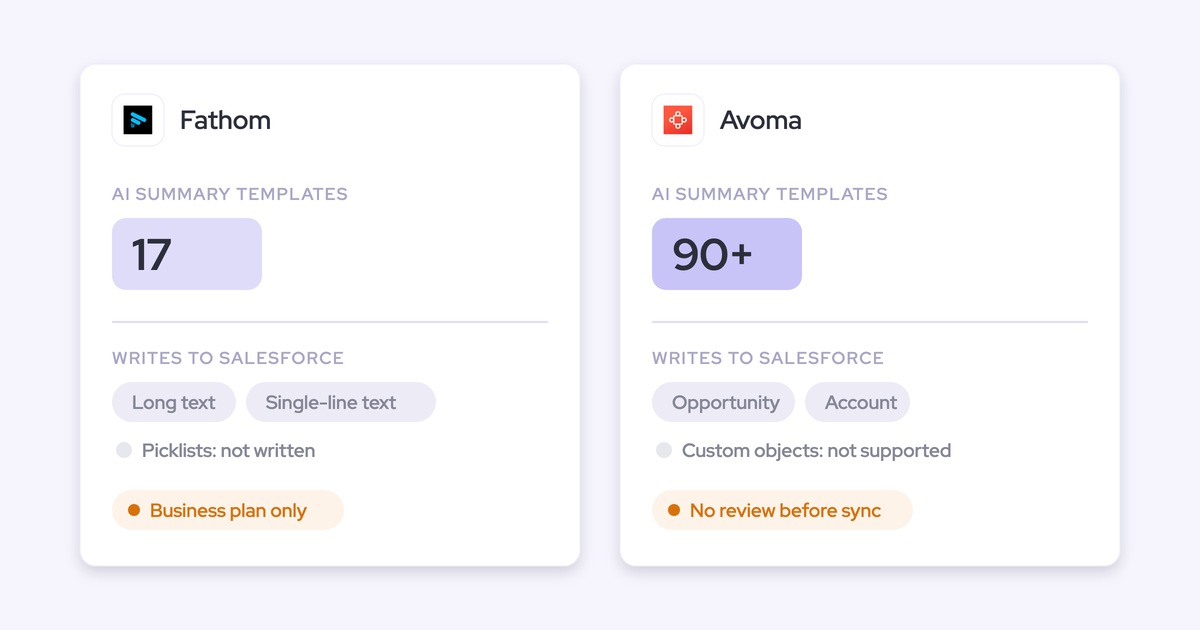
- Not writable: custom objects, single-line text fields and address fields.
- Review: the update syncs automatically, with no review step before the write.
Avoma also writes an AI-generated "why we won" or "why we lost" reason into the CRM when a deal closes, which is a nice touch for loss reviews.
Which tools Avoma connects to across CRMs and dialers
Avoma's breadth is real, and it's one of the clearest reasons to stay on it. It lists 26 native integrations:
- Conferencing: Zoom, Google Meet, Microsoft Teams, GoToMeeting, BlueJeans, Highfive, Lifesize and UberConference.
- CRMs: Salesforce, HubSpot, Pipedrive, Zoho, Copper and Zendesk Sell.
- Dialers and engagement: Aircall, Dialpad, RingCentral, Zoom Phone, Kixie, Koncert, Outreach, Salesloft and Groove.
- Other: Slack, Microsoft Teams chat, ClickUp and Zapier.
What Avoma's MCP connector reaches in Claude and ChatGPT
Avoma's MCP connector gives Claude and ChatGPT 11 read tools covering meetings, transcripts, notes, scorecard evaluations and usage metrics. It also has 3 write tools that set a meeting's outcome, purpose and privacy. Forecast data isn't among the tools listed, so your assistant can answer call questions from Avoma but not forecast questions.
The connector needs the Organization or Enterprise plan, or the API Access add-on. It disconnects after 30 days without use, and very broad queries across thousands of meetings can time out.
How you get Avoma data out through its API
Avoma's public REST API and webhooks cover meetings, recordings, transcripts, notes and scorecards, and Avoma suggests them for feeding internal dashboards and BI. The limits:
- 60 requests a minute
- keys that only admins can create
- Organization plan and above
- no managed warehouse export described
Where Avoma is genuinely the stronger choice
You'd lose something real by leaving Avoma in these places:
- CRM breadth: Avoma forecasts on Salesforce and HubSpot and integrates with six CRMs. Weflow works only with Salesforce.
- Dialer and conferencing coverage: Avoma connects natively to nine dialers and engagement tools and eight conferencing platforms.
- Slack reminders and alerts: Avoma sends forecast reminders and risk analysis in Slack. Weflow reminds by email.
- Risk-factor transparency: Avoma's written positive and negative factors, plus the trend timeline, make a flagged deal easy to explain in a review.
- Stakeholder mapping: Avoma tags each participant's title, role and influence from meetings, and alerts on single-threaded deals.
- Billing flexibility: Avoma offers monthly billing on its Startup and Organization plans. Weflow bills annually on a 12-month term.
- ISO/IEC 42001: Avoma holds the AI management system certification.
If most of these matter more to you than a multi-motion forecast, Avoma is a reasonable place to stay.
What Weflow and Avoma cost per forecasting seat
Both tools publish their prices. The difference is what a forecasting seat is made of: on Avoma, it's a recorder seat plus an add-on, and on Weflow, it's a forecasting product or a bundle.
| Weflow | Avoma | |
|---|---|---|
| Pricing model | Per seat, with AI usage included. Only Agent Builder is priced per workspace. | Per recorder seat, with per-seat add-ons on top. |
| List prices (per user per month, billed annually) | Deal Intelligence & Forecasting $39 standalone. Revenue AI Foundation $49, Revenue AI Business $59, Revenue AI Enterprise $79. | Startup $19, Organization $29, Enterprise $39. Revenue Intelligence add-on $29. |
| What forecasting requires | Deal Intelligence & Forecasting, or Revenue AI Enterprise. | A base plan plus the Revenue Intelligence add-on. |
| What costs extra | Agent Builder beyond the free 25 actions a month: $299 for 500, $999 for 2,500. | MCP and API below the Organization plan (API Access add-on). Optional $1,000 onboarding. |
| Minimums and terms | 10-user minimum, 12-month term, annual billing. | 10-seat minimum on Enterprise, which is annual only. Monthly billing on Startup and Organization. |
On Avoma, a forecasting seat costs $48 a month on Startup plus the add-on, or $58 on Organization, where the MCP connector and API are included. If you want Avoma's scorecards and coaching too, the Conversation Intelligence add-on adds another $29.
On Weflow, forecasting alone is $39 a seat. Revenue AI Enterprise at $79 bundles Activity & Contact Capture, Conversation Intelligence, Deal Intelligence and Forecasting. Ask Weflow AI Pro and Agent Builder Free come with every plan.
Manager seats work similarly on both. Avoma's free viewer seats cover recordings, notes, transcripts, comments and sharing, while forecasting runs through the per-seat add-on. Weflow's unlimited view-only licenses cover recordings and the insights panel, not pipeline management or forecasting, so every manager who submits a call needs a paid seat.
You don't have to buy the full platform on day one. You can start on Revenue AI Foundation for capture and conversation intelligence, then step up to Revenue AI Business for Deal Intelligence and Revenue AI Enterprise for Forecasting.
Can you keep Avoma for recording and forecast in Weflow?
Yes. Weflow's weighted forecast and AI projection run off Salesforce opportunity data, so they work regardless of which tool recorded the calls. You can keep Avoma as the recorder and add Weflow Deal Intelligence & Forecasting at $39 a seat for the roll-up, weighting, projection and accuracy tracking.
What you lose is the data layer underneath. Forecast accuracy depends on complete activity and conversation data on every opportunity. We learned this ourselves: we launched a prediction forecast before we had automated Salesforce data capture, and it wasn't accurate.
Without Weflow's capture, the deal score, warnings and projection read only what reaches Salesforce, and stage changes depend on reps again. The forecast still runs, but on thinner evidence.
Complete data is what makes the accuracy hold. Zeotap forecasts the quarter within 7%, and the number came once its pipeline data was complete: next steps, close dates, stage duration and multi-threading were all missing before.
At install, Weflow imports twelve months of Salesforce opportunity history by default, and more on request where field history allows. The import reads Salesforce, so it brings in opportunity history, not the forecast submissions your team made in Avoma.
Choose Weflow or Avoma: which fits your forecast process
The choice follows the forecast process you run, not the feature count.
Choose Weflow if you forecast several motions in Salesforce
- You run a weekly, multi-level roll-up across more than one motion, such as new logo, renewal and expansion, each with its own quota.
- You want a weighted forecast from recent win rates and an AI range sitting beside your team's call, with the gap visible every week.
- You want manager overrides attributed and logged, and accuracy tracked per rep and manager without building it.
- You want deal scores, warnings at the point of commit, and field updates that move Stage feeding the same forecast.
The conditions: Salesforce only, a 10-user minimum, and six months of opportunity history for the projection and deal score.
Choose Avoma if the meeting recorder is the main job
- You run on HubSpot, Pipedrive, Zoho or another CRM besides Salesforce.
- You're a small team with one motion, and a single rep-and-manager roll-up with history covers your forecast.
- Recording, transcription and coaching are the core need, and forecasting is secondary.
- Your quarter rests on around ten material deals. At that size, the forecast is a deal-by-deal judgement, and Avoma's roll-up or native Salesforce forecasting can carry it.
See how Weflow captures activity, updates Salesforce fields from calls, and rolls up your forecast. Book a 30-minute demo.
FAQ: Weflow vs Avoma forecasting questions
Does the roll-up in Weflow or Avoma weight deals, or just sum them?
This is often the first question sellers ask us:
"…does that consider the weighting, or does it just kind of calculate the sum of the total best case ARR?"
Weflow's roll-up sums the chosen amount field unless you build it on a weighted Salesforce field. The separate weighted forecast and the AI projection model likelihood, and both sit beside the roll-up on the pacing chart. Avoma's forecast runs on the CRM deal amount, and its weighted amount option is marked "coming soon".
How much history does the Weflow AI projection need?
Weflow's AI projection needs at least six months of opportunity history and works from up to two years. Weflow imports twelve months of Salesforce opportunity data at install by default. With that history in place, the first projection is ready within 48 to 72 hours.
Can Weflow forecast renewals and new business with separate quotas?
Yes. Each Salesforce record type gets its own stage path, forecast-category mapping and roll-up, and Weflow builds a separate AI model per forecast configuration. Combined and per-type quotas run at the same time, and a configuration can forecast on opportunity product line items. Avoma allows one forecast configuration per organization.
Does the Weflow roll-up follow the Salesforce role hierarchy?
Weflow rolls forecast calls up the Salesforce role hierarchy automatically. Weflow also uses a configured reporting hierarchy for team scope. Where an admin hasn't configured one, team-scoped queries through the MCP connector resolve to every active user in the company.
Where do Weflow forecast submissions live, and can BI reach them?
Weflow forecast submissions, targets and roll-up data live in the Weflow app, not on Salesforce objects. Everything else Weflow captures lands in Salesforce. Today you read submitted forecast calls through the MCP connector, and API access to submissions is planned.
Can we bring our Avoma forecast history into Weflow?
Weflow imports Salesforce opportunity history at install: twelve months by default, and more on request where field history allows. That import reads Salesforce, so it doesn't bring across forecast submissions made in Avoma. Your stage, amount and close-date history comes with the opportunities.
How do we stop reps treating forecast submission as extra admin?
Weflow's reminder email deep-links reps straight into their submission, and picking named deals is faster than rebuilding a spreadsheet row. Forecasting is a leadership motion, though. Reps accept it once the capture underneath is trusted and removes their logging work, so roll out capture and field updates first, then ask for numbers built on that data.
Can reps submit a forecast from Slack or their phone?
Not in Weflow. Weflow emails a reminder when a forecast is due and flags a missing submission as a warning, and the submission happens in the web app. Avoma sends forecast reminders by Slack or email.
What contract terms and minimums do Weflow and Avoma have?
Weflow's contract is 12 months with a 10-user minimum, billed annually. Bundle, volume and multi-year discounts apply, with no implementation fees and a 14-day free trial. There's no mid-term right to reduce seats, though you can reassign a seat when someone leaves.
Avoma offers a 14-day trial of its Organization plan with all add-ons and no credit card, charges no setup fee, and sells optional onboarding at $1,000. Its Enterprise plan is annual only with a 10-seat minimum.
How do Weflow and Avoma compare on security and data residency?
Weflow is SOC 2 Type II certified and GDPR compliant, runs Zero Data Retention for AI processing, and never uses customer data to train AI models.
Avoma holds SOC 2 Type II and ISO/IEC 42001:2023, encrypts data at rest and in transit, and never uses meeting data to train models. It hosts all customer data on AWS in the United States, and its enterprise team discusses options for EU data residency. HIPAA, SSO and signed DPAs come with Avoma's Enterprise plan.
Does Weflow support consumption or usage-based forecasting?
No. Weflow forecasting models deal-based revenue through the weighted forecast, the rep roll-up and the AI projection. It fits booking-based revenue, where contracted deals map onto an opportunity roll-up. Usage that doesn't sit on the opportunity needs a different method.