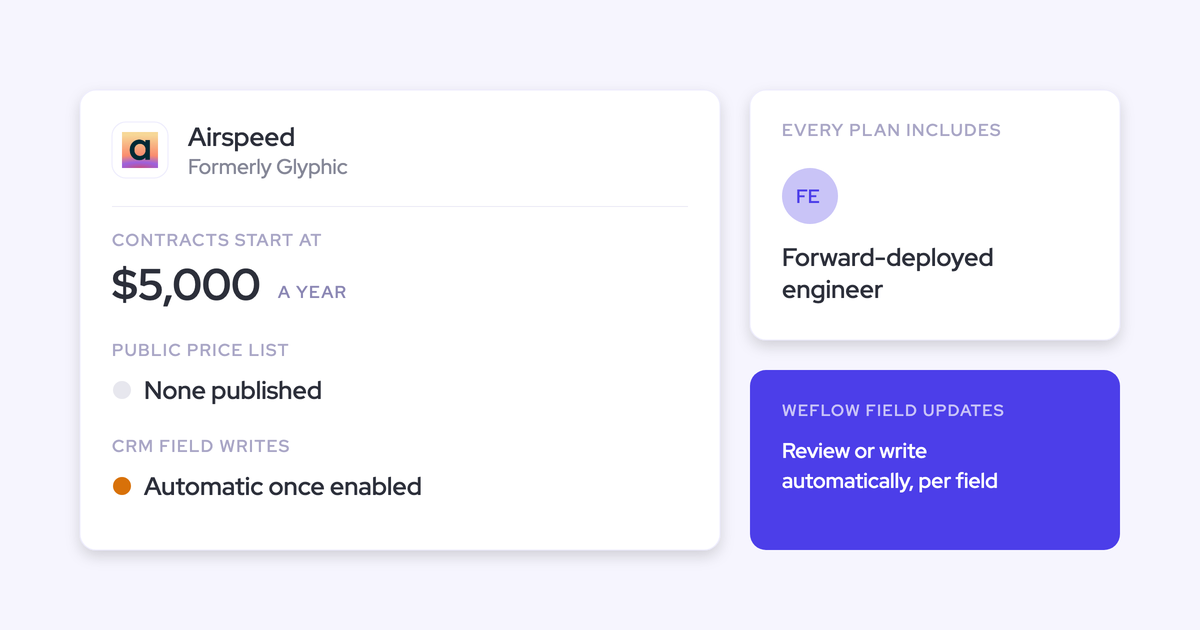
Gong vs Avoma: Conversation Intelligence and Pricing Compared (2026)
Compare Gong vs Avoma pricing, scorecards, and CRM field updates—and when Weflow fits better


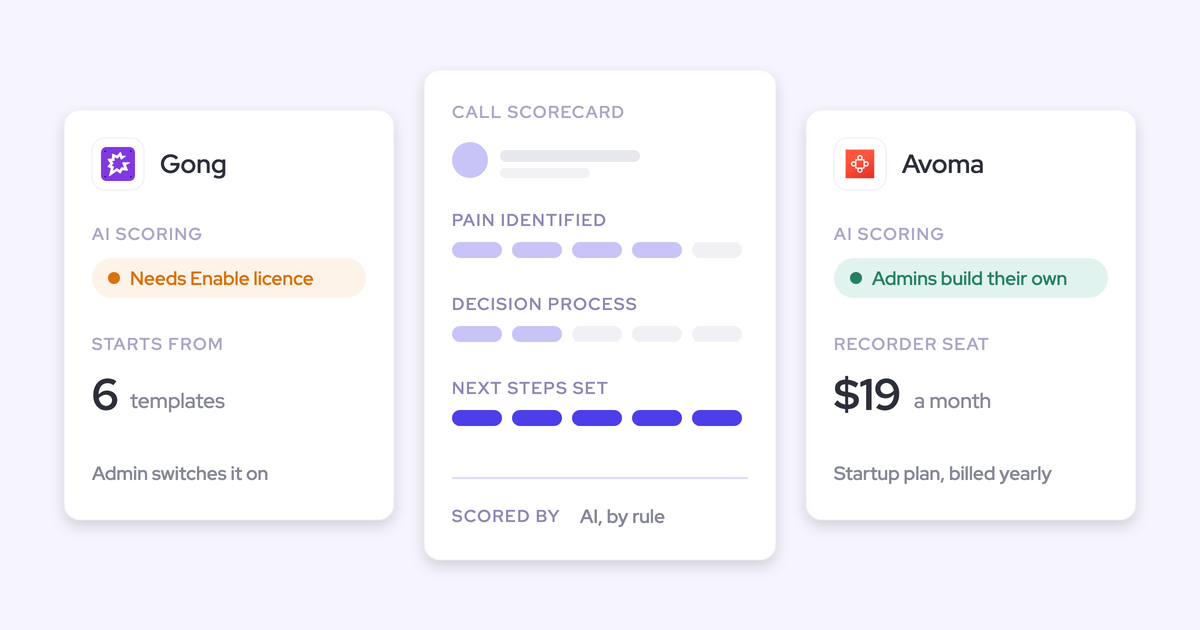

If you're comparing Gong and Avoma on headline price, you're comparing the wrong numbers. What matters is the price of the thing you came for: calls turned into Salesforce fields you can report on, plus coaching scorecards.
Weflow is the Revenue AI Orchestration platform for sales, customer success, and RevOps teams. It's built for Salesforce teams and works only with Salesforce. If you run HubSpot, Pipedrive or Zoho, look at Avoma and skip our column.
Priced on that capability, here's where the three options land:
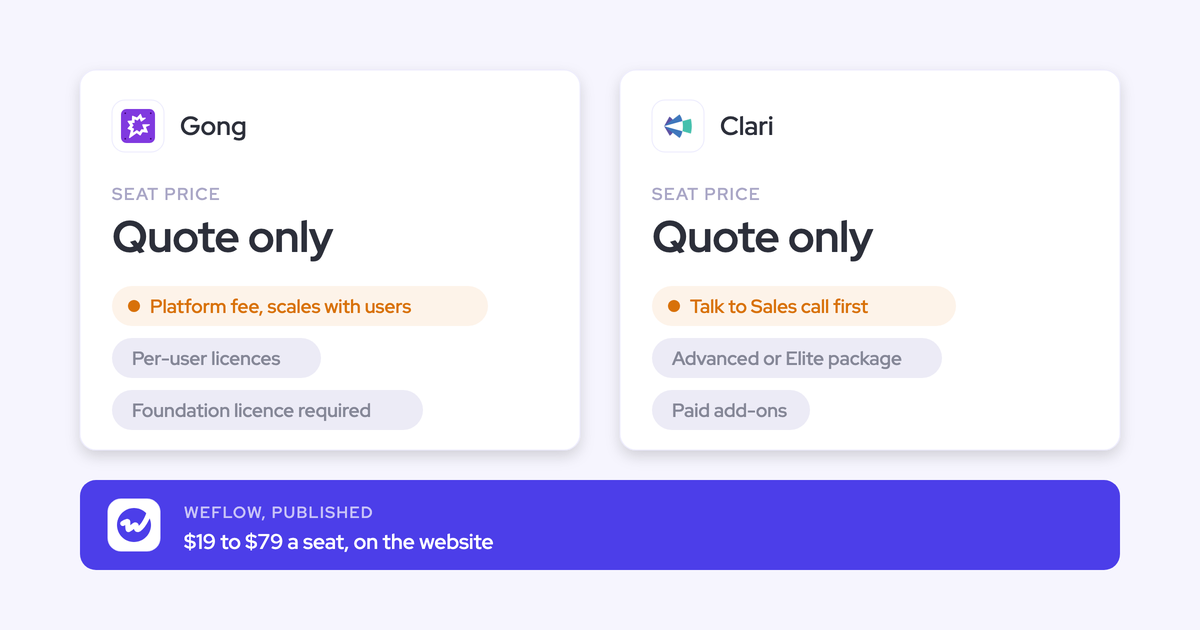
- Gong publishes no prices. Scorecards sit behind a mandatory Gong Foundation licence plus the Enable Essentials application. Automated AI draws on a pooled credit balance on top.
- Avoma starts at $19 per seat. Field updates and scorecards sit in two $29 add-ons, so the real figure is $77, $87 or $97 per seat, depending on which plan your seat count puts you on.
- Weflow includes both in the Weflow Conversation Intelligence + AI Field Updates seat at $39 per user.
Before we make our case, we credit Gong's coaching depth and ecosystem, and Avoma's published pricing and CRM breadth. Where we're still catching up, we say so.
Gong vs Avoma vs Weflow: nine capabilities side by side
The three tools split most on three things:
- Where call data lands in Salesforce.
- What the seat includes and what's sold on top.
- How you reach your data outside the tool.
| Capability | Weflow | Gong | Avoma |
|---|---|---|---|
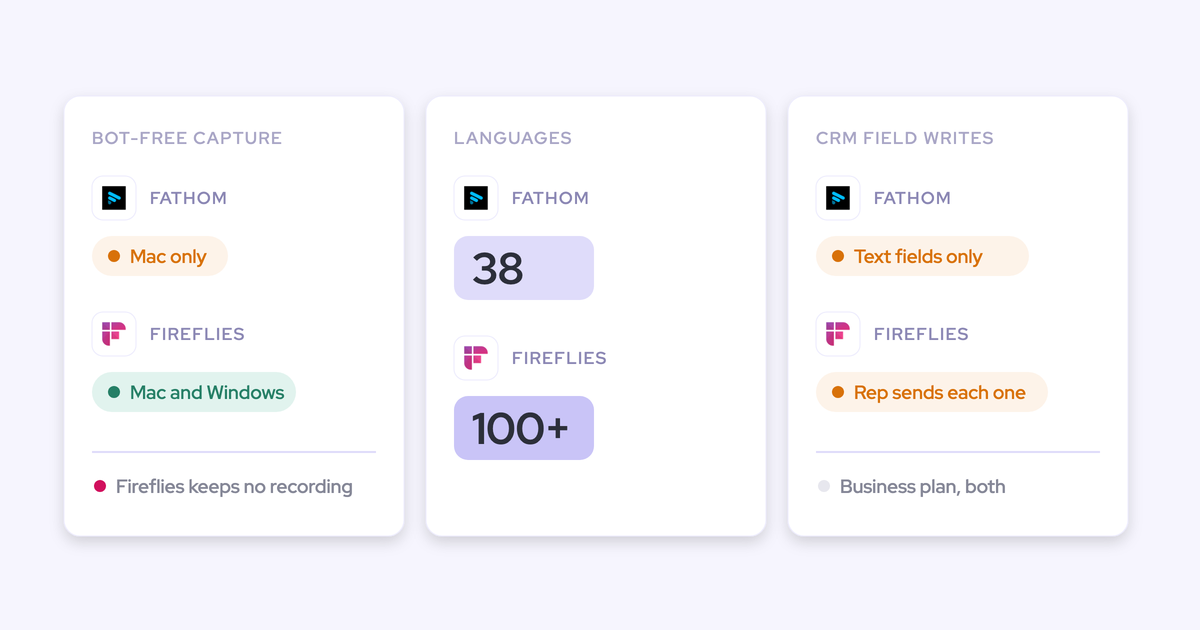
| Recording video meetings | Notetaker auto-scheduled on Zoom, Teams, Google Meet and Webex; desktop app records without a bot; Mobile Copilot for in-person meetings | Zoom, Meet, Teams, Webex and seven more providers on any plan; bot-free recording on Zoom only | Bot on seven platforms including Zoom, Meet and Teams; Webex only through cloud recording when you organize; bot-free via Teams and Meet cloud recording and a desktop app |
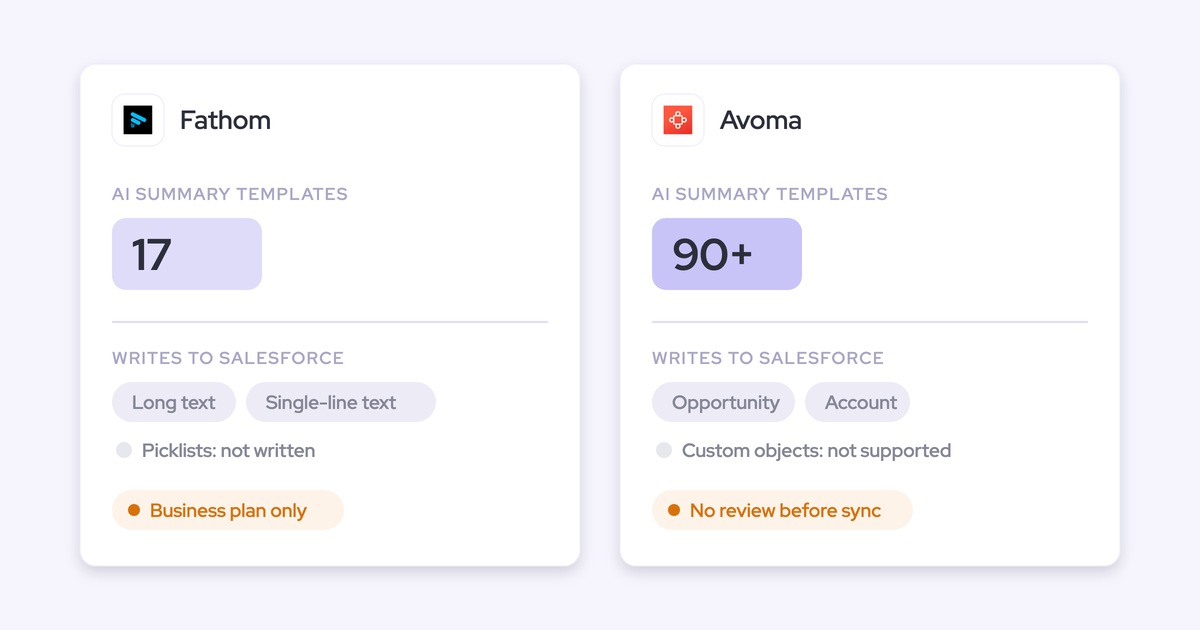
| CRM field updates from conversations | Every Salesforce field type except lookups, including picklists, numbers and dates; auto-write or review set per field; custom objects with setup by Weflow support | AI Data Extractor: up to 20, created by a business admin, writes only into existing fields, overwrites the previous value | Smart Topic notes appended to mapped opportunity and account fields; no custom objects; no review step; needs the Revenue Intelligence add-on |
| Coaching scorecards | Every call scored automatically; scores per call, per opportunity and per rep; included in the seat | Configurable, auto-scored by AI Call Reviewer; needs Enable Essentials; auto-scores at most three team members per call | Custom AI scorecards with auto-scoring rules; needs the Conversation Intelligence add-on |
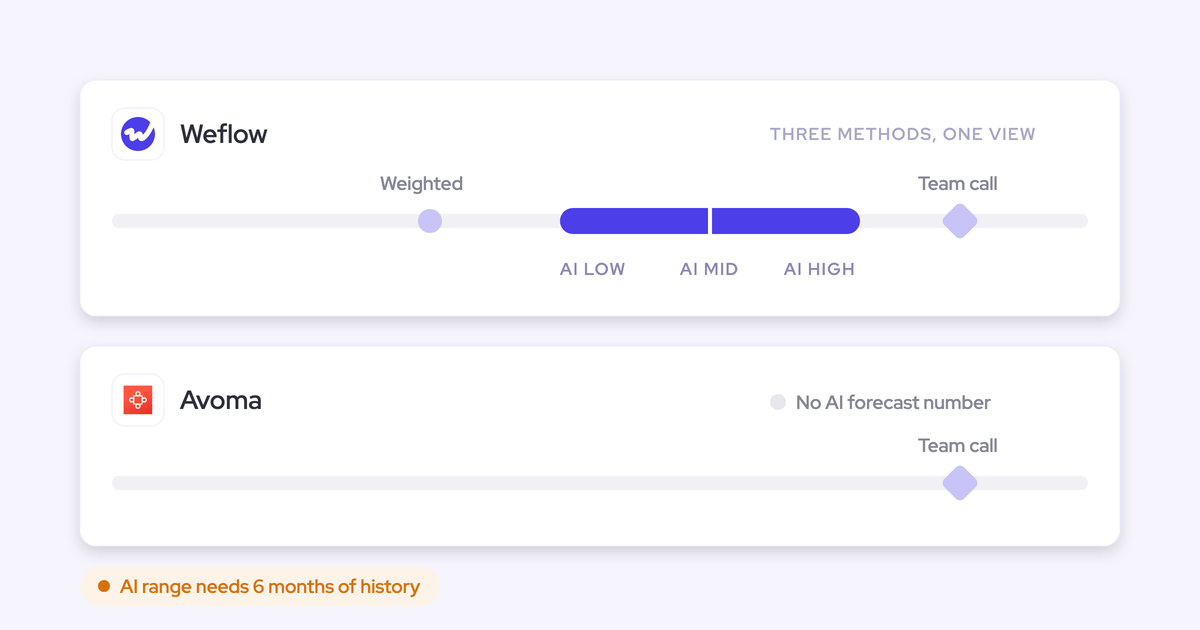
| Forecast submissions and roll-ups | Baseline and best case tied to named deals, rolled up the hierarchy, overrides logged; submissions stay in the Weflow app, not in Salesforce fields | Submissions per forecast category, trend chart and accuracy report; needs Gong Forecast | Submissions per pipeline and period with manager roll-up and history; one forecast configuration per organization; needs the Revenue Intelligence add-on |
| Ask AI chat | Ask Weflow AI across Salesforce records, emails, meetings and transcripts; inherits Salesforce permissions plus its own guardrails; no usage caps | Ask Anything from capped slices (60 calls and 500 emails per deal question); Gong Assistant chat on the call page only; no AI for free Collaborators | Global Ask Avoma across transcripts, email, deals and the web; gated by add-ons; CRM permission handling undocumented |
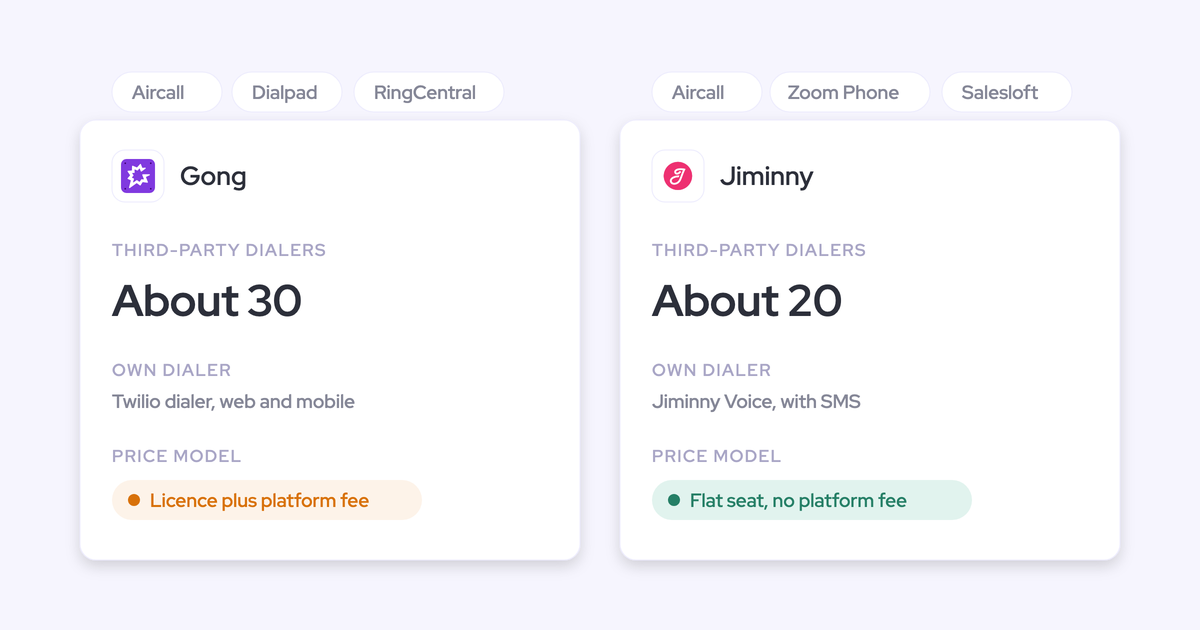
| Integrations with other tools | Salesforce, Gmail, Outlook, Google Calendar, Zoom, Teams, Meet, Slack and the Outreach dialer; narrower catalogue | About 450 integrations and partner solutions; calls imported from about thirty dialers | 26 native integrations, including six CRMs and nine dialers and engagement tools |
| Access from AI assistants (MCP) | Read-only connector at no extra charge: playbooks, summaries, transcripts (admin toggle), forecast calls, pipeline metrics | Three record-scoped tools; returns insights, not transcripts; read-only; draws credits | 11 read tools and 3 write tools; needs the Organization plan or the API Access add-on |
| Raw data access outside the tool | REST API bulk export of transcripts, scores and signals as JSON or CSV; no native Snowflake, BigQuery or Databricks connector | API capped at 3 calls a second and 10,000 a day; warehouse delivery through Data Cloud, a separate purchase | REST API and webhooks at 60 requests a minute, Organization plan and above |
| Pricing | Published: $39 Conversation Intelligence, $79 full platform; annual billing, 10-user minimum | No published prices; per-user licence plus a platform fee that grows with users; Foundation mandatory | Published: $19, $29 or $39 per recorder seat, plus $29 add-ons |
Why RevOps teams end up shortlisting Avoma against Gong
Gong won't give you a number early, and Avoma puts one on its website. That's usually how the shortlist forms.
Most teams we talk to start with Gong, either as the incumbent or because someone on the team used it before. Then they hit the price wall. The quote arrives late, or it lands at a figure they can't take to the CFO. One buyer described it to us like this:
"We had our third call with Gong and the reason was because they refused to tell us pricing until now."
Avoma appears on every Gong alternatives list with a price on the page, so it becomes the default second option. Then the comparison stalls, because the two headline numbers describe different products.
Both vendors follow the same pattern. The entry price isn't the price of the capability you came for.
| Gong | Avoma | |
|---|---|---|
| What the entry price buys | Gong Foundation: interaction capture, trackers, Ask Anything and basic analytics | Recording, unlimited transcription, AI notes saved to CRM account, opportunity and contact records |
| What you add for scorecards | Enable Essentials application | Conversation Intelligence add-on, $29 per seat |
| What you add for CRM field updates | AI Data Extractor, capped at 20 fields; deal-board field suggestions need Forecast Essentials or Gong Forecast | Revenue Intelligence add-on, $29 per seat |
| What you add for forecasting | Forecast Essentials or Gong Forecast | Included in the same Revenue Intelligence add-on |
| What's metered on top | Pooled AI credits for trackers, MCP and API workflows | Nothing: no credits |
| Published price | None | Yes, per recorder seat |
So the gap between "no public price" and "$19" tells you very little. Priced on field updates and scorecards, Avoma is $77 to $97 per seat. Gong is Foundation plus at least one application plus credits, at a figure only a proposal will show you.
Where Gong and Avoma are stronger than Weflow
Each competitor wins for a specific buyer. Buyers ask us where we're still catching up, so here's the straight answer.
Gong leads on coaching depth, deal boards and ecosystem
Gong invented this category, and it shows in four places:
- Conversation analytics. Gong has the deepest analytics of the three, including methodology summaries across every call on an account and topic tracks along each recording.
- Coaching and role-play. The coaching suite is mature, and AI Trainer runs simulated customer conversations built from your own recorded calls, scored with the same scorecards as live calls.
- Live help on Zoom. The Gong app for Zoom gives reps a live transcript and a talk-ratio alert during the call.
- Ecosystem and compliance. About 450 integrations and partner solutions, plus SOC 2 Type II, ISO 27001, 27017, 27018 and 27701, and CSA STAR.
Then there's the deal board. Managers read each deal's momentum from a row of activity bubbles, and many teams run their forecast call from it. Our Head of Sales bought Gong twice before joining us:
"The reason why I stuck with Gong was like the bubbles. You sort of get like addicted to the bubbles."
— Chris Nethercote, Head of Sales at Weflow, former Gong enterprise customer
Weflow has no role-play product, no live in-call assistance and a narrower integration catalogue. If you're a coaching-first organization and Gong's price clears your budget, stay on Gong.
Avoma leads on CRM breadth, live prompts and dialers
Avoma is stronger than us in six places:
- CRM choice. Avoma works with Salesforce, HubSpot, Pipedrive, Zoho, Copper and Zendesk Sell.
- Live prompts. Answer Cards show reps talking points when a prospect uses a trigger phrase, and Avoma runs live MEDDIC prompts during calls.
- Dialers. Avoma connects to Aircall, Dialpad, RingCentral, Zoom Phone, Kixie, Outreach, Salesloft and more.
- No credits. Every plan carries unlimited transcription and no usage credits.
- Viewer seats. Unlimited viewer seats are free on every plan.
- Write-capable MCP. Avoma's MCP connector can set a meeting's outcome, purpose and privacy from Claude or ChatGPT.
Weflow works only with Salesforce and has no live in-call prompts. If you run a non-Salesforce CRM, pick Avoma.
What you get with Weflow Conversation Intelligence + AI Field Updates
Weflow turns each conversation into structured Salesforce data you own, then runs scorecards and forecasting on top of it. Here's how that works on the same capabilities, in the same order, including our limits.
Weflow records Zoom, Teams, Google Meet and Webex automatically
Weflow schedules the notetaker onto every external meeting from the calendar connection. Your reps don't invite it or remember to start it, so recorded is the default state. That's what keeps your conversation data a census rather than a sample.
Weflow also covers two situations the notetaker can't:
- Meetings without a bot. The Weflow desktop app for Windows and macOS records system audio and microphone without a bot joining. That includes softphone calls on tools like Aircall or RingCentral. The rep starts these recordings.
- In-person meetings. Mobile Copilot records meetings that happen in the room.
A few setup conditions decide whether the notetaker joins:
- Zoom needs local recording enabled by your Zoom admin, plus host approval.
- On Teams and Meet, someone has to admit the bot from the lobby. If nobody does, it leaves after about ten minutes, and the rep can send it back from the Weflow calendar mid-call.
- Webex recording has to be switched on per workspace.
- Each licensed user has to sign in to Weflow once before the notetaker joins their meetings.
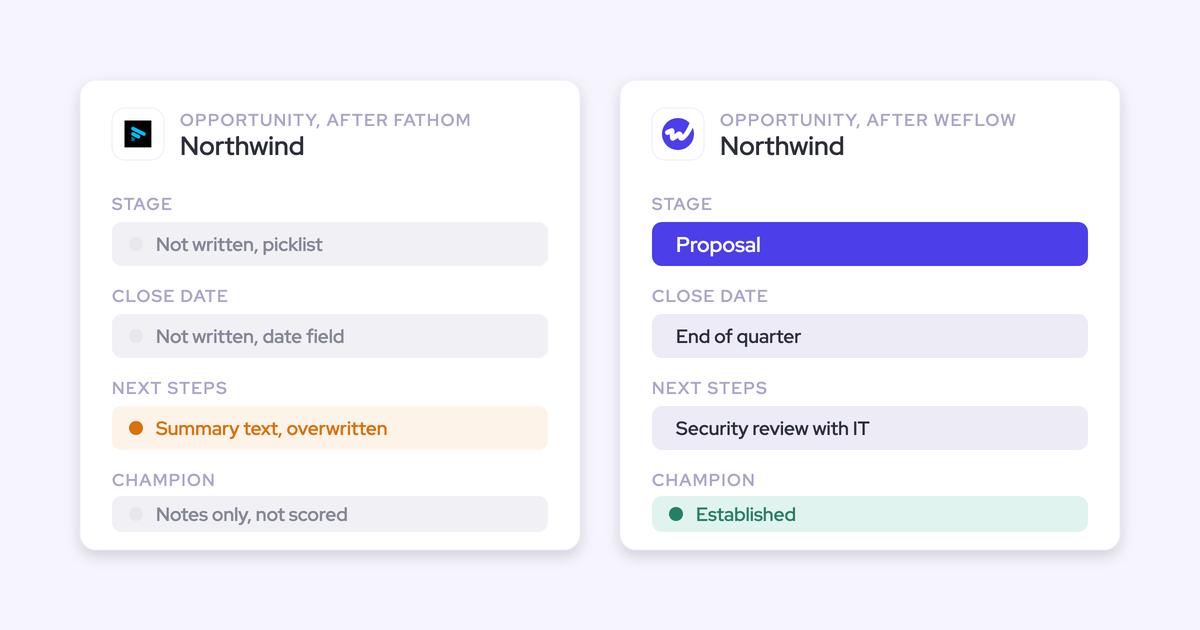
Weflow AI Field Updates write picklists, numbers and dates into Salesforce
This is the part most buyers underestimate before they see it on their own org. Weflow AI Field Updates take values from the conversation and write them into Salesforce fields as structured data. Here's how it works:
- Field types. Weflow writes to every Salesforce field type except relationship lookups: picklists, number, date, multi-select and text.
- Auto-write or review, per field. An address can update itself while a champion or pain field waits for the rep to approve it, inside the same template.
- Methodology fields accumulate. When a MEDDIC or SPICED field already has content, Weflow adds to it instead of replacing it, so early qualification isn't lost to the latest call.
- Your org's rules apply. Weflow respects validation rules, field dependencies and permission sets. A stage change blocked by a rule stays blocked until the fields it depends on are filled.
- Custom objects. Weflow writes to standard and custom objects. Custom objects need setup by Weflow support.
- Prompts you control. Every field has its own prompt, with 250+ pre-built prompts covering MEDDIC, MEDDPICC, SPICED, BANT and more.

The mechanism matters because it's the difference between a field and a note. Our CEO puts it this way:
"Everything we do has a bi-directional Salesforce integration that is real time and API based, that respects all your validation, field dependencies, permission sets. And that is actually quite different to for example Gong… that typically have to do field mapping."
— Janis Zech, Co-founder and CEO of Weflow
Blacklane populates 96% of its MEDDIC fields in Salesforce this way. A qualification score written as a picklist value is something you can chart. A summary in a text box isn't.
Weflow scores every call, deal and rep, and rolls up the forecast
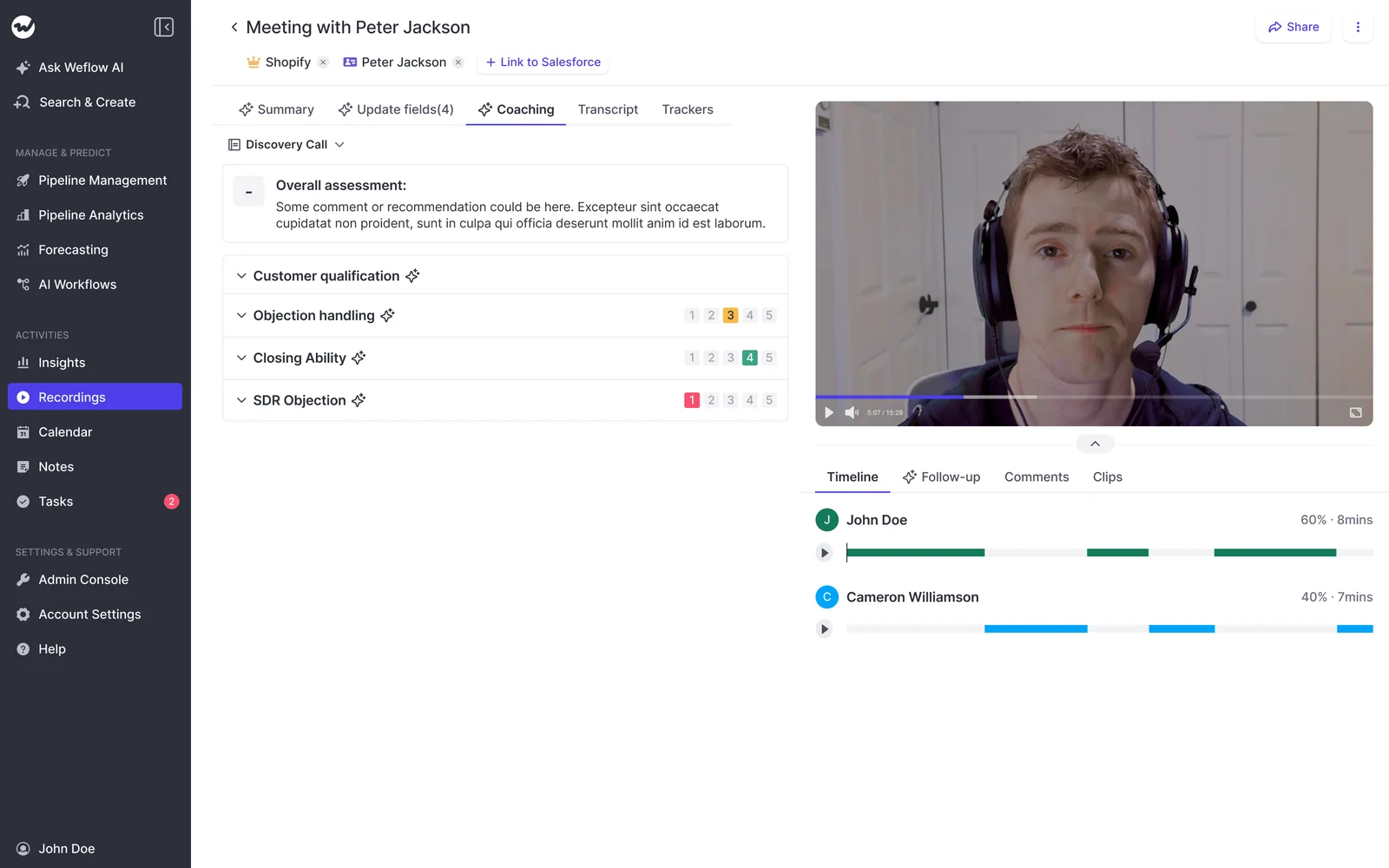
Weflow scores every recorded call against the coaching template assigned to that team, and managers can override any score. Templates ship for MEDDIC, MEDDPICC, Challenger and more, and you can edit them or write your own. Because Weflow tags each meeting with its type, a renewal call gets the renewal rubric instead of the discovery one.
Scoring runs at three levels, and each one answers a different question:
| Level | What it answers |
|---|---|
| Call | How did this conversation go, while it's fresh for the rep? |
| Opportunity | Is this deal qualified across every call, email and field? |
| Rep | Where is this seller consistently strong or weak over months? |
The opportunity level is where long cycles stop being unfair. Scoring each call alone penalizes a rep for not rediscussing metrics they settled three calls ago. One buyer described exactly that problem with their current tool:
"From a coaching standpoint that's not a fair gauge of where someone actually is. We have a lot of touchpoints, so you're not going to hit every element on one call."
Weflow's AI playbooks read every email, meeting, transcript and field on the deal. They judge how well each methodology element is established, including text a rep typed in. A MEDDIC field filled with filler gets marked as not assessed, not complete. One limit: when several reps join the same meeting, Weflow doesn't score each seller individually.
Forecasting sits in Weflow Deal Intelligence & Forecasting. Here's how the roll-up works:
- Reps submit a baseline and a best case, tied to named opportunities.
- Calls roll up the hierarchy automatically.
- Managers override at the deal or total level, and every override is logged with its rationale.
- Weflow keeps every version and tracks accuracy against what actually closed.
The limit to know: submissions happen in the Weflow web app and aren't written to any Salesforce field. You can read them over the MCP connector.
Ask Weflow AI answers within your Salesforce permissions
Ask Weflow AI answers plain-language questions across Salesforce records, captured emails, meetings and call transcripts. You can point it at a single call, a deal, a filtered deal board, an account or the whole system. Reps can also open it from the Chrome extension on a Salesforce record page.
Ask Weflow AI inherits Salesforce permissions as a floor and adds its own guardrails on top. It can withhold information a user could reach directly in Salesforce. It carries no usage caps, under a fair use policy no customer has reached yet.

Two limits apply:
- Ask Weflow AI doesn't reach your other knowledge systems, such as process docs or a ticketing tool.
- A single query tops out at one million tokens. Questions that sweep your whole book of business belong in an agent.
Weflow sends your data out through the API and MCP connector
Your call data stays in Salesforce, and Weflow gives you two routes to reach it from elsewhere:
- Native integrations: Salesforce, Gmail, Outlook, Google Calendar, Zoom, Teams, Google Meet, Slack, and calls from the Outreach dialer.
- REST API: bulk export of transcripts, metadata, scores and signals as JSON or CSV into warehouses and BI tools such as Tableau and Looker.
- MCP connector: an official read-only connector for Claude, ChatGPT and other assistants, included at no extra charge. It returns playbooks, call summaries, forecast calls and pipeline metrics.
- Transcript control: a separate admin toggle decides whether connected assistants see full transcripts or only summaries.
- No agent metering: agents you build outside Weflow on the API or MCP connector don't draw on Agent Builder actions.
Two limits apply. Weflow has no native Snowflake, BigQuery or Databricks connector, so the API is how you get data into a warehouse. Our integration catalogue is narrower than Gong's.
What the Weflow Conversation Intelligence seat costs and includes
Weflow Conversation Intelligence costs $39 per user per month, and the capability you came for is inside that seat. Everything else Weflow sells is published alongside it.
| Product or bundle | Price per user/month | What's included |
|---|---|---|
| Weflow Conversation Intelligence | $39 | Recording, Weflow AI Field Updates, coaching scorecards, Ask Weflow AI Pro, desktop app, Mobile Copilot, Agent Builder free tier |
| Weflow Activity & Contact Capture | $19 | Email, meeting and contact sync into Salesforce |
| Weflow Deal Intelligence & Forecasting | $39 | Deal boards, deal scoring and warnings, pipeline analytics, roll-up forecasting |
| Weflow Revenue AI Foundation | $49 | Activity & Contact Capture + Conversation Intelligence |
| Weflow Revenue AI Business | $59 | Foundation + Deal Intelligence, without pipeline analytics and forecasting |
| Weflow Revenue AI Enterprise | $79 | All Weflow products, including forecasting |
The terms:
- Viewer seats are free and unlimited.
- The minimum is 10 users per product or bundle.
- Billing is annual.
- There are no platform fees and no implementation fees.
What Gong gives you, and where it stops
Gong is the deepest conversation platform of the three. The capability this reader came for, though, sits behind applications, capped extractors and metered AI.
Gong records Zoom, Teams, Meet, Webex and seven more platforms
Gong records web meetings on Zoom, Google Meet, Microsoft Teams, Webex and seven other providers, including GoToMeeting, Amazon Chime and RingCentral, on any plan. It also imports calls from about thirty dialers.
Bot-free recording works on Zoom only, through Zoom's native recording. Everywhere else the Gong bot joins, and a waiting room means the host has to admit it.
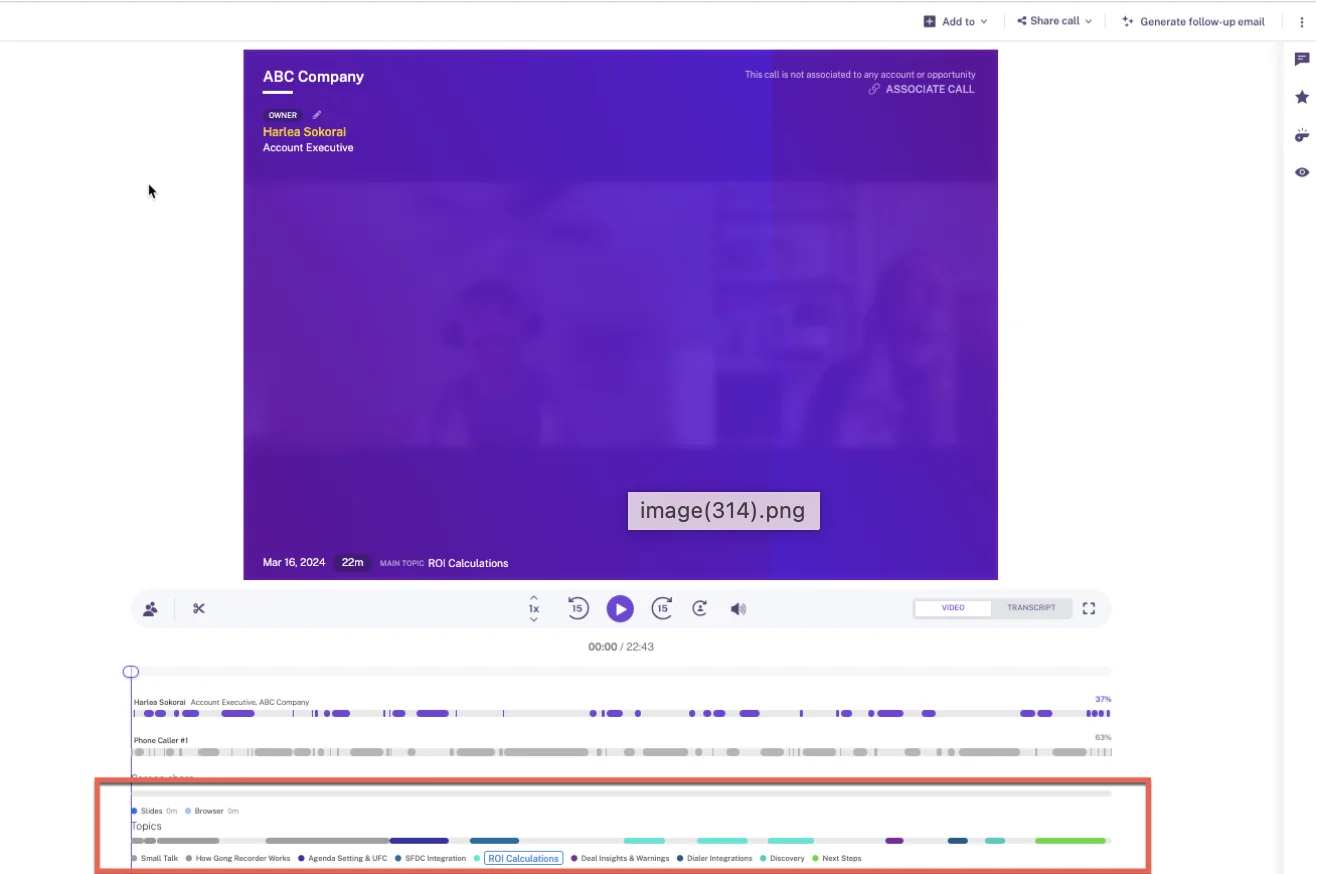
Gong's call page lays a topic track under each recording, naming every subject discussed. This is the analytics depth Gong's managers rely on.
Gong's AI Data Extractor writes into up to 20 existing fields
Gong's AI Data Extractor writes answers from calls into CRM fields automatically, with four constraints:
- A workspace can publish at most 20 extractors.
- Only a business admin can create them.
- They write only into fields that already exist in the CRM and are imported into Gong.
- They overwrite the previous value when newer information appears, so a value from an earlier stage doesn't survive.
Custom objects work only where the relationship to the account or deal is one to one and the record already exists. Deal boards offer a second route: they fill one text field, such as next steps, with AI suggestions. AI Deal Reviewer suggests notes for each playbook element.
Gong scorecards need Enable Essentials and forecasts need Gong Forecast
Gong scorecards are configurable, and AI Call Reviewer can score calls automatically, starting from six templates. Automatic scoring comes with conditions:
- It needs an Enable Essentials or Enable licence.
- A tech admin has to switch automatic scoring on at company level first.
- Templates ship with automatic review on by default, so publishing one unchanged starts AI scoring immediately.
- When more than three members of a scored team join the same call, at most three receive an automatic scorecard.
- Teams we talk to say the scorecards need real tuning before managers trust them.
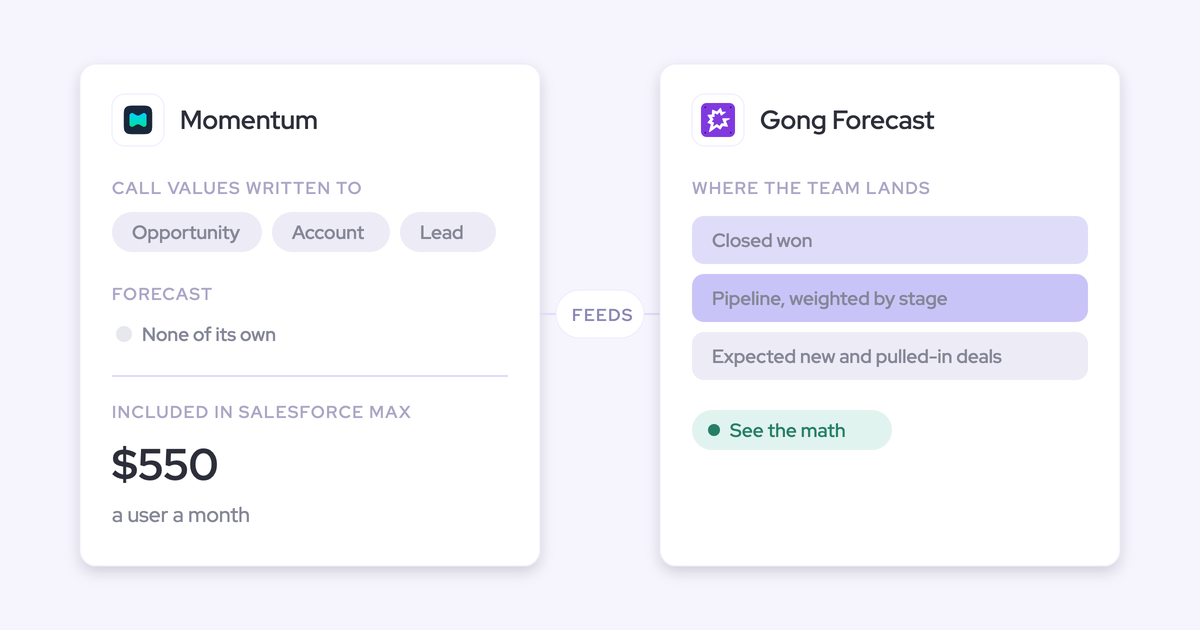
Forecasting comes with Gong Forecast. Reps submit per forecast category, managers see team totals, and trend, pacing and accuracy reports track the number week by week. You can run separate boards for new business, renewals and other motions.
Gong Ask Anything answers from capped slices of calls and emails
Gong's AI Ask Anything answers single questions from a capped slice of the record:
- A deal or account question: up to 60 calls and 500 emails in the selected period.
- A contact question: 10 recent calls and 80 recent emails.
- A search: the top 100 matching calls.
Gong Assistant adds ongoing chat with citations, but only on the call page. Portfolio questions stay single-shot. Free Collaborator seats get no AI at all.
Gong connects to about 450 tools but meters MCP and charges for Data Cloud
Gong's integration marketplace is the broadest of the three, at about 450 integrations and partner solutions. Getting data out is where the limits start:
- MCP scope: the server exposes three record-scoped tools and returns AI insights, not raw transcripts.
- Read-only: it can't write back to Gong or the CRM.
- Metered: MCP requests draw on Gong credits, and connecting needs a paid Gong seat plus a paid AI tool tier.
- API limits: the API is capped at 3 calls a second and 10,000 a day.
- Warehouse delivery: Data Cloud is a separate purchase. It's been reported at about $5,000 a year, and Gong doesn't publish the price.
How Gong prices Foundation, applications and AI credits
Gong publishes a pricing model with no prices. The cost builds up in layers:
- A per-user licence, quoted through a custom proposal.
- A platform fee that grows with the number of users.
- Gong Foundation, mandatory before any application.
- Applications on top: Enable Essentials, Forecast Essentials, Gong Forecast, Gong Engage, Data Cloud.
- Seats counted per application. A person using Foundation and Forecast Essentials takes a seat in both.
- Pooled AI credits: 2,000 per paid core seat per year, shared company-wide. Top-ups expire at the end of the term.
What Avoma gives you, and where it stops
Avoma is transparent and broad across CRMs. Field updates, forecasting and scoring sit in add-ons, and its Salesforce field mapping stops at opportunity and account objects.
Avoma records Zoom, Teams, Meet and four more platforms by bot
Avoma's bot records Zoom, Google Meet, Microsoft Teams, BlueJeans, GoToMeeting, Lifesize and UberConference. Webex works only through Webex cloud recording when you're the organizer, and it needs a paid Webex account.
Avoma has three bot-free routes:
- Microsoft Teams cloud recording.
- Google Meet cloud recording.
- A desktop app. The user acknowledges that getting participant consent is their own responsibility.
Avoma writes Smart Topic notes to opportunity and account fields
Avoma maps its Smart Topics to CRM fields and appends the extracted notes to each mapped field. Here's how it works:
- Add-on required: two-way field updates need the Revenue Intelligence add-on.
- Objects: mapping covers opportunity and account objects only, with no custom objects.
- No review: Avoma documents no review step before the write.
- Field types: multi-line text, multi-select, date and number fields can be mapped. Single-line text and address fields can't.
- First sync: it covers open deals modified in the last 90 days.
Every base plan also saves meeting notes to account, opportunity and contact records, and pushes action items into Salesforce as tasks.
Avoma puts scorecards and forecasting in $29 add-ons
Custom AI scorecards sit in the Conversation Intelligence add-on. They use rating-scale or yes-or-no questions and rules that decide which conversations get scored. Scorecards can auto-assign by call type, and a dashboard tracks whether managers give feedback.
Roll-up forecasting sits in the Revenue Intelligence add-on. Reps submit per pipeline and period, managers approve and roll up, and a history records every change. Avoma allows one forecast configuration per organization, and weighted amounts are marked as coming soon.
Ask Avoma answers across meetings, email and deals
Global Ask Avoma answers questions across meeting transcripts, synced emails, deal and pipeline data, playlists and the web. You can schedule saved prompts to Slack, Teams or email.
It needs the Conversation Intelligence add-on, and deal questions also need Revenue Intelligence. Avoma doesn't document how answers respect CRM permissions.
Avoma offers 26 integrations, an MCP connector and a rate-limited API
Avoma's integration and data access options:
- Integrations: 26 native, including six CRMs and nine dialers and engagement tools.
- MCP connector: 11 read tools and 3 write tools for Claude and ChatGPT. It needs the Organization or Enterprise plan, or the API Access add-on.
- API: REST API and webhooks at 60 requests a minute, with keys only admins can create, on the Organization plan and above.
How Avoma prices recorder seats, add-ons and seat caps
Avoma publishes every price and charges no setup fee, no platform fee and no credits.
| Plan or add-on | Per seat per month (annual) | Seat cap | What it adds |
|---|---|---|---|
| Startup | $19 ($29 monthly) | Up to 25 | Recording, unlimited transcription, AI notes, CRM note sync |
| Organization | $29 ($39 monthly) | Up to 100 | Custom AI templates, limited conversation intelligence, API and webhooks |
| Enterprise | $39, annual only | 10-seat minimum | SSO, custom retention, HIPAA, signed DPAs, concierge onboarding |
| Conversation Intelligence add-on | $29 ($35 monthly) | Per seat | AI call scoring, custom scorecards, trackers, coaching dashboards |
| Revenue Intelligence add-on | $29 ($35 monthly) | Per seat | Two-way field updates, deal health, dealboard, roll-up forecasting |
Viewer seats are free and unlimited. Onboarding with an Avoma expert is an optional $1,000.
What field updates and scorecards cost in each tool
Gong and Avoma both put field updates and scorecards behind a prerequisite or an add-on. Weflow includes them in the seat and meters only Agent Builder.
Price the stack you came for, seat by seat
Here's the per-seat number you'd paste into a business case, with Gong shown as structure because that's all Gong publishes.
| Weflow | Gong | Avoma | |
|---|---|---|---|
| Entry price | $39 (Weflow Conversation Intelligence) | Not published; Foundation mandatory | $19 Startup, $29 Organization, $39 Enterprise |
| What you add for field updates and scorecards | Nothing | Enable Essentials for scorecards | Conversation Intelligence + Revenue Intelligence add-ons, $29 each |
| Per-seat total for that stack | $39 | Not published | $77 / $87 / $97 |
| With forecasting | $79 Weflow Revenue AI Enterprise, which also adds Activity & Contact Capture and deal intelligence | Forecast Essentials or Gong Forecast on top | Already in the Revenue Intelligence add-on: $77 to $97 |
| Seat caps and minimums | 10-user minimum; no cap | Platform fee grows with users; seats counted per application | Startup up to 25, Organization up to 100, Enterprise minimum 10 |
| What costs extra | Agent Builder above the free tier | Credits beyond the pool; Data Cloud, reported at about $5,000 a year | Optional $1,000 onboarding; API needs Organization or above; bulk import of past recordings may carry a fee |
Buyers we talk to benchmark conversation intelligence at around $30 per user. Weflow's $39 seat sits closest to that band with scorecards and field updates inside it. Avoma's comparable stack lands at more than twice that benchmark.
Which AI usage Gong, Avoma and Weflow meter on top of seats
Avoma meters nothing, Weflow meters one product, and Gong meters the automated paths.
| Weflow | Gong | Avoma | |
|---|---|---|---|
| What's included in the seat | Summaries, AI field updates, scorecards, Ask Weflow AI, recordings and transcripts | Calls and call analysis, coaching, forecasting, deal intelligence, agents run by hand | Everything in your plan and add-ons, including unlimited transcription |
| What's metered | Agent Builder only, priced per workspace | Question-based AI trackers, the MCP server and API-based AI workflows | Nothing |
| How the meter is sized | Free tier of 25 agent actions a month; $299 for 500; $999 for 2,500; custom Enterprise | 2,000 credits per paid core seat per year, pooled; one credit per call over ten minutes, a tenth per email | Not applicable |
| What happens as adoption grows | The seat price stays flat; agent volume is a tier choice you make | Heavy use by a few people draws down the pool everyone shares | The bill moves with seats and add-ons only |
| How you control cost | Pick the Agent Builder tier | Gong advises unpublishing trackers and narrowing their scope | Not needed |
Gong's metering follows the access method. The same brief is free in the Gong interface and costs credits through the API or MCP server. Wiring Gong into the rest of your stack is exactly what raises its AI cost.
Finance approves a larger predictable line more easily than a smaller one with an open end. That's why we price the everyday AI into the seat:
"We want to make sure that you have predictable pricing, and it is very, very hard to achieve in the age of AI."
— Philipp Stelzer, Co-founder and Chief Product Officer of Weflow
How to switch off Gong without losing your call history
Weflow imports your Gong recordings, metadata and transcripts through Gong's API in about a week, at no charge. Each call is re-linked to its Salesforce records. The harder part is people, and that's covered below.
Move Gong recordings, transcripts and trackers into Weflow
The archive is usually what keeps teams on an incumbent. Here's how the move works:
- You share an API key for your Gong account. There's no manual export or file upload.
- Weflow imports recordings, metadata and transcripts, reusing transcripts where possible and retranscribing the rest.
- Weflow links each call to its Salesforce account, opportunity or contact, using the association in Gong's API. Where that's missing, Weflow runs its own lookup matching.
- Your existing tracker sets carry over, so keyword reporting doesn't restart from zero.
- The imported calls become searchable and scoreable on the same terms as new recordings, so win-loss analysis still works on your history.
The whole import takes about a week and costs nothing. If you're weighing Avoma instead, its bulk import of past recordings may carry a one-time fee that depends on volume.
Replace the Gong deal board and bring your reps along
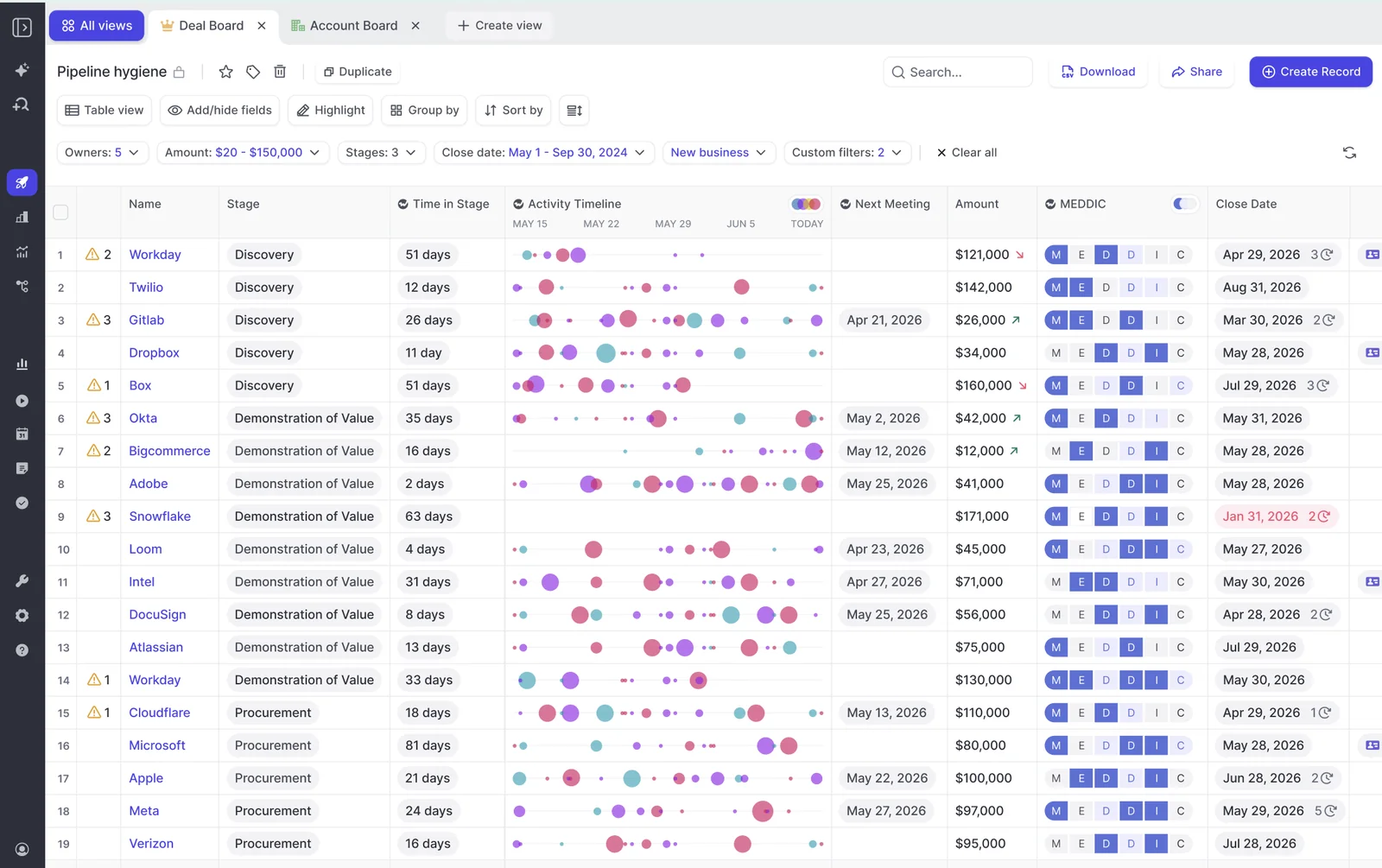
The deal board is the habit your managers will miss, and we won't pretend otherwise. Weflow's deal boards show deals as a table or Kanban with these views:
- An activity timeline column for each deal.
- MEDDIC scores as letter badges.
- AI deal warnings.
- Inline edits that write straight back to Salesforce.
Deal Intelligence comes with Weflow Revenue AI Business.
Reps are the harder sell. Gong carries a safety that has nothing to do with features:
"I wasn't going to get fired for buying Gong. It wasn't going to happen, right? So it was a very safe choice."
— Chris Nethercote, Head of Sales at Weflow, former Gong enterprise customer
What moves reps is a rollout that doesn't dump everything on them at once. KORE Wireless evaluated Gong, chose Weflow, and rolled out in five phases:
- Activity capture.
- Conversation intelligence.
- Coaching.
- Deal intelligence.
- Forecasting.
Weflow ran the onboarding end to end, including live training with a real-time Portuguese translator for their Brazil team.
Choose Gong, Avoma or Weflow: which fits your team
Each tool fits a different buyer. Here's where each one lands, and where it stops.
Choose Gong if:
- Coaching is your primary goal and you want AI Trainer role-play.
- Your managers run the week from the deal board and you won't move them.
- You need about 450 integrations or live help on Zoom.
- Your procurement requires Gong's full ISO certification set.
- Your budget can absorb Foundation, applications and credits without a published price.
Choose Avoma if:
- You run HubSpot, Pipedrive, Zoho or another non-Salesforce CRM.
- You want live Answer Cards and MEDDIC prompts during calls.
- Your reps call through Dialpad, Kixie, Zoom Phone or another dialer Avoma supports.
- You have fewer than 25 recorder seats and want published prices with no credits.
Choose Weflow if:
- You run Salesforce and want calls turned into picklist, number and date fields you can report on.
- You need custom objects, validation rules and permission sets respected.
- You want scorecards per call, per deal and per rep included in the seat.
- You want forecasting in the same platform at a published price.
- Finance needs everyday AI without a usage meter.
See how Weflow captures activity, updates Salesforce fields from calls, and rolls up your forecast. Book a 30-minute demo.
Gong vs Avoma FAQ: pricing, migration and Salesforce questions
Does Gong publish its pricing?
No. Gong publishes its pricing structure but no figures: a per-user licence, a platform fee that grows with users, and a mandatory Gong Foundation licence before any application. Every number comes through a custom proposal.
What does Avoma cost with the Conversation Intelligence and Revenue Intelligence add-ons?
Avoma's base plan plus both $29 add-ons comes to:
- $77 per seat on Startup, capped at 25 seats.
- $87 on Organization, capped at 100 seats.
- $97 on Enterprise.
These are annual billing prices. Your seat count decides which plan you land on.
Do Gong credits raise the bill as more people use the AI?
They can. Question-based AI trackers, the MCP server and API-based AI workflows draw on a pool of 2,000 credits per paid core seat per year, shared company-wide. Once the pool runs out, you buy top-ups. Calls, coaching, forecasting and agents run by hand stay inside the seat.
Can I review AI field updates before they write to Salesforce?
In Weflow, yes. You set each field to write automatically or wait for review, so interpretive fields can stay under review while simple ones update themselves. Avoma documents no review step before its field sync. Gong's AI Data Extractor writes automatically and overwrites the previous value.
Will I lose my Gong recordings and trackers if we switch?
No. Weflow imports Gong recordings, metadata and transcripts through Gong's API in about a week, at no charge. Each call is re-linked to its Salesforce records, and your existing tracker sets carry over.
Do Gong, Avoma or Weflow offer live in-call assistance or role-play?
Weflow doesn't offer either. Everything it produces arrives after the call. Avoma shows Answer Cards and live MEDDIC prompts during calls. Gong's Zoom app gives a live transcript and a talk-ratio alert, and AI Trainer runs role-play with an Enable licence.
Do viewer seats for managers and leadership cost extra?
Weflow and Avoma both include free, unlimited viewer seats. Gong Collaborator accounts are free but get limited access and no AI: no Ask Anything and no MCP connection.
What contract length and seat flexibility does each tool offer?
Weflow runs on 12-month terms with a 10-user minimum. You can't reduce seats mid-term, but you can reassign them when someone leaves. Gong grandfathers matching seats at renewal, and seats added after renewal are paid across every application they need. Avoma bills Startup and Organization monthly or annually, and Enterprise annually only.
Who handles implementation, and is it included in the price?
Weflow runs onboarding itself with no implementation fee. Technical setup takes 30 to 45 minutes, and full time to value takes one to three weeks. Avoma sells onboarding as an optional $1,000 service, with concierge onboarding on Enterprise. Buyers have told us Gong pointed them to a third-party implementation partner.
How do Gong, Avoma and Weflow compare on security and EU data residency?
Gong holds SOC 2 Type II and ISO 27001, 27017, 27018 and 27701. New customers default to US storage, and EU storage still sees processing in the US, Israel and Ireland.
Weflow is SOC 2 Type II certified and GDPR compliant, with ISO 27001 in progress. It runs your instance in the region where your Salesforce is hosted, which you can override to the EU or UK. Weflow runs Zero Data Retention for AI processing and never uses customer data to train AI models.
Avoma's Enterprise plan adds SSO, custom retention, HIPAA and mutually signed DPAs.
Will adding a conversation intelligence tool duplicate meetings in Salesforce?
It will if two vendors each create their own Salesforce event for the same meeting, which double counts meetings per rep and per opportunity. When you run Weflow Activity & Contact Capture with Weflow Conversation Intelligence, the meeting lands once as a Salesforce Event. Weflow writes the call summary onto that Event, with a link to the recording.
Does Weflow work with HubSpot or other CRMs?
No. Weflow works only with Salesforce. If you run HubSpot, Pipedrive, Zoho or another CRM, Avoma supports it.