Best Momentum Alternatives for Teams That Need Email Capture (2026)
See which Momentum alternatives capture emails in Salesforce and when Weflow is the better fit.


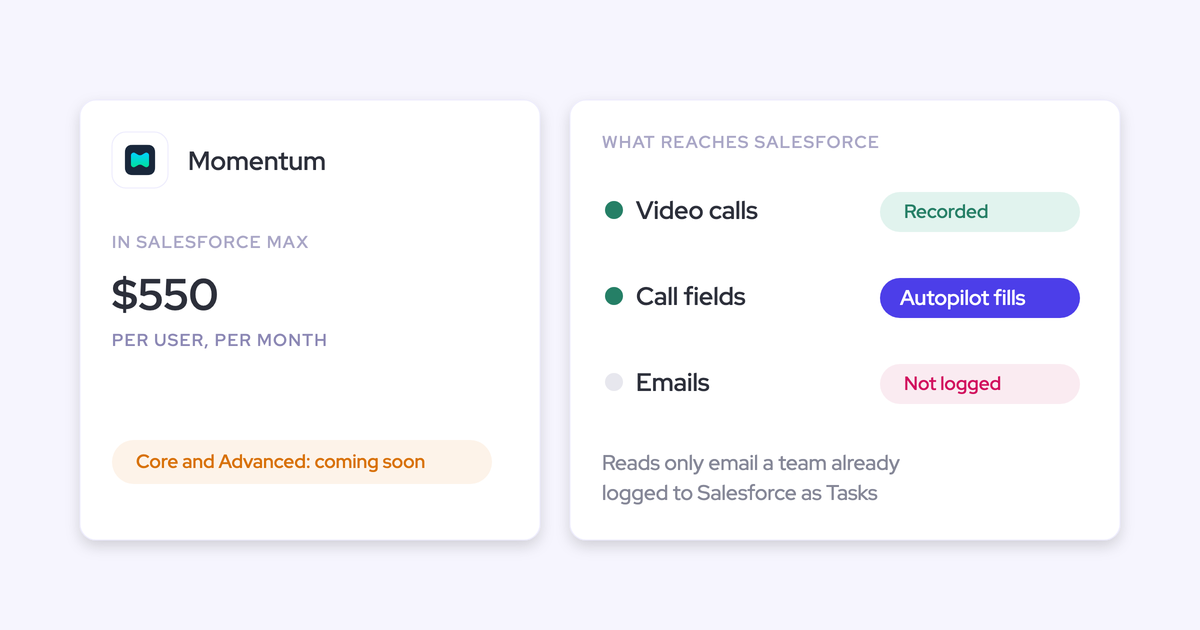

You read it correctly: Momentum doesn't log your email to Salesforce. It reads email only from Salesforce Tasks someone has already logged, and only after Momentum support sets up that ingestion. Its Outlook and Google connections authorize calendar access, not mailbox access.
One test decides a replacement. Do sent and received emails, and the people who only appear in them, land in Salesforce as native records with no rep action?
- Weflow passes. Weflow Activity and Contact Capture captures mail server-side at the mail tenant and creates contacts from the To and CC lines.
- Avoma passes, once you add its Revenue Intelligence add-on.
- Gong passes partly. Its email export to Salesforce runs forward only, and it creates no contacts from email.
- Attention and Jiminny read email but keep it in their own store.
You don't have to rip out Momentum's field writing to close this gap. We cover both paths below: keep Momentum and add capture, or consolidate onto one platform.
Why RevOps teams look for a Momentum alternative for email
Momentum does the job it was built for. It writes call data into Salesforce fields and routes changes through Slack for review. Teams start looking elsewhere when these symptoms show up in Salesforce:
- Deals look quiet. Email threads never land on the account or opportunity, so an active deal shows last month's meeting and nothing since.
- The buying committee stays invisible. The CC'd finance lead or the legal contact who only appears on email never becomes a Salesforce contact or an opportunity contact role.
- Rep logging is back. Momentum only sees email a rep logged as a Task, the manual step you bought automation to remove.
- Outlook rollout stalls on per-user setup. There's no Outlook add-in or Gmail extension, and the Outlook calendar integration is an early beta that each user authorizes from Slack.
- Agents answer from half the story. Agentforce and any assistant on Salesforce's Hosted MCP Server reason over what landed in the CRM, so the email half of the relationship is missing from every answer.
The per-user setup point carries more weight than it looks. A prospect described what happens when reps are asked to connect their own tools:
"They're not going to do it. It's just like herding cat."
What Momentum captures in Salesforce today
Momentum started as a field-writing layer on top of other recorders such as Gong, Chorus and Clari Copilot. Salesforce bought it to sit under Agentforce as the data foundation.
In Salesforce's own description of that stack, email and calendar sync come from Einstein Activity Capture, call intelligence comes from Einstein Conversation Insights, and Momentum sits on top. That design is why email falls outside Momentum's job.
Momentum logs your meetings but not the email around them
Salesforce and Momentum marketing say Momentum captures every call and email. Momentum's own documentation draws a narrower boundary:
| Question | What Momentum's docs say |
|---|---|
| Where does email come from? | Salesforce Tasks someone already logged, once Momentum support sets up the ingestion. |
| What do Outlook and Google connect to? | The calendar. The Outlook integration is an early beta that syncs external meetings every two minutes, and each user authorizes it from Slack. On Google Meet, each user grants Calendar and Drive access. |
| Is there an inbox add-in? | No Outlook add-in and no Chrome extension for Gmail. |
| Where do meetings land? | On Event records only after an admin switches on Event mapping, and only for calls processed from then on. There's no backfill. |
| Who becomes a contact? | Meeting attendees, including invitees who didn't join. Nobody from email. |
So the record shows the meeting, its notes and its attendees. The email conversation around that meeting never arrives.
Momentum's Autopilot writes call data into fields with human review
Autopilot is where Momentum is strongest, and it's the part you're right not to throw away lightly. Each extraction has its own save behavior:
- Write automatically, for fields you trust.
- Confirm to write, where a human reviews the value in Slack or the web app first.
- Write if empty, so existing values are never touched.
It can also append to a field with a timestamp instead of overwriting it, so a rep's own notes survive. Autopilot Batch backfills a new methodology field across past records.
That Slack review loop is often the reason a team picked Momentum in the first place. One prospect described their evaluation this way:
"We're in a sales cycle with Momentum as a tool that we would use to just populate data against Salesforce fields and write to Slack for having a human in the loop approval of changes to Salesforce records."
With its Conversation Intelligence add-on, Momentum records Zoom through Zoom's own cloud recording, Google Meet through a bot, and other platforms through its recording bot. It can also run on top of Gong, Chorus, Clari Copilot, Attention or Salesloft Conversation Intelligence.
The catch: Autopilot's email context is only whatever someone logged as a Task.
Momentum's data reaches AI assistants only through Salesforce
Momentum integrates with five conversation intelligence tools, seven dialers and contact centers, and Slack or Microsoft Teams. It can also push structured data into Snowflake or BigQuery.
For AI assistants, the route runs through Salesforce:
- Momentum has no MCP server of its own. Assistants reach its output through Salesforce's Hosted MCP Server, reading the records Momentum wrote.
- Its API is off by default, switched on per workspace through support, and capped at 100 requests per 15 minutes.
- The API returns meetings, transcripts and recording download links, but has no endpoint for call summaries, Autopilot extractions or coaching scores.
The consequence for Agentforce and your own assistants: an agent sees only what landed in the CRM. Email that was never logged doesn't exist to it.
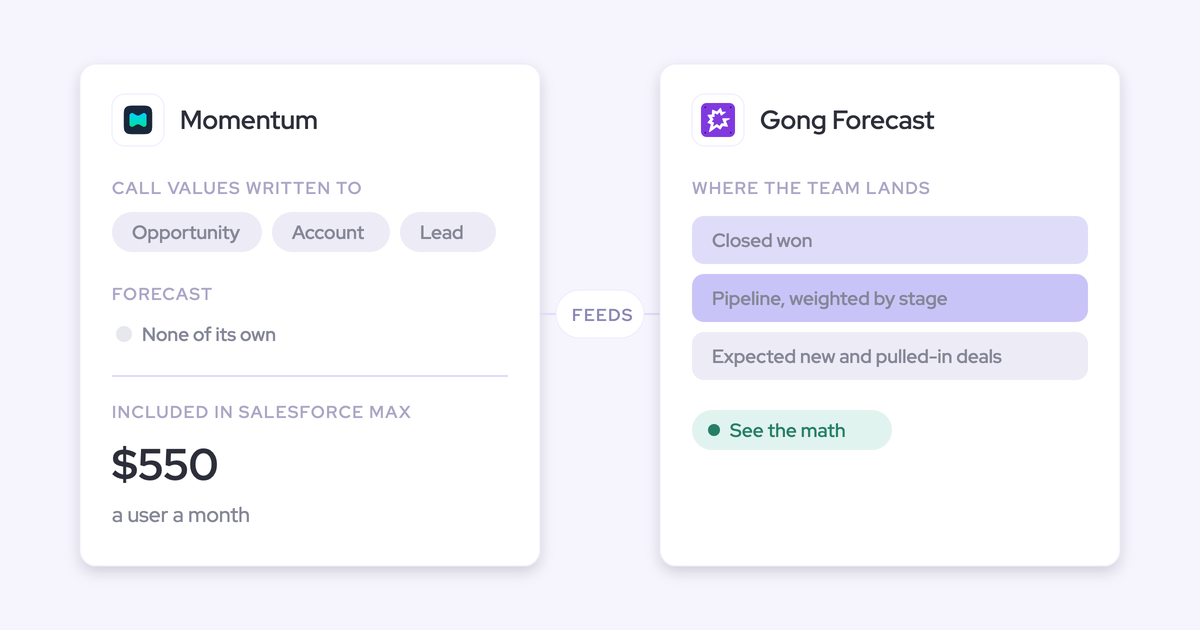
Momentum's price sits inside your Salesforce edition
Salesforce announced its new sales editions on 3 September 2026. All figures below are per user per month and date from that announcement.
| Edition or plan | Momentum status | Price |
|---|---|---|
| Starter Suite, Pro Suite | Paid add-on | Quote only |
| Core | Announced, marked coming soon | $195 |
| Advanced | Announced, marked coming soon | $395 |
| Max | Included today | $550 |
| momentum.io Business | Standalone plan | $69 |
| momentum.io Transformation | Standalone plan | $99 |
| momentum.io Conversation Intelligence add-on | Standalone add-on | $30 |
Agentforce for Sales is a separate add-on from $125 per user per month on Core and Advanced, and it's in the licence only on Max. Legacy Enterprise and Unlimited editions keep their pricing, and Salesforce bundles Momentum only with the three new editions.
How to test a Momentum alternative for email in a trial
If you were burned once by "every call and email," a demo won't settle it. These six tests will, and each one is something you can see for yourself during a trial.
| Test | How to check it in a trial |
|---|---|
| Server-side capture at the mail tenant, no rep action | Have a rep who has never opened the tool send an email from their phone. Watch whether it reaches Salesforce. |
| Email stored as native Salesforce records you own | Open the opportunity and find the email as an EmailMessage or Task. Build a Salesforce report on it. |
| Email-only people become contacts and contact roles | Reply to a thread with a new CC'd stakeholder. Look for a new contact and an opportunity contact role. |
| One writer per meeting | Record a meeting and count the Event records it produced. The answer should be one. |
| Exclusion rules for internal and sensitive mail | Send an internal-only thread and an email to an excluded domain. Neither should appear. |
| A published price | Find the per-seat price on the vendor's website before the first call. |
Momentum and five alternatives compared on email capture
Across nine capabilities, only some tools put email and email-only contacts into Salesforce as native records without rep action.
| Capability | Weflow | Momentum | Gong | Attention | Avoma | Jiminny |
|---|---|---|---|---|---|---|
| Automatic email capture | Server-side at the mail tenant, any device, no rep action; matched records only | Not offered; reads only emails already logged as Tasks | Server-side import; export to Salesforce once an admin enables it, forward only | Per-user mailbox sync into Attention's store; CRM logging is a workflow you build | Background Gmail and Outlook sync with the Revenue Intelligence add-on | Per-user mailbox read every 15 minutes; never logged to Salesforce |
| Activity stored as native CRM records | Email as EmailMessage or Task, meetings as Event | Call logs to Event once an admin enables Event mapping; summary as a note | Task or Event for matching contacts or leads; transcripts stay in Gong | Emails stay as Attention records; call values go to mapped fields | Email as Task; an Event for every synced meeting | Calls as Task or Event; emails stay in Jiminny |
| Automatic contact creation | From To and CC on send; capped, deduped, optional contact roles; no leads | Meeting attendees only; none from email | Inactive Flow template for call participants; none from email | No built-in rule; HubSpot contacts through a workflow step | From meeting participants, and contacts or leads from synced email | Meeting participants who joined; none from email |
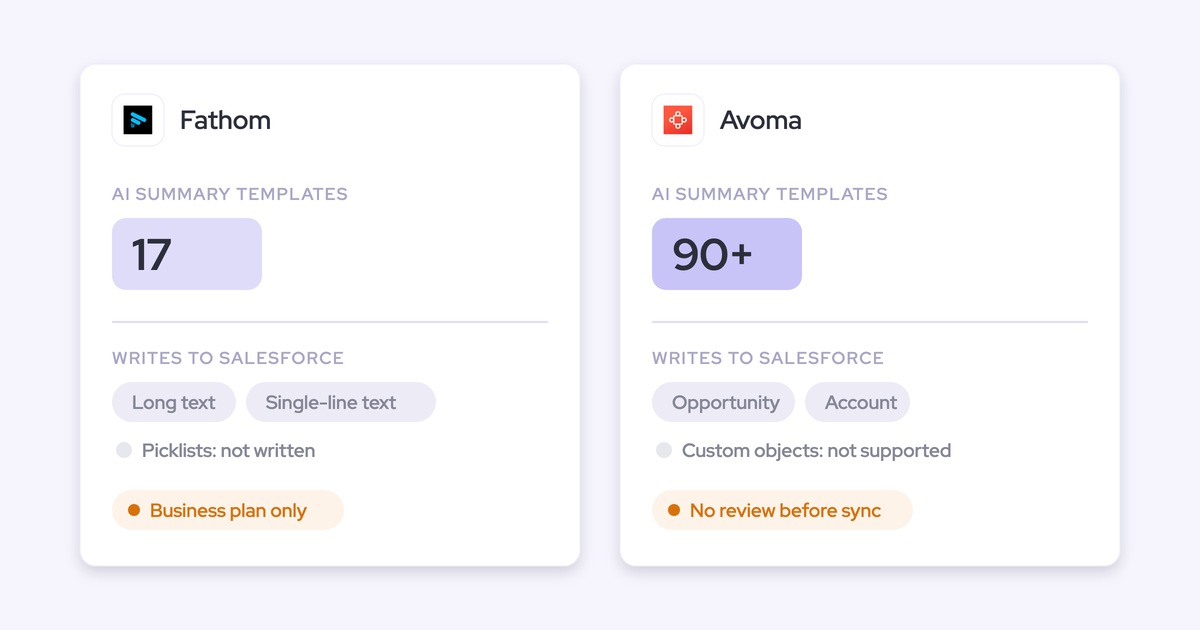
| CRM field updates from conversations | Every field type except lookups; per-field auto or review; appends methodology fields | Autopilot: write, confirm to write, or write if empty | AI Data Extractor into existing fields; overwrites; up to 20 published | Prompt per field; automatic sync recommended; new fields fill forward only | Smart Topics to Opportunity and Account fields; no review step | AI CRM Filling from calls and emails; automatic or after review |
| Recording video meetings | Zoom, Teams, Meet, Webex (Webex enabled per workspace) | Zoom, Meet, Teams with the CI add-on, or on top of an existing recorder | Zoom, Meet, Teams, Webex and seven more | Bot or desktop app on Zoom, Meet, Teams | Bot on Zoom, Meet, Teams and four more; Webex via cloud recording | Notetaker on Zoom, Meet, Teams; desktop and mobile apps |
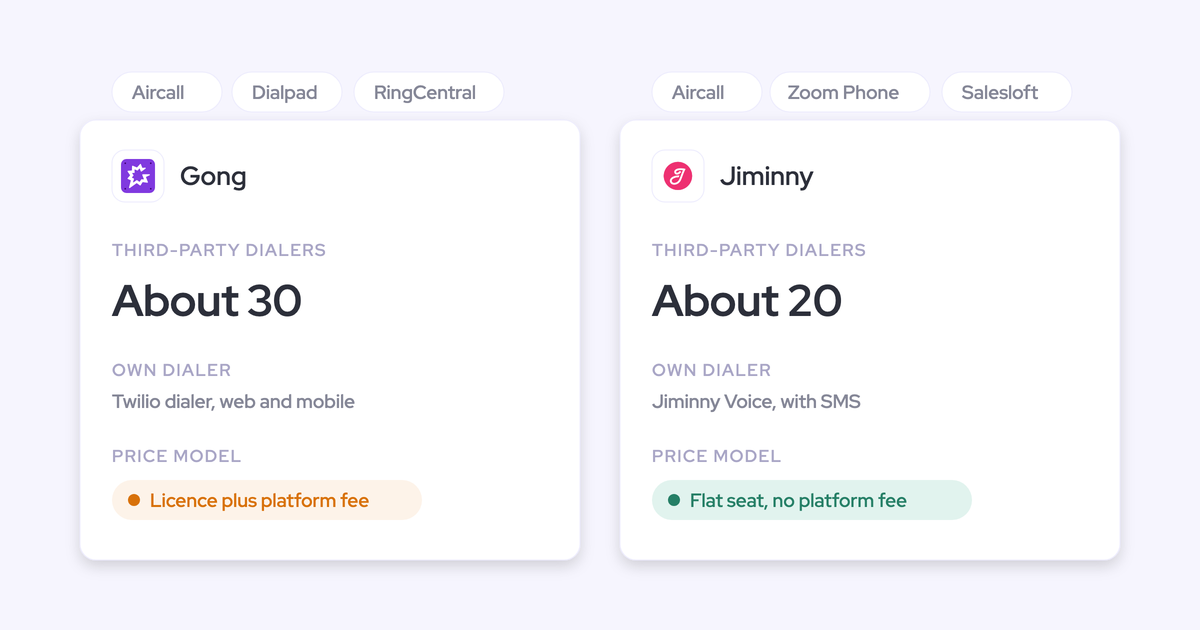
| Integrations with other tools | Salesforce, Google, Microsoft, Zoom, Slack, Outreach dialer natively; API for the rest | Five CI tools, seven dialers, Slack or Teams | About 450 marketplace listings; about 30 dialers | Workflow steps into CRMs, Google Workspace, Slack, Snowflake and more | 26 native integrations plus Zapier | About 20 dialers, its own dialer, Zapier |
| Access from AI assistants (MCP) | Read-only connector: summaries, playbooks, forecast calls; transcripts behind a toggle | None of its own; through Salesforce's Hosted MCP Server | Three record-scoped tools, insights only, credit-metered | 68 read-write tools, raw transcripts, rate-limited | Connector with 11 read and 3 write tools; plan-gated | Read-only connector on Scale and Grow tiers |
| Raw data access outside the tool | REST bulk export (JSON, CSV); no native warehouse connector | API off by default, 100 requests per 15 minutes, no summary endpoint | API at 3 calls a second, 10,000 a day; Data Cloud sold separately | Raw transcripts through MCP and API keys; workflows to Snowflake | REST API and webhooks, 60 a minute, Organization plan and up | REST API with an admin-only organization key |
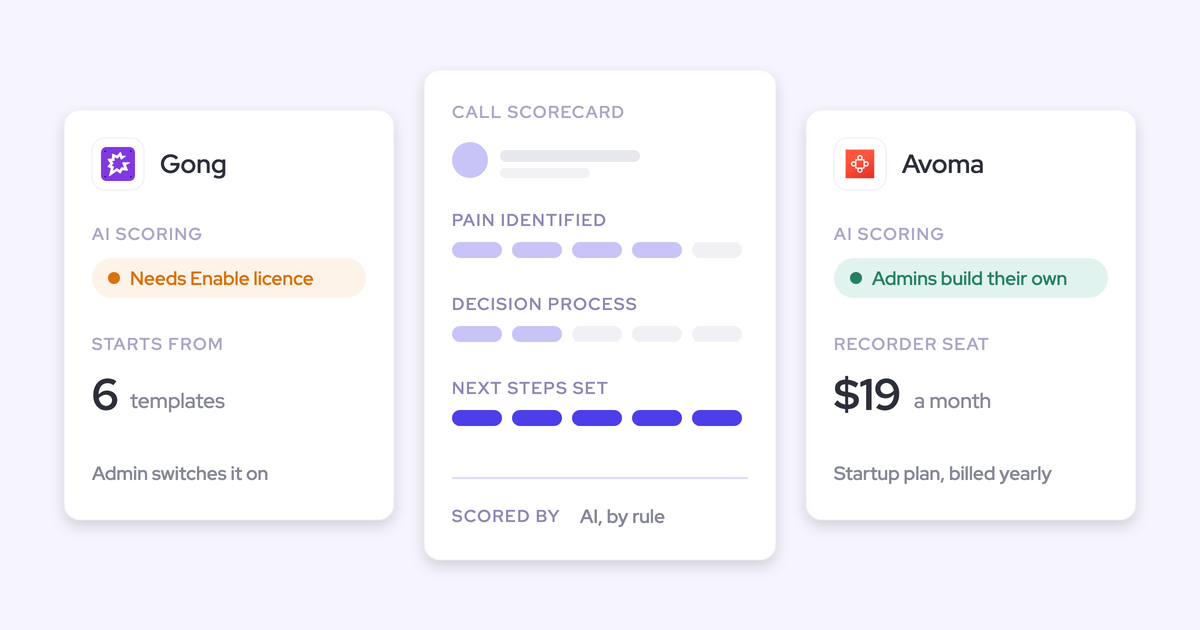
| Pricing | Published: $19 capture, $49 capture plus Conversation Intelligence | Included in Max ($550); Core and Advanced coming soon; quote on Starter and Pro | No published prices; Foundation licence, platform fee and credits | No published pricing | Published: $19 to $39 a seat plus $29 add-ons | No published prices; flat per-seat fee, 14-day trial |
Weflow: email, meetings and contacts in Salesforce, no rep setup
Weflow passes the email test, and it suits Salesforce teams that want email, meetings, contacts and conversation field updates from one platform with published per-seat pricing.
Weflow is the Revenue AI Orchestration platform for sales, customer success, and RevOps teams. We built it for Salesforce teams, so everything it captures lands in native Salesforce objects you own.
That matters for what comes next. AI field updates, playbooks, Ask Weflow AI and your agents all read both halves of the relationship: the calls and the email around them.
How Weflow Activity and Contact Capture logs every email and contact
Weflow Activity & Contact Capture runs server-side through a central app in Microsoft Entra or Google Workspace. It captures inbound and outbound mail on any device, in real time, with no action from the rep.
Your admin chooses how email is stored: as EmailMessage or as Task. Meetings land as Event records. About nine in ten of our customers pick EmailMessage.
Contacts come from the To and CC lines when the rep sends. That's how the CC'd finance lead becomes a real record. You control it with these settings:
- Restrict creation to accounts already in Salesforce, so no orphan contacts appear.
- Cap contacts per event, so a 200-person webinar doesn't write 200 contacts.
- Block standard prefixes such as invoice, billing, no-reply and support.
- Dedupe in real time across contacts, leads and any object with an email field, including secondary email fields.
- Create the opportunity contact role automatically when the contact emails on that deal.
- Enrich each new contact with name, title, email, phone and LinkedIn, bundled at no extra charge.
Here's what it doesn't do:
- It logs only mail that matches a Salesforce record.
- It misses mail sent from a separate deliverability subdomain and anything on personal email or phones.
- It never creates leads.
- With creation restricted to existing accounts, a new stakeholder at a company not yet in Salesforce creates no contact until the account exists.
Once someone creates that account, Weflow logs the earlier emails to it automatically. Lendz Financial captures virtually 100% of relevant emails in Salesforce this way, on the EmailMessage object with Microsoft 365.
How Weflow AI Field Updates write call data onto one Event
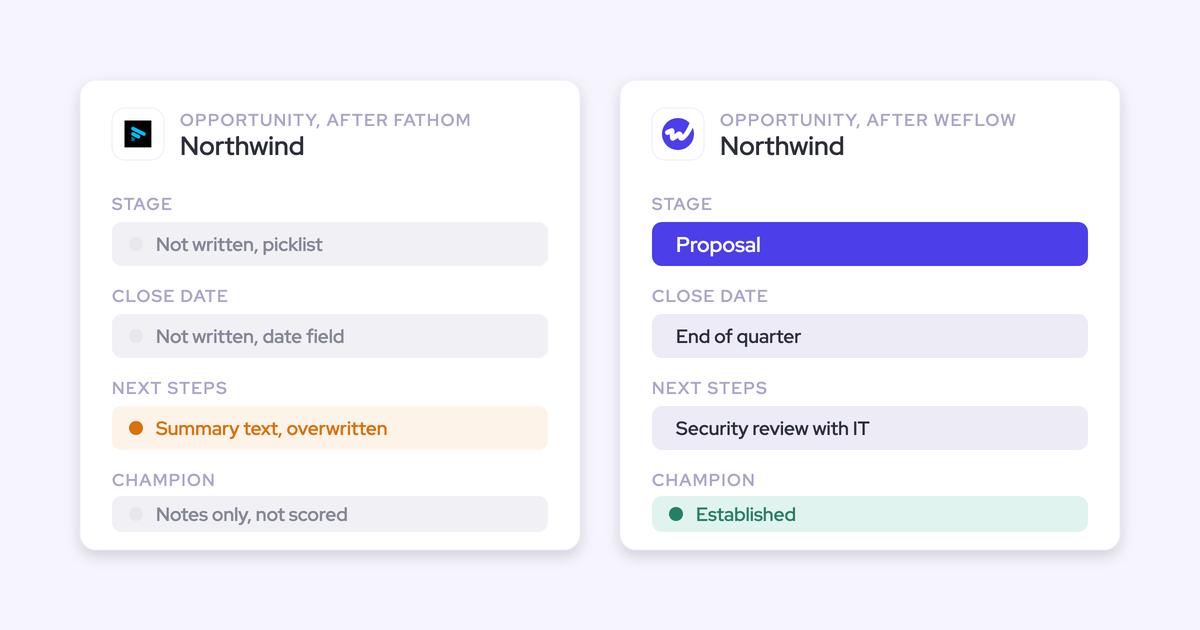
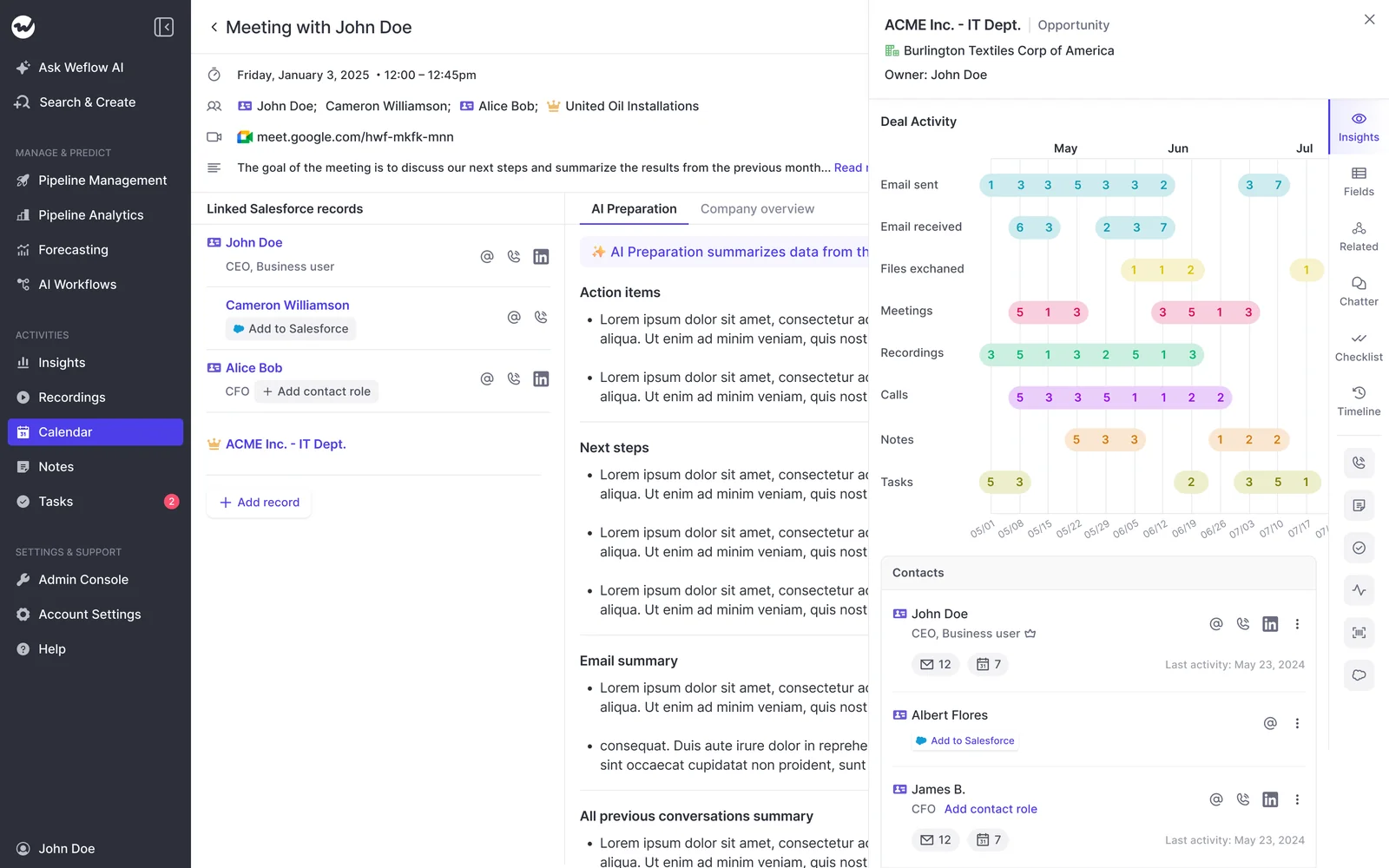
Weflow Conversation Intelligence writes the call summary to the Event that already exists, the one capture created. It doesn't create a second meeting. The full transcript sits on a Weflow recording object in Salesforce.
If you like Momentum's review flow, you keep the same pattern. Each field is set to write automatically or wait for review, so a website field can update itself while a champion field waits for a human.
- AI field updates write every Salesforce field type except lookups, including picklists, dates, numbers and multi-selects.
- Methodology fields such as MEDDIC get appended to, not overwritten, so early qualification survives later calls.
- More than 250 pre-built prompts cover MEDDIC, MEDDPICC, SPICED, BANT and others.
- Custom objects are supported, with setup by Weflow support.

This is where the email context changes the outcome. A field update reflects one call. An AI playbook runs on a schedule across every email, meeting, transcript and field on the opportunity, and keeps the field at the current best answer. Autopilot can only reason over email someone logged.
Ask Weflow AI answers from those same sources, so a question about a deal pulls in the emails as well as the recordings.

The notetaker schedules itself onto every external meeting on Zoom, Microsoft Teams, Google Meet and Webex. A meeting still logs as a Salesforce activity even when it isn't recorded.
Weflow has no live in-call assistant. Summaries, field updates and coaching all arrive after the call.
How Weflow opens your data to Claude, ChatGPT and your warehouse
Weflow integrates natively with Salesforce, Gmail, Google Calendar, Outlook, Zoom, Teams, Meet, Slack and the Outreach dialer.
Our read-only MCP connector is switched on per workspace by an admin. A separate toggle decides whether assistants read full transcripts or only AI summaries, and the console lists everyone who has connected.
If you already run an assistant on Salesforce's connector, Weflow's still adds something, because forecast calls and tracker hits never live in Salesforce objects:
- Salesforce's MCP answers questions about the record: fields, contacts, activities.
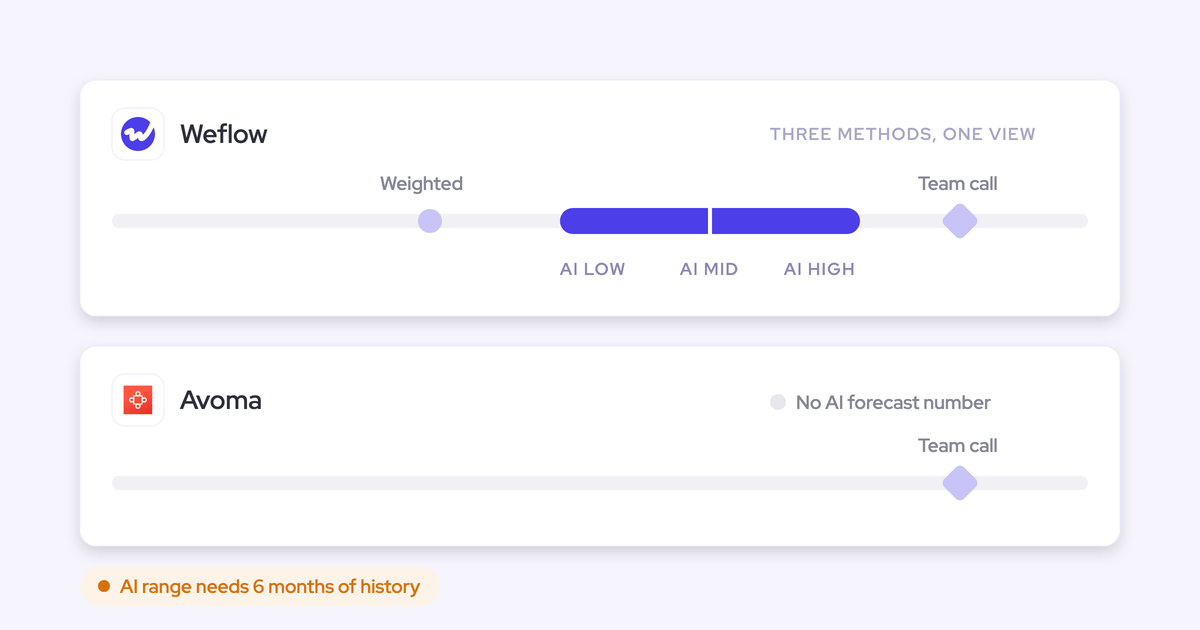
- Weflow's MCP answers questions about the forecast and the conversation: playbook output, summaries, transcripts, forecast calls and pipeline metrics.
Our REST API bulk-exports transcripts, metadata, scores and signals as JSON or CSV, and feeds BI tools such as Tableau and Looker.
The limits:
- No native Snowflake, Databricks or BigQuery connector; teams move data there through the API.
- No output into Microsoft Teams chat; notifications and agent results go to Slack and email.
- Weflow isn't a connector-catalogue platform for ERP or finance systems.
- Per-rep forecast breakdowns over MCP cap at 25 owners.
What Weflow costs, from Activity and Contact Capture to bundles
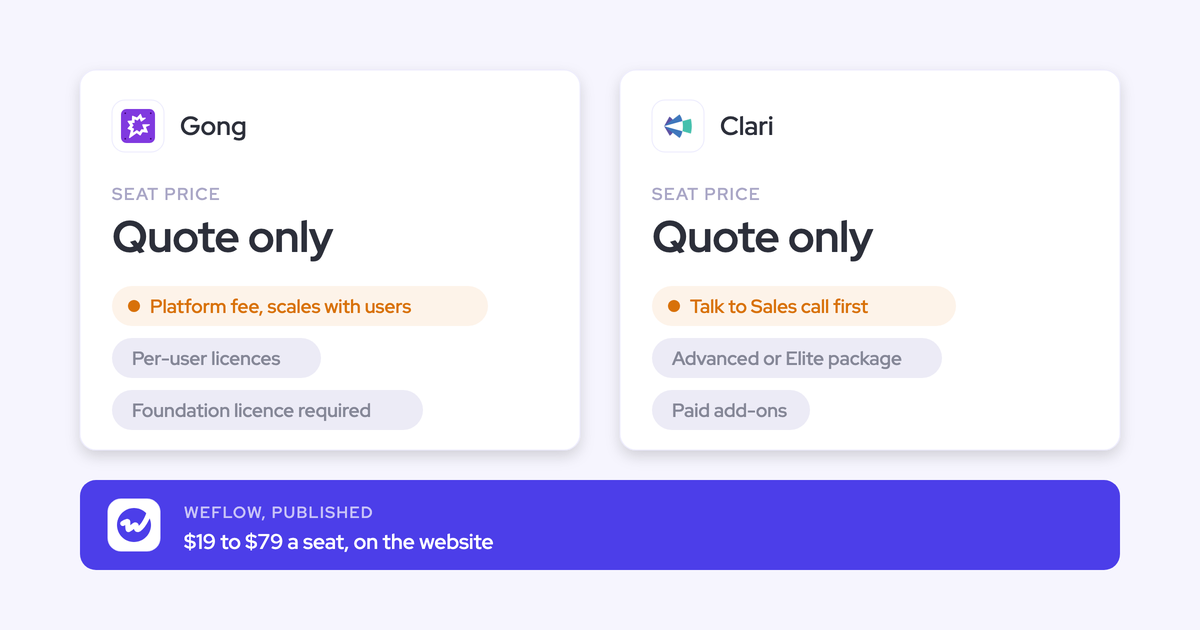
Our prices are on our website. All are per user per month, billed annually.
| Product or bundle | Price | What's included |
|---|---|---|
| Weflow Activity & Contact Capture | $19 | Email, meeting and contact capture into Salesforce |
| Weflow Conversation Intelligence | $39 | Recording, transcripts, AI field updates, desktop app, Mobile Copilot |
| Weflow Deal Intelligence & Forecasting | $39 | Deal health, pipeline analytics, forecast roll-ups |
| Revenue AI Foundation | $49 | Activity & Contact Capture plus Conversation Intelligence |
| Revenue AI Business | $59 | Foundation plus Deal Intelligence |
| Revenue AI Enterprise | $79 | Every Weflow product, including Forecasting |
Every plan includes Ask Weflow AI Pro and Agent Builder Free with 25 agent actions a month. Recording lives in Conversation Intelligence, so capture alone doesn't record meetings.
Terms: a 10-user minimum per product or bundle, 12-month contracts, and seats added mid-term charged pro rata. Weflow works only with Salesforce.
Gong: deep conversation analytics with forward-only email export
Gong has the deepest conversation analytics in the category and a marketplace of about 450 listings. On the email test it passes partly: import is server-side, but export to Salesforce is forward only, limited to matching records, and creates no contacts.
How Gong exports email and meetings to Salesforce
Gong imports sent and received email from Google Workspace or Office 365, company-wide or user by user. It keeps only emails with a participant matching a CRM record.
Once a tech admin turns export on, Gong writes meetings, calls and emails to Salesforce as Task or Event:
- Only activity with an external participant matching a Salesforce contact or lead is exported.
- Email exports only from the day you enable it.
- Call transcripts stay in Gong.
Gong doesn't create contacts itself. The Gong for Salesforce package ships an inactive Flow template that, once a Salesforce admin activates it, creates contacts or leads for call participants. It never covers people who only appear on email.
How Gong's AI Data Extractor writes call answers into fields
The AI Data Extractor writes answers from calls into CRM fields automatically. A few boundaries shape how far you can take it:
- It writes only into fields that already exist in the CRM.
- It overwrites the previous value when it finds newer information.
- A workspace can publish at most 20 extractors, and only a business admin creates them.
Recording coverage is broad: Zoom, Google Meet, Microsoft Teams, Webex and seven other providers, on any plan.
How Gong opens data through its MCP server and API
Gong's MCP server connects Claude, ChatGPT and Microsoft Copilot through three tools, each scoped to one account, deal or contact. It returns AI insights rather than raw transcripts, it's read-only, and every request draws metered credits.
The public API returns transcripts, participants, trackers and scorecards, capped at 3 calls a second and 10,000 a day. Getting Gong data into Snowflake, Databricks, BigQuery or Redshift requires Data Cloud, a separate purchase priced at about $5,000 a year.
What Gong costs and how its credits work
Gong publishes no prices. It sells a mandatory Gong Foundation licence with applications on top, a per-user licence, and a platform fee that scales with the number of users. Figures come only in a custom proposal.
AI credits sit on the automated paths: question-based AI trackers, the MCP server and API-based workflows. Each paid core seat adds 2,000 credits a year to a pool shared across the company.
Attention: conversation-first AI that keeps email in its store
Attention is built around AI agents that act on calls, and it runs the most open MCP server in this comparison. On the email test, it reads email per user but stores it as its own records, so getting email into Salesforce is a workflow you build.
How Attention captures email without logging it to Salesforce
Each user connects a Gmail or Microsoft 365 mailbox. On Microsoft, the connection defaults to calendar only, so email has to be chosen. Attention's connection report shows admins which users haven't connected.
Imported emails live in Attention's store, tied to a CRM account and deal. To log them to Salesforce, you build a workflow on the New Email Imported trigger.
Attention has no built-in rule that creates CRM contacts from email or meeting participants.
How Attention writes call values into mapped CRM fields
Admins write a prompt per field and map it to a Salesforce or HubSpot field. Automatic sync is the default Attention recommends, so nobody sees a value before it lands. A manual sync tab lets a rep pick fields one by one.
Two behaviors matter for data quality:
- A new field is mapped by hand and fills only on future calls.
- When a call has no answer, Attention writes prose explaining the absence into the field instead of leaving it empty.
Attention records with a notetaker bot by default, or through a desktop app. The desktop app doesn't support Teams joined in a browser, or Google Meet in Edge on a Mac.
How Attention hands raw transcripts to AI assistants over MCP
Attention's MCP server has 68 read-write tools across 15 groups. It returns raw transcripts, runs analysis across up to 25 calls or a whole deal, and reaches Attention's own Super Agent.
Usage is rate-limited rather than metered. Calls run under the caller's permissions, except organization-level API keys, which carry full organization access. Workflows can also push data to Snowflake, Salesforce, HubSpot, Slack and other destinations.
What Attention costs
Attention publishes no pricing. It sells on custom contracts, and pricing questions go to a demo booking.
Avoma: meeting-first tool with real email sync to Salesforce
Avoma is a genuine email-capture option, and it passes the test. It's built outward from the meeting and sold mainly to smaller teams.
How Avoma syncs email and creates contacts in Salesforce
Admins connect Google Workspace through domain-wide delegation, or Microsoft 365 through admin consent, once for the whole organization. Email then syncs in the background for every member with the Revenue Intelligence add-on.
- Synced email logs to Salesforce as Tasks.
- Every meeting from calendar sync creates a Salesforce Event.
- Contacts are created for external meeting participants under admin rules.
- Addresses in synced email can become contacts, or leads when no account shares the domain.
Email sync requires the Revenue Intelligence add-on. Avoma's documentation describes no backfill of past email.
How Avoma writes Smart Topics into Salesforce fields
Avoma maps Smart Topics to fields on Opportunity and Account and appends notes as meetings happen. It doesn't support custom objects, and there's no review step before a field write.
Recording covers Zoom, Google Meet, Microsoft Teams, BlueJeans, GoToMeeting, Lifesize and UberConference through a bot, and Webex through Webex cloud recording.
How Avoma opens data through MCP and its API
Avoma's MCP connector for Claude and ChatGPT has 11 read tools and 3 write tools. It needs the Organization or Enterprise plan, or the API Access add-on.
The REST API and webhooks cover meetings, recordings, transcripts, notes and scorecards, limited to 60 requests a minute on the Organization plan and above. Avoma lists 26 native integrations.
What Avoma costs with the add-ons email sync needs
Avoma publishes its prices. All figures are per recorder seat per month, billed annually.
| Plan or add-on | Price | Notes |
|---|---|---|
| Startup | $19 | Up to 25 seats |
| Organization | $29 | Up to 100 seats; includes the API |
| Enterprise | $39 | Annual billing only |
| Revenue Intelligence add-on | $29 | Required for email sync |
| Conversation Intelligence add-on | $29 | Scorecards, trackers, coaching |
| Onboarding with an Avoma expert | $1,000 one-time | Optional |
Avoma has a 10-seat minimum.
Jiminny: coaching-first tool that reads email but never logs it
Jiminny leads on live coaching and ships its own dialer, and it works across several CRMs. On the email test, it reads each user's mailbox but never logs email to Salesforce.
How Jiminny handles email, meetings and contacts in Salesforce
Each user switches on email sync and signs in with their own account. Jiminny then reads the mailbox every 15 minutes and keeps emails that match CRM records, inside Jiminny.
Recorded calls log to Salesforce as Task or Event. When a meeting record already exists, Jiminny writes into it instead of creating a second one.
Contacts come only from external participants who joined a meeting, with name and email, added as contact roles on the matched opportunity.
How Jiminny's AI CRM Filling writes call data into fields
AI CRM Filling reads calls and emails and writes to fields on deals, accounts, contacts, leads and tasks. Each automation runs automatically or waits for rep review, and each field can fill only when empty, overwrite or append.
Recording runs through a notetaker on Zoom, Google Meet and Microsoft Teams, plus desktop and mobile apps.
How Jiminny opens data through MCP and its API
Jiminny's read-only MCP connector works on its Scale and Grow tiers, with each user authorizing their own account. Its REST API opens with an organization-level key that only admins can generate. It records calls from about 20 third-party dialers.
What Jiminny costs
Jiminny publishes no prices. Each tier is a flat per-seat fee with no platform fee or usage credits, and there's a 14-day free trial.
Can you run Momentum alongside a separate email capture tool?
Yes, if exactly one system owns the meeting Event. Get that wrong and your meeting reporting doubles overnight.
Why two capture tools write the same meeting twice
When two vendors each create an Event for the same meeting, Salesforce holds two meetings. Meetings per rep and meetings per closed opportunity both inflate, which is the reporting you bought the tools for. A prospect put the requirement plainly:
"I don't want separate tools collecting data and duplicating meetings inside Salesforce. If I want to question the state of a deal, all the information should be in one place, no matter how many activity capture or conversation recording tools I use."
Momentum writes to Event only when an admin switches on Event mapping. With it off, Momentum logs to Opportunities, Accounts, Contacts and Leads instead. In a trial, check these in order:
- Record one external meeting and count the Event records it produced.
- Look at which tool created that Event.
- If both did, decide which one owns it and switch the other off. Turning off Momentum's Event mapping also means Autopilot can't write to Event fields.
- Run a meetings-per-rep report for the trial week and compare it with the calendar.
When keeping Momentum next to Weflow still makes sense
Keep Momentum if you're on Max, your team lives in Slack or Teams chat, and you're happy with Momentum over an existing Gong recorder. Add Weflow Activity & Contact Capture for email and contacts.
Momentum's docs say it ingests emails logged to Salesforce Tasks once its support sets up the ingestion. Weflow can log email as Task. That's the documented route for giving Autopilot the email context.
| Factor | Keep Momentum and add capture | Consolidate on Weflow Revenue AI Foundation |
|---|---|---|
| Momentum cost | Already in your Max licence | Not on your edition, or you'd pay for it as an add-on |
| Where reps work | Slack or Teams chat, with Momentum's review flow | Salesforce and Slack; no Teams chat output needed |
| Recorder | Gong or another recorder you're keeping | You want recording and field updates from one vendor |
| Meeting Event | Weflow writes it; Momentum's Event mapping stays off | Weflow writes it and attaches the summary |
| Tool count | Adds one tool; the exec can live with it | Removes one tool, which the exec is watching |
What each path costs when Momentum is already in your edition
If Momentum is already paid for in your edition, the real comparison is the incremental seat cost of each path. Some vendors can't be priced without a quote.
| Tool | Pricing model | Published list price | What costs extra |
|---|---|---|---|
| Weflow | Per seat, annual | $19 capture; $49 Revenue AI Foundation | Agent Builder above the free 25 actions a month |
| Momentum | Bundled in Salesforce editions or standalone | Included in Max ($550); $69 or $99 standalone | Add-on on Starter and Pro Suite by quote; $30 CI add-on standalone; Agentforce for Sales from $125 below Max |
| Gong | Per seat plus platform fee | No published price | Applications on top of Foundation, AI credits, Data Cloud |
| Attention | Custom contract | No published price | Not published |
| Avoma | Per recorder seat | $19 to $39 | $29 Revenue Intelligence add-on for email; $29 CI add-on; optional $1,000 onboarding |
| Jiminny | Flat per seat | No published price | Dialer minutes above the allowance at 2 cents a minute |
Momentum figures date from Salesforce's 3 September 2026 edition announcement. Here's how the three realistic paths compare on seat cost, per user per month, billed annually:
- Keep Momentum, add Weflow Activity & Contact Capture: $19 on top of what you already pay.
- Replace Momentum with Weflow Revenue AI Foundation: $49, covering capture, recording and AI field updates.
- Choose Avoma with Revenue Intelligence: $48 on Startup (up to 25 seats) or $58 on Organization, before the CI add-on.
How to keep internal and sensitive email out of Salesforce
The fear is the executive mailbox: M&A, HR and legal threads flooding the CRM. On one call, a prospect relayed their legal team's objection:
"…people like the CEO use Google, there are sensitive conversations, M&A, or HR having a tough exchange with an employee, and there's no ability to partition those emails from an email that relates to a commercial process, unless it's in the dedicated email platform for commercial processes."
Every tool here has some control. They differ in what they catch and where they leak.
| Tool | Exclusion controls | Known gap |
|---|---|---|
| Weflow | Internal-only threads never logged; only mail matching a Salesforce record logged; supplier and free-mail domain exclusions; contact prefix blocks; internal meetings recorded only on explicit opt-in | Groups on several mail tenants configure each tenant separately and list sibling domains in each |
| Momentum | Exclusion lists by address, domain or CRM account rule; Smart Quarantine pauses processing on eight sensitive categories and asks the host in Slack | Smart Quarantine needs a Momentum rep to enable it, an AI licence, and Slack for the host |
| Gong | Exclude lists by domain, address and subject keyword | Ad hoc recordings bypass the lists; adding an exclusion keeps meetings already recorded; removing one doesn't recover blocked email |
| Avoma | Admin exclusions by domain, subject keyword and address; email sync switchable per member | Set only at organization level by admins |
| Jiminny | Exclusion list of domains and addresses; one excluded participant skips the whole conversation | Applies going forward only; a user can still record an excluded meeting with instant recording |
| Attention | Per-user mailbox connections; connection report for admins | Snippets share as public links by default; recommended CRM sync writes with no review; Salesforce integration needs Modify All Data |
Which Momentum alternative fits your team
| If your team… | Look at… | Why |
|---|---|---|
| Runs on Salesforce and wants email plus calls from one platform | Weflow Revenue AI Foundation | Server-side email, contacts from To and CC, and field updates on the same Event, at $49 published |
| Is on Max and happy with Momentum over Gong | Momentum plus Weflow Activity & Contact Capture | Keeps Autopilot and the Slack flow, adds email and contacts for $19 |
| Is smaller and wants published prices | Avoma with Revenue Intelligence | Real email sync to Salesforce Tasks and contact creation from email |
| Puts coaching and live in-call help first | Jiminny | Live coaching and a built-in dialer; email stays in Jiminny |
| Wants the most open MCP and raw transcripts | Attention | 68 read-write tools, rate-limited rather than metered |
| Runs several CRMs | Jiminny or Avoma | Both support HubSpot and other CRMs; Weflow works only with Salesforce |
| Wants the deepest analytics and a broad marketplace | Gong | About 450 listings and deep call analytics, with forward-only email export |
What moving off Momentum involves
Past email and contacts can come with you, call history depends on Momentum's API, and reps change almost nothing.
How Weflow backfills 24 months of email, meetings and contacts
Historical sync-back covers up to 24 months of emails, meetings and contacts as standard, and up to three years on a custom basis. It all lands in Salesforce.
When an account gets created later, Weflow logs earlier emails with that company automatically, with no re-sync.
For contrast, Gong imports 12 months of mailbox history into its own store, not Salesforce. Avoma's documentation describes no email backfill.
What happens to your Momentum call recordings and history
Momentum's API returns meetings with attendees, full transcripts, linked Salesforce IDs and a two-hour download link for each recording. Momentum support has to switch the API on first.
Weflow imports recordings from other providers using the provider's API key. We link each recording to the right Salesforce account, opportunity or contact, and run our own lookup when the provider's API doesn't carry the association.
Our documented imports cover Gong, Chorus and Jiminny. Momentum isn't yet on that list.
What changes for your reps on day one
Admins do the setup. Reps do one thing.
- Your Salesforce admin and your Google Workspace or Microsoft admin install the central app and connect Salesforce, in a 30 to 45 minute session.
- You choose EmailMessage or Task, set internal domains and exclusions, and set the contact creation rules.
- You assign teams to capture.
- Historical sync-back runs.
- Each rep signs in to Weflow once, so the notetaker joins their meetings. Capture runs in the background either way.

The Outlook add-in and Chrome extension are optional. Reps use them to see what's about to be logged and override it.
Frequently asked questions about Momentum alternatives for email capture
Should you log emails as Task or EmailMessage in Salesforce?
Choose Task if you want one Salesforce activity report showing emails next to meetings and calls, or if storage is tight. An EmailMessage record is roughly seven times heavier. Choose EmailMessage if you want native From, To and CC fields and thread structure. About nine in ten Weflow customers choose EmailMessage.
Does Weflow capture Outlook and Gmail without a rep install?
Yes. Weflow captures mail through a central app in Microsoft Entra or Google Workspace, on any device, with no rep action. The Outlook add-in and Chrome extension are optional layers for overrides.
Doesn't Salesforce handle email separately from Momentum already?
In Salesforce's own description, email and calendar sync come from a separate layer, Einstein Activity Capture, with Momentum sitting on top. Evaluating that layer is outside this comparison, which looks at tools that put email and email-only contacts into Salesforce alongside conversation data.
Is Weflow SOC 2 and GDPR compliant, and where is data stored?
Weflow is SOC 2 Type II certified and GDPR compliant, runs Zero Data Retention for AI processing, and never uses customer data to train models. We host data in Frankfurt, New York or Sydney, matched to your Salesforce region, and you can override the region to keep data in the EU or UK. Momentum hosts on Google Cloud in the United States with no region choice.
What are Weflow's minimum seats, contract length and seat terms?
Weflow requires 10 users per product or bundle on a 12-month contract. Seats added mid-term are charged pro rata to the end of the term. You can't reduce seats mid-term, but you can reassign a seat when someone leaves.
Does Weflow create leads from email?
No. Weflow creates contacts automatically and never creates leads. If an address already exists as a lead, the activity attaches to that lead, and lead conversion stays a manual Salesforce step.
Does Weflow offer a live in-call assistant?
No. Summaries, field updates, follow-up emails and coaching scores all arrive after the call. Competitors do ship live help: Attention shows live battlecards in its desktop app, and Jiminny offers live call coaching.