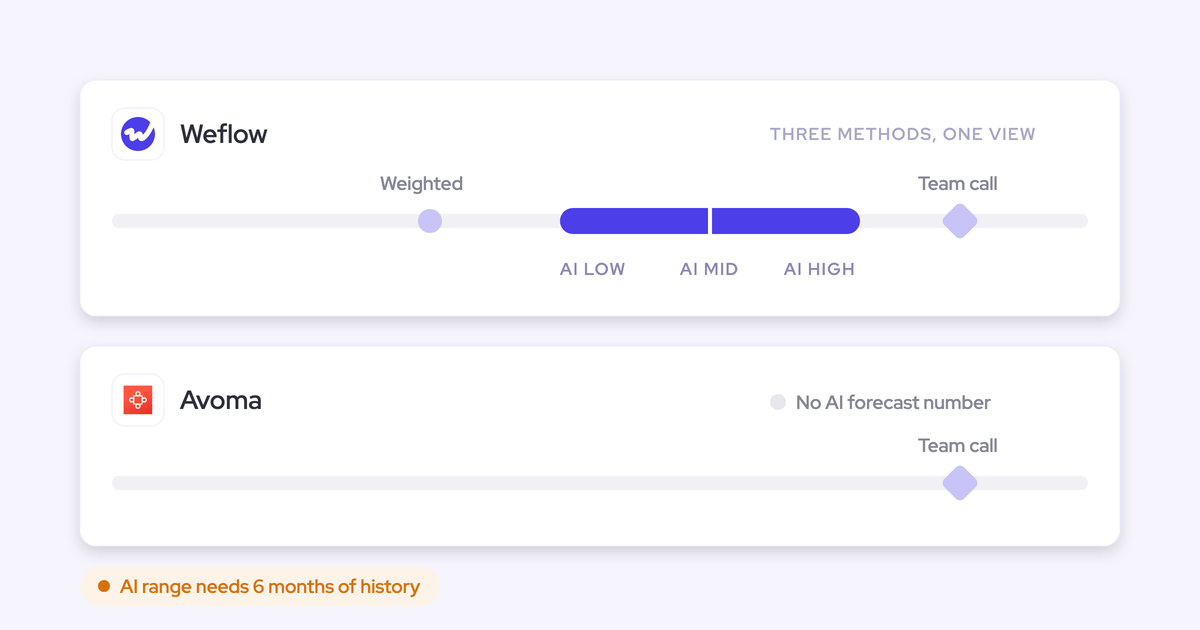
Airspeed (Formerly Glyphic) Alternatives for Salesforce Teams (2026)
Compare Airspeed, Gong, Weflow, Attention, and Momentum for Salesforce capture and native object storage


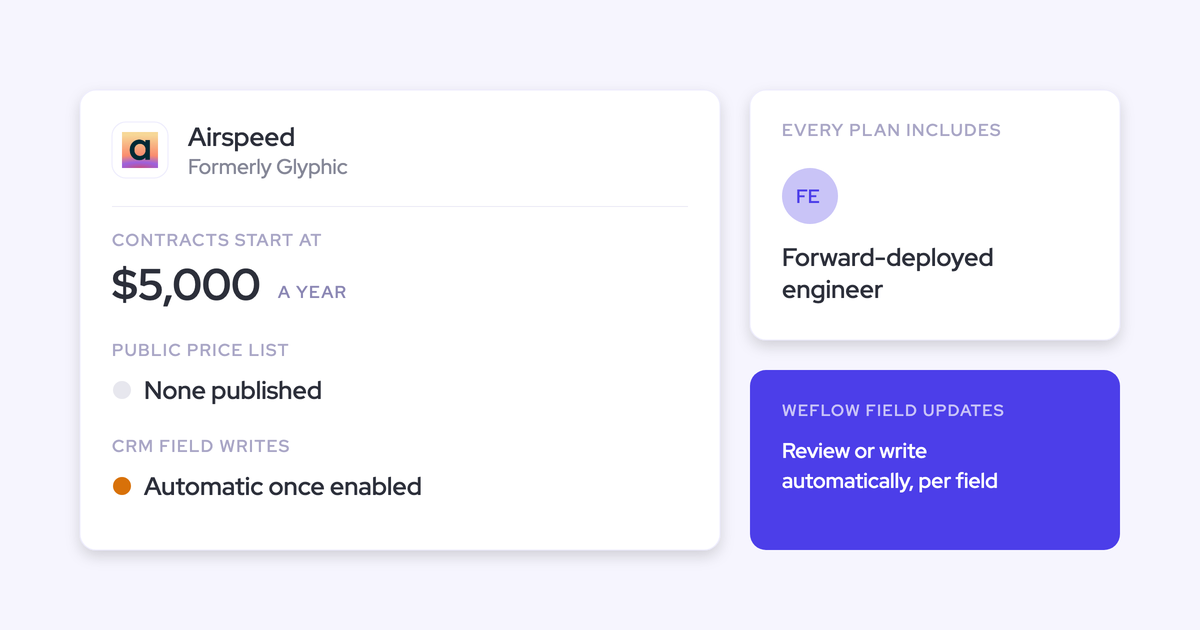

Airspeed, which you may still know as Glyphic, turns a recorded call into Salesforce data as well as anyone we've seen. Within minutes of a call it fills mapped fields, logs the activity, creates missing contacts and syncs tasks.
The edges show up in everything that wasn't a recorded call:
- Emails never reach the record, because Airspeed doesn't log email.
- A meeting the bot didn't join doesn't exist in Salesforce.
- Transcripts, deal scores and playbooks live in Airspeed, not in your Salesforce.
- Deal-level MEDDIC and forecasting sit in a Forecasting add-on with no published price.
We're Weflow, so read this knowing where we sit. Weflow is the Revenue AI Orchestration platform for sales, customer success, and RevOps teams. Here's the short answer by situation:
- Weflow if you want every email, meeting and contact captured into Salesforce, with conversation intelligence and forecasting in one platform at a published price.
- Gong if you want the deepest conversation analytics and the safe-brand purchase.
- Attention if you're an agent-first team that wants the most open MCP server.
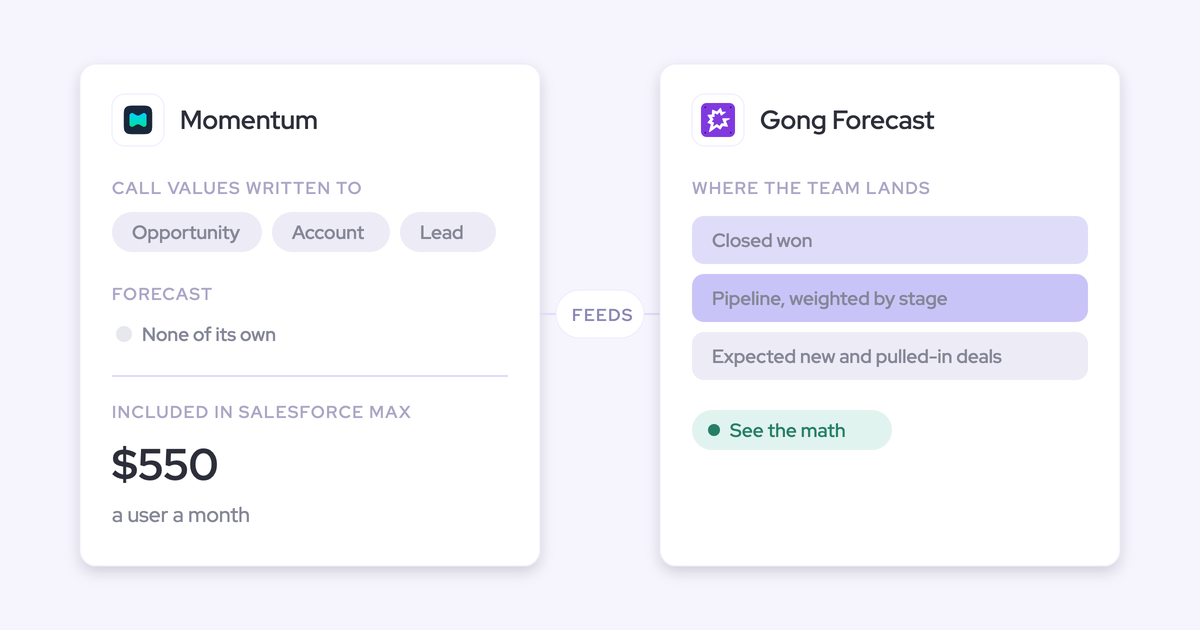
- Momentum if you're moving to Salesforce's new sales editions.
- Stay on Airspeed if calls-first execution and an embedded engineer are what you're paying for.
We judge every option on two questions first: does it capture the parts of a deal that weren't a recorded call, and where does the data live once it's captured? Field writes, forecasting and price come after. That's the same order we followed when we built Weflow Conversation Intelligence + AI Field Updates for Salesforce teams: calls become structured Salesforce fields on the same record as every email and meeting.
What Airspeed does well, and where Salesforce teams hit its edges
Airspeed turns recorded calls into Salesforce fields well
On recorded calls, Airspeed is a strong execution tool. Nobody leaves it because the field quality is bad.
If you switch, here's what you're giving up:
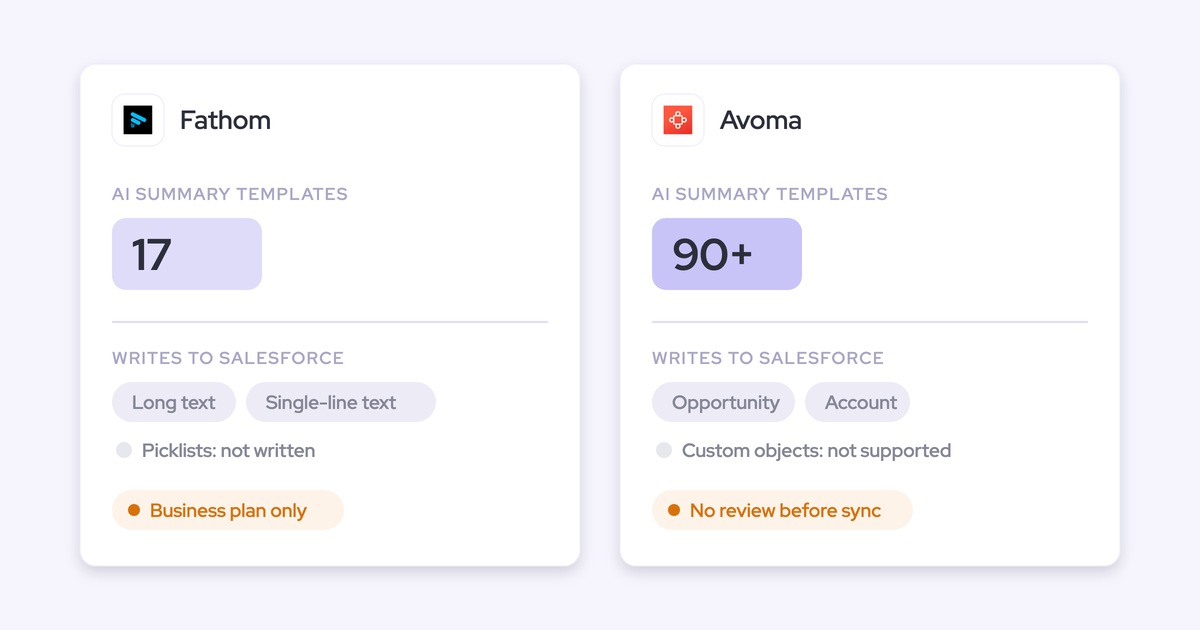
- Every CRM write is its own setting, off until an admin enables it, with an audit trail. Each mapped field takes a rule: overwrite, append, merge or leave an existing value alone.
- Writes reach standard and custom fields on Contact, Account, Opportunity and custom objects.
- Each call logs as a Task or Event carrying the summary. Airspeed matches an activity your calendar or dialer integration already created, by date, title and related records, so you don't get a second one.
- A running deal plan rebuilds itself from every call and email on the deal.
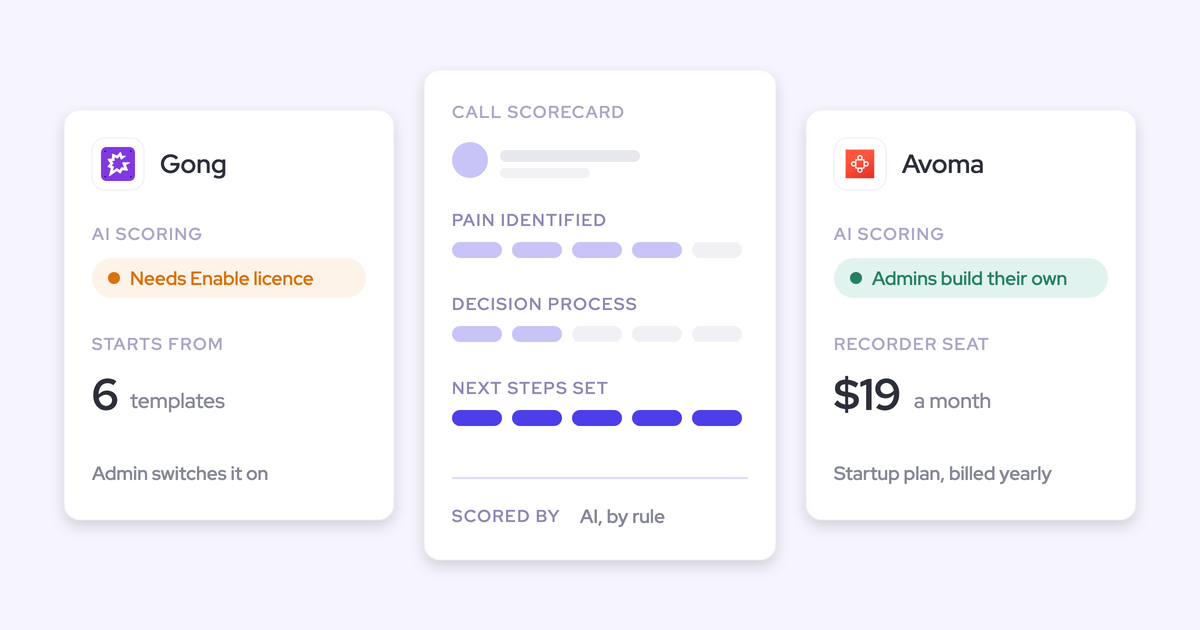
- Airspeed scores each element of MEDDPICC, BANT, SPICED or a custom framework per deal from the calls, in red, amber or green.
- Prebuilt agents cover pipeline risk, churn risk, CRM hygiene, call prep, follow-ups and coaching. Agents can also write and run code, and generate charts and decks.
- The integration list reaches well beyond the CRM: Aircall, Dialpad, RingCentral, Outreach, Salesloft, Nooks and Five9, plus Slack, Notion, Zendesk, PostHog and Clay.
- A per-user MCP server connects Claude and other assistants, and a public REST API exposes calls, transcripts and agent runs.
- Coaching goes deep: every call scored against a rubric within minutes, plus an AI roleplay simulator trained on your own calls.
- Every plan includes a forward-deployed engineer who configures the setup and stays embedded for the life of the contract.
Airspeed also serves HubSpot as well as Salesforce, one CRM at a time. The Glyphic name changed in May 2026: the app moved to app.goairspeed.com, while the API still sits at api.glyphic.ai.
Why Salesforce teams start looking past Airspeed
The reasons are structural. They come from how the product is built, not from any drop in the quality of its AI.
Here's what Airspeed's documented behavior means for a Salesforce team:
- Email never reaches Salesforce through Airspeed. Airspeed reads a rep's inbox as context only if the rep switches reading on. The only route into the record is a BCC address each rep adds for Salesforce's own logger.
- Only meetings the bot attended reach Salesforce. The bot gets kept out of Teams meetings when the host's organization blocks anonymous joiners, which happens most on prospect-hosted calls. Moving the event mid-meeting detaches the recording, and a link changed at the last minute needs support to reconnect.
- The conversation record lives in Airspeed. Transcripts, deal scores, playbooks and agent runs stay in Airspeed's store. Salesforce gets field values, activities, notes and tasks. If you leave, support emails you a CSV with recording links that expire.
- Deal-level methodology and forecasting sit in an unpriced add-on. Deal Insights, which reason across every call, email and note on a deal, belong to the Forecasting add-on. There's no pipeline waterfall, no scheduled snapshots and no forecast accuracy tracking, and Airspeed tells buyers that forecasting suites like Clari stay in place.
- Pricing is quote-only, and live recording is bot-only. Contracts start around $5,000 a year in seat bands, with no published price per tier. The only bot-free options are ingesting Zoom or Gong cloud recordings, or recording in person on a phone.
One smaller point for admins: once a write is enabled, it runs automatically. Airspeed's admin guides name a manual review behavior, but its Custom Insights reference doesn't describe one.
What reaches Salesforce on one deal: recorder vs capture
A recorder writes the calls it attended. A capture tool writes every email, meeting and contact, whether or not a call was recorded.
The difference is easiest to see on one opportunity. Take a typical mid-market deal and walk it moment by moment through your activity timeline:
| Deal moment | With Airspeed | With Weflow |
|---|---|---|
| Email thread with the economic buyer | Not logged. It reaches the record only if the rep BCCs Salesforce's logger. | Each email lands as an EmailMessage record on the right account, opportunity and contact, with no rep action. |
| New stakeholder cc'd only on email | Not created. Airspeed creates contacts from call participants. | Created as a contact from the email and mapped to the account. |
| Recorded Zoom demo | Logged as a Task or Event with the summary, and fields updated. The transcript stays in Airspeed. | One Event with the summary written onto it. The transcript and summary sit on a Salesforce recording object, and fields update. |
| Prospect-hosted Teams call that blocks anonymous joiners | The bot stays out, so there's no recording and nothing from Airspeed in Salesforce. | The calendar meeting still lands as an Event. Our bot also needs admitting from the lobby, and the desktop app records the call if the rep starts it. |
| Meeting moved mid-call, or link changed at the last minute | The recording detaches. A changed link needs support to reconnect. | The calendar meeting syncs as an Event. The desktop app records without needing a meeting link. |
| In-person meeting | Recorded on the phone web app, and syncs once participants are added on desktop. | Recorded on Mobile Copilot and processed like any recording. The calendar Event is captured either way. |
| Softphone call on Aircall or RingCentral | Imported automatically through Airspeed's dialer integrations. | Recorded from system audio if the rep starts the desktop app. Outreach dialer calls come in automatically. |
Airspeed wins the softphone row, and both tools handle in-person meetings. The gap is in the email rows and the meetings a bot never sat in.
Most teams fill that gap by adding a separate capture tool next to the recorder. Then two vendors have to agree on one meeting.
"They both create an event object, which creates a duplicate."
Janis Zech, Co-founder and CEO, Weflow
Airspeed does try to avoid this by matching date, title and related records. Weflow doesn't need to match, because one product writes the Event and attaches the recording to it.
Every report, flow and AI agent that reads the opportunity inherits whatever the timeline is missing. That's why capture scope decides this evaluation before field quality does.
What to test in an Airspeed alternative before you sign
Test the Salesforce integration on your own deals. The summary will look good in every demo, so it tells you little.
Hand this list to your admin for a two-week trial:
| What to check | How to test it in two weeks |
|---|---|
| Capture scope | Pick three live opportunities. After a week, compare the emails, meetings and contacts in Salesforce with each rep's inbox and calendar. |
| Where transcripts and scores live | Build a Salesforce report on transcripts and methodology scores. Anything you can't report on lives in the vendor's store. |
| One Event or two | Record a meeting that's already on the calendar, then count the Events on the opportunity. |
| Field-write control | Set one field to write automatically and one to wait for review. Write to a picklist, a custom object field and a field behind a validation rule. |
| Forecasting and pipeline analytics | Run a pipeline waterfall between two dates and pull forecast versus actual for last quarter. |
| Recording modes and consent | Record a prospect-hosted Teams call. Look at what each participant sees, region by region. |
| Exit path and history | Ask what format your data leaves in. Turn on historical sync and see how far back emails and meetings go. |
| Published pricing and metering | Price your next seat band and every add-on without a sales call. List what's metered. |
| What reps have to do | Count the installs, sign-ins and connections each rep needs before data flows. |
How Airspeed, Weflow, Gong, Attention and Momentum compare
On a feature grid, these five look similar. They split on how field writes are controlled, whether capture reaches beyond calls, and where the data can go.
| Capability | Weflow | Airspeed | Gong | Attention | Momentum |
|---|---|---|---|---|---|
| CRM field updates from conversations | Every Salesforce field type except lookups. Each field writes automatically or waits for review. Methodology fields append. Custom objects need setup by Weflow support. | Mapped standard and custom fields, with per-field overwrite, append, merge or keep. Writes run automatically once enabled. | AI Data Extractor writes into existing CRM fields and overwrites. Up to 20 extractors, created only by a business admin. | A written prompt per field into Salesforce or HubSpot. Review tab on manual sync, automatic sync recommended. Empty findings get written as prose. | Autopilot sets a rule per field: write automatically, confirm in Slack or the web app, or fill only if empty. |
| Deal summaries across all interactions | A deal-level summary across every meeting. AI Playbooks read every email, meeting, transcript and field on the deal. | A running deal plan rebuilt from every call and email. | AI Briefer combines conversations, emails, CRM data and the web for an account, deal or contact. | Deal-scoped fields and Insights span a deal's calls. Email and CRM reasoning happens on request in Super Agent chat. | Retropilot re-reads a record's history on a Salesforce event. Account Briefs show a timeline of calls, emails and CRM changes. |
| Qualification methodology capture | AI Playbooks with about thirty templates. Each element is judged, including text reps typed. Opportunities from before setup need a regenerate. | Red, amber and green per element from calls. Deal Insights across calls and emails sit in the Forecasting add-on. | AI Deal Reviewer ships seven playbooks with two-way CRM sync. No weighted methodology deal score. | MEDDIC, BANT and SPICED scorecards, or your own criteria in natural language. | Autopilot writes MEDDPICC fields. Call summaries list the MEDDPICC or SPICED elements covered. |
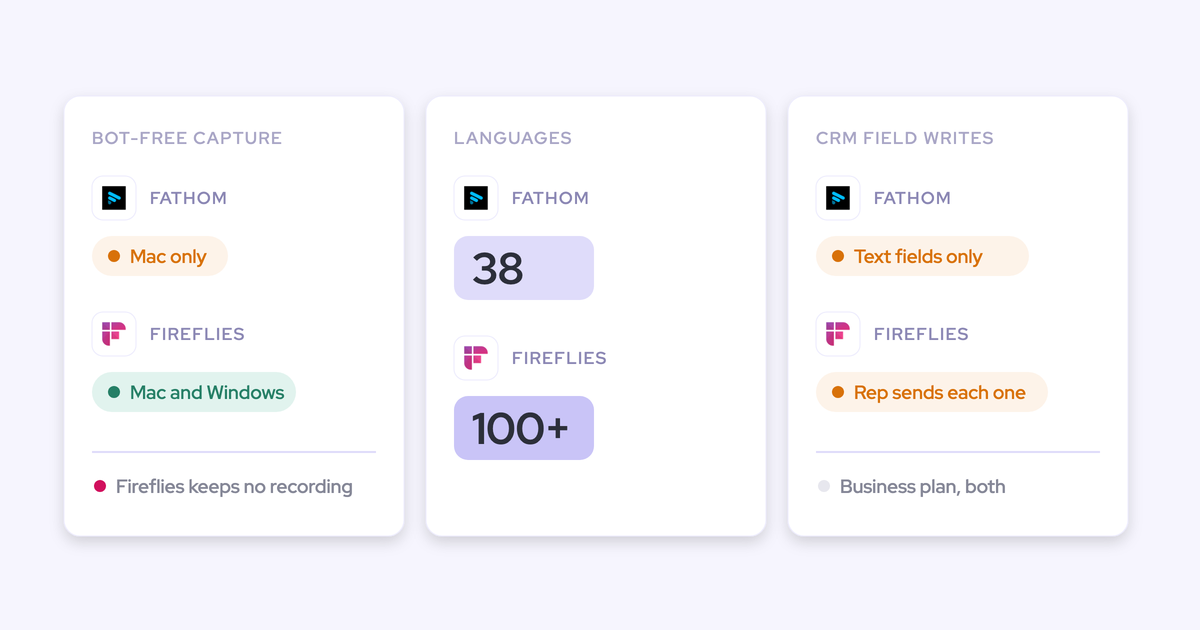
| Recording without a bot joining | Desktop app on Windows, Apple Silicon and Intel Mac, included in the Conversation Intelligence seat. The rep starts it, and consent is the rep's responsibility. | No bot-free live recording. Only Zoom or Gong cloud ingest and in-person phone recording. | Only on Zoom through native recording, plus in person on mobile. | Desktop app on Apple Silicon Macs only, with weaker speaker labels. | Zoom through Zoom cloud recording. A bot joins on Google Meet. |
| Prebuilt AI agents | Partial. Agent Builder ships three starter templates and is newer than the rest of the platform. | Pipeline risk, churn risk, CRM hygiene, call prep, follow-up and coaching agents. | Eighteen agents in Agent Studio across four separately bought packages. Several are renamed features. | Knowledge Base Builder, Follow-Up Email Automator, Deal Risk Monitor and more than 100 others. | Six agents: Deal Execution, Customer Retention, Sales Coaching, AI CRO, SmartClips and Account Brief. |
| Integrations with other tools | Partial. Salesforce, Gmail, Google Calendar, Outlook, Zoom, Teams, Meet, Slack and the Outreach dialer. BI tools through the API. No connector catalogue. | Dialers, engagement tools, meeting platforms, Slack, Notion, Zendesk, PostHog, Clay and AI assistants. | About 450 integrations and partner solutions, about thirty dialers and eleven meeting platforms. | Workflow steps into Gmail, Sheets, Salesforce, HubSpot, Notion, Snowflake, Slack and more. Imports Zoom Phone and Aircall. | Runs on Gong, Chorus, Clari Copilot, Attention and Salesloft recordings. Seven dialers, Slack or Teams. |
| Access from AI assistants (MCP) | Official read-only connector: playbooks, summaries, transcripts behind an admin toggle, forecast calls and pipeline metrics. | Per-user OAuth server for calls, playbooks and agent runs. run_agent can act through connected integrations. | Three record-scoped tools that return insights, not transcripts. Read-only and metered in credits. | 68 read-write tools with raw transcripts. Rate-limited, with no consumption charge. | No server of its own. Salesforce's Hosted MCP Server reads the records Momentum writes. |
| Raw data access outside the tool | REST API bulk export of transcripts, metadata, scores and signals as JSON or CSV. Video exports to your storage. No native warehouse connector. | REST API for calls, transcripts, insights, media, playbooks and agent runs. No endpoints for deals, forecasts or scores. | API capped at 3 calls a second and 10,000 a day. Warehouse delivery through Data Cloud, a separate purchase of about $5,000 a year. | Raw transcripts through MCP and API keys. Workflows push to Snowflake or any API. | API with transcripts and recording links. Off by default, switched on by support, capped at 100 requests per 15 minutes. |
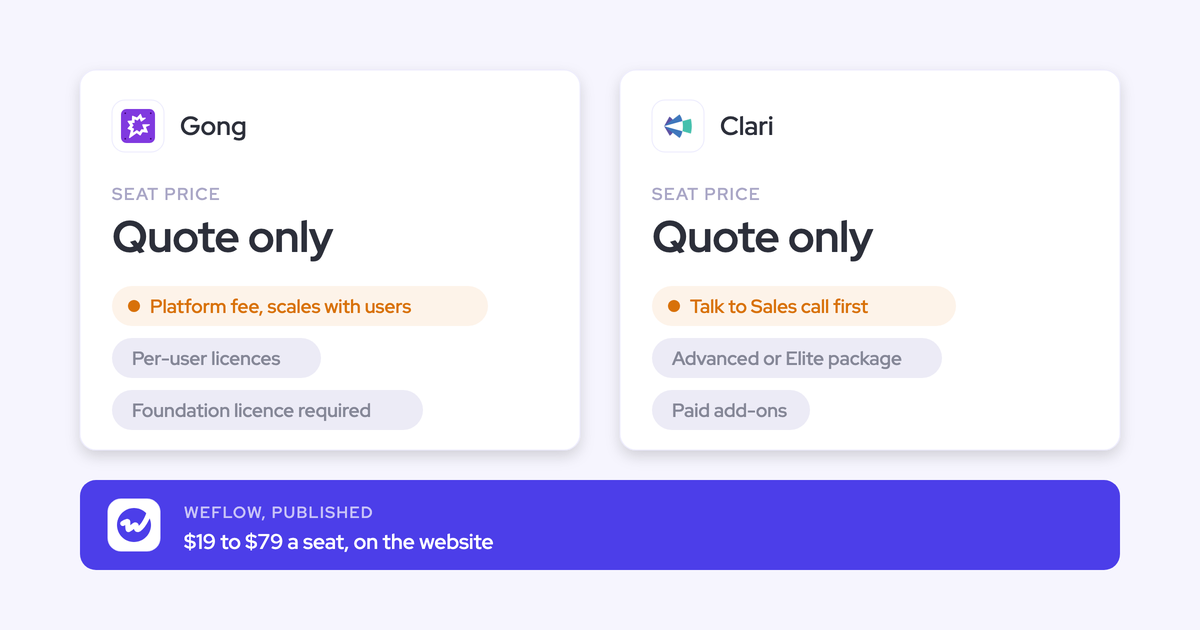
| Pricing | Published: $19 to $79 per user per month, billed annually, 10-seat minimum. | From about $5,000 a year in seat bands. No per-tier price, and the Forecasting add-on is unpriced. | Model published, prices not. Foundation licence plus applications, and AI credits. | Not published. | Included in Salesforce's Max edition at $550. Announced for Core and Advanced. Standalone plans listed on momentum.io. |
The entries below go deeper on each tool, in the same order.
Weflow: every email, meeting and call captured into Salesforce
Weflow answers the switching reasons above with one platform that captures the whole deal into Salesforce, turns calls into structured fields, and runs the forecast from the same records.
We learned why capture has to come first the hard way. Our first AI forecast shipped early and didn't work well, because no model can tell whether a deal is slipping without the activity and conversations underneath it. That's why most of our engineering goes into capture and mapping.
What Weflow captures into Salesforce, whether a bot joined or not
Weflow Activity & Contact Capture syncs every email, meeting and contact from Google Workspace or Microsoft 365 into Salesforce records. Each one maps to the right account, opportunity, contact or lead. None of it depends on a recording.
Here's what that means on your org:
- Standard objects: emails land as EmailMessage records and meetings as Events. EmailMessage keeps the from and to information, so you can separate sent from received and report on reply rates.
- Custom objects: roughly 20 to 30 percent of our customers log activities to custom objects as well as standard ones, and Weflow supports that.
- History: Weflow backfills 24 months of activity by default, and up to three years on a custom setup. Airspeed has no email or calendar backfill.
- One Event per meeting: Weflow creates one Event and updates it. The recording attaches as its own record, which can link to an opportunity and its account at the same time.
- Central switch-on: admins turn capture on through the Google Workspace or Microsoft admin app. Reps don't install anything for it to run.
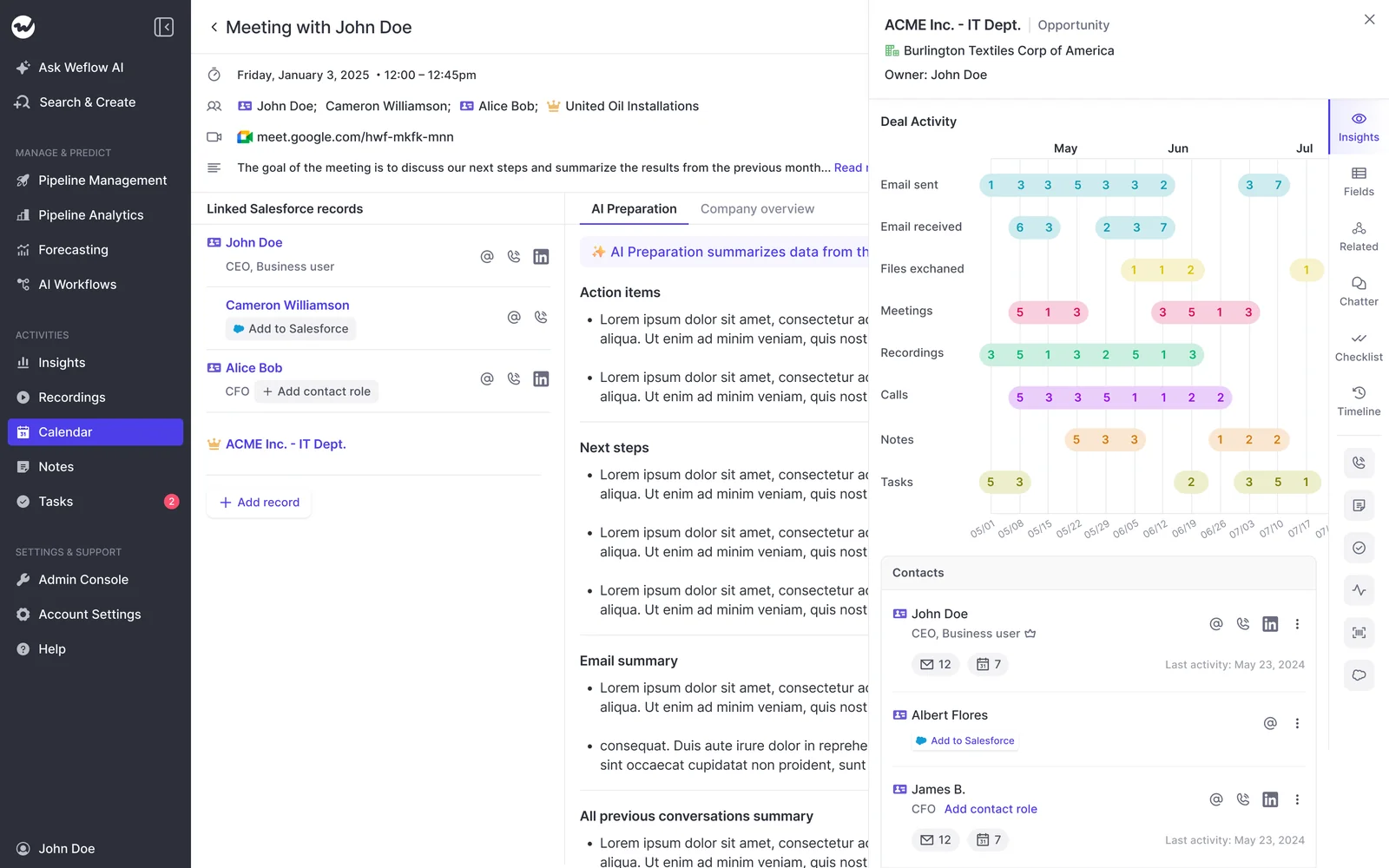
Here's how a deal's activity looks once capture runs: emails, meetings, recordings and contacts on one opportunity, with Salesforce sync status per contact.
The conversation record lives in Salesforce too. Weflow writes the transcript and summary onto a Salesforce recording object, so they're reportable, permissioned and queryable next to everything else in your CRM. They stay after cancellation.
"If you ever stop using Weflow, the data persists. It is your data."
Janis Zech, Co-founder and CEO, Weflow
That promise covers the activity, contacts, transcripts, summaries and fields we write. Two things live on our side, and here's the exact split:
| Data | Where it lives |
|---|---|
| Emails, meetings and contacts | Your Salesforce, as EmailMessage, Event, Task and Contact records |
| Transcript and AI summary | Your Salesforce, on the recording object |
| Call summary on the meeting | Your Salesforce, written onto the Event |
| AI field updates and playbook results | Your Salesforce, in the fields you map |
| Video recordings | Weflow storage, exportable to your own storage through the API |
| Hourly pipeline snapshots and forecast submissions | Weflow |
Video stays out of Salesforce because Salesforce file storage is expensive. Pipeline snapshots stay with us because Salesforce doesn't keep that history, and waterfall analysis depends on it.
How Weflow AI Field Updates write calls into Salesforce fields
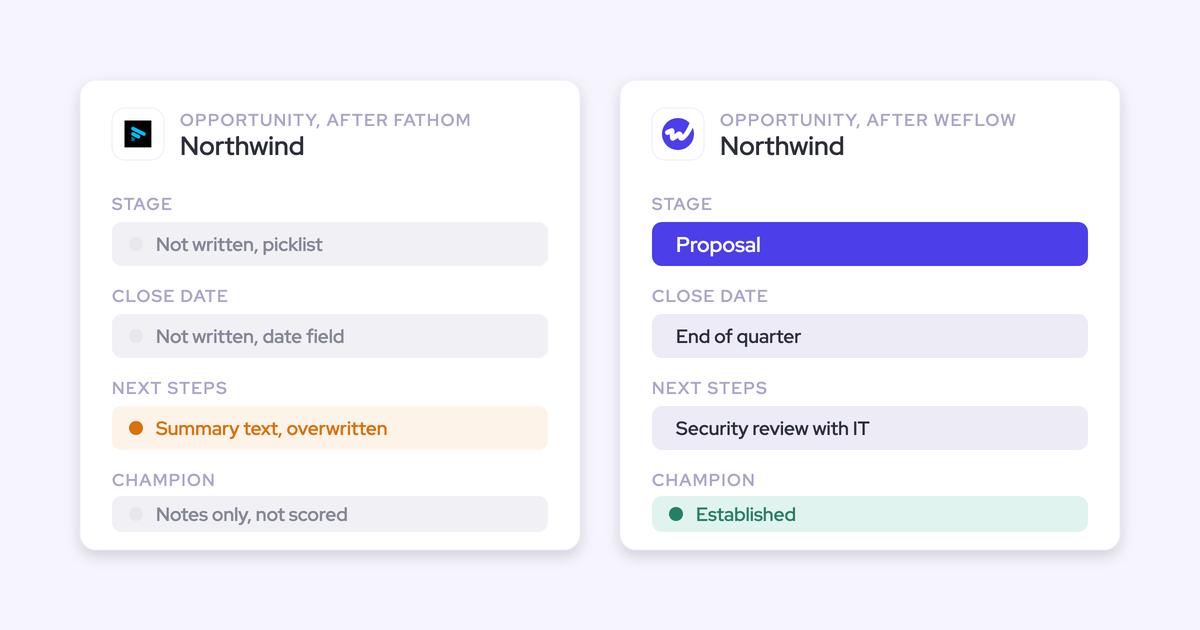
Weflow AI Field Updates write call outcomes into Salesforce fields of every type except relationship lookups. Here's how the controls compare with Airspeed's:
- Writes reach picklists, number, date and multi-select fields as well as text, so you get values you can group and chart.
- You set each field to write automatically or wait for review. An address can update itself while a champion field waits for the rep.
- Methodology fields append instead of overwriting, so early qualification survives later calls.
- Validation rules still apply. A stage change blocked by a rule stays blocked until the fields it depends on are filled.
- The field update view shows the previous value beside the new one. Within 30 to 60 seconds of a meeting ending, the rep gets the summary, a drafted follow-up email and the proposed updates.
- More than 250 prebuilt prompts cover MEDDIC, MEDDPICC, SPICED, BANT and other frameworks, and you can write your own.
- Field updates on custom objects need setup by Weflow support.
Each field has its own prompt, including whether the AI may search the web and whether it updates Salesforce automatically:

How Weflow AI Playbooks score MEDDIC across the whole deal
Deal-level methodology is part of Weflow, not a forecasting add-on. Weflow AI Playbooks read every email, meeting, transcript and CRM field on the opportunity, and write the results back to the matching Salesforce fields.
A playbook runs two passes. The first fills in each methodology element from the deal's evidence. The second judges how well each element is established, including text a rep typed, so a MEDDIC field filled with filler shows as not assessed.
Each element shows one of three states:
- Fully established
- Partially established, with a note on what's missing
- Never discussed
About thirty methodology templates ship, and you can encode your own framework the same way. Playbooks also attach to the account, which is what customer success needs for renewals that span several opportunities.
On the deal board, managers see each deal's methodology coverage letter by letter, next to amount, stage and close date:
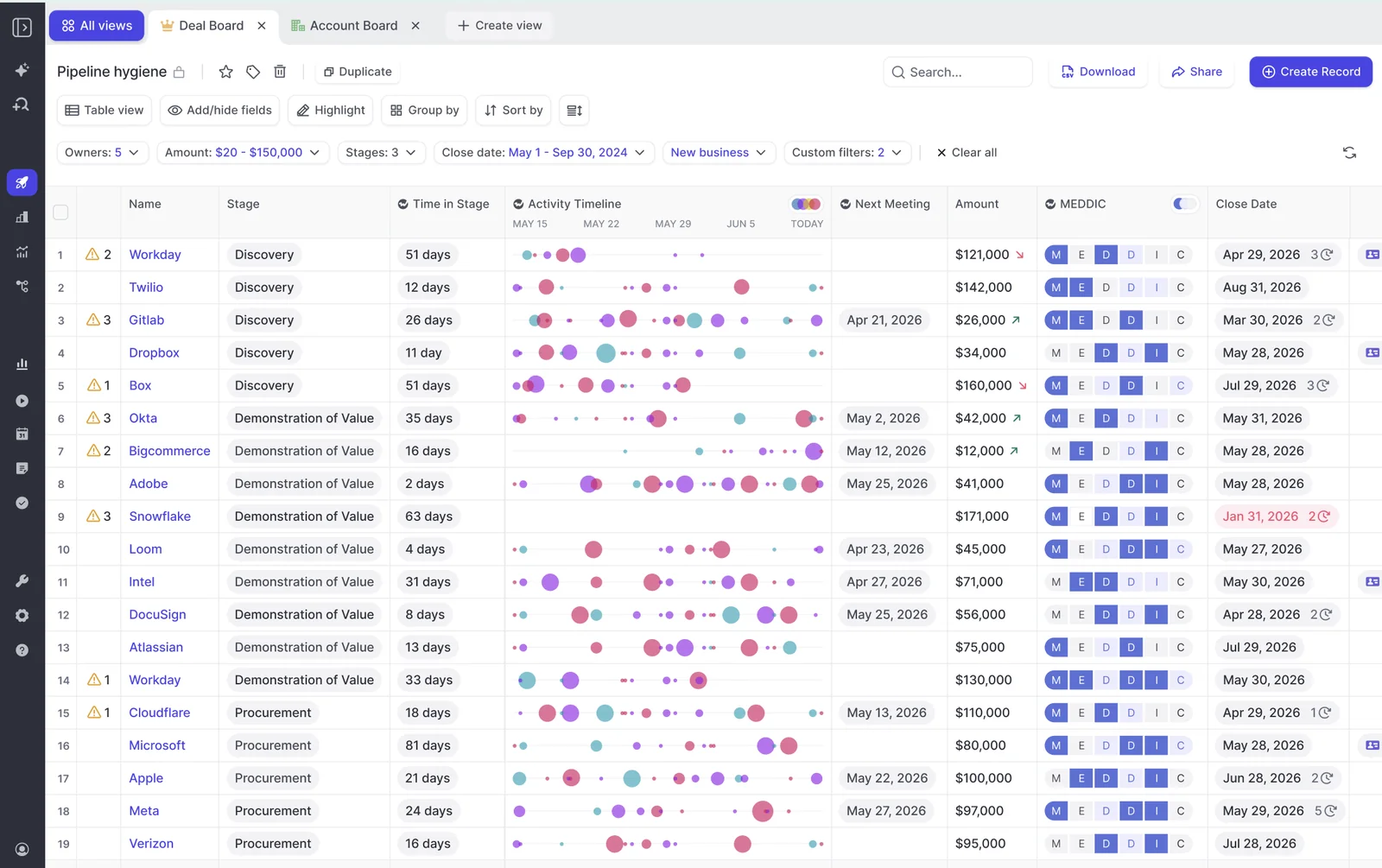
Playbooks rerun whenever new activity lands, and otherwise every three hours. They only cover opportunities created or changed after setup, so your existing pipeline stays empty until someone regenerates those deals.
How Weflow Deal Intelligence & Forecasting covers Airspeed's pipeline gap
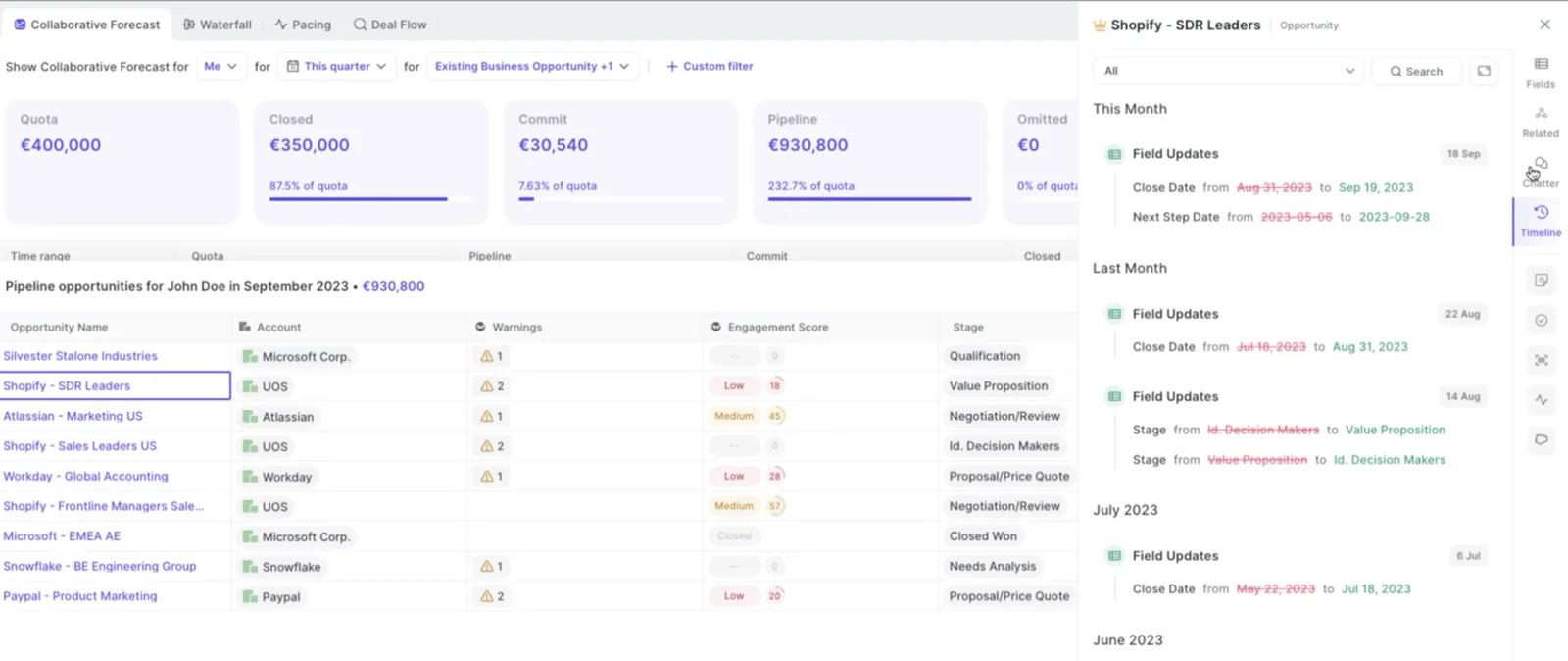
With Weflow Deal Intelligence & Forecasting, you don't need a separate forecasting tool next to your conversation intelligence. Roll-ups, record-type forecasts and pipeline analytics come from the same platform, built on hourly opportunity snapshots.
| Capability | Airspeed | Weflow |
|---|---|---|
| Pipeline waterfall between two dates | Not offered | Built from hourly snapshots |
| Scheduled pipeline snapshots | None. Field history covers editable fields with their author. | Every opportunity, every hour |
| Forecast accuracy against actuals | Past submissions kept but not scored | Forecasted versus actual by rep and manager |
| Pacing against target | Not offered | Included in pipeline analytics |
| Forecasts by record type | Roll-up with quota, attainment and coverage | New Business, Renewal, Partner and others, each with its own stage path and roll-up |
Pipeline Analytics comes with the forecasting product. Here's the forecast with an opportunity's field-change timeline open beside it:
One honest note: at 1,000 reps and up, Clari's enterprise roll-ups are more mature than ours.
How Weflow records meetings without a bot in the call
The Weflow desktop app records the calls a bot gets locked out of. It runs on Windows, Apple Silicon Mac and Intel Mac, and it comes with the Weflow Conversation Intelligence seat at no extra charge.
The app captures system audio, microphone and video on Zoom, Google Meet and Microsoft Teams. The recording goes through the same pipeline as a notetaker recording, so field updates, summaries, follow-up emails and scorecards all work.
It also records softphone calls on Aircall, RingCentral or any dialer whose audio runs through the computer, with no dialer integration needed. Because it doesn't need a meeting link, it covers the moved meeting and the last-minute link change.
The rep starts each recording, either with the Record button or by accepting the prompt when joining a Zoom or Google Meet call. With the desktop app, nothing joins the meeting to post a consent notice, so consent becomes the rep's responsibility.
How Weflow connects to your stack, agents and AI assistants
Here's what agents, Claude or your warehouse can reach, in the same order as the comparison:
- Agents: Weflow Agent Builder ships three starter templates: a pipeline snapshot, a meeting recap bundle and a deal risk PDF. Each agent runs on a schedule, looks up Salesforce records, reads their emails, calls and transcripts, and delivers to Slack, email or PDF. Teams usually start with closed-lost analysis and deal-review agents.
- Integrations: Weflow connects to Salesforce, Gmail, Google Calendar, Outlook, Zoom, Teams, Google Meet, WebEx, Slack and the Outreach dialer. We're not an integration platform with a connector catalogue.
- MCP: the official Weflow MCP connector is read-only and switched on per workspace by an admin, with a separate toggle for full transcripts. Claude and ChatGPT reach playbooks, call summaries, transcripts, forecast calls and per-rep pipeline metrics, capped at 25 owners per breakdown.
- Raw data: the REST API bulk-exports transcripts, metadata, scores and signals as JSON or CSV. There's no native Snowflake, Databricks or BigQuery connector, so teams move data to their warehouse through the API. Activity also reaches the warehouse through your existing Salesforce sync, because it's stored as Salesforce records.
Where we think Weflow falls short against Airspeed
If you leave Airspeed for Weflow, here's what we'd tell you on a call:
- Our Agent Builder is newer and less mature than Airspeed's agents.
- Our agents can't write their conclusions into Salesforce fields. Fields get written by AI Field Updates after a call and by AI Playbooks on a schedule.
- Our agents can't read Slack yet. They deliver to it.
- Our MCP connector is read-only, so there's no equivalent of Airspeed's run_agent acting through your integrations.
- We don't have AI roleplay.
- We work only with Salesforce. If you might move to HubSpot, Airspeed keeps that door open.
- Field updates on custom objects need our support team to set them up.
- We don't run a forward-deployed engineer model. We own onboarding ourselves.
- Airspeed's consent flow is more complete, with a seven-language consent page and admin-set announcements. Our desktop app hands consent to the rep, and for some legal teams a visible bot is the approval.
What Weflow costs, from standalone products to bundles
We publish our prices. Every seat includes the AI features, and Agent Builder is the only metered product.
| Product or bundle | What's included | Price per user per month |
|---|---|---|
| Weflow Activity & Contact Capture | Email, meeting and contact sync into Salesforce, activity insights | $19 |
| Weflow Conversation Intelligence | Notetaker, desktop app, Mobile Copilot, AI Field Updates, coaching | $39 |
| Weflow Deal Intelligence & Forecasting | Deal boards, deal signals, forecasting, Pipeline Analytics | $39 |
| Weflow Revenue AI Foundation | Activity & Contact Capture + Conversation Intelligence | $49 |
| Weflow Revenue AI Business | Foundation + Deal Intelligence | $59 |
| Weflow Revenue AI Enterprise | Business + Forecasting | $79 |
Every plan includes Ask Weflow AI and the free tier of Weflow Agent Builder with 25 agent actions a month. Beyond that, Agent Builder is priced per workspace, not per user:
- Growth: $299 a month for 500 agent actions
- Scale: $999 a month for 2,500 agent actions
- Enterprise: a custom package
Billing is annual with a 10-seat minimum. You can mix roles across bundles.
At about 62 seats, capture plus conversation intelligence lands around $36K a year, and the full platform around $58K. Putting most reps on a lower bundle and a handful of managers on the full platform brings the same 62 seats to roughly $45K.
Which Salesforce teams get the most out of Weflow
Weflow fits Salesforce teams that want capture, Weflow Conversation Intelligence with AI Field Updates, playbooks and forecasting in one platform and one contract. If your reason for looking past Airspeed is the email gap, the conversation record or the missing pipeline analytics, that's the problem we built for.
Gong: the deepest conversation analytics, kept in Gong's cloud
What Gong captures and where your call data lives
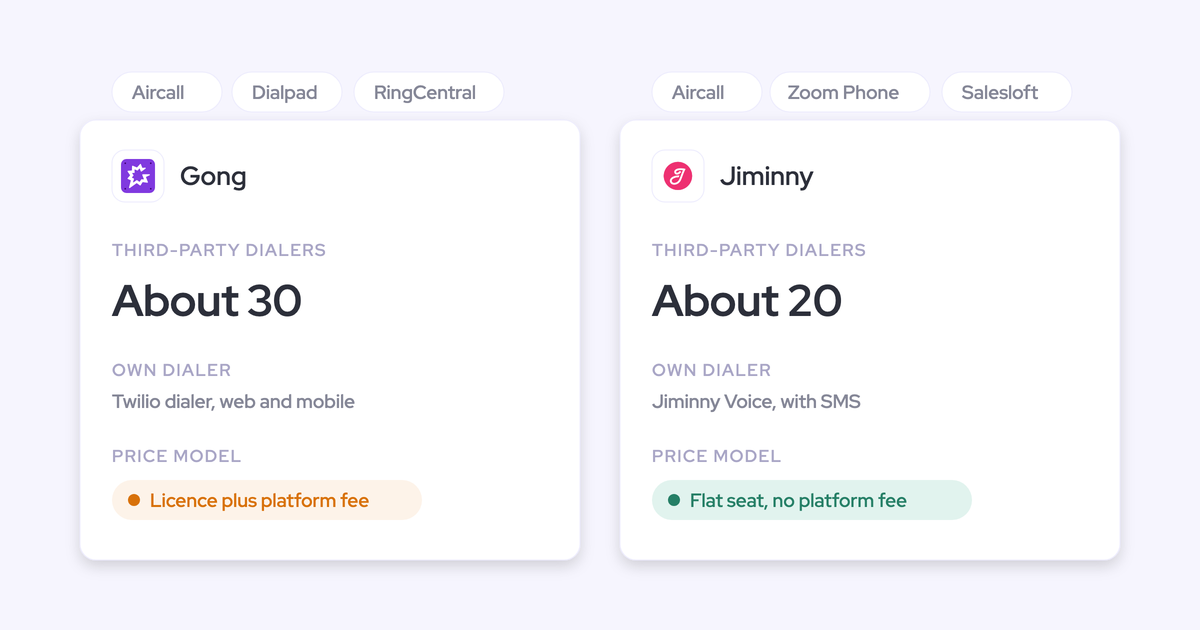
Gong records meetings on eleven web conferencing platforms and imports calls from about thirty dialers. The calls, transcripts, trackers and analytics live in Gong's cloud.
Salesforce receives what Gong's AI Data Extractor writes into fields that already exist, plus Salesforce dashboards built on Gong data. By default, Gong keeps recorded calls and their transcripts and statistics for up to three years.
For a team leaving Airspeed because the conversation record lives outside Salesforce, Gong moves that problem rather than solving it.
Where Gong beats Airspeed for a Salesforce team
- Deal summaries: Gong's AI Briefer combines conversations, emails, CRM data and information from the web for an account, deal or contact.
- Methodology: AI Deal Reviewer ships seven playbooks, including MEDDICC, BANT, SPICED and Sandler, with notes and status synced two ways to the opportunity.
- Integrations: the Gong Collective lists about 450 integrations and partner solutions.
- The deal board: reps and managers read deal momentum at a glance, and many teams run their forecast call from it.
- The brand: Gong invented the category and has the deepest conversation analytics. Nobody expects to be blamed for choosing it.
"The reason why I stuck with Gong was like the bubbles. You sort of get like addicted to the bubbles."
Chris Nethercote, Head of Sales at Weflow, former Gong enterprise customer
Where Gong falls short for teams leaving Airspeed
- Field updates: up to 20 AI Data Extractors, created only by a business admin. They write only into existing CRM fields and overwrite older values.
- Methodology: Gong doesn't produce a weighted methodology deal score on the opportunity.
- Botless recording: only on Zoom through native recording, plus in person on mobile. On Meet and Teams, the bot joins.
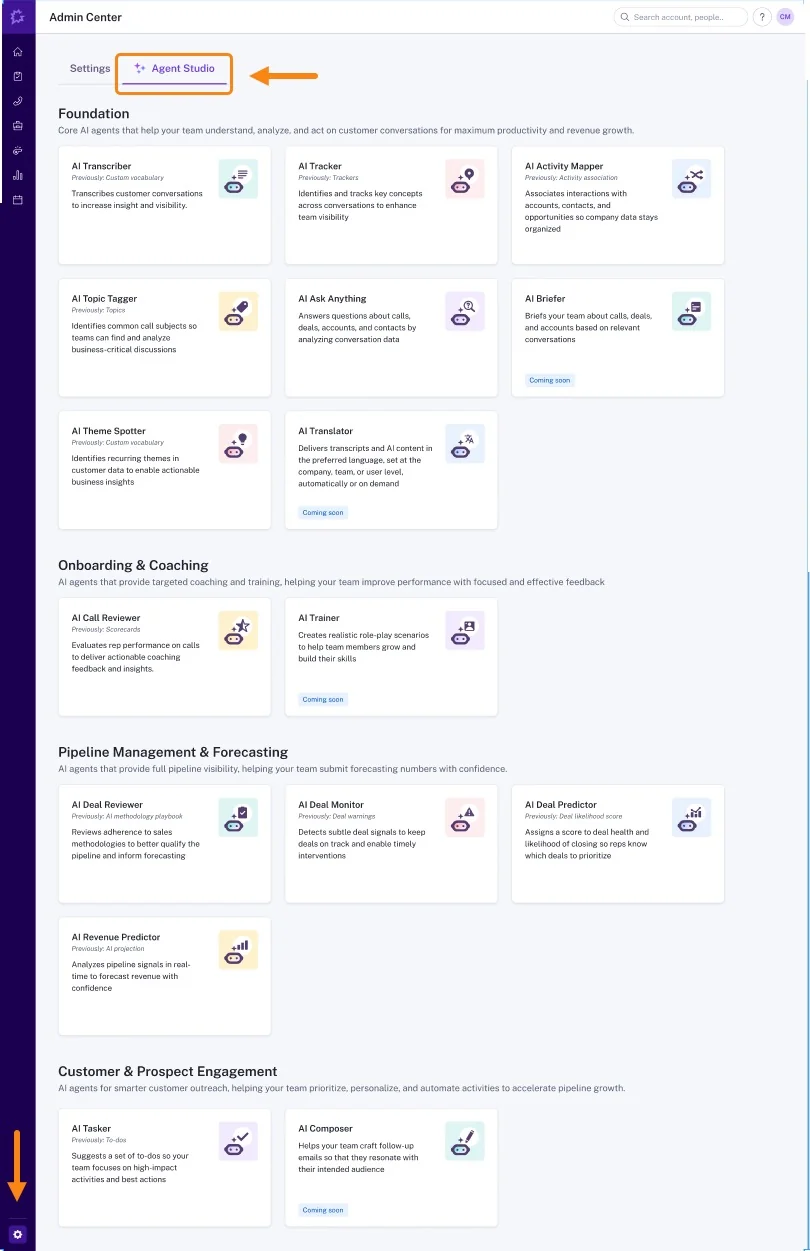
- Agents: eighteen agents sit across four separately bought packages, and several are existing features renamed as agents. There's no way to author your own.
- MCP: three record-scoped tools that return insights rather than transcripts. The server is read-only and draws metered credits.
- Raw data: the API caps at 3 calls a second and 10,000 a day. Warehouse delivery needs Data Cloud, about $5,000 a year on top.
- Pricing: no published prices. Gong Foundation is mandatory, applications cost extra, and AI usage draws from a credit pool.
Gong's Agent Studio shows the fixed catalogue, grouped into four sections:
Which teams should pick Gong over Airspeed
Pick Gong if your team runs on the deal board, wants the deepest conversation analytics, and needs a large integration marketplace. For an Airspeed leaver, Gong is usually the step back to the incumbent. Gong gives you the deepest conversation analytics; Weflow gives you the fastest path from conversation to CRM data.
Attention: agent-first AI with the most open MCP
What Attention captures and where your call data lives
Attention has the same calls-first shape as Airspeed. It records calls with a bot or a Mac desktop app, and imports Zoom Phone and Aircall calls.
Email syncs from Gmail, or a user's Microsoft 365 connection, into Attention's own store. Attention doesn't write those emails to Salesforce as activities. To get them there, you build a workflow on its New Email Imported trigger.
Where Attention beats Airspeed for a Salesforce team
- Field updates: a written prompt per field, a per-field review tab on manual sync, and a test-against-a-real-call control before a field goes live.
- Methodology: pre-built MEDDIC, BANT and SPICED scorecards, or your own criteria in natural language.
- Agents: ready-made agents include a Knowledge Base Builder, a Follow-Up Email Automator and a Deal Risk Monitor, among more than 100.
- Integrations: workflow steps act inside Gmail, Google Sheets, Salesforce, HubSpot, Notion, Linear and Snowflake. They can branch, loop, call any API and run custom Node.js or TypeScript code.
- MCP: 68 read-write tools across 15 groups that return raw, searchable transcripts, run under each caller's own permissions, and carry no consumption charge.
- Raw data: raw transcripts and scorecard results through MCP and API keys.
Where Attention falls short for teams leaving Airspeed
- Field updates: automatic sync is the recommended default, so nobody sees a value before it lands. A field with no finding gets a sentence explaining the absence, and new fields fill only on future calls.
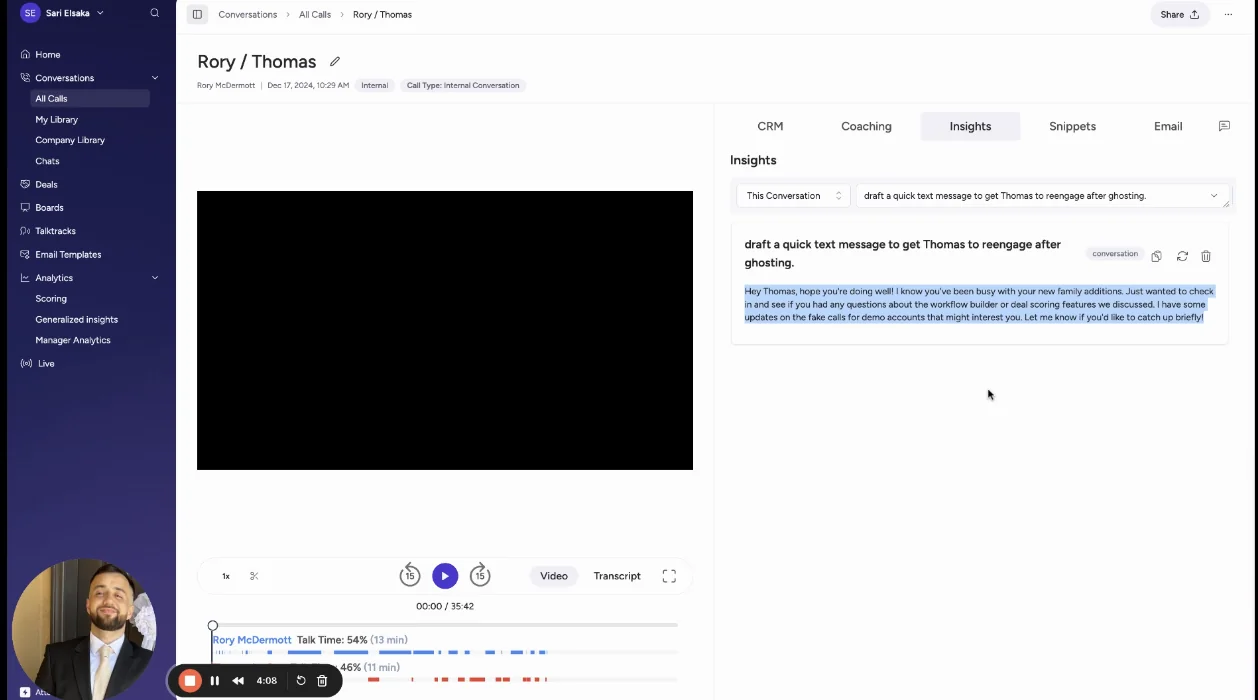
- Deal summaries: Insights run against one call or one deal's calls. The Account scope is greyed out, and email and CRM reasoning happens on request in Super Agent chat.
- Botless recording: the desktop app runs on Apple Silicon Macs only, can't record Teams in a browser, gives weaker speaker labels, and stops if the network drops.
- Forecasting: Attention scores deals from calls but isn't a forecasting suite. In our deals, it shows up in conversation intelligence evaluations, not forecasting ones.
- Access: an org-level API key carries full organization access with no user binding.
- Pricing: not published.
Here's Attention's Insights scope selector, with Account shown but not selectable:
Which teams should pick Attention over Airspeed
Pick Attention if you want the most open AI access to your call data and have RevOps people who can write prompts and maintain workflows with code in them. It won't close the email gap, because it shares Airspeed's calls-first design.
Momentum: Salesforce's own route from calls to fields
What Momentum captures and where your call data lives
Momentum writes conversation output into Salesforce records. It records calls itself or runs on top of the recorder you already have, including Gong, Chorus, Clari Copilot, Attention and Salesloft Conversation Intelligence.
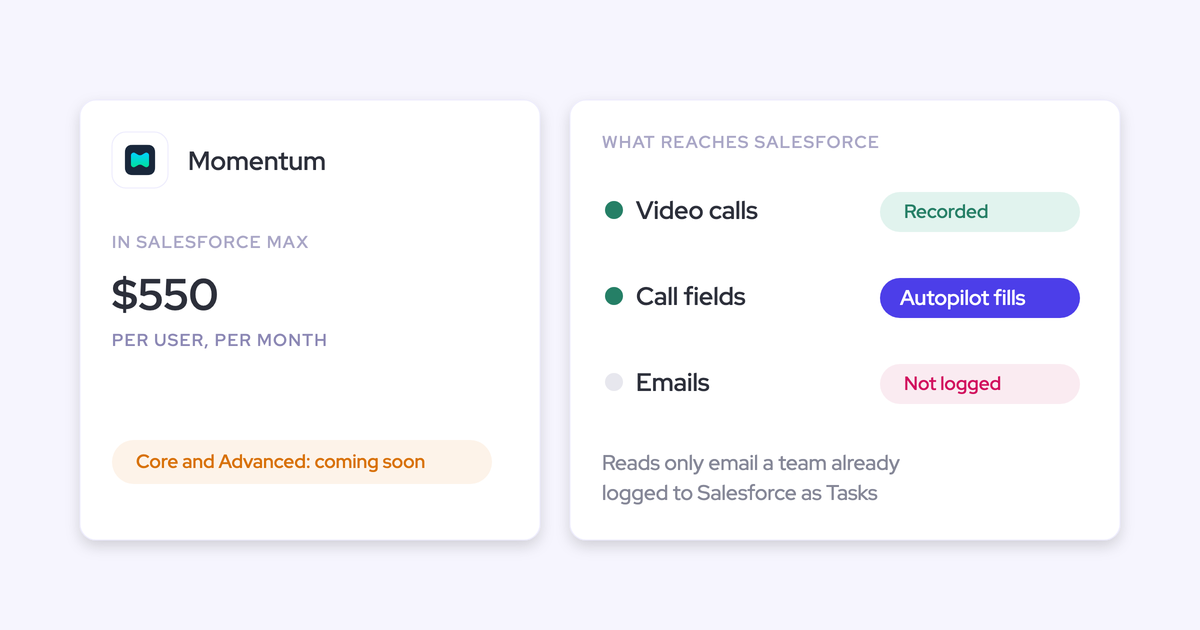
For email, Momentum reads emails your team already logs to Salesforce Tasks, once Momentum support sets up the ingestion. Call logs go to Event records only when an admin switches Event mapping on, and only for calls processed from then on.
Salesforce owns Momentum now. That makes this a Salesforce edition decision more than a standalone purchase.
Where Momentum beats Airspeed for a Salesforce team
- Field updates: Autopilot sets a save rule per field: write automatically, confirm in Slack or the web app, or write only when empty. Append mode timestamps each entry so a rep's own text survives.
- Deal summaries: Retropilot re-reads a record's past conversations when a Salesforce event fires, such as a stage change, and writes the result into a field.
- Methodology: Autopilot writes each MEDDPICC element into its own Salesforce field.
- Agents: six prebuilt agents, including a Coaching Agent that scores every recorded call per competency with written feedback.
- Integrations: it runs on five competing recorders and seven dialers, and delivers into Slack or Microsoft Teams.
- Data location: output lands in Salesforce, where your reports and Agentforce already read.
Where Momentum falls short for teams leaving Airspeed
- Botless recording: botless only on Zoom through Zoom cloud recording, which needs a Zoom Business, Education or Enterprise licence. On Google Meet, a bot joins, and each user grants Google permissions themselves.
- Forecasting: Momentum sells no forecast.
- MCP: it has no server of its own. Assistants reach its data through Salesforce's Hosted MCP Server.
- Raw data: its API is off by default, switched on per workspace by support, and capped at 100 requests per 15 minutes.
- Pricing: included in Max at $550 per user per month and announced for Core and Advanced. On Starter and Pro Suite it's a quoted add-on, and legacy Enterprise and Unlimited customers reach it by moving edition.
Which teams should pick Momentum over Airspeed
Pick Momentum if you're moving to Salesforce's new editions anyway and want call data written into Salesforce with per-field save rules, on top of the recorder you already run. Pair it with a forecasting tool, because Momentum doesn't do forecasting.
What each Airspeed alternative costs, and what costs extra
Weflow is the only one of these five with a full published rate card. For the others, a quote or a Salesforce edition decision sets the price.
| Tool | Published list prices | What costs extra or is metered | Contract notes |
|---|---|---|---|
| Weflow | $19, $39 and $39 per product. Bundles at $49, $59 and $79 per user per month. | Agent Builder beyond 25 free actions: $299 for 500 or $999 for 2,500 a month, per workspace | Annual, 12 months, 10-seat minimum. No mid-term seat reduction, and seats can be reassigned. |
| Airspeed | From about $5,000 a year. Per-seat bands with Recording and View-Only seats, no price per tier. | Forecasting add-on unpriced. Recording backfill at $1 a call after the first 100. Insights and scorecards on past calls charged beyond a free allowance. | Annual and sales-led, with a forward-deployed engineer included. Switching offers include free use until a Gong, Clari or Jiminny contract ends, or two months free plus a buyout. |
| Gong | None. Per-user licence plus a platform fee, quoted by proposal. | Forecast, Enable, Engage and Data Cloud (about $5,000 a year) on top of Foundation. AI credits for trackers, MCP and API workflows. | Seats are assigned per application. Seats added after the renewal are paid separately. |
| Attention | None published. | No published credits. MCP usage is rate-limited. | Custom contract through a demo. |
| Momentum | Included in Max at $550. Announced for Core at $195 and Advanced at $395. Standalone Business at $69 and Transformation at $99. | Conversation Intelligence add-on at $30 on standalone plans. Agentforce for Sales from $125 on Core and Advanced. | Now tied to your Salesforce edition. |
If you're building the business case, Weflow and Momentum's edition prices are the only figures you can put in a spreadsheet before a sales call.
How to choose between Airspeed and its alternatives
Pick the alternative that matches your main reason to leave
Start from why you're looking. Each reason points to a different tool, and each choice has its trade-off.
| If your main reason is… | Choose | What you trade off |
|---|---|---|
| Emails and unrecorded meetings missing from Salesforce | Weflow | A newer Agent Builder and no AI roleplay |
| Wanting the conversation record in your own Salesforce | Weflow | Video and pipeline snapshots stay in Weflow storage |
| Forecasting and pipeline analytics without another tool | Weflow | At 1,000 reps and up, Clari's roll-ups are more mature |
| The deepest conversation analytics and the deal board habit | Gong | Data in Gong's cloud, capped field writes and no public prices |
| Open agent access to raw transcripts | Attention | Calls-first capture, a Mac-only desktop app and no published pricing |
| A move to Salesforce's new sales editions | Momentum | No forecast, and API access gated behind support |
When we'd tell you to stay on Airspeed
- Stay if you want a calls-first execution tool with a forward-deployed engineer embedded for the life of the contract.
- Stay if coaching depth matters most, with AI roleplay and rubric scoring on every call.
- Stay if you want agents that read Slack, Notion, Zendesk or product usage, and that write code and build decks.
- Stay if you need HubSpot support, or might move to HubSpot.
- Stay if your emails are already logged by another tool you're happy with, and your meetings reliably admit the bot.
How to switch off Airspeed without losing call history
What you can export from Airspeed today
- A CSV export, requested by emailing Airspeed support. Recording links in it expire.
- The public REST API at api.glyphic.ai, which reads calls, transcripts, insights, snippets, recording media, playbooks and agent runs. Admin-created keys read every non-private call in the organization.
- The API has no endpoints for deals, forecasts or scores, so deal scores and forecast history don't come out that way.
- Everything Airspeed already wrote to Salesforce stays where it is: field values, logged activities, notes and tasks.
How Weflow imports recordings and relinks them to Salesforce
For supported providers, the import runs on our side:
- You share an API key for your current provider.
- We run the import. There's no manual export or file upload.
- We link each recording to the right account, opportunity or contact. We use the provider's Salesforce association where its API has one, and our own lookup service where it doesn't.
- We reuse transcripts where possible and retranscribe the rest, so the history is searchable and scoreable in Weflow.
This route is documented for Gong, Chorus and Jiminny. Airspeed isn't on that list. Its API exposes recordings and transcripts, and for providers outside the list we evaluate a raw file export case by case.
Your email and meeting history doesn't depend on any of this. Weflow Activity & Contact Capture backfills 24 months from Google or Microsoft by default, and up to three years on a custom setup.
What you rebuild, and what your reps have to do
Airspeed's agents, custom insights and scorecards don't port directly. Here's where each one lands in Weflow:
| In Airspeed | Rebuilt in Weflow as | Who does it |
|---|---|---|
| Agents | Agent Builder agents, starting from templates | Your RevOps team, with our onboarding team |
| Custom insights mapped to fields | AI Field Updates prompts, from the 250+ prompt library or your own | Your Salesforce admin, with our onboarding team |
| Deal-level methodology scoring | AI Playbooks, regenerated on existing opportunities | Your admin, with our onboarding team |
| Coaching scorecards | Weflow scorecards, clips and playlists | Your enablement lead |
| Competitor and topic insights | Trackers across every recorded call | Your admin |
| Email and meeting capture | Activity & Contact Capture, switched on centrally | Your Salesforce and Google or Microsoft admins |
Reps don't install anything for capture. They sign in to Weflow once so the notetaker joins their meetings; until they do, capture runs but their calls don't get recorded. The desktop app is optional.
We designed it that way because of what buyers keep telling us about rep setup:
"A lot of the other ones are like, oh, like get them to like install the thing and do the setup. But I'm like, they're not going to. They're not going to do it. It's just like herding cat."
A RevOps buyer on a call with us
Weflow runs onboarding itself. Technical setup takes 30 to 45 minutes with your Salesforce admin and your Google Workspace or Microsoft admin, and most teams reach full value in one to three weeks.
Airspeed alternatives FAQ for Salesforce teams
Is Airspeed the same product as Glyphic?
Yes. Glyphic rebranded to Airspeed in May 2026, and the app moved to app.goairspeed.com. The API still sits at api.glyphic.ai, which is why both names show up in searches.
Does Airspeed log emails and meetings to Salesforce?
Airspeed doesn't log emails. The only route is a per-user BCC to Salesforce's own logger. Meetings reach Salesforce only when the Airspeed recorder joined them or a supported dialer imported the call.
What does Weflow cost at our seat count, and can we mix bundles?
List prices are $19, $39 and $39 per user per month for the three products, and $49, $59 and $79 for the bundles, billed annually. You can mix roles across bundles. At about 62 seats, capture plus conversation intelligence lands around $36K a year and the full platform around $58K, while a mixed setup comes to roughly $45K.
What are Weflow's minimum seats and contract terms?
The minimum is 10 seats per product or bundle, on a 12-month term. There's no contractual seat reduction mid-term, but you can reassign seats when someone leaves.
Can Weflow import our Airspeed call recordings?
Our documented API-key import, with automatic relinking to Salesforce records, covers Gong, Chorus and Jiminny, and Airspeed isn't on that list. For providers outside it, we evaluate a raw file export case by case. Your email and meeting history comes back through the 24-month backfill regardless.
Will capturing every email fill up our Salesforce storage?
Emails and meetings land as standard EmailMessage and Event records, so they count against Salesforce storage like any other activity. Video never does: recordings stay in Weflow's storage, and you can pull them into your own storage through the API.
Will we get duplicate Salesforce Events if we keep Outreach or Salesloft?
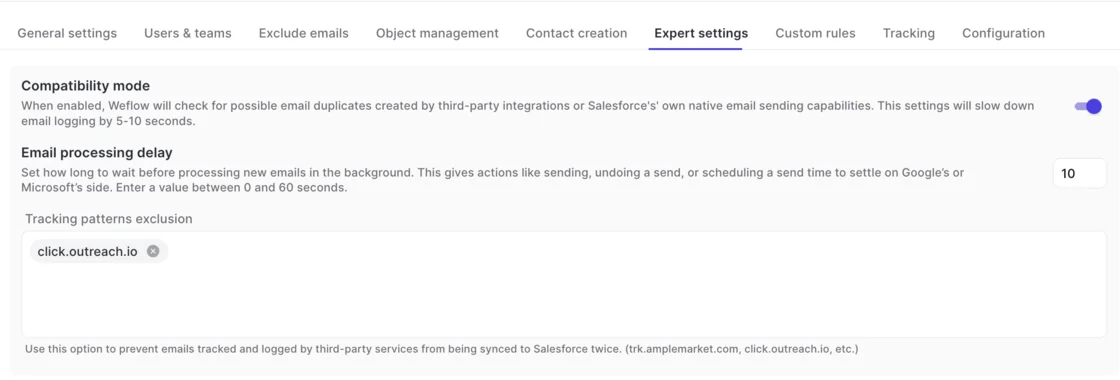
No. Compatibility mode reads the sequencer's tracking pattern in the email body and skips that message, so only one system writes it to Salesforce. It adds five to ten seconds to email logging.
How does Weflow handle recording consent for the bot and desktop app?
The notetaker carries a consent flow: opt-in, opt-out or none, a chat notice with a link that stops the recording, and an optional pre-meeting email. With the desktop app, nothing joins the meeting, so consent becomes the rep's responsibility under the law of the participants' country. European buyers often treat a visible recorder as the safeguard, and the notetaker fits them better.
Do reps have to install anything for Weflow to work?
No. Admins switch capture on centrally, and it runs in the background. Reps sign in once so the notetaker joins their meetings, and the desktop app is optional.
Who implements Weflow, and is there an embedded engineer like Airspeed's?
Weflow runs onboarding itself, with no third-party partner. KORE Wireless rolled out in five phases with us, including live training with a real-time Portuguese translator for its Brazil team. We don't run a forward-deployed engineer model like Airspeed's.
Does Weflow match Airspeed on coaching scorecards and roleplay?
On scorecards, clips, playlists and trackers, yes: Weflow scores calls against methodology-aligned rubrics, and you can build clip libraries for onboarding. We don't offer AI roleplay.
What security certifications does Weflow hold?
Weflow is SOC 2 Type II certified and GDPR compliant. We run Zero Data Retention for AI processing and never use customer data to train AI models. You choose your hosting region (Frankfurt, New York or Sydney), and ISO 27001 is in progress but not yet certified.
Does Weflow work with HubSpot?
No. Weflow works exclusively with Salesforce by design, which lets us write everything we capture into your own Salesforce object model.