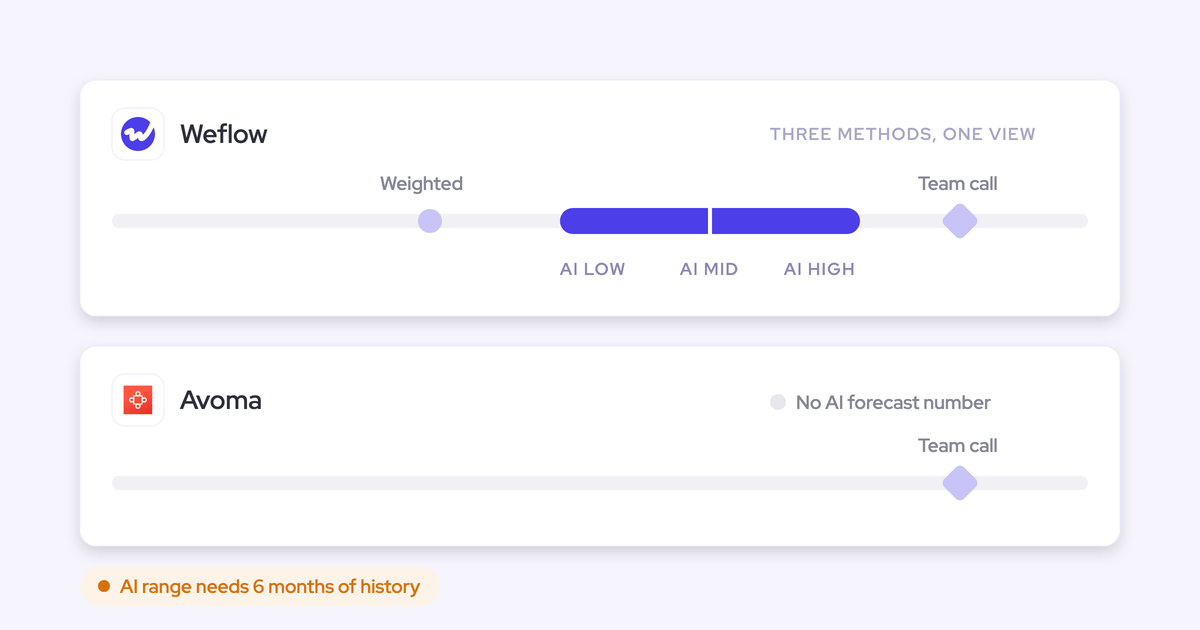
Best Tools to Search Across All Sales Call Transcripts (2026)
Decide which tool best searches all sales call transcripts: Gong, Fathom, Avoma, Clari, Attention, Weflow.




Most sales managers we talk to already record every call. The trouble starts when leadership or product asks "what are customers saying about pricing?" You have two options: interview your reps and get anecdotes, or scrub recordings you don't have time to watch.
"Search across all our call transcripts" sounds like one feature. It's actually three jobs:
- Find the calls where something was said.
- Ask one question across many calls at once.
- Track a mention as a trend over time.
Every tool in this roundup is strong at one or two of these and capped at the third. Here's the short answer:
- Gong has the deepest conversation analytics, and its topics jump to the moment in a call.
- Fathom has fast keyword search that jumps straight to the moment a word was said.
- Attention is the most open option for teams building their own AI on top of their calls.
- Avoma suits smaller teams on any CRM, with public prices.
- Clari fits teams already on Salesloft.
- Weflow suits Salesforce teams that want to ask one question across many calls and get an answer tied to the deal. Ask Weflow AI is included in the seat and isn't metered.
We're Weflow, so you should know who wrote this. Weflow is the Revenue AI Orchestration platform for sales, customer success, and RevOps teams, built for Salesforce teams. We name our own ceilings in the same terms as everyone else's: our recording search returns calls rather than moments, and we only work with Salesforce.
How Weflow, Gong, Clari, Avoma, Attention and Fathom compare
Every tool here has cross-call search of some kind. The differences are in the caps, who can run it, and what it costs to ask often.
| Capability | Weflow | Gong | Clari | Avoma | Attention | Fathom |
|---|---|---|---|---|---|---|
| Ask AI chat | Ask Weflow AI across many calls, emails and Salesforce records; deal, board, account or whole-system scope; 1M tokens per query; not metered | Ask Anything answers from the top 100 matching calls, or 60 calls and 500 emails per deal or account; cutoff not flagged | Ask Salesloft across records, calls and documents; Ask Copilot limited to 15 hand-picked calls recorded since January 2026 | Global Ask Avoma across transcripts, emails and deals; needs the Conversation Intelligence add-on | Insights per call or per deal (account scope greyed out); MCP analysis up to 25 calls per request | Cross-meeting AI search; full team history on Business, two weeks of team calls on Team |
| Call library and clips | Transcript-text search returns calls, not moments; AI chapters; clips and playlists | Folders, clips and playlists; topics jump to the moment; library calls kept indefinitely | Copilot library filters by competitor mentioned; snippets; Gametapes | Automatic snippets after every meeting; rule-based Smart Playlists | Snippet library with folders; links public by default; MP4 download | Team Calls keyword search jumps to the moment; hand-cut highlights; playlists |
| Keyword and competitor trackers | Trackers across every recorded call by rep, team and region; existing tracker set carries over | Keyword and smart trackers; question-based AI Trackers draw credits | Keyword topics and Smart Topics; Competitor Insights dashboard; AI Themes is quota-metered, admins and managers only | Keywords and Smart Trackers; Smart Trackers scan up to 12 months back | AI call labels such as Competitor, applied to future calls | Meaning-based trackers from the Team plan; scan only calls recorded after creation |
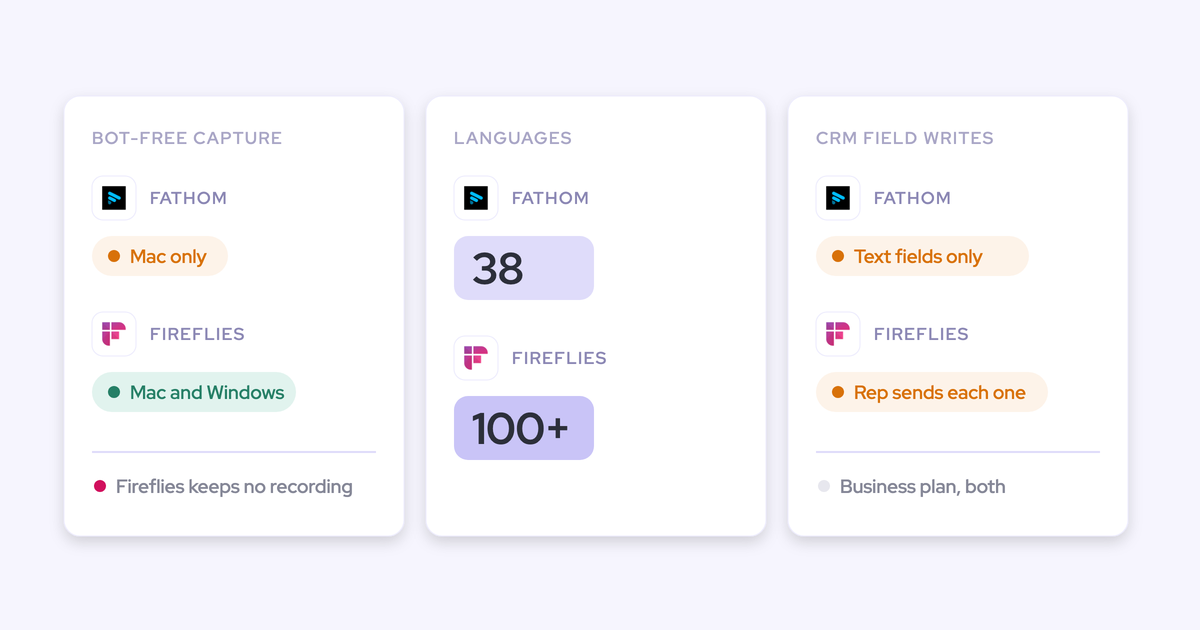
| Transcription and languages | 96 languages, automatic detection | 70+ languages, automatic detection on most calls | 28 languages, detection re-checked every five minutes | 60+ languages and dialects | 100+ languages; per-user primary language | 38 languages; summaries translated into six |
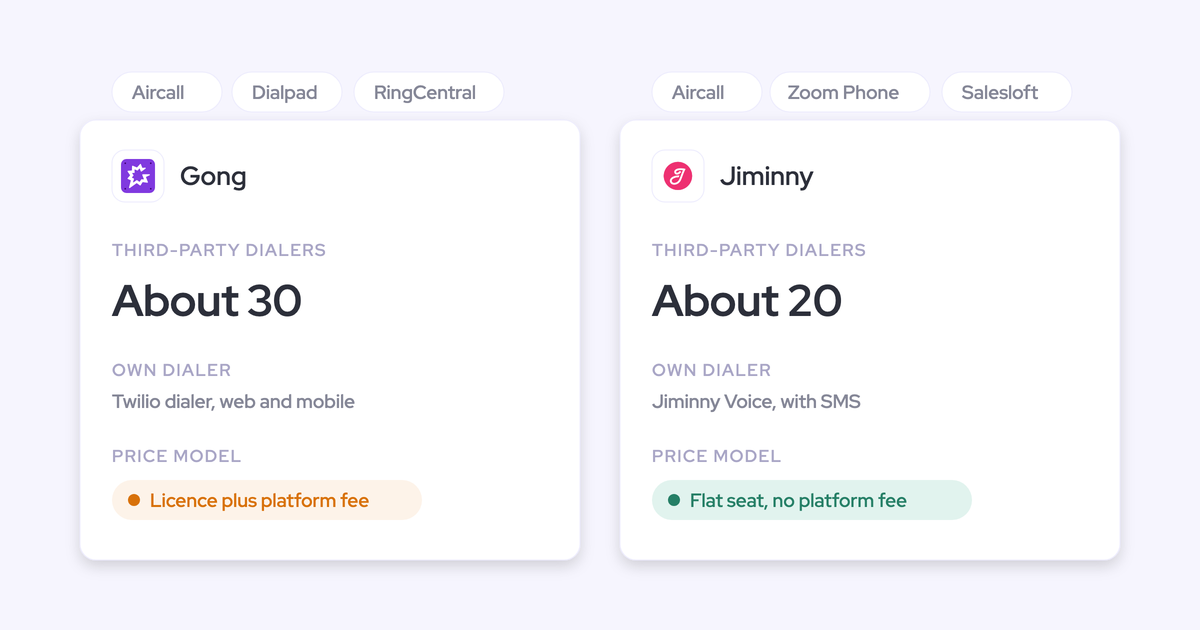
| Integrations | Salesforce only; Gmail, Outlook, Zoom, Teams, Meet, Webex, Slack, Outreach dialer; no native warehouse connector | About 450 integrations; about thirty dialers; eleven meeting platforms | Salesloft data layer syncs Salesforce, Dynamics, Snowflake, Databricks; Zoom, Teams, Meet, Webex | 26 native integrations across six CRMs and nine dialers; Zapier | 200+ claimed; Zoom Phone, Aircall; workflow steps act in Salesforce, HubSpot, Snowflake | 30 listed; no dialer, sequencing tool or warehouse |
| Access from AI assistants (MCP) | Read-only connector; transcripts behind an admin toggle; playbooks and forecast calls | Three record-scoped tools; insights, not transcripts; draws credits | Salesloft MCP removed transcripts and needs a paid add-on; Copilot MCP reaches calls only | Claude and ChatGPT; reads transcripts; Organization plan or above; broad queries can time out | 68 read-write tools; raw transcripts with who-said-what snippets; no consumption charge | Every plan; scoped to calls the user can see |
| Raw data access | REST API bulk export as JSON or CSV; transcripts on a native Salesforce recording object | API returns transcripts, capped at 10,000 calls a day; warehouse export needs Data Cloud | REST, Export and Copilot APIs; Salesloft syncs to Snowflake and Databricks | REST API and webhooks on Organization plan and above; 60 requests a minute | Transcripts through MCP and API keys; workflow HTTP step to any API | API on every plan; keys belong to individual users |
| Pricing | Published: Weflow Conversation Intelligence $39/user/month, Ask Weflow AI included; 10-user minimum, annual | Not published; per-user license plus platform fee; AI credits | Not published; book a call | Published: $19 to $39 per recorder seat plus $29 add-ons | Not published | Published: free tier; $15 to $25/user/month |
Each tool's section below gives the detail behind its column.
Three jobs hide behind "search all our call transcripts"
Every vendor says "AI search" because each of them does one version of it well. Name the job you need first, and the shortlist sorts itself.
Here's how one prospect described the gap on a call with us:
"…we do have a gap because right now sellers have the meetings and we need to interview sellers in order to get that perspective. So it becomes a little bit anecdotal."
Finding every call where something was said
Job one is keyword search over transcript text. You type a competitor's name and want every call where it came up.
Two things separate tools here:
- Reach: whether search covers what was said inside the transcript, not just call titles.
- Result: whether you get the moment, or only the call.
The second one matters more than it sounds. Fathom's library search and Gong's topics jump straight to the moment it was said. Weflow's recording search gives you a ranked list of calls, and you open each one to find the mention. Keep that distinction in mind, because the rest of this article leans on it.
Asking one question across many calls at once
Job two is the one leadership actually wants: "What are customers saying about pricing this quarter?" with one answer back.
The arithmetic is why this job exists. Ten reps on three to four hours of calls a day is 30 to 40 hours of conversation, every day. Nobody listens to that.
The ceilings live here. Ask three questions of every tool:
- How many calls does one question cover?
- How far back does it reach?
- Does the answer tell you what it left out?
The caps in this group run from 15 hand-picked calls, to 25 per request, to the top 100 matching calls, to two weeks of team history, to one million tokens per query. A confident answer from a slice of your calls is worse than no answer if you don't know it's a slice.
Tracking a mention as a trend over time
Job three turns anecdote into evidence. Instead of "a manager heard a competitor is coming up more," you show leadership a number climbing in one region.
We hear the need behind this one on almost every voice-of-customer call:
"What I'd love to be able to do is identify the trends. Why did we lose? What did customers say was the problem? How often is it price?"
Two things decide whether trackers deliver:
- Backfill: whether a new tracker scans your history or only calls recorded after you create it.
- Cost: whether running a tracker broadly draws metered credits, which pushes you to narrow it.
What to check in each tool before you trust its answers
Judge each capability by its ceiling, not its presence. Take this list into your vendor calls:
- Ask AI chat: Ask how many calls one question covers, how far back it reaches, and whether the answer says how much it read. Look for hand-picked call limits, fixed slices, history windows and preset-only questions.
- Call library and clips: Search a competitor name and see whether you land on the moment or a list of calls. Check whether clips are public by default.
- Keyword and competitor trackers: Ask whether a new tracker scans past calls, whether you can carry over the set you've built, and whether broad trackers draw credits.
- Transcription and languages: Count the languages you sell in against the supported list. Transcription is table stakes now, so weight this lightly unless you sell in many languages.
- Integrations: Check the meeting platforms and dialers your team actually uses, and whether answers reach the CRM where your reps live.
- Access from AI assistants (MCP): Ask whether the connector returns transcripts or only the vendor's summaries, and whether each request costs credits.
- Raw data access: Ask whether transcripts export through an API, and whether warehouse delivery is a separate purchase.
- Pricing: Ask for the seat price, the add-ons needed for cross-call AI, and whether asking often costs more.
Weflow: one question across many calls, answers on the deal
Weflow Conversation Intelligence + AI Field Updates records your meetings, writes the outcomes into Salesforce, and lets you ask questions across every call you've recorded. It's built for Salesforce teams.
| Capability | What Weflow does | The ceiling |
|---|---|---|
| Ask AI chat | Ask Weflow AI answers across many recordings plus captured emails and Salesforce records, scoped to a call, deal, filtered board, account or the whole system | One million tokens per query; pipeline views capped at 2,000 records, up to ten views per chat |
| Call library and clips | Search matches transcript text, ranked by how densely the term was discussed; AI chapters per call; clips and playlists | Returns calls, not moments; linked Salesforce record names aren't indexed |
| Keyword and competitor trackers | Count mentions across every recorded call by rep, team and region over time; existing tracker set carries over | Mention-level results live in Insights, not in search |
| Transcription and languages | 96 languages with automatic detection; follow-up emails in the meeting language, Salesforce summaries in the workspace language | None stated |
| Integrations | Salesforce, Gmail, Google Calendar, Outlook, Zoom, Teams, Meet, Webex, Slack, Outreach dialer; desktop app records softphone calls | Salesforce only; no native Snowflake, Databricks or BigQuery connector |
| Access from AI assistants (MCP) | Official read-only connector for Claude, ChatGPT and others: playbooks, call summaries, transcripts, forecast calls | Transcripts sit behind an admin toggle; per-rep forecast breakdown capped at 25 owners |
| Raw data access | REST API bulk-exports transcripts, metadata, scores and signals as JSON or CSV; transcripts land on a native Salesforce recording object | Video files export to your own storage through the API rather than living in Salesforce |
| Pricing | Weflow Conversation Intelligence at $39/user/month includes Ask AI Pro; bundles at $49, $59 and $79 | 10-user minimum, billed annually |
What Ask Weflow AI and trackers do across your calls
Ask Weflow AI handles job two. You ask once across a set of calls instead of asking about each call separately.
You can point it at different scopes:
- a single call or deal
- a filtered deal board, so "which deals are blocked" applies to exactly the deals in view
- an account, which pulls every email, meeting and transcript on it into the question
- the whole system
The answer draws on transcripts, captured emails and Salesforce records together. So "what do our closed-lost deals in the last 90 days have in common?" comes back from what was said, not from what a rep remembered to type in a picklist.
Ask Weflow AI inherits your Salesforce permissions and adds its own guardrails on top. A rep only gets answers from data they can already see.
And every answer traces back to its source. That's what our customers notice first:
"I love being able to go right to the call, transcript or email and see where something was said that the AI is referencing."
— Scott Jones, SVP of GTM Revenue Intelligence & Enablement, KORE Wireless
Here's what that looks like: the answer, with every source it used listed underneath.

Trackers handle job three. You set them on competitor names, pricing, objections or product mentions, and Weflow counts every hit across every recorded call, by rep, team and region. A competitor whose mention rate is climbing in one region shows up as a number. If you're switching from another recorder, your existing tracker set comes with you, so keyword reporting doesn't restart from zero.
The answers also live where your team already works. Transcripts sit on a native Salesforce recording object, queryable alongside the deal. The Weflow Chrome extension puts Ask Weflow AI on Salesforce record pages, so a rep doesn't open a second app to ask a question.
Where Weflow stops: calls not moments, Salesforce only
- Recording search shows which calls mention a term, not where in each call it was said. To get mention-level results, you open the recording or set up a tracker and read its hits in Insights.
- Recording search indexes transcript text only. Linked Salesforce record names, such as the account or opportunity, aren't searchable from the recording search.
- Ask Weflow AI has a one-million-token ceiling per query. Questions that sweep your whole book of business belong in Weflow Agent Builder, which has no per-run ceiling.
- There's no live in-call search or real-time battlecards. Everything arrives after the call is processed.
- Individual calls can't be marked private. Visibility follows the Salesforce hierarchy.
- Weflow works only with Salesforce. If you're on HubSpot or another CRM, look at Avoma or Fathom.
Best for: Salesforce teams whose manager wants answers across many calls tied to deals, with trackers for trends and Ask AI that nobody has to ration.
Gong: the deepest call analytics, with capped AI answers
Gong is a conversation intelligence platform that records and analyzes calls in its own cloud, sold as a Gong Foundation core license with applications on top.
| Capability | What Gong does | The ceiling |
|---|---|---|
| Ask AI chat | Ask Anything answers single questions about a deal, account, contact or search; Gong Assistant adds ongoing chat with transcript citations | Top 100 matching calls per search; 60 calls and 500 emails per deal or account; 10 calls and 80 emails per contact; Assistant on the call page only |
| Call library and clips | Folders, streams, clips and playlists; any team member can add calls | Library calls are exempt from the three-year retention policy and kept indefinitely |
| Keyword and competitor trackers | Keyword and smart trackers; topics that jump to the moment in a call | Question-based AI Trackers draw credits; company-specific topics need a model built with Gong |
| Transcription and languages | 70+ languages with automatic detection on most calls | Some features, such as example-based smart trackers, work only on English calls |
| Integrations | About 450 integrations and partner solutions; about thirty dialers; eleven meeting platforms | Botless recording on Zoom only |
| Access from AI assistants (MCP) | Connects Claude, ChatGPT and Microsoft Copilot | Three record-scoped tools; returns insights, not transcripts; read-only; draws credits |
| Raw data access | Public API returns transcripts, trackers and scorecards | 3 calls a second, 10,000 a day; warehouse export needs Data Cloud, about $5,000 a year |
| Pricing | Per-user license plus a platform fee that scales with users | No published prices; Gong Foundation is mandatory before any application |
What Gong does better than anyone on call analytics
Gong invented this category, and its conversation analytics are the deepest in this group. If your manager lives in call review, that matters.
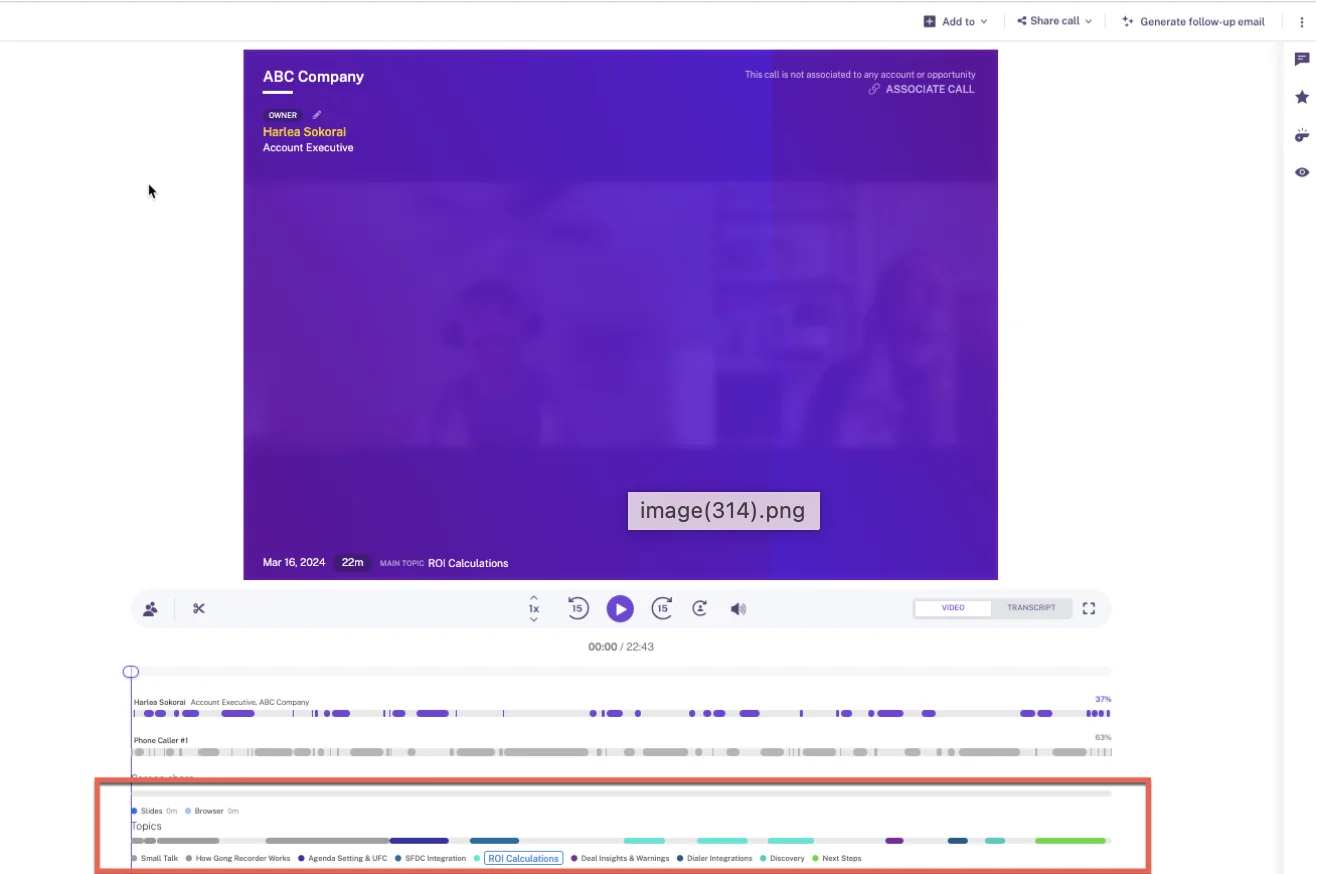
Gong's topics are the standout for job one. Each call shows its topics below the recording, and clicking one jumps to the point where it was discussed. That's mention-level navigation without setting anything up.
The breadth is real too. Gong's marketplace lists about 450 integrations and partner solutions, it imports calls from about thirty dialers, and it transcribes 70+ languages. Its public API returns transcripts, which gives a builder raw material to work with.
Where Gong's Ask Anything and credits cap your questions
- Ask Anything answers from capped slices: the top 100 matching calls per search, or 60 calls and 500 emails per deal or account. The answer doesn't say what was cut, and on a long-running account the cut material is usually the older context.
- Gong Assistant, which is replacing Ask Anything, runs on the call page only. Portfolio questions across accounts and deals stay single-shot.
- AI Trackers, the MCP server and API workflows draw from a pooled credit balance: 2,000 credits per paid core seat a year, about one credit per call over ten minutes. The same brief is free in the interface and costs credits through MCP or the API.
- The MCP server returns Gong's AI insights, never raw transcripts, and works on one account or deal at a time.
- Free Collaborator accounts can view calls but get no Ask Anything and no MCP access.
- Warehouse export needs Data Cloud, a separate application.
- Gong publishes no prices.
Best for: teams that want the most mature conversation analytics and are willing to pay for it.
Clari: Ask Salesloft goes broad, Copilot stays narrow
Clari and Salesloft merged in December 2025. Clari Copilot is the conversation intelligence layer, replacing Salesloft Conversations, and Ask Salesloft is the platform's AI assistant. Copilot access needs an Advanced or higher Salesloft tier.
| Capability | What Clari does | The ceiling |
|---|---|---|
| Ask AI chat | Ask Salesloft answers across accounts, people, opportunities, calls, meetings, emails and uploaded documents | Ask Copilot covers at most 15 hand-picked calls recorded since 1 January 2026 |
| Call library and clips | Copilot library with filters for competitor mentioned or pricing detected; saved filters notify you; snippets and Gametapes | Snippets and Gametape clips are cut by hand |
| Keyword and competitor trackers | Preset topics, custom keyword topics and AI Smart Topics; Competitor Insights counts every mention and links to the calls | AI Themes answers seven preset questions, needs 100+ calls, runs on a monthly quota, admins and managers only |
| Transcription and languages | 28 languages, detection re-checked every five minutes | A few languages enabled only on request |
| Integrations | Salesloft data layer syncs Salesforce, Dynamics, Snowflake, Databricks, Gmail, DocuSign, ZoomInfo, LinkedIn; Zoom, Teams, Meet, Webex | Copilot's Zoom bot joins and leaves with the organizer |
| Access from AI assistants (MCP) | Salesloft MCP covers accounts, people, opportunities and call summaries; Copilot MCP reaches call data | Salesloft MCP removed transcript retrieval, is read-only, in beta, and needs the paid Agentic add-on |
| Raw data access | REST, Export and Copilot APIs; forecast history exports as CSV; Salesloft syncs to Snowflake and Databricks | None stated |
| Pricing | Advanced and Elite packages with forecasting, agent and Dialer add-ons | No published seat prices; pricing pages lead to a booking page |
What Ask Salesloft and Clari Copilot cover well
If you're already on Salesloft, Ask Salesloft is the broad assistant. It's included in every package, on by default, and answers only from records the asking user is allowed to see. It reads calls, meetings, emails and opportunities alongside documents you upload, such as battle cards and case studies.
The Copilot library is good at job one in its own way. You filter calls by competitor mentioned or pricing detected, save the filter, and get notified when a new call matches.
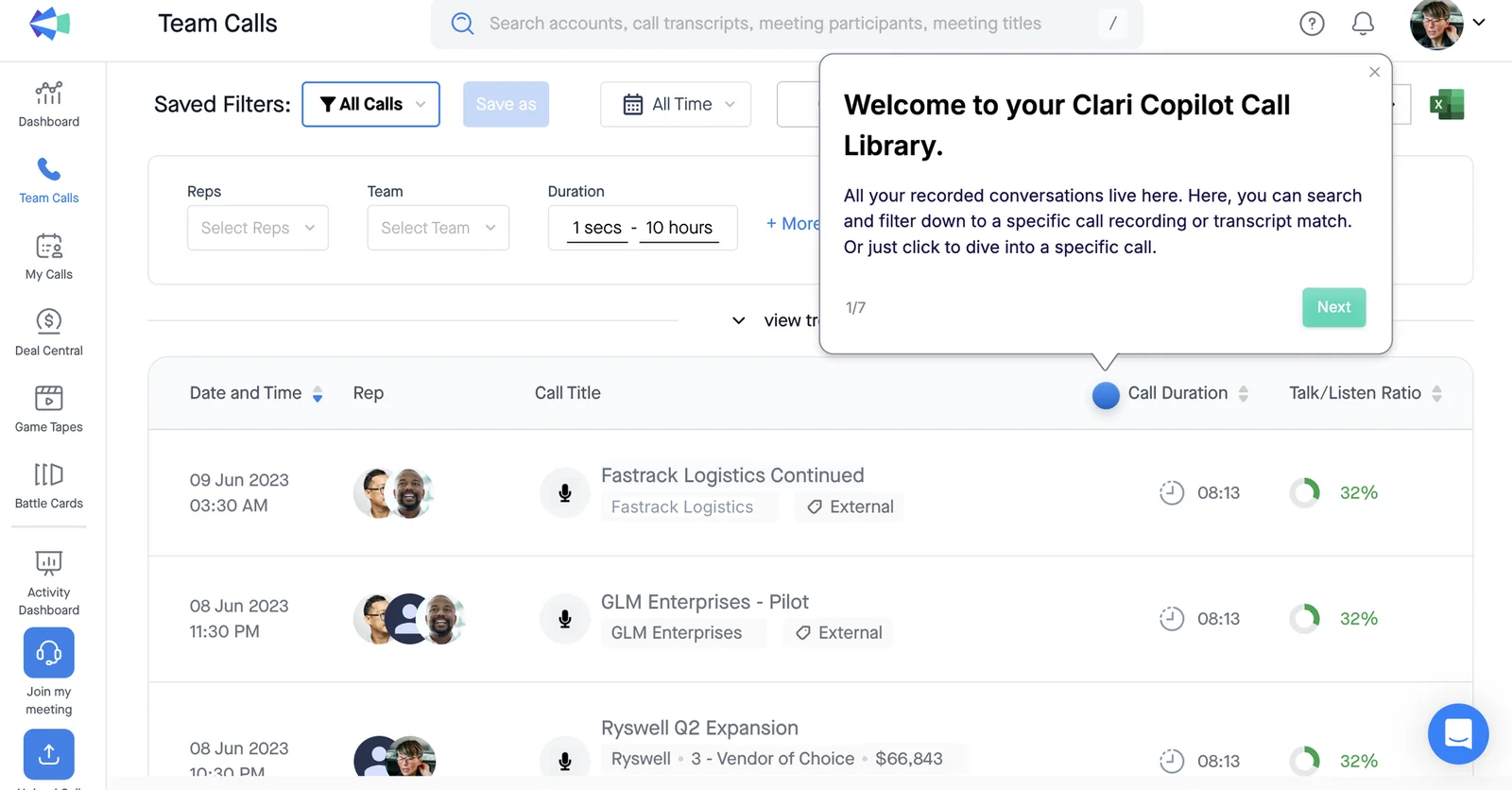
Copilot also splits calls into AI Smart Chapters, collects clips from many calls into Gametapes for onboarding reels, and offers real-time battlecards during calls. It transcribes 28 languages with automatic detection.
Where Clari Copilot limits your cross-call questions
- Ask Copilot answers across at most 15 calls, each picked by hand, all recorded on or after 1 January 2026. Anything spanning a quarter on a large account exceeds that.
- AI Themes analyzes up to 1,000 calls per run, but answers only one of seven preset questions, such as Objections or Pricing Reactions. You can't ask your own.
- AI Themes needs at least 100 calls in scope, runs on a monthly quota, and only admins and managers can generate it. Everyone else views reports through a shared link.
- The Salesloft MCP server no longer returns transcripts, and it requires the paid Agentic add-on.
- Each rep onboards individually: sign up, connect a calendar, record a voice fingerprint, install the desktop app.
- Pricing is quote-only.
Best for: teams already on Salesloft or Clari.
Avoma: Global Ask Avoma for smaller teams on any CRM
Avoma is a meeting-first conversation intelligence tool that records, transcribes and summarizes calls, works with six CRMs, and publishes its prices.
| Capability | What Avoma does | The ceiling |
|---|---|---|
| Ask AI chat | Global Ask Avoma answers across transcripts, synced emails, deal and pipeline data, playlists and the web; prompts can run on a schedule | Needs the Conversation Intelligence add-on; documentation doesn't say whether answers respect CRM permissions |
| Call library and clips | AI cuts snippets automatically after every meeting; manual snippets; Smart Playlists built from rules | Smart Playlists come with the Organization plan |
| Keyword and competitor trackers | Keywords and AI Smart Trackers in a dashboard across all conversations; Slack and email keyword alerts | Smart Trackers backfill up to 12 months depending on license; part of the Conversation Intelligence add-on |
| Transcription and languages | 60+ languages and dialects | Multi-language support switched on by contacting Avoma |
| Integrations | 26 native integrations: Salesforce, HubSpot, Pipedrive, Zoho, Copper, Zendesk Sell, nine dialers including Outreach and Salesloft; Zapier | None stated |
| Access from AI assistants (MCP) | Claude and ChatGPT read meetings, transcripts, notes and scorecards | Organization or Enterprise plan or API Access add-on; queries spanning thousands of meetings can time out |
| Raw data access | REST API and webhooks for meetings, recordings, transcripts, notes and scorecards | Organization plan and above; 60 requests a minute |
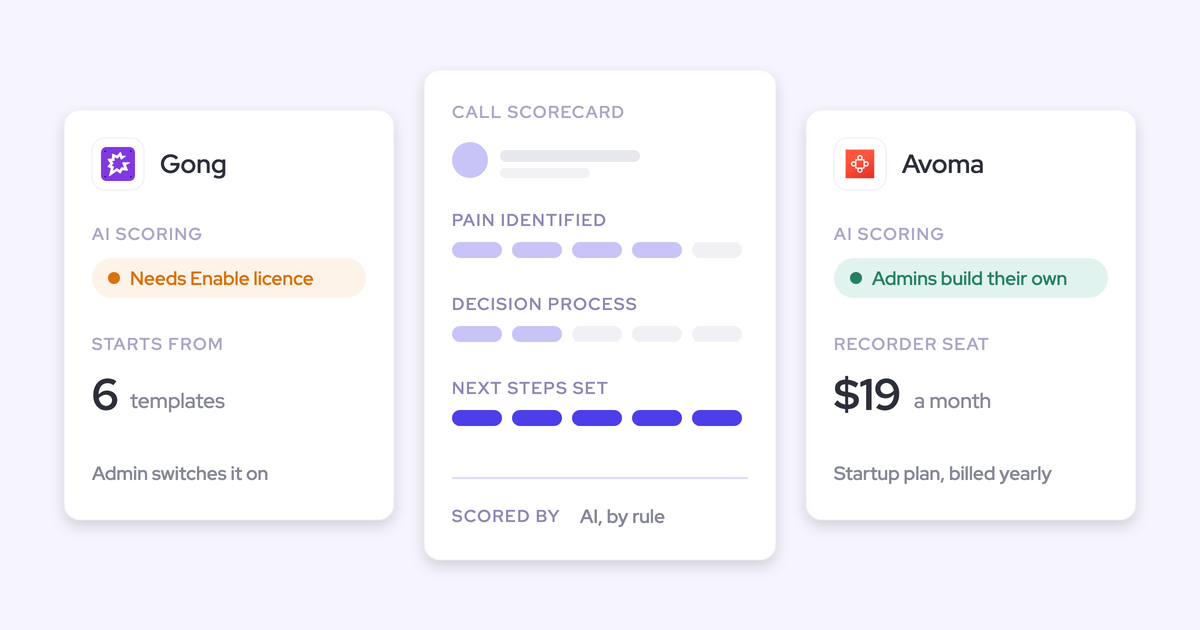
| Pricing | Startup $19, Organization $29, Enterprise $39 per recorder seat a month, billed annually | Revenue Intelligence and Conversation Intelligence add-ons at $29 a seat each |
What Avoma gives a small team on any CRM
Avoma covers all three jobs at a published price, on whatever CRM you run.
Global Ask Avoma answers questions across transcripts, emails and deals. You can save a prompt and schedule it to run on a cadence, with results delivered to Slack, Microsoft Teams or email. That's a practical way to get a weekly objection summary in front of leadership without anyone opening the tool.
Smart Trackers catch the same idea in different words and can scan up to 12 months of past conversations, so a new tracker starts with history. Snippets appear automatically after every meeting, and viewer seats are free and unlimited, which helps when product or marketing wants to listen in.
Where Avoma's add-ons stack up and permissions go unstated
- Global Ask Avoma needs the Conversation Intelligence add-on at $29 a seat, on top of the base seat. Deal questions also need Revenue Intelligence, another $29.
- Avoma's documentation doesn't say how Global Ask answers respect meeting privacy or CRM permissions.
- Very broad MCP queries spanning thousands of meetings can be slow or time out.
- The API and MCP connector need the Organization plan or above.
- Avoma built outward from the meeting and sells mainly to small businesses, so its center of gravity stays on the call rather than the CRM.
Best for: smaller, budget-conscious teams on any CRM.
Attention: raw transcripts for teams building their own AI
Attention is an AI-native conversation intelligence tool built around agents, with the widest MCP server in this group.
| Capability | What Attention does | The ceiling |
|---|---|---|
| Ask AI chat | Insights answers free-form questions about one call or a whole deal; Super Agent searches Salesforce and HubSpot accounts and reads imported email | Account scope appears in the Insights menu but is greyed out |
| Call library and clips | Snippets cut from the timeline, team library folders, MP4 download | Snippet links are public by default |
| Keyword and competitor trackers | Admins define AI call labels such as Competitor in plain language; labels drive search and dashboards | Labels apply to future calls |
| Transcription and languages | 100+ languages, automatic speaker labels | Language is a per-user setting |
| Integrations | 200+ claimed; Google, Outlook and Zoom calendars; Zoom Phone and Aircall; Slack both ways; workflow steps in Salesforce, HubSpot, Snowflake and more | Desktop app doesn't support Teams joined in a browser |
| Access from AI assistants (MCP) | 68 read-write tools; full-text transcript search with who-said-what snippets; server-side analysis with references back to calls | 25 calls per analysis request; transcript search can't be combined with CRM filters |
| Raw data access | Raw transcripts, scorecards and insights through MCP and API keys; API imports recordings from other tools | Org-level API keys carry full organization access |
| Pricing | No consumption charge on MCP; rate limits instead | No published pricing |
What Attention opens up for teams building their own AI
If you're building your own AI layer, Attention hands you the most raw material.
Its MCP server full-text searches inside transcripts and returns the matching snippets showing who said what. That's job one at the moment level, reachable from Claude or ChatGPT. It also returns raw transcripts, where Gong returns only insights and Salesloft removed transcripts altogether.
For job two, the ask_attention tool runs analysis server-side across up to 25 calls in one request, or every call on a deal, and returns an answer with references back to specific calls. There's no credit meter on any of this, only rate limits.
Inside the app, the Super Agent searches Salesforce and HubSpot accounts, runs pipeline queries and reads imported email threads. Attention also ships real-time battlecards in its desktop app.
Where Attention keeps in-app questions to one deal
- The in-app Insights tab answers about one call or one deal. Account scope sits in the menu, greyed out.
- Through MCP, transcript search can't be combined with CRM, rep, participant or title filters. You run a second search and cross-reference.
- Snippet links are open to anyone who holds them unless the sharer ticks the restriction box.
- Getting the most from Attention means building: workflows with code steps are software, and someone has to maintain them.
- Attention publishes no pricing.
Best for: teams building their own AI layer on top of their calls.
Fathom: fast keyword search that jumps to the moment
Fathom is a mass-market AI notetaker, used by more than 300,000 companies and owned by Superhuman since September 2026.
| Capability | What Fathom does | The ceiling |
|---|---|---|
| Ask AI chat | Cross-meeting AI search; questions about a single call on every plan | Team plan sees two weeks of team calls; full team history needs Business |
| Call library and clips | Team Calls library search by keyword, phrase, name or email, jumping to the moment; playlists; folders | Library shows only calls shared with your team; highlights added by hand |
| Keyword and competitor trackers | Meaning-based trackers, scoped by team and speaker, delivered by email or Slack | Team plan and above; scan only calls recorded after the tracker exists |
| Transcription and languages | 38 languages; summaries translated into Spanish, Portuguese, German, French, Italian and Dutch | None stated |
| Integrations | 30 listed, including Salesforce, HubSpot, Zoom, Meet, Teams, Slack, Zapier, Claude and ChatGPT | No dialer, sequencing tool, warehouse or BI tool; Slack public channels only |
| Access from AI assistants (MCP) | Official connector for Claude and ChatGPT on every plan | Reads only meetings the connecting user can see |
| Raw data access | API on every plan: meetings, summaries, transcripts, action items, webhooks | Keys belong to individual users; no organization-level keys |
| Pricing | Free for individuals; Premium $16, Team $15, Business $25 per user a month annually | Two-user minimum on team plans; Enterprise on quote |
What Fathom's shared call library does well
Fathom is excellent at job one. Search the Team Calls library for a keyword, phrase or name, and each result jumps to the moment it was said.
Its trackers match meaning rather than exact words, so "customer considering a competitor" catches it however they phrase it. Playlists collect clips from several calls into a best-of reel.
The price is hard to argue with: a free tier, published plans from $15 a user, no platform fee and no usage credits. Every plan gets the MCP connector and the API.
Where Fathom limits team history and Salesforce depth
- Since 1 September 2026, team-wide AI search beyond two weeks needs the Business plan.
- Trackers scan only calls recorded after you create them, so a new tracker starts with no history.
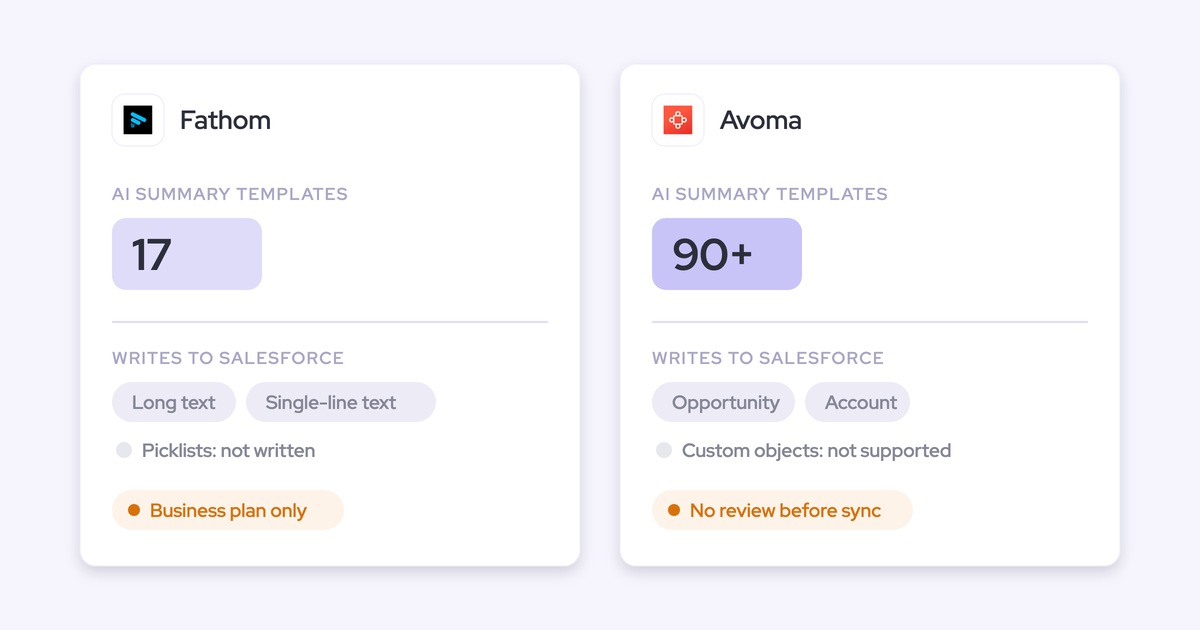
- Salesforce writes are shallow: summaries land as a logged-call Task on a matched Contact, and field writes on Business fill only text fields and overwrite on each meeting.
- Meetings link to Salesforce only through an external attendee's primary email. Leads are never matched.
- Fathom's roadmap is set by Superhuman's productivity suite, with nothing announced on deeper Salesforce writes or deal context.
Best for: price-sensitive teams that want a simple shared library and mostly need to find moments.
What each tool costs when you search your calls often
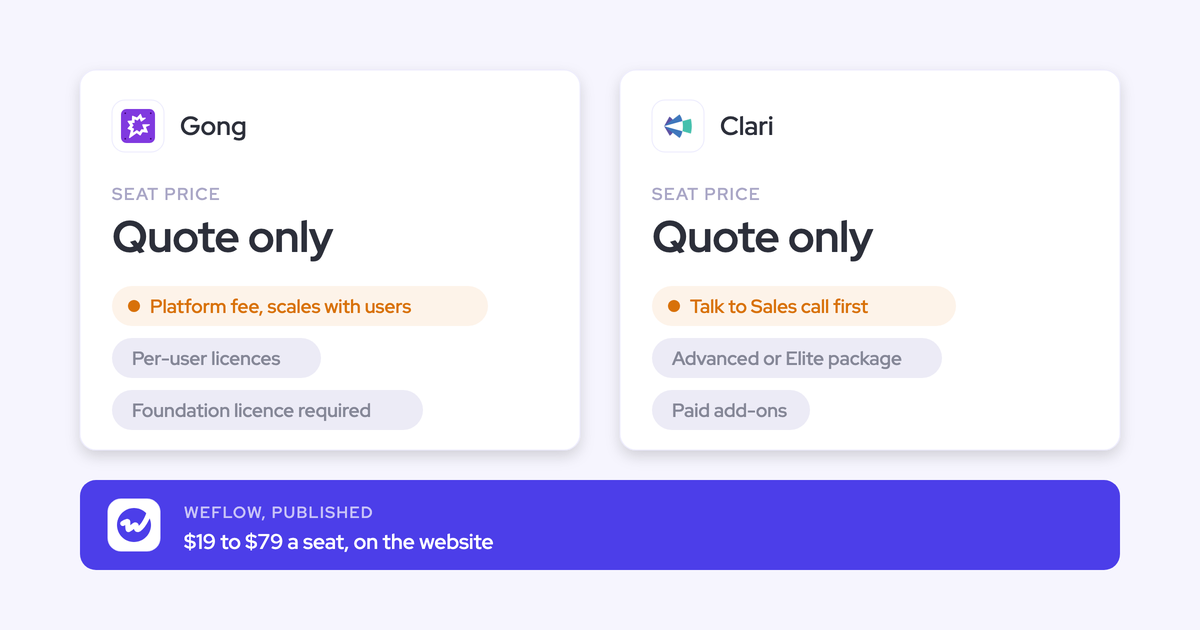
Three of the six tools publish seat prices: Weflow, Avoma and Fathom. Gong, Clari and Attention don't.
| Tool | Published list price and terms | What costs extra | Is broad cross-call AI metered? |
|---|---|---|---|
| Weflow | Weflow Conversation Intelligence $39/user/month, includes Ask AI Pro. Weflow Revenue AI Foundation $49, Weflow Revenue AI Business $59, Weflow Revenue AI Enterprise $79. 10-user minimum, 12-month term, billed annually | Weflow Agent Builder beyond the free 25 actions a month: $299 for 500 or $999 for 2,500 actions per workspace | No. Ask Weflow AI is included in every plan under a fair use policy |
| Gong | None published. Per-user license plus a platform fee that scales with users; Gong Foundation is mandatory | Applications on top of Foundation, Data Cloud for warehouse export, top-up credits | Yes, for AI Trackers, MCP and API workflows: 2,000 pooled credits per paid core seat a year |
| Clari | None published. Salesloft Advanced and Elite packages; Copilot needs Advanced or higher | Forecasting, agent and Dialer add-ons; the Agentic add-on for MCP | AI Themes runs on a monthly quota of analyses; Ask Salesloft is included |
| Avoma | Startup $19, Organization $29, Enterprise $39 per recorder seat a month annually; Enterprise has a 10-seat minimum; viewer seats free | Revenue Intelligence and Conversation Intelligence add-ons at $29 a seat each; optional $1,000 onboarding | No usage credits; Global Ask needs the Conversation Intelligence add-on |
| Attention | None published | Not published | No consumption charge on MCP; rate limits apply |
| Fathom | Free tier; Premium $16, Team $15, Business $25 per user a month annually; Enterprise on quote; two-user minimum on team plans | Full team-history search and CRM field writes start at Business | No usage credits; history reach is gated by plan |
Metering changes how your team behaves. When every broad question draws down a shared credit pool, managers ration questions and narrow trackers. That kills the ask-on-demand habit you bought the tool for.
We built Weflow pricing the other way on purpose. Ask Weflow AI, summaries and AI field updates sit in the seat. The only metered product is Weflow Agent Builder, the one place where scheduled agents genuinely consume open-ended volume.
Which call search tool fits your team
Start with the job your team asks for most, then narrow by CRM, team size and budget.
Pick by the job your team asks for most
| The job | Best fit and why |
|---|---|
| Find the exact moment a word was said | Fathom or Gong: library search and topics jump straight to the moment |
| Ask one question across many calls, tied to deals | Weflow: Ask Weflow AI spans recordings, emails and Salesforce records, and every answer traces back to the call |
| Build your own AI on your calls | Attention: raw transcripts, who-said-what search and no consumption charge through MCP |
| Track mentions as a trend | Gong for depth, Weflow for unmetered trackers by rep, team and region, Avoma for 12-month backfill on a budget |
| Preset voice-of-customer themes across up to 1,000 calls | Clari: AI Themes, if your seven questions match its presets and a manager runs it |
Pick by your CRM, team size and budget
- If you're not on Salesforce, shortlist Avoma or Fathom. Both work with HubSpot and other CRMs.
- If you're already on Salesloft, Clari Copilot and Ask Salesloft sit inside the platform you run.
- If you're on Salesforce with ten or more seats, Weflow puts cross-call answers on the deal at a published seat price.
- If you want the deepest analytics regardless of price, Gong is the established choice.
- If you have a team of two to nine on a tight budget, Fathom's Team or Business plan gets you a shared library fast.
Run one real question across a quarter of your calls
Every vendor demo uses a question the tool answers well. Use yours instead.
- Pick a question someone outside sales actually asked you, such as "why did we lose deals to [competitor] last quarter?"
- Scope it to a full quarter of your team's calls, not a handful you pick.
- Ask it in every tool you're trialing, worded the same way.
- Look at whether the answer says how many calls it read.
- Click each point in the answer and see whether it takes you to the call, transcript or email where it was said.
- Run the same question again a week later and see whether it drew credits or quota.
Those three outcomes, coverage, traceability and cost, tell you more than any feature grid. A tool that answers from a slice without saying so, or makes you think twice before asking again, won't become the habit you need.
Walk through the product yourself, no call required.
What changed in call transcript search during 2026
- Weflow shipped a desktop app that records without a notetaker, including softphone calls such as Aircall and RingCentral, and added automatic meeting type detection.
- Gong introduced AI credits on top of seat pricing, with allocations emailed to customers in late May 2026, and began replacing Ask Anything with Gong Assistant on the call page.
- Clari started replacing Salesloft Conversations with Clari Copilot after the December 2025 merger, launched Ask Copilot and AI Themes, and the Salesloft MCP server dropped transcript retrieval.
- Avoma now offers an MCP connector for Claude and ChatGPT that reads transcripts.
- Attention gave its Super Agent access to Salesforce and HubSpot accounts and imported email in April 2026, and added live battlecards to its desktop app in June 2026.
- Fathom limited team-history AI search by plan from 1 September 2026 and was acquired by Superhuman later that month.
How we compared these tools, and where we stand
We took competitor detail from each vendor's public documentation, help centers, pricing pages and release notes as of 2026. Weflow detail comes from our own documentation and pricing.
We're a vendor in this list, so we held ourselves to the same standard: every tool gets the same eight capabilities, and we state Weflow's ceilings in the same terms as everyone else's. Where Gong or Fathom is better at a job, we've said so.
Questions sales managers ask about searching call transcripts
How much does searching sales call transcripts cost per seat?
Weflow Conversation Intelligence is $39 per user a month, billed annually, with Ask Weflow AI included and a 10-user minimum. Avoma runs $19 to $39 per recorder seat, plus $29 add-ons for cross-call AI. Fathom's paid plans run $15 to $25 per user, with full team-history search on Business at $25. Gong, Clari and Attention publish no prices.
Is cross-call AI search included or charged as credits?
It depends on the tool:
- Weflow: Ask Weflow AI is included in every plan and seat, not metered.
- Gong: AI Trackers, MCP and API workflows draw pooled credits.
- Clari: AI Themes runs on a monthly quota of analyses.
- Avoma: Global Ask needs the Conversation Intelligence add-on.
- Fathom: team history reach is gated by plan.
- Attention: no consumption charge on MCP.
Can I search calls we already recorded in Gong, Chorus or Jiminny?
Yes, in Weflow. We import existing recordings from Gong, Chorus, Jiminny and others with just an API key and re-link them to the right Salesforce records. If the provider's API doesn't carry the Salesforce association, we run our own lookup matching. A Gong migration takes about a week. Attention's API also imports recordings from other tools.
Can I search Teams, Zoom or Outreach dialer calls we already record?
Weflow records Zoom, Microsoft Teams, Google Meet and Webex meetings, and pulls in Outreach dialer calls with audio, transcript and summary. The Weflow desktop app records any softphone call that runs through your computer, started by the rep.
Elsewhere: Gong imports from about thirty dialers, Avoma connects to dialers including Outreach and pulls Teams cloud recordings without a bot, and Attention imports Zoom Phone and Aircall calls. Fathom lists no dialer.
Who can see whose calls, and can product get answers without a seat?
In Weflow, recording access follows your Salesforce hierarchy by default, and admins can override it with a custom hierarchy or Teams. People outside Salesforce, like product or marketing, can get a View-Only license to review recordings, summaries and transcripts. Individual calls can't be made private.
Gong's free Collaborators can view calls but get no Ask Anything or MCP. Avoma includes free, unlimited viewer seats. Clari AI Themes reports reach non-managers only through a shared link.
Can I see where in a call something was said, or only which calls?
Fathom's library search and Gong's topics jump to the moment. Attention's MCP search returns who-said-what snippets. Weflow's recording search returns a ranked list of calls; for mention-level results, you set up a tracker and read its hits in Insights, or open the call and use its AI chapters.
Can I carry over the trackers we already built?
Yes, in Weflow. An existing tracker set carries over when you replace another recorder, and new trackers apply retroactively to past recordings. Avoma's Smart Trackers scan up to 12 months back depending on license. Fathom's trackers only scan calls recorded after you create them.
How far back does search reach, and how many calls fit one question?
Here are the ceilings in one place:
- Clari Ask Copilot: 15 hand-picked calls, recorded since 1 January 2026.
- Attention MCP analysis: 25 calls per request, or one whole deal.
- Gong Ask Anything: top 100 matching calls, or 60 calls and 500 emails per deal or account.
- Clari AI Themes: 100 to 1,000 calls per run, seven preset questions.
- Fathom Team plan: two weeks of team calls.
- Weflow Ask Weflow AI: one million tokens per query, with whole-book sweeps handled by Weflow Agent Builder.
Do reps have to install anything or change how they work?
In Weflow, an admin connects calendars server-side, and the notetaker joins external meetings from the calendar automatically. Each rep signs in once, which starts recording for them. The desktop app is optional.
Clari Copilot asks each rep to sign up, connect a calendar, record a voice fingerprint and install a desktop app. Attention asks each user to link their own calendar.
Is our call data used to train AI models?
No. Weflow never uses customer data to train AI models and runs Zero Data Retention for AI processing. We're SOC 2 Type II certified and GDPR compliant. You choose where your recordings and transcripts live: Frankfurt, New York or Sydney.
Which languages do these tools transcribe?
Weflow transcribes 96 languages with automatic detection. Attention covers 100+, Gong 70+, Avoma 60+, Fathom 38 and Clari Copilot 28.
Can I get answers into Slack, Claude, ChatGPT or a data warehouse?
Weflow integrates with Slack, and our read-only MCP connector reaches Claude, ChatGPT and other assistants, with full transcripts behind a separate admin toggle. Our REST API bulk-exports transcripts as JSON or CSV into your warehouse or BI tools.
For the others:
- Gong's MCP returns insights only, and warehouse export needs Data Cloud.
- Salesloft's MCP needs the Agentic add-on and returns no transcripts; Salesloft syncs to Snowflake and Databricks.
- Avoma sends scheduled prompts to Slack and has its own MCP connector.
- Attention works with Slack both ways and offers the widest MCP server.
- Fathom has MCP and an API on every plan, and posts to public Slack channels only.