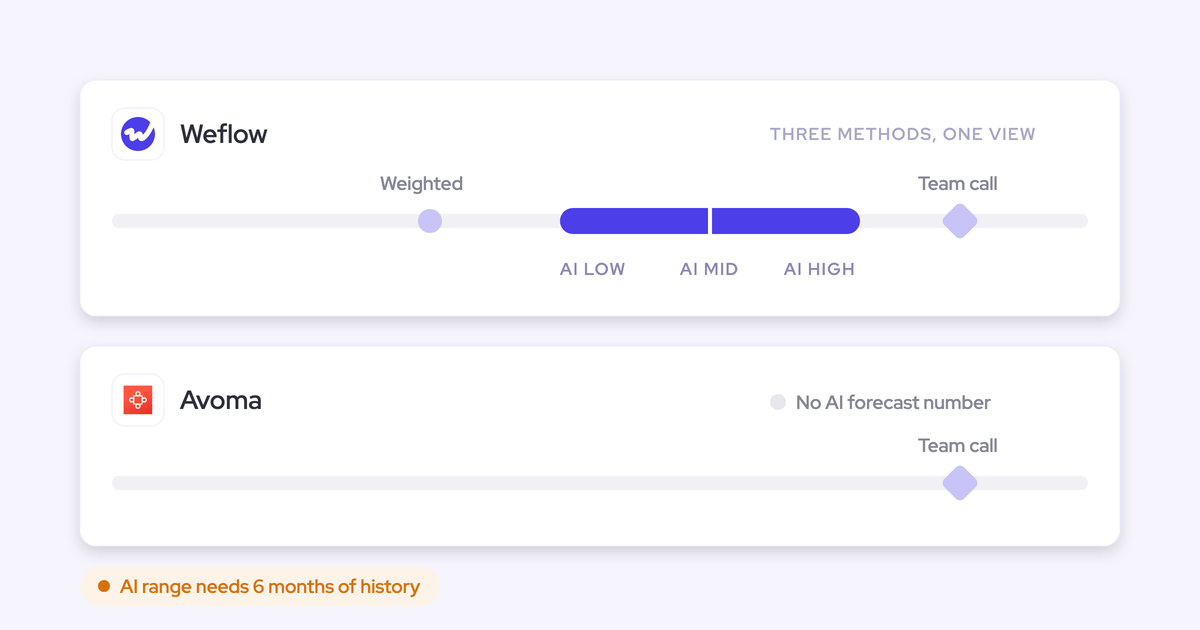
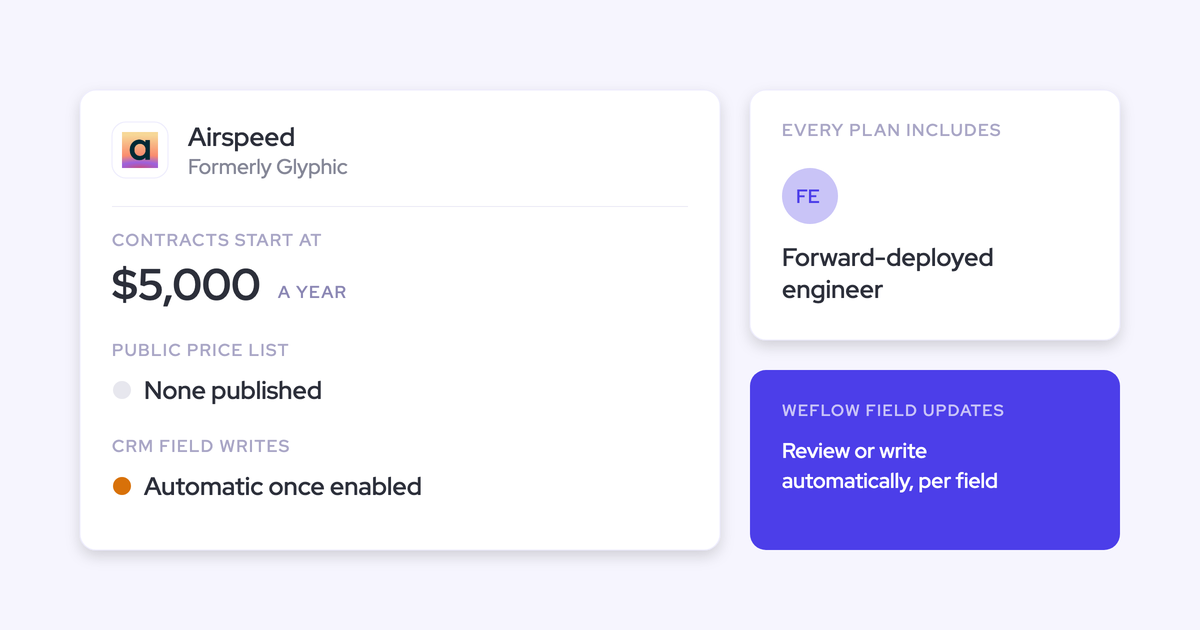
Best Tools That Track Competitor Mentions Across Sales Calls (2026)
Compare tools that track competitor mentions across sales calls: Gong, Chorus, Weflow, Avoma, more.



Every tool on this shortlist tracks competitor mentions across your calls. Gong, Chorus, Attention, Avoma, Jiminny and Weflow all let you keep a competitor list and count it. A feature grid that says "trackers" doesn't help you choose between them.
What separates them is what happens after the count:
- Whether the number holds up when you repeat it to your VP. That depends on one tracker per competitor, and on knowing whether the customer or your rep said the name.
- Whether a new tracker runs on calls you already recorded, so you have a baseline on day one.
- Whether the competitor reaches the opportunity in your pipeline review and your loss analysis without a rep typing it.
- Whether tracking more competitors costs more.
That third point is what we built Weflow Conversation Intelligence + AI Field Updates around: the competitor value lands in a Salesforce field on the opportunity, not only on a dashboard.
The short answer, by situation:
- Weflow if you run Salesforce and want the competitor count plus the competitor value on the opportunity, at a published seat price with no credits.
- Chorus or Gong if you want prebuilt competitive reports inside Salesforce with little setup.
- Attention, Avoma or Jiminny if you want live prompts on screen while the rep is on the call.
- Avoma if you're a smaller team that wants published prices.
- Jiminny if you're a coaching-first mid-market team working across several CRMs.
Six competitor tracking tools compared at a glance
All six count mentions. They split on where the answer goes, what it costs to track broadly, and how you get the data out. Where a tool only partly covers a capability, the cell says where it stops.
| Capability | Weflow | Gong | Chorus | Attention | Avoma | Jiminny |
|---|---|---|---|---|---|---|
| Keyword and competitor trackers | Custom trackers across all calls, by rep, team, region and over time | Keyword and smart trackers; question-based AI Trackers draw credits | Keyword or Boolean trackers typed as Competitor, on past and future calls | Plain-language AI labels such as Competitor, on future calls | Keyword and Smart Trackers with a client vs team split, in the CI add-on | Themes and Topics on keywords, in several languages |
| Rules-based alerts and workflows | Custom deal warnings; agents deliver to Slack or email | Streams notify by Slack or email; eight fixed deal warnings | User-built daily email alerts; Zapier needs Enterprise | Workflows on Labels Changed and other triggers, with code steps | Keyword alerts to Slack or email; admin-built Automations | Nudges to Slack or email; "Competitors mentioned" risk trigger |
| Ask AI chat | Ask Weflow AI across calls, emails, meetings and Salesforce, scoped to a filtered deal board | Partial: answers from capped slices; Gong Assistant on the call page only | Partial: AI Chat covers one meeting; AI Search only finds calls | Call or whole-deal Insights; Super Agent reads CRM and email | Partial: spans meetings, email and deals; CRM permission handling undocumented | Partial: deal answers from 80 emails and 10 calls; Panorama on Grow |
| Writes its own insights into the CRM | Partial: AI Field Updates and playbooks write any Salesforce field; tracker hits and warnings stay in Weflow | Activity as tasks or events; AI Data Extractor into existing fields; no transcripts | Partial: tracker Moments need the managed package; methodology fields wait on rep approval | Mapped fields, automatic sync recommended; connection needs Modify All Data | Smart Topics append to opportunity and account fields; no custom objects | AI CRM Filling into Salesforce fields; emails stay in Jiminny |
| Dashboards and reports | Build-your-own Insights boards with tracker reports; 30+ pipeline dashboards | Custom Gong Forecast dashboards; prebuilt competitive dashboard inside Salesforce | Partial: prebuilt Analytics; six prebuilt Salesforce reports with the package | Partial: prebuilt reporting, not composable | Partial: prebuilt dashboards, including a Trackers tab | Partial: Team Insights with Deal Win vs Loss; Salesforce reports depend on storage mode |
| Integrations with other tools | Partial: Salesforce, Google, Microsoft, Zoom, Slack, Outreach dialer; no native warehouse connector | About 450 marketplace integrations | 19 conferencing tools, 30+ dialers, three CRMs | Workflow steps in CRMs, Slack, Snowflake and more | 26 native integrations plus Zapier | About 20 dialers, Zoom, Meet, Teams, Zapier, several CRMs |
| Access from AI assistants (MCP) | Read-only connector with a transcript access toggle | Partial: three record-scoped tools, insights only, credit-metered | ZoomInfo's MCP server answers from Chorus calls | 68 read-write tools, raw transcripts, rate-limited | Connector on Organization, Enterprise or the API add-on | Read-only connector on Scale and Grow tiers |
| Raw data access outside the tool | REST API bulk export in JSON or CSV | API capped at 10,000 calls a day; Data Cloud sold separately | Partial: API only on the Enterprise package | Raw transcripts through MCP and API keys | Partial: API at 60 requests a minute, Organization plan and up | REST API with an admin-generated key |
| Pricing | Published: $39 Conversation Intelligence seat, trackers included, no credits | No published price; Foundation core licence required | No published price; three packages | No published price | Published: base seat plus $29 add-on for trackers | No published price; flat per-seat fee, no credits |
The next section explains how to read each row, and how to test it during a trial.
How to judge competitor tracking beyond the mention count
The count itself is the commodity here. What decides it is whether the number is trustworthy, whether it covers the history you already have, whether it reaches the deal without rep effort, and whether breadth is metered.
Here's how each of the nine capabilities applies to competitor tracking, and how to test it in a demo.
| Capability | What it means for competitor tracking | How to test it in a trial |
|---|---|---|
| Keyword and competitor trackers | Whether the count is a number you can trend | Build one tracker for your top competitor, open ten hits, and count how many are passing mentions |
| Rules-based alerts and workflows | Whether a competitor in a late-stage deal reaches you in time | Ask to see an alert fire on a competitor plus a stage condition, delivered to Slack or email |
| Ask AI chat | Whether you get "what happened when they came up", not only "how often" | Ask about competitors across last quarter's closed-lost deals and see whether the answer draws on emails as well as calls |
| Writes its own insights into the CRM | Whether the competitor shows on the opportunity you review weekly | After a demo call, open the opportunity in Salesforce and look for a structured value and any approval step |
| Dashboards and reports | Whether you can trend by rep, team and region | Filter the tracker report to one region and one quarter |
| Integrations with other tools | Whether dialer calls are counted and alerts land where your team works | Connect your dialer and Slack during the trial |
| Access from AI assistants (MCP) | Whether RevOps can ask competitor questions from Claude or ChatGPT | Connect an assistant and see whether it returns transcripts or only summaries |
| Raw data access outside the tool | Whether competitor data can reach your BI or warehouse | Pull a transcript and tracker export through the API |
| Pricing | Whether adding competitors raises the bill | Ask whether trackers draw credits or sit in an add-on |
Keep one tracker per competitor so the trend holds
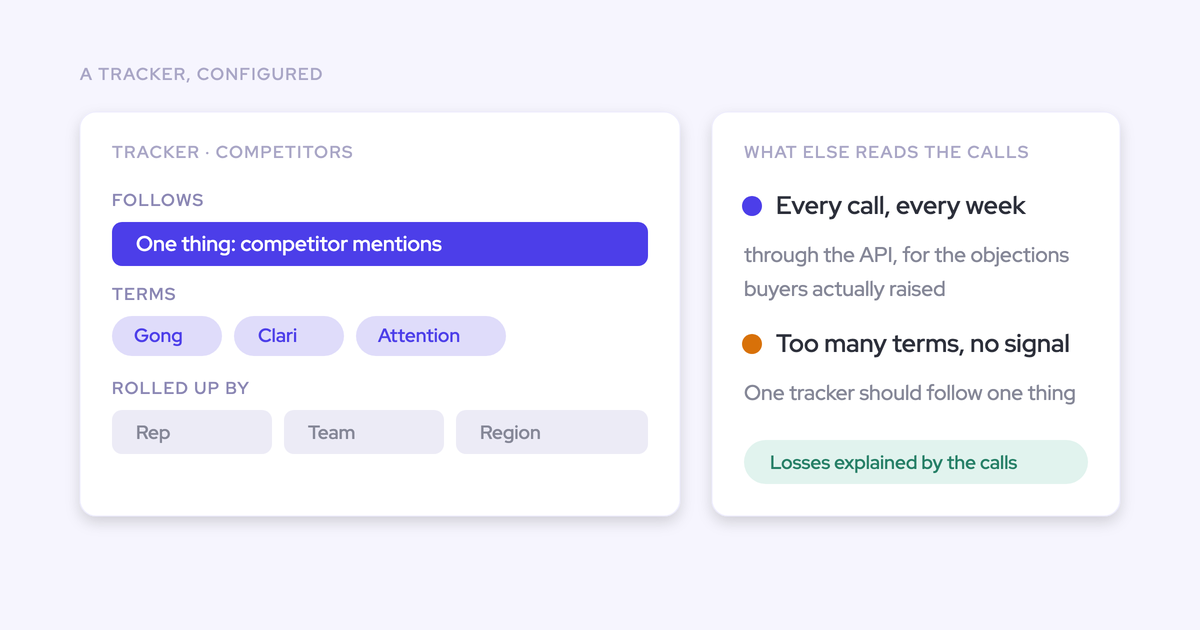
Your competitor report looks like noise when one tracker tries to catch every variant of a topic. It fires on passing mentions, and because the output looks like data, nobody notices until a pricing or messaging decision rests on it.
The fix is boring and it works. Give each competitor its own tracker, covering that competitor's name and its products. Accept that you'll miss a few mentions.
This is how managers usually describe the starting point on calls with us:
"I would like to add tracking keywords. The obvious ones are names of our competitors or price objections, so I can set up tracker keywords so that the AI can filter on those."
| Aspect | Catch-all tracker | One tracker per competitor |
|---|---|---|
| What it catches | Every variant, including passing mentions | One competitor and its products |
| What the count means | A mix of real competitive conversations and someone saying a word | How often that competitor comes up |
| What you can do with it | Look at it | Trend it by rep, team and region over quarters |
| What it costs you | A decision made on noise | A few missed mentions |
Separate what the customer said from what your rep said
A competitor count only means something competitively when you know who said the name. "The customer raised Competitor X" is a signal. "Our rep mentioned Competitor X" is a talk track.
The tools handle this differently. In a demo, check:
- Whether the tool labels each speaker as internal or external. Weflow does this from Salesforce and calendar data, with no manual tagging.
- Whether a tracker can filter by speaker. Chorus trackers take a Said By setting of Anyone, Rep or Prospect, and each Chorus Moment record stores who spoke.
- Whether the report splits client from team mentions. Avoma's Trackers dashboard does, and its alerts filter by speaker type.
- How recording mode affects speaker labels. Attention's botless desktop recording captures one mixed audio stream, which Attention acknowledges makes speaker labels less accurate.
Check whether trackers run on calls you already recorded
A tracker that only applies from today means you wait a quarter for a baseline. A tracker that runs backwards gives you one on day one.
Imported history only helps if the new tool reprocesses it. A pile of old recordings that no tracker reads isn't a baseline.
| Tool | Does a new tracker apply to past calls? |
|---|---|
| Weflow | Yes, trackers run retroactively on past recordings, including history imported from Gong, Chorus or Jiminny |
| Chorus | Yes, every tracker applies to every past and future call |
| Avoma | Smart Trackers scan up to 12 months back, depending on licence |
| Attention | No, labels apply to future calls for the chosen teams |
Make sure the per-deal answer reaches Salesforce without rep typing
A tracker hit on a vendor dashboard isn't the competitor on the opportunity. If you want to see "who's up against whom" in your pipeline review, the value has to be on the Salesforce record.
We hear the request in almost these words:
"If we're wanting to look at calls that the rep scored lowly on and a specific competitor was named on, is there a way to report on that in Salesforce? And can we create Salesforce flows and automation off of that data?"
There are three routes, and each tool sits on one or more:
- A tracker record pushed through a managed package. Chorus writes tracker hits as Moment records in Salesforce, with prebuilt competitive reports. Gong ships a competitive-analysis dashboard inside Salesforce.
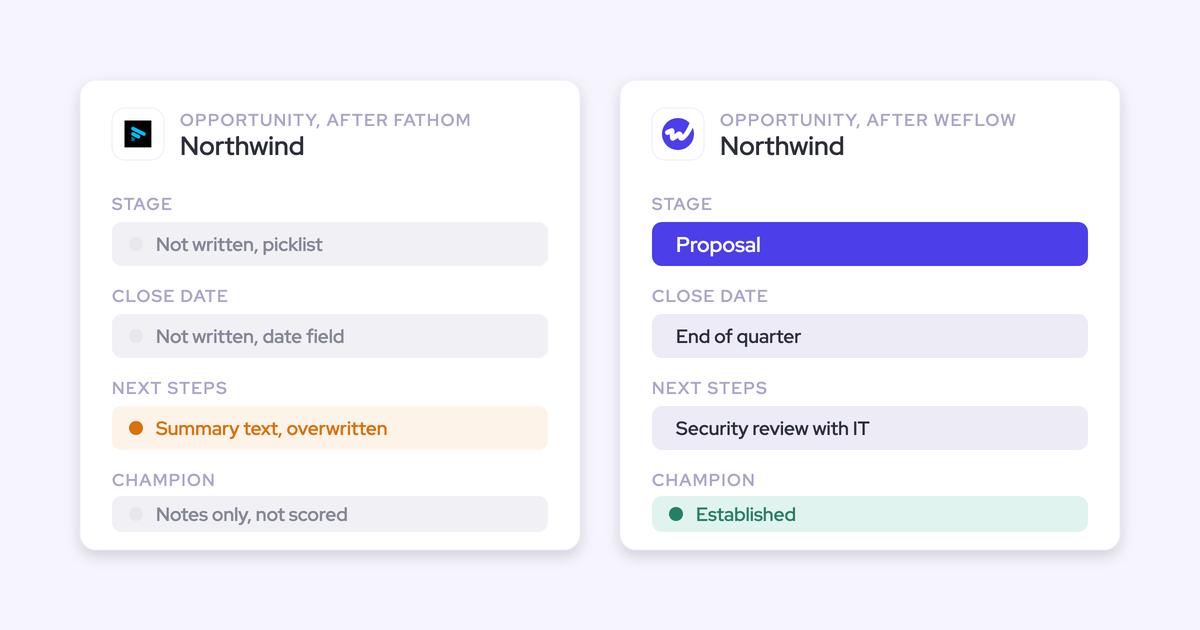
- An extracted value written to an opportunity field. Weflow AI Field Updates, Attention, Avoma Smart Topics, Jiminny AI CRM Filling and Gong's AI Data Extractor all do this. Chorus does it for methodology fields, after a rep approves each update.
- The hit stays in the tool. Weflow tracker hits live in Weflow Insights, and most tools' dashboards live in their own interface.
One practical tip: use a picklist for the competitor field, not free text. Attention, for example, writes a sentence explaining the absence into a free-text field when a call has nothing to extract, and that reads as populated data in every report.
Find out whether tracking more competitors costs more
Your competitor list grows. The question is whether your bill grows with it.
Some vendors include trackers in the seat. Others put them in an add-on or meter them in credits. Ask directly whether trackers draw credits or sit behind an add-on. The pricing section below lays out each vendor side by side.
Weflow: competitor counts that land on the Salesforce opportunity
Weflow is the Revenue AI Orchestration platform for sales, customer success, and RevOps teams. We built it for Salesforce teams: activity, conversations and the values extracted from them land in native Salesforce objects you own.
For competitor tracking, that means you get the count in Weflow Insights, the "what happened" answer from Ask Weflow AI, and the per-deal competitor value in a Salesforce field.
- CRM: Salesforce only.
- Recording: notetaker on Zoom, Microsoft Teams, Google Meet and WebEx; desktop app for recording without a notetaker; Outreach dialer calls; Mobile Copilot for in-person meetings.
- Pricing model: published per-seat prices, no AI credits except Weflow Agent Builder.
How Weflow trackers count competitors and trigger alerts
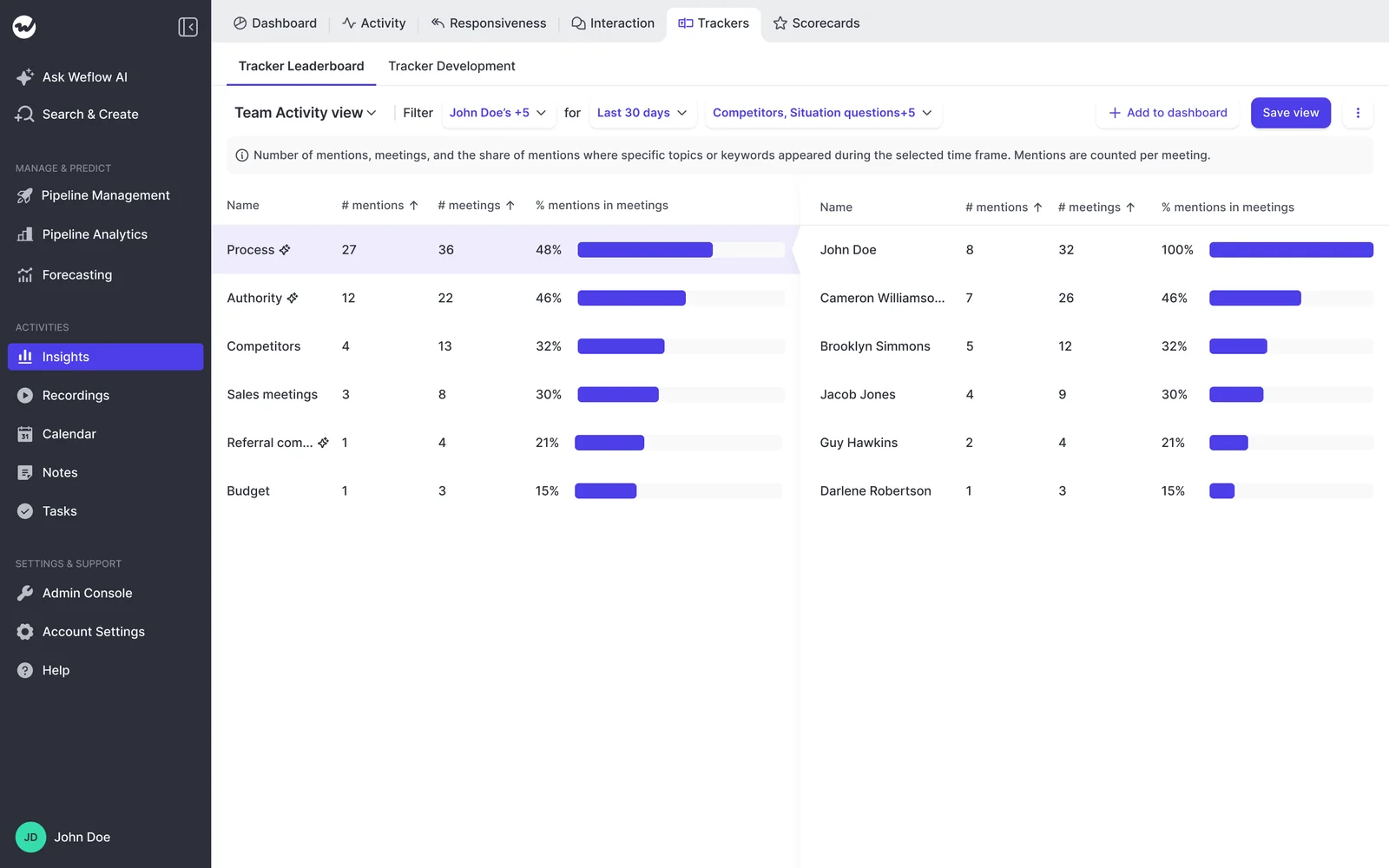
You set custom trackers on competitors, pricing, objections or anything else. Weflow counts mentions across every recorded call and rolls them up by rep, team and region over time, so a competitor climbing in one region shows up as a number, not a rumor from one manager.
- Speaker: Weflow labels each participant as internal or external using Salesforce and calendar data.
- Past calls: new trackers apply retroactively to past recordings.
- Scope: tracking is unlimited, so one tracker per competitor doesn't cost you anything extra.
- Alerts: deal warnings run as rules on any opportunity field except text fields, plus computed fields such as days inactive. A Competition picklist filled by Weflow AI Field Updates can drive a warning together with stage.
- Recurring reads: a Weflow Agent Builder agent can run a monthly closed-lost pass that surfaces which competitors appeared and which objections recurred, delivered to Slack or email.
How Ask Weflow AI and Weflow AI Field Updates answer per deal
Ask Weflow AI answers "which competitors came up in the last six months, and what happened when they did" across calls, emails, meetings and Salesforce records. Point it at a filtered deal board and the question applies to exactly the deals in view. It inherits Salesforce permissions and adds its own guardrails on top.
Weflow AI Field Updates write structured values from the transcript into any standard or custom Salesforce field, such as the Competition element of MEDDPICC. They run in manual review or fully automatic mode, so there's no rep typing and, if you choose, no approval step. Weflow AI Playbooks keep that field at the current best answer across every call and email on the opportunity, not just the last call.
Because the value sits on the opportunity, you can report on it next to the rep's pipeline and build Salesforce Flows off it.

This capability is partial in one respect: deal warnings, playbook scores and agent outputs stay in Weflow and don't reach Salesforce reports.
Where Weflow tracker hits live and how you get them out
Tracker hits live in Weflow Insights, not in Salesforce. The Salesforce-reportable path for competitor data is the field update.
- Dashboards: you build Insights boards from a report library that includes Trackers, and admins assign boards to roles. 30+ pipeline dashboards ship out of the box.
- Integrations: Weflow connects natively to Salesforce, Gmail, Google Calendar, Outlook, Zoom, Teams, Meet, Slack and the Outreach dialer. There's no native Snowflake, Databricks or BigQuery connector.
- MCP: our read-only connector gives Claude, ChatGPT and other assistants playbooks, call summaries, transcripts and forecast calls. An admin switches it on per workspace and decides separately whether assistants see full transcripts.
- Raw data: the REST API bulk-exports transcripts, metadata, scores and signals as JSON or CSV into BI tools such as Tableau and Looker, or into a warehouse.
Recording search tells you which calls mention a term, not where in each call. The tracker is how you get to the individual mention.
What Weflow Conversation Intelligence costs for competitor tracking
Trackers, Ask Weflow AI and Weflow AI Field Updates are all included in the $39 per user per month Weflow Conversation Intelligence seat, billed annually. There are no credits. Adding your tenth competitor costs the same as your first.
Weflow Agent Builder is the only consumption-priced product, and every plan includes 25 agent actions a month.
Where Weflow falls short and who should pick it
Suits:
- Salesforce teams that want the competitor count plus the per-deal competitor value written into a Salesforce field.
- Managers who want "what happened when they came up" answered across calls and emails, not transcripts alone.
- Teams switching from Gong, Chorus or Jiminny, because the tracker set and the call history carry over, reprocessed and relinked to Salesforce records.
- Buyers who want a published seat price with no credits.
Stops:
- No live in-call assistant. A rep gets the tracker hit after the call, not a battlecard during it.
- Tracker hits stay in Weflow Insights, not in Salesforce.
- Weflow works only with Salesforce, and the minimum is 10 seats.
- If you want competitor reports inside Salesforce with no setup, Chorus's managed package or Gong's Salesforce dashboard gets you there faster. If you want live battlecards, look at Attention, Avoma or Jiminny.
Gong: the deepest conversation analytics, with metered AI Trackers
Gong is a conversation intelligence platform that records and analyzes sales calls in its own cloud. It's sold as a Foundation core licence, with coaching, forecasting, sales engagement and data export applications on top. Gong invented the category, and its conversation analytics are the deepest on this list.
- CRM: Salesforce and other CRMs through its marketplace.
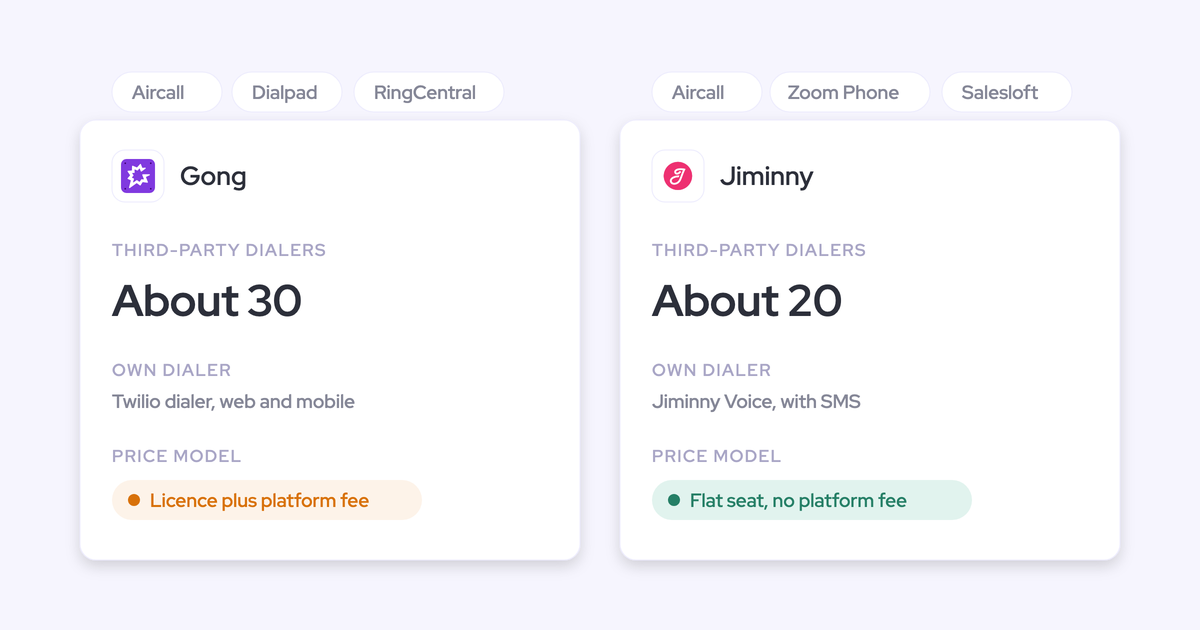
- Recording: eleven web conferencing providers and about thirty dialers.
- Pricing model: per-user licence plus a platform fee, quote only, with AI credits.
How Gong trackers and streams flag competitor mentions
Gong has mature keyword and smart trackers. You can scope trackers by team, user, account type or deal stage.
- Alerts: streams collect every new call matching filters such as trackers or words said, and notify by Slack or email.
- Automation: automation rules send matching calls by webhook or Zapier.
- Deal warnings: a fixed set of eight, defined by Gong. You can tune thresholds but not add your own.
- Topics: a company-specific topic model needs at least 1,000 hours of calls and a build with a Gong Revenue Architect.
How Gong answers competitor questions and writes to Salesforce
AI Ask Anything answers single questions about a deal, account or search, from capped slices: up to 60 calls and 500 emails for a deal or account. Gong Assistant adds ongoing chat, but only on the call page, so portfolio-level questions stay single-shot. Free Collaborator seats get no AI.
Gong writes meetings, calls and emails into Salesforce as tasks or events, and AI Data Extractor writes answers into existing, imported CRM fields. Call transcripts don't go to Salesforce. AI Data Extractor overwrites the previous value whenever it finds newer information.
Where Gong's competitive dashboards live and how you export data
- Dashboards: Gong ships a prebuilt competitive-analysis dashboard inside Salesforce on any plan, covering competitive win rates and pipeline value affected by competitive deals. Custom dashboards need Gong Forecast.
- Integrations: the Gong Collective lists about 450 integrations and partner solutions.
- MCP: the Gong MCP server exposes three record-scoped tools, returns AI insights rather than transcripts, is read-only and draws credits.
- Raw data: the API returns transcripts, trackers and scorecards, capped at 3 calls a second and 10,000 a day. Warehouse delivery through Data Cloud is a separate purchase of about $5,000 a year.
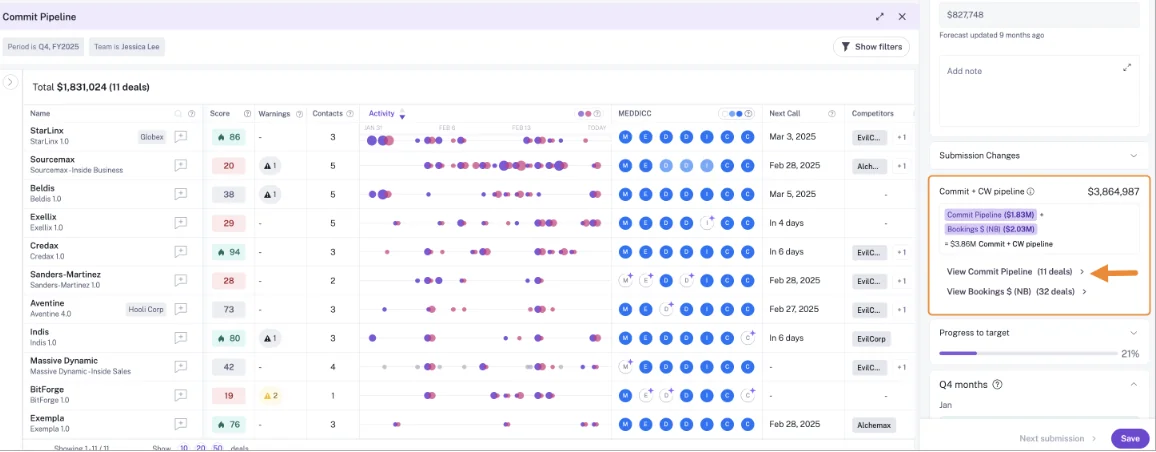
Above: Gong's commit pipeline view, with a Competitors column on each deal.
Why Gong AI Trackers turn tracking breadth into a credit decision
Question-based AI Trackers draw from a credit pool: each paid core seat adds 2,000 credits a year, shared across the company. Gong names AI Tracker configuration as the largest driver of credit use, and its own remedy is to unpublish trackers or narrow them by team, user, account type or stage.
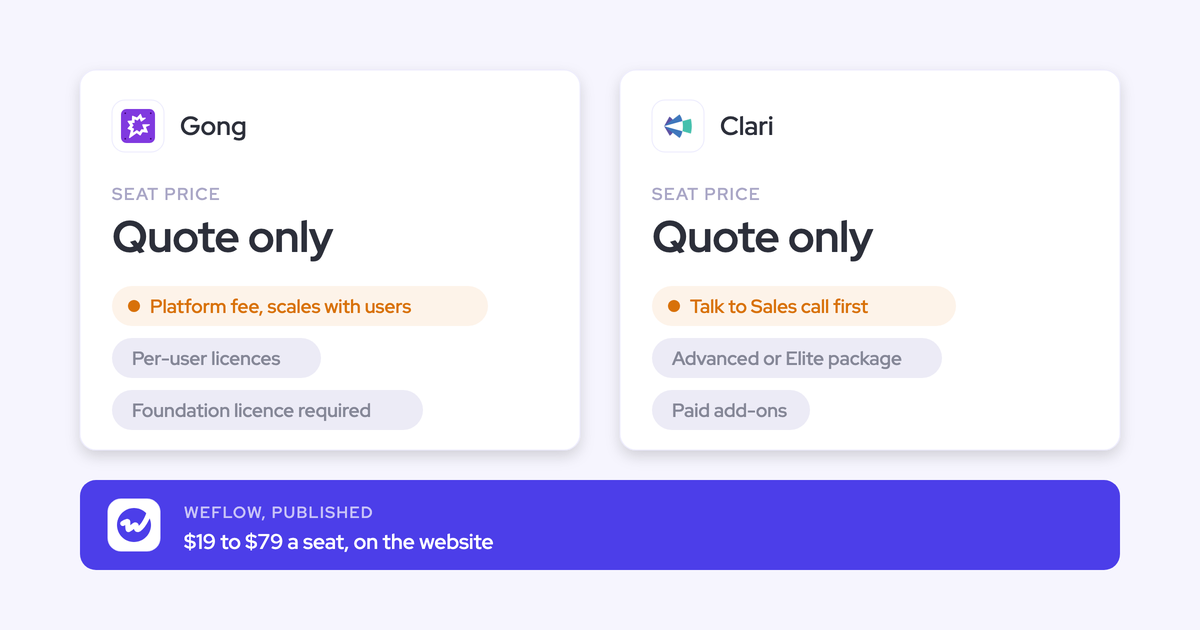
So tracking every competitor across every conversation becomes a budget conversation. Gong publishes no prices, and Foundation is a mandatory core licence.
Who Gong suits and where it stops
Suits:
- Teams that want the deepest conversation analytics and a mature tracker plus deal board habit.
- Teams that want a prebuilt competitive dashboard inside Salesforce.
Stops:
- Question-based AI Trackers draw pooled credits, so breadth gets rationed.
- Company-specific topic models need 1,000+ call hours and a Gong Revenue Architect.
- The MCP server returns insights, not transcripts.
- No published price, and Foundation is required before anything else.
Chorus: rule-based competitor trackers reported inside Salesforce
Chorus is ZoomInfo's conversation intelligence tool, sold as one engagement feature inside the ZoomInfo data platform. It records meetings for call analysis, keyword trackers, follow-ups, coaching and deal signals. On getting competitor hits into Salesforce reports, Chorus is the most direct tool here.
- CRM: Salesforce, HubSpot and Microsoft Dynamics, cloud versions only.
- Recording: 19 conferencing providers and more than 30 dialers.
- Pricing model: custom plans across three packages.
How Chorus keyword trackers catch competitors on past calls
Admins, or users when admins allow it, create keyword or Boolean trackers typed as Competitor. Chorus applies each one to every past and future call.
- Speaker: each tracker sets Said By as Anyone, Rep or Prospect.
- Scope: trackers apply to calls, emails or both, and a preview shows the first 50 matches before you save.
- Alerts: you build daily email alerts on any tracker, filtered by rep, team, deal stage and amount.
- Deal signals: Momentum Signals include a late-stage competitor mention alert on the Deals page.
How Chorus answers questions and pushes Moments into Salesforce
Chorus AI Chat answers questions about one recorded meeting and links to the moment. AI Search turns requests into filters that find calls, rather than answering across them.
With the managed package, tracker hits land in Salesforce as Moment records with the category, the timestamp and who spoke. Chorus ships prebuilt reports including competitive mentions over time and win rate with competitive mentions, and Moment records can trigger Salesforce Flows. Without the package, the Push to CRM setting does nothing.
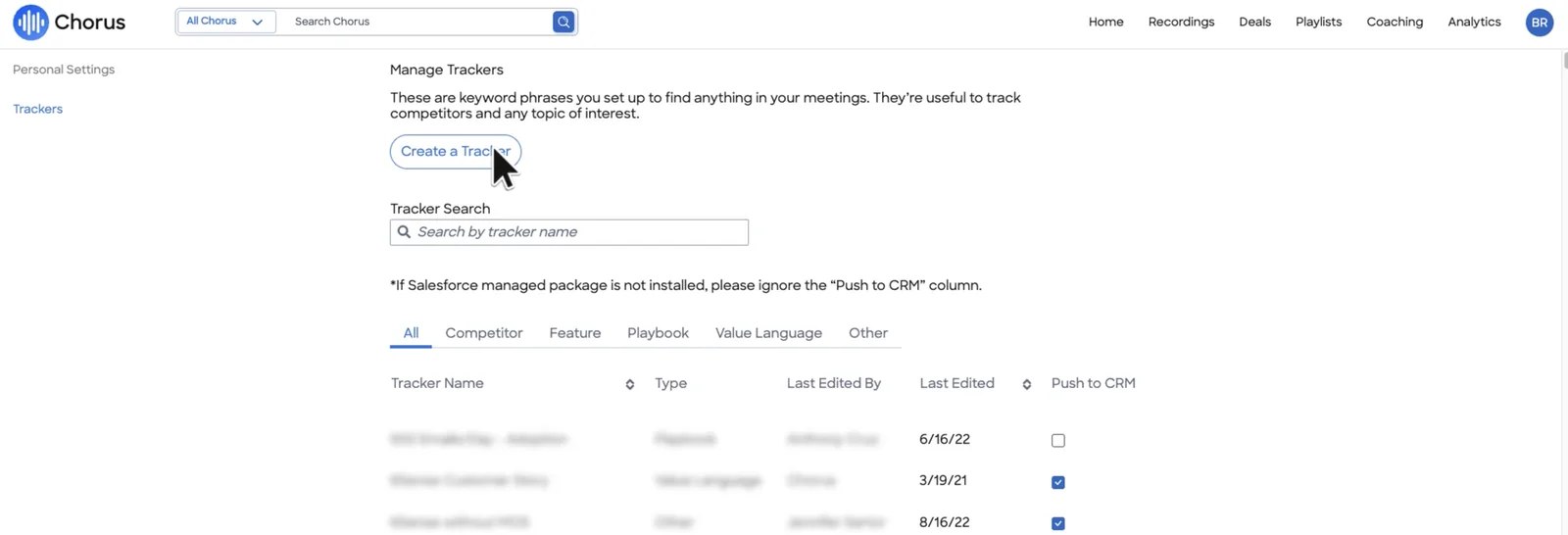
Above: Chorus's tracker manager, where Push to CRM only works with the Salesforce managed package installed.
Methodology fields are different. Chorus drafts MEDDIC, MEDDPICC, BANT or SPIN values, and a rep has to approve each update before it's written.
Where Chorus reports live and what needs the Enterprise package
- Dashboards: Analytics comes as prebuilt dashboards, and the Moments dashboard shows a topic's win and loss ratio once 12 or more deals are in range. In one documented case, a monthly meetings report computed from 31,999 of 39,261 meetings without showing why.
- Integrations: broad, but Slack and Zapier need the Enterprise package.
- MCP: since July 2026, ZoomInfo's MCP server answers account questions from Chorus calls, emails and transcripts.
- Raw data: API access comes only with the Enterprise package.
What Chorus costs when ZoomInfo quotes it
ZoomInfo publishes no Chorus prices. Chorus comes in three packages, Basic, Revenue Intelligence and Enterprise, and features such as the API, Slack and Zapier depend on which one you buy. Trackers come with the plans; the automation around them is what's gated.
Who Chorus suits and where it stops
Suits:
- Teams that want competitor mentions reported natively in Salesforce, with prebuilt competitive reports and daily alerts.
- Teams that want rule-based trackers with a speaker filter on past and future calls.
Stops:
- The Salesforce push depends on the managed package.
- Slack, Zapier and the API need the Enterprise package.
- Trackers are rule-based rather than AI-native.
- Chorus is a maintained asset, and ZoomInfo's AI investment is going into its data platform.
- No published price.
Attention: AI labels, workflows and live battlecards
Attention is an AI-native conversation intelligence tool that records sales calls and uses the conversation data to power scorecards, CRM field updates, and AI agents and workflows. It's the most programmable tool on this list, and the most open to outside AI assistants.
- CRM: Salesforce and HubSpot mapped natively; other CRMs on request.
- Recording: notetaker bot or desktop app on Zoom, Meet and Teams; Zoom Phone and Aircall imports.
- Pricing model: not published; usage governed by rate limits, not credits.
How Attention AI labels tag competitors and trigger workflows
Admins define AI labels in plain language, such as a Competitor category, and test them against sample calls. Attention applies each label to every future call for the chosen teams. Since June 2026, a call can carry several values of one label.
- Workflows: the Labels Changed trigger drives workflows with if/else routing, loops and custom code steps.
- Agents: Attention markets a ready-made competitive intelligence tracker agent.
- Live prompts: since June 2026, the desktop app shows live talk-track and battlecard prompts during the call.
How Attention answers deal questions and writes CRM fields
Attention's Insights tab answers questions about one call or a whole deal. Its Super Agent searches Salesforce and HubSpot accounts, runs pipeline queries and reads imported email.
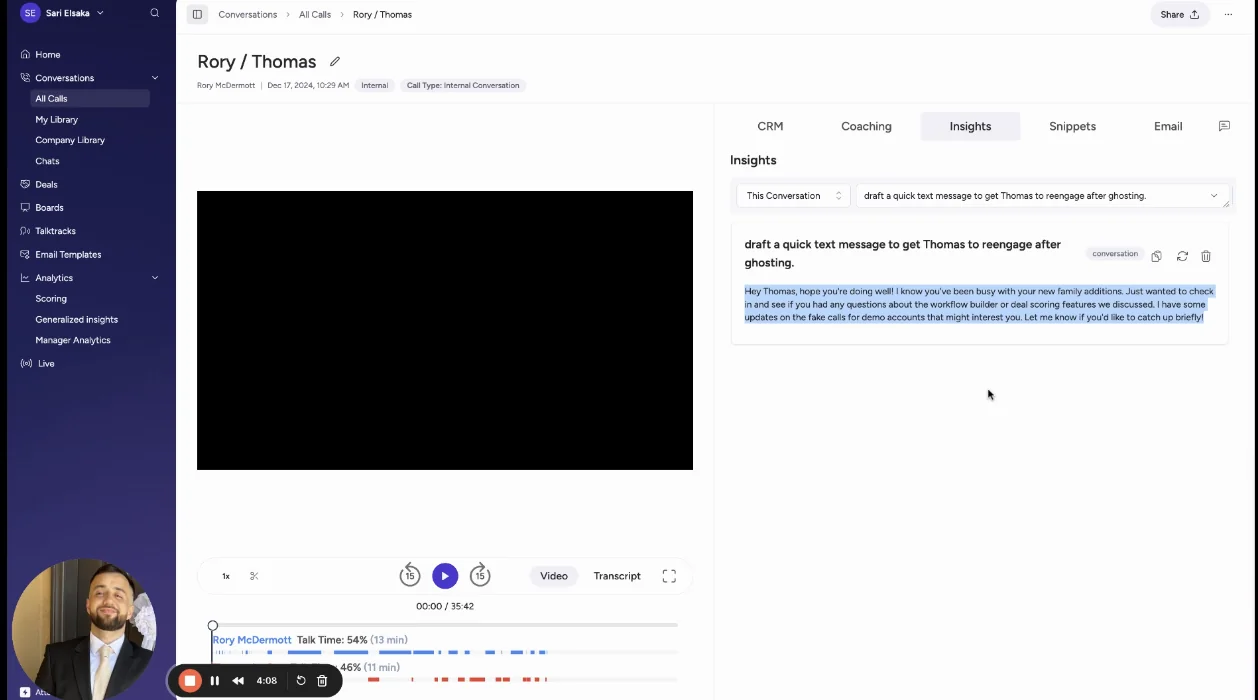
Above: Attention's Insights scope selector, with the Account level not yet available.
Field writes run automatically when a conversation finishes, which Attention recommends, or when a rep clicks Update CRM. Output quality depends on the extraction prompts you write or accept. The Salesforce connection needs a user with Modify All Data.
How you report on Attention data and pull raw transcripts
- Dashboards: reporting is prebuilt, filterable by rep, team, region, stage or any CRM field, but not composable into your own dashboards.
- Integrations: workflow steps act in Gmail, Salesforce, HubSpot, Slack, Snowflake and many more.
- MCP: a read-write server with 68 tools that returns raw transcripts, with no consumption charge.
- Raw data: transcripts, scorecard results and insights through MCP and API keys; workflows can send data to Snowflake or any API.
What Attention costs without a published price
Attention publishes no pricing. It also publishes no credits: rate limits govern usage in the workflow builder and the MCP server. Tracking breadth isn't metered, but you only learn the price through a sales conversation.
Who Attention suits and where it stops
Suits:
- Teams with strong RevOps who want plain-language labels, programmable workflows and live battlecards.
- Teams that want raw transcripts reachable from their own AI assistants.
Stops:
- Labels apply to future calls only, so there's no day-one baseline.
- Output is only as good as the prompts you write or accept.
- Dashboards are prebuilt rather than composable.
- The Salesforce connection requires Modify All Data.
- No published price.
Avoma: meaning-based trackers and published prices for smaller teams
Avoma is a meeting-first conversation intelligence tool that records, transcribes and summarizes calls, and has added Salesforce sync, coaching and deal features on top. It sells mainly to small businesses and solo operators, and publishes its prices.
- CRM: Salesforce, HubSpot, Pipedrive, Zoho, Copper and Zendesk Sell.
- Recording: bot on major conferencing tools, cloud recording on Teams and Meet, desktop app, and dialers.
- Pricing model: published per-recorder-seat prices plus per-seat add-ons, no credits.
How Avoma Smart Trackers scan up to 12 months back
Avoma admins define keywords, such as competitor names, and AI Smart Trackers for broader ideas. A Smart Tracker catches the same idea in different words and can scan up to 12 months of past conversations, depending on licence.
- Speaker: the Trackers dashboard separates client mentions from team mentions.
- Alerts: keyword alerts go to Slack or email, filtered by team, deal stage, conversation purpose or speaker type.
- Live prompts: Answer Cards show reps admin-written talking points when a prospect says a trigger phrase.
How Ask Avoma and Smart Topics reach the deal
Global Ask Avoma answers questions across meeting transcripts, synced emails, deal data and the web, and Ask Avoma answers within one deal. Avoma doesn't document whether answers respect CRM permissions.
Smart Topics append extracted notes to mapped opportunity and account fields in real time, with no custom objects. When a deal closes, Avoma writes an AI-generated win or loss reason into the CRM.
Where Avoma tracker reports live and how you export them
- Dashboards: prebuilt, including the Trackers tab and a Custom Trends report on chosen phrases.
- Integrations: 26 native integrations plus Zapier.
- MCP: a connector for Claude and ChatGPT on the Organization or Enterprise plan, or with the API Access add-on.
- Raw data: REST API and webhooks at 60 requests a minute, on the Organization plan and above.
What Avoma's Conversation Intelligence add-on adds to the seat
Trackers sit in the Conversation Intelligence add-on at $29 a seat a month billed annually, on top of the base seat: Startup $19, Organization $29 or Enterprise $39. Tracking more competitors doesn't cost more, but tracking at all means stacking the add-on.
Who Avoma suits and where it stops
Suits:
- Smaller teams that want published prices, meaning-based trackers with lookback, and live Answer Cards.
Stops:
- Trackers need the $29 add-on on top of the base seat.
- Avoma is aimed at small businesses and solo operators.
- No custom-object field mapping.
- Ask Avoma doesn't document respecting CRM permissions.
Jiminny: competitor themes tied to won and lost deals
Jiminny is coaching-first conversation intelligence for mid-market revenue teams. It records meetings, dialer and in-person calls, scores and coaches reps, and writes call activity and AI-extracted fields into Salesforce, HubSpot and other CRMs. Its Deal Win vs Loss view is the most direct link on this list between competitor topics and outcomes.
- CRM: Salesforce, HubSpot, Dynamics 365, Pipedrive, Zoho, Copper, Close and Bullhorn.
- Recording: bot on Zoom, Meet and Teams, desktop app, mobile app, its own dialer and about 20 third-party dialers.
- Pricing model: flat per-seat fee per tier, not published, no credits.
How Jiminny Themes, Topics and Nudges track competitors
A Theme such as Competitors holds Topics, and each Topic fires on a keyword or phrase. Each trigger row sets a language, so one Topic can track a competitor in several languages.
- Alerts: Nudges push matching calls to Slack or email, instantly or on a schedule.
- Deal risk: "Competitors mentioned" is one of eight configurable deal-risk triggers.
- Reporting: Team Insights shows how often each topic comes up, when in the call and how long the team spends on it.
How Ask Jiminny and AI CRM Filling answer per deal
Ask Jiminny answers on a deal from up to 80 recent emails and 10 recent calls. Panorama, on the Grow tier, answers across up to 100 calls or deals.
AI CRM Filling writes extracted values into Salesforce or HubSpot fields, automatically or after a rep's review. Emails stay inside Jiminny rather than being logged to Salesforce.
Where Jiminny's Salesforce reports depend on storage mode
- Dashboards: Deal Win vs Loss compares topics and phrases in won and lost deals. The optional Salesforce package ships 15 reports, but most, including competitive opportunities, stop working under the lightest storage mode.
- Integrations: about 20 dialers, the three major meeting platforms, Google and Microsoft mailboxes, and Zapier.
- MCP: a read-only connector on the Scale and Grow tiers.
- Raw data: a REST API opened with an admin-generated key.
What Jiminny's flat per-seat fee covers
Jiminny publishes no prices. Each tier is one flat per-seat fee with no platform fee, add-ons or usage credits. The only metered item is its dialer: minutes above 1,350 per 30 days cost 2 cents each.
Who Jiminny suits and where it stops
Suits:
- Coaching-first mid-market managers on one or several CRMs who want competitor topics tied to won and lost deals.
- Multilingual teams tracking competitors across languages.
Stops:
- Coaching-first positioning.
- No published price.
- Emails aren't logged to Salesforce.
- Most packaged Salesforce reports break under the lightest storage mode.
What each tool costs to track competitors across your team
Only Weflow and Avoma publish prices. Tracking breadth is included, add-on-gated or credit-metered depending on the vendor.
| Tool | Published list price | Competitor tracking: included, add-on or metered | Extras, minimums and terms |
|---|---|---|---|
| Weflow | Weflow Conversation Intelligence $39 per user per month; Revenue AI Foundation $49, Revenue AI Business $59, Revenue AI Enterprise $79; billed annually | Included in the seat, no credits | Weflow Agent Builder beyond 25 free actions a month ($299 for 500, $999 for 2,500); 10-user minimum; 12-month term; mid-term seats added pro rata |
| Gong | No published price | Question-based AI Trackers draw pooled credits | Foundation core licence required; Data Cloud and MCP usage cost extra |
| Chorus | No published price | Included in custom plans | Slack, Zapier and API need the Enterprise package; Salesforce push needs the managed package |
| Attention | No published price | No published credits; rate limits instead | Negotiated contract |
| Avoma | Startup $19, Organization $29, Enterprise $39 per recorder seat per month, billed annually | $29 Conversation Intelligence add-on per seat | Enterprise carries a 10-seat minimum; bulk import of past recordings may carry a one-time fee |
| Jiminny | No published price | Included in the flat per-seat fee, no credits | Dialer minutes above 1,350 per 30 days at 2 cents each |
Metered breadth matters because a competitor list only grows. If every new tracker draws credits, someone eventually decides which competitors you stop watching.
Which competitor tracking tool fits your team
The right tool depends on where you need the answer to land and whether you want prompts during the call. No single tool wins every situation.
| If your priority is… | Look at… | Why |
|---|---|---|
| The competitor value on the Salesforce opportunity, at a published price | Weflow | Weflow AI Field Updates and Weflow AI Playbooks keep the field current with no rep typing, and trackers are included in the $39 seat |
| Prebuilt competitive reports inside Salesforce | Chorus or Gong | Chorus Moment records with prebuilt reports through its package; Gong's competitive dashboard in Salesforce |
| Live prompts during the call | Attention, Avoma or Jiminny | Attention battlecards, Avoma Answer Cards, Jiminny live coaching |
| The deepest conversation analytics | Gong | Mature trackers and the deal board habit, with metered AI Trackers |
| Coaching-first work across several CRMs | Jiminny | Themes, Deal Win vs Loss and support for eight CRMs |
| Programmable workflows and raw transcripts for your own AI | Attention | Code-capable workflows and a read-write MCP server |
By team size and budget:
- Small teams on a tight budget: Avoma publishes prices and targets this segment; budget for the $29 add-on.
- Mid-market Salesforce teams, 10 seats and up: Weflow gives you trackers, Ask Weflow AI and field updates in one published seat.
- Mid-market teams on HubSpot or several CRMs: Jiminny or Avoma.
- Large teams with a Gong or Chorus habit and budget for credits or packages: Gong or Chorus.
Weflow is the wrong pick if you're not on Salesforce, if you have fewer than 10 seats, or if you need live in-call prompts.
See how Weflow captures activity, updates Salesforce fields from calls, and rolls up your forecast. Book a 30-minute demo.
What changed in these tools during 2026
The category moved toward live in-call prompts and toward AI assistants reading conversation data directly.
- Attention, April 2026: the Super Agent started searching Salesforce and HubSpot accounts, running pipeline queries and reading imported email.
- Attention, June 2026: AI labels began accepting several values per call, so one call can carry more than one competitor.
- Attention, June 2026: the desktop app added live talk-track and battlecard prompts during calls.
- Chorus, July 2026: ZoomInfo's MCP server added a conversation intelligence tool that answers account questions from Chorus calls, emails and transcripts.
How we built and checked this comparison
Weflow wrote this comparison, so you should know how we built it. Every competitor claim comes from that vendor's own help center, documentation and pricing pages. Weflow claims come from our own product and published pricing.
- We judged all six tools on the same nine capabilities, in the same order.
- Where a tool covers a capability only partly, we marked it partial and said where it stops.
- Where we couldn't find documentation for a behavior, we left it out rather than guess.
- We credited competitors where they're stronger, including Salesforce reporting for Chorus and Gong and live prompts for Attention, Avoma and Jiminny.
FAQ: competitor tracking on sales calls
Is competitor tracking metered in credits or included in the seat?
Gong meters question-based AI Trackers in a pooled credit balance. Avoma puts trackers in a $29 Conversation Intelligence add-on on top of the base seat. Jiminny includes tracking in a flat per-seat fee, and Chorus includes trackers in custom plans. Weflow includes trackers, Ask Weflow AI and Weflow AI Field Updates in the $39 Weflow Conversation Intelligence seat with no credits.
Does a new competitor tracker run on calls already recorded?
Chorus applies every tracker to past and future calls. Avoma Smart Trackers scan up to 12 months back, depending on licence. Attention labels apply only to future calls. Weflow applies new trackers retroactively to past recordings, including history imported from another recorder.
Can I bring my Gong tracker list and call history over?
Yes, with Weflow. Weflow imports recordings from Gong, Chorus and Jiminny with an API key, reprocesses them and relinks each one to the right Salesforce records. Your existing tracker set carries over, so competitor reporting doesn't restart from zero, and a Gong migration takes about a week.
How do I stop trackers firing on passing competitor mentions?
Build one tracker per competitor, covering that competitor and its products, instead of one catch-all tracker. A catch-all fires on passing mentions and hides the noise behind numbers that look precise. Accept that a single-competitor tracker misses a few mentions; the count you get is one you can trend.
Can I tell whether the customer or my rep named the competitor?
Weflow labels each speaker as internal or external using Salesforce and calendar data. Chorus trackers filter by Rep or Prospect, and Avoma's Trackers dashboard separates client from team mentions. Attention's botless desktop recording captures one mixed audio stream, which Attention says makes speaker labels less accurate.
Will competitor mentions show up in my Salesforce reports?
It depends on whether the tool pushes tracker records or writes field values. Chorus pushes tracker hits as Moment records through its managed package, and Gong ships a competitive dashboard inside Salesforce. Weflow tracker hits stay in Weflow Insights; the competitor reaches Salesforce reports through Weflow AI Field Updates writing it into an opportunity field.
Can I get alerted when a competitor appears in a late-stage deal?
Chorus Momentum Signals include a late-stage competitor mention alert. Jiminny has a "Competitors mentioned" deal-risk trigger and Nudges, Avoma filters keyword alerts by deal stage, and Gong streams notify on tracker matches. In Weflow, deal warnings run on any opportunity field except text fields, so a Competition picklist filled by AI Field Updates can drive a warning together with stage.
Can I tie competitor mentions to won and lost deals?
Jiminny's Deal Win vs Loss view compares topics in won and lost deals. Chorus shows a topic's win and loss ratio and ships a "win rate with competitive mentions" Salesforce report, and Gong's Salesforce dashboard covers competitive win rates. In Weflow, Ask Weflow AI answers what happened when competitors came up across closed-lost deals, and a Weflow Agent Builder agent can run that analysis monthly.
Which of these tools show live battlecards during the call?
Attention shows live battlecard prompts in its desktop app, Avoma shows Answer Cards on trigger phrases, and Jiminny coaches reps live during calls. Weflow has no live in-call assistant: a rep gets the tracker hit after the call. Some managers see that as a gap; others point out that a rep reading a card isn't listening.
Do my reps have to tag, approve or install anything?
Chorus methodology field updates wait for a rep to approve each one. Attention and Jiminny let you choose automatic writes or rep review. Weflow AI Field Updates run in manual review or fully automatic mode, set by the admin. Each Weflow user signs in once before the notetaker joins their meetings.
Which meeting platforms, dialers and languages does Weflow cover?
Weflow Conversation Intelligence records Zoom, Microsoft Teams, Google Meet and WebEx, with automatic language detection in 96+ languages. The Weflow desktop app for Windows and macOS records without a notetaker, including softphone calls on tools such as Aircall and RingCentral. Weflow also pulls in Outreach dialer calls, and Mobile Copilot records in-person meetings.
What are Weflow's minimum seats and contract terms?
Weflow requires 10 users per product or bundle on a 12-month contract, billed annually. Seats added mid-term are charged pro rata to the end of the term. You can't reduce seats mid-term, but you can reassign a seat when someone leaves. Our list prices are published, with bundle, volume and multi-year discounts.
Does Weflow work if we're not on Salesforce?
No. Weflow works exclusively with Salesforce. If you run HubSpot, Dynamics or another CRM, Chorus, Avoma, Jiminny and Attention support other CRMs.
How long does security review take for a call recording tool?
It varies by company. We've heard from teams in security-sensitive companies where approval just to trial a recording tool took two months. Weflow is SOC 2 Type II certified and GDPR compliant, runs Zero Data Retention for AI processing, and never uses customer data to train AI models.