Weflow vs Attention vs Momentum: AI-Native Conversation Intelligence Tools Compared
Compare Weflow, Attention, and Momentum on data model, Salesforce writes, pricing, and consent.


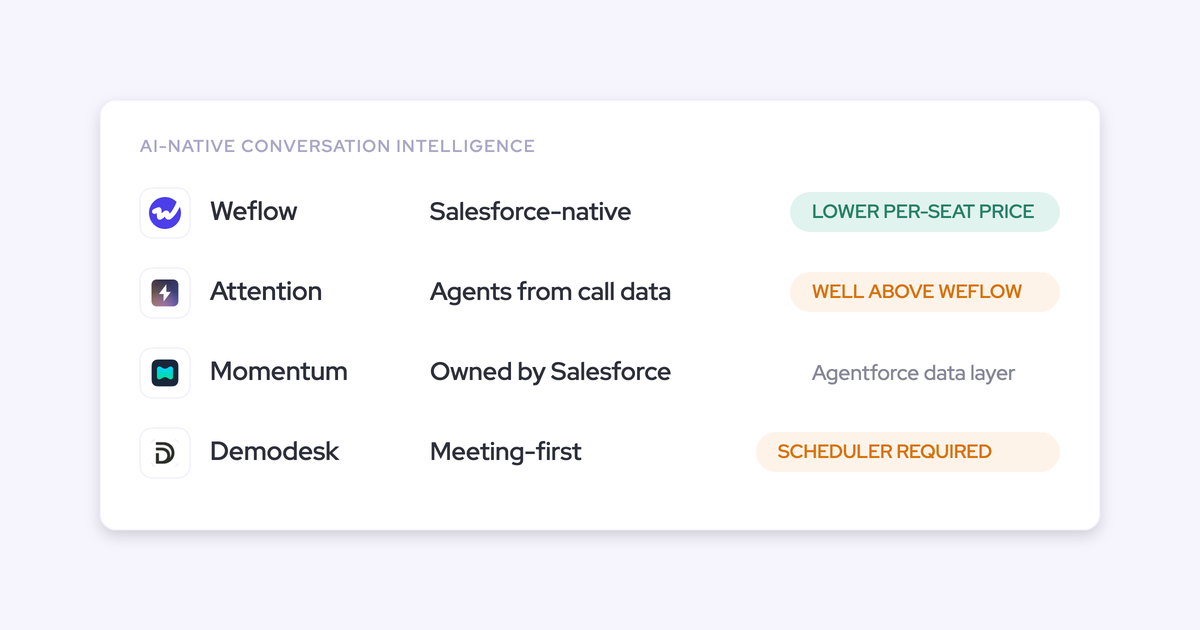

You're right that they sound the same. Attention, Momentum, and Weflow all open a demo with some version of "built with AI, not bolted on," and by minute five you can't tell which deck you're in.
Conversation intelligence commoditized, everyone transcribes well, so the whole cohort differentiates on the one axis where they're genuinely indistinguishable.
Underneath, they're different products. The axis that separates them is what data layer the AI actually reasons over, and where the output physically lands when it's done. One of these tools reads only the conversation record. One writes into Salesforce but only sells inside an agent platform. One needs its own scheduler to record at all. Those are structural facts you can check in a trial, and they decide whether you end up with clean, deduplicated deal data in one place or a fourth tool holding a third of the picture.
Full disclosure: we build Weflow, and it's one of the four here. So this article credits what Attention and Momentum genuinely do better, says plainly where Weflow is the wrong answer, and gives you the tests to run yourself rather than asking you to take our word for any of it.
Why Attention, Momentum, and Weflow all sound AI-native
Transcription stopped being a differentiator around the time every vendor got good at it. So every post-Gong entrant reached for the next available claim: AI-native architecture, agents, automation. Four vendors, one adjective.
Buyers noticed first. Prospects now open calls with it:
And they've stopped grading summary quality altogether. Teams arrive at an evaluation already running one or two notetakers that work fine, and the live complaint is that the insight is stranded somewhere they can't report on it.
When every vendor claims the same capabilities, the feature grid stops discriminating and the question becomes what the product was originally built to do, because that's what it's still actually good at.
Attention was built as a conversation database with agents on top. Momentum was built as a CRM hygiene layer and then bought by Salesforce to feed Agentforce. Weflow was built from the activity record up, because our own forecast prediction shipped early and wasn't accurate, and the reason was the data underneath it, not the model.
Three origins, three ceilings. The ceiling is the useful thing to compare.
Weflow vs Attention vs Momentum at a glance
Compared on where they diverge rather than on features they all claim:
| Dimension | Weflow | Attention | Momentum |
|---|---|---|---|
| What the AI reasons over | Calls, emails, meetings, contacts and existing Salesforce records; playbooks read the whole opportunity or account | The conversation record only. CRM values pick which calls to read; account-level scope is present but disabled | Conversation data captured from calls, email, Slack and support, structured into the CRM for agents to read |
| Where output lands, and after cancellation | Native Salesforce objects, including a recording object holding summary and full transcript. The records stay when the subscription ends | Attention's own store, with extracted values mapped into CRM fields. Easiest exits are a public snippet link and MP4 download | Salesforce objects. Momentum is designed as the layer that fills the CRM rather than holds the data |
| How it writes to Salesforce | Per-call field updates plus scheduled AI filed updates; picklist values matched against allowed values before writing; respects validation rules and permissions | Per-team field configs, free text or picklist, conversation or deal scope, one extraction prompt per field. Picklist options must match the CRM exactly | Autopilot Classic after each call, Retropilot on a Salesforce event reading full history, Autopilot Batch across matching records. Save behavior set per automation |
| Pricing and packaging | Modules: Conversation Intelligence $39/user/month standalone, bundles $49 to $79, annual, 10-user minimum. AI usage included in the seat | No pricing page and no pricing entry in site navigation. Cost is a negotiated contract | Sold inside Agentforce 1 Sales Edition or as an Agentforce for Sales add-on |
| Recording and consent model | Bot joins Zoom, Teams, Google Meet. Teams pre-meeting opt-in/opt-out email; in-call chat message with a removal option that permanently deletes the recording data | Bot, or botless desktop capture on Apple Silicon Macs needing Full Disk Access. Botless consent falls back to a beta chat message enabled per org on request | Rewrites the calendar invite with a branded consent page; a recognized participant who rejects removes the bot, which posts why in chat and emails the host |
| Standalone or platform decision | Conversation Intelligence buyable on its own; capture and forecasting are separate modules you can add later | Conversation intelligence is not sold as a standalone product | Not sold standalone; getting it opens an Agentforce packaging conversation |
On method: this comparison comes from vendor documentation, public pricing pages, and what we see on switch calls and side-by-side evaluations.
Attention publishes no pricing at all, so there's no rate card to check our read against.
Momentum's own docs still describe a three-seat licence model that predates the Salesforce acquisition, while its pricing page lists tiers, so the two routes to buying it don't reconcile in public.
Five criteria that separate AI-native conversation intelligence tools
The buying decision hangs on structural questions no demo volunteers.
What data layer the AI reasons over
A conversation-only tool cannot answer a question whose answer lives outside the transcript. That's the whole criterion.
Attention analysis engine reads transcripts, scorecard results and intelligence items. CRM fields show up on the retrieval side, filtering which calls to pull, and on the write side, receiving extracted values.
They don't show up as material to reason over. Scope in the Insights tab is one conversation or one deal's calls; the account-wide option sits there greyed out.
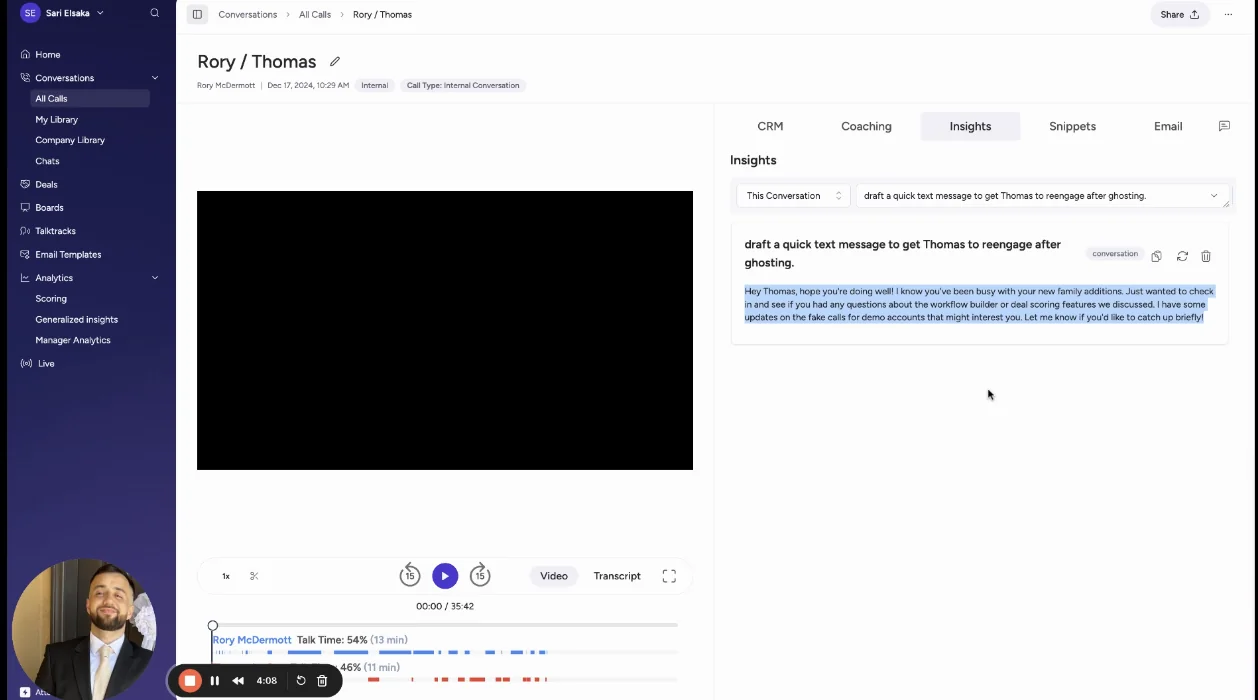
Attention's Insights scope selector: This Conversation, Entire Deal, and Account unselectable.
Weflow's Ask AI pulls its answer from sources across the opportunity, account, contacts, calendar, email and recordings at once, because those all sit in the same record.

Ask Weflow AI citing nine sources across opportunity, account, contact, calendar, email and recording types on one account.
How to test it: ask a question whose answer isn't in a call. "Which deals over $50k have had no customer-side email reply in three weeks?" A conversation-only tool will either decline or answer from the last call it read, which is worse.
Where the output lands and who owns it after you leave
Output written into native Salesforce objects survives your subscription. Output held in a vendor cloud does not, however good the export path looks.
We use the native objects in Salesforce. If you ever stop using Weflow, the data persists. It is your data. That is very, very important in everything we do.
Weflow writes conversation data into two native Salesforce objects: a recording object holding the summary and the full transcript, and an indexing object. Reportable, permissioned, queryable alongside everything else in the org, and still there after you cancel.
Attention's exits are worth looking at closely, because the easiest ones are the least controlled. A snippet of a recorded customer conversation shares as an unauthenticated public URL unless whoever is sharing ticks the "only viewable by Attention users at your company" box, which is off when the dialog opens. Clips also leave as MP4. Its MCP server is genuinely the most agent-accessible in the category, 68 tools, raw transcripts, rate limits rather than metered credits. It still can't read the CRM back.
Momentum is built the other way around. It writes into Salesforce objects rather than holding the data, which is exactly why Salesforce bought it, and it ships no MCP server of its own because Salesforce's hosted one already answers questions against the org.
How to test it: ask each vendor what remains queryable in your Salesforce the day after you cancel. Not exportable. Queryable, by your own reports.
How it writes to Salesforce without creating duplicates
This is the one that costs you time forever if you get it wrong, and it's the reason buyers who've done this before trial the integration rather than the summary.
If you record a meeting, it's not another meeting. It's the same meeting.
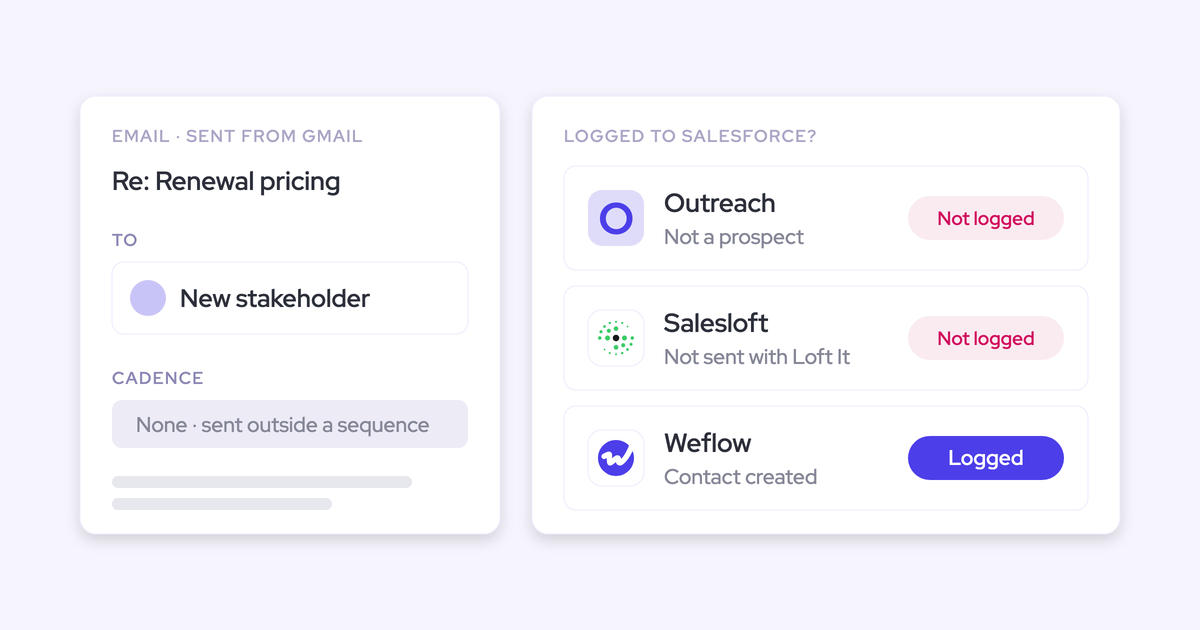
The mechanism is dull and unavoidable. Two vendors, one for conversation intelligence and one for activity capture, each create an event object for the same meeting. Now every activity report has a dedupe step in it, permanently.
Four things to check in a trial, in this order:
- Does it write to the meeting activity that already exists, or create a second one?
- Does it link every participant to the right contact or lead, and create the contact where one is missing?
- Does it relate the activity to the account and the correct open opportunity, not just the account?
- Does it populate structured fields, or drop a summary into a text box?
Attention defines fields per team as free text or picklist, scoped to a conversation or a deal, each driven by an extraction prompt you write, and picklist options have to match the CRM exactly.
Momentum's Autopilot Suite writes three ways: after each call, on a Salesforce event reading a deal's whole conversation history, and in bulk across every record matching criteria, with save behavior set per automation to automatic, confirm first, or fill only empty fields. That last control is a good idea and more teams should ask for it.
Weflow splits the same job into per-call field updates and scheduled AI playbooks that read the whole record, because a champion discussed differently across five calls isn't well served by whichever call mentioned them last.
Before writing to a picklist, it reads the field's allowed values and matches against them, so the model can't invent a value that fails the write silently.

A Weflow AI field update prompt on the Opportunity object, with Auto-update Salesforce as an explicit per-prompt choice.
How to test it: record one meeting that already exists on the calendar, then open the Salesforce activity timeline. Count the events.
What it costs and whether you can buy it standalone
Published seat pricing, hidden pricing, and platform bundling are three different procurement realities, and only one of them lets you buy the capability you actually came for.
- Weflow: Conversation Intelligence is $39 per user per month standalone, Activity & Contact Capture is $19, Deal Intelligence & Forecasting is $39, bundles run $49 to $79, billed annually with a 10-user minimum. AI usage is in the seat: recordings, transcripts, templates and Ask Weflow AI prompts aren't metered.
- Attention: No pricing page, no pricing entry in the navigation, and no documented credit or token model anywhere in the product docs either.
- Momentum: Sold inside Agentforce 1 Sales Edition or as an Agentforce for Sales add-on.
We'll claim the price advantage as our framing rather than as a checkable fact: we position at roughly half what Gong, Clari and Attention charge.
How to test it: ask for the standalone SKU for conversation intelligence, in writing, and ask what's metered. Both answers arrive fast or they don't arrive at all.
Recording consent and GDPR handling for European teams
For European buyers this isn't a preference, it's the gate. A German works council will refuse a visible video recorder in a sales call regardless of what the product does afterwards, and teams have already bought transcript-only tools specifically to avoid the notification obligation.
Zoom has a built-in consent prompt; Microsoft Teams and Google Meet don't, so on those platforms consent has to be handled outside the meeting mechanics entirely.
And expectations split by region: US buyers want the recorder invisible, European buyers treat visibility as the safeguard.
The three tools handle it differently:
- Momentum collects consent before the meeting by rewriting the calendar event with a link to a branded consent page. A recognized participant who rejects removes the bot, which posts in the meeting chat saying why and emails the host. Recognized is defined narrowly, someone on the invitee list or sharing the host's email domain. The feature is switched on by a Momentum rep and needs an AI licence.
- Attention offers botless desktop capture, which is the invisible option European buyers didn't ask for. Removing the bot removes the participant everyone can see, so consent falls back to a chat message that's in beta and enabled per org on request. It also runs on Apple Silicon Macs only and needs Full Disk Access on macOS, which is the permission a laptop fleet policy is most likely to refuse.
- Weflow records with a bot on Zoom, Teams and Google Meet. On Teams there's a pre-meeting email with an opt-in/opt-out link, and in-call there's a chat message with a removal option that triggers immediate permanent deletion of the recording data. We're a German company, our infrastructure sits in Frankfurt for European customers, and a customer's Weflow data lives in the region their Salesforce org lives in, so residency is a configuration rather than a migration.
How to test it: ask how consent is collected on Teams specifically, what happens the moment someone refuses, and where the recording physically lives. Then ask about retention, because deletion policy surfaces in security review after the commercial decision, which is the worst possible time.
Weflow: conversation intelligence that lands as Salesforce data you own
Weflow is the Revenue AI Orchestration platform for sales, customer success, and RevOps teams. Built for Salesforce teams, three modular products: Activity & Contact Capture, Conversation Intelligence, and Deal Intelligence & Forecasting, with Ask Weflow AI and Agent Builder across all of them.
The structural difference against the rest of this cohort is what the AI reads and where the output stops.
Weflow captures emails, meetings, contacts and calls, and reasons over those together with the Salesforce records that already exist.
An AI playbook is bound to the record rather than to a field: it reads the whole opportunity, its activities, meetings and recordings, refreshes every few hours, and reports per criterion what's evidenced and what's missing. Where nothing supports a MEDDIC letter, it says no relevant data was found rather than inventing something plausible.
Then the output lands in native Salesforce objects: a recording object with the summary and transcript, plus the fields the playbook maintains. Your reports read it. Your automations fire on it. It stays after you leave.
Quick specs:
- Conversation Intelligence $39 per user per month standalone, billed annually, 10-user minimum. Bundles $49, $59, $79. AI usage included in the seat; Agent Builder is per workspace with a free tier of 25 agent actions per month.
- Records on Zoom, Microsoft Teams and Google Meet; 96+ languages with auto-detection; Mobile Copilot for in-person meetings.
- 250+ pre-built prompts covering MEDDIC, MEDDPICC, SPICED, BANT, Challenger, SPIN and Command of the Message, plus fully custom playbooks for house frameworks.
- Coaching scorecards with 1 to 5 rubrics, conditional by stage, plus Rep 360 for per-rep coaching insight.
- SOC 2 Type II, GDPR, HIPAA, CCPA, Zero Data Retention, customer data never used to train models. ISO 27001 targeted for December 2026.
- Sign-in only through your Salesforce authentication and whatever SSO the org enforces, so deactivating a user in Salesforce removes Weflow access immediately.
Where it falls short:
- Salesforce-only, and that's a hard product gate, not a roadmap item.
- There's no botless recording today; a desktop app for that is on the roadmap for Q3 2026,
- No sales engagement or sequencing, and it isn't on the 2026 roadmap.
Best for: Salesforce teams who want conversation data landing as structured records they own and report on, and who'd rather buy one capability now and add capture or forecasting later than sign a platform deal.
Not for: teams on HubSpot, Dynamics or Pipedrive, teams building their GTM stack on a different agent platform, or anyone who needs invisible recording this quarter.
Attention: conversation-first AI agents for call follow-through
Attention is genuinely strong, and it's the third competitor we meet most often after Gong and Clari. If your problem is automating what comes out of sales calls, it has a compelling story and you should take the demo.
Its conversation intelligence is deep, its Ask AI is at rough parity with Weflow's, and its agent builder is more flexible.
Attention's workflows carry routers, loops, storage, HTTP requests to any API, and a custom code step running Node.js and TypeScript, and a workflow can call Ask Attention, Ask OpenAI or Ask Anthropic as reasoning steps, so a company standardized on one model provider runs its own model over its call data.
Destinations run to 200-plus, including Slack, Google Sheets, Notion, Snowflake and Salesforce.
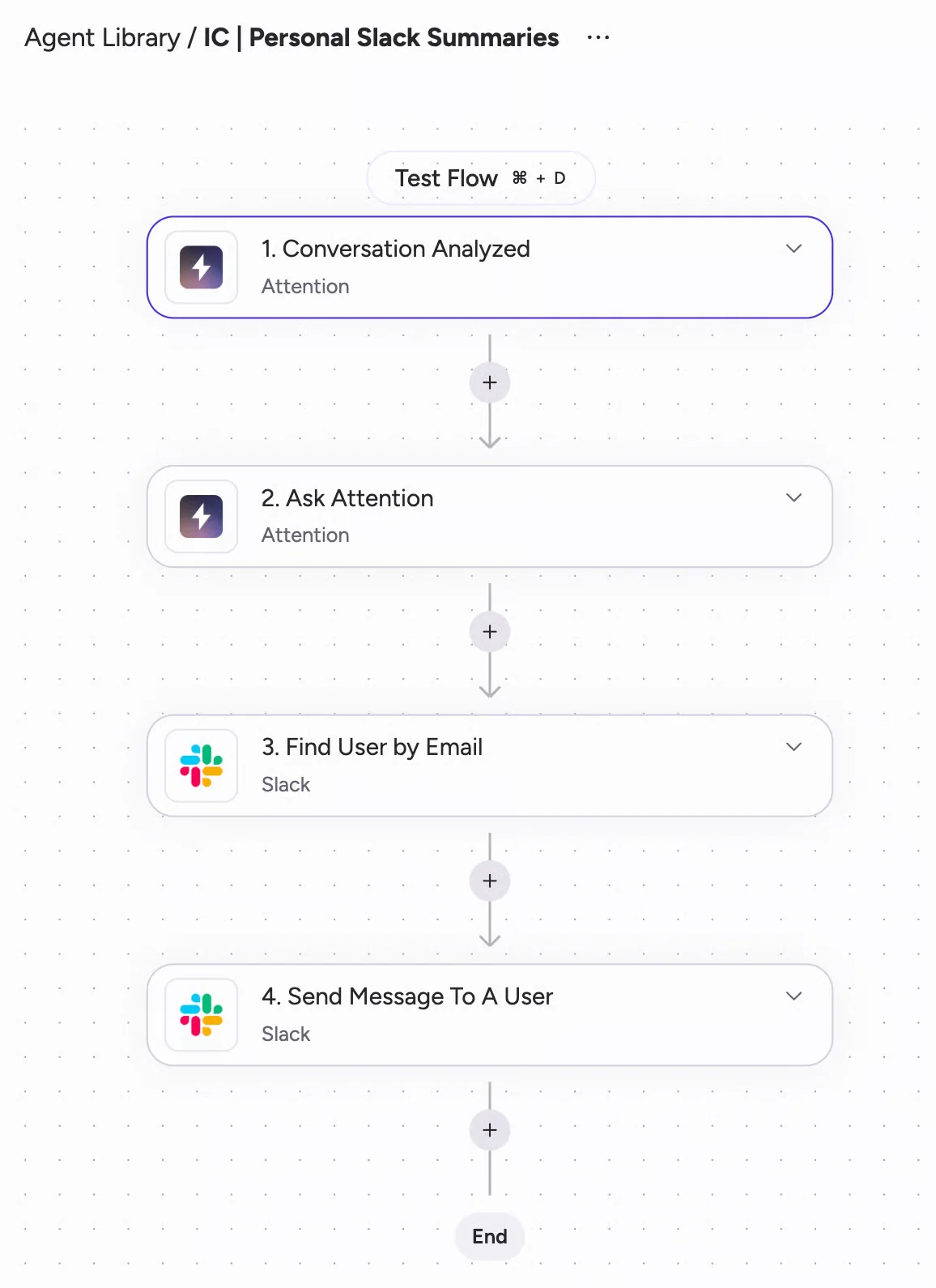
Attention Builder: a Conversation Analyzed trigger chained into an Ask Attention step and a Slack message.
The boundary is structural, not a gap they'll close in a release. Attention is a conversation database with CRM wiring. Every limit traces back to that: scope stops at the deal, the analysis engine reads transcripts and scorecard results, forecasting is a deal score computed from rep behavior and conversation patterns rather than a submission, roll-up and accuracy process.
It has no activity and contact capture, and we've seen it claimed in deals where it didn't survive contact with the requirement.
Quick specs:
- Claude is the reasoning engine, with Haiku, Sonnet and Opus routed by task complexity.
- CRM fields defined per team as free text or picklist, scoped to conversation or deal, each with an extraction prompt you can test against a real past call, plus a prompt optimizer.
- Salesforce connection via OAuth on the REST API, requiring the authenticating user to hold API Enabled, Customize Application and Modify All Data.
- 68 MCP tools, read and write, returning raw searchable transcripts, governed by rate limits rather than credits.
- Botless desktop capture on Apple Silicon Macs, requiring four macOS permissions including Full Disk Access.
Where it falls short:
- Its field updates are basic and coaching depth is limited compared with what a methodology rollout needs
- Conversation intelligence isn't sold standalone.
- The defaults consistently favor flow over control.
- Public snippet links by default
Best for: teams whose goal is automating call follow-through, with internal capacity to write prompts and maintain workflows.
Not for: teams who need the complete picture in Salesforce across every deal, or whose security review will stop at Modify All Data and public-by-default sharing.
Momentum: the conversation data layer inside Salesforce Agentforce
Momentum is a conversation intelligence tools owned by Salesforce and used as the data hygiene layer Agentforce needs.
It records conversations or runs on top of whatever you already record with, including Gong, Chorus, Clari Copilot, Attention and Salesloft Conversation Intelligence, plus seven dialers, because the recorder isn't the point.
It writes into Salesforce objects rather than holding the data. It ships no MCP server, because Salesforce's hosted one already answers questions against the org.
Kyle Norton, CRO at Owner.com, described the category Momentum sits in better than Momentum's own marketing does:
You have to get the basics in place or else you just get sloppy outputs. And that means a tool like Momentum, which is going to capture information from every call, every email, put it into a structured format in your CRM so that you can report on it, understand it. You can give that information to other agents.
Smart Quarantine screens every transcript across eight categories of sensitive content, from HR investigations to non-public financials, and where confidence is high it pauses processing entirely and asks the meeting host in Slack before a summary reaches anyone. And its consent flow rewrites the calendar invite so consent is collected before the call rather than announced during it.
Quick specs:
- Sold inside Agentforce 1 Sales Edition or as an Agentforce for Sales add-on.
- Autopilot Suite writes fields three ways: real time after each call, on a Salesforce event reading all historical conversation data, and on demand in bulk across matching records.
- Coaching Agent scores each competency 0, 1 or 2 with written feedback and examples, with CRM conditions deciding which competencies run against which calls.
- GDPR compliant with native consent tracking and a right-to-be-forgotten mechanism.
- Own API off by default, enabled by support, capped at 100 requests per 15-minute window.
Where it falls short:
- Its field writes are narrow and its coaching depth is limited, so methodology scoring against a house framework and custom objects stay manual.
- It isn't sold standalone, so a team that wanted one capability ends up making a platform decision, and that decision moves up to whoever owns the Salesforce contract.
- Smart Quarantine and the consent flow both need a Momentum rep to switch them on and both sit behind an AI entitlement.
- Running on someone else's recorder means inheriting that recorder's transcription quality and language coverage, and the upload path caps at five files per user per day, so it's a way in rather than a migration route.
Best for: teams going all-in on Agentforce who need the CRM good enough for agents to work on, without changing recorder.
Not for: teams who want conversation capture writing into Salesforce and nothing more.
Which AI-native conversation intelligence tool fits your team
The fork isn't which vendor is more AI-native. It's whether your problem is automating call follow-through or completing the revenue record.
- Choose Attention if the goal is automating what comes out of sales calls, you have internal capacity to write and maintain prompts and workflows, and your security posture can live with Modify All Data and sharing that defaults open.
- Choose Momentum if you're committed to Agentforce, you're not changing recorder, and you want the CRM populated well enough for agents to act on. Its consent and quarantine controls are the strongest governance posture in this cohort.
- Choose Weflow if you run Salesforce and want conversation data landing as structured records you own, reasoned over alongside the emails, meetings and contacts on the same deal, with a published seat price and no forced platform decision.
- Don't choose Weflow if you're not on Salesforce, or you're building your GTM stack on a different agent platform. Stop here, we're the wrong answer.
One more option belongs on this list, because you're probably already weighing it: build it. An assistant connected to Salesforce, plus transcripts from your conferencing tool, gets a technical RevOps lead a recognizable share of the outcome on seats you already pay for, with no procurement process. We hear it in evaluations constantly.
It's a legitimate option and it breaks in predictable places. It doesn't produce the complete activity record underneath, it doesn't stay reliable when a meeting gets rescheduled or nobody hit record, it writes picklist values the field rejects, and nobody owns it when the person who built it moves on. Judge a vendor against that build, not only against the named competitors.
Walk through the product yourself, no call required.
FAQ: choosing between Attention, Momentum, Demodesk, and Weflow
Are these tools Gong alternatives?
Attention markets directly at Gong displacement, with named customer stories about switching off Gong. Momentum integrates with Gong instead of replacing it, and arrives in Gong accounts that have no intention of leaving. Weflow is bought as a Gong alternative often enough that it's our most common competitive comparison, on better AI at roughly half the price with better write-back to Salesforce, but the comparison this article is about is a different one: what the AI reads and where the output lands.
Can you buy conversation intelligence standalone from these vendors?
Weflow sells Conversation Intelligence on its own at $39 per user per month, billed annually with a 10-user minimum. Attention doesn't offer conversation intelligence as a standalone product. Momentum isn't sold standalone either, so acquiring it means an Agentforce packaging conversation, which is a bigger decision than the capability you came for.
Will these tools duplicate meeting records in Salesforce?
They will if your conversation intelligence and your activity capture come from different vendors, because both create an event object for the same meeting and your reporting inherits a dedupe step forever. The check is simple: record one calendar meeting during the trial, then open the Salesforce activity timeline and count the events. Also confirm the activity relates to the correct open opportunity rather than falling back to the account.
What happens to your conversation data if you cancel?
It depends entirely on architecture. Weflow writes summaries and full transcripts into native Salesforce objects, so the records stay in your org and stay queryable after the subscription ends. Attention holds the conversation record in its own store, with extracted values mapped into CRM fields and the easiest exits being a public snippet link or an MP4. Momentum writes into Salesforce objects by design, since its whole purpose is filling the CRM rather than holding the data.
Can any of them record without a bot joining the call?
Attention can, through a desktop app, and it's the differentiator in this cohort. The trades all land on capture reliability: one mixed audio stream instead of a stream per participant makes speaker labels less accurate by their own admission, meeting URL detection becomes a single point of failure for recording and CRM export together, it needs Full Disk Access on macOS, and it runs on Apple Silicon Macs only. Weflow records with a bot today; a desktop app for stealth recording is on the roadmap for Q2 2026.
Do reps have to change how they schedule or run meetings?
Demodesk asks the most: recording depends on meetings being booked through its own scheduler. Momentum asks the least on the recorder, because it rides on whatever you already run, though its consent flow does rewrite calendar invites and requires each user's Google or Microsoft calendar to be authenticated. Attention and Weflow both join meetings on Zoom, Teams and Google Meet without changing how meetings get booked. Ask this one first if your team just absorbed another tool, because rollout credibility is harder to rebuild than it is to spend.