
Weflow vs Attention: Which Tool Owns the Meeting Record in Salesforce
Learn how Weflow vs Attention handles the meeting record in Salesforce and which setup avoids duplicates.


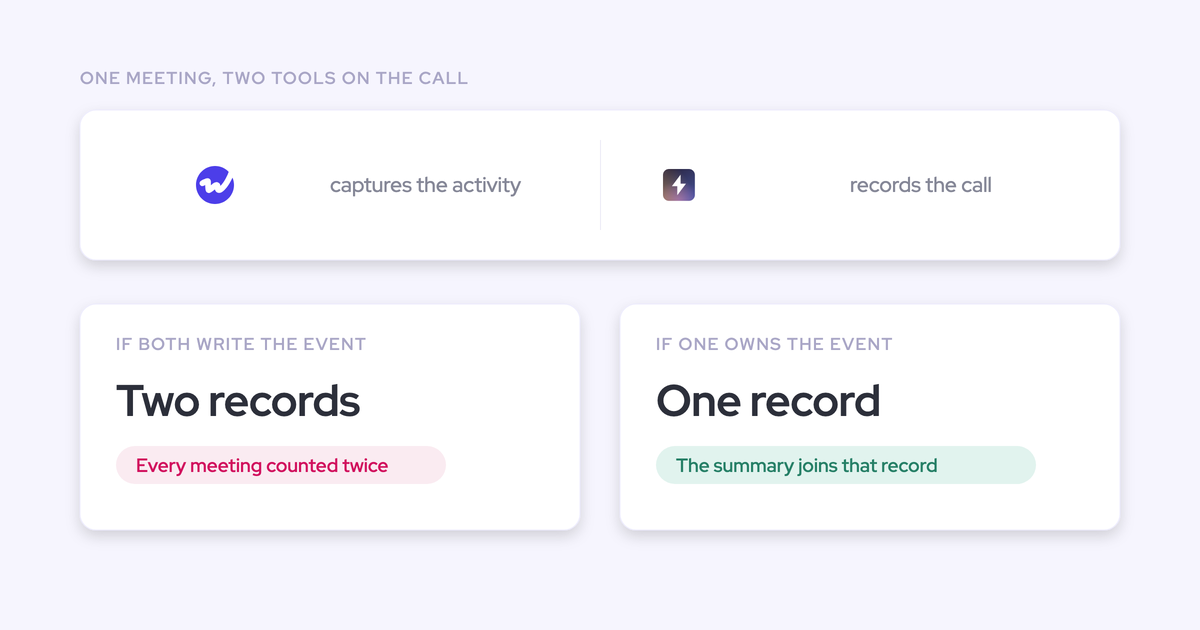

You ran the meetings-per-rep report and the number is too high. Not slightly, but roughly double for anyone who takes customer calls. Then you open an account, look at the timeline, and there it is: the same 30-minute discovery call sitting in Salesforce twice, once as the captured calendar event and once as the record your conversation intelligence tool created for the recording.
That's not a bug in Attention, and no setting fixes it. It's what happens whenever two vendors both write meeting activity into Salesforce: each creates its own event, neither knows about the other, and your Salesforce data hygiene quietly degrades in the exact report both tools were bought to produce.
So the real question isn't which tool has better AI. It's which tool owns the meeting record. This piece answers that honestly, including the cases where Attention is the better pick. Weflow is the Revenue AI Orchestration platform for sales, customer success, and RevOps teams, and it qualifies here for one structural reason: capture and conversation intelligence run on the same platform, so there's no second vendor to create a second event.
Why one meeting becomes two event records in Salesforce
Two tools both legitimately represent the same meeting, and both write it. Neither is misconfigured. Neither is wrong on its own terms.
Our co-founder puts it plainly on customer calls:
This is often a problem when you have multiple providers for CI and AC. They basically both create an event object, which creates a duplicate. So in your reporting you need to deduplicate that, which is really annoying.
— Janis Zech, Co-founder and CEO, Weflow
Each vendor writes its own Salesforce event for the meeting
Salesforce lets an activity relate to an opportunity or an account, not both, and it has no concept of "this event is the same meeting as that one." Every capture engine writes its own event object and moves on.
So in a stack running Attention plus an activity capture tool, the same 2pm call produces two rows:
- The capture layer writes the calendar event, with the attendees resolved to contacts and leads and the activity related to the account or opportunity.
- Attention writes its own event to represent the recording it just made, with its summary attached to that record.
Neither vendor defers, because neither owns the meeting. The duplicate is the default outcome of running two capture engines, not a misconfiguration you can find and fix in an afternoon.
What duplicate events do to meetings-per-rep reporting
Every metric counted per meeting inflates, and it inflates unevenly. Reps who record everything look twice as active as the ones who don't.
The reports that break first are the ones leadership actually reads:
- Meetings per rep, and any capacity or productivity model built on it.
- Meetings per closed opportunity, and the conversion math derived from it.
- Stage-by-stage meeting counts, where a discovery call gets counted twice and a silent account still shows zero.
- Any flow or alert that fires on meeting activity, which now fires twice.
The fix people reach for is a dedup rule in the reporting layer. That works, and then it becomes standing work: every new report, every new BI dashboard, every new person who builds a chart has to know the rule and apply it. A recorded meeting is not a second meeting, and a reporting layer that spends its time pretending otherwise is a tax you pay forever.
Weflow vs Attention: the comparison at a glance
| Dimension | Weflow | Attention |
| The meeting record in Salesforce | One platform captures the meeting and records it, so one meeting is one activity. The AI summary attaches to that record. | Writes its own event for the recorded meeting, so running it beside a capture tool leaves two records for one meeting. |
| Activity capture scope | Emails, meetings and contacts auto-synced from Outlook or Google into native Salesforce objects. Sold standalone at $19 per user per month. | Call-centric. Does not capture emails and contacts from Outlook or Google Workspace, and capture is not sold standalone. |
| Conversation intelligence | Recording, transcription, summaries, coaching scorecards aligned to MEDDIC, MEDDPICC, SPICED, BANT and others, scored at call, opportunity and rep level. | Genuinely strong and AI-native. This is Attention's core strength and the reason teams buy it. |
| AI field updates | Writes picklists, numbers, dates and multi-selects, on standard and custom objects, with a review step before the write. | Basic AI field updates and limited coaching depth, on our read of the product. |
| Agent builder | Multi-step agent and workflow builder, priced per workspace with 25 agent actions per month included in every plan. | Rough parity with Weflow, and ahead on the breadth of tools an agent can reach. |
| Ask AI | Answers across calls, deals, accounts and pipeline. Included in every product and bundle, not metered. | Rough parity: answers questions on calls, deals and pipeline and produces reports and assets. |
| In-person meetings | Mobile Copilot records in-person meetings and voice notes and updates Salesforce. Android live, iOS mid-April 2026. | No mobile app, so field and in-person selling isn't covered. |
| Pricing | Published on the website: $19 to $79 per user per month, seat-based, AI usage bundled, 10-user minimum. | Not published. Our read from deals is that it sits above Weflow. |
Where Attention is the stronger choice
Attention is a good product and the duplicate event isn't its fault. It's AI-native in a way the incumbents aren't, and it was built after transcription and inference got cheap, which shows in the conversation layer.
Where we'd credit it without hesitation:
- Conversation intelligence depth. It's the core of the product, not an add-on to a forecasting suite, and it's more AI-native than Gong or Chorus.
- Agents built on call data. Attention's workflow and agent builder is comparable to ours, and it currently reaches more third-party tools than Weflow's does. We're expanding there, and today that's a real gap.
- Ask AI. Rough parity. Anyone telling you there's a clear winner on that dimension is selling.
The honest test: if your capture layer is already clean and complete, and the problem you're solving is automating what happens after a call, Attention is a reasonable choice. Buying it is a decision about the conversation layer. The trouble starts when it becomes the second thing writing your meeting activity.
How Weflow keeps one meeting as one Salesforce record
One platform does capture and conversation intelligence, so there's no second vendor to create a second event. That's the whole mechanism. It isn't dedup logic running after the fact, it's that only one system ever writes the meeting.
The AI summary attaches to the captured meeting activity
Weflow writes one meeting activity, resolves the attendees to the right contacts and leads, relates it to the account or opportunity, and attaches the AI summary to that same record.
Where the conversation data lands, specifically:
- The summary and full transcript go into a recording object in Salesforce, added by the Weflow managed package.
- The summary also writes to the related Event, so it's on the meeting a manager opens.
- Extracted values write to whatever Salesforce fields you map, picklists and dates and multi-selects included, on standard or custom objects.
Because these are native Salesforce records, a flow can read them, a report can count them, and they stay after the subscription ends. Video is the one exception: recordings don't live in Salesforce, because CRM storage is a poor place for large files. Weflow exports them through the public API to your own cloud storage and links out.
Compatibility mode: one capture layer, no duplicate writes
The one-owner discipline isn't just something we say about our own products. Weflow's compatibility mode recognizes activity already logged by Outreach, Salesloft, Apollo and Clay, and skips it rather than writing a second copy.
That matters because most teams asking us about Attention duplicates are already living the wider version of the problem: a sequencer, a routing tool, a CS platform and a recorder all writing activity with different mapping logic. Sellers tell us they don't know another capture tool that defers this way. It's the same question the meeting record raises, applied across the rest of the stack.
What owning the meeting record lets Weflow do
Ownership isn't tidiness. The tool that owns the meeting record is the only one that can type it, and the type is what makes the record do work.
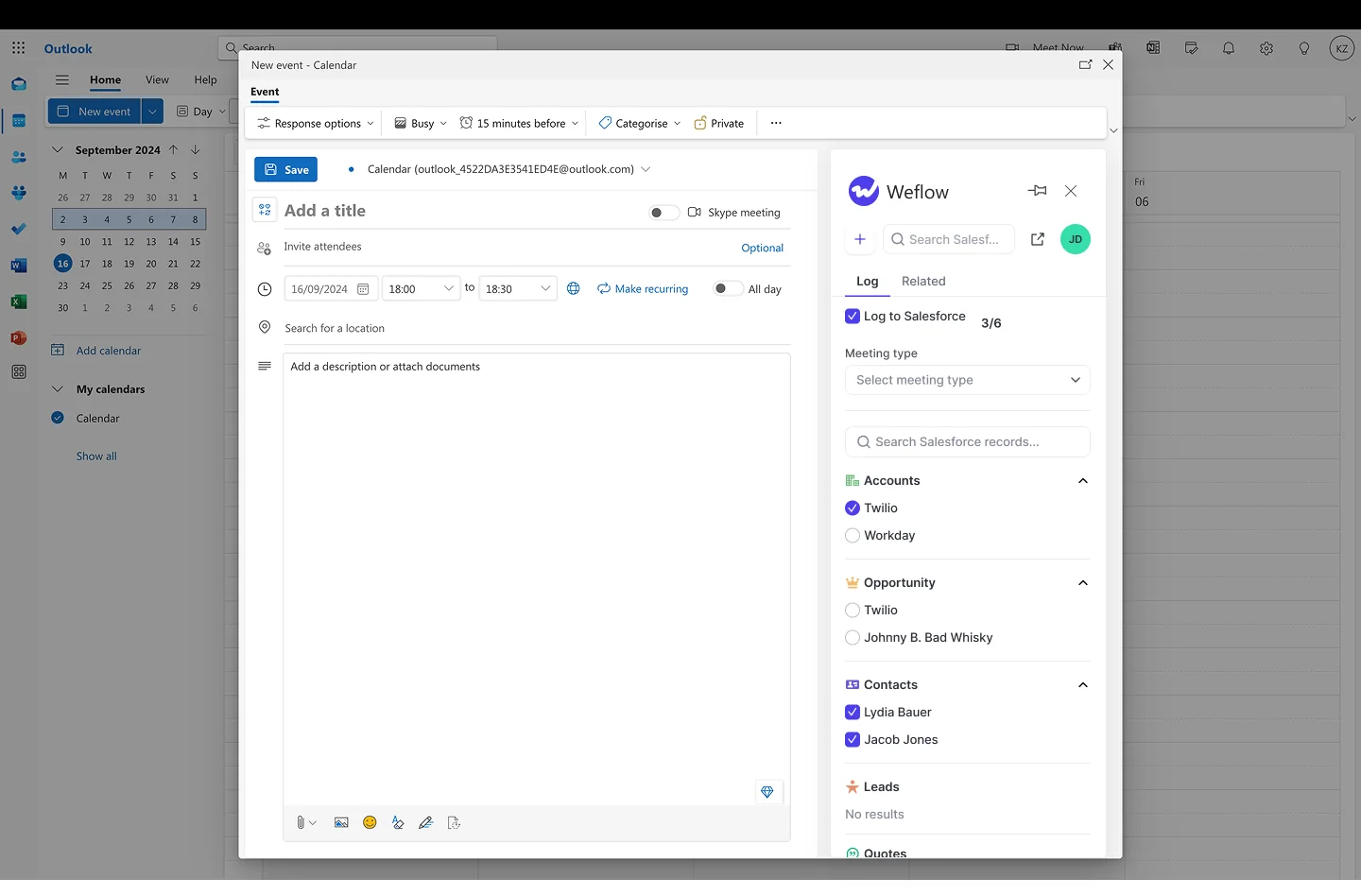
Weflow tags each recorded meeting automatically: discovery, demo, negotiation, onboarding, business review, check-in, technical issue. A rep can override it from a picker when the AI reads a call wrong, and admins can define their own types, so a renewal meeting or an upsell meeting exists if that's how you sell.
Once a meeting has a type, that type can drive:
- A specific coaching scorecard, so a renewal conversation isn't scored against the discovery rubric.
- A specific set of Salesforce field updates, so the fields that matter at negotiation get filled at negotiation.
- A specific summary shape, written back onto the one meeting activity.
- Full-funnel meeting reporting, pre-sale and post-sale, because the meeting object carries the type.
A second, orphan event can't do any of that. It has no attendees resolved to your contacts, no relationship to the opportunity your forecast reads, and nothing downstream can key off it.
Can you keep Attention and stop the duplicate events?
Not with a setting. As long as both tools write meeting activity into Salesforce, you get two records, and Weflow can't make Attention behave.
There are only three real paths, and each costs something:
- Dedup in reporting, permanently. Cheapest today, and it makes every future report someone else builds wrong by default.
- Turn calendar event logging off on the capture side. You can do this in Weflow's Activity Capture sync settings. You then have a meeting record only where a call was recorded, which means every unrecorded meeting disappears from Salesforce.
- Consolidate onto one meeting owner. One system writes the meeting activity, everything else attaches to it or stays out.
The third one is the only fix that holds. Our CPO makes the general version of this argument on the podcast, and it applies exactly here:
Try to turn it into your system of records, and don't create, like, an overlap of multiple tools that all basically have the same data in it because then you'll have different people looking at different tools, and then there will always be a little bit of difference and gaps in that data that you have in these tools.
What Weflow and Attention actually cost
Weflow publishes its pricing. Products can be bought standalone or bundled, billed annually, with a 10-user minimum.
| Plan | Price per user per month | What's in it |
| Weflow Activity & Contact Capture | $19 | Emails, meetings and contacts synced to Salesforce, activity insights, Ask Weflow AI, Agent Builder free tier |
| Weflow Conversation Intelligence | $39 | Recording, transcription, AI summaries, Salesforce field updates, coaching, Mobile Copilot |
| Weflow Deal Intelligence & Forecasting | $39 | Deal health and signals, pipeline analytics, forecast roll-ups and accuracy tracking |
| Revenue AI Foundation | $49 | Activity & Contact Capture + Conversation Intelligence |
| Revenue AI Business | $59 | Foundation + Deal Intelligence |
| Revenue AI Enterprise | $79 | All Weflow products, including Forecasting |
Pricing is seat-based and AI usage is bundled. Recordings, transcripts, AI templates and Ask Weflow AI prompts aren't metered. Agent Builder is priced per workspace, with 25 agent actions a month included in every plan and paid tiers above that.
Attention doesn't publish pricing, so we won't invent a number. What we see in competitive deals is that it sits above Weflow, and if you're buying it you should ask directly whether any AI processing is metered on top of the seat, because that second number is what makes an invoice unpredictable.
Migrating from Attention to Weflow: what comes with you
Your call history comes with you. Weflow imports recordings and transcripts from the conversation intelligence platform you're leaving, pulling them through that platform's API, at no extra cost, in about one to two weeks depending on volume.
The imported transcripts land in your own CRM, so they stay searchable by Weflow's AI. A question about how an objection got handled last quarter still answers after the move, which is not the case when a team dumps recordings into a shared drive and calls it an archive.
A realistic sequence:
- Technical setup. 30 to 45 minutes with a Salesforce admin and your mail admin in the same call. Workspace configuration is about another hour.
- Backfill the activity Attention never captured. Historical email and meeting sync-back covers the previous 12 to 24 months and takes three to four days, bounded by the Salesforce API calls you have spare.
- Migrate the call library. Recordings and transcripts pulled across via API, one to two weeks.
- Pick a cutover date and stop the second write. After that date, one system owns the meeting.
Then deal with the reports. Historical events written by the second tool don't vanish on their own, so decide once: either delete the orphan records for the affected period, or filter them out by the integration user that created them and document the rule. What you shouldn't do is carry the inflation forward into a new baseline nobody can explain in six months.
Choose Weflow if, choose Attention if
Choose Weflow if:
- Your problem is the completeness and ownership of the revenue record in Salesforce, not just what happens after a call.
- You need one meeting to be one record, typed, with the summary and transcript on it as native Salesforce data you keep.
- You need email and contact capture as well as calls, because a call-only record leaves most of the relationship invisible.
- Reps sell in person, or you want deal intelligence and forecasting on the same data foundation later.
- You run Salesforce. Weflow works exclusively with Salesforce, so if you're on HubSpot or Dynamics this is a short conversation.
Choose Attention if:
- Your capture layer is already clean and complete, and the job to be done is automating call follow-through.
- The breadth of third-party tools your agents can reach is the deciding factor, where Attention is ahead of us today.
- Conversation intelligence depth is the only thing you're buying and nothing else in the stack is writing meeting activity.
See how Weflow captures activity, updates Salesforce fields from calls, and rolls up your forecast. Book a 30-minute demo.
Weflow vs Attention FAQ
Does Weflow capture emails and contacts, or only meetings?
Weflow Activity & Contact Capture syncs emails, meetings and contacts from Outlook or Google into native Salesforce objects, and it's sold standalone at $19 per user per month. Attention's capture is call-centric and isn't sold standalone, so even with it running you don't have a complete activity record. That's the gap most teams don't notice until they ask how much contact a deal has actually had.
Will Weflow duplicate activity logged by Outreach or Salesloft?
No. Weflow's compatibility mode recognizes activity already logged by Outreach, Salesloft, Apollo and Clay and skips it, so the same email or call isn't written twice. This is the question every prospect running a sequencer asks in the first demo, and it's the right question to ask any capture vendor.
What happens to reports built on the duplicated events?
They keep counting double for the historical period until you deal with the old records. Pick a cutover date, then either delete the events the second tool created or exclude them by the integration user that owns them, and note the rule wherever your definitions live. Do it at the switch rather than later, because the longer the inflated baseline sits in a board deck the harder it is to correct.
Where do transcripts and summaries live if we leave Weflow?
In your Salesforce. Summaries and transcripts land in a recording object added by the managed package, and the summary also writes to the related Event, so they're reportable, permissioned and queryable alongside everything else.
We use the native objects in Salesforce. If you ever stop using Weflow, the data persists. It is your data.
— Janis Zech, Co-founder and CEO, Weflow
Video files are the exception. They're exported through the public API to your own cloud storage rather than stored in Salesforce, because CRM storage is expensive and heavy for media.
How do we roll out a switch without more tool fatigue?
Start small and don't run two capture engines while you test. We hear this exact worry from ops people who've just introduced something:
What works in practice: a handful of test users first, a short live session for the pilot group with a recording for other time zones, and confirmation that the capture configuration is right before anyone else sees it. Weflow's activity capture needs no rep action at all, which helps more than any training deck. And if two weeks isn't enough to prove it, we run a three-month paid pilot that's contractually the first three months of a longer agreement with an opt-out at the end.











