

Attention vs Fathom for Sales Teams (2026)
Decide between Attention and Fathom for sales teams: Salesforce writes, workflows, and admin work.




Both Attention and Fathom record a call and summarize it well. Note-taking has become a commodity, and if Fathom is already on your reps' laptops, you have adequate summaries today. What you're deciding is whether the call data reaches Salesforce in a shape your reports, your managers and your forecast can use.
Here's the short answer on each:
- Fathom writes headed summary sections into Salesforce text fields on its Business plan. It overwrites them with every new meeting and matches calls only through Contacts.
- Attention writes mapped fields, picklists included, and has real depth in agents and workflows. The cost is admin work: a written prompt for every field, manual mapping that only fills future calls, and a connecting user who holds Modify All Data. Its emails stay in Attention's own store.
Weflow is the Revenue AI Orchestration platform for sales, customer success, and RevOps teams. We built it for Salesforce teams, and Weflow Conversation Intelligence + AI Field Updates is the option if your goal is the complete Salesforce record, emails included. We'll also tell you plainly where Fathom or Attention is the better call.
How Attention, Fathom and Weflow compare on Salesforce writes
The three tools differ in specific, checkable ways on every point a RevOps team asks about. Here's the whole comparison on one screen.
| Capability | Weflow | Attention | Fathom |
|---|---|---|---|
| CRM field updates from conversations | Writes picklist, number, date, multi-select and text fields on standard and custom objects (custom objects set up by Weflow support), with lookups excluded. Auto-write or review is set per field. | A written prompt per mapped field, free text or picklist. Automatic sync is the recommended default. New fields are mapped by hand and fill on future calls only. | Business plan only. Writes H3/H4 summary sections into text fields, and each meeting overwrites the last. |
| Recording without a bot joining | Desktop app on Windows, Apple Silicon and Intel Macs. The rep starts each recording, and consent sits with the rep. | Desktop app on Apple Silicon Macs only, with no Teams in a browser. Live transcript and battlecard prompts during the call. | Mac desktop app only. Bot-free video is a limited beta on Zoom, and the summary builds live. |
| AI follow-up emails | Drafted from templates that can pull Salesforce fields. The rep copies the draft and adds recipients. | Drafted from team prompt templates. Opens as a Gmail draft or copies to the clipboard. | Built from detected action items. The user copies it into their email client. |
| Salesforce integration | Real-time two-way REST API that inherits validation rules, field dependencies, permission sets and role hierarchy. | OAuth REST connection with real-time writes. The connecting user needs Modify All Data. | Matches Contacts, Accounts and open Opportunities via contact roles. No Leads, and one connection per team. |
| Coaching scorecards | Every call is scored on editable MEDDIC, MEDDPICC or Challenger templates, with manager override. Scores roll up per call, deal and rep. | Prose criteria with weights and a configurable scale, tested against a real call. Pre-built MEDDIC, BANT and SPICED. | Business plan only. Admin-written criteria per meeting type, scoring internal hosts. |
| Integrations with other tools | Native Salesforce, Gmail, Google Calendar, Outlook, Zoom, Teams, Meet, Slack and the Outreach dialer. No native warehouse connector. | Over 200 integrations claimed. Workflow steps act in Gmail, Salesforce, HubSpot, Snowflake, Slack and more, with code and HTTP steps. | 30 integrations in the directory, plus API and webhooks. No dialer, sequencing, warehouse or BI tool. |
| Access from AI assistants (MCP) | Read-only connector for playbooks, summaries, transcripts, forecast calls and pipeline metrics. Admin toggle per workspace. | 68-tool read-write server that returns raw transcripts and analyzes up to 25 calls or a whole deal. Rate-limited, not metered. | Official Claude and ChatGPT connector on every plan. Sees only what the connecting user sees. |
| Raw data access outside the tool | REST API bulk export of transcripts, metadata, scores and signals as JSON or CSV. Recordings export to your own storage. | Transcripts, scorecards and insights via MCP and API keys. Workflows push to Snowflake or any API. | API on every plan with per-user keys. No organization-level keys. |
| Pricing | Published. Conversation Intelligence is $39 and Revenue AI Foundation is $49 per user per month, annual, with a 10-user minimum. | Not published. Quoted after a demo. | Published. Free for individuals, and Business is $25 per user per month billed annually. |
If two tools look close on a row, the tiebreaker is what the opportunity record looks like after a month of real calls. We walk through that further down.
Why RevOps teams move from Fathom toward Attention
Fathom is an excellent notetaker built individual-first. It's free for individuals, more than 300,000 companies use it, and it was HubSpot's Most Used App of the Year for 2025. Reps install it themselves, so it ends up holding the company's call data by default.
Then RevOps gets asked to make that data count in Salesforce. The requirements change:
- Fields have to land where reports read them.
- Summaries have to sit on the opportunity, with deal context.
- Managers need something to coach against.
Fathom's Salesforce write path was built for a flat, single-buyer model. It writes text, matches on a Contact's email and overwrites on every call. That shape fits HubSpot deals well and strains against Salesforce opportunities and contact roles. A RevOps leader described it to us like this:
"we tried the fathom Salesforce integration. It breaks half the time. It's not great. It's kind of clunky. ... it's not great at mapping the fields back to Salesforce."
A RevOps leader on a call with Weflow
So it's not your configuration. These are the product's limits, and the ownership change makes them look permanent. Superhuman, the company formerly called Grammarly, acquired Fathom on 14 September 2026. Its announced roadmap runs through Superhuman's own email, documents and agents, and includes nothing on deeper Salesforce field writes.
That's why Attention becomes the obvious next look. It's AI-native, it sells action over transcripts, and it targets teams that have outgrown their recorder. Whether it fixes your Salesforce problem depends on details we'll get into tool by tool.
What Weflow Conversation Intelligence and AI Field Updates do
Weflow treats every call as a source of structured Salesforce field writes, and we'll state where we stop in the same flat tone as what we do.
How Weflow AI Field Updates fill picklists and MEDDIC fields
Weflow AI Field Updates write values from the call into the Salesforce field your report reads, in the field type the report expects. A picklist you can group and chart beats a paragraph in a text box. Here's how the writes behave:
- Field types: Picklist, number, date, multi-select and text, on standard and custom objects. Relationship lookups are the one exception. Picklist writes respect the values defined on the field.
- Objects: Account, Contact, Opportunity and Lead out of the box. Weflow support sets up custom objects.
- Methodology fields accumulate: When a MEDDIC or SPICED field already holds content, the update adds to it instead of replacing it. Single-value fields like Amount get overwritten, so automate those with more care.
- Deal-level answers: AI playbooks run on a schedule across every email, meeting, transcript and field on the opportunity. They keep a field at the current best answer, not the most recent one.
- Review per field: You decide per field whether a value writes automatically or waits for a rep. A website can update itself while Champion stays under review.
- Meeting type detection: Discovery, demo and closing calls can each run their own field set, so a closing call isn't asked discovery questions.
One honest point. Field accuracy depends on how well each prompt is written, in our product too. That's why we ship more than 250 pre-built prompts for MEDDIC, MEDDPICC, SPICED, BANT and custom methodologies. Also, a written value doesn't carry a marker saying whether it came from the call or a web search. If a field should only use call data, you write that into its prompt.

How the Weflow desktop app records without a bot
The Weflow desktop app records a meeting from the rep's machine with no notetaker in the call. It runs on Windows, Apple Silicon Macs and Intel Macs. It captures Zoom, Google Meet and Microsoft Teams with video, and softphone calls such as Aircall or RingCentral through system audio.
The recording goes through the same pipeline as a notetaker recording, so you get the same field updates, summaries, follow-up emails and scorecards. Two limits come with it:
- The rep starts each recording, either with the Record button or by accepting the prompt the app sends on Zoom and Google Meet.
- Weflow's consent flow doesn't run, because nothing joins the meeting to post a notice. Consent becomes the rep's responsibility under local law.
How Weflow drafts the follow-up email after a call
Weflow drafts the follow-up from the transcript, using templates you configure, and those templates can pull Salesforce fields into the draft. It's written in the language of the meeting. Weflow doesn't send the email or fill in recipients, so the rep copies it into their mail client.
How Weflow's Salesforce integration inherits your org's rules
Weflow connects through a real-time, two-way integration on the Salesforce REST API, and every write follows the rules your org already has:
- validation rules
- field dependencies
- permission sets
- role hierarchy
There's no separate field-mapping layer to maintain. Writes land in about 200 milliseconds, and Weflow picks up new field definitions on an 8-hour sync, which support can trigger sooner.
"Everything we do has a bi-directional Salesforce integration that is real time and API based, that respects all your validation, field dependencies, permission sets. And that is actually quite different to for example Gong or Attention, that typically have to do field mapping."
One permission decision deserves your attention. The managed package installs a recording object that holds each call's summary and full transcript. Granting a profile access to that object grants access to what was said on every recorded call, so you set it per profile.
How Weflow scores every call against your sales methodology
Weflow scores every recorded call automatically against coaching templates you can edit, such as MEDDIC, MEDDPICC or Challenger. A manager can override any score.
Scores roll up at three levels: the call, the opportunity, and the rep across months of deals. That last level turns coaching into a trend. You can see a seller who's strong on metrics and consistently weak on decision process, then open the calls behind the number.
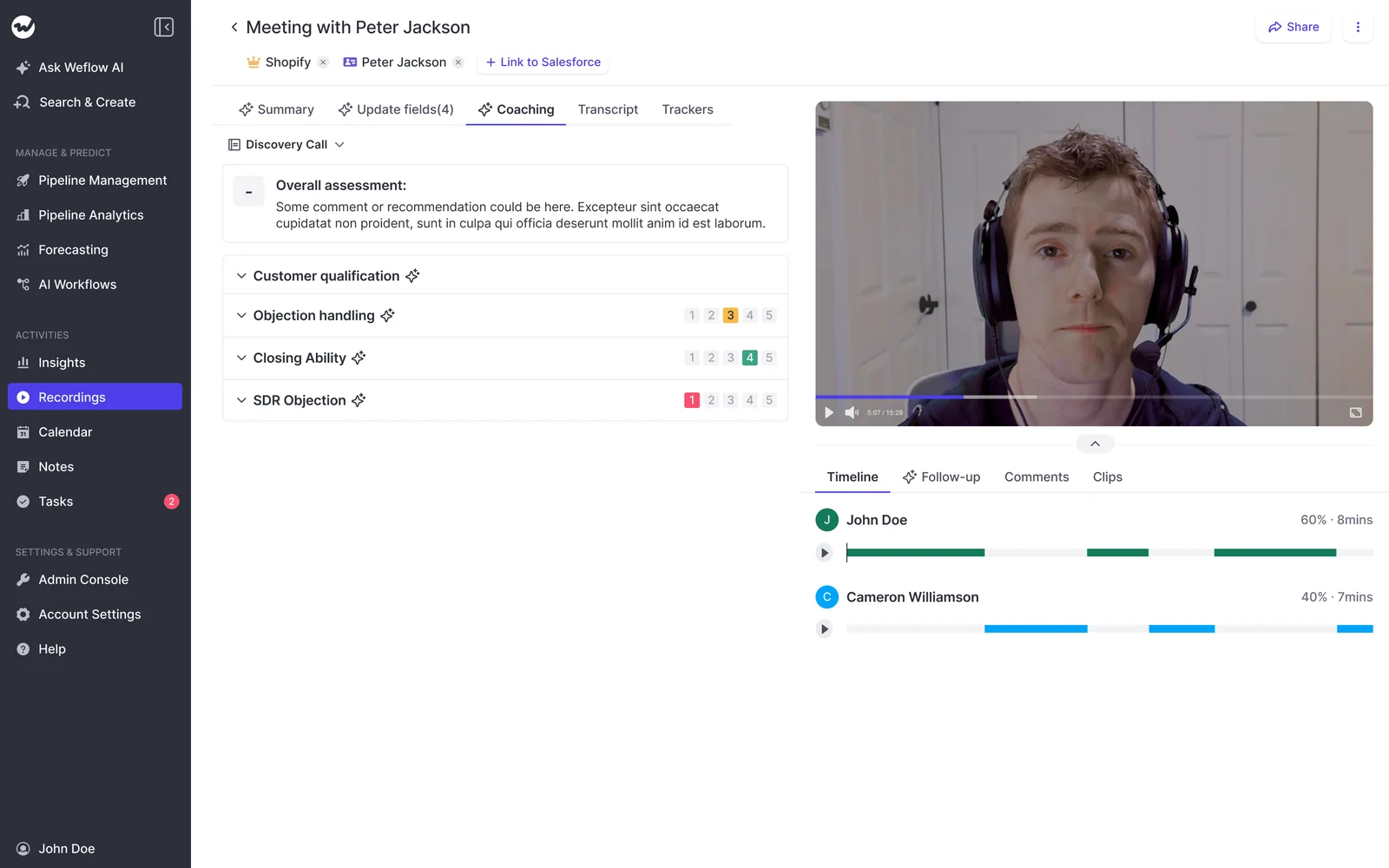
Which tools Weflow connects to, and where it stops
Weflow connects natively to the tools a Salesforce sales team runs on:
- Salesforce
- Gmail, Google Calendar and Outlook
- Zoom, Microsoft Teams and Google Meet
- Slack
- the Outreach dialer, whose calls arrive as recordings with transcript, summary and coaching
The API and MCP connector feed BI tools such as Tableau and Looker, and AI assistants. There's no native Snowflake, Databricks or BigQuery connector, so teams use the API to move data into a warehouse. Weflow isn't an integration platform with a connector catalog, and next to Attention's workflow builder this capability is narrower.
What Claude and ChatGPT can read through Weflow's MCP connector
Weflow's official MCP connector gives Claude, ChatGPT and other assistants read-only access to playbooks, call summaries, transcripts, forecast calls and pipeline metrics. An admin switches it on per workspace. A separate toggle decides whether assistants see full transcripts or only AI summaries.
Pipeline metrics come back per rep with the opportunity IDs behind them, and per-rep breakdowns are capped at 25 owners. The connector reads; it doesn't write.
How you get transcripts and recordings out of Weflow
Weflow's REST API bulk-exports transcripts, metadata, scores and signals as JSON or CSV, on a schedule or on demand. Recordings export to your own cloud storage, since we keep video out of Salesforce file storage.
Which Weflow plan includes Conversation Intelligence and AI Field Updates
Recording, AI Field Updates and the desktop app come with a Weflow Conversation Intelligence seat. Weflow Revenue AI Foundation pairs it with Weflow Activity & Contact Capture, which is what puts emails and meetings into Salesforce too. Every plan includes Ask Weflow AI Pro and Weflow Agent Builder Free. Prices are in the cost section below.
What Attention does with your calls and your Salesforce data
Attention is AI-native and agent-first, with real depth in workflows, MCP and scorecard testing. It starts from the conversation, depends on the prompts you write, and its defaults lean toward speed over control.
How Attention maps call values into your Salesforce fields
Attention extracts values from calls with a written prompt per field. An admin defines each field with a label, a type (free text or picklist), a scope and an extraction prompt, then maps it to a Salesforce field in a workflow.
On manual sync, a CRM tab on each call lets the rep tick which fields to push. Automatic sync is the recommended default, and it writes after every call with nobody looking. Picklists get selected correctly. Deal-scoped fields read across every call on the opportunity, which is a good design for values like next step.
Three costs to plan for:
- Schema changes are double work: A new Salesforce field fills only after someone maps it in Attention, and only on future calls. Miss the mapping and the field stays blank with no error.
- Empty findings become prose: When a call says nothing about a free-text field, Attention writes a sentence explaining the absence. On a demo call, Economic Buyer read "The conversation does not provide explicit information about the most important decision maker...". Reports then see a populated field.
- Unexported calls can vanish: On manual sync, a call waiting in the export queue can be dismissed, and nothing records that its data never reached Salesforce.
How Attention's bot-free desktop app records, and where it can't
Attention's desktop app records the meeting window and microphone with no bot in the call. It also has something Weflow doesn't: a live transcript plus talk-track and battlecard prompts during the call. If your reps want help answering objections in the moment, that's a genuine strength.
The app's limits fall on capture reliability:
- It runs on Apple Silicon Macs only, with no Windows or Intel build.
- Microsoft Teams in a browser isn't supported.
- It needs Full Disk Access for the Teams desktop app and Google Meet in Safari, the permission a laptop policy is most likely to refuse.
- Speaker labels are less accurate than on bot recordings.
- Recording stops when the network drops and doesn't restart on its own.
- High-quality mode on Google Meet shows participants an extra attendee in the rep's name.
- The in-meeting consent message is a beta that Attention switches on per organization on request.
Everything downstream depends on detecting the meeting URL. If the URL isn't found, automatic recording, calendar matching, opportunity assignment and the CRM export all stop together.
How Attention drafts follow-up emails from prompt templates
Attention's email templates hold a prompt, not copy, and each one is assigned to a team. A draft leaves Attention only as a Gmail draft or a clipboard copy, so Outlook teams paste by hand. Workflows can send email through Gmail.
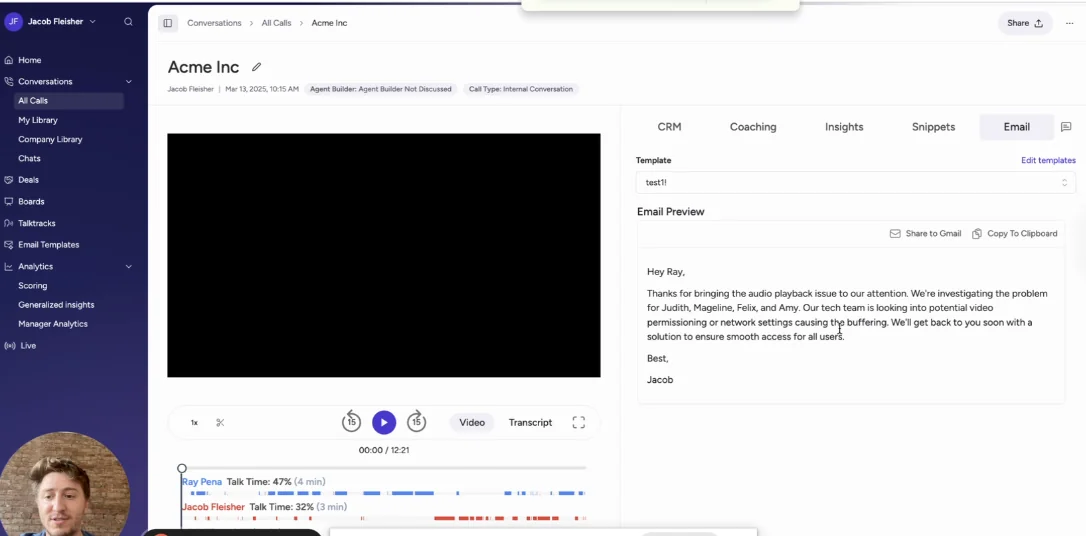
What Attention's Salesforce connection asks of your admin
Attention connects through an OAuth app on the Salesforce REST API, with real-time writes when a call finishes. The connecting user must hold three permissions:
- API Enabled
- Customize Application
- Modify All Data
Modify All Data lets that user read and edit every record of every object, overriding sharing rules, object permissions and record-level access. That's far more than writing extracted fields to opportunities needs, and it's the line your security team will ask about first.
Attention links a call to an opportunity by matching meeting participants to CRM contacts. An attendee who was never entered in Salesforce has no path to a record.
How Attention's natural-language scorecards grade your calls
Attention scorecards are written in prose. For each criterion you describe what the minimum and maximum score look like, optionally a midpoint, and that description is what the AI scores against. Criteria carry weights, the scale is set per scorecard, and you target scorecards by team and by call tag such as Discovery.
The best part is the Test Your Prompt control. You run a criterion against a real past call before saving, which cuts weeks off tuning. Attention also ships pre-built MEDDIC, BANT and SPICED frameworks, and drafts suggested scorecards when you connect a CRM.
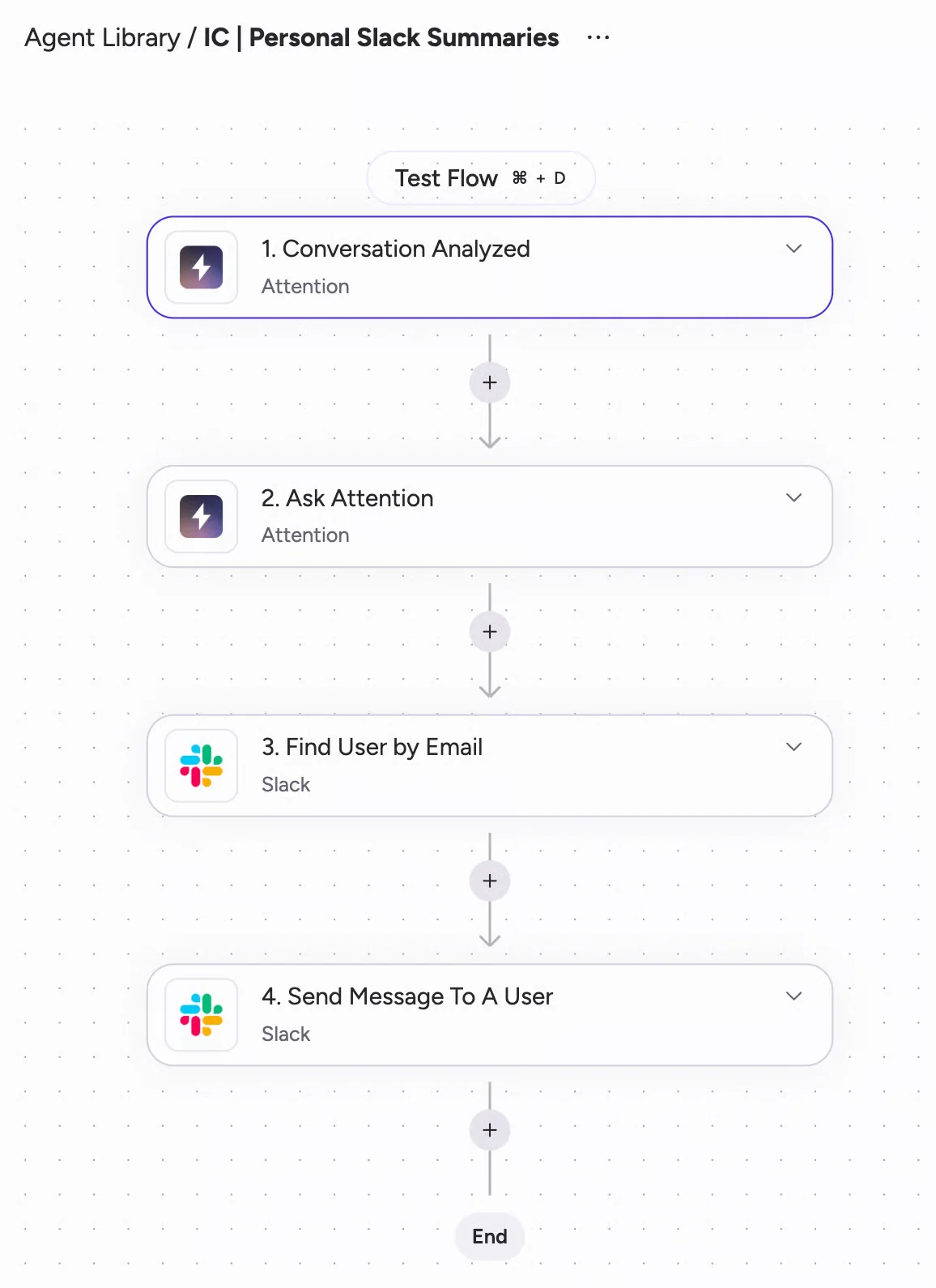
How Attention's workflow builder reaches the rest of your stack
Attention's workflow builder is the broadest integration surface of the three:
- Google, Outlook and Zoom calendars
- Zoom Phone and Aircall call imports
- Two-way Slack, including tagging @Attention for answers
- Workflow steps inside Gmail, Google Sheets, Google Docs, Salesforce, HubSpot, Pipedrive, Zoho, Asana, Airtable, Notion, Linear and Snowflake
- Steps that call OpenAI or Anthropic models directly
- Routers, loops, HTTP requests and custom Node.js or TypeScript code
Attention claims more than 200 integrations in total. Code and HTTP steps give you real power, and a workflow with code in it is software someone on your team has to maintain.
What Attention's 68-tool MCP server lets assistants do
Attention's MCP server is stronger than Weflow's here, and we'll say so plainly. It exposes 68 tools across 15 groups and reads and writes. An assistant can search transcripts, pull raw transcript text, and run analysis across up to 25 calls or a whole deal. It can also hand a question to Attention's Super Agent, which reasons over Salesforce accounts, pipeline and imported email.
Calls run under the caller's own permissions, with one exception: org-level API keys carry full organization access. Usage is rate-limited, with no consumption charge, and the connector is available on every Attention plan.
How you get raw transcripts out of Attention
Attention returns transcripts, scorecard results and insights through its MCP server and API keys. Workflows can also send data to Snowflake or to any API through an HTTP step.
What you can know about Attention's plans before a demo
Attention publishes no pricing, so your cost is a negotiated contract. It publishes no credits or metered AI consumption either. What it does state: the MCP connector is on every plan, setup is self-serve, and pricing questions route to a demo.
What Fathom does with your calls and your Salesforce data
Fathom is an excellent, low-cost, widely used notetaker. Its Salesforce depth is text-only, overwriting and Contact-bound, and it sits behind the Business plan.
How Fathom writes summary sections into Salesforce text fields
On the Business plan, an admin maps an H3 or H4 heading of Fathom's deal summary, such as Pain Points, to a long text or single-line text field on the Opportunity. Each new meeting overwrites what the field held. Content over the field limit gets cut.
Fathom can't fill picklists, numbers, dates or checkboxes, and validation rules or required fields can block a write.
How Fathom records without a bot on Mac
Fathom lets each user choose per meeting between its bot and bot-free capture from the Mac desktop app. It covers Zoom, Google Meet, Microsoft Teams and Slack Huddles. Bot-free video is a limited beta on Zoom, and Windows users stay on the bot experience.
The summary that builds live during a bot-free call is a nice touch. On consent, Fathom emails external guests 24 hours before a scheduled meeting. It sends nothing for same-day or impromptu meetings.
How Fathom builds follow-up emails from action items
Fathom builds the follow-up email from the action items it detects in the meeting. The user copies it into their email client to send.
How Fathom matches meetings to Salesforce Contacts and Opportunities
Fathom matches through an external attendee's primary email: Contact, then Account, then open Opportunities through that Contact's contact roles. Each team gets one Salesforce connection.
What lands in Salesforce:
- The summary becomes a logged-call Task on the matched Contact.
- Each action item becomes a Task on every open Opportunity linked to that Contact.
What gets nothing:
- Leads, which are never matched
- Secondary emails and closed Opportunities
- Internal-only meetings, impromptu calls without a calendar event, and secondary calendars
- Meetings from before the connection date, unless someone syncs them one at a time
- Opportunities where the Contact has no contact role
How Fathom's AI scorecards grade reps on the Business plan
Fathom admins build a scorecard per meeting type, writing each topic's question and grading criteria, and preview scores on past calls before publishing. Scorecards grade internal hosts, not prospects. Coaching notes are timestamped, so a manager jumps straight to the moment. Trackers that find concepts across calls come on the Team plan.
Which tools Fathom's integration directory covers
Fathom's directory lists 30 integrations, plus a public API and webhooks on every plan:
- CRMs: Salesforce, HubSpot, Zero and Pylon
- Meeting platforms: Zoom, Google Meet and Microsoft Teams
- Work tools: Slack, Notion, Asana, Zapier, Make, Claude and ChatGPT
It lists no dialer, no sequencing tool and no warehouse or BI tool.
What Fathom's MCP connector can see for each user
Fathom has an official MCP connector for Claude and ChatGPT on every plan. It sees only the meetings the connecting user can see.
What Fathom's API exposes, one user key at a time
Fathom's API covers meetings, summaries, transcripts, action items, CRM matches and webhooks, with TypeScript and Python SDKs. Keys belong to individual users, and there are no organization-level keys. The rate limit is 60 calls a minute, and 30 for summary and transcript requests.
Which Fathom plan unlocks Salesforce field writes
Field writes, Deal View, coaching metrics, scorecards and custom summary templates start at Business. On Free, Premium and Team, CRM sync is capped at three users per email domain. Enterprise adds SSO, SCIM, custom retention and a signed HIPAA BAA. Prices are in the cost section below.
What each tool leaves on your opportunity after a month
Run five calls and a month of emails on one deal, and the three Salesforce records look different. This is the outcome your reports and managers live with.
| Outcome on the opportunity | Weflow | Attention | Fathom |
|---|---|---|---|
| Methodology fields after five calls | Accumulate across calls. Playbooks keep each field at the best answer across the deal. | Deal-scoped fields read every linked call. Call-scoped fields reflect one call. | Hold only the last call's section. |
| Reportable picklists | Picklist, number, date and multi-select fields filled. | Picklists filled where mapped. | None. Text fields only. |
| Email activity in Salesforce | Weflow Activity & Contact Capture writes emails, meetings and contacts to the right records. | Emails sit in Attention's store unless you build a workflow to sync them. | No email capture. |
| Calls with Leads | Lead is a supported object for capture and field updates. | Linked only if the attendees exist as CRM contacts. | Leads never matched, and secondary emails ignored. |
| What lands without anyone looking | Only fields you set to auto-update. The rest wait for review. | Everything, on the recommended automatic sync, including prose about what's missing. | Summary sections, automatically by default. |
| A new field added in Salesforce | Appears in Weflow on the next field-definition sync. No mapping layer. | Mapped by hand in Attention, and fills on future calls only. | Mapped to a summary heading, and must be a text field. |
| Running alongside an activity capture tool | No second tool needed. One platform writes the meeting and its summary to the same Salesforce Event. | Two events per meeting, one from each vendor. | The summary arrives as a separate logged-call Task. |
The email row is where most evaluations turn. Calls are half the story of a deal. When calls live in one tool and emails in another, "what happened with this customer" takes two lookups that never quite line up.
"I don't want separate tools collecting data and duplicating meetings inside Salesforce. If I want to question the state of a deal, all the information should be in one place, no matter how many activity capture or conversation recording tools I use."
A RevOps leader on a call with Weflow
That's the job Weflow Activity & Contact Capture does underneath Conversation Intelligence. It syncs emails, meetings and contacts from Outlook or Google into the right Salesforce records. The call fields and the email history then sit on the same opportunity, and your reports, your forecast and any AI you point at Salesforce read one complete record.
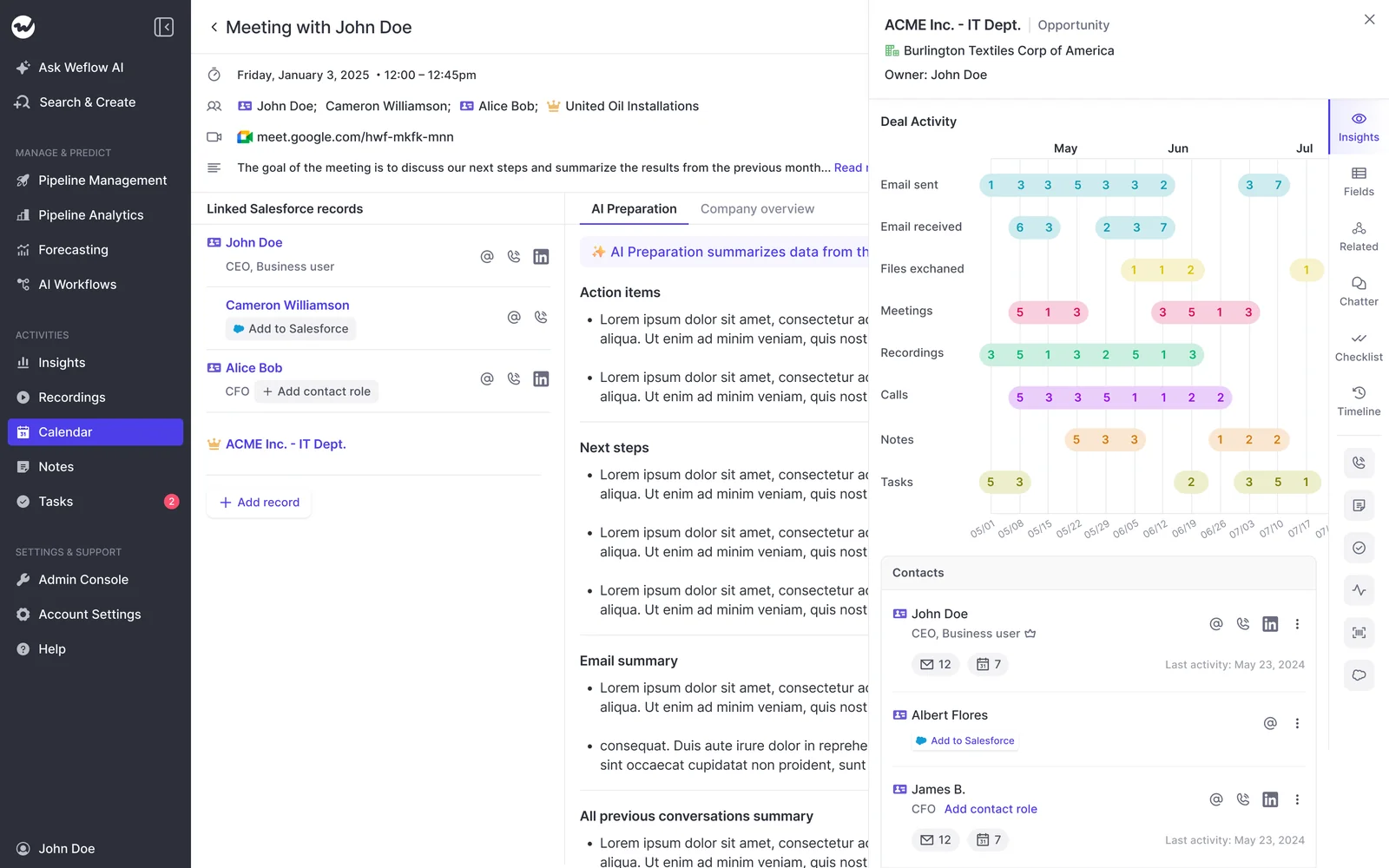
How each tool will hold up in your security review
The three differ most on model training, hosting and how recordings get shared. The Salesforce permission row summarizes the integration sections above.
| Security question | Weflow | Attention | Fathom |
|---|---|---|---|
| Training on your call data | Customer data is never used to train AI models. | User data isn't used to train generalized AI or machine-learning models. | Trains its own models on de-identified customer data unless a user or organization opts out. |
| AI provider handling | Zero Data Retention for AI processing. | Runs on Anthropic's Claude, with no stated zero data retention. | AI subprocessors (Anthropic, OpenAI, Google) may not train on customer data. |
| Where data lives | Instance in your Salesforce org's region, which can be set to keep data in the EU or UK. CRM data stays in your own Salesforce org. | Separate EU instance for EU-hosted organizations. | All data stored in the United States. |
| Who can open a recording | Access to the recording object (summary and transcript) is set per Salesforce profile. | Clip links are open to anyone holding them unless the sharer restricts them. Clips also download as MP4. | Admins set and lock visibility defaults. Slack clips post only to public channels. |
| Salesforce access for the integration user | Inherits your org's permission sets. | Modify All Data required. | API Enabled plus edit on Contact, Account, Opportunity and Task. |
On certifications, Weflow is SOC 2 Type II and GDPR compliant. Fathom states SOC 2 Type II and GDPR, with a DPA on request.
What Weflow, Attention and Fathom cost at your seat count
Weflow and Fathom publish seat prices with different plan gates, and Attention publishes none. The structure around the rate matters as much as the rate itself.
List prices per seat for Weflow, Attention and Fathom
| Tool and plan | List price per user per month | What it unlocks for this decision |
|---|---|---|
| Weflow Conversation Intelligence | $39, billed annually | Recording, desktop app, AI Field Updates, scorecards, follow-ups, Mobile Copilot |
| Weflow Activity & Contact Capture | $19, billed annually | Emails, meetings and contacts synced into Salesforce |
| Weflow Deal Intelligence & Forecasting | $39, billed annually | Deal health, pipeline analytics and forecast roll-ups |
| Weflow Revenue AI Foundation | $49, billed annually | Conversation Intelligence plus Activity & Contact Capture |
| Weflow Revenue AI Business | $59, billed annually | Foundation plus Deal Intelligence |
| Weflow Revenue AI Enterprise | $79, billed annually | All Weflow products, including Forecasting |
| Attention, any plan | Not published; quoted after a demo | MCP connector stated as available on every plan |
| Fathom Free | $0 for individuals | Unlimited recordings; CRM sync capped at three users per domain |
| Fathom Premium | $16 annually, $20 monthly | Individual paid plan; same CRM sync cap |
| Fathom Team | $15 annually, $19 monthly | Trackers and team search; same CRM sync cap |
| Fathom Business | $25 annually, $34 monthly | Salesforce field writes, Deal View, scorecards |
| Fathom Enterprise | On quote | SSO, SCIM, retention controls, HIPAA BAA |
At 20 seats, list price works out to $9,360 a year on Weflow Conversation Intelligence and $11,760 on Weflow Revenue AI Foundation. Fathom Business comes to $6,000. Fathom is cheaper per seat, and Weflow's bundle and volume discounts apply in the sales process.
How minimums, annual terms and metered AI usage compare
- Minimums: Weflow requires 10 users per product or bundle. Fathom's team plans require two.
- Terms: Weflow contracts run 12 months, with no monthly option. Fathom offers annual or monthly billing.
- Seats added mid-term: Weflow charges added seats pro rata to the end of the term.
- Metering at Weflow: Ask Weflow AI, summaries and field updates are in the seat. Weflow Agent Builder is the one metered product: 25 actions a month free, then $299 for 500, $999 for 2,500, or a custom Enterprise package.
- Metering at Attention: MCP usage is rate-limited, not charged, and Attention publishes no credits.
- Metering at Fathom: No platform fee and no usage credit on the core product.
What switching off Fathom actually takes
Moving your call history works differently per tool, and the rollout lands when you phase it and pilot it.
How you bring your Fathom call history into a new tool
Fathom's API exposes transcripts and summaries, one user key at a time. So a full export means working through each rep's key, and private calls stay with their host.
Attention's API imports recordings from a file URL and runs them through its own transcription and analysis, and Attention markets ingestion from other recorders. Weflow carries over your existing tracker set, so keyword and competitor reporting doesn't restart from zero.
How to roll out a new recorder to a tool-tired team
If your team just absorbed another tool, resistance is the honest starting point. We hear this a lot:
"We just got another new tool called Attention, and I know that in our team there is some resistance to more tools. I want to be super clear when I get them to start using Weflow, and see that I can sell it to them with confidence."
A RevOps leader on a call with Weflow
Here's the sequence that works for our customers:
- Start a small pilot group on capture and Conversation Intelligence only. Those ask nothing of the rep. Weflow's 14-day trial covers this stage, and technical setup takes 30 to 45 minutes with your Salesforce and Google or Microsoft admins.
- Test writes against every object your activities and fields map to before anyone else sees it. A failed write from a misconfiguration doesn't replay later.
- Make sure every assigned user signs in to Weflow once. Until they do, capture runs in the background but their calls go unrecorded.
- Expand in waves, each with a short training session and a recording for other time zones.
- Add pipeline, analytics and forecasting only after the first wave has stuck.
Which tool fits your team: Weflow, Attention or Fathom
Each tool wins a distinct situation.
Choose Weflow if you want the complete Salesforce record
- Salesforce is your system of record, and you want call data there as structured, reportable fields.
- Your methodology fields need to accumulate across a deal instead of resetting every call.
- You want emails and meetings landing in Salesforce alongside the calls, from one platform.
- Part of your team is on Windows or Intel Macs and needs bot-free recording.
- You want published seat pricing with AI usage included.
- You may add deal intelligence and forecasting later on the same platform.
- You accept the costs: a higher seat price than Fathom Business, a 10-user minimum, annual terms, Salesforce only, and no live in-call battlecards.
Choose Attention if you want agents acting on your calls
- You have a strong RevOps function that will write and maintain prompts and workflows.
- Your reps want live talk-track and battlecard prompts during calls.
- You want a 68-tool read-write MCP server with raw transcripts.
- You need a broad workflow builder, including code steps, across many apps.
- Your security team is comfortable granting Modify All Data.
- Your fleet is mostly Apple Silicon Macs.
Stay on Fathom if you run HubSpot or need summaries
- You run HubSpot, or you're a small team with a flat deal model.
- Summaries are enough, and you don't need picklists or methodology fields filled.
- Free or low cost matters most.
- MCP and API access on every plan covers what you build.
See how Weflow captures activity, updates Salesforce fields from calls, and rolls up your forecast. Book a 30-minute demo.
Attention vs Fathom questions RevOps teams ask us
Which Fathom plan do I need to write Salesforce fields?
You need Fathom Business, at $25 per user per month billed annually. On Business, Fathom writes summary sections into long or single-line text fields only, and each new meeting overwrites the field. Picklists, numbers, dates and checkboxes stay out of reach on every plan.
How do I get an Attention price without a long sales cycle?
Attention publishes no pricing, so a quote comes through a demo. Go in with your seat count and three questions: how workflow and agent usage is charged, which features sit on which plan, and what the contract term and minimums are. That gets you a comparable number in one conversation.
What Salesforce permissions does each integration user need?
Each tool asks for something different:
- Fathom: API Enabled plus edit rights on Contact, Account, Opportunity and Task.
- Attention: API Enabled, Customize Application and Modify All Data.
- Weflow: Writes follow the permission sets, validation rules and role hierarchy already in your org.
Will Attention plus an activity capture tool duplicate Salesforce events?
Yes. Attention and a separate activity capture tool each write their own event for the same meeting, and neither knows about the other. Any metric counted per meeting, such as meetings per rep or touches per closed opportunity, stays inflated until you deduplicate in reporting.
Will Fathom's Salesforce integration improve now that Superhuman owns it?
Superhuman acquired Fathom on 14 September 2026 to fold meeting notes into its suite of email, calendar, documents and agents. Its announced roadmap runs through that suite and includes nothing on deeper Salesforce field writes.
Can we record Microsoft Teams in the browser without a bot?
It depends on the tool:
- Attention: No. The desktop app doesn't support Teams in a browser and asks reps to join from the Teams desktop app.
- Weflow: Yes. The desktop app records whatever runs on the machine, browser or native client, and consent sits with the rep.
- Fathom: Bot-free capture runs from its Mac desktop app only. Windows users record with the bot.
Can call data move a Salesforce opportunity stage automatically?
Yes, with Weflow AI Field Updates. Stage is a field with a prompt, so a deal moves when the exit criteria written into that prompt are met on the call, and your validation rules still apply. We recommend keeping Stage on review, because a wrong extraction there changes your pipeline.
Can we add Weflow seats in the middle of a contract?
Yes. Weflow charges added seats pro rata to the end of the term. Seat count can't be reduced mid-term, but you can reassign a seat when someone leaves.
Does Weflow work with HubSpot?
No. Weflow works exclusively with Salesforce. For a HubSpot team, Fathom or Attention is the better fit.










