

Fathom Pricing for Sales Teams: Free Tier, Paid Plans and the Salesforce Catch (2026)
Learn Fathom's 2026 pricing: free vs paid plans, seat-based costs, and the Salesforce catch.


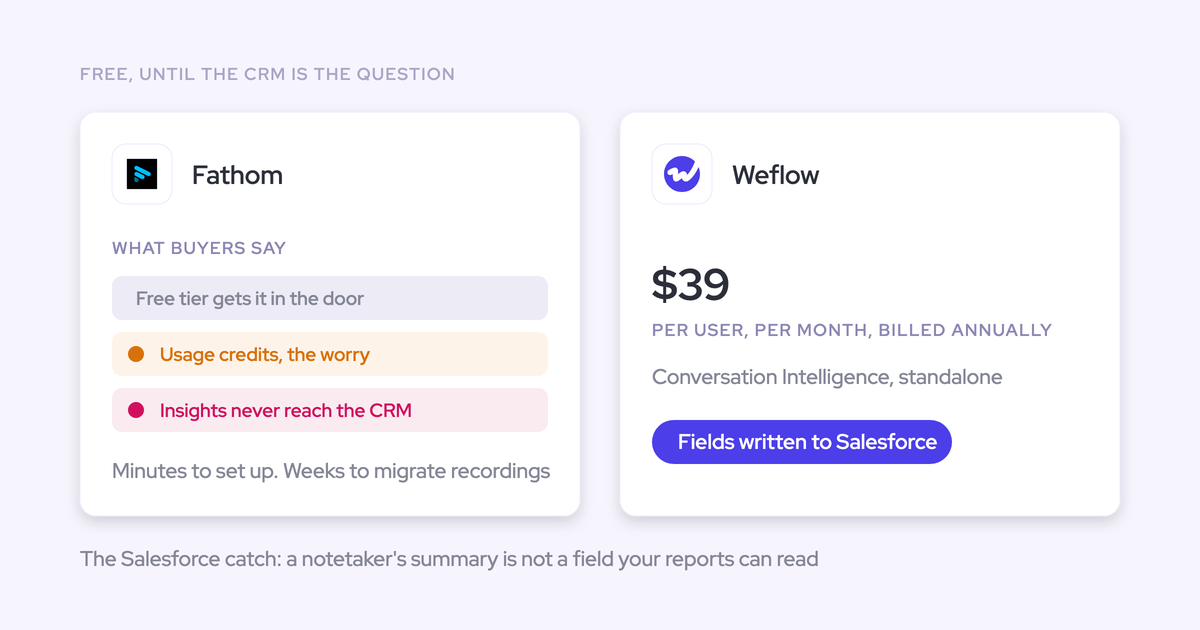

Fathom's pricing is honest. The app is free for individuals with unlimited recordings. The paid team plans are Team at $15 and Business at $25 per user per month on annual billing ($19 and $34 monthly), and Enterprise is priced on quote. There are no usage credits on the core product, so the seat price is the price.
For a Salesforce team, the catch sits somewhere else. Fathom only writes call content into Salesforce fields from the Business plan up. Even on Business, it writes text only and overwrites the field after every meeting. It finds deals through a Contact's primary email, and it captures meetings but no email.
Weflow is the Revenue AI Orchestration platform for sales, customer success, and RevOps teams. We built it for Salesforce teams, and Weflow Conversation Intelligence is the product you'd compare against Fathom. Below we walk through each Fathom tier and show exactly what reaches your org. Then we price the same Salesforce outcome on both tools, including the cases where Fathom is the better buy.
Fathom vs Weflow: what reaches Salesforce, side by side
On every capability that decides what lands in Salesforce, the two tools work differently. Fathom is cheaper per seat.
| Capability | Weflow | Fathom |
|---|---|---|
| CRM field updates from conversations | Every field type except lookups, including picklists, numbers, dates and multi-selects. Each field is set to write automatically or wait for review. Methodology fields build up over the deal. | Business plan only. Writes to long or single-line text fields on the Opportunity, from H3 or H4 summary headings. Each new meeting overwrites the field. |
| Salesforce integration | Real-time and two-way over the REST API. Inherits custom objects, validation rules, permission sets and role hierarchy. Maps activity to Leads as well. | Matches meetings through the attendee's primary email to Contact, Account and open Opportunities. No Leads, no custom objects. One connection per team. |
| Automatic email capture | Server side through Google Workspace or Microsoft 365, on any device, with no rep action. Logs matched mail only. | Not offered. Fathom captures meetings only. |
| Activity stored as standard Salesforce records | Emails as EmailMessage or Task records, meetings as Event records, transcripts on a recording object in your org. | Summary as a logged-call Task on the Contact. Action items as separate Tasks on open Opportunities. |
| Integrations with other tools | Gmail, Google Calendar, Outlook, Zoom, Teams, Meet, WebEx, Slack and the Outreach dialer. No native warehouse connector. | A 30-tool directory including HubSpot, Slack, Notion, Zapier, Make, Claude and ChatGPT. No dialer, sequencing tool, warehouse or BI tool. |
| Access from AI assistants (MCP) | Read-only connector returning call data plus team pipeline and forecast metrics. Per-rep breakdowns capped at 25 owners. | Official connector on every plan. Sees only the meetings the connecting user can see. |
| Raw data access outside the tool | REST API bulk export of transcripts, metadata, scores and signals as JSON or CSV. | Public API and webhooks on every plan. Keys belong to individual users, with no org-level keys. |
| Pricing | Published per seat: $39 for Conversation Intelligence, $49 for Revenue AI Foundation. Free viewer seats. 10-user minimum, annual billing. Only Agent Builder meters. | Published per seat: free for individuals, Business at $25 annual or $34 monthly. No usage credits on the core product. |
How much does Fathom cost in 2026?
Fathom is free for individuals. The paid plans run from $15 to $25 per user per month on annual billing, and Enterprise is priced on quote. For a Salesforce team, the plan to budget for is Business, because that's the first plan that writes into Salesforce fields.
Fathom charges a flat seat price with no usage credits
Fathom has no platform fee and no usage credit on the core product. If you've been burned by metered AI, you know to read a pricing page for the second number. On Fathom, there isn't one.
| Fathom plan | Annual billing, per user/month | Monthly billing, per user/month |
|---|---|---|
| Free | $0 | $0 |
| Premium | $16 | $20 |
| Team | $15 | $19 |
| Business | $25 | $34 |
| Enterprise | On quote | On quote |
The team plans carry a two-user minimum, and you can pay monthly. Fathom also publishes three discount programs:
- Nonprofits get 10 free seats.
- Startups backed by selected investors get up to two years of Team free.
- Teams switching from Gong or similar tools get Business free for the rest of their current contract, plus data migration.
That puts Fathom on the right side of the objection we hear on almost every pricing call:
"There's a lot of companies right now that take AI and then basically have a per seat license fee and then put a consumption fee on top of it, which makes it really unreliable when you price it."
Fathom doesn't do that, and it deserves the credit.
Fathom Free and Team cap CRM sync at three users
Fathom is free for individuals, but a team can't run its Salesforce sync on Free. Here's what applies below Business:
- CRM sync caps at three users per email domain on Free, Premium and Team. On a 20-rep team, 17 reps' meetings don't reach Salesforce through Fathom.
- Team-history search reaches back two weeks. Since 1 September 2026, a Free user's cross-meeting search covers two weeks of their own calls. A Team user searching team calls also gets two weeks. Premium and Team users can still search their own calls without limit.
- Team adds trackers and team-wide search. Trackers match an idea across calls, such as a customer weighing a competitor.
- Every plan pushes meeting summaries into a CRM, within that three-user cap.
Fathom Business is where Salesforce field writes start
Business is the first Fathom plan that writes call content into specific Salesforce fields. It also lifts the three-user CRM sync cap. So for a Salesforce team, the comparable Fathom price is $25 annual or $34 monthly, not the $15 Team seat.
Business adds:
- Summary sections written into mapped Salesforce Opportunity fields
- Deal View
- Coaching metrics and AI scorecards tied to a meeting type
- Custom summary templates
- Search across all team history
Fathom Enterprise adds security controls, not deeper Salesforce writes
Enterprise is priced on quote and adds governance and support. Nothing on the list changes which fields, objects or activity types reach Salesforce.
- SSO and SCIM (Okta, Microsoft Entra)
- Organization-wide security controls and custom data retention
- A signed HIPAA BAA
- Onboarding help and a dedicated success manager
What Fathom Business actually writes into Salesforce
At Fathom's Salesforce-ready tier, the integration has a specific shape. It writes text, matches through Contacts and covers meetings only. That shape decides what your reports can read.
Fathom works well as a notetaker. The trouble shows up when a team promotes it into the revenue stack, where fields have to land where reports read them. One RevOps lead summed up their attempt on a call with us:
"we tried the fathom Salesforce integration. It breaks half the time. It's not great. It's kind of clunky. It's not great at the context layer. It's not great at the coaching piece, it's not great at mapping the fields back to Salesforce."
Here's what's underneath that experience, capability by capability.
Fathom writes summary sections into text fields and overwrites them
On Business, an admin maps a summary heading such as Pain Points or Next Steps to an Opportunity field once for the whole team. The field can only be a long text or single-line text field. Each new meeting replaces what the field held.
That has two consequences for reporting:
- You can't group or chart a paragraph. Your MEDDIC picklists, close dates and deal amounts stay out of reach.
- Early discovery disappears. The pain a buyer described on call one is gone after call three, and nobody says it again.
The mechanics:
- Field types: long text and single-line text only. No picklists, numbers, dates or checkboxes.
- Source: only sections formatted as H3 or H4 headings in the AI deal summary.
- Overwrite: every new meeting replaces the previous value.
- Length: content over the field limit, 32,000 characters by default, gets cut.
- Blocking: validation rules and required fields on the Opportunity or Task can stop the write.
- Setup: mapping needs a team-level Salesforce connection.
Fathom finds Opportunities only through the Contact's primary email
A Fathom call reaches an Opportunity through one path. If nothing matches at the first step, Fathom writes nothing.
- Fathom takes an external attendee's primary email.
- It finds the matching Contact.
- It follows the Contact to its Account.
- It reaches open Opportunities only through that Contact's contact roles.
Here's what falls through:
- Leads, which are never matched
- Attendees' secondary email addresses
- Closed Opportunities
- Opportunities where the Contact has no contact role. The Contact gets the summary and the deal gets nothing.
- Internal-only meetings, impromptu calls without a calendar event, and events on secondary calendars
- Deals created more than seven days after the meeting, which Fathom doesn't link automatically
Each team gets one Salesforce connection. Companies with several Salesforce orgs can let users connect their own, but then lose Deal View and team field mapping. Territory Management can also block writes to Opportunities the connecting user can't see.
Fathom captures meetings, so email needs another tool
Fathom captures no email of any kind. Its apps are a desktop app, a Zoom app and a Chrome extension for Google Meet. None of them is a Gmail extension or an Outlook add-in.
If you need email in Salesforce, you buy a second tool and put a second line in the business case. You also end up with two vendors writing activity for the same deals. Janis, our CEO, has described the reporting side of running separate conversation intelligence and activity capture providers:
"This is often a problem when you have multiple providers for CI and AC. They basically both create an event object, which creates a duplicate. So in your reporting you need to deduplicate that, which is really annoying."
— Janis Zech, Co-founder and CEO, Weflow
Fathom logs calls as Tasks, never on Leads or custom objects
Fathom writes to four Salesforce objects: Contact, Account, Opportunity and Task. Sync runs automatically when the summary is ready, or manually when the call owner or an admin clicks Sync to CRM.
| What Fathom writes | Where it lands in Salesforce |
|---|---|
| Meeting summary | A logged-call Task on the matched Contact, visible on the Activity Timeline of Contacts, Accounts and Opportunities |
| Each action item | A separate Task on every open Opportunity the Contact is linked to, created by the integration user and assigned to the call host |
| Action items with no open Opportunity | Tasks on each external Contact on the call |
| Mapped summary sections (Business) | Text fields on the Opportunity |
Action item Tasks only write when the Create Tasks setting is on. A prospect still held as a Lead gets no activity at all, and a team that tracks deals on a custom object gets nothing written there.
Fathom connects to 30 tools, but no dialer or warehouse
Fathom's integrations directory is broad on collaboration and automation. It's thin on the revenue stack around the CRM.
- Listed: Salesforce, HubSpot, Zoom, Google Meet, Microsoft Teams, Slack, Notion, Asana, Zapier, Make, Claude, ChatGPT, Superhuman Go, and sales engagement tools such as GetAccept.
- Not listed: any dialer, any sequencing tool, and any data warehouse or BI tool.
Fathom's MCP connector sees only what the connecting user sees
Fathom offers an official MCP connector for Claude and ChatGPT on every plan, including Free. That's a real strength if your team already works in those assistants.
The connector respects user permissions, so it answers questions about the calls that user can see. It doesn't answer questions about team pipeline or the forecast, because Fathom doesn't hold that data.
Fathom's API keys belong to individual users, not the org
Fathom's public API is available on every plan. It returns:
- Meetings, summaries, transcripts and action items
- CRM matches for each meeting
- Recording downloads
- Webhooks when a meeting's content is ready, with TypeScript and Python SDKs
The limits matter for RevOps:
- There are no organization-level keys. A key reads only the meetings its owner recorded or can see.
- An admin who can view all shared calls can read shared calls, but private calls stay with their host.
- Requests are capped at 60 per minute, and 30 for summary and transcript requests.
A team-wide export means working around who owns which key.
Where Fathom is the better choice
Fathom is a mass-market product used by more than 300,000 companies. It was HubSpot's Most Used App of the Year for 2025 and sits in G2's 2026 Best Software Awards Top 100. For some teams it's simply the right buy:
- You want the lowest seat price. Fathom Business at $25 costs less than any Weflow plan that includes call recording, and individuals pay nothing.
- You're a small team or need monthly billing. Fathom's team plans start at two users and you can pay month to month. We require 10 users on annual terms.
- You want bot-free capture with live notes. Each user picks per meeting between a bot and bot-free capture from the Mac desktop app, and the bot-free experience builds the summary live during the call.
- You run on HubSpot. Fathom's CRM base leans HubSpot, and its field mapping fits HubSpot's flatter deal model. Weflow works only with Salesforce.
- You want API and MCP access on every plan, including Free.
- You want good meeting notes, not structured Salesforce data. If nobody reports on call content, Fathom does the job at a lower price.
How Weflow gets calls and email into Salesforce
We treat Salesforce as the place your structured revenue data lands. That means typed fields, email and meetings, standard records, and your org's own rules. Here are the same seven capabilities answered the Weflow way, with the limits stated in each.
Weflow AI Field Updates fill picklists, numbers, dates and multi-selects
Weflow AI Field Updates, part of Weflow Conversation Intelligence, write call content into every Salesforce field type except relationship lookups. A zero-to-three qualification score becomes a picklist you can chart. The competitors that came up become a multi-select you can filter on.
| Behavior | Fathom Business | Weflow AI Field Updates |
|---|---|---|
| Field types | Long text and single-line text | Every type except lookups, including picklists, numbers, dates and multi-selects |
| Objects | Opportunity fields | Account, Contact, Opportunity, Lead and custom objects |
| Next call on the same deal | Overwrites the field | Methodology fields such as MEDDIC build up across the deal |
| Review control | Automatic or manual sync per call | Each field set to write automatically or wait for the rep's approval |
| Picklist values | Not supported | Writes respect the values defined on the field |
| Validation rules | Can block the write | Still apply. A blocked stage change stays blocked until its required fields fill. |
For fields that change across a deal, such as the champion or the metrics, an AI playbook keeps the field at the current best answer across every call and email on the Opportunity. Weflow ships more than 250 pre-built prompts for MEDDIC, MEDDPICC, SPICED, BANT and other methodologies.
Two limits apply. Lookups aren't writable. Field updates on custom objects need setup by Weflow support.
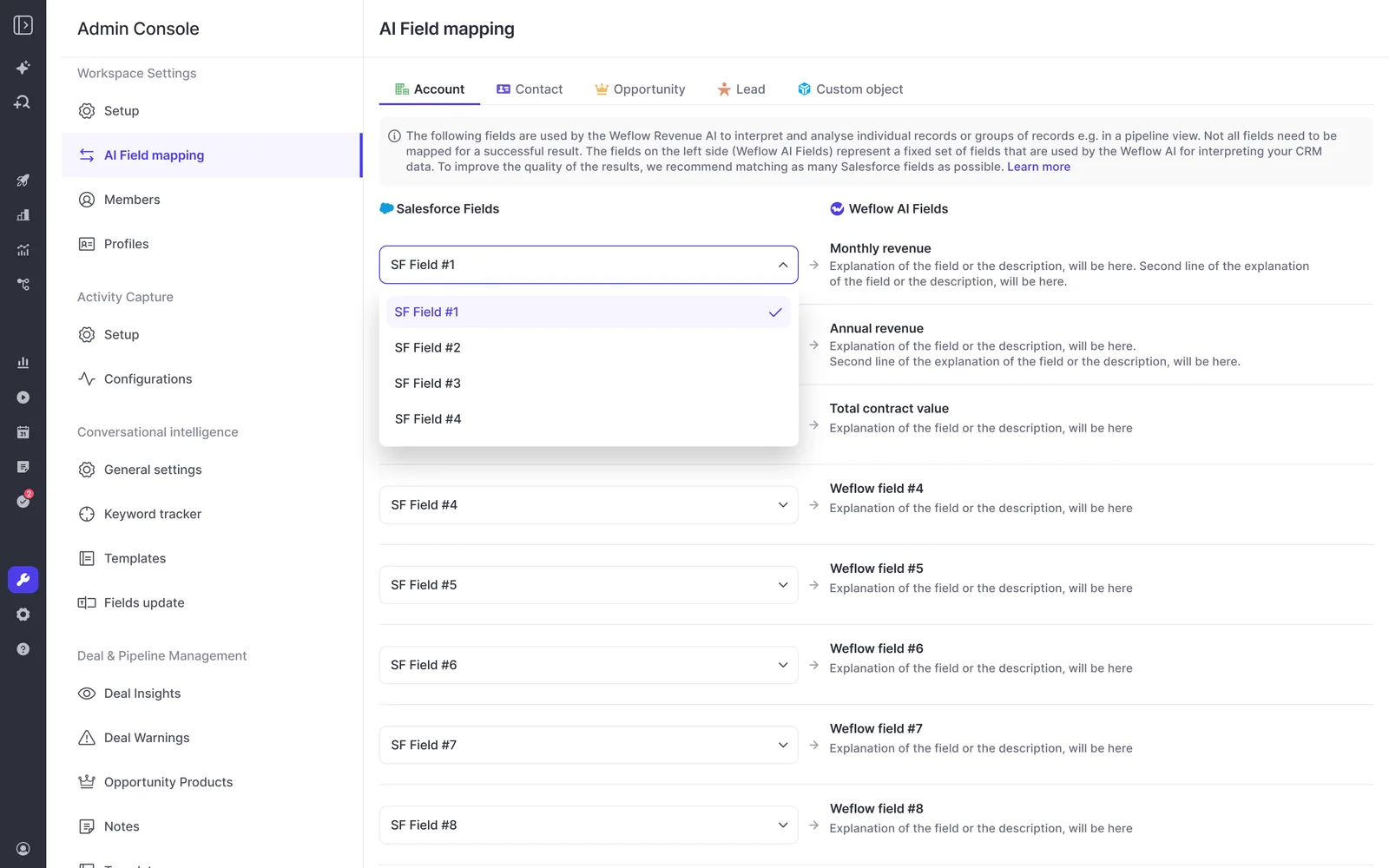
Weflow works inside your org's validation rules and permissions
Weflow runs a real-time, two-way integration over the Salesforce REST API and writes back in about 200 milliseconds. It reads how your org is built instead of asking you to rebuild it.
- What it inherits: standard and custom objects and fields, field dependencies, validation rules, permission sets and role hierarchy.
- How matching works: activity maps to the right Account, Opportunity, Contact or Lead. Weflow never logs an email or event without a link to a record.
- Footprint: a managed package that takes about five minutes to install and uses webhooks to capture field changes, which keeps API consumption down.
One caveat. Weflow doesn't inherit visibility you enforce through list-view restrictions or Lightning component visibility. If your org segregates access that way, an admin rebuilds it in Weflow by creating the views centrally, assigning them per team, and switching off users' ability to build their own.
Weflow Activity and Contact Capture logs email with no rep action
This is the line item you no longer need a second tool for. Weflow Activity and Contact Capture runs server side through a central app in Google Workspace or Microsoft Entra. It logs inbound and outbound email and meetings from any device and any client, with nothing for the rep to do.
If a rep emails people at a company before the Account exists, Weflow logs those emails once the Account is created. No re-sync is needed.
The limits:
- Personal email accounts, SMS and calls from personal mobiles aren't captured.
- Email sent from a separate deliverability subdomain isn't logged.
- Only mail that matches a Salesforce record is written. An optional setting matches the sender's domain to the Account website field when no Contact exists.
- Internal-only threads are never logged.
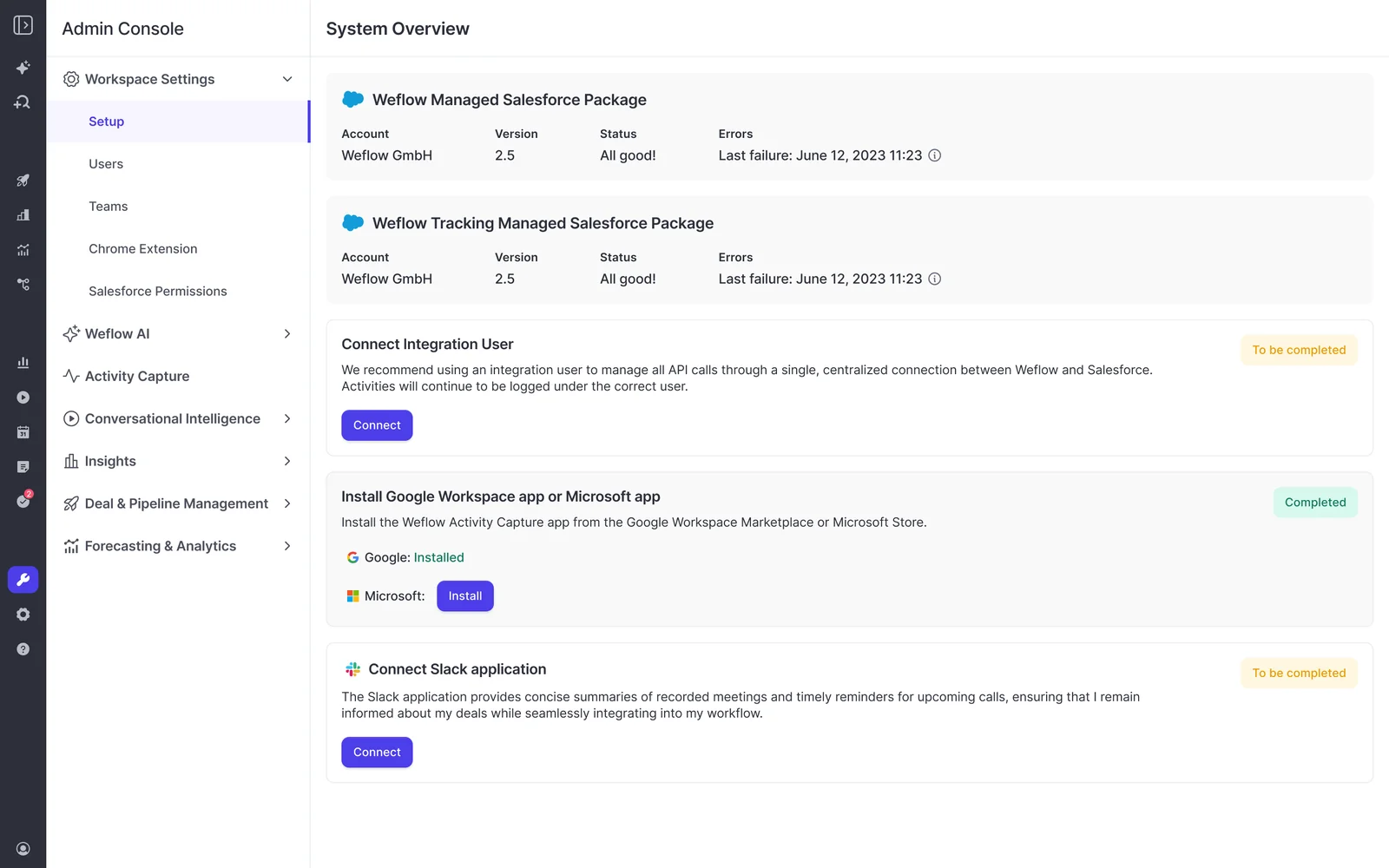
Weflow stores activity as Task, Event and EmailMessage records
Everything Weflow captures lands in standard Salesforce records (Task, Event, EmailMessage) that you own, report on and automate with.
| Activity | Where it lands in Salesforce |
|---|---|
| Emails | EmailMessage or Task records, at the admin's choice |
| Meetings | Event records |
| Call transcripts and summaries | A recording object in your org, with the summary also on the related Event |
| Video files | Kept out of Salesforce and exported through the API to your own storage |
Task versus EmailMessage is mostly a reporting choice. A single activity report can span Tasks and Events but not EmailMessage. EmailMessage carries native From, To and Cc and thread structure. About nine in ten of our customers choose EmailMessage.
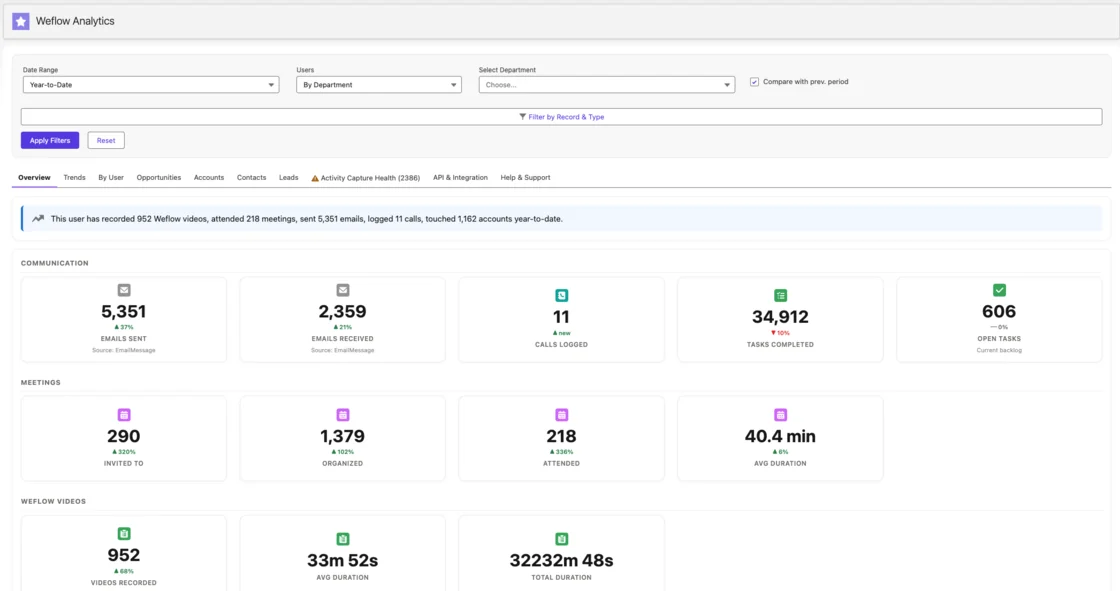
Weflow connects meetings, inboxes, Slack and the Outreach dialer
Weflow covers the places your reps talk to customers, but it's not an integration platform with a catalog of connectors.
- Native connections: Salesforce, Gmail, Google Calendar, Outlook, Zoom, Microsoft Teams, Google Meet, WebEx and Slack.
- Dialer calls: calls from the Outreach dialer arrive as recordings with transcript, summary and coaching.
- Softphones: the Weflow desktop app for Windows and macOS records calls that run through the computer, such as Aircall or RingCentral, by capturing system audio.
- Not connected: there's no native Snowflake, Databricks or BigQuery connector. Data moves to a warehouse through the API.
Weflow's MCP connector answers team pipeline and forecast questions
Weflow's official MCP connector gives Claude, ChatGPT and other assistants read-only access to call data and the forecast. An admin switches it on per workspace. A separate toggle decides whether assistants read full transcripts or only AI summaries.
The connector returns:
- Playbook output, call summaries, transcripts and forecast calls
- Per-rep pipeline value, weighted and unweighted, plus win rate, average deal size, sales cycle length, coverage ratio and gap to forecast
- The Opportunity IDs behind those numbers
- Quota and target numbers, where your org has configured them
Scope is set per request, for your own deals or your team hierarchy. Per-rep breakdowns cap at 25 owners, so a large org gets aggregate answers unless the question narrows to one team.
Weflow's API bulk-exports transcripts and scores to your warehouse
Weflow's REST API bulk-exports transcripts, metadata, scores and signals as JSON or CSV. The data feeds warehouses and BI tools such as Tableau and Looker, already mapped to your Salesforce records.
There's no native warehouse connector, so data moves through the API. There's also an exportable audit log of field write-backs and configuration changes.
What a 20- or 50-seat Salesforce team pays on each
Seat for seat, Fathom Business is cheaper than any Weflow plan that includes call recording. The fairer comparison is what the same Salesforce outcome costs. That includes email capture and the seats that only read dashboards.
Weflow prices per seat and meters only Weflow Agent Builder
Weflow publishes every price, and like Fathom it passes the second-number test. AI summaries, AI Field Updates and Ask Weflow AI are included in the seat.
| Product or bundle | Per user/month, billed annually | What it covers |
|---|---|---|
| Weflow Activity and Contact Capture | $19 | Email, meeting and contact capture into Salesforce |
| Weflow Conversation Intelligence | $39 | Recording, transcripts, summaries, AI Field Updates, coaching, Mobile Copilot and the desktop app |
| Weflow Deal Intelligence and Forecasting | $39 | Deal health, pipeline analytics and forecast roll-ups |
| Weflow Revenue AI Foundation | $49 | Activity and Contact Capture plus Conversation Intelligence |
| Weflow Revenue AI Business | $59 | Foundation plus Deal Intelligence |
| Weflow Revenue AI Enterprise | $79 | Every Weflow product, including Forecasting |
Only Weflow Agent Builder meters, and it's priced per workspace, not per user. Every plan includes the Free tier. Agents you build in Claude, ChatGPT or your warehouse over Weflow's API and MCP connector don't use up agent actions.
| Weflow Agent Builder tier | Price per workspace/month | Agent actions |
|---|---|---|
| Free | Included in every plan | 25 a month |
| Growth | $299 | 500 |
| Scale | $999 | 2,500 |
| Enterprise | Custom | Custom volume |
The terms:
- Viewer and analytics seats are free, and you can reallocate between seat types each quarter.
- The minimum is 10 users per product or bundle.
- Billing is annual, on 12-month terms.
- There's no mid-term seat reduction, but you can reassign seats when someone leaves.
We set the model up this way on purpose, because an invoice that moves with adoption is what stops AI rollouts.
"We want to make sure that you have predictable pricing, and it is very, very hard to achieve in the age of AI."
— Philipp Stelzer, Co-founder and Chief Product Officer, Weflow
Fathom and Weflow pricing models side by side
Both tools price flat per seat and publish their prices. They differ on the free tier, minimums, billing terms and what you'd have to buy elsewhere.
| Pricing detail | Fathom | Weflow |
|---|---|---|
| Pricing model | Flat per seat, no platform fee | Flat per seat, no platform fee |
| Free tier | Free for individuals, unlimited recordings | None |
| Salesforce-ready tier | Business: $25 annual, $34 monthly | Weflow Conversation Intelligence at $39, or Weflow Revenue AI Foundation at $49 with email capture |
| Billing options | Annual or monthly | Annual only, 12-month terms |
| Minimum seats | Two users on team plans | 10 users per product or bundle |
| What meters | No usage credits on the core product | Only Weflow Agent Builder, per workspace, with 25 actions a month included |
| Email capture into Salesforce | Not offered, so it needs another tool | Included in Weflow Activity and Contact Capture and Weflow Revenue AI Foundation |
| Discounts | Nonprofit, startup and Gong-switcher programs | Bundle, volume and multi-year discounts |
Seat math for 20 and 50 reps on Fathom and Weflow
These totals use published list prices. We left Fathom Team out because its three-user CRM sync cap rules it out as a Salesforce option at these sizes.
| Plan | 20 seats | 50 seats |
|---|---|---|
| Fathom Business, annual ($25) | $500/month, $6,000/year | $1,250/month, $15,000/year |
| Fathom Business, monthly ($34) | $680/month, $8,160/year | $1,700/month, $20,400/year |
| Plus email capture for Fathom | Your capture tool's price | Your capture tool's price |
| Weflow Conversation Intelligence ($39) | $780/month, $9,360/year | $1,950/month, $23,400/year |
| Weflow Revenue AI Foundation ($49) | $980/month, $11,760/year | $2,450/month, $29,400/year |
A few notes before this goes into a business case:
- Leaders and managers who only read dashboards sit on free Weflow viewer seats, so they don't count toward the totals above.
- Weflow volume discounts apply at larger seat counts. The meaningful breakpoint starts around 30 to 40 seats.
- Fathom Business plus a separate capture tool can still come in under Weflow Revenue AI Foundation.
The difference buys typed fields your dashboards read, methodology fields that build up instead of resetting, and one vendor writing calls and email into the same records.
What happens to your data if you switch from Fathom
Switching comes down to three things: what stays in Salesforce, what never got there, and how fast the new tool goes live.
What stays in Salesforce if you leave either tool
Whatever a tool wrote into Salesforce records stays in your org after you cancel. The difference is how much each tool wrote there.
| Data | If you leave Fathom | If you leave Weflow |
|---|---|---|
| Call summaries | Stay as logged-call Tasks | Stay on the recording object and the related Event |
| Action items | Stay as Tasks | Stay in the fields and records they were written to |
| Mapped field values | The last meeting's text stays in each field | Typed values stay in picklist, number, date and text fields |
| Transcripts | Stay in Fathom | Stay on the recording object in your org |
| Email and meeting activity | Never captured | Stays as EmailMessage or Task records and Event records |
| Video files | Stay in Fathom, downloadable through the API | Exported through the API to your own storage |
Fathom doesn't backfill calls from before the connection date
Fathom syncs to Salesforce only from the day you connect the integration. Earlier meetings go in one at a time with a manual Sync to CRM button, and reconnecting doesn't re-sync the gap.
So your Salesforce history from Fathom is only as complete as your connection date and your reps' clicking allow. If reps ran Fathom free for months before RevOps connected it, those months aren't in your org.
Weflow rolls out in phases, starting with capture and calls
You don't have to switch everything on at once. Most teams start with the parts that make a rep's day easier without asking anything of them, then add the rest. KORE Wireless ran a five-phase rollout:
- Weflow Activity and Contact Capture
- Weflow Conversation Intelligence
- Coaching
- Deal intelligence
- Forecasting
The contract still starts at the 10-seat minimum on a 12-month term. Moving up is a bundle change, with list prices stepping from $49 for Weflow Revenue AI Foundation to $59 for Weflow Revenue AI Business and $79 for Weflow Revenue AI Enterprise.
When to stay on Fathom and when to switch to Weflow
The question is whether your team needs structured Salesforce data from calls and email, at a seat price you can defend to finance.
Stay on Fathom if:
- You run on HubSpot, or on any CRM other than Salesforce.
- Your team has fewer than 10 users, or you need monthly billing.
- You want meeting notes and summaries, and nobody reports on call content in Salesforce.
- Text summaries on the Opportunity are enough for how your managers review deals.
- Seat price is the deciding line and you don't need email in Salesforce.
Switch to Weflow if:
- You run on Salesforce with 10 or more reps.
- Your dashboards read picklists, numbers and dates, such as MEDDIC scores, next-step dates or competitor multi-selects.
- You need email in Salesforce too, and you'd rather not buy and reconcile a second capture tool.
- Your prospects live on Leads, or your deals run on custom objects.
- You want qualification history to build up across a deal instead of resetting after every call.
- You want leaders on free viewer seats and a path to deal intelligence and forecasting on the same seat model.
See how Weflow captures activity, updates Salesforce fields from calls, and rolls up your forecast. Book a 30-minute demo.
FAQ: Fathom pricing and Salesforce questions
Is Fathom free for sales teams?
Fathom is free for individuals, with unlimited recordings. A sales team needs a paid plan. On Free, Premium and Team, Fathom caps CRM sync at three users per email domain, so a team that wants every rep's meetings in Salesforce needs Fathom Business at $25 per user per month billed annually.
Does the three-user CRM sync cap apply on Fathom Team?
Yes. Fathom caps CRM sync at three users per email domain on Free, Premium and Team. The cap lifts on Business and Enterprise.
Will Superhuman's acquisition change Fathom's pricing or roadmap?
Superhuman, formerly Grammarly, acquired Fathom in September 2026, and the product and logins didn't change. The announced roadmap runs through Superhuman's email, documents and agents, including the Superhuman Go assistant. It includes nothing on deeper Salesforce field writes, deal context or coaching.
Does anything on Weflow meter usage?
Only Weflow Agent Builder meters, per workspace, and every plan includes a Free tier with 25 agent actions a month. AI summaries, AI Field Updates, recordings, transcripts and Ask Weflow AI are included in the seat with no usage caps. Agents you build in Claude or ChatGPT over Weflow's API and MCP connector don't use agent actions.
Are Weflow viewer seats free for managers and leaders?
Yes. Weflow viewer and analytics seats are free for anyone who only reads dashboards, recordings and pipeline views. You can reallocate between full seats and viewer seats each quarter as your team changes.
What are Weflow's minimum seats and contract terms?
Weflow requires a minimum of 10 users per product or bundle, billed annually on a 12-month term. There's no mid-term seat reduction, but you can reassign a seat when someone leaves. Bundle, volume and multi-year discounts apply.
Can Weflow write AI field updates to custom Salesforce objects?
Yes. Weflow AI Field Updates write to custom objects as well as Account, Contact, Opportunity and Lead, with setup by Weflow support for custom objects. Every field type is supported except relationship lookups.
Does Weflow respect Salesforce validation rules and permission sets?
Yes. Weflow inherits your validation rules, field dependencies, permission sets and role hierarchy, so a user sees in Weflow what they see in Salesforce. Weflow doesn't inherit visibility enforced through list-view restrictions or Lightning component visibility. An admin reproduces that by creating views centrally and assigning them per team.
Where do Fathom and Weflow store data, and do they train on it?
Fathom stores all data in the United States. It trains its own models on de-identified customer data unless a user or organization opts out, and it doesn't hold ISO 27001.
Weflow stores your data in the region where your Salesforce instance sits, so a European org keeps its Weflow data in Europe. Weflow runs on third-party models, primarily Google Gemini, with Zero Data Retention for AI processing, and customer data is never used to train AI models. Weflow is SOC 2 Type II certified and GDPR compliant, and targets ISO 27001 in December 2026.











