Best People.ai (Backstory) Alternatives for Revenue Intelligence (2026)
Compare Weflow, Clari, Gong and Nektar vs Backstory.ai for revenue intelligence and Salesforce capture.


Backstory, which most of you still call People.ai, solved automatic activity capture. For a lot of Salesforce teams it's the bridge between the calendar, the inbox and the CRM, and it does that job. The renewal is what changes the question. Backstory now sits on the audit list next to a separate call recorder and a separate forecasting tool, and the real question becomes what you pay for on top of capture, and what still sits in other contracts.
Weflow is the Revenue AI Orchestration platform for sales, customer success, and RevOps teams, and Weflow Activity and Contact Capture is the foundation it builds on. Here's the short answer, by situation:
- Weflow fits if you want capture, call recording and forecasting on one published seat price, with mapping corrections made in the inbox.
- Nektar fits if you want pure background capture feeding your own BI and warehouse.
- Clari fits if you're forecast-led and the roll-up is the product you care about most.
- Gong fits if you're conversation-first and want the deepest call analytics.
- Stay on Backstory if you run more than one CRM, your leadership lives in its dashboards, or topic-level mailbox filtering is your legal gate.
We start by crediting what Backstory does well, then compare the five tools on mechanics: latency, mapping, where a rep fixes a match, what reaches Salesforce, and how pricing and AI usage work.
How Weflow, Clari, Gong and Nektar compare with Backstory
The five tools differ most on three things: where corrections happen, what actually reaches Salesforce, and whether price and AI usage are published or metered.
| Capability | Weflow | Backstory | Clari (with Salesloft) | Gong | Nektar |
|---|---|---|---|---|---|
| Automatic email capture | Server-side at the mail tenant, written to Salesforce almost immediately; logs only mail that matches a Salesforce record | Server-side; in Backstory within two hours, in the CRM within one business day | Salesloft logs emails and invites a rep sends as "Lofted", on each rep's own CRM connection | Server-side import; exports to Salesforce as tasks or events only from the day export is enabled | Background, admin-level; about an hour, up to nine hours, to reach Salesforce |
| Automatic contact creation | Contacts from To and CC on send, restricted to existing accounts and capped per event; never creates leads | Creates missing contacts under domain and ownership rules; converts matching leads | Creates Salesloft person records; CRM leads need an admin automation rule | Only through an inactive Flow template an admin activates, for call participants | Creates contacts under the matching account domain and fills them from signatures |
| Matching activity to the right records | Published precedence, never a closed opportunity, account fallback when ambiguous; rep re-maps once per thread in the inbox | Confidence score with admin eligibility and ranking rules; secondary matches stay out of Salesforce | Domain and website matching; most recently modified open opportunity by default | Admin-configured rules you can simulate and re-run on 30 days; associates up to 20 deals if still ambiguous | Machine-learning affinity models with account fallback; admins can't read the rules |
| Opportunity contact roles | Created automatically on the mapped opportunity; one fixed role value per configuration | Adds participants once a role exists; "First OCR" option for the first one | Rep adds each role by hand from the Buying Group panel | Inactive Flow template for call participants who are contacts | Role and Is Primary filled for every participant; Harvest package only |
| Deal risk warnings | 50+ signals; your own AND/OR rules on opportunity or computed fields; warnings stay in Weflow | AI summaries, Forecast Headlines and out-of-the-box Signals; no customer-built warnings yet | Deal Gaps that team admins build on any deal field | Eight fixed warnings you can switch on, off or retime | 30+ DAISY signals written as Salesforce fields; custom ones built by Nektar's team |
| Forecast submissions and roll-ups | Baseline and best case tied to named deals, logged overrides, every version kept; web app only | Hierarchy roll-up with manager adjustments and weekly snapshots; launched October 2025, hierarchy by CSV | Mature Clari Forecast roll-up up to eight levels; leaders see the level directly below | Per-category submissions with notes, trend and accuracy reports | Not offered |
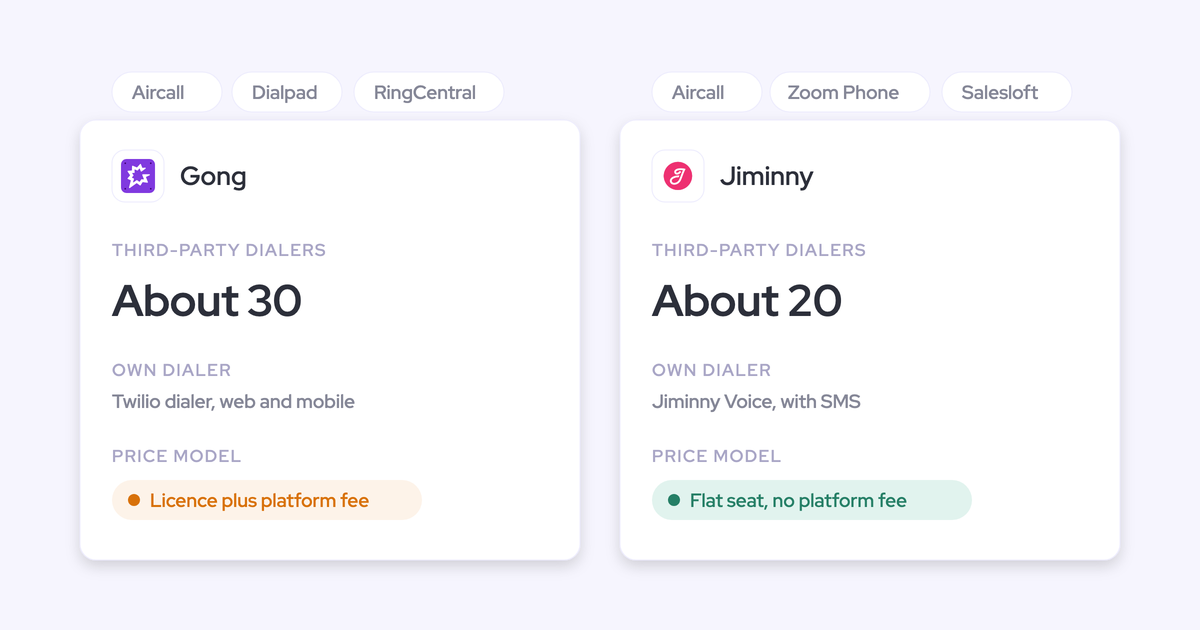
| Integrations with other tools | Salesforce, Google, Microsoft, Zoom, Teams, Meet, Webex, Slack, Outreach dialer; no native warehouse connector | Email, calendar, five meeting platforms, Gong, Slack, Sales Navigator, Transcript API | Data layer to Snowflake, Databricks, Dynamics, ZoomInfo and more; Zoom, Teams, Meet, Webex | About 450 marketplace listings, about 30 dialers, 11 meeting platforms | Short list: Salesforce, Snowflake, Google, Microsoft 365, Zoom, plus Teams and Meet data |
| Access from AI assistants (MCP) | Official read-only connector with an admin transcript toggle; per-rep breakdown capped at 25 owners | Own MCP server for Claude, ChatGPT, Copilot, Gemini and n8n | Salesloft MCP is read-only, beta, a paid add-on, with no transcripts; Copilot MCP covers call data only | Three record-scoped tools returning insights, not transcripts; draws metered credits | No MCP of its own; assistants read its data through Salesforce's MCP |
| Raw data access outside the tool | REST API bulk export of transcripts, scores and signals as JSON or CSV; recordings to your own storage | API for data and analytics, plus activity export and deletion | REST and Export APIs, forecast history CSV, Snowflake and Databricks sync | API capped at 10,000 calls a day; Data Cloud for warehouses is a separate purchase | Snowflake delivery, including a headless option |
| Pricing | Published: $19 to $79 per user per month; AI in the seat, only Agent Builder metered | Model published, no figures; platform fee plus an AI answer allotment | No published seat prices; a Talk to Sales page | No published prices; Foundation licence plus a platform fee | Quote-only; backfill published at $8 per user per month of history |
If you already know why you're leaving, the routing table further down maps each reason to the tool that answers it.
What Backstory does well, and what you'd give up
Backstory's org-wide capture works, and turning it on changes how much a leadership team sees of customer interactions. That's why its customers stopped arguing about whether capture should be automatic years ago. If you leave, here's what you give up:
- Multi-CRM support. Backstory runs natively on Salesforce through a managed package and connects to Microsoft Dynamics 365 and Oracle through API integrations it labels compatible.
- Leader dashboards and engagement metrics. Any Backstory user can build Engagement Dashboards on a prebuilt metric library, including reply rate, executive meeting share and a 0 to 100 engagement level, and every number drills into the activities behind it.
- The broadest MCP client list. Backstory's MCP server connects Claude, ChatGPT, Microsoft Copilot, Google Gemini and n8n, and since August 2026 it authenticates with Backstory credentials rather than Salesforce ones.
- Contact and contact-role automation, including lead conversion. Backstory converts a matching lead into a contact and adds it as an opportunity contact role, instead of creating a duplicate.
- Automatic sensitive-topic filtering. Backstory detects HR, medical, legal, banking, equity and job-offer topics, discards the body, leaves a note in the CRM and still counts the activity.
Backstory also holds SOC 2 Type II, commits that customer data never trains AI models, and says most teams go live in two to four weeks. None of that is a reason to stay on its own. It's the baseline any alternative has to clear.
Why RevOps teams leave Backstory at renewal
The friction is rarely capture quality. This is how a People.ai customer described the job it does for them on a call with us:
"We use People.ai for all of our activity capture: calls, emails, meetings, events... because sometimes Google Calendar and Salesforce don't sync 100 percent. So we use that as our bridge for activity capture."
A People.ai customer, on a call with Weflow
A bridge is a licence you carry to make up for something else. At renewal, five specific issues decide whether you keep carrying it.
Activity reaches Salesforce up to a business day late
Backstory says most activity appears in Backstory within two hours and syncs to the CRM within one business day. So the deal timeline in Salesforce trails the deal timeline in reality.
That lag matters most for anything that reads Salesforce: same-day follow-up flows, inactivity alerts, the deal review on Monday morning about emails sent Friday afternoon.
Mapping corrections and secondary matches happen outside Salesforce
When Backstory maps an email to the wrong record, the fix happens in an Activity Table inside Backstory's web app, and the corrected association reaches Salesforce within 24 hours. Backstory has no Outlook add-in or Gmail extension for capture. Its Chrome extension opens the Backstory App as a new tab page.
Multi-opportunity matching adds a second gap. With it on, Backstory links one email to several opportunities, but only the primary match is written to Salesforce. The secondary ones count only in Backstory's metrics, so the Salesforce activity feed can disagree with Backstory's engagement level and last activity date.
Put together, you can't see or fix the mapping where you work, and the version in Salesforce isn't the version Backstory reports on.
You still pay for a separate call recorder
Backstory doesn't record meetings. It pulls recordings and transcripts that Zoom, Teams, Meet, Webex or Gong already hold, and only from the date each integration is switched on.
So the recorder contract survives the capture decision. Renewing Backstory doesn't let you switch anything else off.
AI answers come from a pre-sized allotment
Backstory prices on a platform fee per connected customer-facing person plus a pre-packaged allotment of AI "answers": a risk surfaced, a deal summary, a coaching flag, a question answered. Usage is sized at the start of the term, and admins choose which accounts and opportunities get AI at all through daily record-selection filters.
That's rationing. The accounts outside the filter don't get summaries, and the team learns that AI is something you spend carefully.
Backstory Forecasting is new and its hierarchy runs on CSV
Backstory Forecasting launched in October 2025. It does the core motion: forecast types side by side, manager adjustments, weekly snapshots.
The hierarchy is the weak spot. Backstory builds it from a CSV of Salesforce users or territories, and changes made in Salesforce don't sync. Every reorg means re-importing the file or editing the hierarchy by hand.
What to test in a Backstory alternative before you sign
Feature parity isn't data-quality parity. Two tools can look identical on a grid and write very different records into Salesforce. Judge the integration in a trial, not the summary in a demo:
- Does it write to the one meeting activity that already exists? A second record for the same meeting double-counts meetings per rep, which is the report you bought capture for.
- Does it link the right contacts? Backstory created and converted contacts for you, so a replacement that creates fewer leaves holes on the buying committee.
- Does it relate the activity to the right opportunity when two are open? This is where every tool behaves differently, so test it on a real account with a renewal and an expansion open.
- Does it fill structured fields? A summary in a text box isn't a MEDDPICC field your pipeline view can filter on.
- How long until activity is in Salesforce? Coming from up to one business day, measure it in minutes or hours.
- Where does a rep correct a match? If the answer is another web app, you've kept Backstory's biggest friction.
- How many contracts does it let you switch off? A capture tool that doesn't record still leaves the Gong or Zoom line in place.
- Is the price published, and how is AI billed? Your CFO wants a number before three discovery calls, and a meter that doesn't punish adoption.
- Can it backfill history without an export from Backstory? You want history rebuilt from the mailbox, not dependent on your outgoing vendor.
Weflow: capture, recording and forecasting on one Salesforce seat
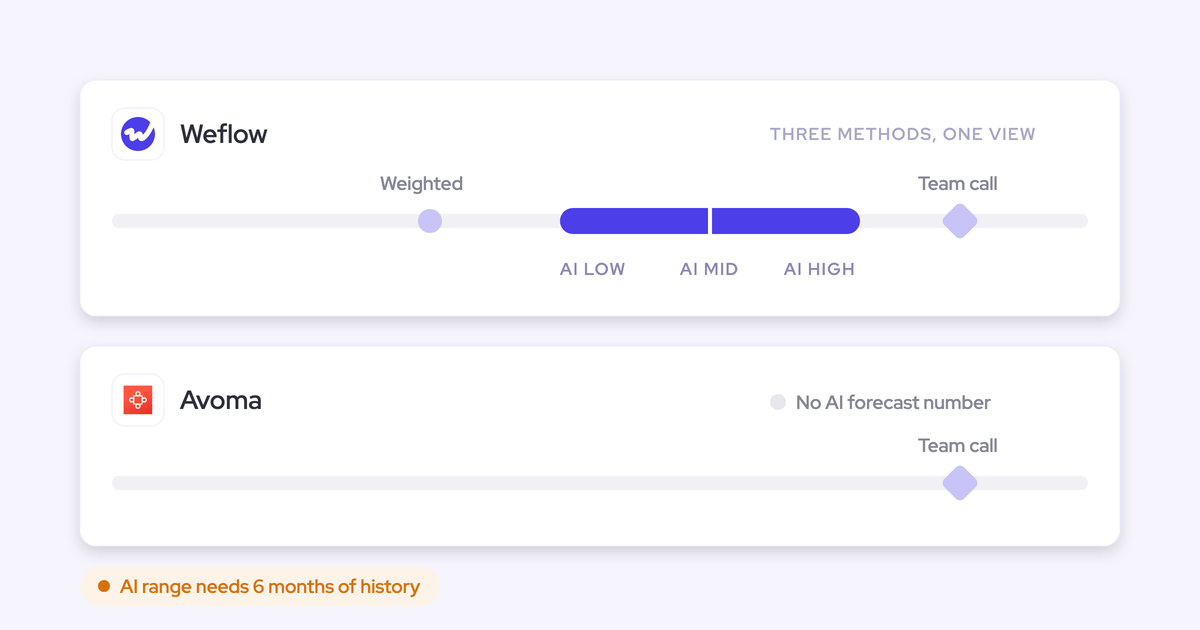
Weflow is built for Salesforce teams that want one seat to cover what three contracts cover today. It answers four of the five reasons above directly: lag, mapping visibility, the surviving recorder contract and metered AI. On forecasting maturity it's a strong roll-up rather than a like-for-like copy of Clari.
The platform is three modular products:
- Weflow Activity and Contact Capture syncs emails, meetings and contacts from Google Workspace or Microsoft 365 into Salesforce.
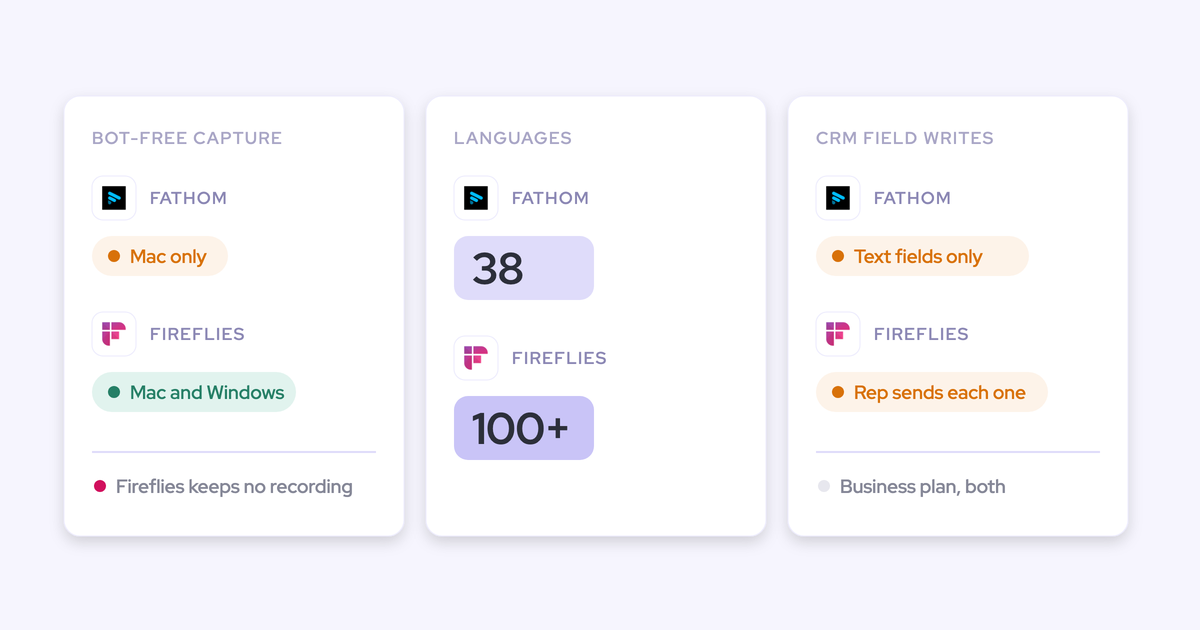
- Weflow Conversation Intelligence records Zoom, Teams, Meet and Webex, and the desktop app records without a bot joining the call. AI field updates write structured Salesforce fields from the call, across MEDDIC, MEDDPICC, SPICED, BANT or your own methodology.
- Weflow Deal Intelligence and Forecasting adds deal warnings, pipeline analytics and the forecast roll-up.
One rule runs through all three: what Weflow logs is what Salesforce shows.
How Weflow Activity and Contact Capture logs and maps email and meetings
Weflow captures server-side at the mail tenant, through a central app in Microsoft Entra or Google Workspace. It logs every email and meeting from any client or device, with nothing for the rep to do, and writes to Salesforce through the integration user almost immediately rather than on a nightly batch.
We built it that way because we learned the hard way that manual logging doesn't get adopted. Weflow started as a nicer interface for entering Salesforce data. Users liked it and still didn't enter the data.
"Everything we do has a bi-directional Salesforce integration that is real time and API based, that respects all your validation, field dependencies, permission sets."
Mapping follows a fixed order you can explain to any admin. Weflow maps on the email address and the Salesforce relationships around it, and never reads the email's content to decide:
- It looks up the address in primary and secondary email fields and logs to the contact, lead or custom object that holds it, preferring a contact over a lead.
- If the person holds a contact role on a single open opportunity, that opportunity wins.
- If the account has exactly one open opportunity, Weflow picks it.
- If several are open, it weighs the contact role, the opportunity owner, the mailbox owner, the account relationship and the stage.
- If the evidence still doesn't settle it, the activity falls back to the account.
Weflow never logs to a closed opportunity. The account fallback is deliberate: logging to the account is easy to fix, logging to the wrong deal isn't.
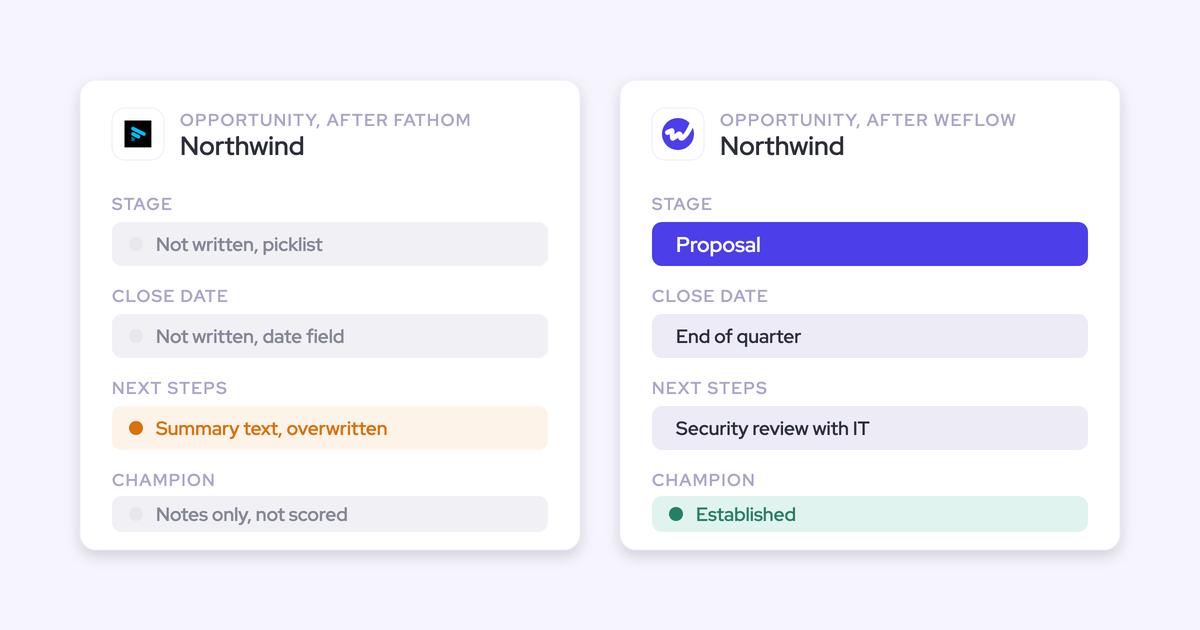
The fix happens where the rep already works. The Outlook add-in and Chrome extension show which records an email will log to. The rep re-maps once, and every later reply in that thread follows. There are no secondary matches living only in the tool.
Contact roles make the mapping better over time. When Weflow logs an email to a contact and an opportunity where that contact has no role, it can create the opportunity contact role. Every later email from that person then resolves to the deal.
Record type is your choice per configuration. Emails log as EmailMessage or Task. About nine in ten customers choose EmailMessage. Task is lighter on storage and suits teams whose activity reports are already built on tasks. Backstory writes Tasks only.

Contacts are created when a rep sends, from To and CC recipients, with rules to restrict creation to existing accounts, cap contacts per event and block prefixes such as no-reply and billing. Enrichment fills title, phone and LinkedIn at no extra charge.
Here's where Weflow stops:
- Weflow never creates leads. If your inbound motion runs on leads, keep whatever creates them today.
- Automatic contact creation writes one fixed contact-role value per configuration. It doesn't infer champion or economic buyer.
- Matching depends on the account Website field. A missing or wrong domain there sends activity nowhere, or to the wrong account.
That last point makes auditing Website fields part of the rollout. Weflow's Activity Capture Health tab lists the accounts with no website or domain, alongside duplicate contacts and duplicate accounts.

How Weflow Deal Intelligence and Forecasting flags risk and rolls up calls
Weflow ships 50+ deal signals and lets you build your own warnings with AND/OR rules on any opportunity field except text fields. You can also build them on computed fields Salesforce doesn't have: days inactive, close-date pushes, days in stage, last and next meeting.
That matters because a team with a 60-day cycle and a team with a 12-month cycle define "stalled" differently. The warnings also appear in the forecast submission screen, at the moment a rep picks which deals to commit.
The roll-up is tied to named deals:
- Reps submit a baseline and a best case, as a total or by selecting the opportunities behind each number, with a comment.
- Managers submitting for the team can include deals owned by their reps.
- Manager overrides are timestamped, attributed and logged with a rationale, and kept across quarters.
- Every submission is versioned, and Weflow tracks each call against the closed amount per rep, manager and segment.
You don't have to buy forecasting on day one. You can start with capture and recording and add forecasting later for about $10 more per user per month.
The limits are specific:
- Deal warnings, AI Playbook scores and forecast submissions live in Weflow, not in Salesforce fields, so they don't reach Salesforce reports or BI.
- Forecast submission happens in the web app only. Weflow emails a reminder and flags a missing submission, but you can't submit from a phone or chat tool.
How Weflow opens your data to AI assistants and warehouses
Weflow integrates natively with Salesforce, Gmail, Google Calendar, Outlook, Zoom, Teams, Meet, Webex and Slack, and pulls Outreach dialer calls in as recordings. Everything Weflow writes to Salesforce is already reachable by your own reports, flows and Salesforce's MCP.
For assistants, Weflow has an official read-only MCP connector. An admin switches it on per workspace, with a separate toggle that decides whether assistants read full transcripts or only AI summaries. Through it, Claude, ChatGPT and other assistants reach:
- AI playbook output and call summaries
- Transcripts, when the toggle allows
- Forecast calls for a chosen close-date period, scoped to you or your team
- Per-rep pipeline metrics: weighted and unweighted pipeline, win rate, cycle length, coverage, gap to forecast, and the opportunity IDs behind them
That's why we recommend connecting it next to Salesforce's own MCP rather than instead of it. Forecast calls and tracker hits never reach Salesforce, so no Salesforce connector can see them.
For warehouses, the REST API bulk-exports transcripts, metadata, scores and signals as JSON or CSV, and feeds BI tools such as Tableau and Looker. Recordings export to your own cloud storage.
Where Weflow is behind:
- There's no native Snowflake, Databricks or BigQuery connector. Teams use the API to move data in.
- The MCP per-rep breakdown is capped at 25 owners, so a large org gets aggregates unless the question is narrowed to a team.
- Backstory names more assistant clients than we do.
Clari: the mature forecast roll-up, with capture inside Salesloft
Clari Forecast is the mature roll-up in this list, and its inspect view and one-action Quick Submit are the usability bar buyers hold every replacement to. Clari and Salesloft merged in December 2025. Clari Capture is no longer sold as a product: capture is now Salesloft's CRM sync, and Clari Copilot handles recording.
Clari suits forecast-led organizations whose leadership runs the weekly call in it and wants that motion more than anything else.
How Clari and Salesloft capture email and map it to deals
Salesloft logs the emails and meeting invites a rep sends as "Lofted". Email logging runs on each rep's own CRM connection, so a rep whose connection drops stops logging even while field sync continues. Meetings log when the rep turns on the Loft It toggle in the invite or books through Salesloft.
Salesloft creates a Salesloft person record for each To or CC recipient. Turning those into CRM leads takes an admin automation rule.
Matching runs on domain and website, and Salesloft reconciles account merges in the CRM automatically. When a contact sits on several open opportunities, activity goes to the most recently modified one unless an admin enables CRM Record Selection so reps can pick.
Contact roles are manual. Salesloft adds participants as stakeholders on the deal, but a rep adds each Salesforce contact role by hand from the Buying Group panel.
How Clari Forecast rolls up calls and Deal Gaps flag risk
Deal Gaps are rules a team admin builds on any deal field, such as days in stage, a past close date, an empty next step or days since last activity. Three come switched on, and the admin sets how many gaps turn a deal yellow or red.
Clari Forecast rolls submissions up a hierarchy up to eight levels deep. Managers can submit on behalf of reps, every call keeps a week-by-week history, and forecast history exports to CSV.
Two structural limits come up in our evaluations:
- Leaders see what each direct report submitted, not what the reps underneath said, so you can't see where in the hierarchy a number changed.
- The forecast is tied to the Salesforce hierarchy, which makes a separate forecast outside it hard to build.
How Clari and Salesloft connect to warehouses and AI assistants
Salesloft's data layer syncs with Salesforce, Microsoft Dynamics, Snowflake, Databricks, Gmail, DocuSign, ZoomInfo and LinkedIn. Clari has REST and Export APIs, and Copilot integrates with Zoom, Teams, Meet and Webex.
Assistant access is split across servers:
- The Salesloft MCP server is read-only, in beta and needs the paid Agentic add-on. It covers accounts, people, opportunities and call summaries, with transcript retrieval removed.
- The Clari Copilot MCP server reaches Copilot call data only.
- The Clari Forecast MCP server gives Claude and ChatGPT live forecast data, including historical snapshots, for users on Business or Enterprise plans of those assistants.
Gong: the deepest call analytics for conversation-first teams
Gong gives you the deepest conversation analytics in this list. It records on 11 meeting platforms and imports calls from about 30 dialers, and for a team whose managers coach from calls every week, that depth is the reason to buy it.
Gong suits conversation-first teams. Where Gong gives you the deepest analytics, Weflow gives you the fastest path from conversation to CRM data, and that difference shows up in how Gong handles capture.
How Gong captures email and matches it to Salesforce records
Gong imports email and meetings server-side from each mailbox, keeping emails and non-recorded meetings only when a participant matches a CRM record. A tech admin turns on export to Salesforce as tasks or events. Emails export only from the day export is enabled, only activity with a matching contact or lead goes over, and call transcripts don't export.
Gong doesn't create contacts in Salesforce on its own. The Gong for Salesforce package ships inactive Flow templates that an admin can activate to create contacts and add contact roles, for call participants only.
Matching uses rules an admin configures and can simulate before activating, then re-run on the last 30 days. When rules leave several open deals, Gong associates all of them, up to 20. There's no mailbox add-in where a rep sees and corrects the mapping.
How Gong flags deal risk and collects forecast submissions
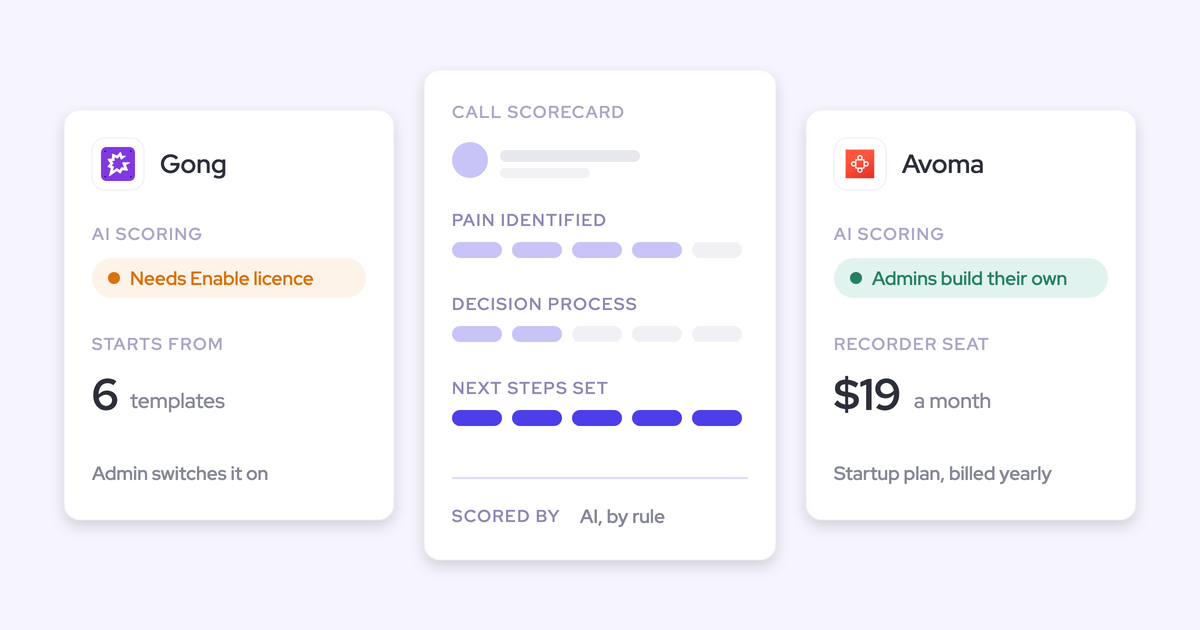
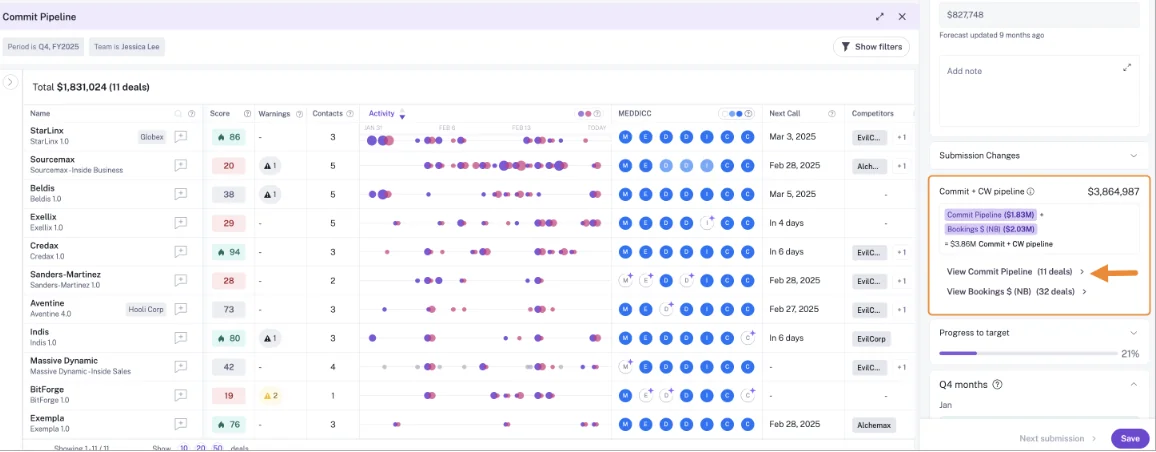
AI Deal Monitor has exactly eight Gong-defined warnings, such as ghosted, no power and stalled in stage. You can switch each on or off and adjust its timing, but you can't define a new one.
Gong Forecast lets reps submit per forecast category with notes, and managers see team totals with target and coverage. You can run separate boards for new business and renewals, and the trend and accuracy reports compare past submissions with actuals.
How Gong connects to dialers, warehouses and AI assistants
Gong's marketplace lists about 450 integrations and partner solutions across CRM, telephony, web conferencing, BI and data, enrichment and MCP.
The MCP server connects Claude, ChatGPT and Copilot through three tools, each scoped to a single account, deal or contact. It returns AI-generated insights, never transcripts, is read-only, and draws metered credits. The same brief is free when generated by hand in Gong and costs credits through MCP or the API.
The public API returns transcripts and is capped at 3 calls a second and 10,000 a day. Warehouse delivery to Snowflake, Databricks, BigQuery and Redshift runs through Data Cloud, a separate purchase.
Nektar: background capture into Salesforce with no rep interface
Nektar is a background data service that captures email, calendar and meeting activity and writes it into Salesforce and Snowflake, with nothing for reps to install or open. It positions itself as a complement to Gong and Clari, not a replacement: Gong captures the call, Nektar captures everything else, Clari forecasts on the data.
Nektar suits teams that want to go deeper on pure capture and build reporting in their own BI. Nektar itself tells buyers who rely on People.ai's dashboards that they'd move that work to their own BI tools.
How Nektar captures activity, creates contacts and adds contact roles
Nektar reads mailboxes through admin-level Google Workspace and Microsoft 365 connections. It captures an email or meeting when a participant is an existing contact or lead, or shares a company domain with one, and writes emails as Tasks and meetings as Events.
Latency is by design. Nektar typically gets an activity into Salesforce in about an hour, up to nine hours in the worst case, and about two hours, up to 18, when it first creates the contacts.
Matching uses machine-learning affinity models, and Nektar logs to the account when the choice between open opportunities is ambiguous. It re-evaluates past decisions as new data arrives and learns from manual corrections. Admins see a score, not rules they can read or adjust.
Contact creation is in the entry Bloom package. Automatic opportunity contact roles, with Role and Is Primary filled, are in the higher Harvest package. Nektar doesn't deduplicate against other capture tools on the same users, so those have to be switched off.
How Nektar signals deal risk without a forecast of its own
Nektar's DAISY agent writes more than 30 prebuilt signals into Salesforce fields: no-show detection, multithreading and power-threading scores, an opportunity health score, a predicted deal stage, and a flag when decision makers stop attending. Because they're Salesforce fields, they reach your reports and BI directly.
You can describe a custom signal in plain language, and Nektar's team builds it through a support ticket. Nektar doesn't forecast. It supplies the data a forecasting tool reads.
How Nektar delivers data to Snowflake and AI assistants
Nektar's connectors are Salesforce, Snowflake, Google Workspace, Microsoft 365 and Zoom, and it reads meeting data from Teams and Meet. It delivers captured data to Snowflake, including a headless option with no user interface.
Nektar has no API or MCP server of its own for customers. Assistants such as Claude and Agentforce read its data through Salesforce's MCP once Nektar has written it there.
What each Backstory alternative costs, and which are quote-only
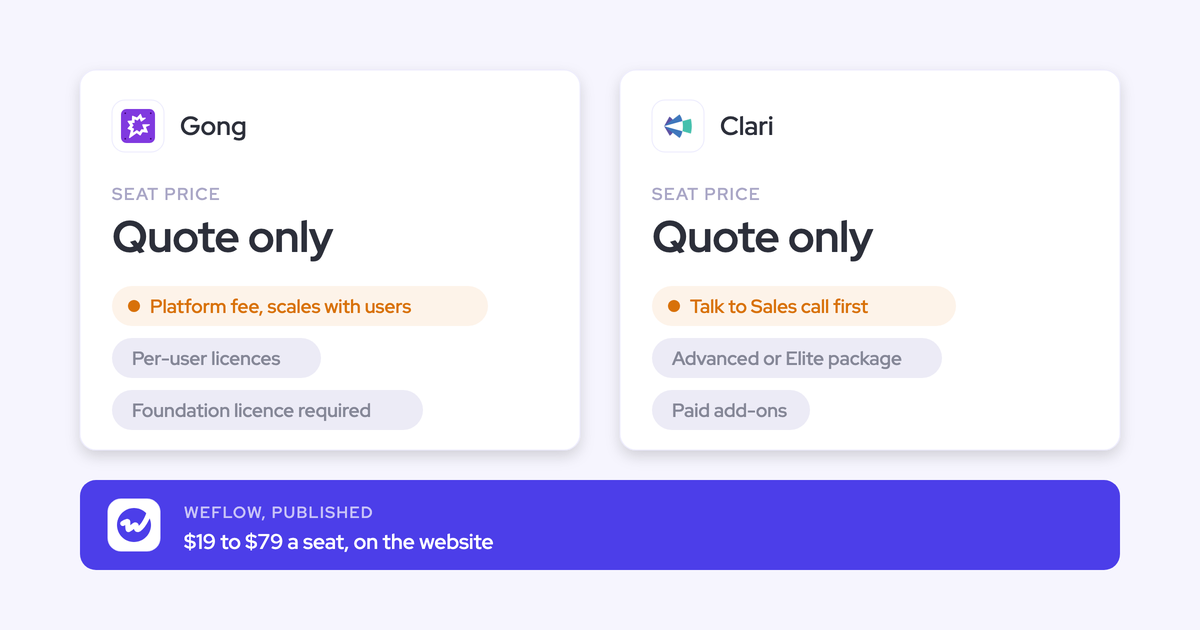
Only Weflow publishes seat prices with AI included in the seat. Everyone else is quote-only, and several meter AI or sell it as add-ons.
| Tool | Published prices | Pricing model and AI billing | What costs extra |
|---|---|---|---|
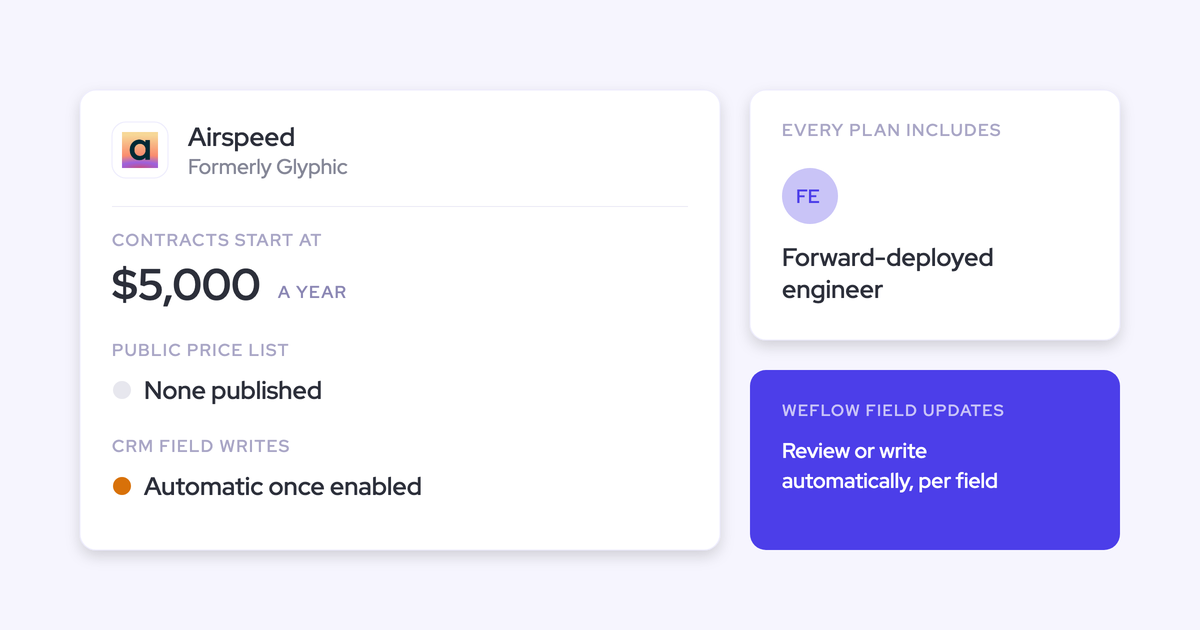
| Weflow | Per user per month, billed annually: $19 Activity and Contact Capture, $39 Conversation Intelligence, $39 Deal Intelligence and Forecasting; bundles at $49, $59 and $79 | Per seat. Ask Weflow AI, summaries and AI field updates are in the seat; recordings and transcripts carry no usage caps | Agent Builder beyond the free 25 actions a month: $299 for 500 actions, $999 for 2,500, or a custom Enterprise package, per workspace |
| Backstory | No figures published. Reported in quotes at roughly $30 to $50 per user | Platform fee per connected customer-facing person plus a pre-packaged allotment of AI answers, sized per term and resized at renewal under True Forward | More customer-facing people raise the platform fee; viewers such as managers and ops are free |
| Clari (with Salesloft) | No seat prices published. Our estimate is $120 to $180 per user per month | Quote-only. Copilot AI Themes runs on a monthly quota of analyses | Salesloft sells Forecasting, AI agents and the Dialer as add-ons; MCP needs the Agentic add-on. Our estimate for professional services is $15,000 to $50,000 |
| Gong | No prices published | Per-user licence plus a platform fee that scales with users. AI credits: 2,000 per paid core seat a year, pooled company-wide, drawn by AI Trackers, MCP and API workflows | Gong Foundation is mandatory; Forecast, Engage, Enable and Data Cloud are bought on top, with Data Cloud at about $5,000 a year |
| Nektar | No per-user prices published | Bloom and Harvest packages, per user per month, quoted per organization with volume tiers; no platform fee | Contact roles and engagement scoring need Harvest; backfill costs $8 per user for every month of history, charged once |
To give your CFO a reference point: at roughly 62 seats, Weflow capture plus Conversation Intelligence on the $49 Revenue AI Foundation bundle lands around $36,000 a year. The full platform lands around $58,000. Putting most reps on a lighter bundle and only managers on the full platform brings the same 62 seats to roughly $45,000.
The commercial terms are standard: a 10-user minimum, a 12-month term, and seats added mid-term charged pro rata to the end of that term.
Which Backstory alternative fits your reason for leaving
| Reason for leaving | Best-fit alternative | The mechanic that answers it |
|---|---|---|
| Activity reaches Salesforce up to a business day late | Weflow | Server-side capture writes to Salesforce through the integration user almost immediately |
| Mapping fixes and secondary matches live outside Salesforce | Weflow | Reps re-map once per thread in Outlook or Chrome; account fallback when ambiguous; what Weflow logs is what Salesforce shows |
| You still pay for a separate recorder | Weflow, or Gong if analytics depth comes first | Weflow Conversation Intelligence records on the same seat and writes structured fields; Gong records on 11 platforms and about 30 dialers |
| AI answers come from a pre-sized allotment | Weflow | Ask Weflow AI, summaries and field updates are in the seat; only Agent Builder is metered |
| Forecasting maturity | Clari, or Weflow if you're consolidating | Clari Forecast is the mature roll-up; Weflow ties submissions to named deals with logged overrides, on the capture seat |
| You want pure capture under your own BI | Nektar | Background capture into Salesforce fields and Snowflake, with no rep interface |
If two or more of the first four rows describe your renewal, you're looking at a consolidation decision rather than a capture swap.
When staying on Backstory is the right call
- You run more than one CRM. Weflow works exclusively with Salesforce, and so does Nektar. Backstory also connects Dynamics 365 and Oracle.
- Your leadership lives in Backstory's dashboards. Engagement Dashboards and the metric library are built for leaders, and rebuilding them elsewhere is real work.
- Topic-level mailbox filtering is your legal gate. Backstory automatically discards bodies on HR, medical, legal and equity topics. If counsel only approved capture on executive mailboxes because of that, keep it. We exclude by domain, address and record, not by topic.
How to move off Backstory without gaps or duplicates
The switch stalls on four practical questions: history, double-logging, security review and the renewal date.
Bring your activity history across without a Backstory export
Weflow backfills 24 months of email, meeting and contact history as standard, up to three years on a custom basis, and it reads that history from the mailbox. It doesn't depend on anything Backstory exports.
Across the other tools: Nektar's backfill is billed at $8 per user for every month of history, and Gong doesn't backfill past email and calendar activity.
If you're moving off Gong at the same time, Weflow imports recordings, metadata and transcripts through Gong's API with only an API key, in about a week and at no charge. Each recording is re-linked to its Salesforce records, so closed-lost analysis on old calls still works.
Cut over without two capture tools double-logging
One capture engine writes to Salesforce. Two engines on the same users create duplicate activities, so plan the order:
- Audit account Website fields, because Weflow matches on them.
- Install Weflow and connect the integration user. Nothing is read until users are enrolled.
- Switch off Backstory's CRM sync for the users you're moving, through Push Data in their Backstory configuration profile.
- Enroll those users in a Weflow capture configuration, team by team.
- Turn on compatibility mode if you run Outreach or Salesloft, and add any custom tracking domain to the exclusion patterns.
- If you're keeping Clari for forecasting, leave it reading Salesforce. It picks up the cleaner activity Weflow writes there.
Get the new tool through your security review
- Backstory recommends giving its integration user the System Administrator profile with View All Data, and hosts customer data in AWS US regions.
- Weflow sign-in runs only through your Salesforce authentication, using OAuth and whatever SSO your org enforces. Deactivating a user in Salesforce removes their Weflow access immediately.
- Weflow reads no mailbox until a user is enrolled, so setup can run while legal review is still open.
- Weflow support sees how Weflow decided to log or skip each email, not the email's content.
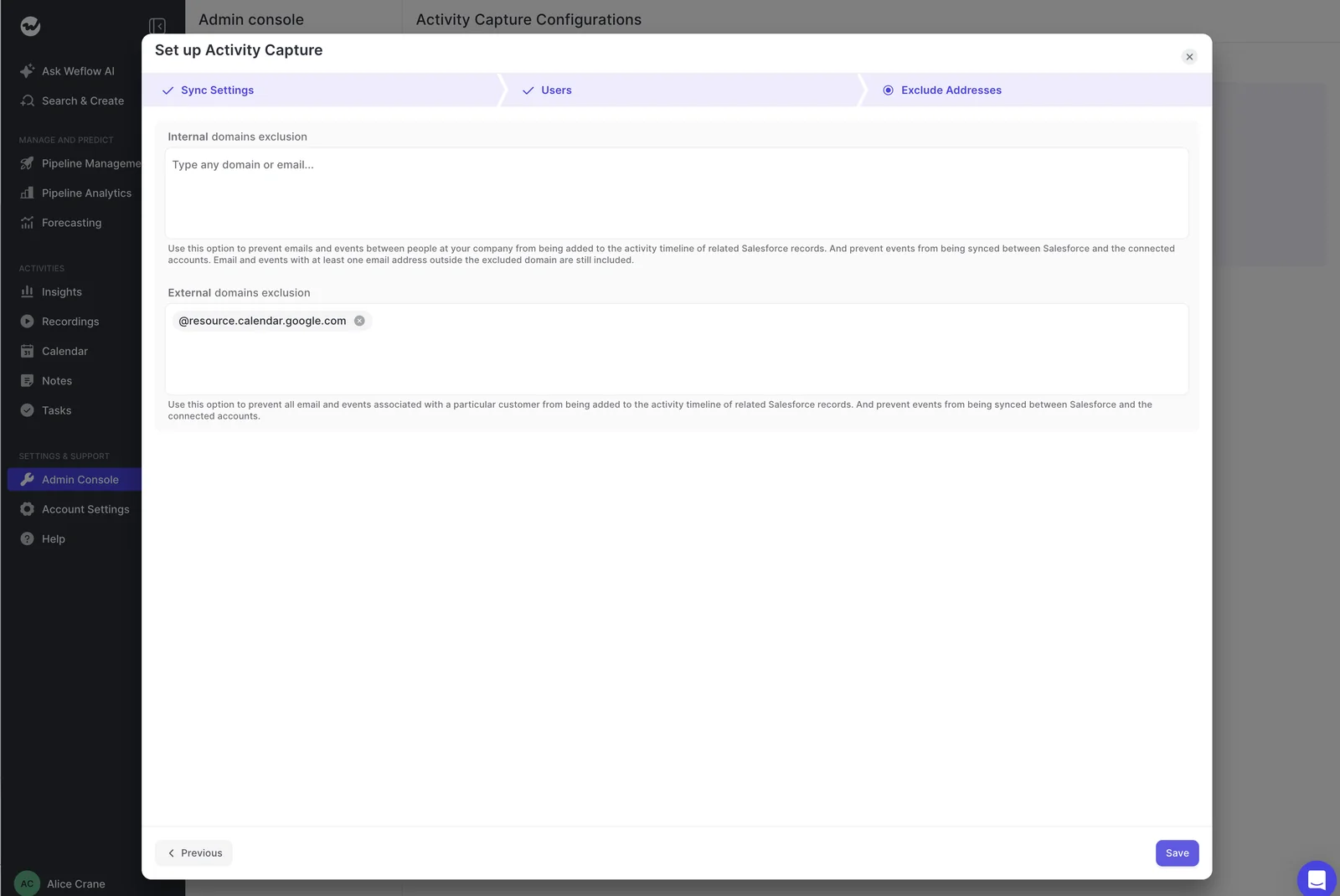
- Internal-only email and meetings are never logged. Domain and address exclusions, plus custom rules on any Salesforce field, keep whole accounts out of capture.
"Weflow ticked all the boxes: GDPR-compliant, tightly integrated with Salesforce, simple to use - and without the heavy price tag of U.S. vendors."
Bastian Stosic, Head of Media Sales Operations at HolidayCheck
Time the switch around Backstory's True Forward renewal
Under True Forward, Backstory resizes your next term to actual usage at renewal. That makes the renewal the natural decision point, and the date you plan the cutover back from.
Running two overlapping contracts is the usual blocker. As one buyer put it:
"There's a trend towards consolidation, but then you're in a renewal cycle with your forecasting solution. And the CFO just blocks you because you can't have two forecasting solutions."
That's why we package for it. You can start with capture and recording on Weflow Revenue AI Foundation, keep Clari or Backstory Forecasting until its contract ends, and add forecasting later for about $10 more per user per month.
See how Weflow captures activity, updates Salesforce fields from calls, and rolls up your forecast. Book a 30-minute demo.
Questions RevOps leaders ask before replacing Backstory
Is People.ai the same company as Backstory?
Yes. People.ai rebranded as Backstory in 2026 and kept the same product and data infrastructure under People.ai, Inc. d/b/a Backstory. The Salesforce package and fields still carry the peopleai prefix.
What happens to Backstory's Tasks, contacts and peopleai fields?
Backstory wrote emails as Tasks and meetings as Events, created standard Salesforce contacts, and stamped summary fields such as last email sent and next meeting date with the peopleai prefix. Those summary fields are fed by Backstory's sync, so any report built on them needs a new source once that sync is off. Weflow computes last meeting, next meeting and days inactive in its own views.
How does Weflow handle several open opportunities and no contact roles?
The activity falls back to the account, and that's the designed outcome, not a failure. The rep overrides it once in the Outlook add-in or Chrome extension, and the thread follows. With automatic contact roles on, the next email from that contact resolves to the opportunity, so the account fallback shrinks the longer you run it.
How do reps fix a wrong match without opening another app?
From the Outlook add-in or Chrome extension, which show the contact, account and open opportunities an email will log to. The rep picks a different record once, and every later reply in that thread routes there. A new thread resets the choice.
Does Weflow have a seat minimum or a fixed contract term?
Yes. The minimum is 10 users per product or bundle, on a 12-month term. Seats you add mid-term are charged pro rata to the end of the term.
Can we start with capture and add forecasting later?
Yes. Most teams start with Activity and Contact Capture and Conversation Intelligence, then add forecasting for roughly $10 more per user per month instead of a separate contract.
Can Weflow replace our Gong contract as well?
Weflow Conversation Intelligence records Zoom, Teams, Meet and Webex, the desktop app records without a bot, and AI field updates write structured Salesforce fields from every call. Gong migration takes about a week through Gong's API, at no charge. You get better AI at half the price, with your call data written into your Salesforce.
Does Weflow work alongside Outreach or Salesloft without duplicates?
Yes. Compatibility mode recognizes sequencer emails by the tracking links in the body and skips them, so only one tool writes each email to Salesforce. If you send through a branded custom tracking domain, add it to the exclusion patterns.
Can Claude or ChatGPT reach Weflow data like Backstory MCP?
Yes, through Weflow's official read-only MCP connector, which returns playbooks, call summaries, transcripts, forecast calls and pipeline metrics. An admin decides whether assistants read full transcripts or only summaries. Backstory names more assistant clients than we do.
How do we keep executive and sensitive mailboxes out of capture?
Capture covers only users enrolled in a capture configuration, so you simply don't enroll executive mailboxes. Internal-only mail is never logged, and you can exclude domains, addresses and whole Salesforce records by any field. Weflow doesn't filter automatically by topic the way Backstory does.
Is Weflow forecasting at parity with Clari?
Not like for like. Weflow gives you a strong roll-up: submissions tied to named deals, logged overrides, kept versions, accuracy tracking, an AI prediction, and pacing and waterfall views. It doesn't have Clari's pipeline flow view or an account-level board for renewal work. Most teams make the switch on capture, conversation data and price, with forecasting as the part that comes along on the same seat.