Best Tools That Create Salesforce Contacts From Email Conversations Automatically (2026)
Compare 6 Salesforce tools that create contacts from email automatically and prevent bad data.



Six tools come up most when Sales Ops teams shortlist for this job. Three of them create Salesforce contacts from email automatically: Weflow, Nektar.ai and Revenue Grid. Revenue Grid ships with creation switched off.
The other three don't:
- Einstein Activity Capture has no contact auto-creation under the Summer '25 default, and it doesn't log email to addresses Salesforce doesn't already know.
- Gong creates contacts for call participants only, through a Flow template an admin has to activate.
- Cirrus Insight leaves contact creation to reps in its sidebar.
You've probably been burned by a tool that filled the org with vendors, recruiters and second contacts for people already in Salesforce. So we rank every tool by its brakes: what stops it from creating the wrong contact.
One disclosure up front: we're Weflow. Weflow is the Revenue AI Orchestration platform for sales, customer success, and RevOps teams, and Weflow Activity and Contact Capture is the product in this comparison. Our own limits are in our entry, stated as plainly as everyone else's.
How Weflow, Einstein, Nektar, Revenue Grid, Cirrus and Gong compare
Three of these tools create contacts from email automatically, and three don't. The first row of the table shows which is which. The other nine rows cover what you'll test once a tool makes the shortlist.
| Capability | Weflow | Einstein Activity Capture | Nektar.ai | Revenue Grid | Cirrus Insight | Gong |
|---|---|---|---|---|---|---|
| Automatic contact creation | Yes, from email and calendar. Created when the rep sends, from To and CC. Never creates leads. | Not under the Summer '25 default. Contact sync copies address books only. | Yes, in the background, under the account whose domain matches. | Yes, but both creation modes are off by default. | Not from email. Reps add contacts from the sidebar. | Not from email. An inactive Flow creates call participants once an admin activates it. |
| Automatic email capture | Server side, inbound and outbound, any device. Logs only mail that matches a Salesforce record. | Background capture of sent and received email. Unknown addresses aren't logged. | Background capture through admin connections. Only when a participant matches Salesforce. About an hour typical. | Server-side Sync Engine, in 30-minute sessions by default. | Email Sync ($5) logs only when an existing contact or lead is on the email. 15-minute minimum cycle. | Imports into Gong. Exports to Salesforce once an admin turns export on, from that day forward. |
| Matching activity to the right records | Address lookup including secondary emails, then contact role and open opportunity. Falls back to the account. | Users, contacts and leads, then accounts and opportunities. Admins edit the matching Flow. | Machine-learning affinity score. Logs to the account when ambiguous. Rules aren't visible to admins. | Links an opportunity only when the rep owns it, the contact holds a role, it's open, and linking is on. | Contacts and leads first. Smart Link picks the most recently edited record. | Admin-configured rules on email fields, domain and contact roles, with simulation before activation. |
| Rep review and correction | Outlook add-in and Chrome extension show the mapping. Re-map once per thread, untick per email, move later. | Rep changes the match on the email record in Salesforce. | No rep interface. Edits in Salesforce count as corrections. | Sidebar save with a manual record pick. Reps re-link saved emails. | Reps file by hand from the sidebar. They can't re-map background-synced email. | No correction point in the mailbox. |
| Activity stored as native CRM records | EmailMessage or Task, admin's choice. Meetings as Events. | Task and EmailMessage under the default. Also held on Salesforce's Activity Platform for up to 30 days. | Tasks and Events. Decisions happen in Nektar's graph first. | Task or EmailMessage, plus Events. Up to ten clones per email to link several records. | Task or EmailMessage, plus Events. Recordings stay in Cirrus. | Tasks or events once export is on. Transcripts stay in Gong. |
| Capture exclusions and privacy controls | Domain, object, keyword and custom rules on any Salesforce field. Private flag for reps. | Addresses, domains, keywords, automatic ID-number filtering, header-only mode. | Screens internal, automated and personal addresses by default. Admin rules. No rep opt-out. | Rep, admin and free-mail blocklists. Confidential users list set up by support. | Admin blocklists with wildcards. Private event handling. | Domain, address and subject exclusions. Ad hoc recordings bypass them. |
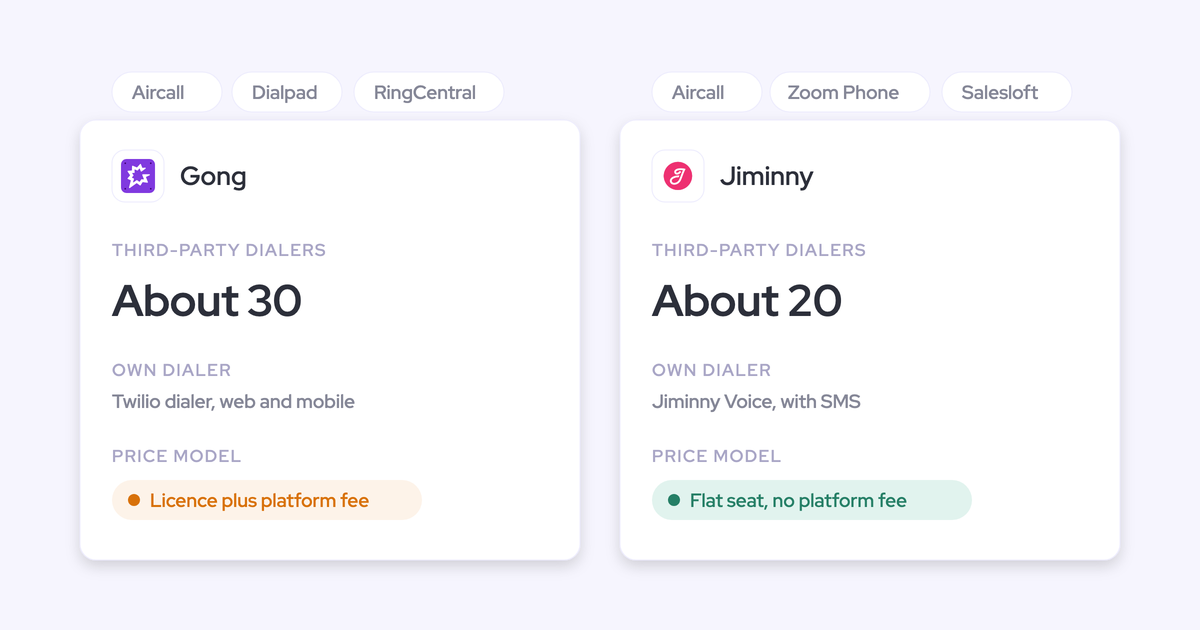
| Integrations with other tools | Salesforce, Gmail, Outlook, Zoom, Teams, Meet, Slack, Outreach dialer. No native warehouse connector. | Microsoft 365, on-premises Exchange, Google Workspace, and Salesforce's own products. | Salesforce, Snowflake, Google Workspace, Microsoft 365, Zoom. Reads Teams and Meet data. | Microsoft 365, Exchange, Google Workspace, Teams, Zoom. Third-party APIs in a paid package. | Salesforce, Gmail, Outlook, Teams, Zoom, Zapier, scheduling webhooks. | About 450 listed integrations and partner solutions, including about thirty dialers. |
| Access from AI assistants (MCP) | Official read-only MCP connector, with a separate transcript toggle. | No server of its own. Reachable through Salesforce Hosted MCP Servers, which need Flex Credits. | No server of its own. Reachable through Salesforce's MCP. | MCP server launched July 2026, connected manually. | Not offered. | Three record-scoped tools, AI insights only, metered in credits. |
| Raw data access outside the tool | REST API bulk export as JSON or CSV into warehouses and BI tools. | Reports, SOQL and APIs on synced records. Off-org activity data isn't exportable. | Snowflake delivery, including a headless option. | No public API. Captured records reachable through Salesforce's API. | Preview REST API. No direct Snowflake connection. | API capped at 10,000 calls a day. Data Cloud is a separate purchase. |
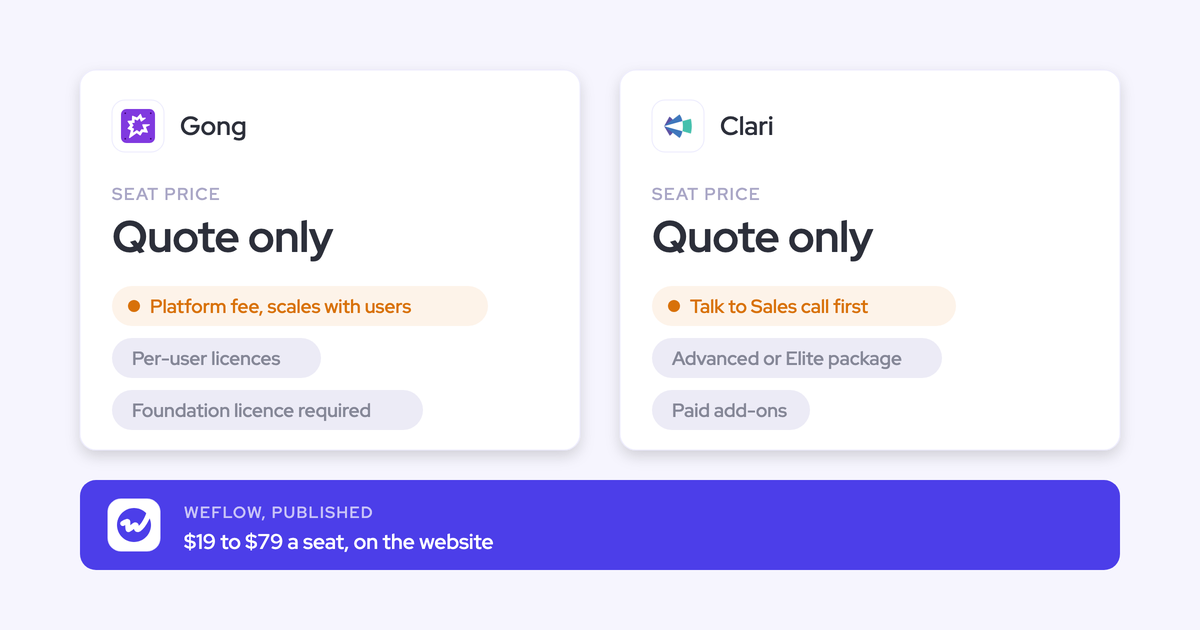
| Pricing | Published: $19 per user per month. | Standard included in several editions, free up to 100 users. Full version via the $50 Sales Engagement add-on. | Quote only. | Published $30 list price, sold through a quote. | Published a la carte. $27 for sidebar, email and calendar sync. | Not published. |
What stops each tool from creating the wrong contacts
The question you need answered first is what stops a tool from creating a contact. Every tool in this category can write a record. The ones that hurt you are the ones that write the vendor, the recruiter, the webinar attendee and the second copy of someone you already have.
"I don't want twenty new contacts in there for some prospect I'm just talking to. Only once they're really an account."
From one of our sales calls
The table scores each tool on eight brakes. Einstein Activity Capture, Cirrus Insight and Gong don't create from email, so their cells describe what they do instead.
| Brake | Weflow | Einstein Activity Capture | Nektar.ai | Revenue Grid | Cirrus Insight | Gong |
|---|---|---|---|---|---|---|
| What triggers creation | The rep sends. To and CC recipients count, BCC doesn't. An unanswered thread creates nothing. | Nothing from email under the default. Contact sync copies users' address books. | Background processing of email and meeting participants. | Auto-saving, once an admin switches on a mode. Also unresolved meeting attendees. | A rep clicking Add Contact in the sidebar. | The Flow fires on call participants once an admin activates it. |
| Scope limit | Can be restricted to accounts already in Salesforce. Internal domains are never logged. | Only what's in each user's address book, filtered by admin rules. | Only under an account whose domain matches the Website field or other contacts. No public domains. | Mode one needs a domain match with an account and its contacts. Mode two creates for every unmatched participant. | Whatever the rep chooses. A strict match setting controls the prefilled account. | Call participants only. Skips your own domain. |
| How it dedupes | Real-time lookup across contacts, leads and custom objects, including secondary email fields, on top of Salesforce duplicate rules. | Unresolved Items lists address-book contacts to match or create by hand. | Won't create when a contact or lead has the same email. Can still create a duplicate it can't see, then merges 25 to 33 hours later. | Contacts deduplicated on email address. | Sidebar lookup checks every email field and shows a count when duplicates exist. | Creates only for participants not already in Salesforce. |
| What happens on a lead match | The activity attaches to the lead. No contact is created. Conversion stays manual. | Matching checks users, then contacts, then leads. | No contact is created. When a lead is added later for a contact it created, it merges the contact into the lead. | Mode one creates a lead when the domain doesn't match an account. | Prefers the contact when both exist. | Creates a lead when no account is found. |
| Volume cap | A per-event cap, so a large webinar doesn't create a contact per attendee. | Up to 50,000 synced contacts per user. | Creation-limiting rules, for example by engagement level, in the Harvest package. | Set by which mode you choose. Free-mail domains never trigger creation. | One rep click per contact. | Limited to call participants. |
| What it fills in | Name and email from the thread, plus title, phone and LinkedIn from bundled enrichment into your own fields. | The fields in the user's address book. | Name, title and phone from email signatures. Owner set to the account owner. | A contact, a lead, or an account plus contact, depending on mode. Person accounts where enabled. | Account plus title, phone and company from the signature, prefilled for the rep. | Overwrites a known contact's title from the email signature. |
| Writes contact roles | Yes, on the opportunity the email mapped to, without a role type. | No. Reads contact roles for matching. | Yes, with Role and Is Primary, in Harvest only. | No automatic contact roles. | No. Shows opportunities where a contact holds a role. | A separate inactive Flow adds call participants as contact roles. |
| Where a human can intervene | Rep clears the tick in the Outlook or Gmail extension before sending. Admin can switch creation off. No admin review queue. | Reps create contacts for unknown addresses themselves. | No rep interface. Salesforce edits count as corrections. Admin Tracker explains single emails. | Admin decides whether any mode runs. Reps create records from the sidebar. | Every contact is a rep decision. | Admin decides whether to activate the Flow and can edit it. |
No tool offers every brake. Weflow's missing one is an admin review queue.
Why the opportunity contact role matters more than the contact
A contact with no contact role still lets activity fall back to the account. Salesforce lets an activity relate to one opportunity or one account. The opportunity contact role is the link that tells any capture tool which deal an email belongs to.
In most orgs those roles are empty. So you get healthy capture volumes on the account and a deal timeline that looks dead, and the rep who did the work concludes the tool is broken.
"it's less about just having a pure list of names. It's more about how that feeds into the stakeholder mapping as well."
From one of our sales calls
That's why the tools that write contact roles as they create contacts are the ones that fix deal data. Weflow writes the opportunity contact role at the moment it logs the email, on the opportunity the email mapped to. The next email or meeting from that person then resolves to the deal through the role, so mapping gets more accurate the longer Weflow runs. Weflow never logs to a closed opportunity.
| What you see | Without contact roles | With contact roles written at capture |
|---|---|---|
| Where the next email lands | On the account, or on whichever rule fires | On the opportunity the person is working |
| Opportunity timeline | Empty while the account looks busy | Shows the emails and meetings for that deal |
| Multi-threading report | Shows one champion on a deal with five people on the thread | Shows who is active on each deal |
| Champion leaves | No second relationship on record | The other stakeholders are already on the opportunity |
| Deal review | Can't say how many touches a deal has had | Touches per deal are reportable |
Here's how the six tools handle contact roles:
- Weflow writes the role as it logs, with no role type, and it's part of Weflow Activity and Contact Capture.
- Nektar.ai writes the role and fills Role and Is Primary, with custom logic that can assign decision maker, sponsor or influencer from job title and engagement. Contact roles are in the Harvest package.
- Revenue Grid doesn't create contact roles automatically. An admin can add Opportunity Contact Role to the sidebar so reps create them by hand.
- Gong ships an inactive Flow template that adds call participants who are Salesforce contacts as contact roles, once an admin activates it.
- Einstein Activity Capture doesn't write contact roles. It reads them to decide which opportunity an email belongs to.
- Cirrus Insight doesn't write contact roles. Its sidebar lists opportunities where a contact already holds one.
We leave the role type blank on purpose, and this is where we part ways with title-based role assignment. A job title isn't a buying role. A VP of RevOps on the thread can be your champion or your biggest detractor. What the activity proves is that the person is working the deal, so that's what we write. The role type is a judgment your team makes in the sales process.
What to test on capture, mapping and data access
Beyond contact creation, each of the other nine capabilities has one test that exposes a weak tool. Run these in the demo or the POC.
"This should be reportable. I should be able to sync both incoming and outgoing emails, and they should be permanently stored in Salesforce so I can analyze them via Looker."
- Automatic email capture. Inbound replies are what prove a deal is alive, so capture has to log both directions without a rep clicking. Test it by sending from a phone and replying from the buyer side, then check both land.
- Matching activity to the right records. Mapping is where capture breaks, and it breaks quietly. Test it on an account with two open opportunities and a contact who sits on both, then see where the email lands and whether the tool guessed.
- Rep review and correction. The rep is often the only person who knows which deal an email belongs to. Test whether a rep can re-map a logged email from the inbox and whether the choice holds for the rest of the thread.
- Activity stored as native CRM records. Automations and reports only work on records in the core Salesforce database. Test whether a Flow can read what the tool writes, for example to create a task when an account goes quiet.
- Capture exclusions and privacy controls. Over-capture is worse than under-capture, because a wrong record looks correct. Test whether you can exclude by a field on the record, like a confidential flag, and not only by domain.
- Integrations with other tools. Two tools writing the same email produce doubled activity counts. Test the tool alongside your sequencer and your call recorder and count the records one email produces.
- Access from AI assistants (MCP). If your team works in Claude or ChatGPT, the connector decides what those assistants can see. Test whether you get transcripts or only summaries, and whether every request is metered.
- Raw data access outside the tool. Your warehouse and BI stack should read the same data your reps see. Test whether you can bulk-export activity and conversation data without buying a separate product.
- Pricing. The seat price rarely includes everything this job needs. Ask for the total with enrichment, contact roles, backfill and implementation on one line each.
What each tool does, capability by capability
Each entry covers the same ten capabilities in the same order, so you can check any cell in the tables above.
Weflow Activity and Contact Capture creates contacts when reps send
Weflow Activity and Contact Capture syncs emails, meetings and contacts from Google Workspace or Microsoft 365 into native Salesforce objects, and creates the contacts your reps never add.
- CRM support: Salesforce only
- Deployment: a server-side app in Microsoft Entra or Google Workspace, plus an optional Outlook add-in and Chrome extension
- Pricing model: per seat, published, billed annually
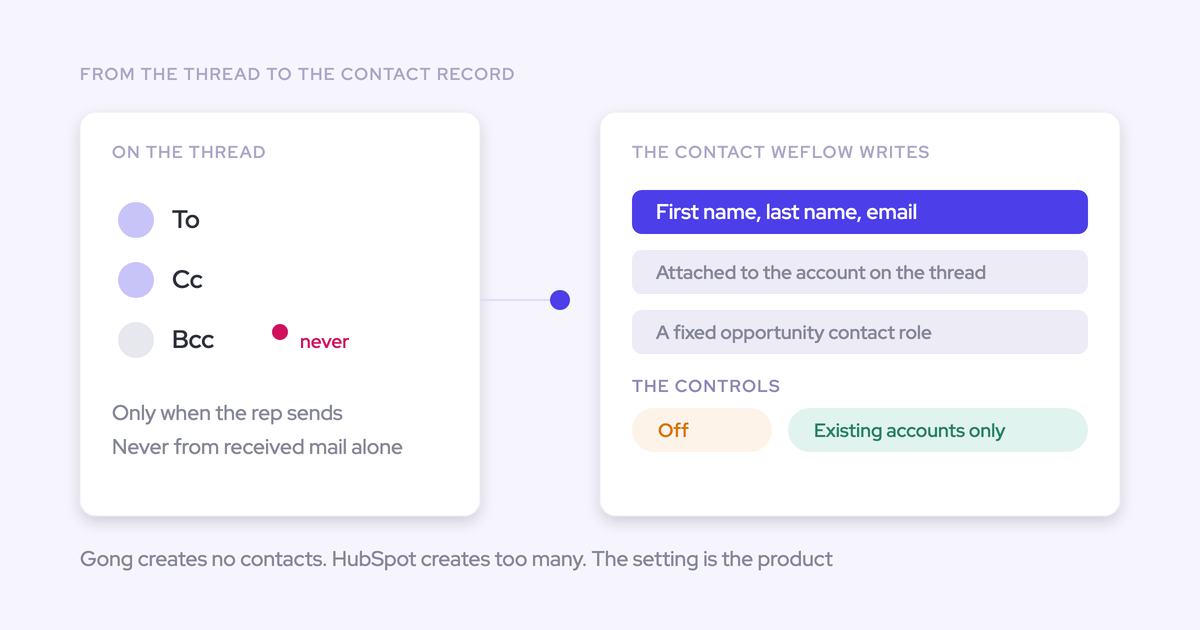
Automatic contact creation. Weflow creates a contact when the rep sends, for addresses in To and CC but not BCC. New people join a thread, the rep replies, and the contacts are created and attached at that point.
Before it writes, Weflow looks up the address in real time across contacts, leads and any custom object with an email field, including secondary email fields. If the person already exists as a lead, the activity attaches to the lead.
You set the brakes per capture configuration:
- Restrict creation to accounts already in Salesforce
- Cap how many contacts a single meeting or thread can create
- Block prefixes such as invoice, billing, no-reply and support
- Let reps clear the tick in the Outlook or Gmail extension before an email sends
Enrichment is bundled at no extra charge. It fills title, phone and LinkedIn into the fields your admin maps, so the contact doesn't arrive as a bare name and address. Weflow can also write the opportunity contact role as it logs.
Our customers tell us the secondary-email check is what matters most in an org they've already cleaned once.
"We try really hard to maintain data quality in our data structure, and we don't want to create duplicate contacts just because someone has two sets of emails that they use. Weflow covers this, which was a big saver for us."
Erick Mahle, Vice President of Revenue Operations & Digital Transformation, Lendz Financial
Automatic email capture. Weflow captures inbound and outbound email at the mail tenant level, for every enrolled user and from any device, with no action from the rep. It writes to Salesforce almost immediately through the integration user.
Weflow logs only mail that matches a Salesforce record, and it never logs threads where every participant is internal. It doesn't capture personal accounts or mail sent from a separate deliverability subdomain.
Matching activity to the right records. Weflow matches on the email address and the Salesforce relationships around it, and never on the email's content. The order is fixed:
- Primary and secondary email fields on contacts, leads and custom objects
- An opportunity contact role
- A single open opportunity on the account
- With several open opportunities: the contact role, the opportunity owner, the mailbox owner, the account relationship and the stage
- Anything unresolved falls back to the account
Logging to the account is easy to fix. Logging to the wrong deal isn't. Domain matching runs on the account's Website field, so a wrong or shared domain there sends activity to the wrong account.
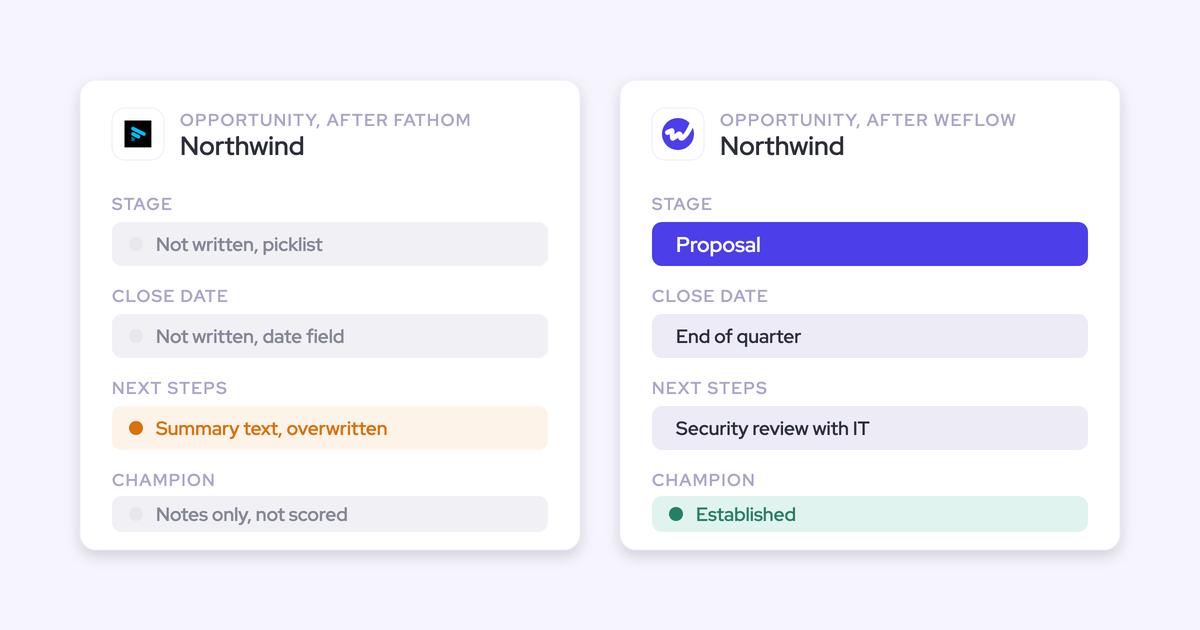
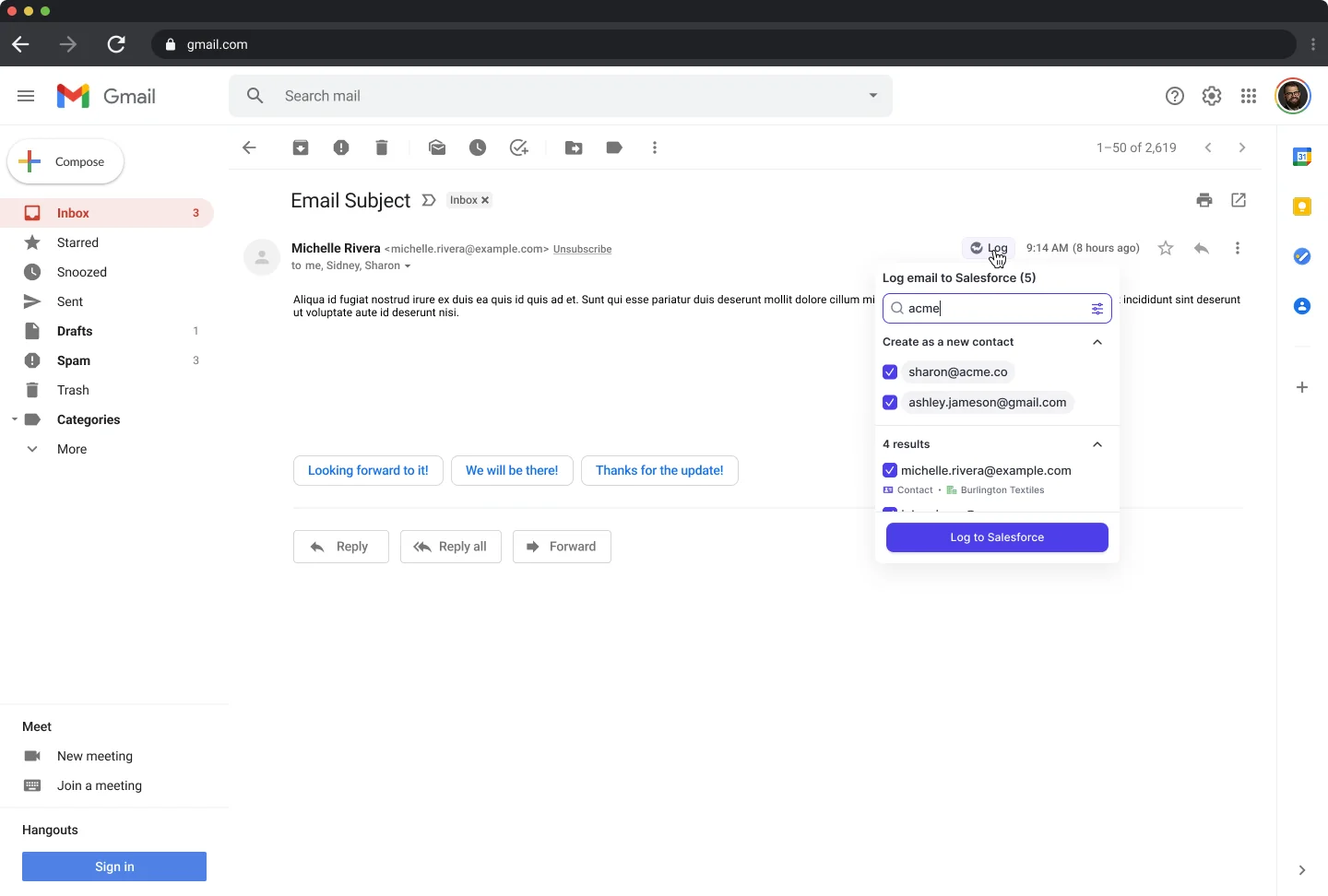
Rep review and correction. The Outlook add-in and Chrome extension show the rep which contact, account and open opportunities an email will log to. The rep can pick a different record once, and Weflow applies that choice to every later reply in the thread. Reps can also move an email that's already logged.
Most of our customers run hybrid mode, with automatic capture plus the add-in. Fully manual mode suits leadership mailboxes. Reps can't see or change mapping from a phone.
Activity stored as native CRM records. Weflow stores emails as EmailMessage or Task records, at your admin's choice, and meetings as Event records. They stay in your org, reportable and usable in Flows.
Capture exclusions and privacy controls. Admins exclude capture in layers:
- Internal and external domains
- Whole objects, such as never logging to leads
- Keywords in the email body
- Custom rules on any Salesforce field, like a confidential flag or a billing country
Reps can mark events and emails private. None of these controls reads what a message means, so a sensitive email on a normal customer thread is logged unless a keyword catches it.
Integrations with other tools. Weflow integrates natively with Salesforce, Gmail, Google Calendar, Outlook, Zoom, Teams, Google Meet, Slack and the Outreach dialer. It has no native Snowflake, Databricks or BigQuery connector.
Access from AI assistants (MCP). Weflow's official read-only MCP connector gives Claude, ChatGPT and other assistants playbooks, call summaries, transcripts, forecast calls and pipeline metrics. An admin switches it on per workspace, with a separate toggle for transcript access.
Raw data access outside the tool. Weflow's REST API bulk-exports transcripts, metadata, scores and signals as JSON or CSV into warehouses and BI tools such as Tableau and Looker.
Pricing. Weflow Activity and Contact Capture is $19 per user per month. The full breakdown is in the pricing section below.
What it does well:
- Creation guardrails built into the creation step itself
- Dedupe against contacts, leads, custom objects and secondary emails before it writes
- Enrichment and contact roles included in the seat
- A rep-facing correction layer that remembers the choice for the whole thread
- Native Salesforce records and published pricing
Where it falls short:
- No admin review queue before a contact is created
- Under the existing-accounts rule, new stakeholders at prospects not yet in Salesforce are skipped with no notification
- One fixed contact role per configuration, so partners and consultants on a customer thread are created under the customer's account
- Validation rules that require a field enrichment couldn't fill block that contact from saving
- Never creates leads, accounts or opportunities
- Salesforce only, with a 10-user minimum
Who should use it: mid-market Salesforce teams that want contacts created from email automatically, with guardrails, enrichment and contact roles, plus a way for reps to correct mapping, at a published price.
Einstein Activity Capture has no contact auto-creation under its current default
Einstein Activity Capture is Salesforce's own background capture feature. It syncs users' email and calendar activity into Salesforce, and its Standard version is free for up to 100 users.
- CRM support: Salesforce
- Deployment: background sync through an org-level or per-user OAuth connection
- Pricing model: included in editions, or through a per-user add-on
Automatic contact creation. Sync Email as Salesforce Activity has been the default for every setup since Summer '25. Under it, Contact Auto-Creation and Contact Suggestions are unavailable. Email to or from an address that matches no record isn't logged until someone creates the contact or lead. Contact sync copies contacts from users' Microsoft or Google address books, up to 50,000 per user.
Automatic email capture. Einstein Activity Capture captures sent and received email in the background from the connected account. Reps on our calls estimate it logs about 80 percent of their activity, and they describe connections that drop without explanation.
Matching activity to the right records. It matches addresses to users, then contacts, then leads, then accounts and opportunities. Opportunity contact roles come first, and account-level tiebreakers decide when no role matches. Admins can edit the Activities: Match Email to Records Flow in Flow Builder or extend it with Apex, which is also how email reaches custom objects.
Rep review and correction. A rep can change the record an email is matched to on the email record itself, and the matching Flow doesn't overwrite that change.
Activity stored as native CRM records. Under the current default, captured email lands as Task and EmailMessage records in your org, and meetings as Event records. Email is also held on Salesforce's Activity Platform for up to 30 days. Orgs set up before Summer '25 keep email off the org until they switch.
Capture exclusions and privacy controls. Admins and users exclude addresses and domains, and admins add keywords. Emails containing card numbers or national ID numbers are left out automatically. Header-only capture keeps just sender, recipients and time.
Integrations with other tools. It connects to Microsoft 365, on-premises Exchange and Google Workspace, and works alongside Salesforce's Inbox, Einstein Conversation Insights and Agentforce. It has no catalogue of dialer, sequencing or BI integrations.
Access from AI assistants (MCP). It has no MCP server of its own. Assistants reach the records it writes through Salesforce Hosted MCP Servers, which are intended for customers with Flex Credits.
Raw data access outside the tool. Synced Task and EmailMessage records are reachable through reports, SOQL and the Salesforce APIs. Salesforce doesn't support exporting the activity data Einstein Activity Capture holds off the org.
Pricing. Standard comes with several Sales Cloud editions, and the full version comes through the Sales Engagement add-on or higher editions. Details are in the pricing section.
What it does well:
- Included with most Salesforce editions
- Native Task and EmailMessage records under the current default
- A matching Flow your admin can read and edit
Where it falls short:
- No contact creation from email under the default
- Email to unknown addresses isn't logged at all, so the activity record has the same hole as the contact record
- No email attachments in Salesforce
- Contact sync only copies address books
Who should use it: teams that only need email logged against contacts that already exist, and that value having it included with their Salesforce edition.
Nektar.ai creates contacts in the background, with no rep interface
Nektar.ai is a background data service for enterprise Salesforce teams. It captures email, calendar and meeting activity with nothing for reps to install, and writes activities, contacts and contact roles into Salesforce and Snowflake. It sells to organizations with 50 or more Salesforce seats.
- CRM support: Salesforce only
- Deployment: admin-level connections to Google Workspace, Microsoft 365 and Zoom, no rep interface
- Pricing model: per user per month, quoted
Automatic contact creation. Nektar creates missing contacts from email and meeting participants under the account whose domain matches. It fills name, title and phone from signatures and sets the owner to the account owner. It skips public domains and anyone who already exists as a contact or lead with the same email.
When an account doesn't exist yet, Nektar holds the activity back. Once the account is created with a website, it creates contacts for everyone it has seen on that domain and links their past conversations. We think that's a well-designed behavior. Rules that limit which contacts get created sit in the Harvest package.
Automatic email capture. Nektar reads sent and received email through admin connections and writes it as Tasks. It captures an email only when a participant is an existing contact or lead, or shares a non-public domain with one. New activity typically reaches Salesforce in about an hour, up to 9 hours. When Nektar first has to create the contacts, it's about 2 hours, up to 18.
Matching activity to the right records. Nektar scores candidate records with machine-learning affinity models and logs to the account when the opportunity is ambiguous. It re-evaluates past decisions when new data arrives and learns from manual corrections. Admins see the score, not the rules behind it.
Rep review and correction. There's no rep-facing interface, so reps can't review or exclude activity before it logs. They correct a match by editing the record in Salesforce, and an admin Tracker explains why a single email or event did or didn't reach Salesforce.
Activity stored as native CRM records. Nektar writes emails as Tasks and meetings as Events, plus contacts, contact roles and activity relations. Capture and matching decisions happen in Nektar's own graph before anything reaches Salesforce.
Capture exclusions and privacy controls. Nektar screens out internal-only, automated, shared and personal addresses by default. Admins add rules by date, address, domain, subject keyword or body keyword. Harvest adds advanced content privacy controls, and there's no rep-level opt-out.
Integrations with other tools. Nektar connects to Salesforce, Snowflake, Google Workspace, Microsoft 365 and Zoom, and reads meeting data from Teams and Google Meet.
Access from AI assistants (MCP). Nektar publishes no API or MCP server of its own. Assistants reach its data through Salesforce's MCP once Nektar has written it into Salesforce.
Raw data access outside the tool. Nektar delivers captured data to Snowflake, including a headless option with no user interface.
Pricing. Nektar quotes its Bloom and Harvest packages. Details are in the pricing section.
What it does well:
- Background capture at enterprise scale with no rep change management
- Signature-filled contacts
- Snowflake delivery for data teams
- Retroactive linking once an account is created
Where it falls short:
- Contact roles and creation-limiting rules require Harvest
- Contact creation typically takes about 2 hours, up to 18
- It can create duplicates it can't see and merges them 25 to 33 hours later
- Matching is an ML score admins can't inspect or adjust
- No rep-level control, and pricing is quote-only
Who should use it: enterprise data and AI teams that want background capture with no rep interface, signature-filled contacts and Snowflake delivery.
Revenue Grid can create contacts, but both modes start switched off
Revenue Grid is a Salesforce activity capture tool: an Outlook add-in or Gmail extension plus a server-side Sync Engine. Its top tier adds meeting recording, pipeline predictions, forecasting and an AI chat.
- CRM support: Salesforce
- Deployment: Outlook add-in or Chrome extension plus a server-side Sync Engine
- Pricing model: published per-user list prices, sold through a quote on a yearly commitment
Automatic contact creation. Revenue Grid can create records for unknown email participants during auto-saving, and both modes are off by default:
- Mode one creates a contact when the domain matches an account's website and an existing contact's domain, otherwise a lead.
- Mode two creates accounts and contacts or leads for every unmatched participant.
Free-mail domains never trigger creation. The Sync Engine can also create records for unresolved meeting attendees.
Automatic email capture. The Sync Engine saves every inbound and outbound email with non-blocklisted addresses, whether or not the sidebar is open. It runs in 30-minute sessions by default, stretching to 60 or 120 minutes on quiet mailboxes. Emails a rep saves from the sidebar are written immediately.
Matching activity to the right records. Auto-saved emails link to contacts and accounts. They link to an opportunity only when the rep owns it, an address belongs to a contact with a role on it, it's open, and opportunity linking is switched on.
Rep review and correction. Reps save emails from the sidebar and pick linked records by hand, re-link saved emails, and keep their own blocklist.
Activity stored as native CRM records. Emails land as Tasks or EmailMessage records and meetings as Events in your org. Linking one email to several records creates clones, up to ten per email.
Capture exclusions and privacy controls. Three blocklists keep email out of automatic sync: one per rep, one set by admins, and a system list of free-mail domains. A confidential users list, set up by support, replaces subject and body with "Confidential".
Integrations with other tools. Revenue Grid connects to Microsoft 365, on-premises Exchange and Google Workspace, records Teams meetings, and processes Zoom recordings. Third-party API integrations are sold in a paid customization package.
Access from AI assistants (MCP). An MCP server launched in July 2026 gives ChatGPT, Claude, Copilot and custom agents Revenue Grid's relationship history, signals and AI insights. Customers connect it manually.
Raw data access outside the tool. There's no public API for captured activity. The records are reachable through Salesforce's own API.
Pricing. Activity Capture 360 lists at $30 per user per month. Details are in the pricing section.
What it does well:
- A strong fit for Outlook-heavy teams replacing Salesforce for Outlook
- Native records in your own org
- Sidebar plus server sync in one product
Where it falls short:
- Creation modes are off by default
- One mode creates accounts for every unmatched participant
- No automatic contact roles
- A 30-minute sync cycle for auto-saved email
Who should use it: Outlook-heavy teams replacing Salesforce for Outlook that want a sidebar plus server sync at $30.
Cirrus Insight leaves contact creation to reps in the sidebar
Cirrus Insight is an inbox add-on for Gmail and Outlook that connects to Salesforce only. It's sold a la carte as 16 capabilities across Salesforce sync, scheduling, meeting AI and email engagement.
- CRM support: Salesforce only
- Deployment: inbox sidebar plus background sync through service accounts
- Pricing model: a la carte, per capability, per user per month
Automatic contact creation. Email Sync never creates contacts or leads. A rep adds an unknown address from the sidebar, and Cirrus prefills the account plus title, phone and company from the signature. Cirrus markets its CRM Updates capability as turning people on recorded calls into Salesforce records.
Automatic email capture. Email Sync ($5 per user per month) logs inbound and outbound email by admin rules without the sidebar open. It logs only when an existing contact or lead is on the email. The cycle is 15 minutes at minimum, or 5 with the paid Fast Sync add-on.
Matching activity to the right records. Cirrus looks up every address against contacts and leads, prefers the contact, and shows a count when duplicates exist. Smart Link relates each email to the most recently created or edited record of one object type, so on an account with several open opportunities the email lands on whichever was touched last.
Rep review and correction. Reps decide what they file from the sidebar and pick the record. Blocklists are admin-only, and reps can't re-map an email the background sync already logged.
Activity stored as native CRM records. Email lands as Tasks or EmailMessage records and meetings as Events in your org. Meeting recordings and transcripts stay in Cirrus's Meeting AI application.
Capture exclusions and privacy controls. Admins block domains and addresses with wildcard patterns, restrict sync to owned records or folders, and choose how private calendar events sync.
Integrations with other tools. Cirrus integrates with Salesforce, Gmail, Outlook, Teams, Zoom and Google Calendar, embeds its scheduler on HubSpot sites, and connects to other tools through Zapier and scheduling webhooks.
Access from AI assistants (MCP). Cirrus Insight has no MCP server or assistant connector.
Raw data access outside the tool. Cirrus has a preview REST API covering scheduling, meeting transcripts, CRM accounts, contacts and deals. Activity reaches a warehouse through Salesforce.
Pricing. Sidebar, email and calendar sync together cost $27 per user per month. Details are in the pricing section.
What it does well:
- Every new contact is a rep decision, prefilled from the signature
- Native records on standard objects
- A la carte licensing, so you buy only the lines each group needs
Where it falls short:
- Email Sync never creates contacts, so coverage depends on reps clicking
- Email to people not yet in Salesforce isn't logged to a person record
- Recency-based Smart Link on accounts with several open deals
Who should use it: teams in the approval-first camp who want reps to add contacts from the sidebar.
Gong only creates call-participant contacts, through a Flow you activate
Gong is a conversation intelligence platform that records and analyzes sales calls in its own cloud. It's sold as a mandatory Foundation core licence, with coaching, forecasting, sales engagement and data export applications on top.
- CRM support: Salesforce and other CRMs
- Deployment: company-wide or per-user mailbox connection, recording bot, managed Salesforce package
- Pricing model: per-user licences plus a platform fee, by custom proposal
Automatic contact creation. When Gong finds a new person, it logs their email in Gong only. The Gong for Salesforce package ships an inactive Flow template that, once an admin activates it, creates a contact, or a lead when no account is found, for each call participant not already in Salesforce. Creation covers call participants, never email-only contacts.
Automatic email capture. Gong imports sent and received email server side and keeps emails with a participant matching a CRM record. It exports them to Salesforce as tasks or events once a tech admin turns export on, from that day forward.
Matching activity to the right records. Gong matches calls and emails to contacts, leads, accounts and deals with admin-configured rules on email fields, domain and contact roles. Admins can simulate settings before activating them and reassociate the last 30 days.
Rep review and correction. Reps have no point in the mailbox to see or correct which Salesforce records an email maps to.
Activity stored as native CRM records. Gong exports meetings, calls and emails as native tasks or events once export is on. Only activity with an external participant matching a contact or lead is exported, and call transcripts stay in Gong.
Capture exclusions and privacy controls. Admins exclude email and meetings by domain, address and subject keyword, and team members delete individual emails from Gong. Ad hoc recordings bypass the exclude lists, inbound BCC can't be excluded, and matching is by substring.
Integrations with other tools. Gong's marketplace lists about 450 integrations and partner solutions. Gong imports calls from about thirty dialers and records on eleven meeting platforms.
Access from AI assistants (MCP). Gong's MCP server connects Claude, ChatGPT and Copilot through three record-scoped tools. It returns AI insights rather than transcripts, is read-only, and draws metered credits.
Raw data access outside the tool. Gong's API returns transcripts, participants, trackers and scorecards, capped at 10,000 calls a day. Data Cloud delivers to Snowflake, Databricks, BigQuery and Redshift as a separate purchase.
Pricing. Gong doesn't publish prices. Details are in the pricing section.
What it does well:
- Conversation intelligence across eleven meeting platforms and about thirty dialers
- Broad integration marketplace
- Admin-configurable matching rules with simulation
Where it falls short:
- Email contacts are never created
- The contact-creation Flow is inactive until an admin activates it
- Participant titles are unreliable, because no contact enrichment sits underneath
Who should use it: teams buying conversation intelligence first, who accept contacts for call participants only.
What each tool costs and what you pay extra for
Only some vendors publish prices, and the extras for this job change the real comparison: enrichment, contact roles, backfill and implementation.
| Tool | Pricing model | Published list price | Minimums and term | What costs extra for this job |
|---|---|---|---|---|
| Weflow | Per seat, billed annually, AI included in the seat | Weflow Activity and Contact Capture $19 per user per month. Weflow Revenue AI Foundation $49, Weflow Revenue AI Business $59, Weflow Revenue AI Enterprise $79. | 10 users, 12-month minimum term | Enrichment and contact roles are included, with no implementation fee. Historical backfill up to 24 months is an add-on. Agent Builder beyond the free 25 actions a month is priced per workspace. |
| Einstein Activity Capture | Included in editions, or a per-user add-on | Standard included with Starter, Pro Suite, Professional and Enterprise. Sales Engagement add-on $50 per user per month. | Free for up to 100 users. Add-on billed annually. | The full version, with 24-month retention and activity metrics, needs the add-on or a higher edition. No contact auto-creation to buy under the default. |
| Nektar.ai | Per user per month, quoted per organization with volume tiers, no platform fee | Not published | Sells to organizations with 50 or more Salesforce seats | Contact roles and creation-limiting rules require Harvest. Backfill is $8 per user for every month of history, charged once. |
| Revenue Grid | Per user per month, sold through a quote | Activity Capture 360 $30, Knowledge Capture $49, Ultimate $149 | Yearly commitment, 14-day trial | One-time implementation fee. Historical sync beyond six days can carry a fee. No automatic contact roles at any tier. |
| Cirrus Insight | A la carte, each capability priced per user per month | $27 for sidebar, email sync and calendar sync | No editions or minimum tier. Choice of term and billing frequency. | Fast Sync adds $5. Email backfill is scoped on request. Contact creation stays rep-driven. |
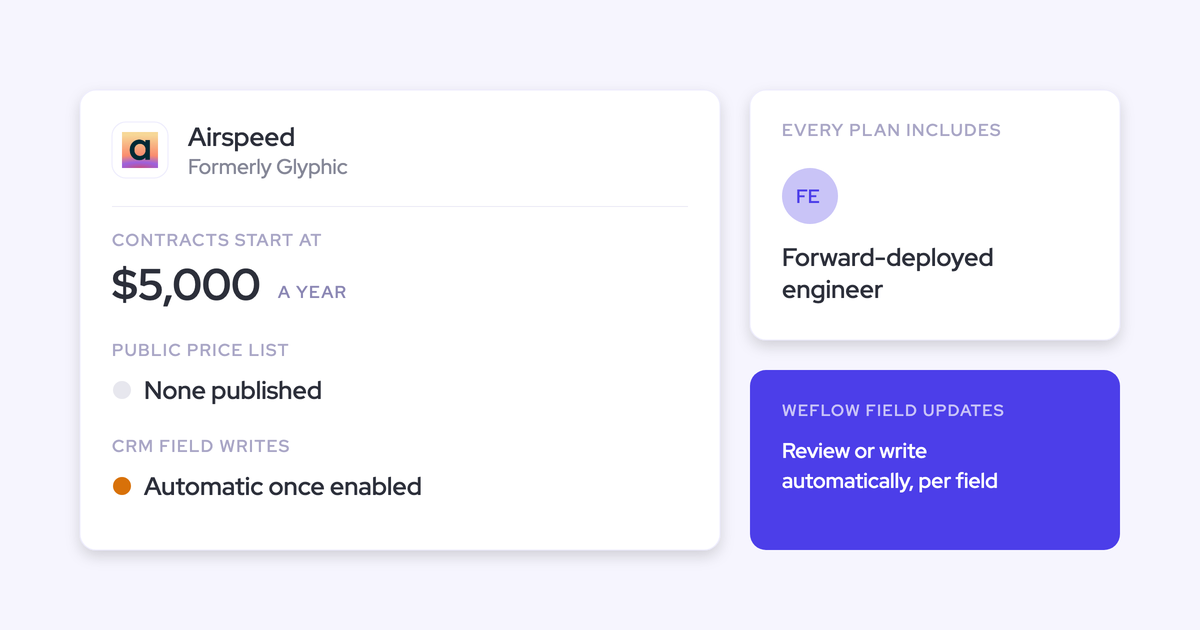
| Gong | Per-user licences plus a platform fee, by custom proposal | Not published | Foundation core licence required before any application | Data Cloud is about $5,000 a year. MCP and API use draw metered AI credits. |
Nektar.ai and Gong publish no prices at all. Revenue Grid publishes list prices and still sells through a quote.
Which tool fits: approval-first teams or fully automatic teams
Senior Sales Ops people split into two camps on this, and both have earned their view. One camp wants a human in the loop on every new contact.
"I am not a big fan of automatically creating. If it auto creates, would it just add my first name, last name and my account, no title or anything like that?"
From one of our sales calls
The other camp sees any rep click as the old bargain in new clothes.
"Surely your AI is going to get it right 99.9% of the time. Having a rep do that manually is horrific for a sales rep, it kills their productivity."
From one of our sales calls
Which camp you're in usually depends on which cost you've personally paid: cleaning up bad data, or years of logging by hand. Here's where each tool lands:
- Choose Weflow if you want contacts created automatically from email with scope limits, a per-event cap, dedupe before write, enrichment and contact roles, plus a rep-side override, at a published price.
- Choose Einstein Activity Capture if you only need email logged against contacts that already exist and it's included in your edition.
- Choose Nektar.ai if you're an enterprise data team that wants background capture with no rep interface and delivery into Snowflake, and you're fine with hours of latency and quote-only pricing.
- Choose Revenue Grid if you're Outlook-heavy, replacing Salesforce for Outlook, and don't need automatic contact roles.
- Choose Cirrus Insight if you want every contact approved by a human. It's the honest pick for that camp, and Weflow isn't, because we have no review queue.
- Choose Gong if conversation intelligence is the purchase and contacts for call participants are enough.
| If your primary need is | Team size | Budget signal | Best fit |
|---|---|---|---|
| Every new contact approved by a human | No minimum tier | A la carte, from $27 for capture | Cirrus Insight |
| Automatic creation with guardrails and contact roles | Mid-market, 10-user minimum, scales to enterprise | Published, $19 per user | Weflow |
| Background data for an AI or data team, into Snowflake | 50 or more Salesforce seats | Quote only | Nektar.ai |
| Outlook sidebar plus server sync | Built for large Microsoft 365 estates | $30 list, sold by quote | Revenue Grid |
| Email logged to existing contacts only | Free Standard version up to 100 users | Included, or $50 add-on | Einstein Activity Capture |
| Conversation intelligence first | Any, quoted by team size | Custom proposal plus platform fee | Gong |
What to check in your org before you switch creation on
Most first-week failures of automatic creation come from org configuration or trial design. These four checks decide whether any tool looks broken.
Required fields and validation rules block creation silently
Required fields on a Contact page layout block any external tool from creating a contact, and the tool has no way to see them. Validation rules are exposed through the API. Page layouts generally aren't.
The result is no error for anyone. Creation simply never happens, and you end up explaining a "broken" feature.
Weflow enriches a contact before writing it. When your required fields are ones enrichment fills, like title or phone, and it finds them, creation goes through. When a rule requires a field enrichment couldn't fill for that person, that contact doesn't save. If the rule can't change, you have two options:
- Relax the rule for the integration user
- Accept that reps create those contacts by hand from the extension, where the full field set is available
The check: list every required field on your Contact page layouts and every Contact validation rule before the trial starts.
New stakeholders at unknown accounts get skipped without warning
With creation limited to existing accounts, an email from a domain that matches no Salesforce account creates no contact, and nobody is told. That's the trade you make to keep orphan contacts out. The rep can still create the contact from the Chrome or Outlook extension.
Once someone creates the account, Weflow logs the earlier emails with those people to it automatically, with no re-sync. Nektar.ai goes a step further here and creates the contacts it has seen on that domain when the account appears.
The check: decide who creates accounts for new prospects, and when, before you switch the existing-accounts rule on.
Run the trial one tool per user, then backfill
Two capture tools on the same user write the same emails twice. Splitting users between tools doesn't give a fair comparison either, because activity volumes differ from person to person.
The approach that works is a parity run:
- Move a user fully to the new tool and leave it on its defaults.
- Backfill the period the old tool covered. A backfill that checks each message ID adds only what the old tool missed.
- Compare against saved reports from the old tool.
- Ask the users who complained most about the old tool what changed.
Your engagement tool keeps logging during this, so set the overlap rule first. Weflow's compatibility mode holds its sync back by about ten seconds so the other tool logs first, then matches on the record ID so the email isn't written twice. Tracking patterns suppress a sequencer's bulk sends entirely.
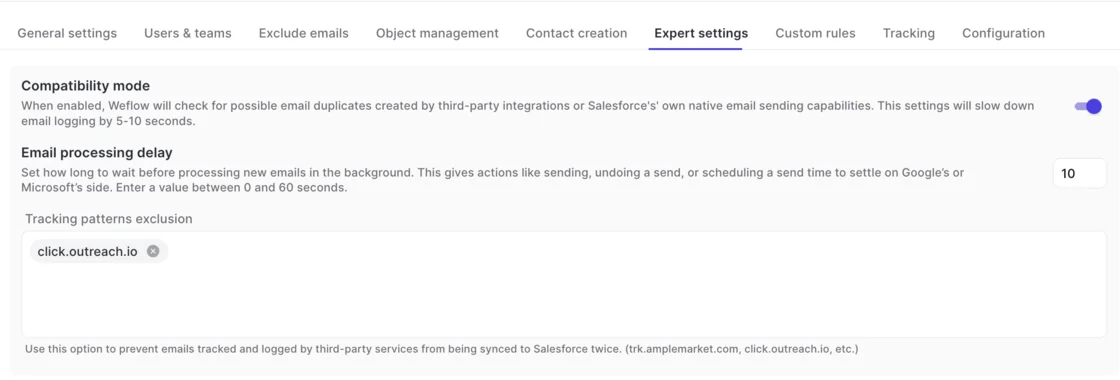
The check: write down which tool owns which activity before go-live. Nektar.ai doesn't dedupe against other capture tools on the same users, so those have to be switched off there.
Use unique test domains, not Gmail or Outlook addresses
Free-mail test data measures the test data. Capture tools match accounts by domain, so a sandbox full of accounts whose Website field holds gmail.com matches every test sender to several accounts at once. That creates ties between open opportunities and lands email on the account instead of the deal.
The check: give each test company its own unique domain and one clear contact role per opportunity, so you're testing the rule you think you're testing.
If you'd like to see the creation settings and the extension yourself before any of this, you can walk through the product yourself, no call required.
What changed in Salesforce contact capture going into 2026
Salesforce's own capture moved away from contact creation, and its roadmap for native capture is shifting. That's why many teams are re-evaluating now.
- Summer '25: Sync Email as Salesforce Activity became the default for new Einstein Activity Capture setups. Under it, Contact Auto-Creation and Contact Suggestions are unavailable, and email to unknown addresses isn't logged.
- Same change: captured email now lands as Task and EmailMessage records, and Salesforce is retiring Activity 360 Reporting, Activity Metrics and the Activities Dashboard in favor of standard activity reports.
- Momentum acquisition: Salesforce has named Momentum the future of call recording and activity capture in Salesforce. It has given no migration path, end-of-life date or pricing consequence for Einstein Activity Capture.
- Outlook add-in (reported, not confirmed): we've heard that Salesforce is sunsetting its native Outlook add-in and moving those customers onto Einstein Activity Capture.
- July 2026: Revenue Grid launched an MCP server for ChatGPT, Claude, Copilot and custom agents.
How we researched and compared these six tools
We built this comparison from each vendor's public documentation and pricing pages, what buyers tell us on evaluation and switch calls, and our own product facts. We scored every tool on the same ten capabilities and the same eight brakes. We ran no benchmarks and quote none.
We're Weflow, so read our row with that in mind. We included Einstein Activity Capture, Cirrus Insight and Gong even though they don't create contacts from email, because they're the tools most of our buyers are leaving or running alongside.
Questions Sales Ops teams ask us about automatic contact creation
Will Weflow create a duplicate of someone already in Salesforce?
Weflow looks up every address in real time across Salesforce contacts, leads and custom objects with an email field, including secondary email fields, before it creates anything. That lookup sits on top of your Salesforce duplicate rules. If the person exists as a lead, Weflow attaches the activity to the lead and leaves conversion to you.
What does Weflow write on a contact it creates automatically?
Weflow writes the name and email address from the thread, the association to the account already on the thread, and whatever enrichment found. Enrichment fills first name, last name, title, email, phone and LinkedIn into the Salesforce fields your admin maps.
Why do some auto-created contacts show an email as the last name?
When an email arrives without a display name, Weflow puts the address in the Salesforce last name field and leaves first name blank. Copied recipients and some mail clients send the address alone, and no capture tool can recover a name that was never transmitted. Capture reproduces what arrived.
How does Weflow handle partners and consultants on a customer thread?
Weflow creates them under the customer's Salesforce account with the one contact role set for that capture configuration. The corrections happen downstream:
- A Salesforce Flow that fires on what Weflow wrote and reassigns it
- An agent that updates the record afterwards
- The rep creating the contact by hand from the extension
Can an admin approve contacts before Weflow creates them?
No. Weflow has no admin review queue before creation. The controls are switching creation off, restricting it to existing Salesforce accounts, capping it per event, blocking standard prefixes, and letting reps clear the tick before an email sends. If every contact has to be approved, Cirrus Insight's rep-driven creation fits you better.
Does Weflow clean up duplicates already in our org?
Weflow doesn't merge existing duplicates, because deduplicating the org is a separate job. Activity Capture Health, a Weflow Analytics view inside Salesforce, flags duplicate contacts, duplicate accounts, unconverted leads that match a contact, and accounts sharing a website domain.

Does Weflow ever create leads, accounts or opportunities?
No. Weflow creates Salesforce contacts only. A team that runs its inbound motion on leads keeps whatever it already uses to create them, and Weflow's capture attaches to the account and contact layer underneath.
How long does each tool take to write new contacts to Salesforce?
Where vendors document it:
- Weflow creates the contact when the rep sends and writes to Salesforce almost immediately. Compatibility mode, if you switch it on, adds about ten seconds.
- Nektar.ai typically takes about 2 hours, up to 18, when it first has to create the contacts.
- Revenue Grid creates records during auto-saving, which runs in 30-minute sessions by default.
- Cirrus Insight relies on the rep creating the contact from the sidebar.
- Einstein Activity Capture doesn't create contacts from email under its current default.
Does Weflow read any mailbox before users are enrolled?
No. Weflow reads no mailbox until a user is enrolled in an activity capture configuration. Installing the managed packages, connecting the integration user and adding the workspace app grant access without capturing anything, so you can finish setup while a legal review is still open.
Is contact enrichment included in Weflow Activity and Contact Capture?
Yes, at no extra charge. Waterfall enrichment matches around 70 to 80 percent of contacts, varying by industry and region. So plan for a share of new contacts to arrive with an email address and little else, and give any workflow keyed on job title a fallback.