Fathom vs Fireflies Pricing for Sales Teams (2026)
Fathom vs Fireflies pricing for sales teams: seat-only versus seat plus AI credits, and what Business costs.


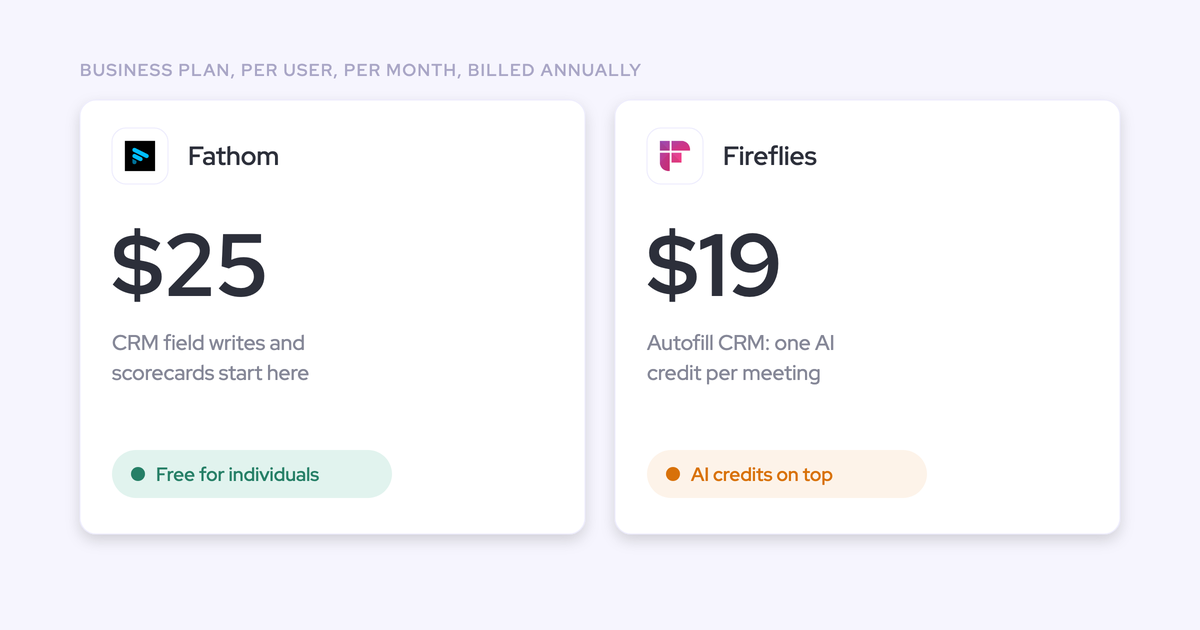

Fathom vs Fireflies pricing for a sales team comes down to a seat-only bill against a seat plus an AI meter. You won't pay the $10 to $16 entry seats either tool leads with, because both keep their CRM features on the Business plan.
On Fathom, you pay for Business at $25 per user per month, billed annually, with nothing on top for AI. On Fireflies, you pay for Business at $19, plus AI credits drawn from a pool your whole team shares and topped up with paid packages.
Fathom gives finance one number to approve. Fireflies costs less per seat and adds a second line that moves with how much your team uses AI.
Weflow is the Revenue AI Orchestration platform for sales, customer success, and RevOps teams. For a Salesforce team, Weflow Conversation Intelligence costs $39 per seat and keeps Ask Weflow AI, summaries and AI Field Updates inside that seat.
Weflow writes each conversation into Salesforce fields instead of keeping it in another app. You pay more per seat than on either notetaker, with no AI meter on top.
Fathom, Fireflies and Weflow pricing for a sales team at a glance
Fathom, Fireflies and Weflow differ most on what sits on top of the seat and on where the call data ends up. All prices are per user per month, billed annually.
| Weflow | Fathom | Fireflies | |
|---|---|---|---|
| Seat price for the plan with sales features | $39 for Conversation Intelligence | $25 on Business | $19 on Business, $39 on Enterprise |
| AI usage on top of the seat | AI Meeting prep and summary, AI field updates, meeting follow up etc included in the seat; Agent Builder is the only meter, per workspace, with 25 free actions a month | No usage credit on the core product | AI credits: a one-time team pool of 30 on Business, then paid credit packages |
| Minimums and billing | 10 users per product or bundle, 12-month term, billed annually | 2-user minimum on team plans; annual or monthly | Business annual or monthly; Enterprise annual only |
| Integrations with other tools | Salesforce, Gmail, Outlook, calendars, Zoom, Teams, Meet, Slack and dialers | 30 listed; no dialer, sequencing, warehouse or BI tool | More than 100 apps, including dialers and Snowflake |
| Access from AI assistants (MCP) | Read-only connector, enabled per workspace, with forecast and pipeline metrics | Official connector on every plan, limited to the user's own meetings | Own MCP server for transcripts, summaries and analytics; no deal or CRM data |
| Raw data access outside the tool | REST API bulk export in JSON or CSV; video to your own storage | Public API on every plan, with per-user keys only | GraphQL API, webhooks and Snowflake delivery |
| Best for | Salesforce sales teams of 10 or more that want calls and email as Salesforce data | Teams that want the more predictable notetaker bill of the two | The lowest seat price and one recorder for every department |
Why a sales team pays more than the entry price on Fathom and Fireflies
You pay more than the entry price on Fathom and Fireflies for two reasons: both keep their CRM features on a higher tier, and Fireflies puts its AI on a meter. Tell finance about both before it approves a per-seat number, or the first invoice won't match what it signed off.
Both notetakers keep their CRM features on the Business plan
Fathom and Fireflies both put the features you buy them for on Business, so Business is the plan to price. On Fathom, every plan pushes meeting summaries into a CRM. The sales features start at Business: writing summary sections into specific CRM fields, Deal View, coaching metrics, AI scorecards and custom summary templates.
Below Business, Fathom caps CRM sync at 3 users per email domain, so your sales team can't run on Premium or Team. Fireflies works the same way. Autofill CRM and Deal Intelligence need Business at $19 or Enterprise at $39, while Pro at $10 covers transcripts, summaries and personal productivity features.
Fathom charges by the seat, Fireflies adds AI credits on top
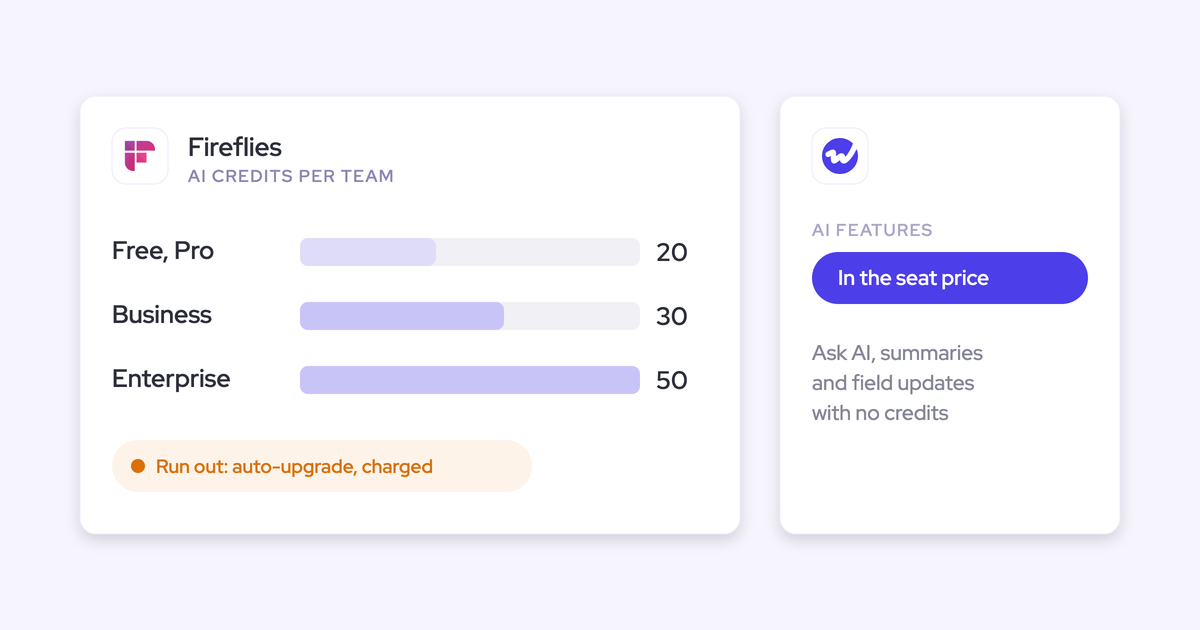
Fathom's seat is the whole bill: there's no platform fee and no usage credit on the core product. Fireflies charges less for the seat, then meters its AI features in credits on top of it. Weflow keeps the AI inside the seat and meters only Agent Builder, per workspace.
A meter ties the bill to adoption. The more your reps use the AI features you rolled out, the higher the second line climbs, and you can't tell finance in advance where it lands. On sales calls, we see buyers respond by restricting access to a few trusted users, which works against the rollout they paid for.
Predictable pricing is very hard to achieve in the age of AI. - Philipp Stelzer, Co-founder and Chief Product Officer, Weflow
Get answers to 3 questions in writing before you sign any AI-priced tool, so you can show finance where the bill stops:
- What meters on top of the seat, and which features draw on it by default?
- Is there a ceiling that can't be crossed without someone explicitly buying more?
- What happens at the limit: does the feature stop, or does the vendor upgrade and bill you?
Weflow: conversations and email written into Salesforce, priced per seat
Weflow prices per seat with the AI inside it, and writes your calls, emails and meetings into Salesforce as structured data. A Weflow seat costs more than either notetaker's because it covers more of the job: capture, conversation data in Salesforce fields and, on the bundles, forecasting.
What a Weflow seat includes, and what it costs
A Weflow Conversation Intelligence seat costs $39 per user per month, billed annually, and keeps the AI inside that price. The seat records and transcribes Zoom, Microsoft Teams, Google Meet and Webex meetings, with automatic language detection in 96 languages.
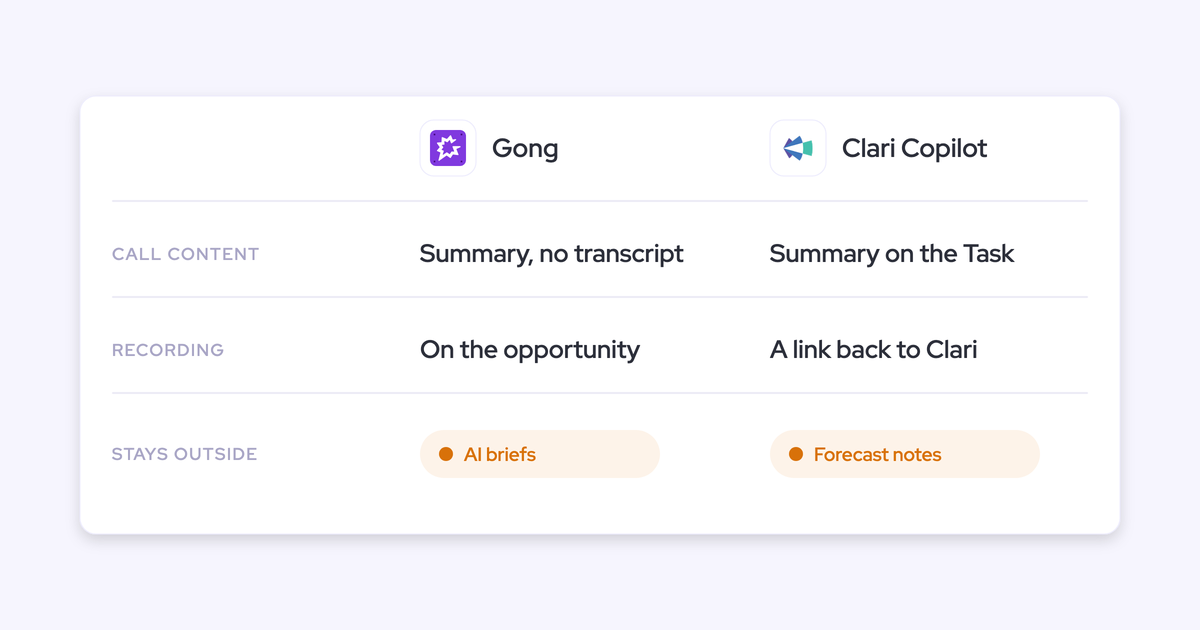
The desktop app for Windows and macOS comes with the seat and records without a notetaker joining the call. Summaries and transcripts land in Salesforce on the Weflow Video Recording object.
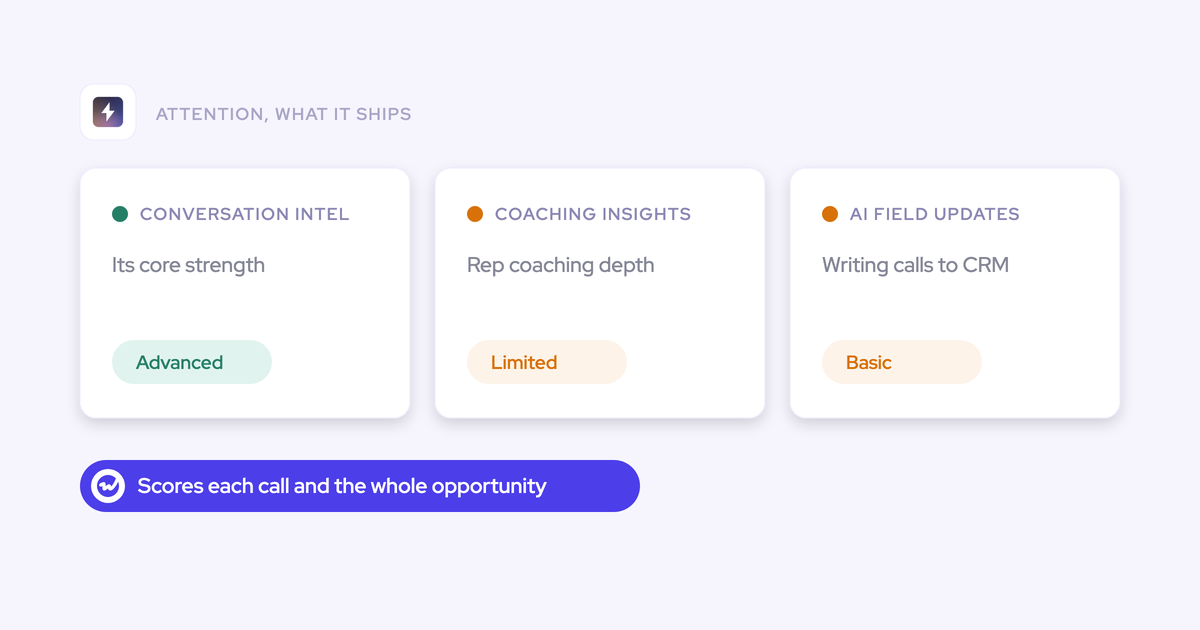
AI Field Updates turn each call into Salesforce field values. They write to picklists, number, date and multi-select fields on every object, everything except relationship lookup fields. You set each field to write automatically or to wait for the rep to approve it, so you decide where a rep checks the value first.
Email capture comes from Weflow Activity & Contact Capture. It runs server side at the mail tenant, through a central app installed in Microsoft Entra or Google Workspace. Because it works at the tenant, it logs every email and meeting into native Salesforce objects without depending on each rep connecting a calendar.
Ask Weflow AI answers questions across Salesforce and your recordings, within the asking user's own access. It comes with every Weflow product and bundle and carries no usage caps, under a fair use policy that no customer has yet reached.
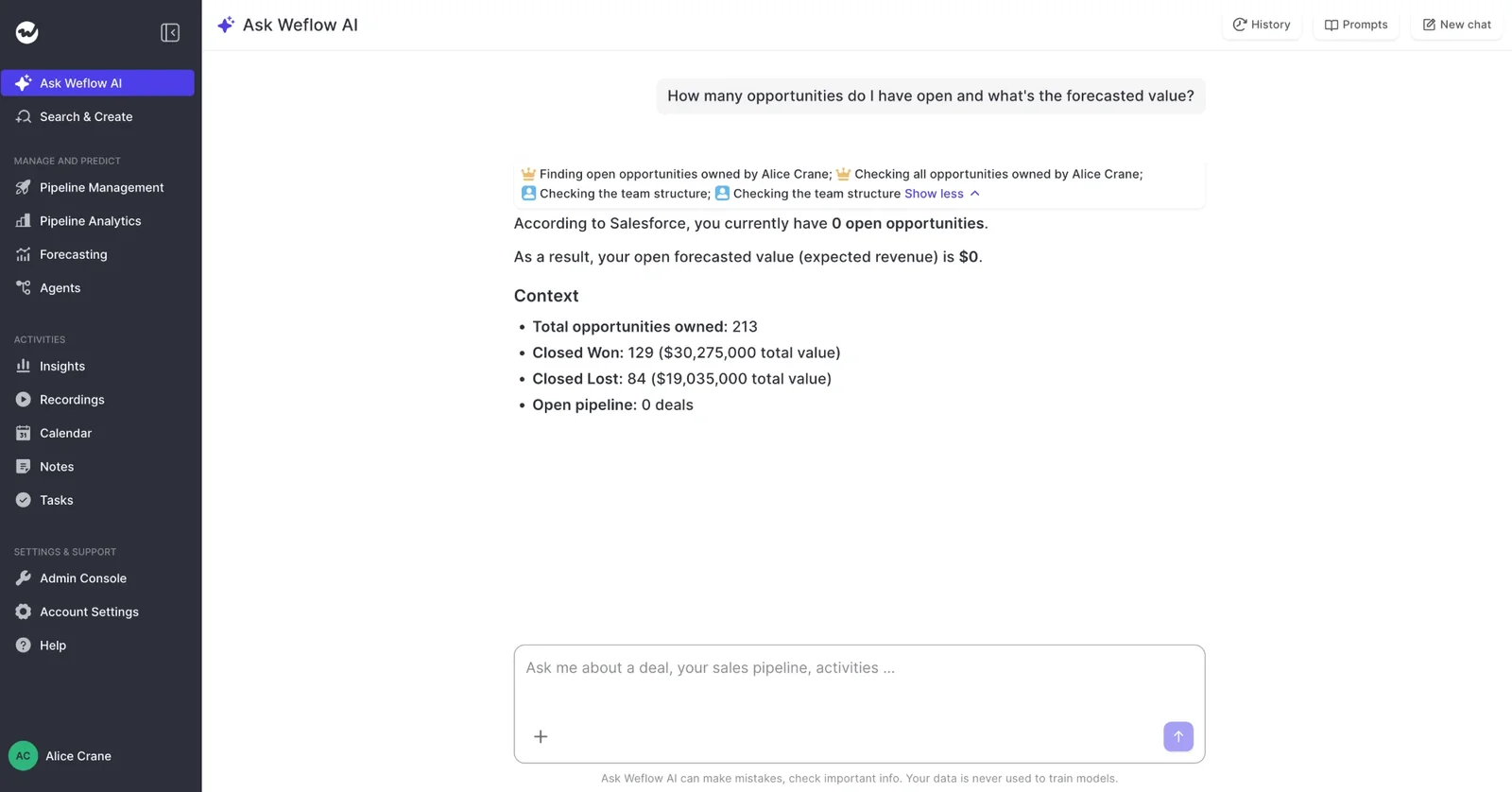
Everything at Weflow is priced per seat except Agent Builder, the only consumption-priced product. Weflow counts agent actions per workspace, not per user, and every plan includes 25 free actions a month. Paid tiers add more:
- Growth adds 500 actions for $299 a month.
- Scale adds 2,500 actions for $999 a month.
- Enterprise is a custom package.
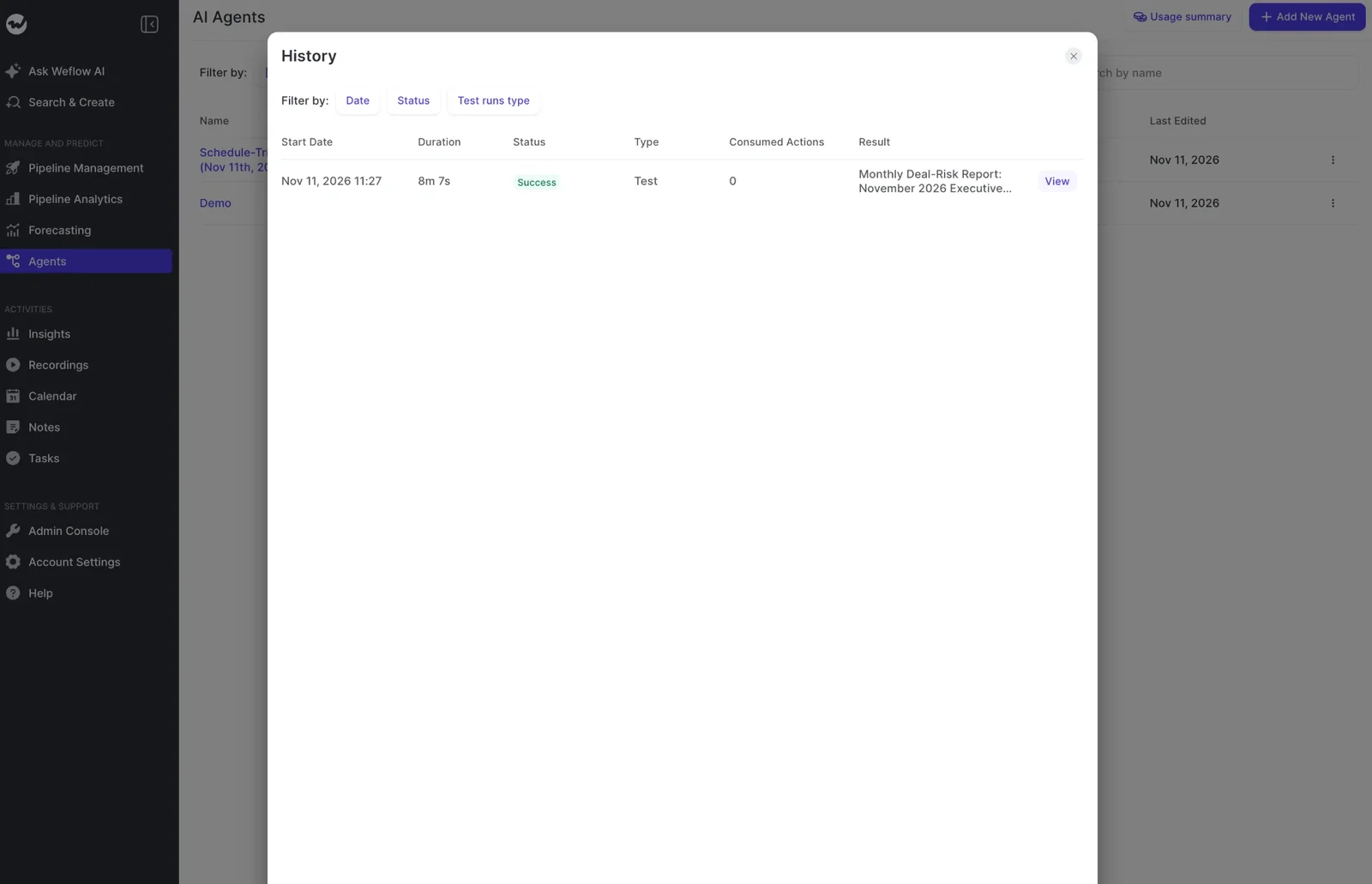
Meeting prep, summaries, field updates and coaching scorecards don't draw on the allowance, so the features in the seat never touch the meter.
When your workspace uses up its actions for the month, Weflow pauses its agents until actions are available again. Weflow never bills overage or moves the workspace to a larger tier by itself. Test runs use no actions, so you can size the tier from real usage before you buy one.
Weflow's prices are public, per user per month, billed annually:
- Weflow Activity & Contact Capture costs $19.
- Weflow Conversation Intelligence costs $39.
- Weflow Deal Intelligence & Forecasting costs $39.
- Revenue AI Foundation, which pairs Activity & Contact Capture with Conversation Intelligence, costs $49.
- Revenue AI Business costs $59.
- Revenue AI Enterprise, the full platform, costs $79.
Every Weflow product and bundle needs at least 10 users on a 12-month term. Managers and leaders who only watch calls and read insights get free view-only seats, up to the number of recording licences you hold. You can reallocate those seats each quarter.
How Weflow data reaches your other tools, AI assistants and warehouse
Weflow integrates natively with Salesforce, Gmail, Google Calendar, Outlook, Zoom, Microsoft Teams, Google Meet and Slack. For dialers, you connect Outreach yourself, and Weflow's support team activates Aircall, CloudTalk, Dialpad and Zoom Phone. Their calls arrive as recordings with transcripts and summaries.
The Weflow MCP connector gives Claude, ChatGPT or any assistant that supports remote MCP servers read-only access to your Weflow data. Assistants read playbooks, call summaries, transcripts, forecast calls and pipeline metrics. Per-rep forecast breakdowns cover up to 25 owners.
You switch the MCP connector on per workspace. A separate toggle decides whether assistants read full transcripts or only summaries, so you choose how much call detail an assistant sees.
The MCP connector returns no email content and no values stored on Salesforce records. Captured emails and field values already live in Salesforce, so your assistant reads them through a Salesforce connector instead. View-only users reach Weflow data through the MCP connector too, and agents you build on the API or MCP use no agent actions.
For raw data, Weflow's REST API bulk-exports transcripts, metadata, scores and signals as JSON or CSV, and feeds BI tools such as Tableau and Looker. Weflow has no native warehouse connector, so you move the data into Snowflake, Databricks or BigQuery through the API. Meeting video exports to your own cloud storage rather than sitting in Salesforce.
When Weflow is the wrong pick for your team
Weflow isn't the right fit for every team. These are its limits:
- Weflow works only with Salesforce, so a HubSpot team can't use it; Fathom or Fireflies is a better fit when you're not on Salesforce.
- Weflow needs at least 10 users per product or bundle, so Fathom, with its 2-user minimum, is a better fit for a smaller team.
- Weflow's full seats are built for Salesforce users, so a company that wants one low-cost recorder for every department is better served by Fireflies, which sells the same product to every function.
- Weflow's $39 Conversation Intelligence seat costs more than Fathom Business or Fireflies Business.
- Weflow has far fewer integrations than Fireflies and no native warehouse connector; warehouse delivery runs through the API.
Fathom: seat-only pricing, with CRM depth on the Business plan
Fathom prices by the seat with no AI meter, which makes it the more predictable bill of the two notetakers. If your sales team runs on Salesforce, you need its Business plan at $25. Fathom's limits for your team show up in how it writes to Salesforce and in what it doesn't capture.
What Fathom costs a sales team
Fathom costs your sales team $25 per user per month on Business, billed annually. For that seat you get a strong capture experience. Each user picks per meeting between a bot that joins the call and bot-free capture from the Mac desktop app, and summaries build live while the meeting runs.
Hundreds of thousands of companies use Fathom, helped by a free tier for individuals with unlimited recordings. The seat is the whole bill, and the plans are priced per user per month:
| Plan | Billed annually | Billed monthly |
|---|---|---|
| Fathom Free | Nothing, for individuals, with unlimited recordings | Nothing |
| Fathom Premium | $16 | $20 |
| Fathom Team | $15 | $19 |
| Fathom Business | $25 | $34 |
| Fathom Enterprise | On quote | On quote |
The team plans need at least 2 users. Below Business, CRM sync stops at 3 users per email domain. Cross-meeting AI search also reaches back by plan: Team sees 2 weeks of team calls, and only Business searches all team history. Search depth is a plan limit, so it never adds to the bill.
How Fathom data reaches your other tools, AI assistants and warehouse
Fathom's integrations directory lists 30 integrations, including Salesforce, HubSpot, Zoom, Google Meet, Microsoft Teams, Slack, Notion, Asana, Zapier, Make, Claude and ChatGPT. It has no dialer, no sequencing tool and no data warehouse or BI tool, so you need another route for phone calls and warehouse delivery.
Fathom's official MCP connector for Claude and ChatGPT runs on every plan, limited to the meetings the connecting user can see. Fathom's public API, also on every plan, lists meetings, summaries, transcripts, action items and CRM matches and sends webhooks.
Fathom API keys belong to individual users, and Fathom offers no organization-level keys. A key reads only the meetings its owner recorded or can see, and private calls stay with their host. If you run RevOps and want a company-wide export, you have to work around per-user access.
Where Fathom stops for a Salesforce sales team
Fathom writes each meeting summary to Salesforce as a logged-call Task on the matched Contact. It also turns action items into Tasks on the Contact's open Opportunities. The call shows on the activity timeline as text, which your reports can't use the way they use field values.
On Business, Fathom writes sections of its AI deal summary into Opportunity fields. It writes only into long text or single-line text fields, and each new meeting overwrites what the field held. Fathom can't fill picklists, numbers, dates or checkboxes, so those fields stay with your reps to fill by hand.
One prospect who tried Fathom's Salesforce integration told us: "It breaks half the time."
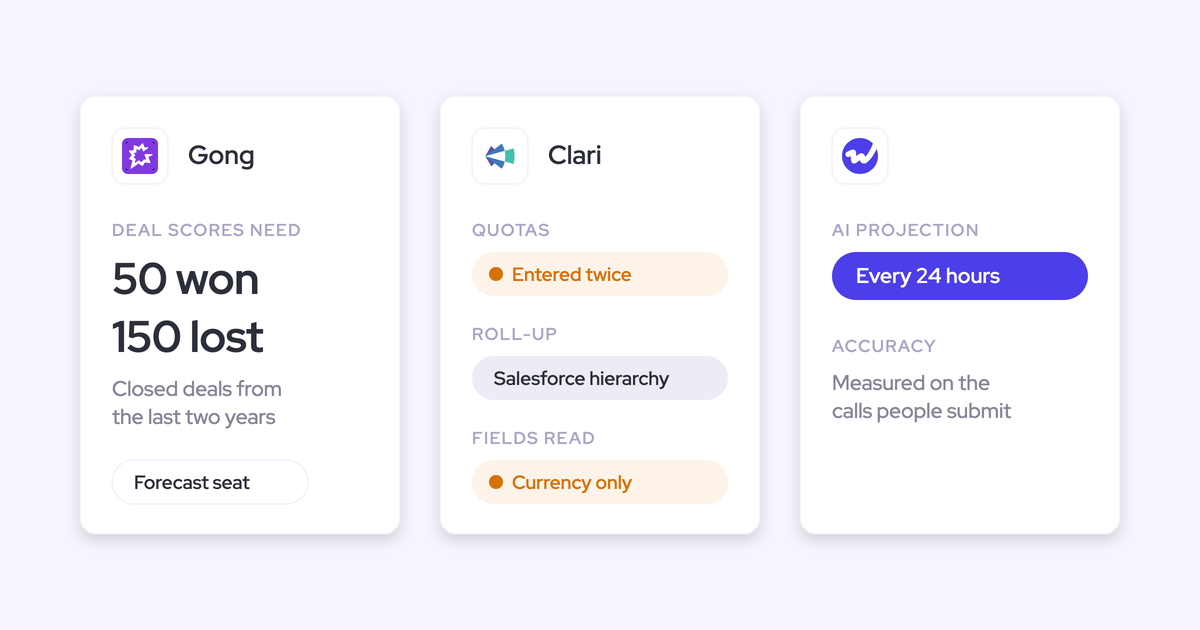
Fathom captures meetings only, so you need another tool to log email, and Fathom states that it has no native sales forecasting. Superhuman, formerly Grammarly, acquired Fathom in September 2026. The announced roadmap runs through Superhuman's own email, documents and agents, with nothing on deeper Salesforce field writes.
Fireflies: the lowest seat price, with AI credits that meter on top
Fireflies has the lowest seat price of the three, $19 on Business, and the broadest integrations. Its AI features run on credits billed on top of the seat, and for your sales team that credit line is the number finance can't forecast.
What Fireflies costs a sales team, credits included
Fireflies costs your sales team $19 per seat per month on Business, billed annually, plus AI credits. Fireflies suits companies that want one recorder for every function. It sells the same product to sales, recruiting, marketing, product and finance teams, and records Zoom, Google Meet, Microsoft Teams, Webex, GoToMeeting, Lifesize and Jitsi meetings.
Fireflies sells 4 plans. Pro costs $10 a seat billed annually or $18 monthly, and Business costs $29 billed monthly. Enterprise is sold on annual contracts only and adds SSO, SCIM, a rules engine, private storage and HIPAA support.
Autofill CRM and Deal Intelligence start at Business, so you're pricing Business plus credits. As a RevOps leader, read the credit rules before you sign, because they decide how fast that second line grows:
- Fireflies plan credits are a one-time pool, 30 on Business and 50 on Enterprise, shared by the whole team. The pool doesn't grow with seats, and a plan upgrade replaces it rather than adding to it.
- Credits pay for AI Skills, Meeting Prep, Daily Digest, custom summary sections, Sales Assist, the Slack Assistant, Autofill CRM and AskFred questions. Transcription and standard summaries stay free of credits.
- Meeting Prep and Daily Digest are on by default, so your team spends credits before anyone switches an AI feature on.
- Most AI features are priced per query by complexity, so you can't know the cost of a question in advance.
- Credit packages run from $5 for 50 credits to $600 for 10,000 a month, with annual packages 20% cheaper.
- Once plan credits run out, Fireflies subscribes a paid team to the 50-credit package. It then moves a subscribed team up to the next package and charges for it, unless you switch auto-upgrade off under Settings, Billing.
- Purchased credits that go unused don't roll over to the next cycle.
Dialer calls add one more usage line. On Pro and Business, each seat includes 3,000 dialer minutes a month, and Fireflies bills excess at 1 cent a minute. The team's allowance tops out at 150,000 minutes a month, and minutes beyond that cost the same rate.
How Fireflies data reaches your other tools, AI assistants and warehouse
Fireflies has the strongest integration list of the three: more than 100 apps across video conferencing, dialers, CRMs, project management, storage and automation tools such as Zapier.
For dialers, Fireflies pulls the recordings from Aircall, JustCall, Outreach, RingCentral, Salesloft and Zoom Phone and transcribes them.
Fireflies runs its own MCP server, listed in Claude's connector directory and usable from ChatGPT. Through it, assistants search and fetch transcripts and summaries and read team analytics. Deal intelligence and CRM data aren't among its tools.
Each user connects with their own login or key.
Fireflies' zero data retention doesn't cover meeting data passed to assistants, which apply their own terms, so check those terms before you open the server to your team.
Fireflies' public GraphQL API runs on every plan, with limits by plan: 50 requests a day on Free, 500 a day on Pro and 60 a minute on Business and Enterprise. Fireflies also delivers each meeting's metadata, notes, summary and transcript into your own Snowflake account, with transcript syncing on Business or Enterprise.
Where Fireflies stops for a Salesforce sales team
Fireflies' automatic Salesforce sync writes each meeting as a summary note in Notes & Attachments, so the sync itself fills no fields.
A prospect put it to us this way:
"Usually the syncing to Salesforce is not that granular from what I've understood so far."
Autofill CRM writes values into the Contact, Account and Opportunity fields you configure, once a rep reviews and sends each meeting's values. Each extraction uses 1 credit per meeting, whatever the number of fields.
Without the Enterprise rules engine, Autofill CRM runs on every external meeting, so your credit line grows with your meeting volume.
Fireflies Deal Intelligence shows synced deals with stage, an AI close probability and a health state. But it has no forecast submissions, roll-ups or pipeline analytics, so forecasting stays in another tool. Teams running Fireflies alongside Salesforce keep a year or more of recordings and transcripts inside Fireflies rather than in the CRM, and that history is what you move if you switch.
What 62 sales seats cost per year on Fathom, Fireflies and Weflow
At list prices billed annually, 62 sales seats cost between $14,136 and $58,776 a year across Fathom, Fireflies and Weflow. Where you land depends on the plan and on what meters on top of it.
| Option | Seat price | Annual total for 62 seats | What meters on top | What it leaves out |
|---|---|---|---|---|
| Fathom Business | $25 | $18,600 | Nothing on the core product | Email capture, forecasting, non-text field writes |
| Fireflies Business | $19 | $14,136 | AI credits as a separate, variable line; dialer minutes over the allowance | SSO, SCIM and the rules engine; email capture; forecasting |
| Fireflies Enterprise | $39 | $29,016 | AI credits as a separate, variable line | Email capture, forecasting |
| Weflow Conversation Intelligence | $39 | $29,016 | Optional Agent Builder tiers beyond 25 free actions | Email capture, forecasting |
| Revenue AI Foundation | $49 | $36,456 | Optional Agent Builder tiers beyond 25 free actions | Deal Intelligence & Forecasting |
| Revenue AI Enterprise | $79 | $58,776 | Optional Agent Builder tiers beyond 25 free actions | Nothing in the platform; paid agent tiers only if you need them |
Weflow's list prices come down through 3 discount layers: a bundle discount, a volume discount and a multi-year discount. You can also lower the total by mixing plans. Put most reps on a capture and deal intelligence bundle and a handful of managers on the full platform, and the same 62 seats come to roughly $45,000.
Fathom and Fireflies cost less per seat, and Fireflies Business is the lowest number on paper. Fireflies is also the only one of the three with a variable AI line, which you can't give finance a figure for. Weflow's total buys email and meeting capture and conversations as Salesforce data, and its only variable line is agent tiers you choose to buy.
How to move from Fathom or Fireflies to Weflow without losing your call history
You can move from Fathom or Fireflies to Weflow by replacing the recorder and importing its history, or by adding Weflow alongside it and keeping both for a while. Your reps' habits protect the notetaker they already use, so pick the path your team will actually accept.
Replace the recorder and import its history
When you replace the recorder, Weflow imports existing recordings through the vendor's API or exported files and re-links them to Salesforce records. Each imported call gets a Weflow Video Recording record with its summary and transcript.
People outside Salesforce can keep recording on the Conversation Intelligence Light licence at $19 per user per month, billed annually. Viewers take free view-only seats, so the whole company runs one recorder.
Add Weflow alongside your notetaker
When you add Weflow alongside, start with Weflow Activity & Contact Capture. It logs email and meetings into Salesforce and doesn't touch the notetaker. AI Playbooks and Ask Weflow AI read the transcripts and summaries another recorder writes into Salesforce, like any other Salesforce data.
AI Field Updates and AI follow-up emails run only on Weflow recordings, so we recommend replacing the recorder if calls must become Salesforce field values. If your team is attached to its notetaker and the bigger gap is email and meeting capture, add Weflow alongside and decide on the recorder at renewal.
Choose Fathom, Fireflies or Weflow based on what your team needs from a call
Pick by what you need: a predictable bill, the lowest seat price, or calls as Salesforce data.
Choose Fathom if:
- Your team wants one predictable seat price with no AI meter.
- Your team is smaller than 10 users, or runs HubSpot rather than Salesforce.
- Call summaries as Salesforce Tasks and text fields are enough.
Choose Fireflies if:
- You want the lowest seat price and one recorder for every department.
- You need dialer transcription or Snowflake delivery out of the box.
- You can own a variable AI credit line and keep auto-upgrade under control.
Choose Weflow if:
- You run a Salesforce sales team of 10 or more.
- Calls must land as Salesforce field values and email must be captured centrally.
- Finance wants one seat price with the AI inside it, and forecasting is on your list for later.
See how Weflow captures activity, updates Salesforce fields from calls, and rolls up your forecast. Book a 30-minute demo.
FAQs RevOps leaders ask about Fathom and Fireflies pricing
Does Fathom charge for AI on top of the seat?
No. Fathom charges no platform fee and no usage credit on its core product, so a Fathom seat is the whole bill. Fathom's plans differ in features and in how far back AI search reaches, and none of them adds metered usage.
What happens when a Fireflies team runs out of AI credits?
When a paid Fireflies team runs out of plan credits, Fireflies subscribes it to the 50-credit package at $5 a month. A team that already subscribes moves to the next higher package, and Fireflies charges for it. You can pause or switch off auto-upgrade under Settings, Billing, and free users hit a paywall instead of a charge.
Do people who only watch calls need a paid Weflow seat?
No. Weflow view-only seats are free up to the number of recording licences you hold. View-only users sign in with Google or Microsoft, watch recordings, see insights and reach Weflow data through the MCP connector. Ask Weflow AI stays with Salesforce-based users.
Does Weflow charge extra for Ask Weflow AI or its MCP connector?
No. Ask Weflow AI comes with every Weflow product and bundle under a fair use policy no customer has yet reached, and the MCP connector costs nothing extra. Agents you build on Weflow's API or MCP connector use no agent actions.
What happens when Weflow agent actions run out?
When a workspace uses its monthly agent actions, Weflow pauses its agents until the monthly reset or until the workspace moves to a larger tier. Weflow never bills overage or upgrades the tier by itself. The Agent Usage page shows how much of the allowance is used and when it resets.
Can you pay monthly for Fathom, Fireflies or Weflow?
Fathom and Fireflies Business both offer monthly billing at a higher rate than annual, while Fireflies Enterprise is sold on annual contracts only. Weflow runs on a 12-month term, billed annually, with discounts for multi-year terms.