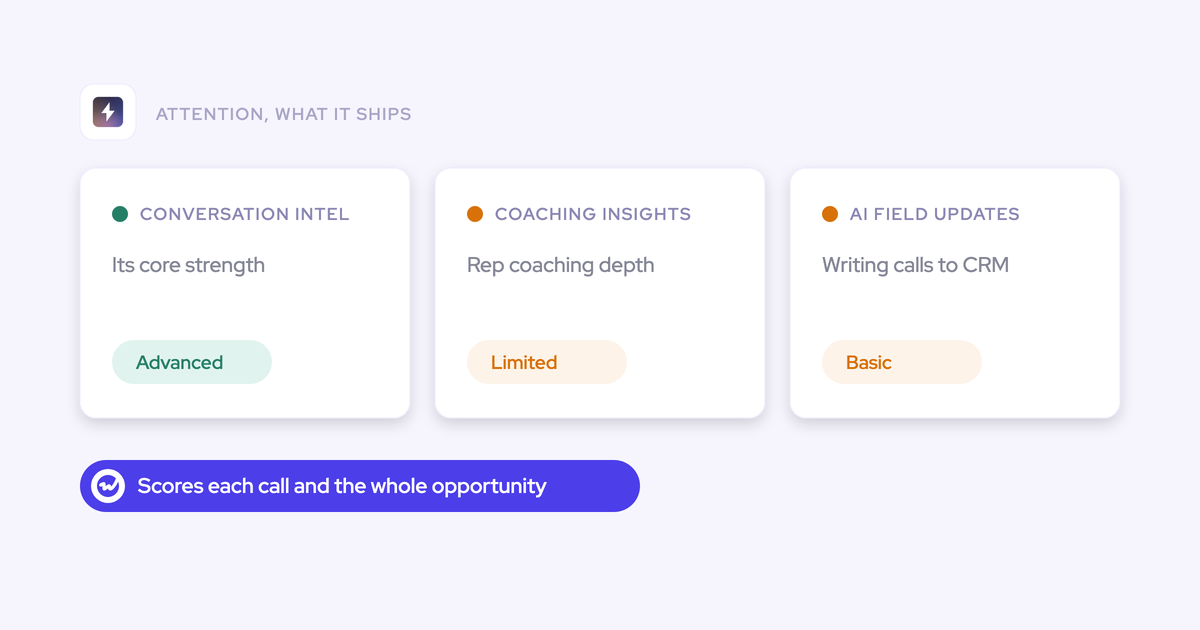
Weflow vs Fireflies: AI Credits per Meeting vs AI Included in the Seat (2026)
Weflow vs Fireflies: compare AI credits per meeting with AI included in the seat, and what each costs.


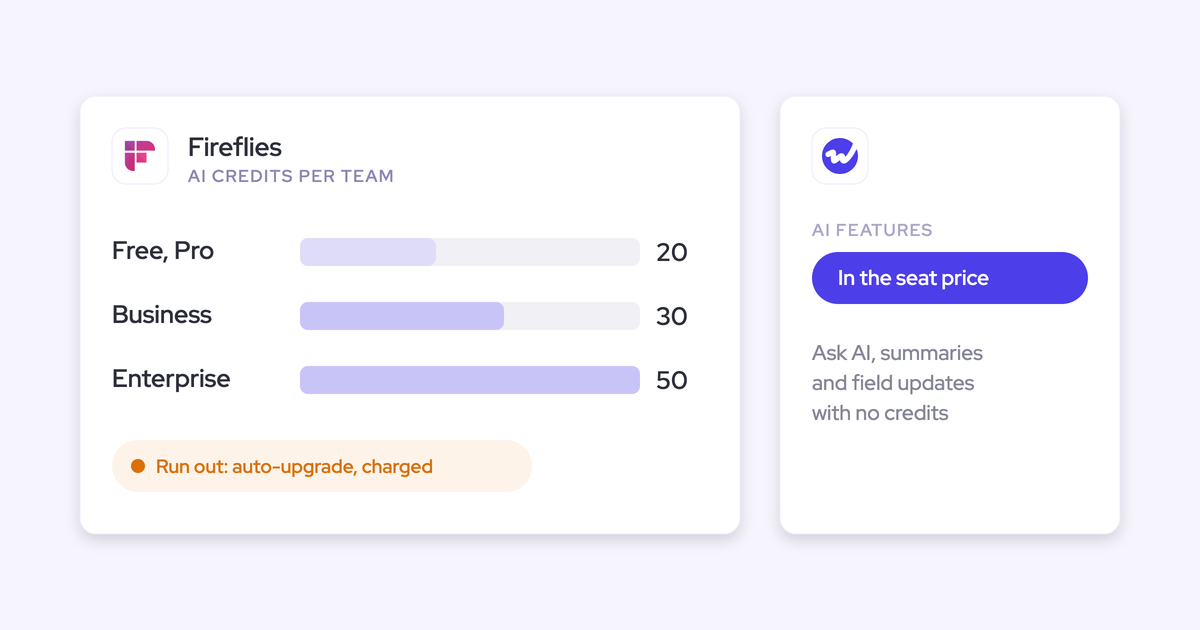
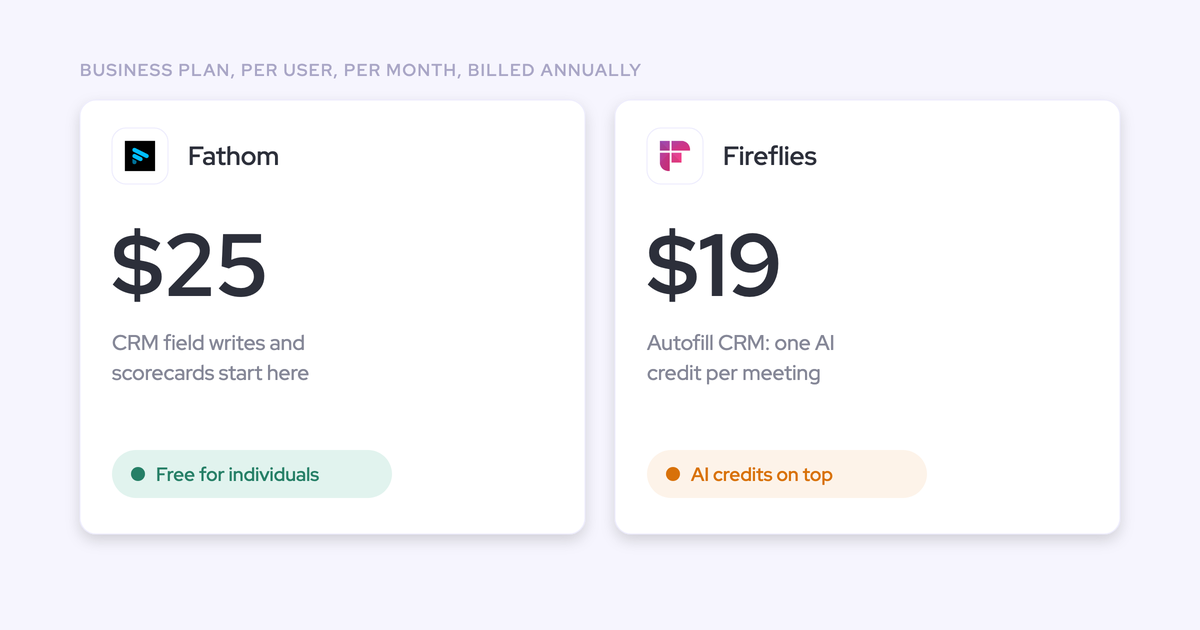
Fireflies and Weflow charge for sales AI in opposite ways. Fireflies keeps the Business seat at $19 per user per month and charges Autofill CRM, AskFred, Meeting Prep and its other AI features in credits. Those credits come from a one-time pool of 30 that your whole team shares. When the pool runs dry, Fireflies moves you to the next paid credit package automatically, unless someone has switched auto-upgrade off.
Weflow is the Revenue AI Orchestration platform for sales, customer success, and RevOps teams. A Weflow Conversation Intelligence seat costs $39 per user per month and includes AI summaries, AI Field Updates and Ask Weflow AI. The one product we price by usage is Agent Builder, and it pauses at its limit instead of billing overage.
So you pay less per seat on Fireflies plus an AI credits bill vs fixed cost on Weflow. Fireflies transcription and standard summaries cost no credits, so if your team mostly records calls, you pay the low seat and little more. Once you want Salesforce fields filled and questions answered from your calls, the Fireflies AI line grows with every meeting and query. The Weflow AI line stays inside the seat.
Weflow vs Fireflies at a glance: what each charges for AI and what it does with your calls
Weflow and Fireflies differ most on where the AI cost lands: Weflow puts it in the seat, and Fireflies charges it in credits on top of the seat.
| Capability | Weflow | Fireflies |
|---|---|---|
| Pricing | $39 Conversation Intelligence seat with AI included; Agent Builder metered per workspace | $19 Business seat; AI features charged in credits on top |
| CRM field updates from conversations | AI Field Updates in the seat; automatic or reviewed, set per field | Autofill CRM at 1 credit per meeting; a rep reviews and sends each meeting |
| Ask-anything AI chat | Ask Weflow AI in the seat under a fair use policy; follows Salesforce permissions | AskFred in credits, priced per query; reaches Gmail, Slack, HubSpot and the web |
| AI meeting summaries | In the seat; any number of templates; written to the Salesforce Event | Standard summary free of credits; 1 credit per extra section per meeting |
| Integrations with other tools | Native set for Salesforce, email, calendar, meetings, Slack and dialers; no connector catalogue | 100+ apps plus Zapier, including HubSpot and Salesforce |
| Access from AI assistants (MCP) | Read-only connector for playbooks, summaries, transcripts and forecast | Own MCP server for meetings, transcripts and analytics; no CRM data |
| Raw data access outside the tool | REST bulk export in JSON or CSV; warehouse through the API | GraphQL API on every plan, webhooks and native Snowflake delivery |
| Best for | Salesforce teams of 10 or more who want AI cost fixed per seat | Teams wanting the cheapest recording seat across functions, light AI use or HubSpot |
Why RevOps leaders compare Weflow and Fireflies on AI cost
RevOps leaders compare Weflow and Fireflies on AI cost because the seat price no longer decides the budget. Buyers have learned to read AI pricing for the second number, the consumption line on top of the seat, which makes an invoice unpredictable and a budget hard to defend.
Predictable pricing is very hard to achieve in the age of AI. - Philipp Stelzer, Co-founder and Chief Product Officer, Weflow
What we see on calls is that metered AI gets rationed. Someone has to own the risk that the invoice lands at three times the plan, so access goes to a handful of trusted users. The AI never gets the adoption that would prove its value.
So check three things in any AI price before you sign: what meters, where the ceiling sits and what happens at it. Finance can forecast a consumption line only when it can see all three.
The comparison usually starts when your team moves from recordings to CRM data. Recording and summarizing calls is cheap on almost any tool. Cost becomes a question when you want methodology fields filled from calls, deal questions answered and summaries in Salesforce, because that's where Fireflies starts spending credits.
Fireflies keeps the seat cheap and charges its AI in credits
What Fireflies does well for a sales team
Fireflies gives your sales team a low-cost recording seat with summaries included, CRM field extraction on top, and reach across far more apps and functions than a sales-only tool. If you stay on Fireflies, this is what you keep:
- A Business seat at $19 per user per month billed annually, or $29 billed monthly. Business is the plan where Autofill CRM and Deal Intelligence start.
- Transcription and standard summaries that cost no AI credits, so recording every call doesn't touch the credit pool.
- Summaries from 18+ templates such as BANT and Sales Call, plus custom templates your users build from their own instructions or sample notes.
- Autofill CRM, which writes to standard or custom Contact, Account and Opportunity fields with a prompt per field. You set each field to append or overwrite.
- Support for both HubSpot and Salesforce, with the same Autofill feature on HubSpot.
- One recorder for the whole company, because Fireflies sells to every function, not to sales alone.
Which Fireflies AI features spend credits
Fireflies spends AI credits on the sales features a RevOps leader buys it for: CRM autofill, AI questions, meeting briefs and custom summary sections. Most features are priced per query by complexity, so you don't know what a question costs before you ask it. These features draw on the pool:
- Autofill CRM uses 1 credit per meeting extraction, whatever the number of fields, and needs the Business or Enterprise plan. It runs on external meetings by default.
- Custom summary sections cost 1 credit each per meeting, on top of the standard summary.
- AskFred charges credits per question, at a rate that depends on how complex the question is.
- Meeting Prep is on by default and emails a brief about 3 hours before each eligible meeting, internal meetings included, at a variable credit rate per brief. Check it before rollout, because it spends credits before anyone decides to use it.
- AI Skills, the Slack Assistant, Sales Assist, Daily Digest, automatic soundbites and Voice Agents also spend credits.
What happens when the Fireflies credit pool runs out
When your paying Fireflies team runs out of AI credits before the cycle ends, Fireflies moves you automatically to the next higher credit package and charges for it. On an annual credit plan, the extra charge applies pro rata to the annual cycle.
The pool runs out fast because it's small to begin with. Fireflies Business includes 30 credits, one-time and shared by the whole team, and the pool doesn't grow with seats. A plan upgrade replaces the pool rather than adding to it.
More credits come as a monthly add-on, from $5 for 50 credits up to $600 for 10,000, and annual packages are 20% cheaper than monthly. Purchased credits you don't use don't roll over.
Your one control is the auto-upgrade switch in Fireflies' billing settings, and we recommend you find it before rollout, so the first extra package is a decision rather than a surprise. Turning it off stops the automatic charge. The cost of that safety is that once the pool is empty, Autofill, AskFred and Meeting Prep have no credits left to run on.
Weflow puts AI summaries, AI Field Updates and Ask Weflow AI inside the seat
What a Weflow Conversation Intelligence seat includes
A Weflow Conversation Intelligence seat includes the AI your sales team uses on every call, with no usage meter on any of it. Recordings, transcripts, AI templates and Ask Weflow AI prompts carry no usage caps, under a fair use policy no customer has reached so far. The seat covers:
- Ask Weflow AI Pro, which comes with every Weflow plan, standalone products and bundles alike, and isn't priced separately.
- The processed recording, an AI summary, a drafted follow-up email and the proposed AI Field Updates, delivered within 30 to 60 seconds of the meeting ending.
- The summary written back onto the Salesforce Event with a link to the recording, so it shows on the opportunity's activity timeline.
- The Weflow desktop app, which records without a notetaker joining the call, at no extra charge.
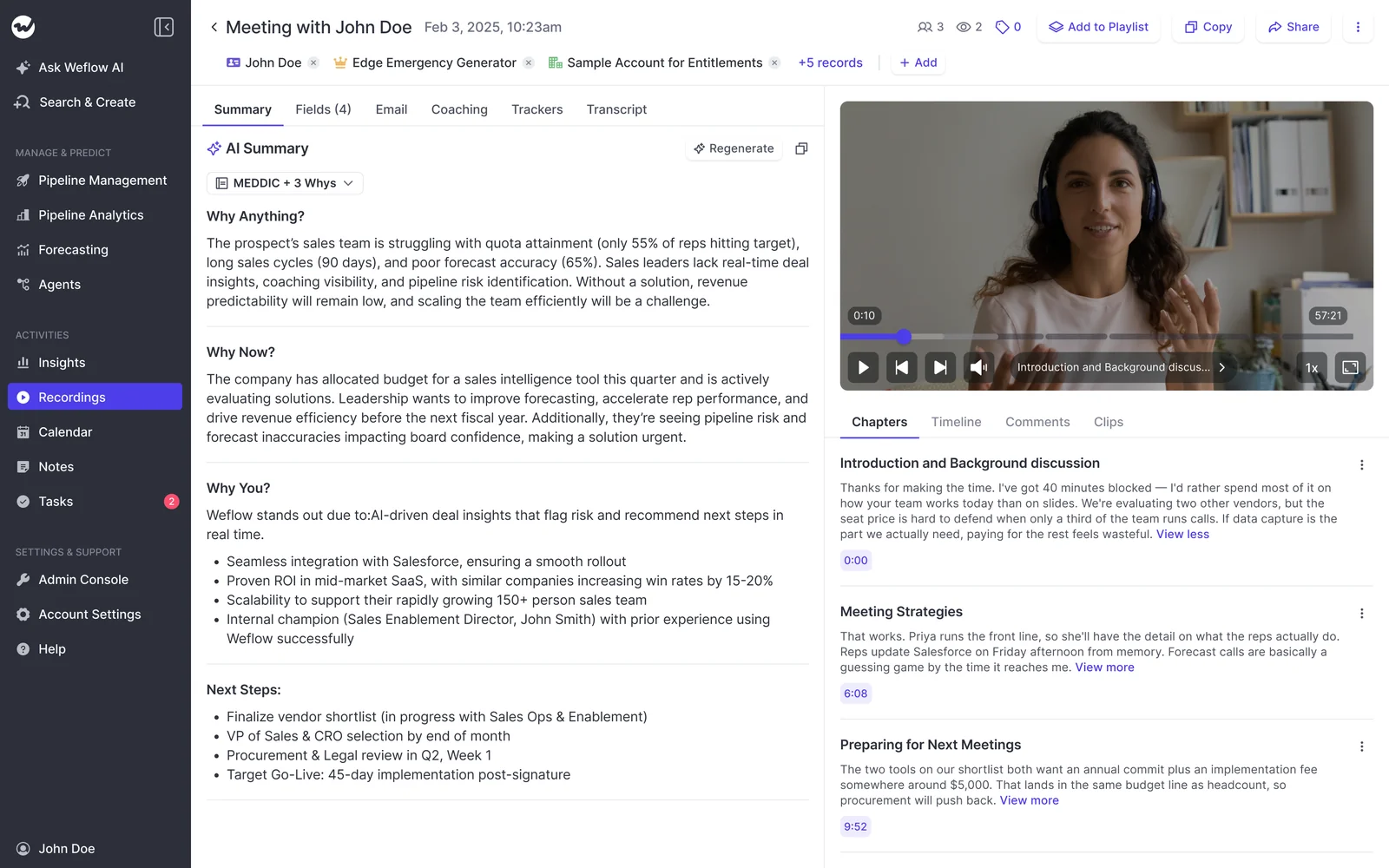
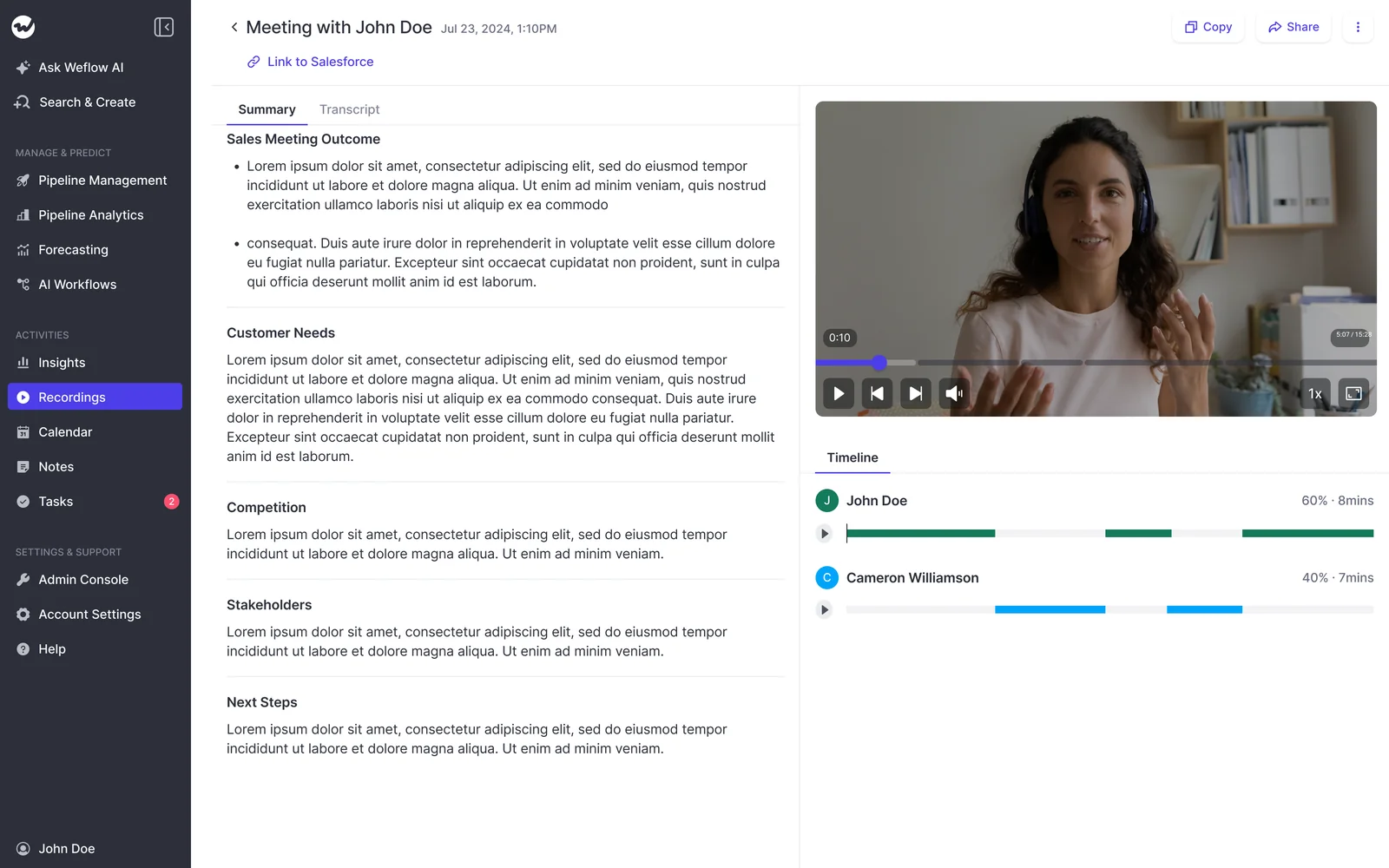
Everything Weflow produces from one call sits on a single recording page: the AI summary, the proposed field updates, the follow-up email, the coaching scorecard and the transcript, beside the video and its chapters.
Weflow Conversation Intelligence costs $39 per user per month, billed annually. If you also want email and meeting capture, the Revenue AI Foundation bundle adds Weflow Activity & Contact Capture for $49 per user per month, so you get capture and recordings together.
Agent Builder is the one Weflow product we price by usage
Agent Builder is the only Weflow product priced by consumption, because scheduled agents are the one part of the platform that consumes tokens at scale. We count usage in agent actions, measured from the tokens a run consumes at roughly 1 million tokens per action. The count follows the work an agent does, not a fixed price per agent type. The meter works like this:
- A simple scheduled agent typically uses 1 action per run. An agent reasoning across many transcripts and emails uses several, typically up to about 5, and every run uses at least 1.
- Pricing is per workspace, not per rep: 25 free actions a month in every plan, Growth at $299 a month for 500 actions, Scale at $999 a month for 2,500, and a custom Enterprise volume.
- When a workspace uses its actions for the month, Weflow pauses its agents until actions are available again. Weflow never bills overage or moves the workspace to a larger tier by itself.
- Test runs use no actions, so you can build and test an agent without spending the allowance.
- The Agent Usage page shows actions used against the plan and breaks them down by workflow into runs, total actions and average actions per run, so you can see which agent spends the allowance.
- Agents you build on Weflow's public API or MCP connector, in Claude, ChatGPT or your own warehouse, use no actions.
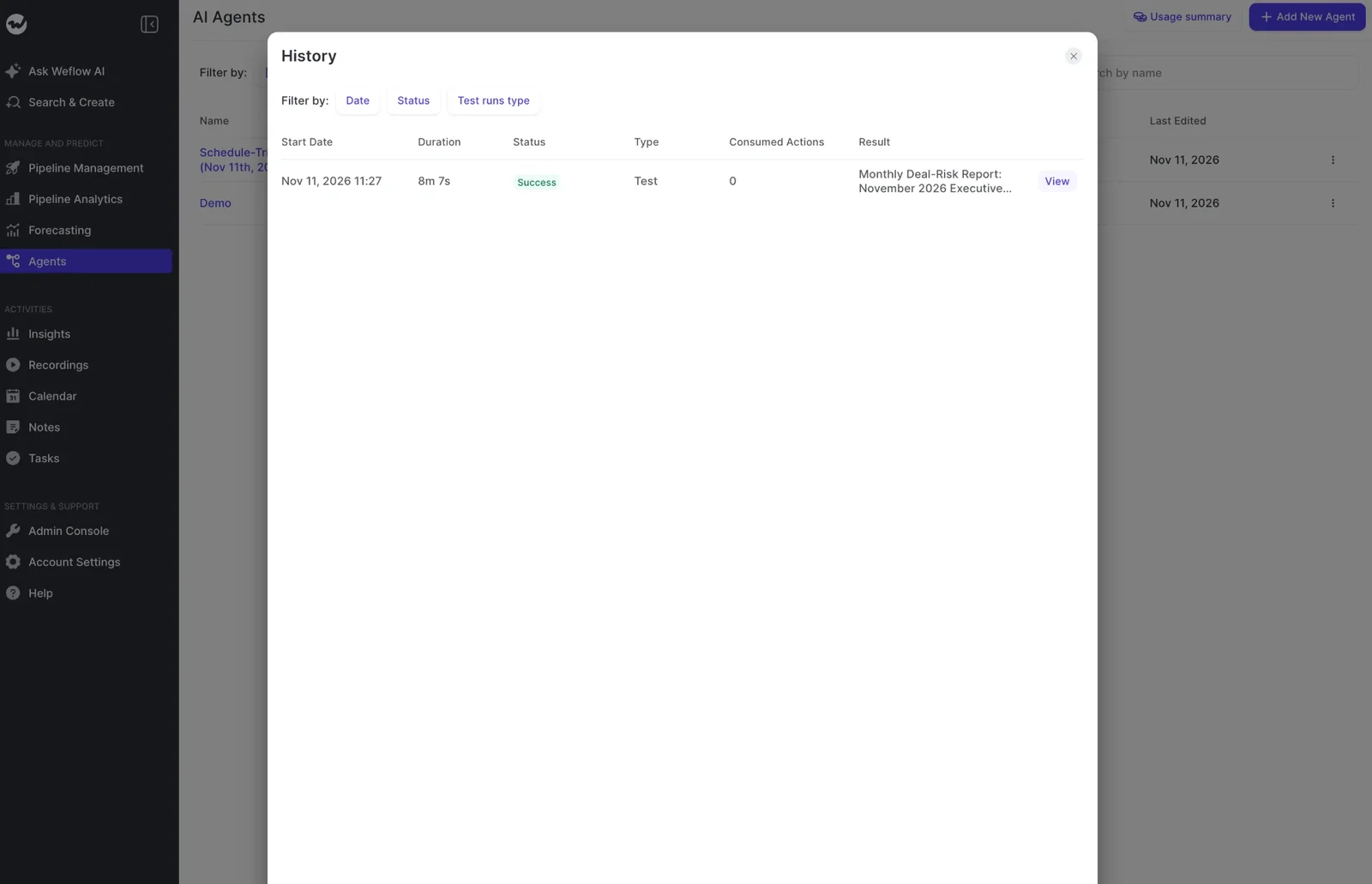
Each agent's run History lists every run with its status and the actions it consumed, and a test run shows 0.
How the AI cost lands on CRM field updates, AI chat and meeting summaries
CRM field updates: a Fireflies credit per meeting versus AI Field Updates in the Weflow seat
Fireflies charges 1 AI credit for each Autofill CRM extraction, and Weflow includes AI Field Updates in the seat. So the cost of filling fields from calls grows with meeting volume on Fireflies and stays flat on Weflow.
Fireflies Autofill CRM never writes to Salesforce on its own. A rep opens each meeting in Fireflies and reviews the values for Contacts, then Accounts, then Opportunities, picks the opportunities to update and clicks Autofill. A meeting nobody reviews leaves Salesforce unchanged. The append mode in Autofill CRM is a real advantage for fields where you want a deal's history to build up in one place.
Weflow AI Field Updates write to every Salesforce object and every field type except relationship lookups, including picklists, numbers, dates and MEDDIC fields. Your admin decides per field whether Weflow writes automatically or waits for the rep's approval. Weflow proposes only the fields the call actually changed.
We recommend setting that choice by the kind of field. MEDDIC fields such as the champion build up evidence across a deal, so automatic updates keep them current. Next step, close date, stage and amount move the forecast the moment they change, so the rep should confirm them after each call.
Between the two tools, the deciding question is who you trust to click. If your reps reliably review every meeting, Fireflies' review step works and the credit is the main cost. If your Salesforce fields go stale whenever reps skip admin work, you need fields that write on their own: AI Field Updates set to automatic.
AI chat: AskFred paid in credits versus Ask Weflow AI in the seat
Fireflies charges AskFred questions in credits priced per query, while Ask Weflow AI is included in every Weflow seat. On Weflow, nobody has to own a budget before your team starts asking.
Fireflies Global AskFred answers across a user's past meetings, connected apps such as Gmail, Slack and HubSpot, and the web, and lets the user pick the model from Anthropic, OpenAI or Google. Its reach is wider than Weflow's. Each question draws on the shared pool at a rate set by its complexity, so opening AskFred to your whole sales team is a budget decision as much as an enablement one.
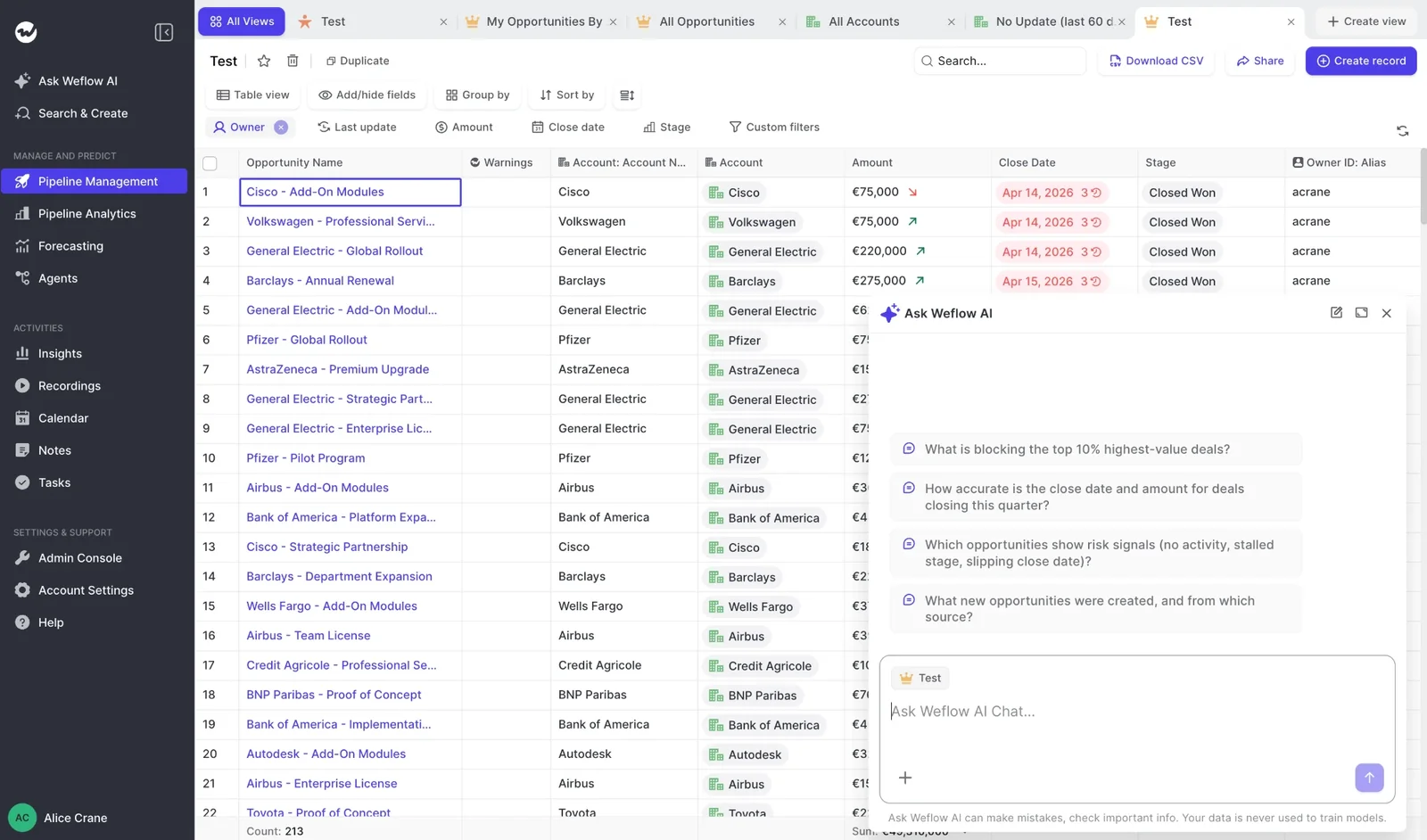
You can point Ask Weflow AI at a single call, a deal, a filtered deal board, an account or the whole system. It answers across Salesforce records, captured emails, meetings and transcripts, inherits Salesforce permissions and adds its own guardrails on top. The ceiling is roughly 20 million tokens per question, so put a sweep across your whole book of business in an agent, not the chat.
AI meeting summaries: both tools include the standard summary
Fireflies and Weflow both include a standard AI meeting summary at no extra cost. Where they differ is where credits creep in and where the summary ends up.
On Fireflies, each extra section you add to a template costs 1 credit per meeting, though switching templates regenerates the summary without using credits. Fireflies can also email its recap to external participants automatically, before the rep has reviewed it.
Weflow lets your team hold as many summary templates as it wants, and meeting type detection applies a different summary to a discovery call, a demo or a closing call. Weflow writes the summary to the Salesforce Event. The summary lists next steps but doesn't assign one to a named person.
Integrations, MCP and raw data: where Fireflies reaches further
Integrations with the rest of the revenue stack
Fireflies connects to more of your stack than Weflow does. It lists integrations with more than 100 apps across conferencing, dialers, CRMs, applicant tracking, project management, storage and automation tools such as Zapier, and it syncs with HubSpot in both directions.
Weflow integrates natively with Salesforce, Gmail, Google Calendar, Outlook, Zoom, Microsoft Teams, Google Meet and Slack. Your admin connects the Outreach dialer directly, and Aircall, CloudTalk, Dialpad and Zoom Phone connect once Weflow's support team activates them. Weflow isn't an integration platform with a catalogue of connectors, so a tool outside that set reaches Weflow through the API.
Access from Claude, ChatGPT and other AI assistants over MCP
Fireflies and Weflow both run an MCP connector, and they differ in what the assistant can reach. Fireflies' MCP server, listed in Claude's connector directory and usable from ChatGPT, covers meetings, transcripts, summaries and team analytics, but not deal intelligence or CRM data.
Each Fireflies user connects with their own login or API key, which reaches only that user's meetings. Fireflies' zero data retention doesn't cover meeting data passed to the assistant, so check that with your security team before you connect it.
Weflow's MCP connector is read-only and gives an assistant playbooks, call summaries, transcripts and forecast calls. Your admin switches it on per workspace, with a separate toggle for full transcripts. The connector doesn't return the content of captured emails or values stored on Salesforce records.
Raw data access through the API and the warehouse
Fireflies offers the more direct warehouse route. Its public GraphQL API is available on every plan, with webhooks for meeting events and native delivery of each meeting's transcript, summary and metadata to your own Snowflake account. The API is rate-limited to 50 requests a day on Free, 500 a day on Pro and 60 a minute on Business and Enterprise.
Weflow's REST API bulk-exports transcripts, metadata, scores and signals in JSON or CSV, and feeds BI tools such as Tableau and Looker. Weflow has no native Snowflake, Databricks or BigQuery connector, so you move data into a warehouse through the API.
For most reporting you may not need that route: transcripts and summaries already sit in Salesforce, so you start from data you sync today.
What AI costs a 20-rep Salesforce team on each tool
A 20-rep Salesforce team pays less for seats on Fireflies and less for AI usage on Weflow. We worked it through for 20 reps who each hold about 40 external meetings a month, with Fireflies Autofill CRM switched on so every external meeting fills Salesforce fields.
Seats come to $9,360 a year on Weflow Conversation Intelligence and $4,560 on Fireflies Business. On Fireflies, Autofill CRM alone spends about 800 credits a month, 1 per meeting, against a one-time pool of 30. That's 16 times the smallest 50-credit package every month, before a single AskFred question or Meeting Prep brief.
On Weflow, the same 800 meetings get summaries, AI Field Updates and Ask Weflow AI inside the seat. If RevOps adds one weekly digest agent in Agent Builder, it runs 4 or 5 times a month. Even at 5 actions a run, it stays inside the 25 free actions.
| Line item | Weflow | Fireflies |
|---|---|---|
| Seat price | Conversation Intelligence, per user per month, billed annually | Business, per user per month, billed annually |
| Seats a year for 20 reps | $9,360 | $4,560 |
| AI in the seat | AI summaries, AI Field Updates, Ask Weflow AI | Transcription and standard summaries |
| What meters | Agent Builder actions, per workspace | Autofill CRM, AskFred, Meeting Prep, extra summary sections, AI Skills, Slack Assistant |
| Included allowance | 25 agent actions a month | 30 credits, one-time, shared by the team |
| AI use in this example | One weekly agent, within the free actions | About 800 Autofill credits a month, plus AskFred and Meeting Prep |
| At the limit | Agents pause; no overage, no automatic upgrade | Automatic move to the next paid credit package unless auto-upgrade is off |
Fireflies costs less in seats, and Weflow's AI line stays fixed as use grows. To rerun the comparison for your own team:
- Multiply reps by external meetings a month for the Autofill credit count.
- Add the AskFred questions and Meeting Prep briefs you expect.
- Compare that monthly credit need with the packages Fireflies offers.
- Set the result against the difference in seat cost between the two tools.
Moving from Fireflies to Weflow, or running both
Bringing your Fireflies call history into Weflow and Salesforce
Your Fireflies call history comes with you when you move to Weflow. Weflow's team imports recordings through the current provider's API or from exported files. It re-links each one to the right Salesforce records, using the provider's own associations where they exist and Weflow's lookup matching where they don't.
The import takes about 1 to 2 weeks depending on volume, and up to 2 years of history is free, with longer history as a paid service. Calls, transcripts and metadata come across, and you set trackers up again in Weflow.
Keeping Fireflies and adding Weflow next to it
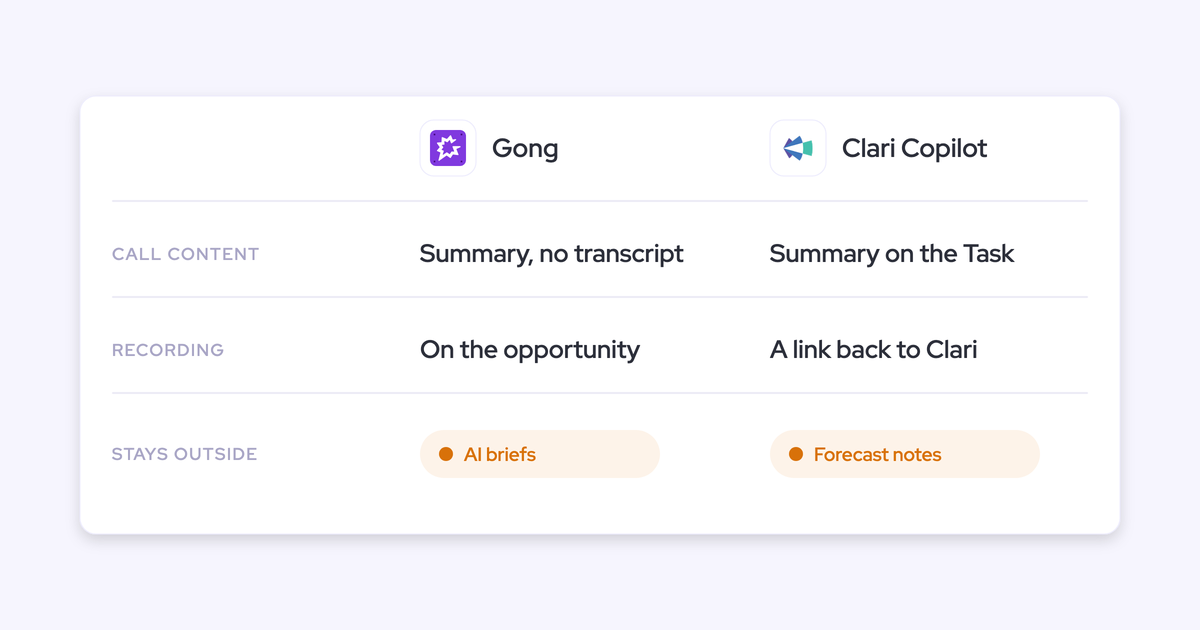
You can keep Fireflies and add Weflow next to it, which is often the easier first step when your team is used to its recorder. Fireflies' automatic sync writes each meeting into Salesforce as a summary note, and Weflow's AI Playbooks read transcripts and summaries another recorder writes into Salesforce like any other Salesforce data.
AI Field Updates and follow-up emails run only on Weflow recordings.
Weflow Activity & Contact Capture is the usual entry point. It logs emails, meetings and contacts to Salesforce while Fireflies keeps recording. For people outside Salesforce, a Conversation Intelligence Light seat records and transcribes their meetings without syncing to the CRM, so one recorder can eventually cover the company.
When to choose Fireflies and when to choose Weflow
Choose by your CRM, your team size, how much AI your team will use and who you trust to review field updates.
Choose Fireflies if:
- Your team is under 10 seats or wants monthly billing, which Weflow's minimum and annual term rule out.
- You run HubSpot or need recordings to flow into many apps beyond the CRM.
- You mainly need recordings, transcripts and standard summaries across every function, with light use of the credit-priced AI, so the low seat is most of what you pay.
- Your reps will open and send each meeting's Autofill values, and you want append mode on CRM fields.
Choose Weflow if:
- You run Salesforce with 10 or more customer-facing seats on an annual contract.
- Finance needs an AI cost that doesn't move with meetings or questions, and the one metered product stops at its limit.
- You want Ask Weflow AI open to every rep and manager, without rationing access to protect a credit pool.
- You want call data written into Salesforce fields automatically, set per field, without depending on each rep's review.
FAQs on Weflow vs Fireflies AI pricing
Does Fireflies charge AI credits for transcription and summaries?
No. Fireflies doesn't charge AI credits for transcription or the standard meeting summary, so recording calls doesn't touch the pool. Credits start when you add sections to a summary template, at 1 credit per extra section per meeting, or use features such as Autofill CRM, AskFred and Meeting Prep. Switching between summary templates regenerates the summary without using credits.
Do unused Fireflies AI credits roll over?
No. Purchased Fireflies AI credits that go unused don't roll over. The plan's own pool, 30 credits on Business, is one-time and shared by the whole team. A plan upgrade replaces that pool rather than adding to it, so you can't bank credits for later by buying a large package.
Can I stop Fireflies from upgrading my credit package?
Yes. Switch auto-upgrade off in Fireflies' billing settings. With it on, a paying team that runs out of credits before the cycle ends moves to the next higher credit package and pays for it, pro rata on an annual plan. With it off, credit-priced features have nothing to draw on once the pool is empty.
Does Weflow charge extra for Ask Weflow AI?
No. Ask Weflow AI Pro is included in every Weflow plan and isn't metered, under a fair use policy no customer has reached. Each question can use up to roughly 20 million tokens, so put a question that sweeps the whole book of business in an Agent Builder agent, the one product Weflow meters.
What happens when a Weflow workspace runs out of agent actions?
When a Weflow workspace runs out of agent actions, its scheduled agents pause until actions are available again, at the monthly reset or after your admin moves to a larger tier. Weflow never bills overage or upgrades the workspace by itself. Ask Weflow AI, summaries and AI Field Updates keep running, because they use no actions.
Is Weflow cheaper than Fireflies?
No, not on seat price. Weflow Conversation Intelligence costs $39 per user per month against $19 for Fireflies Business, with a 10-user minimum and annual terms. What Weflow offers instead is an AI cost that doesn't rise with meetings or questions: only Agent Builder meters, and it stops at its limit.
Does Weflow work with HubSpot?
No. Weflow supports Salesforce as its only CRM; HubSpot, Microsoft Dynamics, Pipedrive and Zoho aren't supported. Fireflies is the better fit for a HubSpot team: it logs notes, summaries and transcript links to HubSpot contacts, companies and deals, and Autofill CRM works with HubSpot fields.