Momentum vs Attention: Which One Fills Salesforce Fields From Calls (2026)
Momentum vs Attention: what each writes to Salesforce fields from calls, who reviews, and the cost.


Your reps fill MEDDPICC fields last, from memory, the night before the forecast call. Momentum and Attention both fill those Salesforce fields from the calls instead. You choose between them on 3 tests: what each one writes, who sees a value before it lands, and what it costs to keep running.
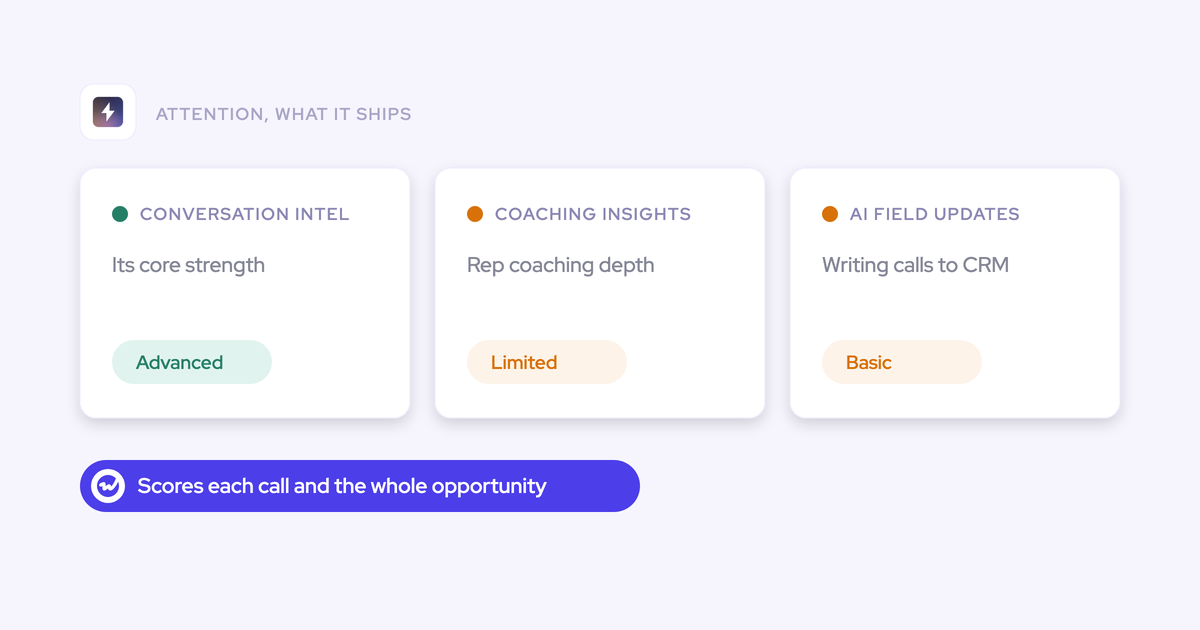
Momentum is Salesforce's own answer. It writes contact lookups, can append to what a rep typed, and is bought through Salesforce's editions, so it suits you if you're on Max or committed to Agentforce. Attention suits you if you want agent-led workflows and the most open AI-assistant access, and you accept automatic sync as the default.
If you're a Salesforce team that wants control field by field, we'd look at Weflow Conversation Intelligence. Weflow is the Revenue AI Orchestration platform for sales, customer success, and RevOps teams. Its AI Field Updates run on review or automatic per field, the call data lands in your own Salesforce, and the seat price is public.
Momentum, Attention and Weflow side by side on Salesforce field updates
Weflow, Momentum and Attention all write call values into Salesforce, and they split on who reviews the write, how other tools reach the data and how you pay.
| Capability | Weflow | Momentum | Attention |
|---|---|---|---|
| CRM field updates from conversations | Every field type except lookups, Stage included; review or automatic per field | Opportunity, Account, Lead, Event and Contact fields, lookups included; write, confirm or write-if-empty per extraction | Any mapped Salesforce or HubSpot field from a prompt per field; automatic sync recommended |
| Integrations with other tools | Salesforce, Gmail, Outlook, Google Calendar, Zoom, Teams, Meet, Slack, Outreach dialer; no native warehouse connector | Gong, Chorus, Clari Copilot, Attention and Salesloft recordings, 7 dialers, Slack or Teams | Calendars, Zoom Phone, Aircall, two-way Slack, workflow steps into Snowflake, CRMs and any API |
| Access from AI assistants (MCP) | Official read-only connector: transcripts, summaries, playbooks, forecast calls | No MCP server of its own; assistants go through Salesforce's Hosted MCP Server | Read-write server with 68 tools and raw transcripts, no consumption charge |
| Raw data access outside the tool | REST API bulk export in JSON or CSV; transcripts in Salesforce, video in your storage | API off until support enables it, 100 requests per 15 minutes | MCP server and API keys; workflows send data to Snowflake or any API |
| Pricing | Public: $39 per user per month for Conversation Intelligence, billed annually | Comes with Salesforce editions, no standalone seat price on Salesforce | No public pricing; quotes through a demo booking |
| Best for | Salesforce teams wanting per-field control, data in their own Salesforce and a public seat price | Teams on Max or committed to Agentforce that need lookups, append and write-if-empty | Teams with strong RevOps wanting agent-first automation and open AI access, on Salesforce or HubSpot |
Why RevOps teams end up comparing Momentum and Attention
Momentum and Attention land on the same shortlist because both make the same promise: fill the methodology fields from what was said on the call, so qualification shows up in reports instead of in a rep's memory. Transcription stopped deciding these evaluations a while ago.
On our calls, RevOps leaders ask a blunter question: which Salesforce fields does this write, who maps them, and can an admin see a change before it lands?
It is great if you have the recordings. The real challenge is turning that transcript into structured data back in your CRM. - Philipp Stelzer, CPO & Co-founder, Weflow
The two vendors moved in opposite directions in 2026. Salesforce owns Momentum and sells it through its sales editions. It released a rebuilt version in October 2026 and now calls the original product Legacy Momentum. Attention repositioned around AI agents that work the pipeline, with recording as the data those agents run on.
Because both tools now compete on the write, we'd judge them on the questions that decide what ends up in your reports:
- Field types and objects: do picklists, multi-selects, dates, Stage and contact lookups fill, and on which Salesforce objects?
- Review setting: can you choose per field, so a website writes itself while Champion waits for the rep?
- Empty-call behavior: what lands in a field when the call said nothing about it?
- Deal-level view: does a methodology field build across every call and email on the deal, or reflect only the last call?
- Access routes: how do your other tools, your warehouse and your AI assistants reach the call data?
- Cost at your seat count: what do you pay, and what comes on top?
Weflow Conversation Intelligence writes call data into Salesforce under per-field control
Weflow Conversation Intelligence writes call values into Salesforce fields through AI Field Updates, with review or automatic set per field and the call data stored in your own Salesforce.
How Weflow AI Field Updates turn a call into Salesforce field values
Weflow AI Field Updates write call values into every Salesforce field type except relationship lookups: picklists, multi-selects, numbers, dates and text, on Account, Contact, Opportunity and Lead.
An update can also write the opportunity Stage when the call meets the prompt's exit criteria. Before writing a picklist, Weflow reads the field's allowed values and matches its output against them, so it never writes a value the field won't accept.
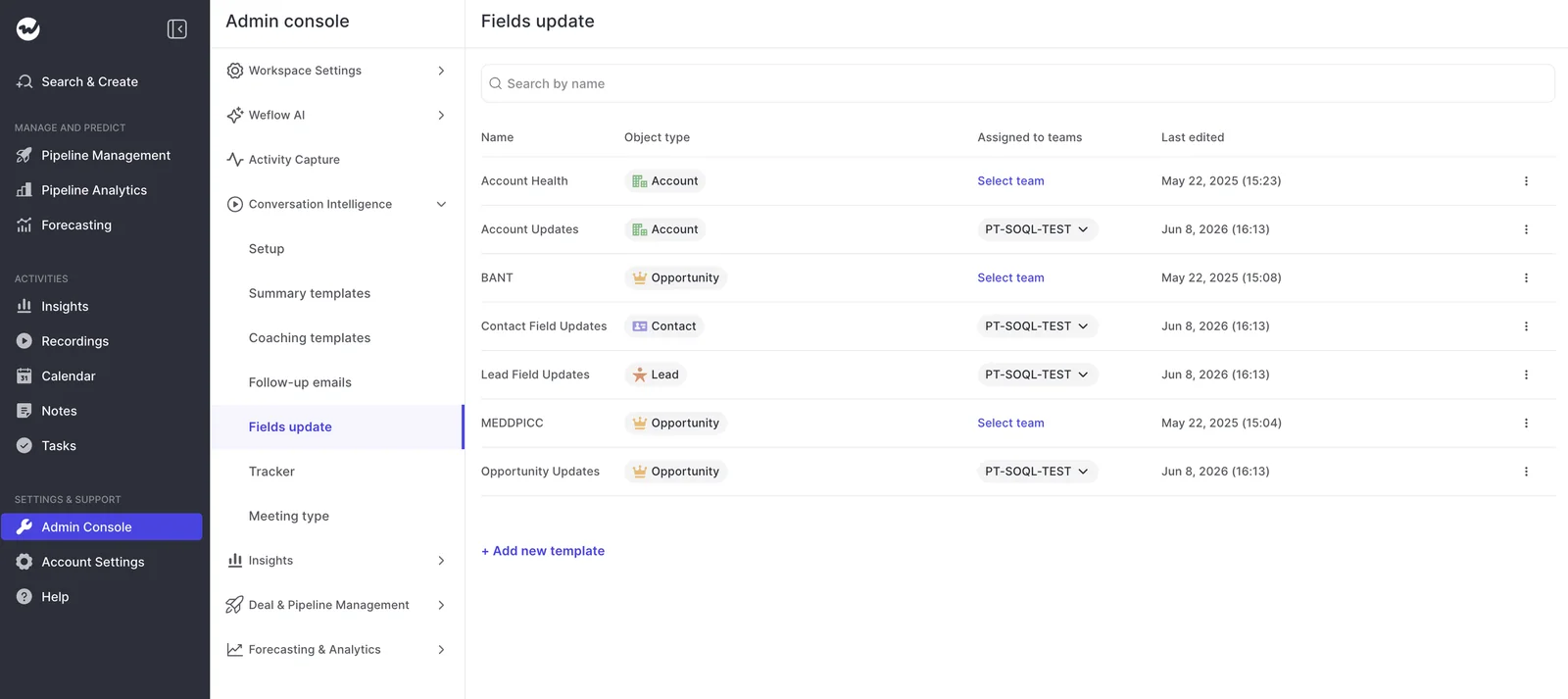
You set automatic or review per field. A website has one clear answer and can update itself, while Champion takes judgment and waits for the rep. In review, the rep sees the current Salesforce value beside the suggestion, and Weflow proposes only the fields the call changed.
Each update overwrites the field with what one call said, so an empty call could wipe earlier answers. You protect earlier qualification with review mode, or with a prompt instruction to leave the field alone when the call carries nothing new.
For the whole-deal answer, AI Playbooks read every call, email and related record on the opportunity and keep a methodology field at the best answer, not the latest one. Use a playbook for cumulative fields such as Champion, where the latest call rarely tells the whole story.
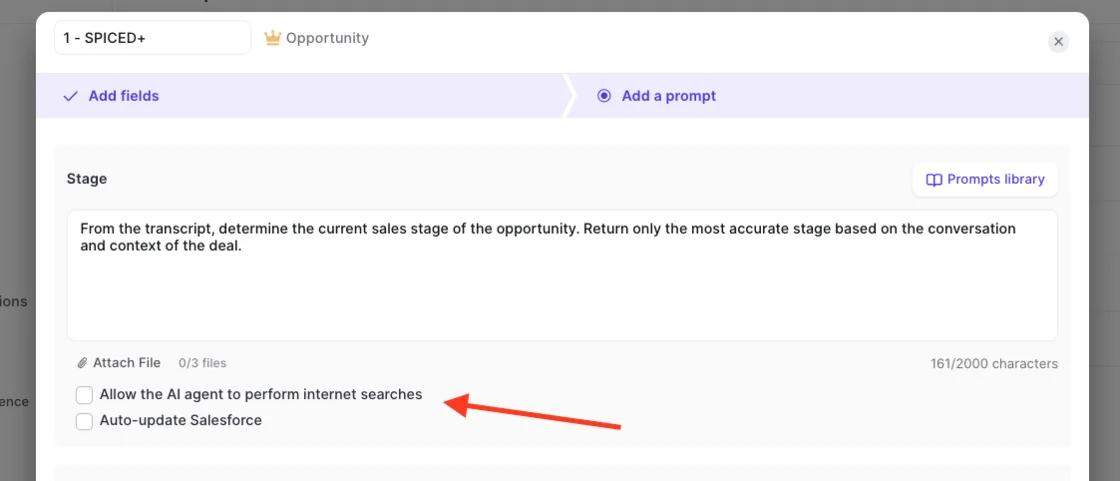
You can give each prompt up to 3 PDF files as context and let it search the internet, an option that is off by default and set per prompt.
How Weflow hands call data to your other tools, AI assistants and warehouse
Weflow connects natively to:
- Salesforce
- Gmail, Google Calendar and Outlook
- Zoom, Microsoft Teams and Google Meet
- Slack
- the Outreach dialer, with Aircall, CloudTalk, Dialpad and Zoom Phone switched on by Weflow's team
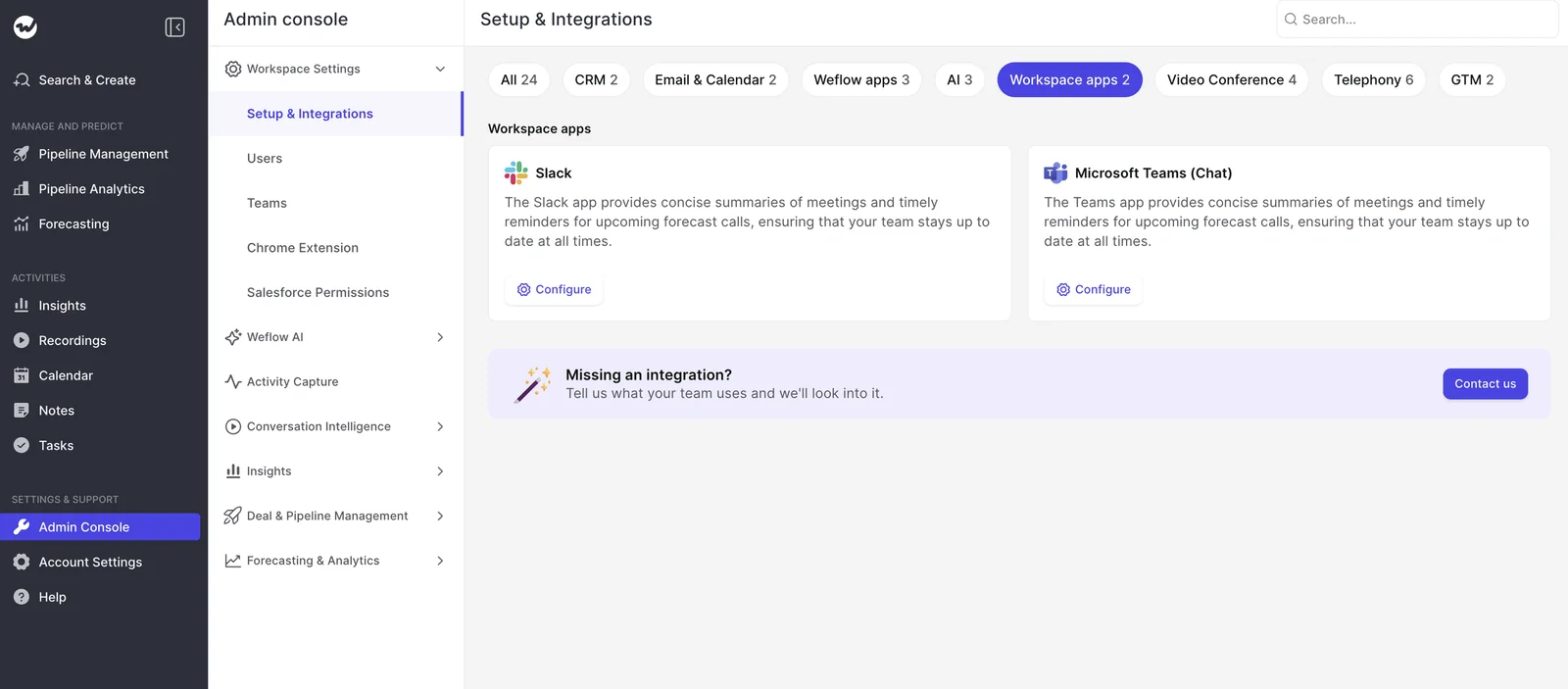
Transcripts and call outputs land in Salesforce on the Weflow Video Recording object, while video files export to your own cloud storage. Weflow delivers meeting summaries and forecast call reminders in Slack and Microsoft Teams.
Other tools reach Weflow's call data by 3 routes:
- Weflow's MCP connector is read-only and gives Claude, ChatGPT or any remote MCP client playbooks, call summaries, transcripts and forecast calls. An admin switches it on per workspace, with a separate toggle for full transcripts. It returns no captured email content and no Salesforce field values.
- Weflow's REST API bulk-exports transcripts, metadata, scores and signals as JSON or CSV and feeds Tableau and Looker. There's no native Snowflake, Databricks or BigQuery connector, so you load the warehouse through the API.
- Salesforce holds the transcripts and outputs, so your reports, Flows and Salesforce's own connector read them in place.
Weflow writes through a dedicated integration user on a least-privilege permission set and never needs Modify All Data, so it touches only the records and fields Weflow writes to.
What Weflow Conversation Intelligence costs and which teams it fits
Weflow prices every product per seat, with AI Field Updates included and no usage caps on recordings, transcripts or AI templates.
Weflow Conversation Intelligence costs $39 per user per month on its own, outside any Salesforce edition decision. The Revenue AI Foundation bundle pairs it with Weflow Activity & Contact Capture at $49. Billing is annual, with a 10-user minimum per product or bundle.
Agent Builder is the one consumption-priced product. Every plan includes 25 agent actions a month, with paid tiers at $299 for 500 actions and $999 for 2,500.
Weflow fits Salesforce teams of 10 or more seats that want per-field control and the data in their own Salesforce. Weflow works only with Salesforce, so if you run HubSpot, Attention serves you better: it writes call values to HubSpot properties.
Momentum writes call data into Salesforce as part of Salesforce itself
Momentum writes call values into Salesforce as Salesforce's own capture layer, sold through its sales editions and built to feed Agentforce.
How Momentum Autopilot fills Salesforce fields from calls
Momentum's Autopilot extracts call values into Opportunity, Account, Lead, Event and Contact fields, and into fields on objects reached from those. Each extraction is a prompt tied to a Salesforce field, with one of these save behaviors:
- Automatic save writes the value with no one in between.
- Confirm to write holds the value until a person reviews it in Slack or the Momentum web app.
- Write if empty fills the field only when it holds nothing, so a rep's entry stays.
Momentum recommends starting on confirm to write while you test prompts, then moving most fields to write if empty.
Momentum is strongest on person-based and hand-maintained fields. It writes lookup fields, so a MEDDPICC champion points at the contact record, and Autopilot can suggest an external attendee from the call.
Momentum can also append instead of overwrite. It timestamps each entry so a rep's own text survives, at the cost of a field that grows on every interaction.
Momentum's methodology write draws on calls, emails and dials together. It fills MEDDPICC and SPICED fields, the Three Whys and a next best action on the opportunity. Autopilot Batch back-fills a new methodology field across past records, so a field you create today can draw on calls from before it existed.
These Autopilot settings are documented for Momentum as sold through momentum.io. Salesforce released a rebuilt Momentum in October 2026 that runs natively inside Salesforce, calls the original product Legacy Momentum, and moves existing customers across around their contract end. Before you plan around a setting, check with Salesforce that your version has it.
How Momentum works with your recorder, AI assistants and raw data
Momentum is built to sit on top of the recorder you already have. It takes calls from:
- recordings in Gong, Chorus, Clari Copilot, Attention and Salesloft Conversation Intelligence
- 7 dialers and contact centers: Aircall, CloudTalk, Dialpad, Orum, RingCentral, Vonage Contact Center and Zoom
One team we spoke with keeps Clari Copilot as its recorder and runs Momentum on top to do the writing. When a write fails, their admin checks Salesforce, Clari and Momentum in turn, so keeping your recorder adds a system to trace.
Momentum delivers its output to Slack or Microsoft Teams. Its Outlook calendar integration is an early beta, and it sends follow-up emails through Gmail only.
Momentum ships no MCP server of its own. Your AI assistants reach what it captures through Salesforce's Hosted MCP Server, over the records Momentum writes.
Momentum's own API is off by default. Support switches it on per workspace, and it's capped at 100 requests per 15 minutes. It returns meetings with attendees, full transcripts, linked Salesforce IDs and a 2-hour recording download link. It has no endpoint for call summaries, Autopilot extractions or coaching scores, so you read Autopilot extractions from the Salesforce fields they fill.
What Momentum costs now that Salesforce sells it inside its editions
Momentum has no standalone price on Salesforce, so buying it is a Salesforce edition decision. You can get it through these routes:
- The Max edition includes Momentum at $550 per user per month.
- The Core ($195) and Advanced ($395) editions are announced to include it, still marked coming soon.
- Starter Suite and Pro Suite take Momentum as a paid add-on, priced in a quote.
- The Agentforce for Sales add-on carries Momentum from $125 per user per month on an Enterprise, Performance or Unlimited licence.
The $69 and $99 plans on momentum.io are the legacy SKU. Legacy Momentum customers move onto an Agentforce SKU around their contract end.
Each licence includes up to 120 processed call hours a year, pooled across the org and prorated. Unused hours expire at contract end, so size the contract to the call hours you record.
Momentum requires Data 360 and Einstein Generative AI. The rebuilt version can't run in the same org as Einstein Activity Capture or Einstein Conversation Insights, so check your org first. Momentum fits teams already on Max or committed to Agentforce, because for them the edition decision is already made.
Attention syncs call data into Salesforce through workflows built around its agents
Attention syncs call values into Salesforce through workflows, with automatic sync as its recommended default and AI agents at the center of the product.
How Attention fills Salesforce fields from calls
Attention fills each CRM field from a prompt you write. The admin gives the field a type of free text or picklist, a scope and an extraction prompt, then maps it in a workflow to a Salesforce or HubSpot field.
When you connect a CRM, Attention drafts suggested field configurations. Its test-against-a-real-call control and prompt optimizer make tuning those prompts fast.
Attention offers 2 ways to sync:
- Manual sync runs from the CRM tab on each call. The rep ticks fields, can re-run the extraction with Analyze Call, and pushes with Update Records.
- Automatic sync is set once in a workflow and writes after every call.
Attention recommends automatic sync, so on that setting nobody sees a value before it lands. In manual sync, the CRM tab shows each extracted MEDDIC field with its own checkbox.
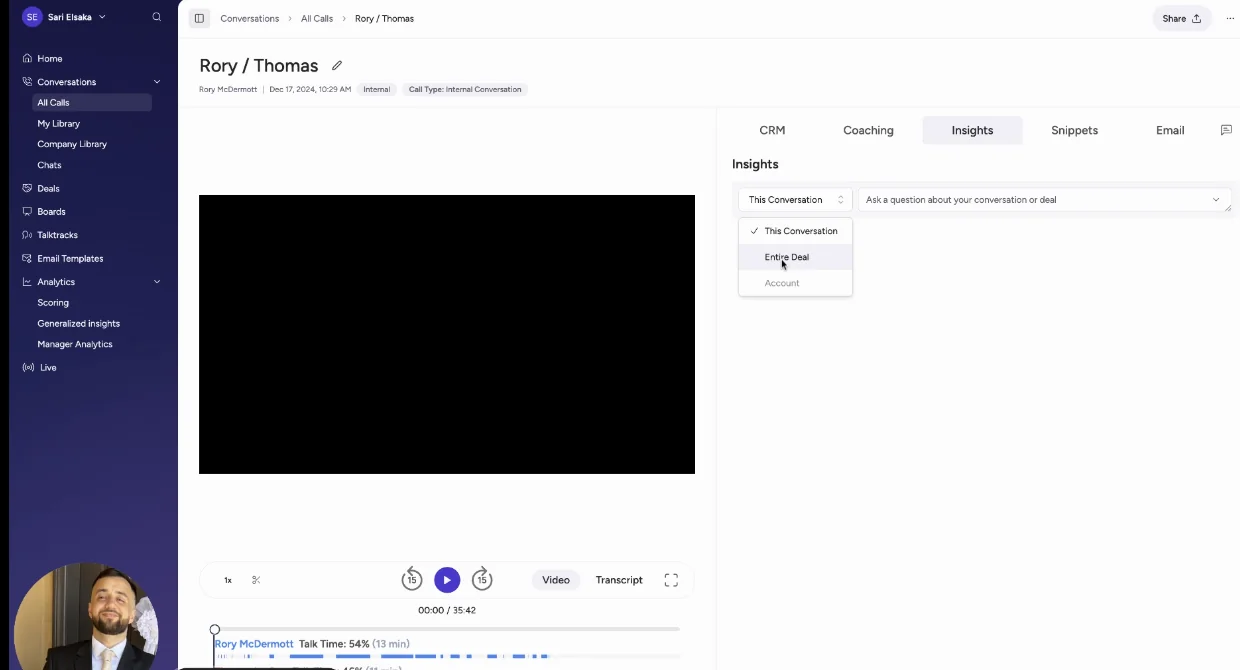
You can also scope an Attention field to the deal, so it summarizes every call linked to the opportunity.
Attention's field writes go wrong in these places, so check each one when you set it up:
- Attention writes prose into a free-text field when the call said nothing, such as an Economic Buyer field explaining that no decision maker came up. Picklists are selected correctly, so we'd use a picklist wherever the answer fits a set of values; free-text paragraphs read as data in every report.
- You map each new Salesforce field by hand, and it fills only on future calls.
- A user can dismiss a call from the queue of calls not yet exported to the CRM, and that call's data never reaches Salesforce.

How Attention opens call data to workflows, AI assistants and APIs
Attention is the most open of the three to AI assistants and other tools:
- Attention's MCP server is read-write, with 68 tools across 15 groups, for Claude, ChatGPT and IDE agents. It returns raw transcripts with full-text search, runs analysis across up to 25 calls or a whole deal, and hands questions to Attention's Super Agent.
- MCP calls run under the caller's own permissions, except org-level API keys, which carry full organization access. Rate limits govern usage, with no consumption charge.
- Attention workflows act inside Gmail, Google Sheets, Salesforce, HubSpot, Notion, Snowflake and more, and an HTTP request step calls any API.
- Attention connects to Google, Outlook and Zoom calendars, imports Zoom Phone and Aircall calls, and works both ways with Slack.
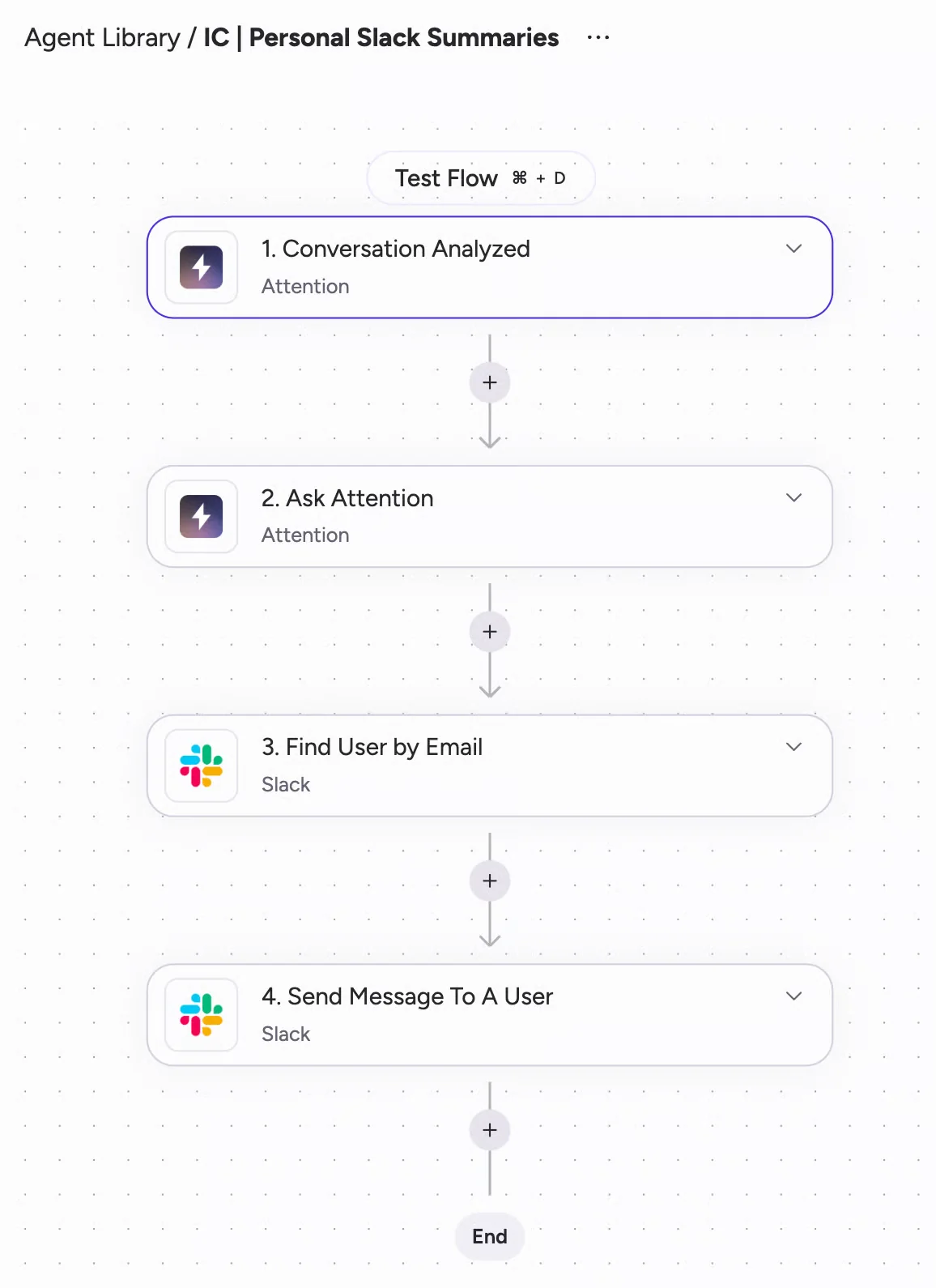
Attention's Builder chains a trigger to actions, such as a call summary sent to the rep in Slack.
Attention's Salesforce connection is where your security team will look hardest. The authenticating user must hold API Enabled, Customize Application and Modify All Data. Modify All Data is the broadest data permission Salesforce has: it overrides sharing rules and every object and record-level permission.
What Attention costs and which teams it fits
Attention has no public pricing: it's custom-priced for mid-market and enterprise, and you get a price by booking a demo. Its workflows and MCP server carry no metered AI consumption. Attention claims self-serve setup, live in minutes with no implementation project.
Attention fits teams with strong RevOps that want agent-first automation and open AI-assistant access, on Salesforce or HubSpot. RevOps strength matters because your admin writes, tests and maps every field prompt and workflow. Attention fits less well if you need interpretive fields seen before they land, or if your security team won't grant Modify All Data.
How to move call history and field mappings to Weflow from Momentum or Attention
Bring the call history across first, then rebuild the field logic on top of it, so your new field templates have past calls to run on.
- Get API access or exports from your current tool. Momentum's API is off by default, so ask Momentum support to switch it on for your workspace.
- Have Weflow import the recordings through the vendor's API or from exported files. Weflow's team runs the import and re-links each call to its Salesforce records. Weflow needs the audio or video file, because a transcript alone can't be imported.
- Check the imported calls in Salesforce. Weflow processes each one with your summary template, scorecards and trackers, and gives it a Weflow Video Recording record with its summary and transcript.
- Rebuild your field templates from Weflow's library of more than 250 prompts. Set trackers up again, since the previous tool's trackers don't come across.
- Start every methodology field on review, and switch clear fields such as website or billing address to automatic once the suggestions have earned it. Reviewing each suggestion builds the evidence that the extraction is right.
Rebuild your Momentum workflows, such as Slack rooms per account and summaries posted back to Salesforce.
When to pick Momentum, Attention or Weflow for Salesforce field updates
Pick by the write you need, the review you trust and the way you want to buy:
- Momentum is the right choice if you're on Salesforce Max or committed to Agentforce, you want to keep your current recorder, and you need champion lookups, timestamped append or write-if-empty on methodology fields.
- Attention is the right choice if you have the RevOps capacity to write and maintain field prompts and workflows, you want read-write MCP access to your call store, or you run HubSpot.
- Weflow is the right choice if you want review or automatic set per field with the current value beside each suggestion, methodology fields kept at the best answer across calls and emails, and the call data in your own Salesforce at a public seat price.
FAQs RevOps leaders ask about Momentum, Attention and Weflow field updates
Can Momentum, Attention or Weflow write the champion as a contact lookup?
Momentum can: it writes Salesforce lookup fields from calls, so a MEDDPICC champion points at the contact record. Weflow AI Field Updates can't write lookups; a rep sets Champion or Economic Buyer by picking the contact in Weflow's deal board sidebar. Attention defines extracted fields as free text or picklists.
Will automatic field updates erase what a rep typed?
They can, depending on the tool and the setting. Weflow AI Field Updates replace a field's content, so keep interpretive fields on review, where the rep sees the current value beside the suggestion. Momentum can append with a timestamp or write only into empty fields. Attention's recommended automatic sync writes without anyone seeing the value first.
What happens to a Legacy Momentum contract at renewal?
Legacy Momentum customers move onto a Salesforce Agentforce SKU to keep using Momentum, around their current contract's end. The renewal becomes a Salesforce edition decision, which makes it the natural point to compare.
Can I keep Gong and still get field updates?
You can with Momentum, which runs on Gong recordings and writes the field updates itself, so Gong stays your recorder. Weflow records calls itself and imports your Gong history through Gong's API when you switch.
Does a new field fill from past calls?
Momentum's Autopilot Batch back-fills a new methodology field across past records. Attention fills a newly mapped field only on future calls. Weflow regenerates field suggestions on any call it has processed, and an AI Playbook compiles a methodology field from every transcript and email already on the opportunity.
Can Claude or ChatGPT read the calls and transcripts?
Attention's read-write MCP server returns raw transcripts. Weflow's read-only MCP connector returns transcripts when an admin allows transcript access, and AI summaries otherwise. Momentum has no MCP server of its own; assistants read what it writes into Salesforce through Salesforce's Hosted MCP Server.
What Salesforce permissions does the integration need?
Attention requires the connecting user to hold API Enabled, Customize Application and Modify All Data. Weflow never needs Modify All Data: a dedicated integration user gets a least-privilege permission set covering only what it writes. Momentum requires Data 360 and Einstein Generative AI, and every user grants Salesforce access to their Google or Microsoft account.
Does it work with HubSpot?
Weflow works only with Salesforce. Attention syncs both ways with HubSpot, writing extracted call values to the properties an admin maps. Momentum is sold through Salesforce's editions.