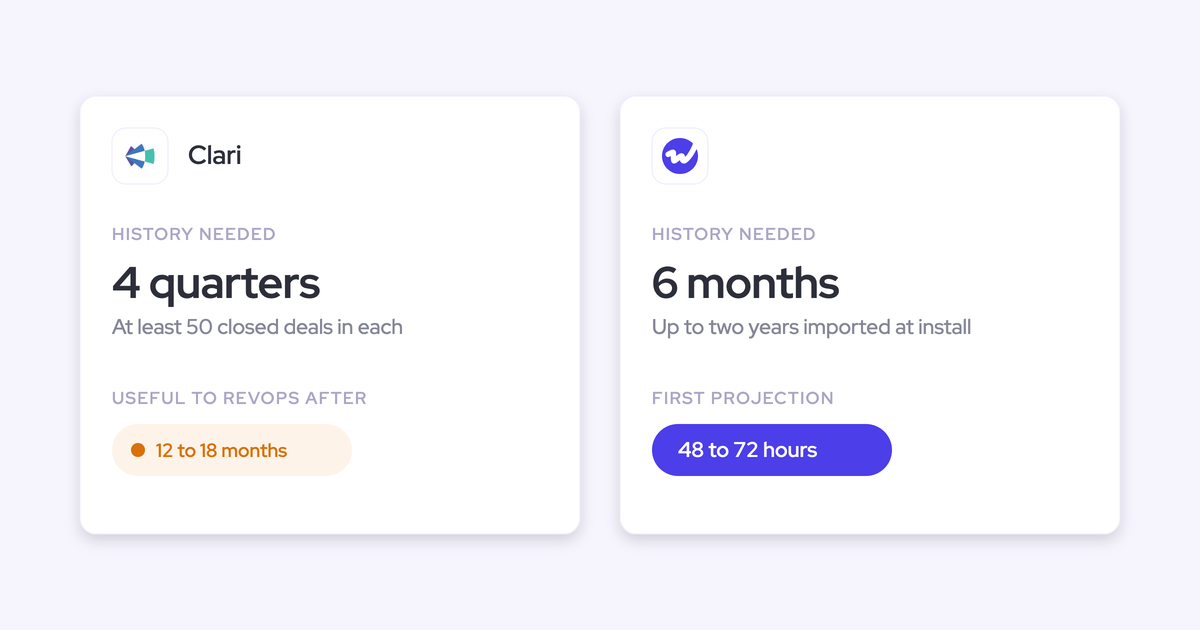
Weflow vs Momentum Setup: What Each Requires Before the First Call Is Captured (2026)
Learn what Weflow vs Momentum setup requires and who’s involved before the first call is captured.



Weflow and Momentum both write your call output into Salesforce. Where they really differ is what has to happen first, and who on your team has to do it, before your first customer call shows up there.
Weflow is the Revenue AI Orchestration platform for sales, customer success, and RevOps teams, built for Salesforce teams.
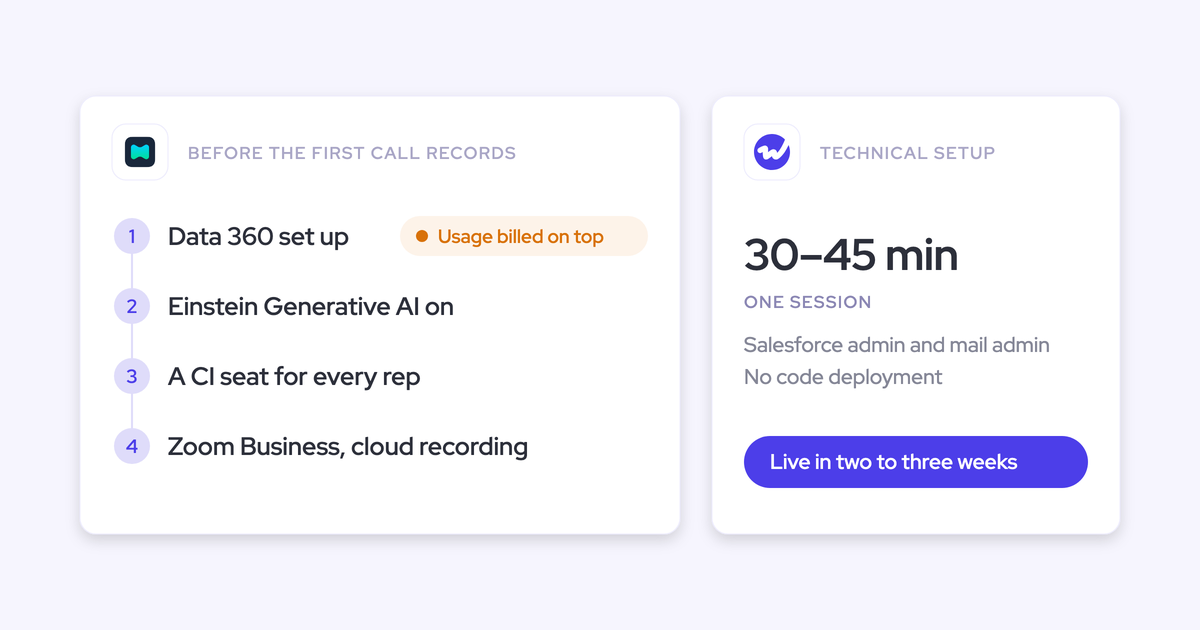
Getting Weflow Conversation Intelligence live takes one technical session of under an hour with your Salesforce admin and your mail admin, and then each licensed user signs in to Weflow once before the notetaker joins their calls.
Typical go-live is two to three weeks.
Momentum, on the other hand, is now two products, and each comes with its own requirements:
- Momentum on Salesforce is the version Salesforce rebuilt in October 2026. It needs Data 360, Einstein Generative AI and a Google or Microsoft grant from every user. You also have to tear down Einstein Activity Capture first, and once you switch off Einstein Conversation Insights, there's no going back.
- Legacy Momentum is the standalone momentum.io product. It's quick for admins to install, but then every Google Meet and Outlook user has to authorize access themselves.
Below is the ledger we'd want if we were in your seat. It covers each path, each prerequisite and each person you need to book.
How Weflow and Momentum compare on setup, AI access and price
Here's how they compare on what setup asks of your team, how you get to your data, and what you'll pay.
| Capability | Weflow | Momentum |
|---|---|---|
| Conversation intelligence setup and rollout | One technical session of under an hour with a Salesforce admin and a mail admin. Recording is assigned by team and reuses that calendar connection. Each user signs in once. Go-live takes two to three weeks. | Legacy: admins install a Slack or Teams app and a Salesforce managed package, and Google Meet and Outlook users each authorize access. Salesforce path: Data 360, Einstein Generative AI, the EAC teardown and a one-way ECI switch come first, then every user connects their calendar. |
| Integrations with other tools | Native connections to Salesforce, Gmail, Google Calendar, Outlook, Zoom, Microsoft Teams, Google Meet, Webex, Slack and the Outreach dialer. Weflow support activates Aircall, CloudTalk and Dialpad. There's no native warehouse connector, so data moves through the API. | Sits on five recorders (Gong, Chorus, Clari Copilot, Attention, Salesloft Conversation Intelligence) and connects to seven dialers and contact centers, plus Slack or Teams and Salesforce. The Outlook calendar is in early beta, and Gmail is the only route for follow-up emails. |
| Access from AI assistants (MCP) | Official read-only MCP connector, switched on with an admin toggle during setup, plus a separate transcript toggle. It returns playbooks, summaries, transcripts, forecast calls and pipeline metrics. | No MCP server of its own. Assistants reach what Momentum writes into Salesforce through Salesforce's Hosted MCP Server. |
| Raw data access outside the tool | Public API in every plan, with keys generated in the Admin Console. It bulk-exports transcripts, metadata, scores and signals as JSON or CSV, and exports video to your own storage. | The API returns meetings, transcripts, recording links and AI Signal results. It's off by default, support switches it on per workspace, and it's capped at 100 requests per 15 minutes. |
| Pricing | Published per-seat prices. Weflow Revenue AI Foundation (capture plus conversation intelligence) is $49 per user per month, billed annually, with a 10-user minimum. No consumption line on capture or conversation intelligence. | Legacy: $69 or $99 per user per month plus a $30 Conversation Intelligence add-on, sold through a booking page. Salesforce path: included in Max at $550, coming soon to Core and Advanced, a quote-only add-on on Starter and Pro Suite, plus Data 360 consumption. |
You'll notice most Momentum cells split in two. That's because Momentum is now two products, so the first question is which one you'd actually set up. The next section covers that.
Why Salesforce teams weigh Momentum against Weflow on setup
If you're comparing these two, it's likely because Salesforce now puts Momentum in front of you as the default path.
Salesforce acquired Momentum, named it the future of call recording and activity capture inside Salesforce, and rebuilt it as the capture layer under Agentforce.
And the "it's Salesforce, so it's integrated" argument does hold up. Momentum on Salesforce sits inside your org, so there's no separate integration to run, and it counts as tool consolidation.
If your roadmap already runs through Agentforce, that weighs in its favor.
But living inside Salesforce also means inheriting Salesforce's prerequisites, and that matters because setup time is now a deciding factor in its own right.
It's usually RevOps bandwidth, not product fit, that stalls a rollout, so buyers often ask about setup before they ask about features:
"...just want to know how long that would take if we have to make a decision how long it would take for us to onboard and integrate Salesforce and what we'll pay as a client every month."
— A prospect on a Weflow sales call
Which Momentum are you setting up: Legacy or Salesforce's rebuild?
If you bought Momentum from momentum.io, you're on Legacy Momentum. If Salesforce pitched it to you as part of an edition, you're looking at the rebuild. Salesforce now calls the standalone product Legacy Momentum.
| Legacy Momentum | Momentum on Salesforce | |
|---|---|---|
| How you get it | momentum.io plans (Business, Transformation, Enterprise) plus a Conversation Intelligence add-on, sold through a sales conversation. | Through a Salesforce sales edition, or through the Agentforce for Sales add-on on Enterprise, Performance or Unlimited. |
| How it installs | Admins install a Slack or Teams app and a Salesforce managed package for all users, then authorize Momentum in Salesforce. | Admins turn it on inside Salesforce once Data 360 and Einstein Generative AI are in place and EAC and ECI are off. |
| What it runs on | Momentum's own infrastructure on Google Cloud in the US, writing into Salesforce. | Inside Salesforce, with transcripts, recordings and metadata stored in Data 360. Lightning Experience only. |
| Who it's for today | Existing Momentum customers, who move to an Agentforce SKU within about two months of their contract end. | Teams on Max today, and Core and Advanced once it ships. It reaches orgs on a rolling basis from early November 2026. |
For many teams, Momentum setup now starts with a license decision. Here's where each edition stands:
- Max ($550 per user per month): Momentum is in your license today.
- Core ($195) and Advanced ($395): Announced, and still marked coming soon in Salesforce's edition comparison.
- Starter Suite and Pro Suite: A paid add-on, with the price only in a quote.
- Enterprise, Performance or Unlimited: Momentum comes with the Agentforce for Sales add-on, from $125 per user per month on top of your edition.
What each setup requires before your first call is captured
Weflow's list is short, and every item has a named owner. Momentum on Salesforce comes with platform prerequisites and a teardown, while Legacy Momentum is light for admins but pushes steps onto every user and onto Momentum support.
| Requirement | Weflow | Legacy Momentum | Momentum on Salesforce |
|---|---|---|---|
| License or edition decision | Pick a product or bundle. Weflow Revenue AI Foundation pairs Activity & Contact Capture with Conversation Intelligence, which carries recording. | Pick a momentum.io plan and the Conversation Intelligence add-on. Existing customers also face the Agentforce SKU move at contract end. | Be on Max, wait for Core or Advanced, buy the add-on on Starter or Pro Suite, or add Agentforce for Sales. |
| Salesforce platform prerequisites | The Weflow managed package. No Data 360, no Einstein Generative AI, no Agentforce license. | A Salesforce admin who can install the managed package and authorize Momentum. | Data 360 provisioned, Einstein Generative AI, and Google Workspace or Microsoft 365. Not supported on Government Cloud. |
| Existing tools to switch off | No platform teardown before setup. Weflow replaces your current recorder, and its recordings come across through the import. | None. It can sit on your existing recorder. | EAC off, every connected account deleted and the product reset. ECI disabled, which is one-way. |
| Admin installs | One technical session. The Salesforce admin installs the package, and the mail admin authorizes the Google Workspace Admin App or Microsoft Entra ID app. | Slack or Teams app, Salesforce managed package and Salesforce authorization. A Zoom admin installs from the Zoom Marketplace, or a recorder admin connects Gong or Chorus. | The Salesforce admin enables Data 360 and Einstein Generative AI, tears down EAC and ECI, and assigns the Premium Momentum permission set. |
| Per-user actions | One first sign-in to Weflow before the notetaker joins. Activity capture runs before that. | Google Meet users authorize Salesforce and grant Calendar and Drive access. Outlook users authorize from Slack with /configure. | Every user grants Salesforce access to their own Google or Microsoft account, and their calendar has to be connected and syncing. |
| Settings only the vendor switches on | Aircall, CloudTalk and Dialpad integrations, which Weflow support activates. The recording import, which Weflow's team runs. | The Outlook beta, Smart Quarantine, consent controls, the API, email and SMS ingestion from Tasks, and any missing Conversation Intelligence settings. | None named in Salesforce's requirements. The work sits with your Salesforce admin. |
| How recording connects | The notetaker schedules from the calendar connection made in the technical session. The desktop app records without a bot, and Mobile Copilot covers in-person meetings. | A notetaker bot, Zoom's or Google Meet's native recording, or an existing recorder. | Google or Microsoft acts as the activity provider. Video calls record once the user's calendar syncs to Salesforce. Video calls only. |
| Who builds the configuration | Your admin, working with a named technical CSM. Under the managed-service option, Weflow does the build. | Your admin. In the proof of concept, a Momentum Solutions Architect. | Your Salesforce admin. |
Who from your team needs to be in the room
Weflow needs just two people in one session: a Salesforce admin and a mail admin. Each Momentum path pulls in a different group.
| Role | Weflow | Legacy Momentum | Momentum on Salesforce |
|---|---|---|---|
| Salesforce admin | Installs the managed package during the technical session. | Installs the managed package for all users and authorizes Momentum. | Enables the prerequisites, tears down EAC and ECI, and assigns the permission set. |
| Mail admin (Google Workspace or Microsoft 365) | Authorizes server-side calendar and email access in the same session. | Not in the install prerequisites. Each user connects their own calendar. | Not named. Each user grants access to their own account. |
| Slack or Teams admin | Optional. Connects the Weflow Slack App for summaries and forecast reminders. | Required. Installs the Slack or Teams app. | Not in Salesforce's listed prerequisites. |
| Zoom admin | Not needed. The notetaker joins as a participant. | Installs the app once for the org on Zoom Business, Education or Enterprise, with cloud recording and audio transcripts on. | Not in Salesforce's listed prerequisites. |
| Existing recorder admin | Provides an API key or exported files for the history import. | Connects Gong, Chorus or another supported recorder. | Not in Salesforce's listed prerequisites. |
| Data 360 and Einstein Generative AI owner | Not needed. | Not needed. | Provisions Data 360 and owns its consumption budget. |
What every rep has to do before their calls record
Every path asks something of each rep. The difference is how much:
- Weflow: Each licensed user signs in to Weflow once, and the notetaker starts joining their external meetings after that. Activity capture already runs in the background before the first sign-in, so emails and meetings reach Salesforce from day one.
- Legacy Momentum: Google Meet users authorize Salesforce and grant Google Calendar and Drive access. If they miss either permission box, recording fails. Outlook users authorize from Slack, and only after Momentum support switches on the Outlook beta.
- Momentum on Salesforce: Every user grants Salesforce access to their Google or Microsoft account. Their video calls don't record until that calendar is connected and syncing.
Whichever path you pick, the risk is the same: seats get assigned, nobody signs in, nothing records, and no one notices until a manager goes looking for a call.
To help with that, Weflow marks any assigned user who hasn't signed in as external, so you can spot the gap in the user list during rollout week rather than at your first deal review.
How Weflow setup works, from first session to live recording
Weflow setup runs in three phases: technical implementation, configuration and role-based rollout. The install is the quick part; most of the time goes into configuration and internal alignment.
How Weflow Conversation Intelligence goes live in two to three weeks
Two to three weeks is typical, and six weeks is the upper end. We run it as a project against a mutual action plan, with named owners on both sides:
- Technical implementation (under an hour): Your Salesforce admin and mail admin join a technical CSM from our side. The session connects the systems, and recording reuses the calendar connection set up for Weflow Activity & Contact Capture.
- Configuration: Your RevOps team and sales leaders decide on team structure and hierarchy, the sales methodology, which custom fields AI should fill, playbooks, deal warnings and prompt templates. Our CSM guides those decisions, or does the work for you under the managed-service option.
- Role-based rollout: Leadership and reps train separately, in live sessions of about ten to twelve people. You assign recording by team, so coverage follows the org chart as people join.
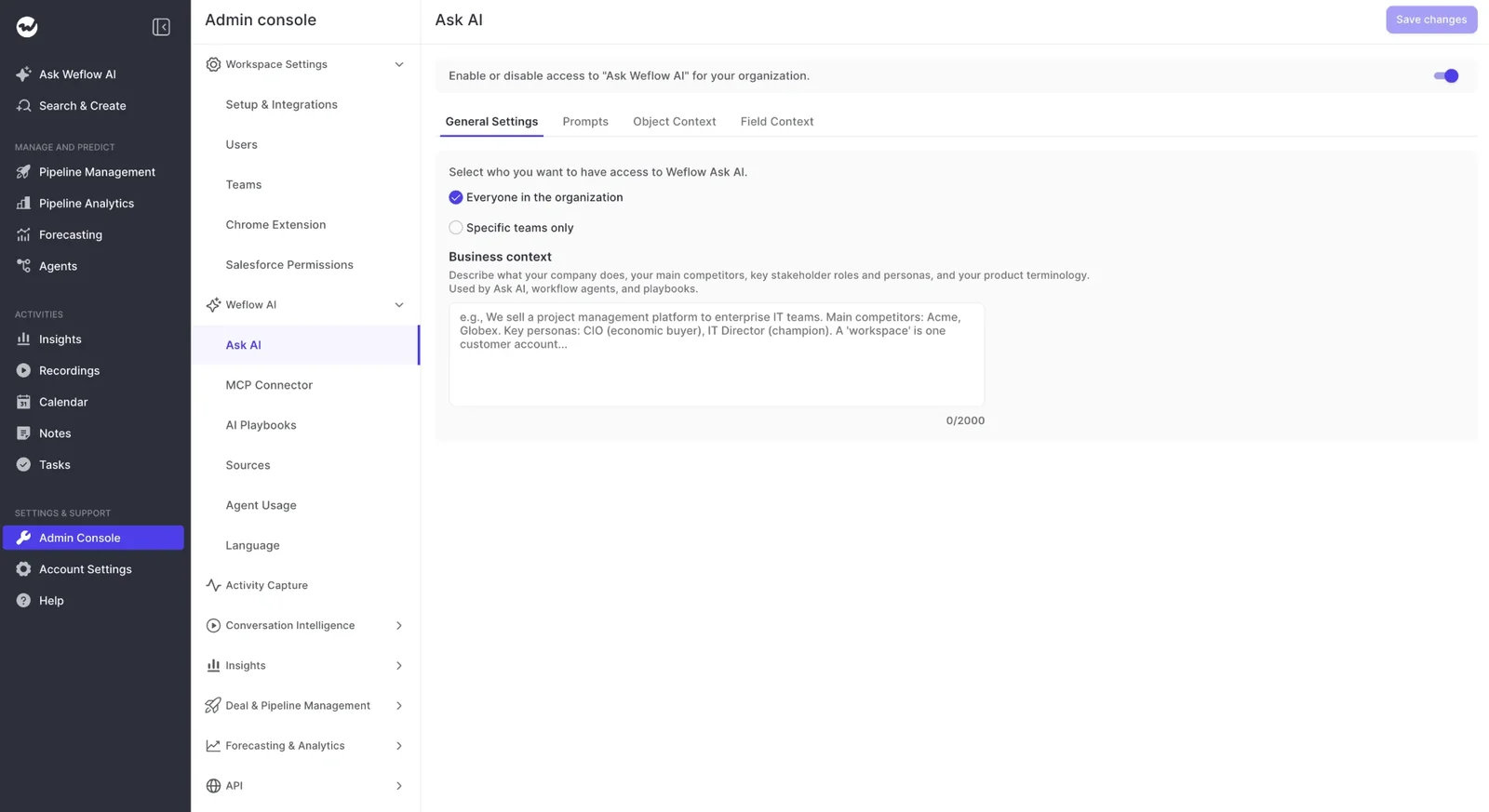
As part of configuration, you'll also write your company's business context once in the Admin Console (what you sell, your competitors, your stakeholder roles and your product terms), and Ask Weflow AI, workflow agents and AI Playbooks pick it up automatically.
So where do those two-to-three-weeks go?
- Your Salesforce admin and your mail admin usually sit on different teams, and getting both into one call is what stretches a one-hour job.
- Deciding which methodology to score against and which fields to write is a change-management conversation, not a settings task.
- Google environments tend to move faster than Microsoft ones.
Our fastest rollout took three days, for a 120-seat conversation intelligence replacement. We wouldn't recommend that pace, but it shows what's possible.
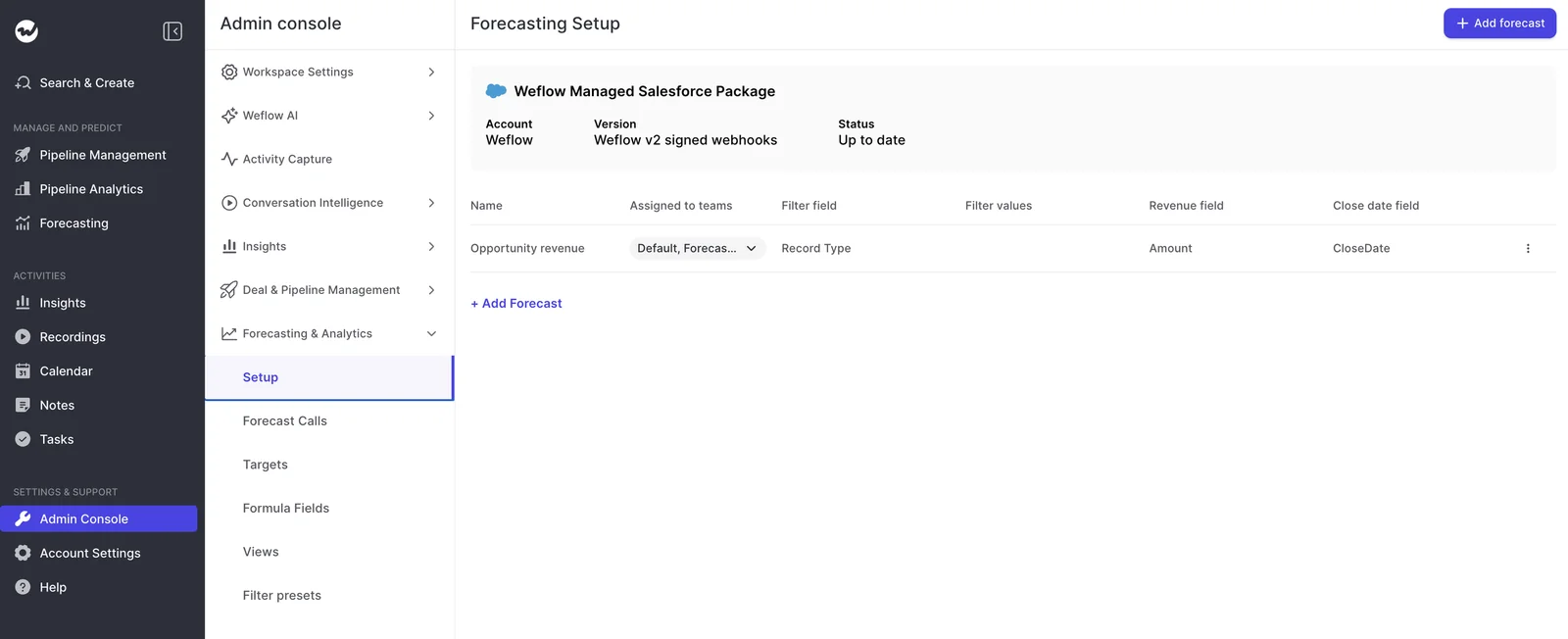
Weflow Deal Intelligence & Forecasting takes longer than two weeks, because forecasting encodes an operating cadence: who submits, how often, at deal or manager level, and against which quota.
Onboarding is free, and we run it ourselves instead of handing it to a partner. You get a named technical CSM in a shared Slack channel who fixes setup and capture issues directly.
With the managed-service option, your RevOps team only answers questions and unlocks access.
Which meeting, calendar and dialer tools Weflow connects to
Weflow connects natively to the tools your Salesforce sales team already uses, and a few dialers go through our support team.
Your admin connects:
Salesforce
- Google (Gmail, Google Calendar, Google Meet) or Microsoft (Outlook, Teams)
- Zoom and Webex for the notetaker (Webex when a paid Webex user organized the meeting)
- Slack
- The Outreach dialer, connected from the Admin Console
- Weflow support activates: Aircall, CloudTalk and Dialpad. For a dialer outside that list, we scope a custom integration.
- Recording without the notetaker: The desktop app for Windows and macOS, included with every Conversation Intelligence seat, and Mobile Copilot for in-person meetings.
Weflow isn't an integration platform with a connector catalogue. There's no native Snowflake, Databricks or BigQuery connector, though, so teams move data to a warehouse through the API.
How Claude and ChatGPT reach Weflow data through MCP
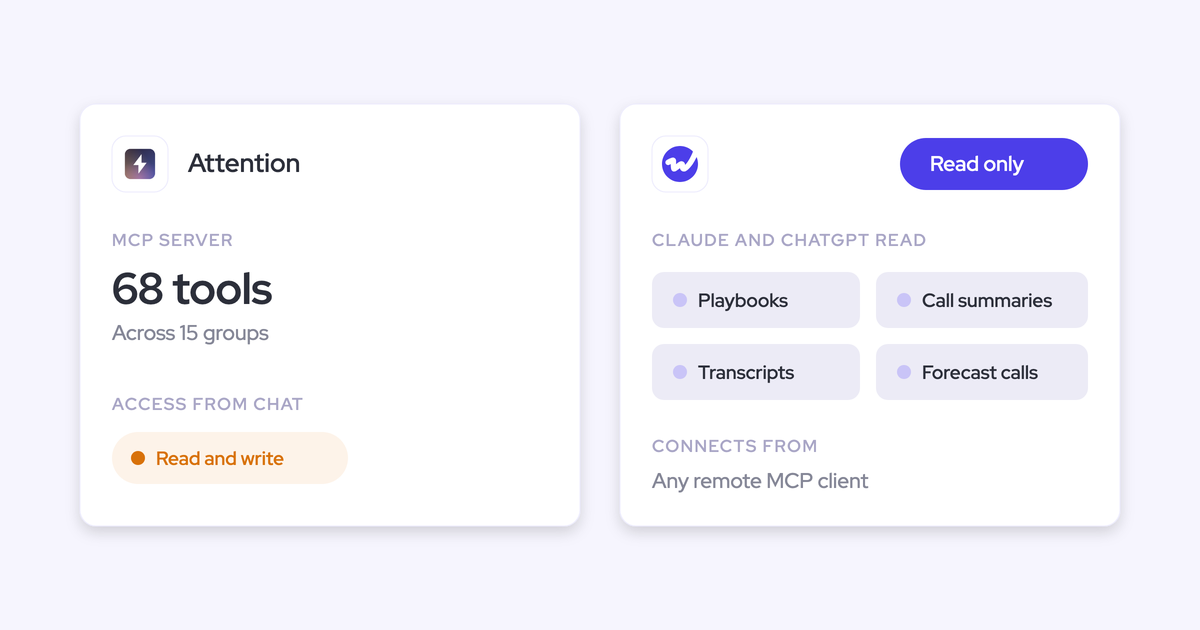
Your admin switches on Weflow's official read-only MCP connector during setup with one toggle in the Admin Console. A second toggle decides whether assistants can read full transcripts or only AI summaries.
On the assistant side, users just paste one URL as a custom connector. The console lists every connected user and the date they connected, so you can see who has attached an assistant.
The connector works with Claude, ChatGPT and any other client that supports remote MCP servers. It returns:
- AI Playbook results and call summaries.
- Transcripts, when transcript access is on.
- Forecast calls for a chosen close-date period.
- Per-rep pipeline metrics, such as weighted pipeline, win rate, coverage and gap to forecast, with the opportunity IDs behind them, for up to 25 owners.
It doesn't return:
- The content of emails captured by Weflow Activity & Contact Capture.
- Field values stored on Salesforce records, which you read through Salesforce's own connector.
Answers follow each user's Weflow permissions, so a rep who can't see a teammate's recordings in Weflow can't reach them through an assistant either.
How you pull Weflow transcripts and scores out through the API
Every Weflow plan includes the public API, and your admin generates keys in the Admin Console. There's no separate tier, and you don't need to open a support ticket.
The REST API bulk-exports transcripts, metadata, scores and signals as JSON or CSV. That data feeds BI tools such as Tableau and Looker, or your warehouse, and video files export to your own cloud storage.
Keep in mind the API only reads data out. It doesn't take ongoing recording uploads from other tools.
How Momentum setup works on the Legacy and Salesforce paths
Each section below covers both Momentum paths wherever they differ.
How Momentum recording goes live on each path
On the Legacy path, the admin install is fast and the per-user steps come after. On the Salesforce path, the platform prerequisites come first, and Salesforce doesn't publish how long they take.
Legacy Momentum:
- An admin installs the Slack or Teams app and the Salesforce managed package for all users, then authorizes Momentum in Salesforce. Momentum emails credentials for its admin dashboard and says installation takes minutes.
- The admin connects recording through a notetaker bot, Zoom's or Google Meet's native recording, or an existing recorder. On Zoom, a Zoom admin installs the app once for the whole org.
- The admin enables conversation intelligence, configures consent and assigns a CI seat to each user whose calls should record.
- Google Meet and Outlook users authorize their own access. On Outlook, that waits until Momentum support enables the beta.
- Any CI settings missing from the dashboard go through your Momentum account manager or support.
Momentum on Salesforce:
- Your admin provisions Data 360 and Einstein Generative AI.
- Einstein Activity Capture goes off, every connected account is deleted and the product is reset. With user-level authorization, each user deletes their own connected account first.
- Einstein Conversation Insights is disabled and its data migrated to the Salesforce Platform. An org whose ECI data hasn't been migrated can't use Momentum at all.
- The admin turns on Momentum and assigns the Premium Momentum permission set.
- Each user grants access to their Google or Microsoft account. Their video calls record once the calendar syncs.
If you want to test it first, Momentum also runs a two-week proof of concept in three meetings: a 45-minute install, a 30-minute check-in and a 30-minute go or no-go.
A Momentum Solutions Architect builds it, and your reps don't have to engage with Momentum notes during the trial.
Which recorders, dialers and calendars Momentum connects to
Momentum is built to sit on top of whatever you already record with, and its range of integrations is one of its biggest strengths:
- Recorders: Gong, Chorus, Clari Copilot, Attention and Salesloft Conversation Intelligence, plus a path for ingesting meetings from unsupported sources.
- Dialers and contact centers: Aircall, CloudTalk, Dialpad, Orum, RingCentral, Vonage Contact Center and Zoom.
- Meetings and calendars: Native capture on Zoom, Microsoft Teams and Google Meet, and a bot for platforms such as GoToMeeting. Google Calendar is supported, and the Outlook calendar integration is in early beta.
- Messaging and email: Slack or Microsoft Teams as the main surface. Gmail is the only route for sending follow-up emails.
How AI assistants reach Momentum data through Salesforce's MCP
Momentum doesn't have its own MCP server, so assistants reach what it captures through Salesforce's Hosted MCP Server, reading the records Momentum writes there.
The catch is that the assistant reads the CRM, not Momentum, so anything that didn't land in Salesforce is invisible to it.
What Momentum's API returns, and why support switches it on
Momentum's API is off by default until support switches it on for your workspace, and it's capped at 100 requests per 15 minutes. If you depend on raw transcripts, plan for that support ticket.
- What it returns: Meetings with attendees, full transcripts, linked Salesforce account, lead, case and opportunity IDs, a two-hour recording download link, AI Signal executions and users.
- What it doesn't: There's no endpoint for call summaries, Autopilot extractions or coaching scores.
Where Momentum asks less of your team than Weflow
In a few situations, Momentum is genuinely the lighter lift:
- You're keeping Gong or Chorus: Momentum layers onto your existing recorder, while Weflow replaces it. Our AI Playbooks don't read another recorder's transcripts, and our API doesn't take ongoing recording uploads.
- You run on Zoom: On the Legacy path, a Zoom admin installs Momentum once for the whole org and Zoom's own cloud recording does the capture.
- You want the vendor to build the trial: A Momentum Solutions Architect builds the two-week proof of concept, and reps don't touch it during the trial.
- You're already on Max with Data 360 live: Momentum is already in your license, and the biggest prerequisites are already met.
Where Weflow asks less of your team than Momentum
Weflow saves your team time in the places where Momentum stacks up prerequisites and per-user steps:
- No platform add-ons: Weflow needs no Data 360, no Einstein Generative AI and no Agentforce for Sales license before the first call is captured.
- No teardown and nothing one-way: You don't delete connected accounts or switch off a product you can't turn back on.
- One per-rep step: Reps sign in once instead of granting calendar and drive access. You assign recording by team, so new joiners are covered without anyone remembering to add them.
- Onboarding we run, at no cost: With the managed-service option, your RevOps team answers questions and unlocks access while we do the build.
- AI access live from setup: The MCP connector and the API are admin toggles and keys, not support tickets.
- A price you know before setup: Seat prices are published, with no Data 360 consumption and no call-hour pool to track.
"I made a deliberate choice to let Weflow own end-to-end onboarding rather than pull my team off revenue-generating work. That's exactly the kind of partnership leverage I was looking for."
— Scott Jones, SVP of GTM Revenue Intelligence & Enablement, KORE Wireless
How your existing recordings and activity data move across
Your call history moves with you on Weflow. On Momentum on Salesforce, the teardown decides what you keep.
How Weflow imports the recording library from your current tool
Weflow imports and reprocesses your existing recordings, so the archive stays searchable and scoreable after the switch.
Our team runs the import, and up to two years of history is free. It takes about one to two weeks, depending on volume, and anything older is a paid service.
We import through one of three routes:
- The old vendor's API, using an API key, with each recording re-linked to its Salesforce records.
- Recording files you've exported from the tool, for vendors with no usable API.
- A data warehouse such as BigQuery, once you grant access.
Imported transcripts land in your own CRM, so if you ask Weflow's AI how an objection was handled last quarter, it can still answer after the move.
What happens to EAC and ECI data when Momentum turns on
Turning on Momentum on Salesforce has consequences you can't undo:
- Every Einstein Activity Capture connected account has to be deleted and the product reset.
- Switching off Einstein Conversation Insights is one-way. Once Momentum is on, ECI can't be enabled again.
- Calls ECI processed lose video playback, metrics, transcripts, summaries and insights until their data moves to Momentum.
- Voice-call and in-person meeting coverage doesn't carry over, because Momentum records video calls only.
This also changes what a pilot means: on this path, you can't trial Momentum and fall back to ECI if a feature you relied on turns out to be missing.
What Weflow and Momentum cost, including what bills extra
Weflow publishes per-seat prices, includes onboarding and has no consumption line on capture or conversation intelligence. Momentum's cost depends on the path, the edition, Data 360 consumption and a pooled call-hour cap.
| Weflow | Legacy Momentum | Momentum on Salesforce | |
|---|---|---|---|
| Pricing model | Per seat, billed annually. Weflow Agent Builder is the only consumption-priced product, priced per workspace. | Per seat on annual plans. | Per seat through a Salesforce edition or the Agentforce for Sales add-on, plus Data 360 consumption. |
| List price for capture plus conversation intelligence | Weflow Revenue AI Foundation at $49 per user per month. Standalone, Weflow Activity & Contact Capture is $19 and Weflow Conversation Intelligence is $39. | Business at $69 or Transformation at $99 per user per month, plus a $30 Conversation Intelligence add-on. Enterprise on quote. | Included in Max at $550 per user per month, and announced for Core ($195) and Advanced ($395). On Enterprise, Performance or Unlimited, Agentforce for Sales from $125 on top of the edition. |
| What bills on top | Optional paid Weflow Agent Builder tiers ($299 for 500 actions, $999 for 2,500). A free tier with 25 actions a month comes with every plan. History imports beyond two years are paid. | The Conversation Intelligence add-on. | Data 360 consumption from Momentum's transformations and insights. Each license includes 120 processed call hours a year, pooled across the org, and unused hours expire. |
| Onboarding cost | Free, run by Weflow, with a managed-service option. | A proof of concept built by a Momentum Solutions Architect. No onboarding price published. | Not stated in Salesforce's pricing. |
| Minimums and terms | 10 users and a 12-month minimum term. A three-month early opt-out is available as a negotiated concession. | Annual plans, with discounts for teams of 50 or more. Existing customers move to an Agentforce SKU around contract end. | Editions bill annually. Call hours are prorated for the contract length. |
| Price published or quote-only | Published on weflow.ai. | Listed on momentum.io, but every tier leads to a booking page, and Enterprise is quote-only. | Edition prices are published. The Starter and Pro Suite add-on is quote-only. |
The call-hour pool is the line worth modeling. If your reps spend more than about two and a half hours a week on recorded calls, you'll use up the pool before the year ends.
When to choose Weflow and when to choose Momentum
| Choose Weflow if | Choose Momentum if |
|---|---|
| You want capture, recording and AI field updates live in two to three weeks. | You're staying on Gong or Chorus and want structured fields written from those calls. |
| You don't want Data 360, Einstein Generative AI or an Agentforce license as prerequisites. | You're already on Max with Data 360 live, so Momentum is in your license. |
| Your RevOps team has no spare bandwidth and you want the vendor to run onboarding at no cost. | You want a Slack-first surface and count Salesforce consolidation as the priority. |
| You want your own assistants and BI tools on the data from day one, through MCP and the API. | You run on Zoom and want a single org-wide install through Zoom's native recording. |
| You want to move your recording history across and plan forecasting as the next phase. | You want a vendor-built two-week proof of concept before committing. |
See how Weflow captures activity, updates Salesforce fields from calls, and rolls up your forecast. Book a 30-minute demo.
FAQ: Weflow and Momentum setup questions RevOps teams ask
Is Momentum included in my Salesforce edition today?
Only if you're on Max. Salesforce has announced Momentum for Core and Advanced, but its edition comparison still marks both as coming soon.
Do I need Data 360 and Einstein Generative AI to run Momentum?
On Momentum on Salesforce, yes. Data 360 has to be set up before Momentum can be turned on, and the Momentum license doesn't cover the Data 360 consumption it generates. Legacy Momentum doesn't need either.
Can we switch back to Einstein Conversation Insights after turning on Momentum?
No. Once Momentum is on, ECI can't be enabled again.
Can we keep Gong or Chorus while we roll out?
With Momentum, yes, since it sits on top of Gong, Chorus and three other recorders. Weflow replaces your recorder and imports up to two years of its history for free.
Can we pilot Weflow before signing a full contract?
Yes. Weflow offers a two-week trial, and for evaluations that need longer, such as forecasting, there's a three-month paid pilot. It forms the first three months of a multi-year agreement, with an opt-out at the end.
Where does each tool store our call data?
Weflow stores your data in the region where your Salesforce instance sits. Video recordings are the exception: Weflow holds them and streams them back.
Legacy Momentum stores and processes data on Google Cloud in the United States, with Gladia in France transcribing a subset of calls. Momentum on Salesforce stores transcripts, recordings and metadata in Data 360.
How long until forecasting is live on Weflow or Momentum?
On Weflow, forecasting takes longer than the two to three weeks for capture and recording, because it encodes your submission cadence, hierarchy and quotas.
Momentum doesn't sell a forecast. Instead, it positions itself as feeding an existing forecasting tool such as Clari or Gong.