Gong AI Data Extractor vs Weflow AI Field Updates: Overwrite Rules, Caps, and Custom Objects
Learn how Gong AI Data Extractor vs Weflow handle overwrite rules, caps, and Salesforce custom objects



You've already made the decision that matters: conversation data should populate Salesforce fields automatically. Nobody is going to type the MEDDIC criteria in by hand on a Thursday night, and everybody knows it.
What's left is the mechanical question. Methodology fields, next-step fields, competitor fields, they feed reports, routing rules, and the deal reviews your managers run every week. So how a tool treats an existing value matters more than whether it can write one at all.
This is a straight comparison of two answers to that job: Gong's AI Data Extractor, taken at face value from Gong's own documentation, and Weflow AI Field Updates. What each writes, what it can't touch, what happens when two calls disagree, and where Gong is still the better pick.
Gong AI Data Extractor vs Weflow at a glance
The two tools don't diverge on whether they can write a Salesforce field. They both can. They diverge on what happens to the value that's already there, who gets to decide, and how far the field set can grow.
| Dimension | Gong AI Data Extractor | Weflow AI Field Updates |
| An existing field value | Overwritten whenever newer or better information appears in a call | Shown beside the AI's suggestion; the user accepts, edits, or rejects per field |
| Approval before the write | Unattended; the value changes without anyone confirming it | Review loop by default, with a fully automatic mode available per prompt |
| Field and object coverage | Standard objects; custom objects only where the relationship to the account or deal is one-to-one and the record already exists | Picklists, numbers, dates, multi-select, on standard and custom objects (lookup relationships excluded) |
| How many you can run | Up to 20 published extractors per workspace, created by business admins only | Unlimited templates, 250+ pre-built prompts, per-team templates writing to different objects |
| Data window the AI answers from | Rolling six months of calls, on deals and accounts with recent activity | Extraction runs per call; the transcript is kept on the Salesforce record |
| Where the underlying data lives | Gong's cloud, with an AI summary and a document sent to Salesforce | Native Salesforce objects, including the full transcript, and it persists after the subscription ends |
| How AI usage is priced | Credits metered on top of per-seat pricing, pooled company-wide | Included in the seat price, no metering |
Why RevOps teams compare Gong's extractor with Weflow
Both tools are being asked the same blunt question, and it's not a feature question:
Teams usually land here one of two ways. Either they're running Gong's AI Data Extractor now and have hit its edges, or they're mid-evaluation reading the Gong help center and noticing the fine print about caps and overwrites.
The architectural reason the two behave differently is worth naming up front. Gong is a conversation platform that holds its own data layer, and write-back to the CRM grew out of that. Weflow is the Revenue AI Orchestration platform for sales, customer success, and RevOps teams, built for Salesforce teams, so the CRM is where the output is designed to land rather than where a copy gets pushed. Every difference below traces back to that one split.
What Gong's AI Data Extractor writes to Salesforce
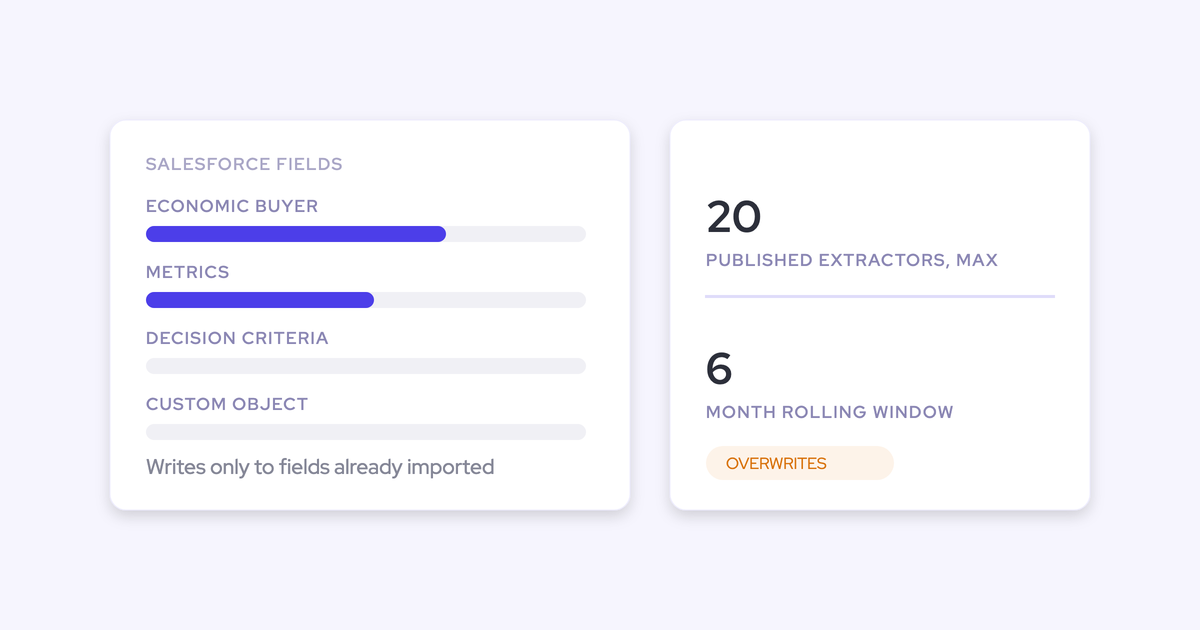
Gong's AI Data Extractor writes into CRM fields that already exist and have already been imported into Gong. It doesn't create fields, and it doesn't create records.
The rest of the boundaries follow from that. None of them are arbitrary caps; they're what you get when a centrally-governed utility is pointed at a CRM it doesn't own.
| The limit | What it means for your CRM |
| 20 published extractors per workspace | Your automatically-maintained field set is rationed. Question 21 means retiring one of the first twenty |
| Business admins only can create them | A team that wants a new field written raises a request, not a template |
| Writes only to existing, imported fields | The Salesforce admin builds and imports the field before the agent can do anything with it |
| Standard objects, custom objects only in narrow cases | Custom objects work where the relationship to the account or deal is one-to-one and the record already exists. Otherwise the deal object your team actually runs on is out of reach |
| Rolling six-month window | Answers come from calls in the preceding six months on deals with recent activity, so older-stage context drops out rather than being kept |
| Deal-target extractors need a field mapping to save | Account-target extractors can live in Gong alone; anything about a deal has to land somewhere a Salesforce admin already built |
One more thing a security reviewer should know: Gong documents that AI Data Extractor may draw on any non-private call or email in the workspace, including ones the configuring admin can't open themselves. So an admin can see the extracted value while still being blocked from the conversation behind it.
When Gong's AI Data Extractor overwrites a Salesforce field
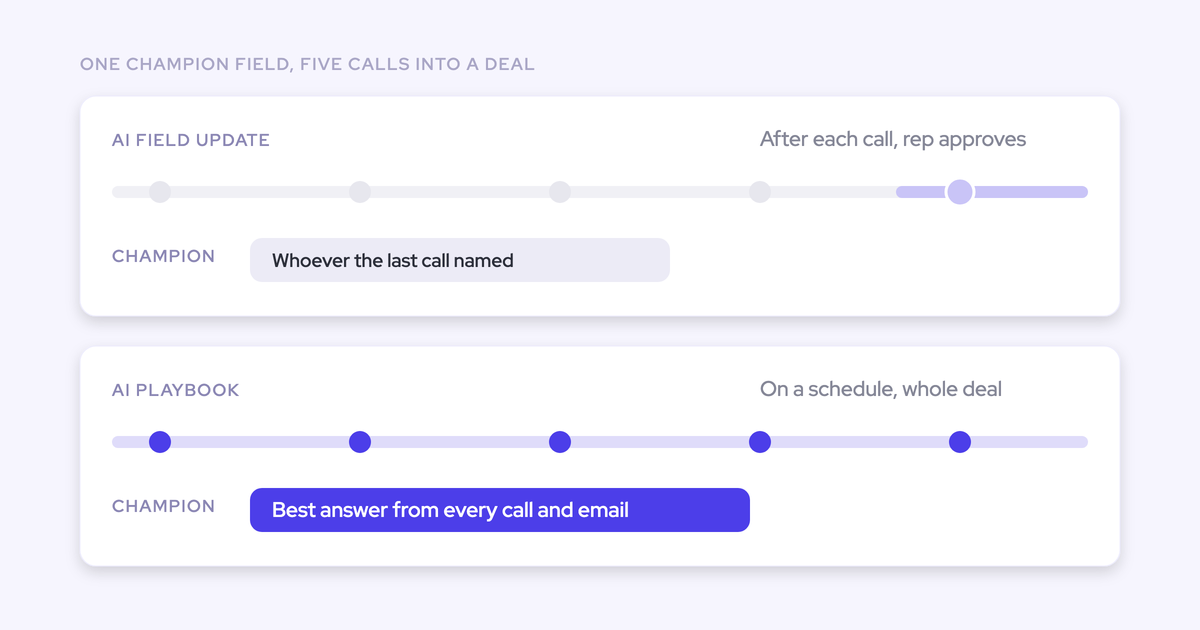
Gong's AI Data Extractor overwrites the previous value whenever it finds newer or better information. There's no setting that decides whether a contradicting call should replace, append, or leave the field alone.
Here's the worked example that makes it concrete.
Monday's discovery call, the buyer names one competitor in the deal. Wednesday's follow-up with a different stakeholder, someone names a different one. The field ends up holding whichever answer arrived last. Not the fuller picture, not both, and nothing on the record marks it as uncertain.
For a free-text note nobody reads, that's survivable. For a field a routing rule reads, or a report the board sees, it isn't. A confidently wrong value is worse than an empty one, because an empty field gets chased and a filled one gets trusted.
The trust cost is the part teams underestimate. Reps do type into qualification fields, and the first thing they ask when you turn automatic writing on is whether the machine will blank what they wrote.
Once a rep watches their own note disappear, they stop maintaining the field at all. Now you've got an automated field nobody corrects and nobody believes, which is a worse position than the blank field you started with.
None of this is Gong being careless. AI Data Extractor is built to reflect the most recent reading of a conversation, and for that purpose overwrite-latest is the correct behavior. The mismatch is that RevOps treats forecast, routing, and methodology fields as load-bearing infrastructure, and the extractor's design assumes fields are disposable and re-derivable. Both positions are internally consistent. They just can't both be right about the same field.
Where Gong's AI Data Extractor is the stronger choice
Gong invented this category and it still has real advantages here. Three worth stating plainly:
- Account-level methodology summaries. Gong can answer a methodology question across every call on an account, not just call by call. On a long enterprise cycle the qualification picture is spread across a dozen conversations, and a manager reviewing that deal genuinely needs the aggregate view. A tool that only summarizes single calls will feel like a downgrade to a team that used it.
- Transcription breadth. Gong transcribes in 96+ languages, and its conversation analytics are the deepest in the category.
- The extractor works as designed for a lot of teams. If your fields are re-derivable, if you're happy with the twenty, and if the standard objects cover your motion, the extractor does its job. Nobody should rip out a working system mid-contract on a blog post's say-so.
Gong's per-call analysis surface is genuinely good, and it's worth seeing what you'd be comparing against.
How Weflow AI Field Updates writes Salesforce fields differently
Weflow's differences here aren't a feature list. Each one is an answer to a specific failure mode from the section above: the silent overwrite, the rationed field set, the unreachable custom object, the vendor-held data, and the question of who decides.
A review loop shows current and suggested values per field
Nothing changes in Salesforce without confirmation. Weflow AI Field Updates puts the current value beside the suggested value, field by field, and the user decides.
- The call ends and Weflow extracts the values from the transcript against your mapped prompts.
- The rep sees each field with what's in Salesforce now and what the AI suggests.
- They accept, edit, or reject each one. Required fields stay locked, and if the wrong deal was matched they can reassign it and the AI re-analyzes.
- One click writes the accepted values back.
That's the structural answer to "will it blank my note." The rep sees their own text before anything replaces it, which is what keeps them maintaining the field instead of abandoning it.
Fully automatic writing is available per prompt when you want it, via an auto-update option on the prompt itself. The point is that it's a decision an admin makes deliberately, per field, not the only mode on offer.

Unlimited templates instead of 20 rationed extractors
Weflow doesn't cap the number of AI field update templates you can run. The field set grows as needs emerge instead of being a fixed allowance twenty questions deep.
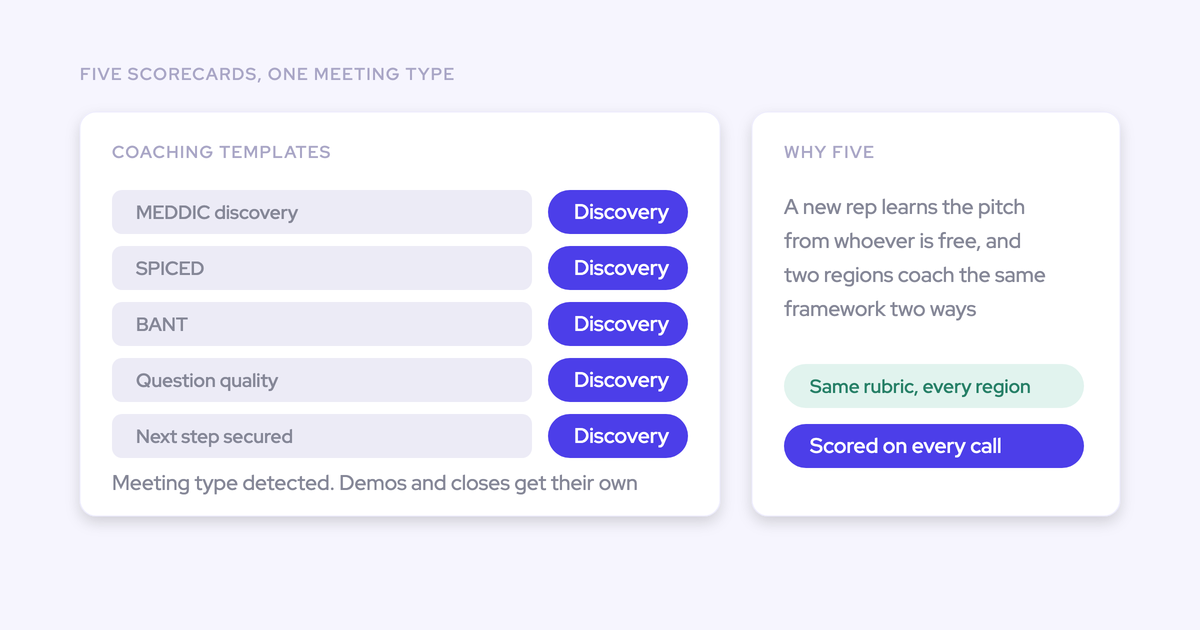
- 250+ pre-built prompts covering MEDDIC, MEDDPICC, SPICED, BANT, Challenger, SPIN and Command of the Message, so you're editing prompts rather than authoring them from scratch.
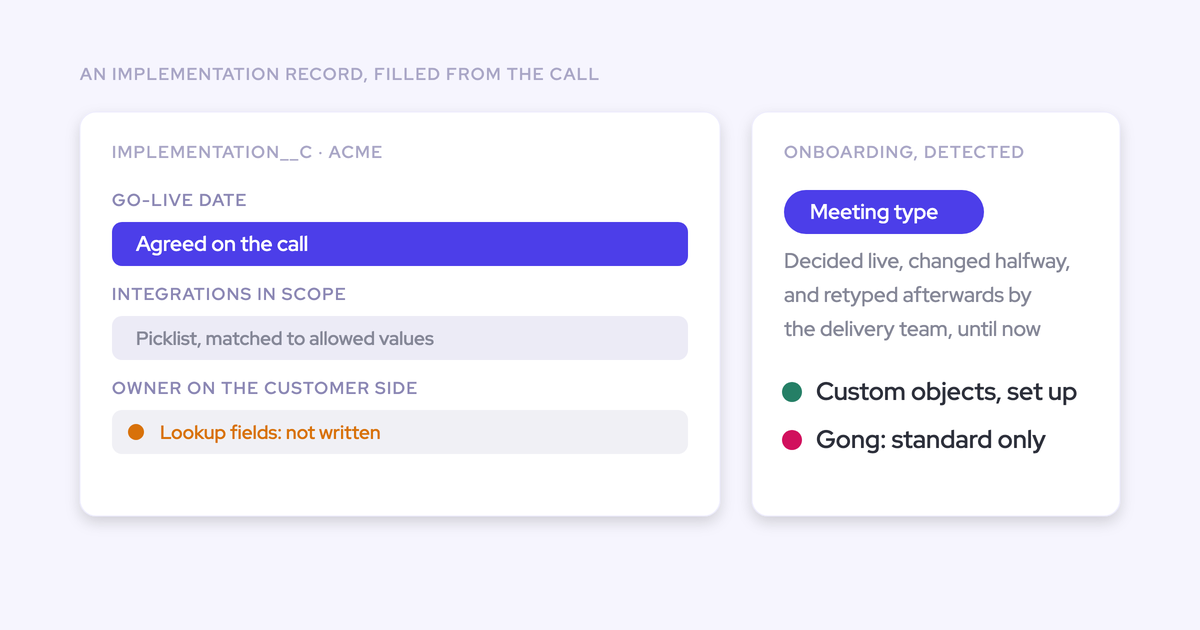
- Per-team templates that write to different objects. Sales, onboarding and customer success each qualify on different criteria, so reusing the sales template on an onboarding call produces the wrong fields.
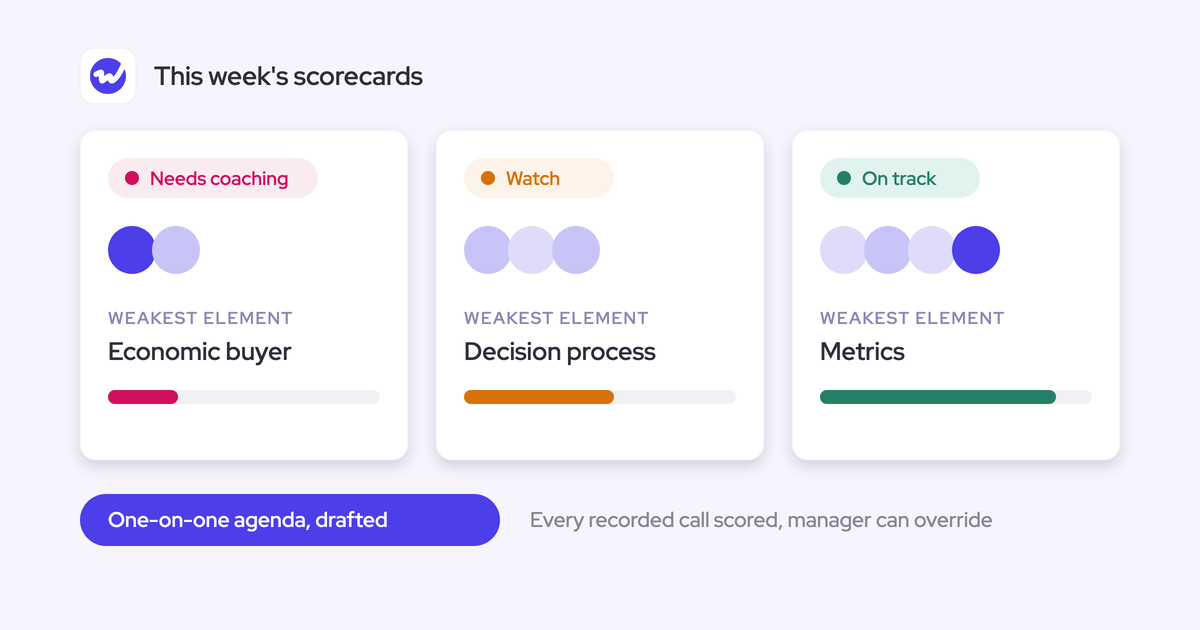
- Meeting type can drive which template runs, so a renewal conversation isn't scored with the discovery rubric.
That last one matters more than it sounds. It's the difference between a capture layer that serves new business and one that serves the whole customer lifecycle.
Picklists, numbers, dates, and custom Salesforce objects
Weflow AI Field Updates writes picklists, number fields, date fields and multi-select fields, on standard and custom Salesforce objects alike. Every field type except lookup relationships.
This is what separates a summary tool from something that feeds reporting. A narrative in a text field can't be grouped or charted. A value selected from a picklist can.
Score qualification strength as a zero-to-three picklist and you get a dashboard. Track competitors as a multi-select and you get a trend. Populated from what was actually said on the call, not from what the rep remembered on Thursday.
Custom objects being in scope is the one that decides most evaluations, because that's where the methodology fields usually live. Teams running MEDDPICC typically have a note or text field per criterion with a checkbox beside it, and the deal review reads off exactly those fields.
If the answer is no, the AI's score sits in a scorecard nobody opens, your Salesforce fields stay empty, and you've now got two versions of the truth and still no answer in the place the review actually happens.
Raw transcripts stored as native Salesforce records you keep
Weflow writes conversation data into native Salesforce objects: a recording object holding the summary and the full transcript, plus an indexing object. The text lands on the record, not a link back to a vendor cloud.
Gong sends an AI summary and a document to Salesforce rather than the raw transcript text. That difference decides what you can build afterward.
- A summary is somebody else's interpretation of the call.
- Raw text on a Salesforce object is a corpus you can query, report on, permission, and point your own agents at.
Say you want an agent to read every conversation on an opportunity at a given stage and flag which CRM fields look wrong. You need the text for that, and a summary won't do it.
The other consequence lands at renewal. Gong keeps recordings, transcripts and intelligence in its own cloud, with a default retention of up to three years for calls and everything derived from them.
"We use the native objects in Salesforce. If you ever stop using Weflow, the data persists. It is your data. That is very, very important in everything we do." — Janis Zech, Co-founder and CEO, Weflow
Buyers who've been through one migration already know exactly why that sentence matters:
Field-level write permissions keep control with the admin
Field selection in Weflow sits in the admin console, invisible to reps. Admins pick which fields users may edit on Opportunity, Contact, Account and Lead, and every other field on that object becomes read-only.
The shape most revenue teams want: leave Close Date editable, lock Stage, Amount and Owner. The fields that drive the forecast are exactly the ones you don't want edited outside a review.
One default worth knowing before you open the screen: selecting no fields for an object leaves all of them editable. An admin who opens it and saves nothing changes nothing.
There's also a read-only mode that blocks every record creation and field update flowing from Weflow into Salesforce, while capture and conversation intelligence keep running. Useful during a rollout when you want the data landing but nothing editing existing records yet.
For a leader un-picking years of CRM sprawl, this is the part that decides the purchase. The mess got made because everyone could change the CRM:
A tool that lets sellers create their own fields reads as a fast route back into that.
The trade-off with Weflow: configuration effort and review time
Weflow's field-update accuracy depends on prompt quality, and prompt quality depends on configuration effort during onboarding. This is the honest limit.
A generic instruction pointed at a picklist returns values the field can't store. Picklists and multi-picklists only work properly when the allowed values are engineered into the prompt. That's real work, and RevOps has to do it.
The 250+ pre-built prompts shorten it considerably, but they don't remove it. Expect to build your own templates, map each field to its own prompt, and tune those prompts against your actual calls before the output is trustworthy.
The second trade-off is deliberate: the review loop means this is not zero-touch by default. If what you want is fully hands-off writing with nobody in the path, you can configure that per prompt, but you'll do more setup work up front to earn the right to trust it.
On timing, the technical integration is roughly 30 to 45 minutes with a Salesforce admin and a mail admin in the room. What stretches an implementation is deciding which methodology to score against and which fields to write. That's a change management conversation, not a configuration task, and it's usually the thing that turns a one-hour job into a two-week one.
Gong credits vs Weflow seat pricing: what each costs
The pricing models diverge on predictability more than on headline number.
| Gong | Weflow | |
| Pricing structure | Gong Foundation core licence is mandatory, with applications like Forecast Essentials and Gong Engage purchased on top. Seats are assigned per application, so one person needing two applications consumes two seats | Three standalone products ($19, $39, $39 per user per month) or three bundles: Revenue AI Foundation $49, Revenue AI Business $59, Revenue AI Enterprise $79. Minimum 10 users, billed annually |
| AI usage model | Credits metered on top of seats. Each paid core seat contributes 2,000 credits a year to a company-wide pool that resets each contract year. Purchased top-ups expire at term end | Included. Recordings, transcripts and AI templates carry no usage caps or metering. Only Agent Builder tiers, and it's priced per workspace, with 25 agent actions a month included free in every plan |
| Transparency | Pricing is quoted, not published | Published on weflow.ai, with volume discounts agreed during the sales process |
Two mechanics inside Gong's credit model are worth understanding before you sign, because they change how the budget behaves.
- Cost follows data volume, not the question. A call over ten minutes costs one credit, a shorter call half a credit, an email a tenth. A broad question across a busy account costs many multiples of a narrow one, and you can't predict the bill from the question.
- The pool is company-wide. Heavy use by a few people draws down the allowance everyone else depends on, and you can't size it to the teams that need AI without buying more seats.
The effect on a budget owner is straightforward: the AI line grows exactly as adoption succeeds. Teams respond by rationing access, which is the opposite of what a platform purchase is meant to achieve.
"We want to make sure that you have predictable pricing, and it is very, very hard to achieve in the age of AI." — Philipp Stelzer, Co-founder and Chief Product Officer, Weflow
Migrating your Gong recordings and transcripts to Weflow
Weflow imports and extracts data from recordings and transcripts held in the conversation intelligence platform you're leaving, pulling them through that platform's API. No extra cost, roughly one to two weeks depending on volume.
The history landing in your own CRM is the part that matters. Imported transcripts stay searchable by Weflow's AI, so a question about how an objection was handled last quarter still answers after the move. Teams who've migrated before and ended up dumping recordings into a shared drive tend to treat this as the deciding factor rather than a nice-to-have.
If you also want historical email and meeting sync-back, that covers the previous twelve to twenty-four months and takes three to four days. The real constraint is your available Salesforce API calls, which are shared with everything else in the org.
On timing: this is a decision to make ahead of a Gong renewal, not after one. The renewal is the month you have leverage, and it's also when the migration work is easiest to justify internally.
Choose Weflow if, choose Gong if
Choose Weflow if:
- Salesforce is the system your business actually runs on, and the fields being written feed reports, routing rules, or a forecast.
- You need a rep or a manager to see the current value beside the suggested one before anything is written.
- Your methodology fields live on custom objects, or you need picklists, numbers, dates and multi-selects rather than free text.
- You want more than twenty automatically-maintained field mappings, and you want different templates per team.
- You want the raw transcript on the Salesforce record so your own agents and reports can read what was actually said.
- You want the AI cost inside the seat price rather than metered against a shared pool.
Choose Gong if:
- Account-level methodology summaries across every call on a long cycle are the view your managers depend on.
- You need transcription across 96+ languages.
- You need a sales engagement product from the same vendor. Weflow doesn't do sequencing or dialing, and runs alongside Outreach, Salesloft and Apollo instead.
- Your extractor's current behavior fits how you use fields, and you're mid-contract. There's no argument for moving before the renewal window.
And if you're on a non-Salesforce CRM, this comparison doesn't apply. Weflow works exclusively with Salesforce.
See how Weflow captures activity, updates Salesforce fields from calls, and rolls up your forecast. Book a 30-minute demo.
FAQ: writing call data to Salesforce fields
Does Gong's AI Data Extractor work with custom Salesforce objects?
Only in narrow cases. Gong supports custom objects where the relationship to the account or deal is one-to-one and the record already exists, because the extractor updates existing records and never creates them. It also never creates fields, so a Salesforce admin has to build and import the field before an extractor can be mapped to it.
Can Weflow write to custom MEDDIC fields in Salesforce?
Yes. Weflow AI Field Updates maps a prompt to each field individually, including the notes-plus-checkbox setups most MEDDIC and MEDDPICC teams already have on the opportunity. It writes to custom objects as well as standard ones, and to picklists, numbers, dates and multi-selects, so the fields your deal review already reads off get populated from the call rather than from memory.
Who can create field mappings in Gong and Weflow?
In Gong, only business admins can create AI Data Extractors, and a workspace can publish at most 20 of them. In Weflow, admins configure templates and field mappings from the admin console, invisible to reps, with no cap on how many templates you run. Neither tool lets a rep create their own fields, which is the correct answer for anyone un-picking field sprawl.
Does Weflow's review loop slow reps down?
Review happens once per call: the rep sees each field with its current and suggested value, accepts, edits or rejects, then writes back with one click. It's a deliberate design choice, not an accident, and it's the thing that stops a rep's own note being blanked without warning. Where a field genuinely doesn't need a human, an admin can switch that prompt to auto-update Salesforce.
What happens to the data if you leave either tool?
Weflow writes to native Salesforce objects, including the recording object holding the summary and full transcript, and that data persists after the subscription ends because it's yours and it's already in your CRM. Gong keeps recordings, transcripts and the analytics built on them in its own cloud, with a default retention of up to three years, though calls saved to the Gong library are exempt and kept indefinitely.
Is Weflow's AI usage metered like Gong credits?
No. Weflow is seat-based with recordings, transcripts and AI templates included and no usage caps. The one component that tiers is Agent Builder, priced per workspace rather than per user, with a free tier of 25 agent actions a month in every plan. Gong meters AI in credits drawn from a company-wide pool on top of per-seat pricing.
Can European teams keep conversation data in the EU?
Weflow is a German company with Frankfurt infrastructure, and it stores customer data in the region where your Salesforce instance sits, with an override to keep data in the EU or UK. Gong lets new customers choose between US and EU data centres at onboarding, defaulting to the US, but choosing EU storage doesn't confine processing: Gong processes data in the United States, Israel and Ireland. Storage location and processing location are separate questions, and a data protection assessment asks about both.