Paying twice for activity capture? How to cut duplicative Salesforce licenses at renewal
Decide when to replace Einstein Activity Capture with Weflow and cut duplicate Salesforce licenses at renewal.




If you're on Salesforce Unlimited Edition and still carrying a separate Engage, Einstein for Sales, or standalone activity capture line, you're almost certainly paying twice for the same function. Nothing in Salesforce reconciles the overlap, which is why it only ever surfaces when someone runs a stack review with a renewal date attached.
This is the defensible version of that cut: which line goes, what the saving honestly is, and why the reflex move (drop the paid line, fall back to the bundled Einstein Activity Capture) quietly costs you the thing the review was supposed to protect, which is Salesforce deal hygiene you can actually report on.
How to confirm you're paying twice for Salesforce activity capture
Unlimited Edition already includes Einstein Activity Capture and Einstein Conversation Insights. If your order form also carries a paid capture or engagement line, that line is buying you a function the edition already entitles you to.
The reason nobody caught it is structural. Salesforce bundles activity capture into editions and separately sells adjacent paid activity capture, and no system in your org compares the two. Teams accrete both over years of renewals and reorgs.
Then widen the audit, because capture is rarely running in only two places. On calls with Sales Ops teams doing exactly this exercise, the usual picture is three or four:
- The sequencing platform captures for the sales team, often on full-price seats where only the BDRs actually sequence.
- Einstein Activity Capture covers customer success, because CSMs never got sequencing licenses.
- A support or CS tool logs its own threads.
- A conversation intelligence tool writes meetings back, sometimes as a second copy of a meeting Einstein already wrote.
Here's the check to run before you touch anything: list every tool that writes an email or an event into Salesforce, and for each one, name the object it writes to. Sequencers usually write to Task, which discards sender and recipient, so reply rate becomes impossible to calculate. That's how a team with full sequencing coverage still can't answer when a deal was last touched.
The real saving is the license line, not the edition
The edition stays. You are not cutting Unlimited Edition, so don't let the business case imply you are. The defensible number is the redundant capture line, multiplied by the seats on it.
The second number most people miss: bundled Einstein Activity Capture is free only to 100 users. Above that it runs about $50 per user per month. So on a 300-seat org, the "free with the edition" fallback is itself a line item, and it arrives at exactly the moment you've built reporting on top of it.
| What you can actually cut | What stays regardless |
| The duplicative capture or engagement line, at its per-seat price | Salesforce Unlimited Edition |
| Sequencing seats held by people who never send a sequence | Einstein Activity Capture and Einstein Conversation Insights entitlements that come with the edition |
| Einstein Activity Capture above 100 users, at roughly $50/user/month, if you replace the capture function | Your Salesforce data model, flows, and reports |
Present it that way and the CFO conversation gets easier, not harder. A vendor that inflates this number by folding the edition into the saving will get you caught out in the review.
Why falling back to bundled Einstein Activity Capture is a false saving
Cutting the paid line and standardizing on bundled EAC looks like the clean answer for about a week. Then you inherit the failures you've probably already felt, and the activity data your reporting runs on gets thinner rather than cheaper.
We hear this a lot in our calls with prospects:
Einstein Activity Capture is the clunkiest part of Salesforce and I hate it so much.
Opportunity mapping fails once an account has multiple open deals
Einstein Activity Capture decides which opportunity an activity belongs to by following opportunity contact roles. Contact roles are one of the least maintained objects in any CRM.
So when an account carries new business, a renewal, and an upsell at once, and the same three people sit across all of them, there's no one-to-one link to follow. The activity falls back to the account.
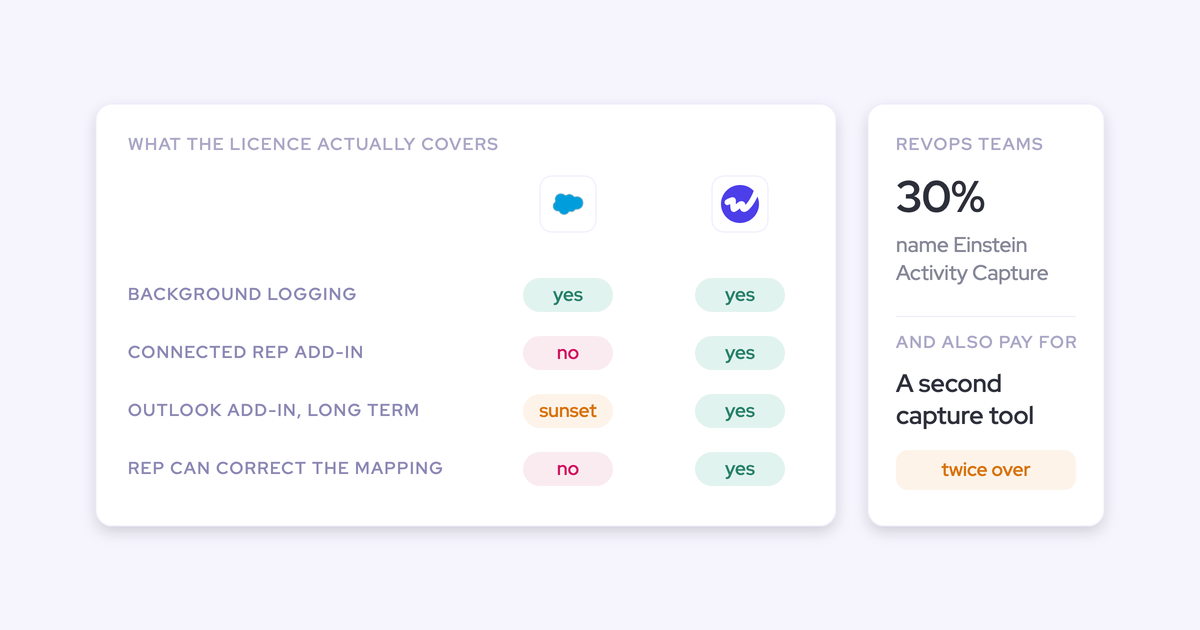
The account then looks busy while the deals look dead. Opportunity-level activity reporting, which is the whole reason you bought capture, is the one thing you can't do. And EAC runs as background logging with no interface, so a wrong mapping stays wrong. The Salesforce Outlook and Gmail add-in is a separate service that isn't connected to it.
No contact creation means multi-threading never reaches Salesforce
Einstein Activity Capture doesn't create contacts. Reps almost never add a new participant by hand, so the buying committee lives in the inbox.
You end up with a deal that shows one champion in Salesforce and has five people on the thread in reality. Every engagement and multi-threading report you build has nothing underneath it, and no amount of dashboard work fixes that.
Activities you can't report on, automate, or export
For years, Einstein Activity Capture streamed activity into an external store and rendered it in the timeline rather than writing native Salesforce records. That meant no custom reports beyond the standard one, no export into Tableau or Power BI, and no flows, because a flow can't read what isn't in the core database.
I also learned that activities are just temporarily stored on Salesforce's side. It's actually not even my own data.
Salesforce has since moved EAC toward native records, and that's a genuine improvement worth crediting. But read what the fix cost: customers who had built velocity reports, flows, and custom fields against the old architecture had to rebuild them when the storage model changed.
That's the deeper lesson for a stack review. Your reporting layer sits on somebody else's architecture decisions until the activity lives in objects you control.
Salesforce named Momentum, not EAC, the future of activity capture and conversation intelligence
Asked in a Salesforce webinar Q&A what the Momentum acquisition means for EAC and ECI, the answer was direct:
No migration path. No end-of-life date. No pricing consequence stated.
So "just standardize on the native tool" is now a bet on a product on a superseded path, where the named successor is packaged with Agentforce rather than switched on in the edition you already own. That's a fair thing to write into the renewal business case.
When keeping bundled EAC is genuinely the right call
Sometimes the cheap answer is the right answer, and it costs us nothing to say so.
Cut the paid line, keep bundled Einstein Activity Capture, bank the saving, and move on if all of this is true for you:
- You're under 100 users, so EAC really is free.
- Your accounts run essentially one open opportunity at a time, so contact-role mapping holds up.
- You don't need custom activity reporting, BI exports, or flows triggered by activity records.
- Nobody is asking you to show multi-threading or reply rates.
One more boundary while we're being straight: Weflow works only with Salesforce. If part of your group runs a different CRM, we can only cover the Salesforce footprint, and you should plan accordingly.
How Weflow gives you accurate activity capture at $19 per user
Weflow is the Revenue AI Orchestration platform for sales, customer success, and RevOps teams, and Weflow Activity & Contact Capture is sold standalone at $19 per user per month, billed annually, published on the pricing page.
So the move that survives a CFO review is: cut the duplicative line, and give the capture function to something cheaper than the EAC seats you'd otherwise be paying for above 100 users.
| Line | Price |
| Einstein Activity Capture, above 100 users | ~$50 per user per month |
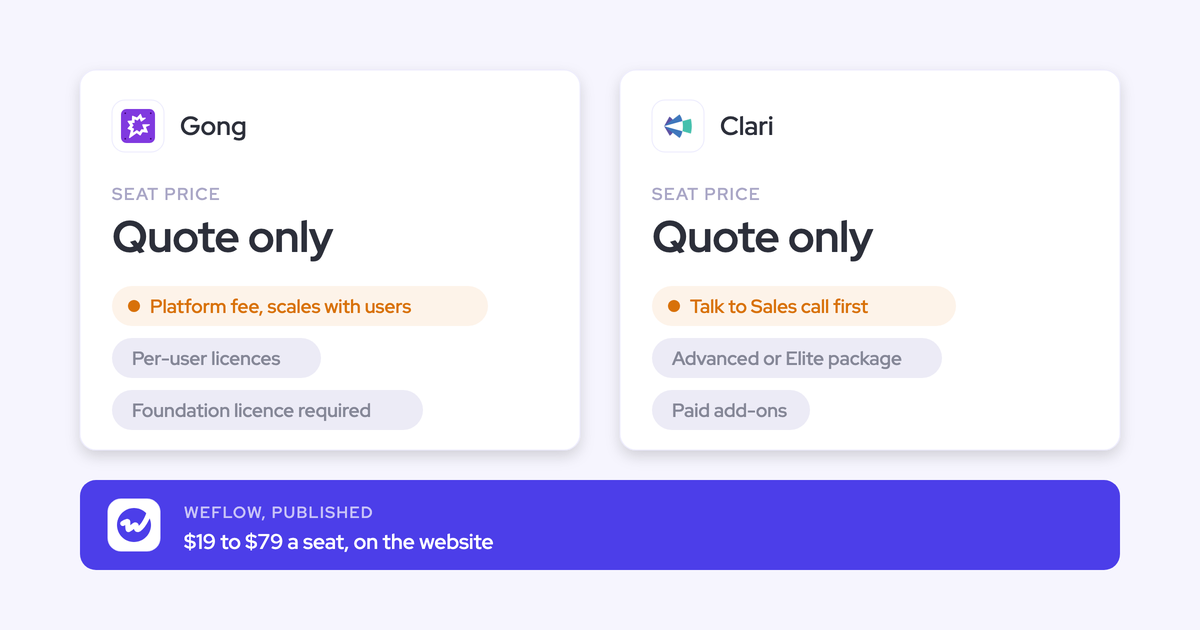
| Weflow Activity & Contact Capture | $19 per user per month, billed annually |
Server-side capture stored as native Salesforce records you own
Weflow captures at the mail tenant level through a central app installed in Microsoft Entra or Google Workspace. Inbound and outbound, every client and device, no per-rep plugin to break.
Inbound is the half that matters most, and it's the half plugin-based logging misses. A pipeline review that shows plenty of outbound touches and no way to tell whether a human ever wrote back isn't a pipeline review.
Writes land in native Salesforce objects almost immediately, and an admin chooses whether an email logs as an EmailMessage or a Task. That's what makes the data queryable in SOQL, readable inside flows, reportable, and exportable. Our own benchmark is blunt: below roughly 99% capture you can't safely build reports or automations on it.

Opportunity mapping reps can see and correct
Salesforce lets an activity relate to an opportunity or an account, not both. Any tool that can't determine the opportunity falls back to the account, silently, with no warning.
Weflow runs an admin-configured mapping algorithm plus a rep-facing browser and Outlook extension that shows which record an email or meeting is about to land on, and lets the rep change it. Automatic by default, correctable when the automation can't know.
That hybrid is the honest answer to the multi-opportunity problem. Nobody maps three live deals sharing one human perfectly by algorithm. What you can do is put the correction in front of the person who knows.
Automatic contact creation with guards against duplicates
The first question Sales Ops asks is never what a capture tool creates. It's what stops it creating. Fair, given how much duplicate rubbish is already sitting in most orgs.
Weflow's contact creation runs with four guards:
- Existing accounts only, so capture can never spawn orphan records.
- A cap on how many contacts one event may create, so a 100-person webinar doesn't write 99 contacts.
- A deduplication layer on top of Salesforce's own duplicate rules.
- Lead-first attachment: if the address already exists as a lead, activity attaches to that lead instead of creating a duplicate contact, and conversion stays a manual Salesforce step.
Weflow never creates accounts, leads, or opportunities. New contacts can be attached to the opportunity as a contact role automatically, which is what turns multi-threading from an assertion into a column you can report on.
How to make the switch without duplicate events or a data gap
Two fears kill this cut more often than price: duplicate meetings during the transition, and in-flight deals looking dead on day one. Both are solved operationally, and neither requires an all-or-nothing cutover.
Run Weflow and Einstein Activity Capture in parallel
You can run both. There's one setting you have to get right first.
- Set the Einstein event sync to one direction only, from the mail and calendar system into Salesforce. Leaving it bidirectional creates a loop: the event is written to Salesforce, pushed back to the calendar, and written again.
- Don't rely on removing the Einstein permission from users. That alone does not stop the duplication.
- Clean up duplicates already written. They aren't removed automatically and they keep distorting activity metrics, which is how a rep shows thirteen meetings in one view and eight in another.
With that setting corrected, Weflow adds summaries and codings onto the events Einstein already creates, so you can validate side by side before switching anything off.
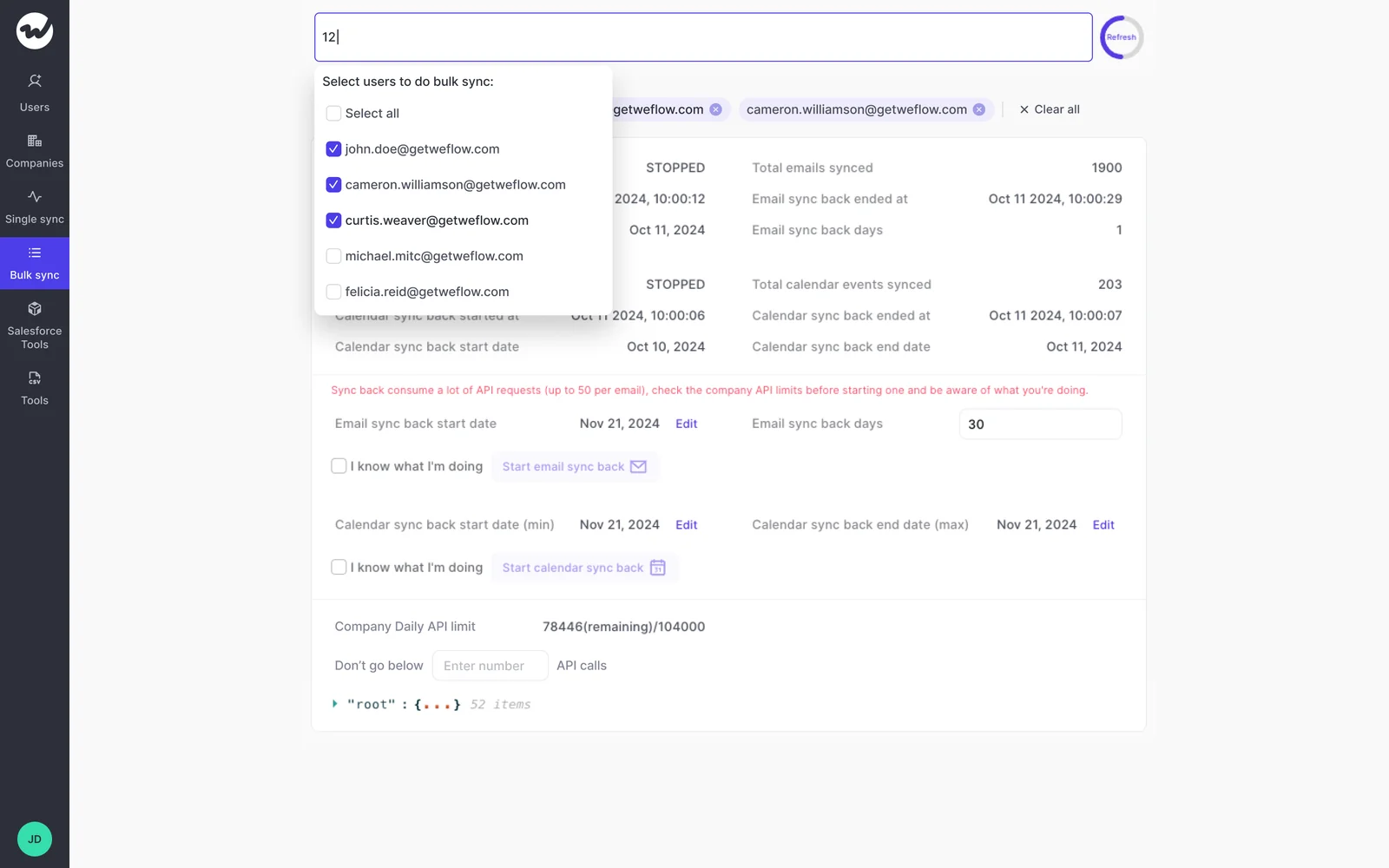
Backfill up to 24 months of email and meeting history with Weflow
New capture only starts a forward-looking timeline, which makes live deals look artificially inactive on day one and leaves deal signals with nothing to run against.
Because the mail history sits in your own Microsoft or Google tenant rather than inside the tool you're switching off, Weflow can backfill 12 to 24 months of emails and meetings into Salesforce. Nothing was hostage in the first place.
Be realistic about the mechanics. Backfill is opt-in, takes a few days, and is bounded by your org-wide Salesforce API allowance, which every other integration shares. Teams that already ran a capture tool often skip it, since the historical record is already in the CRM.
What reps have to change: nothing
You've been burned by rollouts that died because reps wouldn't install a plugin or connect a mailbox. That risk isn't in this layer.
Provisioning is driven from Salesforce itself: teams are built dynamically by manager, role, or a field condition, so a rep who moves team in Salesforce moves in Weflow. Signing in happens through Salesforce auth and whatever SSO you already enforce, with no separate password to manage or deprovision.
A user starts capturing the moment an admin adds them to a capture configuration, whether or not they've ever signed in. Capture-only users never log in and never install anything.

What teams that replaced Einstein Activity Capture with Weflow saw
This is a well-worn path. Einstein Activity Capture is the tool mentioned most often on our sales calls, and it's the one new customers routinely disable during onboarding.
The reasons operators give are the same ones in this article. Reliability first:
We relied on Einstein Activity Capture for years - but the reliability was very inconsistent. It would work, but then it wouldn't. I got tired of being asked, 'Why isn't Salesforce working?'
Then reportability, which is the one that ends the debate for most Sales Ops teams:
We tried Einstein Activity Capture but faced several problems. As activities are not stored as records in Salesforce, we couldn't properly report on activities or use activities for automations
— Irina Smirnova, Senior Sales Operations Manager at Blacklane
And mapping, which is what breaks first on multi-opportunity accounts:
I want to relate activities to the right contacts and opportunities reliably. Our solution is not doing that at this point.
On the other side of the switch, Blacklane reports capturing nearly all relevant activities, and Lendz Financial captures virtually 100% of relevant emails in Salesforce while respecting their custom logging rules. Lendz made the move for a reason that should sound familiar in a renewal review:
Einstein Activity Capture just doesn't have the reporting functionality we needed. We wanted to do more - especially with AI playing a bigger role.
— Erick Mahle, Vice President of Revenue Operations & Digital Transformation at Lendz Financial
See how Weflow captures activity, updates Salesforce fields from calls, and rolls up your forecast. Book a 30-minute demo.
FAQ: cutting duplicative Salesforce capture licenses
What happens to activity history already captured by EAC?
Your email and meeting history lives in your own Microsoft 365 or Google Workspace tenant, not inside Einstein Activity Capture, so it doesn't leave with the license. Weflow backfills 12 to 24 months of that history into Salesforce, which means in-flight deals don't look inactive on day one. Teams whose activity is already written into Salesforce as records often skip the backfill entirely.
Can Weflow run alongside Outreach or Salesloft without duplicates?
Yes. Weflow's compatibility mode recognizes the other tool's sending domain, delays its own sync by around ten seconds, checks the message for that tool's tracking pattern, and skips it if it finds one. Outreach, Salesloft, Apollo, and Clay ship as presets. You only need it while the other capture is still live.
Does captured data live in our Salesforce, and can we export it?
Everything Weflow captures is written into native Salesforce objects in your own org, so it's queryable in SOQL, usable in flows, reportable, and exportable like any other Salesforce record. Weflow stores customer data in the region where your Salesforce instance sits, so a European org keeps its data in Europe. Nothing is held hostage in a vendor cloud you'd have to negotiate your way out of at renewal.
How do we prove Weflow tracks one-for-one before renewal?
Run a test group. Users have to be added to an activity capture configuration before a backfill can be requested, but a license is not required for the backfill itself, so a small group can be enabled and backfilled before the wider rollout is bought. Then compare what Weflow logged against what Einstein Activity Capture logged over the same window, on the same reps, before your renewal date.
What does a Weflow rollout cost and how long does it take?
Weflow doesn't charge for implementation. The technical setup is a 45 to 60 minute call with a Salesforce admin and a mail admin present, and activity capture is typically live in about two weeks, with two to four weeks for most orgs. Most of the elapsed time goes on configuration decisions, not on plumbing: which objects activity logs to, which domains to exclude, and which teams are in scope.