
What the Weflow and Clari MCP Connectors Let an AI Assistant Read
See what Weflow vs Clari MCP connectors let Claude or ChatGPT read: calls only or forecast too.


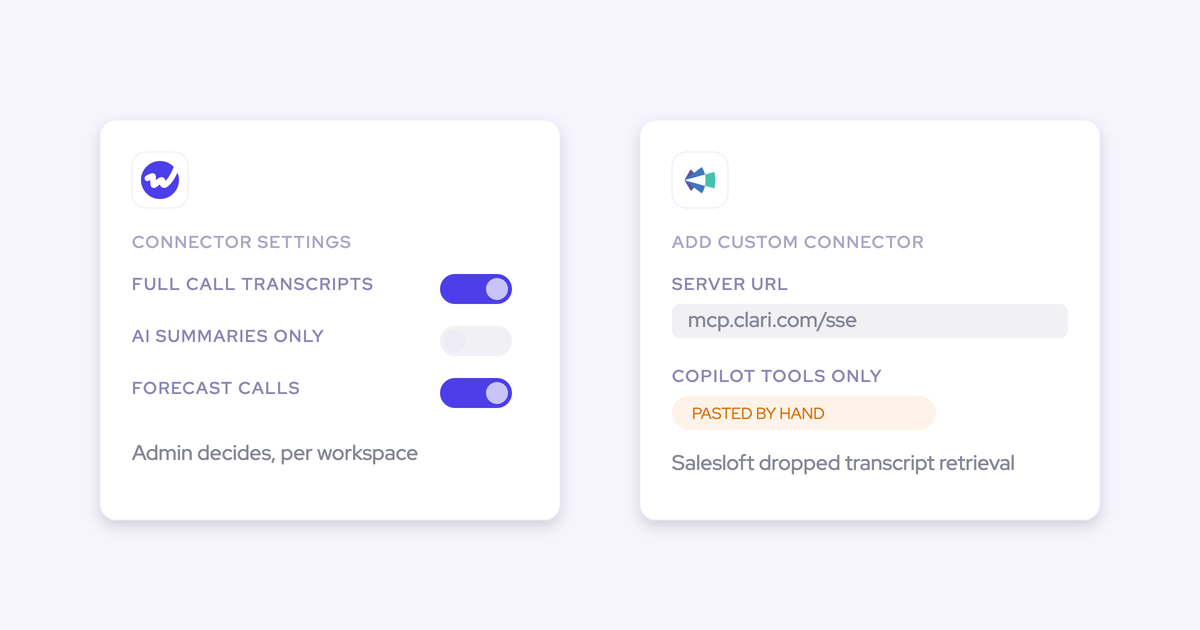

Point Claude or ChatGPT at Clari and you can ask questions about calls. You can't ask questions about the forecast. Clari's MCP server exposes Copilot tools only, so the assistant reaches the call product and stops there.
Weflow's connector returns both layers: conversation data (playbooks, summaries, transcripts) and forecast and pipeline data, from one connection.
You already know why this matters, because your CRO or CEO has stopped asking you for a report and started asking the assistant directly.
The questions they're running are deal reviews by another name: what's at risk, what moved, what did the customer actually say.
Here's the bet this article makes: the scope of a vendor's MCP connector is the most honest disclosure you'll get about the architecture underneath it. A connector that reaches only the call product is telling you the call product and the forecast product were never one thing.
Weflow vs Clari MCP connectors at a glance
| Dimension | Weflow | Clari |
|---|---|---|
| What the connector reaches | One connector spanning conversation data (playbooks, call summaries, transcripts) and forecast data (submitted forecast calls, pipeline metrics per rep) | The Clari Copilot MCP server exposes Copilot tools only, scoped to calls. The forecasting and pipeline product is not on the connector |
| Transcript access | Raw transcripts or AI summaries, decided by a separate admin toggle | The Salesloft MCP server removed transcript retrieval. Conversation data comes back as AI-generated summaries, extracted fields and key moments |
| Forecast and pipeline data | Weighted and unweighted pipeline, closed-won, win rate, coverage ratio, gap to forecast, average deal size, cycle length, opportunity IDs, split by your own forecast categories, with quota where configured | Not reachable through the Copilot connector |
| Admin governance and visibility | Enable per workspace, separate transcript toggle, console listing every connected user with email and connect date | A Copilot admin switches it on under Copilot Settings, AI Features, Copilot tools for MCP. The Salesloft server has its own toggle under Settings, Artificial Intelligence |
| Cost to connect | Included in the seat price. No add-on, no metering on the connector | The Salesloft route requires the paid Salesloft Agentic add-on on top of platform pricing |
| Assistant-side requirement | A URL pasted as a custom connector in Claude or ChatGPT | A paid ChatGPT Business or Enterprise plan, or a Claude subscription. Added by hand as a custom connector |
| Where the data lives if you leave | Native Salesforce objects you own, so it survives the contract | Clari's own cloud |
Why MCP reach is now part of the Clari evaluation
The buyer for connector access used to be a developer filling in a security questionnaire. Now it's the CEO.
What we hear on calls is consistent: leadership has a corporate Claude or ChatGPT licence, they've pointed it at whatever endpoint releases revenue data, and they're drawing their own conclusions before anyone builds a dashboard. One RevOps leader put it plainly:
That changes the question you get asked in the renewal meeting. It isn't "is Clari secure", it's "can our assistant see it".
We hear this a lot from prospects:
Everyone wants to live in Claude. So we're going to have our signals tool and HubSpot and Salesforce connected into Claude and they can just, through MCP, live in there and ask all the questions.
And nobody swaps a forecasting platform because they feel like it.
They do it in the window where the contract ends, which for a lot of teams is a single quarter at year end. So connector scope lands on the evaluation sheet next to price and roll-up logic, and it gets weighed once, at renewal.
The reason scope is the right thing to weigh, rather than whether a connector exists at all: a vendor ships MCP per product line, and where the lines are tells you where the data boundaries are.
Clari grew by acquisition. Wingman became Copilot in 2022, Groove arrived in 2023, and the Salesloft merger completed in December 2025. Four applications, one brand. An MCP that reaches Copilot and not the forecast is that history showing through.
What Clari's MCP connector exposes to Claude and ChatGPT
Clari does have MCP, and it works. It's documented in Clari's own release notes, it's available for both Claude and ChatGPT, and it's a real connector rather than a roadmap item. The question is what sits behind it.
Copilot tools only: calls, not the forecast or pipeline layer
The Clari Copilot MCP server exposes Copilot tools only. An assistant connected this way sees conversation data and never reaches the deal and forecast layer a RevOps team actually works in.
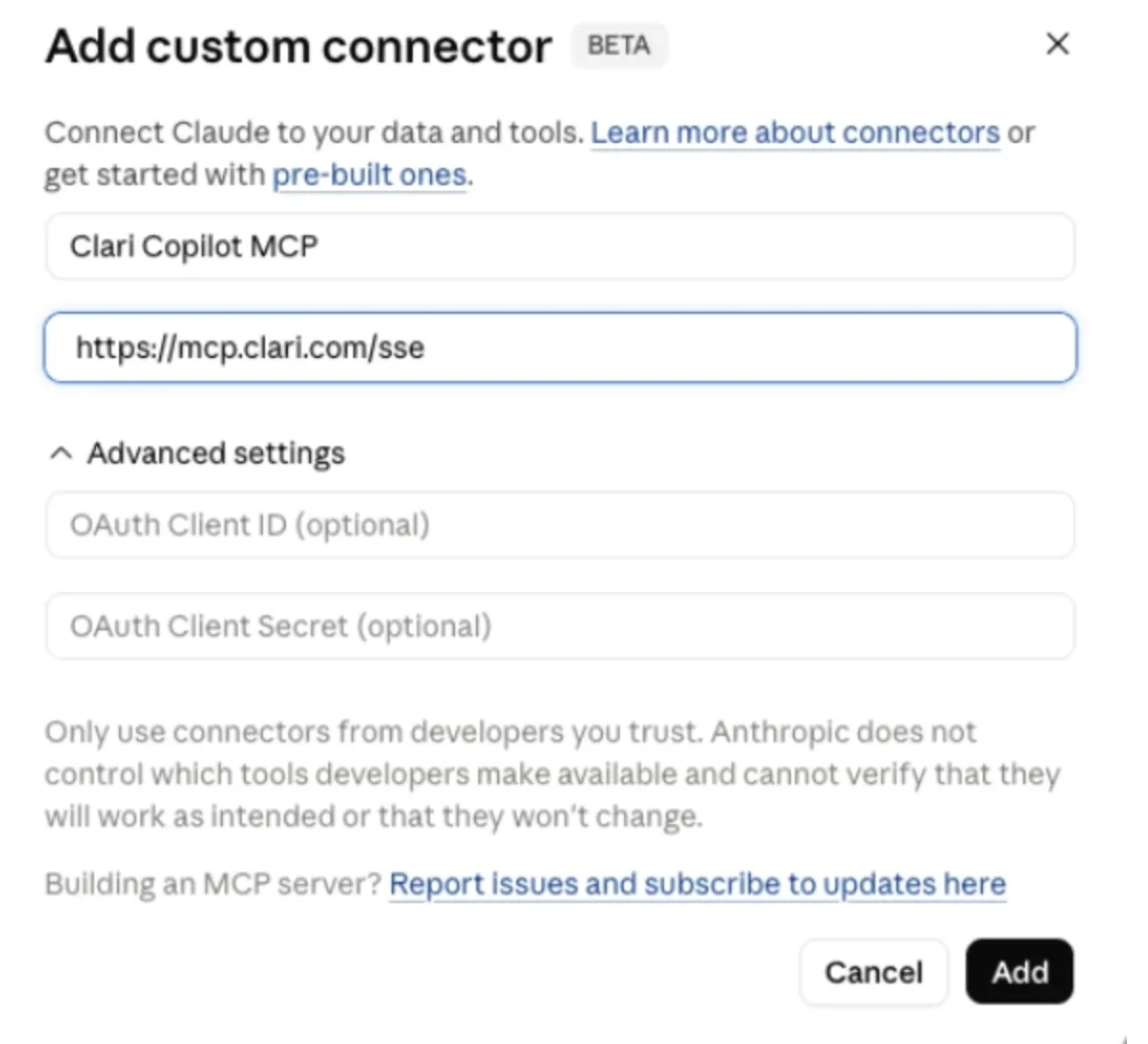
Setup on the Clari side is an admin switch under Copilot Settings, AI Features, Copilot tools for MCP.
On the assistant side it's a hand-added custom connector, not a listing in Claude's pre-built directory, and the connecting user needs a paid ChatGPT Business or Enterprise plan or a Claude subscription.
What that means in practice:
- Reachable: Copilot conversation data, scoped to calls.
- Not reachable: the forecast roll-up, submitted forecast calls, pipeline coverage, gap to target, deal-level pipeline metrics.
So the exec question that started all this, "are we going to make the quarter and which deals are carrying it", is the one question this connector can't answer.
The Salesloft MCP server dropped transcripts and requires an add-on
There's a second route into the merged company, and it's narrower than the first.
The Salesloft MCP server for Claude no longer offers transcript retrieval. The tool was removed, and conversation data now reaches the assistant through a conversation details tool that returns AI-generated call summaries, extracted fields and key moments. Salesloft attributes the removal to a protocol limitation.
Whatever the cause, the effect for you is the same: the assistant receives the platform's interpretation of the call rather than the call. Any analysis you wanted to run on the actual language people used, your own model, your own prompt, your own retention policy, isn't possible through this path.
And it isn't included. The Salesloft MCP server requires the paid Salesloft Agentic add-on, enabled by an admin under Settings, Artificial Intelligence. So reaching Salesloft from Claude means the seat, the add-on, and the Claude subscription.
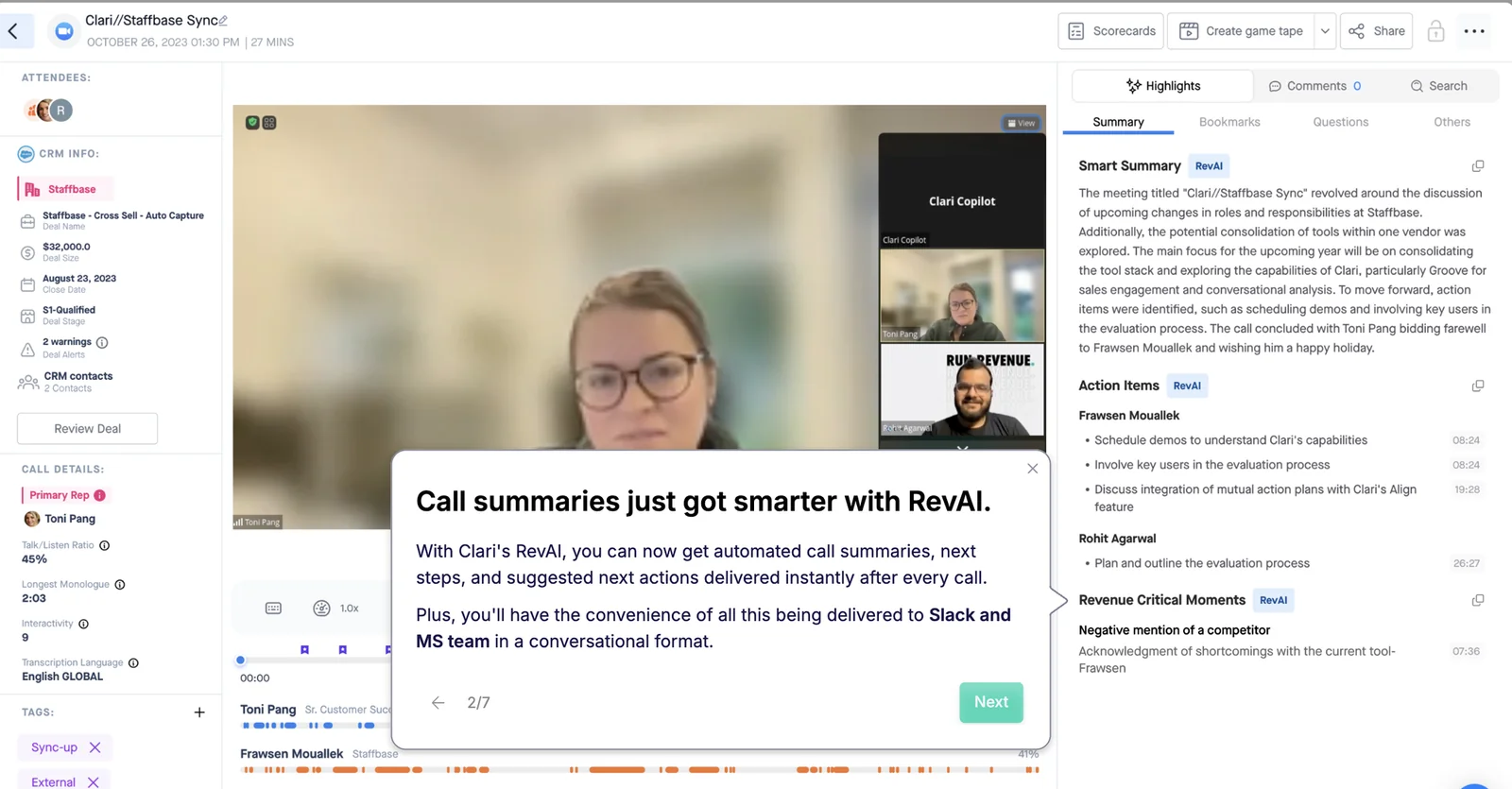
That Clari Copilot call page above is what the platform produces from a conversation: a smart summary, action items, flagged moments. Useful in the product. It's also the shape of what leaves through the connector.
What Weflow's MCP connector returns to Claude and ChatGPT
Weflow is the Revenue AI Orchestration platform for sales, customer success, and RevOps teams, and it has an official MCP connector with read-only tools. Setup is a URL pasted into Claude or ChatGPT as a custom connector, plus an admin switch on the Weflow side. There's a REST API too if you'd rather write the calls yourself.
One connector reaches conversation data and forecast data. That's only possible because both sit on the same data layer underneath, which is the whole argument in one sentence.
Conversation data: playbooks, summaries, and transcripts by admin toggle
Through the connector an assistant reaches Weflow playbooks, call summaries, transcripts and forecast calls. Transcript access is a choice your admin makes, not a feature that went missing.
A separate toggle, Allow transcript access, decides how deep the connector reaches. With it off, assistants read AI summaries and never the verbatim transcript. With it on, they read the words that were said.
It's worth putting the three routes side by side, because they're genuinely different:
- Weflow: raw transcripts or AI summaries, your admin decides.
- Salesloft MCP: transcript retrieval removed, AI-generated summaries only.
- Gong MCP: AI-generated insights only, with raw transcripts and message bodies never returned, across a surface of three tools that each work on one named record at a time.
Playbook output being reachable is the part people underrate. It means an assistant can ask a MEDDIC question across deals rather than reading a call back to you.
Forecast and pipeline data, with quota and attainment
This is the payload that makes it a revenue connector rather than a call-search connector. For each rep in scope, the Weflow MCP connector returns:
- Pipeline value, weighted and unweighted
- Closed-won amount and count, total closed count, total opportunity count
- Win rate, average deal size, average contract value
- Average sales cycle length in days
- Coverage ratio and gap to forecast
- The opportunity IDs behind those numbers
The IDs matter more than they look. They're what lets an assistant stop at an aggregate and then open the deals underneath it, instead of handing you a number you have to go verify by hand.
Scope is set per request: a start and end date on close date, plus a scope of me or team. The breakdown follows the forecast categories your org actually uses, whether that's Omitted, Pipeline, Best Case, Most Likely, Forecast and Closed, or stage-based buckets like numbered stages, Commit, Closed/Won and Closed/Lost. Ask about commit coverage and the answer comes back in the language your forecast calls run on.
Where an org has configured quota or target numbers in the Weflow admin console, the connector returns them alongside the actuals, so attainment and gap-to-target resolve in one call instead of someone pasting the number into the prompt.
The submitted forecast call vs the live pipeline number
The connector returns the most recently submitted forecast call for a period, the live pipeline total, and the delta between them.
One is what a rep locked in. The other is what the data currently says. The gap between them is the entire reason a forecast call exists, and exposing all three is what lets an assistant answer whether a team is calling above or below its own pipeline without anyone building a view for it.
If nothing was submitted for the period, the connector returns null. That's a real answer, not an error: nobody forecasted.
How Weflow admins govern connector access and transcript exposure
Your security review will ask three things before it asks anything else: who can connect, how deep it reaches, and whether it can write. The controls are:
- Enable MCP Connector turns the endpoint on per workspace, so nobody connects until an admin decides.
- Allow transcript access is a separate toggle, so you can open the connector without opening the verbatim record of every call.
- The admin console lists every connected user with their email and the date they connected, so you see who has attached an assistant instead of finding out later.
- The tools are read-only. The connector informs an assistant; it can't mutate a record on the way back.
For a rollout, that ordering is the useful part. You can switch the connector on for a pilot team with transcripts off, watch the console fill up, and open transcripts as a second, separate decision once legal has seen it.
What connecting an AI assistant costs on each side
The number that matters isn't the connector, it's the full stack you pay to get an exec question answered through the assistant.
| Weflow | Clari Copilot MCP | Salesloft MCP | |
|---|---|---|---|
| Connector cost | None. MCP is part of the platform, not an add-on | No separate connector charge documented | Requires the paid Salesloft Agentic add-on |
| Platform pricing model | Published and seat-based: products from $19 to $39 per user per month, bundles from $49 to $79, minimum 10 users, billed annually. AI usage bundled in, with only Agent Builder priced on consumption | Quote-only, no self-serve signup and no free trial. Our read on the market is roughly $120 to $180 per user per month, plus professional services fees at implementation | |
| Assistant-side requirement | A Claude or ChatGPT plan that supports custom connectors | A paid ChatGPT Business or Enterprise plan, or a Claude subscription | Claude, via the Connectors Directory, or ChatGPT as a custom connector |
Buyers have learned to read AI pricing for the second number, the consumption charge sitting on top of the seat. That's the one that makes a budget indefensible when adoption goes well.
We want to make sure that you have predictable pricing, and it is very, very hard to achieve in the age of AI.
Philipp Stelzer, Co-founder and Chief Product Officer, Weflow
Weflow MCP limits to check before you connect
Three boundaries you should verify before you point an assistant at it. None of them are dealbreakers; all of them will surprise you if you find them after the fact.
- The per-rep breakdown caps at 25 owners. A large org asking a company-wide question gets aggregate answers. Narrow the question to a team and the per-rep detail comes back. Check your headcount against that before you promise leadership rep-level answers.
- "Team" scope follows your configured reporting hierarchy, and if no hierarchy is configured it resolves to every active user in the company. Confirm the hierarchy exists before you enable the connector, or a manager's "my team" question quietly returns the whole business.
- The forecast metrics are computed by Weflow, not read from a Salesforce report. They reflect your Weflow forecast configuration, not your org's native Salesforce forecast setup. If those two disagree today, the connector will answer with Weflow's version, and you want to know that before an exec quotes it in a board deck.
Where Clari is still the stronger choice
If your forecast configuration in Clari is mature and the leadership team trusts it, connector reach on its own will not move you, and it shouldn't.
A team running a mature forecast has years of accumulated logic in there: splits, dual date handling, a particular roll-up that took three iterations to get right. An honest evaluation of any replacement lands at about eighty percent of that, and the missing twenty percent is exactly the set of things somebody built deliberately over time. We've had prospects say it to our face, and they were right to:
There's a specific product gap too. Clari's pipeline analytics include a flow view alongside pacing and waterfall. Weflow matches pacing and waterfall. It doesn't have flow. If your quarterly review is built around that view, that's a real cost of moving.
Forecast parity has never been the reason anyone switches, and we don't pretend otherwise. The reason to move is the axis where the incumbent has nothing, which in this conversation is the intelligence layer sitting on conversation and activity data, and whether your assistant can reach any of it.
Which data outlives the tool: Salesforce objects vs Clari's cloud
Reachability today is one question. Ownership tomorrow is the other, and it's the one that decides what a renewal actually costs you.
Weflow writes what it captures and generates into native Salesforce objects, so the activity, the emails and meetings, the transcripts and the fields your forecast reads are in the CRM you already own. That means they're reachable two ways, through the connector and through Salesforce itself, and they don't depend on the contract continuing.
We use the native objects in Salesforce. If you ever stop using Weflow, the data persists. It is your data. That is very, very important in everything we do.
Clari holds its data in Clari's cloud. Leaving means the record leaves with it, which is why "what does our assistant read" and "what do we keep" are the same question asked at two different points in time.
One honest exception on our side: Weflow's deal warnings and AI playbook scores are Weflow fields, marked with a W in the interface, not Salesforce fields. They don't appear in a Salesforce dashboard or a BI report unless you build an agent that writes the assessment into a field you create. Everything underneath them, the activity and the conversation record, is in your native objects.
Choose Weflow if, choose Clari if
Choose Weflow if:
- You need one connector that reaches both conversation data and forecast data, because your exec team asks both kinds of question in the same chat window.
- You want the assistant to read actual transcripts, with an admin toggle deciding that rather than a vendor's protocol limitation.
- You want connector access included in a published seat price instead of gated behind a paid add-on.
- Data ownership is on the evaluation sheet and you want the record in native Salesforce objects that outlive the contract.
- You're consolidating, and the goal is fewer systems rather than one invoice covering the same number of systems.
Choose Clari if:
- Your forecast configuration is mature, trusted by leadership, and rebuilding eighty percent of it isn't a trade you want to make this year.
- The pipeline flow view is part of how your team runs the quarter.
- Reaching calls from an assistant is enough, and nobody is asking the assistant about pipeline or attainment.
- You're mid-contract and the CFO won't approve two forecasting tools at once, which is a real answer and usually the right one until renewal.
Walk through the product yourself, no call required.
Weflow vs Clari MCP connectors: FAQs
Is the Weflow MCP connector read-only, or can it write back?
Read-only. The connector exposes read-only tools, so an assistant can query recordings, playbook output and forecast data but can't create or change anything in Weflow or in Salesforce through that path. If you want an agent that writes, that's Agent Builder, configured deliberately, not something an external assistant does by accident.
Does the assistant only see what the connected user can see?
Each person connects individually and authorizes with their own Weflow account, and scope resolves per request as either me or team. The team path follows your configured reporting hierarchy, so the answer depends on that hierarchy being set up correctly. The admin console lists every connected user with their email and connect date, which is how you audit it.
How long does Weflow MCP setup take?
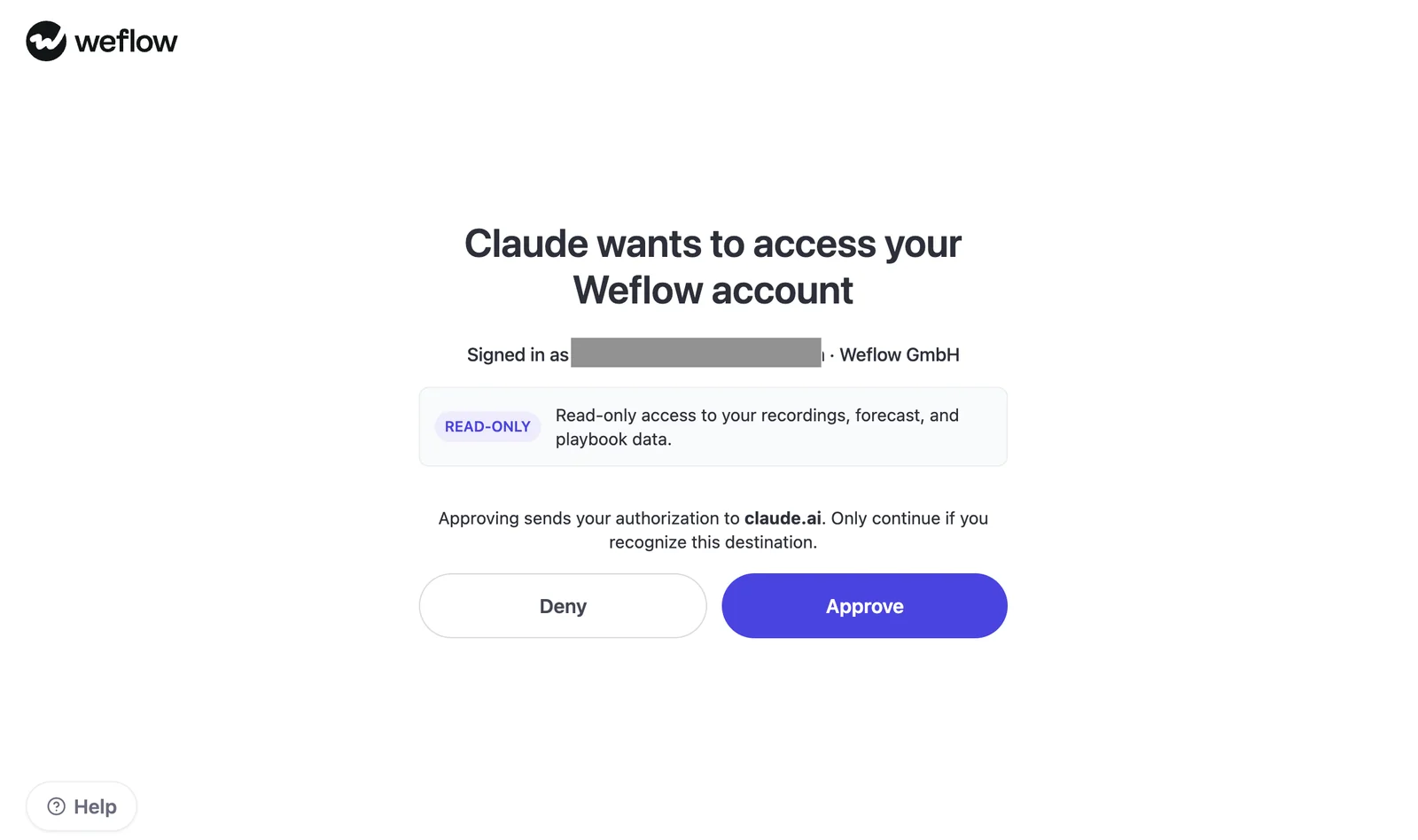
It's a paste, not a project. An admin enables the MCP connector for the workspace and decides the transcript toggle, then each user adds the Weflow URL in Claude or ChatGPT as a custom connector and approves the OAuth screen.
Do quota and attainment answers require targets configured in Weflow?
Yes. Targets set in the Weflow admin console reach the connector, and where they're present the assistant returns them alongside the actuals so attainment resolves in one call. Without them, you'll have to supply the target in the question.
What comes back if no forecast call was submitted?
Null. It's a real answer rather than an error, and it tells you nobody submitted for that period, which is usually the finding you wanted anyway.
Can Weflow import Clari Copilot recordings if we switch?
Yes. Weflow imports and extracts data from recordings and transcripts held in the conversation intelligence platform you're leaving, pulling them through that platform's API, at no extra cost, in about one to two weeks depending on volume. Because the imported transcripts land in your own CRM, a question about how an objection was handled last quarter still answers after the move.











