Clari Forecasting Limits: Custom Territories, Departed Reps and Second Date Fields (2026)
See when to fix Clari forecasting limits vs switch: custom territories, departed reps, second dates.


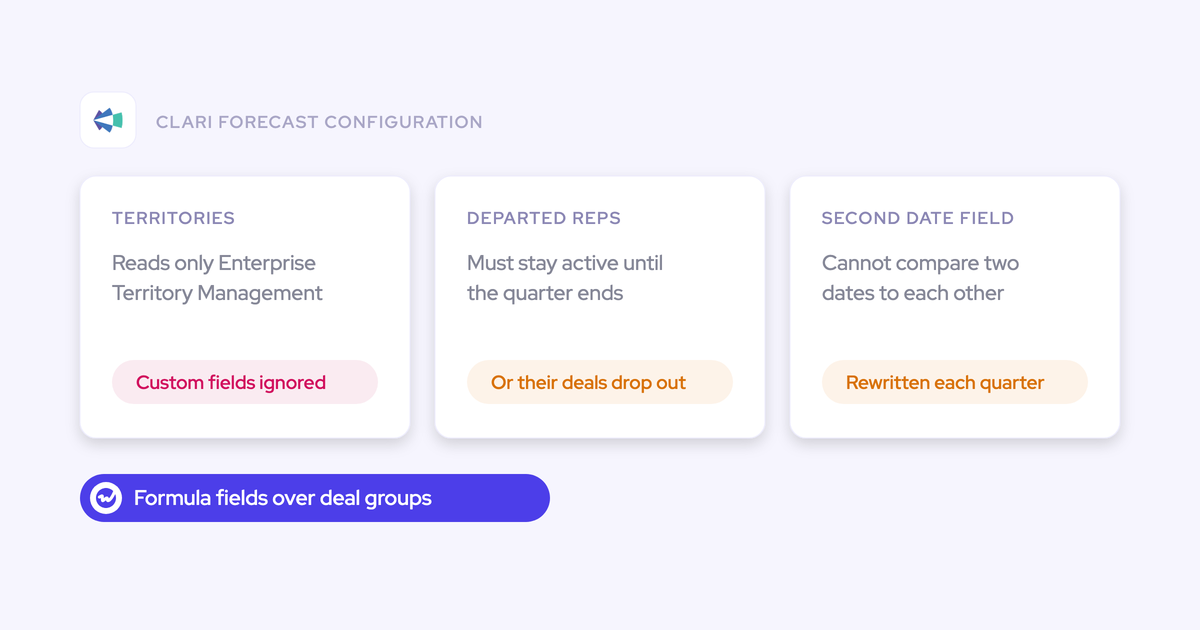

If you run your forecast in Clari, you've probably noticed it has no structure of its own. It rolls up by either the Salesforce user hierarchy or Enterprise Territory Management (ETM), and it can only show values that already exist as Salesforce fields. That one design choice is behind three walls Clari admins keep running into:
- Custom territory fields the roll-up won't read
- Departed reps whose bookings vanish when you deactivate them
- A second date field that forces a formula rewrite
So if you've been wondering whether it's your configuration or the product, it's the product. The good news is that each limit has a fix inside Clari, and some are worth the effort.
Below, we'll walk through what's happening, how to fix it, what the fix costs and when staying on Clari makes sense.
Full disclosure: we build Weflow Deal Intelligence & Forecasting, which owns its own hierarchy and field mapping. Weflow is the Revenue AI Orchestration platform for sales, customer success, and RevOps teams, built for Salesforce teams.
We'll show where that helps with each limit, and where it doesn't.
Why Clari's forecast structure lives in Salesforce, not Clari
Clari works as a forecasting overlay, which means it reads its structure from Salesforce and can't create any of its own:
- Roll-up path: Two sources only, the Salesforce user hierarchy or ETM.
- Calculations: Clari can't calculate fields, so any derived metric has to exist as a Salesforce formula field first.
- Judgment per level: The AE's commit and the manager's upside each live as their own field on the opportunity.
In practice, every structural change in your business turns into a Salesforce change: a placeholder user, an ETM migration, a formula rewrite or a new field.
To be fair, this design is also why Clari's best parts work so well. The top-down view, where a CRO sees each direct report's commit and best case and drills down, is fast and clear, and reps genuinely value inline editing in shared views.
Most teams we talk to aren't questioning whether Clari's core works. They're questioning whether it'll get better.
the one biggest limitation we had on Clari is that it was very dependent on the Salesforce hierarchy
Here's how the three limits compare at a glance:
| Custom territories | Departed reps | Second date | |
|---|---|---|---|
| What you see in Clari | Territory roll-up ignores the custom fields on Account and Opportunity | Deactivating a leaver mid-quarter pulls their bookings out of the team number | Adding a booking date apart from close date breaks the forecast formulas |
| Where Clari needs the structure | Enterprise Territory Management | An active Salesforce user record | Salesforce formula fields |
| The in-Clari fix | Migrate every territory value into ETM | Keep leavers active until quarter end | Rewrite every forecast formula |
| What the fix costs | A migration project, plus a second system holding territories | Quarterly maintenance that grows with turnover and reorgs | A rewrite, and in one team's case, reps and leaders still saw different values |
| When it's worth it | Territories already live in ETM, or you'll make ETM the system of record | Turnover is low and the org is stable | The forecast runs on one date and rarely changes |
Why Clari can't roll up your custom territory fields
Clari's territory roll-up only reads Salesforce ETM fields. So if your sales planning tool writes territories onto Account and Opportunity as custom fields, Clari can't use them to roll up the forecast, and there's no hidden setting you're missing.
One admin team we spoke with spent months configuring territory roll-ups before finding out the custom fields could never work.
That's what makes this limit so expensive: nothing in the setup warns you it's a dead end until you've already sunk the time.
What moving territories into Enterprise Territory Management costs you
Moving to ETM is the only way around this, and it's a project in its own right.
- You implement Enterprise Territory Management if it isn't already running in your org.
- You copy every territory value from your custom fields into ETM.
- Your planning tool still owns territories, so you now hold the same structure in two systems.
- Every re-plan has to land in both places, or the forecast drifts from the plan.
When an Enterprise Territory Management migration is worth doing
It's worth it when either of these is true:
- Your territories already live in ETM, in which case this limit barely touches you.
- You're willing to make ETM the territory system of record and retire the custom fields.
But if your planning tool will stay the owner of territories, the migration just gives you a second copy to maintain.
Why deactivating a departed rep drops their Clari bookings
Clari ties closed deals to the user in the hierarchy, so when you deactivate a rep who left mid-quarter, their bookings drop out of the team's number. That's how Clari is designed, not a bug in your org.
That's why most admins keep leavers active until the fiscal quarter closes. It works, but it turns every departure into another calendar reminder.
What keeping leavers active until quarter end costs your team
How much it costs depends on how often your org changes shape:
- Every leaver stays an active user until quarter end, so someone has to track and deactivate them on time.
- Splitting a VP's line into account managers and account executives needs an inactive placeholder user per group, because a Clari sub-total only exists where a user sits. Every new split leadership asks for adds another placeholder to maintain.
- High turnover or a reorg multiplies all of it in the same quarter.
Why internal team moves put rep history at risk in Clari
Team moves run into the same problem. When a rep changes teams, Clari's forecast follows their Salesforce user and place in the hierarchy, which leaves you choosing between two imperfect options:
| Keep the same user | Create a new Salesforce user | |
|---|---|---|
| Past bookings | Follow the rep into the new team's roll-up | Stay where they were |
| Forecast history | Kept | Lost, because Clari sees a brand-new user |
| Opportunity ownership | Unchanged | Has to be handled around the new user |
| Rep experience | Unchanged | A second login and a fresh profile |
One Clari team told us they felt shackled by internal team moves for exactly this reason.
When a leaver policy in Clari is good enough
If you lose a couple of reps a year and your hierarchy rarely changes, keeping leavers active until quarter end is a small, predictable chore you can live with.
What a second booking date does to Clari forecast formulas
One team shared what happened when finance asked for a booking date separate from the close date. Since a deal can close this quarter while finance books it to a later one, the forecast had to read both dates:
- Adding the second date meant rewriting every forecast formula.
- After the rewrite, some deals displayed correctly for sales leaders and incorrectly for reps.
- Fixing that needed ongoing work with Clari support.
That's just one team's experience, but the mechanism behind it applies to every Clari org.
Why every new Clari column becomes a Salesforce formula field
Because anything derived has to be built in Salesforce first, every request from leadership follows the same path:
- An executive asks for a new number, such as the swing between best case and worst case.
- Someone builds a Salesforce formula field whose only purpose is to make that column possible.
- You add the field as a Clari column.
- You maintain the field and the column from then on.
After a few years of this, you end up with formula fields stacked on formula fields, some feeding columns nobody uses anymore. It's CRM debt, created by your reporting layer.
It's also why your last few executive requests took longer than they should have, since each one was a rebuild, not an edit.
When rewriting your Clari formulas is worth it
If your forecast runs on one date and rarely changes, you only pay this cost once. Say finance asks for a booking date this year and nothing else structural changes for the next two years. In that case, a one-time rewrite is a fair price.
Should you fix the limit inside Clari or leave?
Staying on Clari makes sense if your territories already live in ETM, turnover is low and your forecast runs on one date, since these limits won't cost you much.
It also helps that Clari admins can now build forecasts themselves, which used to require Clari's support team.
It's worth looking at another tool when a limit comes back every quarter, or when the fix means duplicating a system that already owns the structure.
| Limit | Stay and fix it in Clari if… | Look at another forecast tool if… |
|---|---|---|
| Custom territories | Territories already live in ETM, or you'll make ETM the system of record | A planning tool owns territories and you won't run a second copy |
| Departed reps | Turnover is low and the hierarchy is stable | Leavers, team moves and placeholder users are a quarterly job |
| Second date | You forecast on one date and expect no change | Finance needs a second date now and more change is coming |
| Calculated columns | Leadership rarely asks for new numbers | Every executive request becomes a new Salesforce field |
| Configuration help | Your Clari support still turns requests around inside the quarter | Configuration help arrives as tickets after the quarter it was needed for |
Timing matters as much as fit, too. Switching competes with your RevOps backlog more than with Clari, so your renewal date usually decides when you can move.
How Weflow Deal Intelligence & Forecasting handles hierarchy, dates and columns
In Weflow, the hierarchy, date field and calculations all live inside the forecast tool, so a structural change is an admin edit in Weflow rather than a change to your Salesforce org.
How the Weflow hierarchy removes placeholder users and keeps rep history
By default, Weflow reads the Salesforce Manager field. When that doesn't match how you forecast, you can switch on a Weflow hierarchy in the Admin Console and arrange teams with drag and drop.
It replaces the Salesforce hierarchy for forecasting and also controls who sees recordings and Insights reports.
| Situation | Clari workaround today | In the Weflow hierarchy |
|---|---|---|
| Separate AM and AE lines under one VP | An inactive placeholder user per group | Two named teams under the VP, no placeholder users |
| A CSM carrying expansion and renewal numbers | Workarounds in the user hierarchy | One person sits in several teams |
| Team naming | Sub-totals carry a user's name | A team carries a title, not its manager's name |
| A rep changes team | Carry the numbers, or create a new user and lose history | Opportunities, targets and past submissions move with the person |
| Legal, finance and other users | Appear wherever the hierarchy puts them | Only the people you place in teams appear |
One thing to know about team moves: Weflow rolls each user's opportunities up to their current manager, so a rep's earlier deals move with them instead of staying with the old team.
You keep the history without creating a second user, but you can't leave past bookings behind in the old team.
There's one real constraint. The Weflow hierarchy only includes people who've signed in to Weflow at least once, which reps usually do through activity capture or conversation intelligence.
For larger orgs, our team can build the teams from a spreadsheet.
How a booking date becomes a second Weflow forecast setup
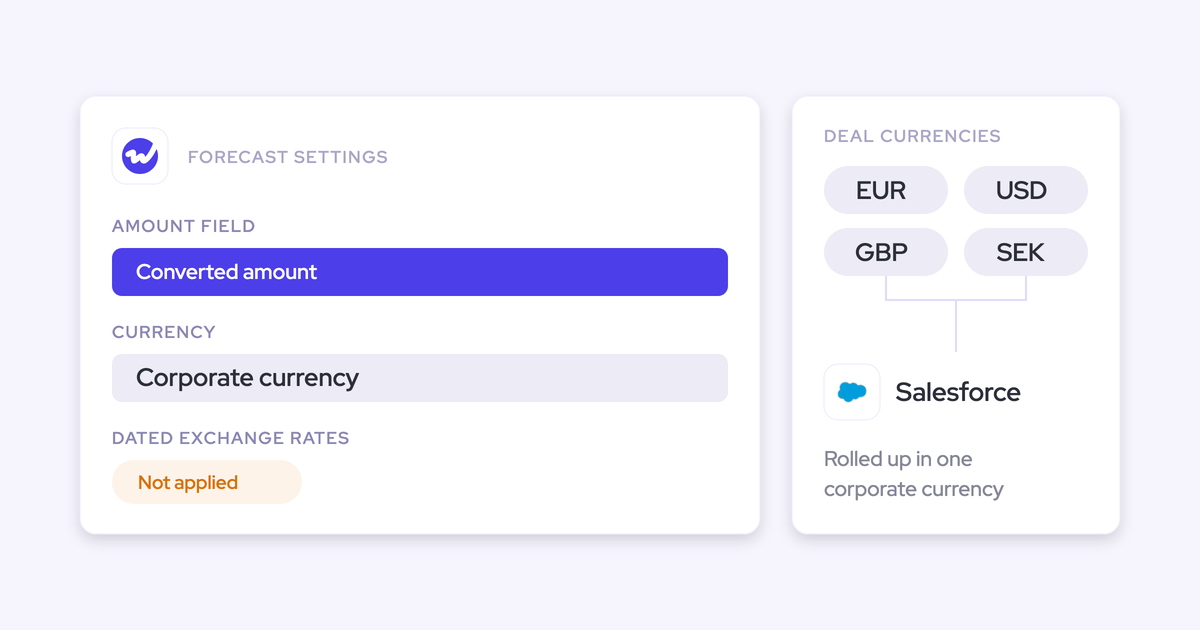
In Weflow, a booking-date forecast is simply a second setup running in parallel, with no formula rewrite. Each setup picks its own fields, which can be any standard, custom, formula or number field on the opportunity:
- Amount field: Amount, Expected Amount, a custom currency field such as ARR, or a number field such as Quantity.
- Date field: Close date for the sales forecast, your booking date for the finance one. A renewal setup can index on contract start date instead.
- Categorization: Stage, Forecast Category or a custom picklist.
- Filters: Record type, opportunity type or any field condition. Your custom territory fields work here, as setup filters and as view filters.
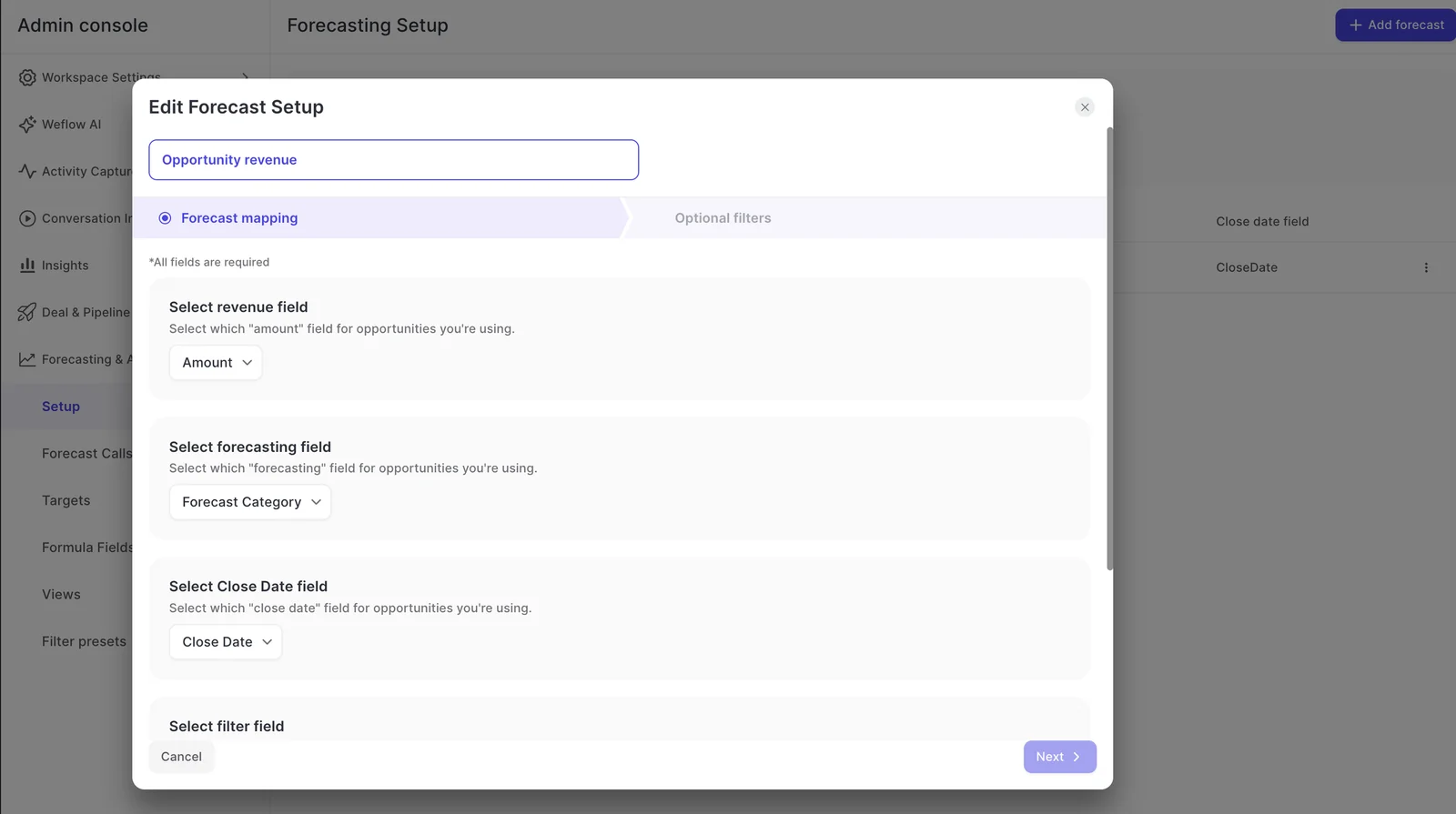
Each setup has its own stages, cadence, targets and forecast calls, so you can forecast on close date and booking date side by side without touching a Salesforce formula.
How Weflow formula fields add forecast columns without Salesforce fields
Weflow formula fields are calculated inside the forecast tool, so adding a column doesn't mean adding a Salesforce field.
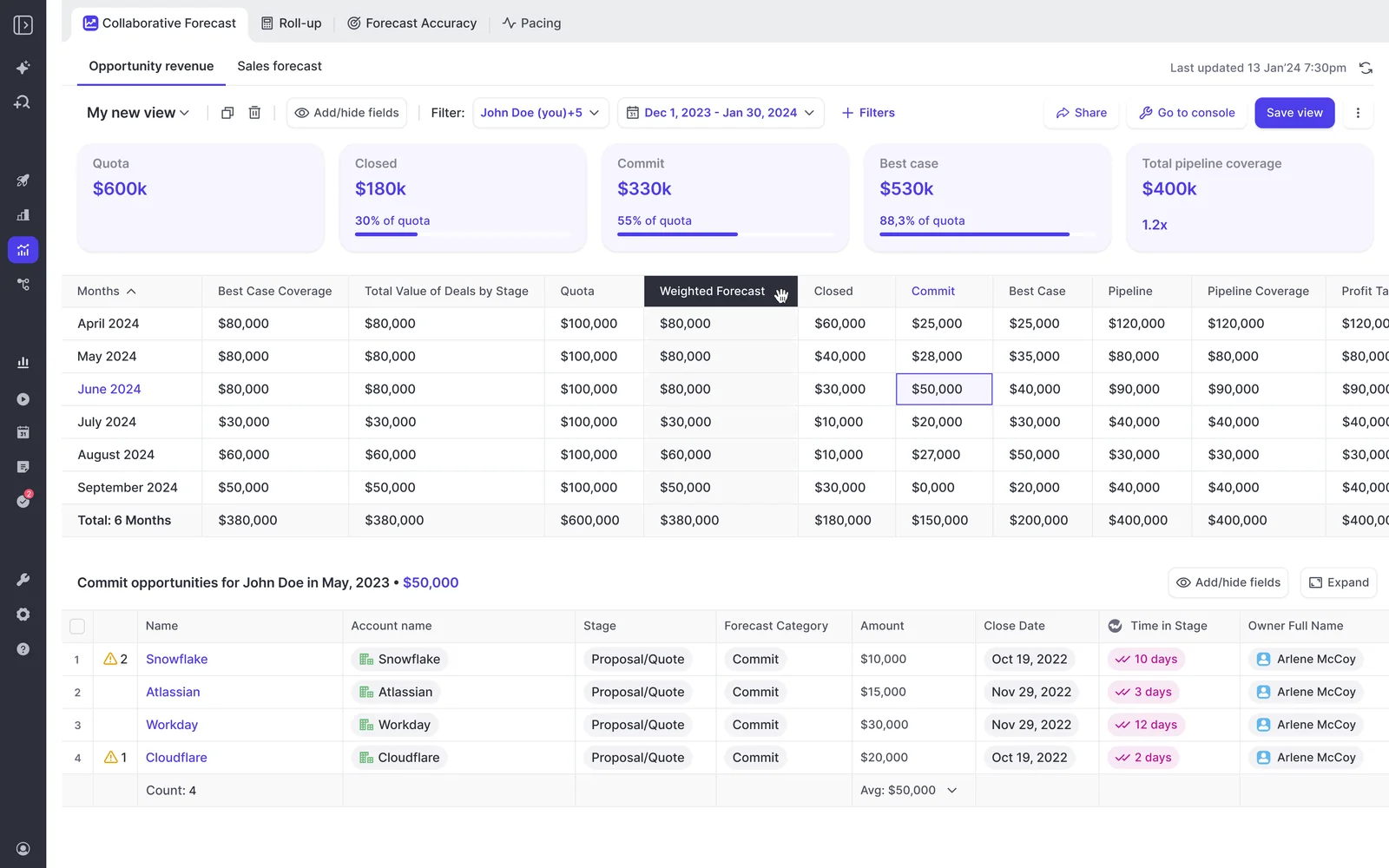
You define condition groups, like the opportunities in Best Case and Commit, write a formula over them and add the result as a column. Click the value, and you'll see the deals behind it.
Formulas can use both Salesforce fields and fields Weflow calculates itself, such as deal age. Here are a few columns teams typically build:
- A Best Case plus Commit total
- The amount on deals whose close date has passed
- The value of deals with too little activity
- Net or gross dollar retention
- Renewals due in the period
- A custom grouping of forecast categories or your own stage weighting
That means the calculated columns you built in Clari aren't lost in the move, since you can rebuild them this way. And the next executive request becomes a quick edit.
Who configures the hierarchy and setups in Weflow
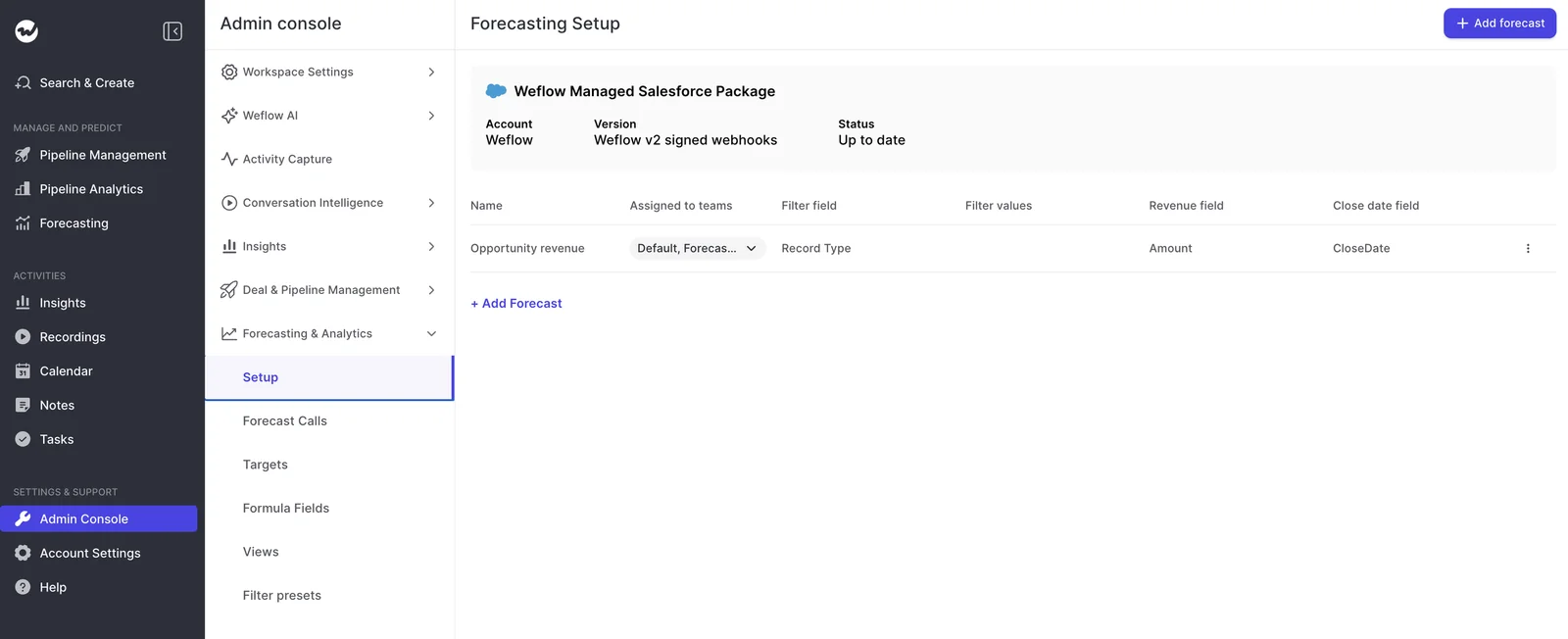
You do. Your admin controls the hierarchy, setups, forecast calls, targets, filters and formula fields in the Weflow Admin Console, so changing a roll-up or adding a forecast doesn't require a support ticket.
We also run onboarding ourselves rather than handing it off to a partner. If your team is stretched, our managed service does the heavy lifting, and your RevOps team only needs to answer questions and grant access.
Where Weflow stops: Territories, departed reps, dates and splits
Weflow solves the hierarchy, date and column limits, but not everything. Here's what it doesn't do, so nothing catches you off guard in month two.
| Area | What Weflow does | What it doesn't do |
|---|---|---|
| Territory roll-up | Rolls up by opportunity owner through the hierarchy; territory fields work as filters and views | Roll up by a territory field or by deal criteria |
| Dates | One date field per setup, run as many setups as you need | Use two dates in one setup, or split one deal's amount across quarters |
| Period type | Quarterly by month, monthly or quarterly | Mix period types: every setup in the workspace shares one |
| Splits and overlays | A shared deal counts in full for its owner | Salesforce opportunity splits, split credit or overlay roll-ups (Clari also needs extra work here) |
| Where submissions live | Forecast calls stay in Weflow and are readable over the Weflow MCP connector | Write a submitted forecast number back to a Salesforce field |
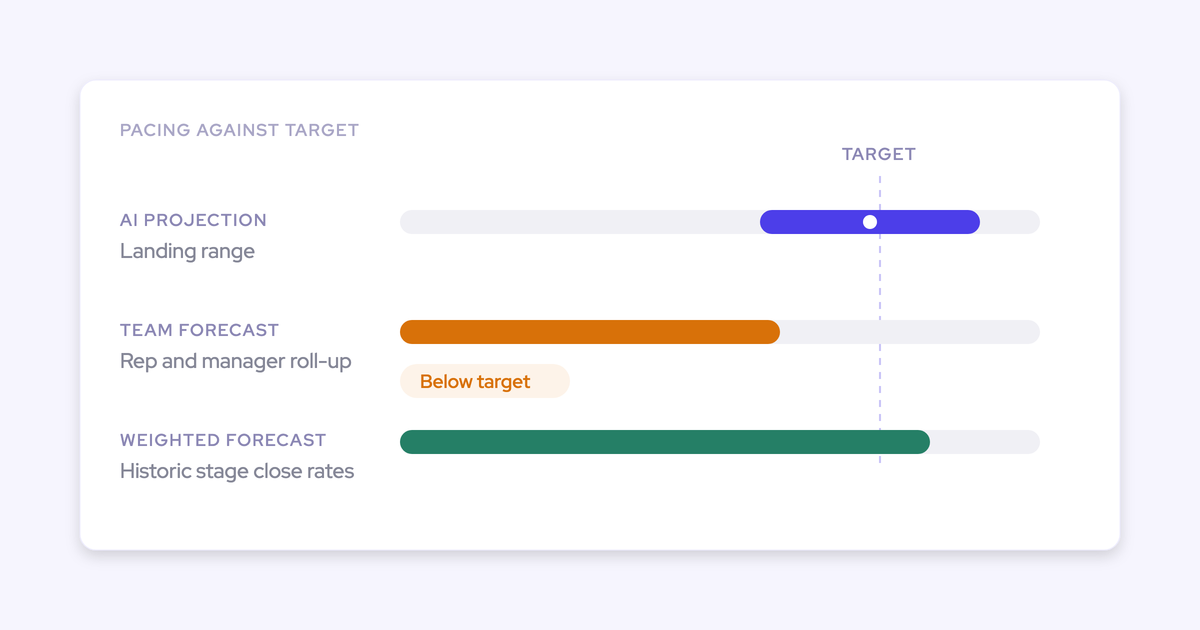
| Dashboards | Roll-up, pacing and waterfall that match Clari's, per forecast motion | A funnel report, and some of Clari's dashboard widgets |
| Mobile | Email reminders when a forecast is due, flags for missing submissions | Forecast submission from a phone, which Clari Mobile has |
If what you really need is a roll-up that follows your custom territory fields, Weflow can't do that. In that case, your choice is between ETM in Clari and a different tool.
What moving your forecast from Clari to Weflow takes
If you decide to switch, here's what it costs in time, history and money, measured against the hard end date on your Clari contract.
How long Weflow forecasting setup takes and what you lose mid-quarter
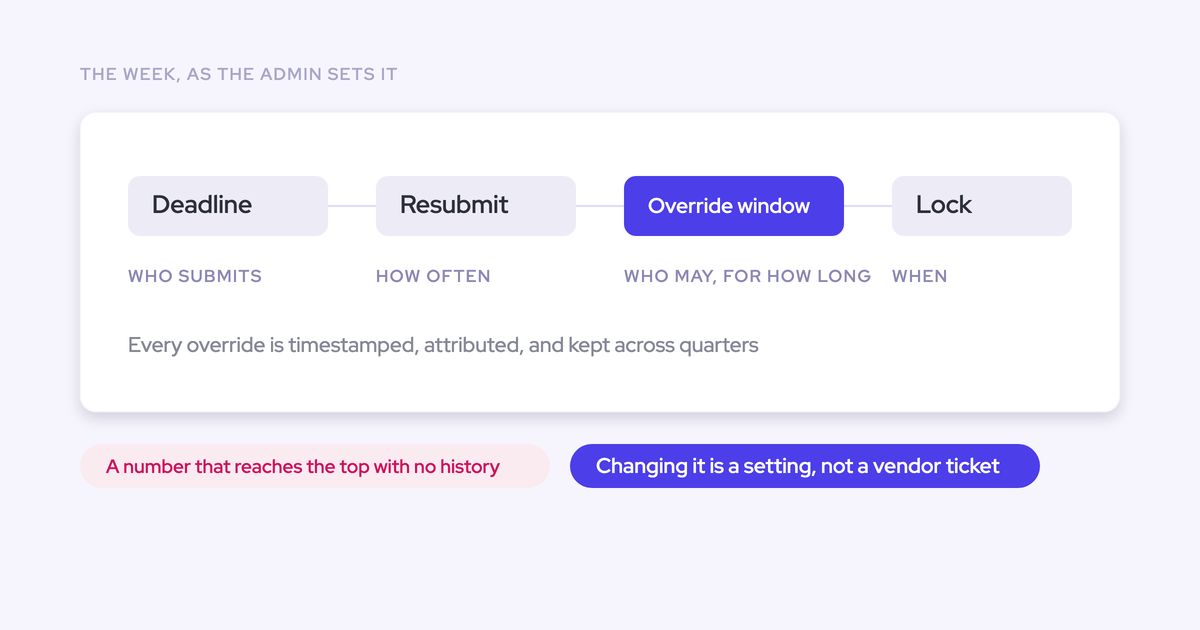
Forecasting takes longer to set up than activity capture, because it encodes your operating cadence: who submits, how often, at deal or manager level, and against which quota. Onboarding is free.
We have got a finite stop. We lose Clari on a day. And I want this live and ready and tested a minimum of two weeks before the 30st of September.
Here's what a cutover against a deadline like that looks like:
- Decide which legacy Clari formula fields you keep and which die, before you connect anything.
- Run the technical implementation, a 45 to 60 minute call with your Salesforce admin and mail admin.
- Get reps signed in through activity capture or conversation intelligence, so the Weflow hierarchy can hold them.
- Configure the hierarchy, setups, forecast calls, targets and formula fields. The AI projection needs at least six months of opportunity history and is ready within 48 to 72 hours of the import.
- Run the Weflow forecast privately beside Clari. Forecasting is a separate license, so reps see nothing until you assign it.
- Assign forecasting licenses and move submissions over before the Clari end date.
Moving mid-quarter doesn't break anything, because Weflow forecasts on the same opportunity data. The only thing you lose is submission history from the earlier weeks.
And if a two-week trial isn't enough to prove a forecast, we offer a three-month paid pilot that covers a full forecast cycle. It counts as the first three months of a multi-year agreement, with an opt-out at the end.
What Weflow Deal Intelligence & Forecasting costs against a Salesloft renewal
| Item | Weflow Deal Intelligence & Forecasting |
|---|---|
| List price | $39 per user per month billed annually |
| Minimum | 10 users |
| Billing | Annual |
| Included | Ask Weflow AI Pro and Agent Builder Free (25 agent actions per month) |
Your Clari renewal is now a Salesloft contract, and neither company publishes seat prices (both pricing pages send you to a sales call). So the only real comparison is your own Salesloft quote next to the numbers above.
Want to see the admin screens from this article before talking to anyone? Walk through the product yourself, no call required.
FAQ: Clari forecasting limits and Weflow
What is the difference between Clari's user hierarchy and Enterprise Territory Management roll-ups?
The user hierarchy roll-up follows who reports to whom in Salesforce, while the ETM roll-up follows the territories set up in Salesforce ETM. Those are the only two roll-up paths Clari supports.
Is Clari still a separate company from Salesloft?
No. Clari and Salesloft merged in December 2025 and have operated as one brand, Salesloft, since 1 September 2026. Clari Forecast continues as the platform's forecasting product, so renewing it means signing with Salesloft.
Can Weflow roll up a forecast by our territory fields?
No. Weflow rolls up by opportunity owner, and your territory fields work as setup and view filters instead.
How does Weflow handle opportunity splits and overlays?
Weflow doesn't support Salesforce opportunity splits, split-credit forecasting or overlay roll-ups, so a shared deal counts in full for its owner. Clari also needs extra work before its forecast reflects splits and overlays.
Do Weflow forecast submissions reach Salesforce or our BI tool?
Weflow forecast submissions stay in Weflow and aren't written to Salesforce fields, but you can read them over the Weflow MCP connector, along with the live pipeline total and the gap between the two.
Can new logo and renewal forecasts run on different period types in Weflow?
No. Every setup in a Weflow workspace shares one period type. Most teams, especially those coming from Clari, use quarterly, broken down by month.