How to Build a Call Library for Onboarding Without Anyone Curating It
Learn how to build an onboarding call library that updates itself from Conversation Intelligence.


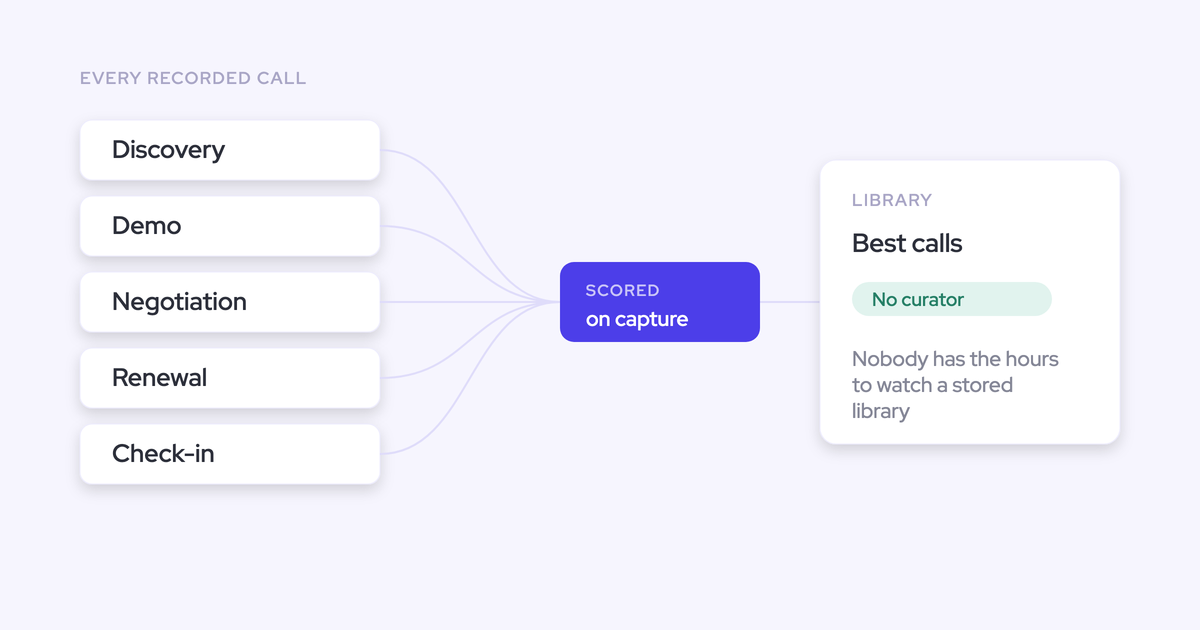

You already have the recordings. Every discovery call, demo and negotiation your team ran last quarter is sitting in a tool somewhere, searchable. What you don't have is a library, and the new hire who started Monday is learning the pitch from whoever had a free hour.
The blocker isn't the recording tool. It's curation. Somebody has to watch calls, decide which ones are good, clip the moments and keep the whole thing current, and that job never gets funded because a library is almost never the reason the recording tool was bought in the first place.
So the archive grows every week and the onboarding asset never appears.
The way out is a library where the calls organize themselves: recorded by default, tagged by type, scored against your methodology, so "top-scoring discovery calls" is a filter instead of an opinion someone has to form.
This guide walks through building exactly that, step by step, using Conversation Intelligence + AI Field Updates, and it's honest about the two or three places where you still have to do something by hand.
Why your recorded calls aren't an onboarding library yet
Because nobody has the hours, and the tool was never designed to do the organizing for you.
Run the arithmetic on your own team. Ten reps, three to four hours of live conversation each per day, is more than a hundred hours of talking landing in the archive daily. A manager who watched calls full time couldn't keep up with a single Tuesday.
That's not a discipline problem. It's the shape of the first generation of conversation intelligence, which was built before generative AI, when the mandate was simply never lose a call. What you got was a video archive with search over it. Storage, not organization.
So the library stays theoretical. Everyone agrees it would be useful, nobody has a spare afternoon a week for the next six months, and the moment the person who volunteered changes role, whatever exists goes stale.
| A recording archive | An onboarding library | |
|---|---|---|
| What it takes to build | Turn recording on | Someone watches, judges, clips and tags |
| What keeps it current | Nothing, it fills itself with everything | The same person, every week, forever |
| What a new rep gets | A search box and no idea what's good | The five calls that show how you actually sell |
| What it costs you | A line item nobody opens | Headcount hours you can't get approved |
This is the part worth repeating to your VP: the library doesn't exist because the labor to curate it was never in anyone's job description. Not because the calls are missing.
And it's rarely urgent enough to fix on its own. It just resurfaces every single time someone new joins.
What you need before you build the library
Less than you'd think. Four things, plus one person.
- Auto-recording connected at the workspace level. Recording has to be the default state, scheduled from the calendar connection, not started by the rep. Coverage decides whether the library is a census or a sample.
- A defined picture of a good call. A methodology works (MEDDIC, MEDDPICC, SPICED, BANT, Challenger, SPIN), but a five-line rubric per call type works too. Something has to encode what "worth copying" means, or the AI can only score against a generic idea of a sales call.
- A consent mode agreed with legal before rollout. Opt-out, opt-in or manual. Pick it with your legal team now, not after the first guest objects on a customer call.
- Salesforce as the destination. Summaries and structured outputs land on the meeting activity that already exists, so the library isn't a second portal your reps have to remember.
- A named owner for the configuration. Not a curator. Someone (usually RevOps or enablement) who owns the scorecard templates and the tracker list and revisits them once a quarter. We push customers hard on naming this person during evaluation, because when nobody owns the templates the output degrades quietly and people stop trusting it.
How to build a self-populating call library in Weflow
Weflow is the Revenue AI Orchestration platform for sales, customer success, and RevOps teams, built for teams that run on Salesforce. The seven steps below run through it because auto-tagging and auto-scoring are what remove the curator, and they stack in dependency order: coverage first, then structure, then reuse.
Each step is a configuration you do once. None of them is a recurring duty.
Step 1: Auto-record every external meeting from the calendar
Connect the calendar at the workspace level, then leave it alone. Weflow auto-schedules the notetaker onto every external meeting from that connection, so nobody invites a bot and nobody remembers to press record.
Why this matters more than any other step: rep-initiated recording collapses coverage, and a thin library is no library. Rep-by-rep calendar authentication rots the same way. Out of a hundred reps, a handful never authenticate, a few tokens expire silently every month, and the failure looks exactly like a rep who had no meetings that week.
The notetaker joins Zoom, Microsoft Teams, Google Meet and Webex as a visible participant, tries to join shortly before the start, and drops out by itself if it's left sitting in the lobby. A rep can still turn it off for a specific meeting, and add it to an internal one on demand. The default is recorded.
Then pick your consent mode:
- Opt-out: the meeting records by default, a notice goes into the meeting chat with a link any participant can use to stop it. Most customers choose this, because coverage stays high.
- Opt-in: every participant accepts before recording starts. Clean for one-to-one calls, fragile in a group of eight where one person forgets.
- Manual: the seller decides in the room.
If someone opts out, the notetaker leaves and the recording, transcript and notes are destroyed. The consent message and its language are yours to write.
Two weeks after launch, check the recording health dashboard in the admin console: meetings recorded, recording attempts, meetings skipped, error rate, exportable as CSV. Each failure is attributable, so you can tell a bot that was never admitted from a meeting that never happened. Without that split, every gap looks like a product failure and people stop trusting the data.
Step 2: Let AI tag every call by meeting type
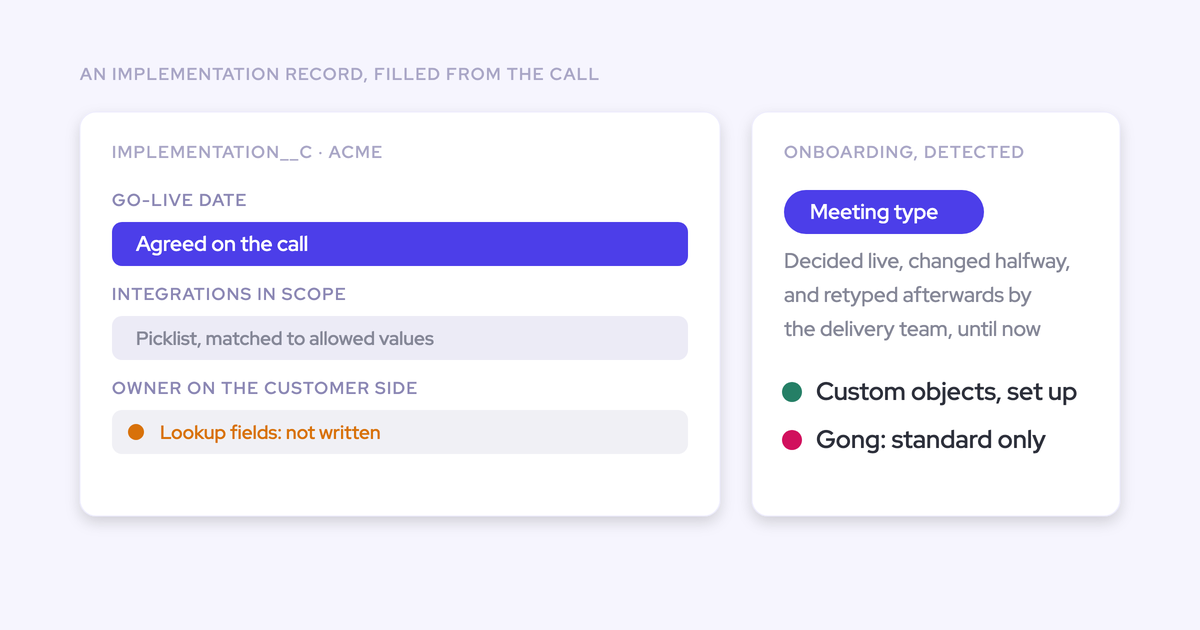
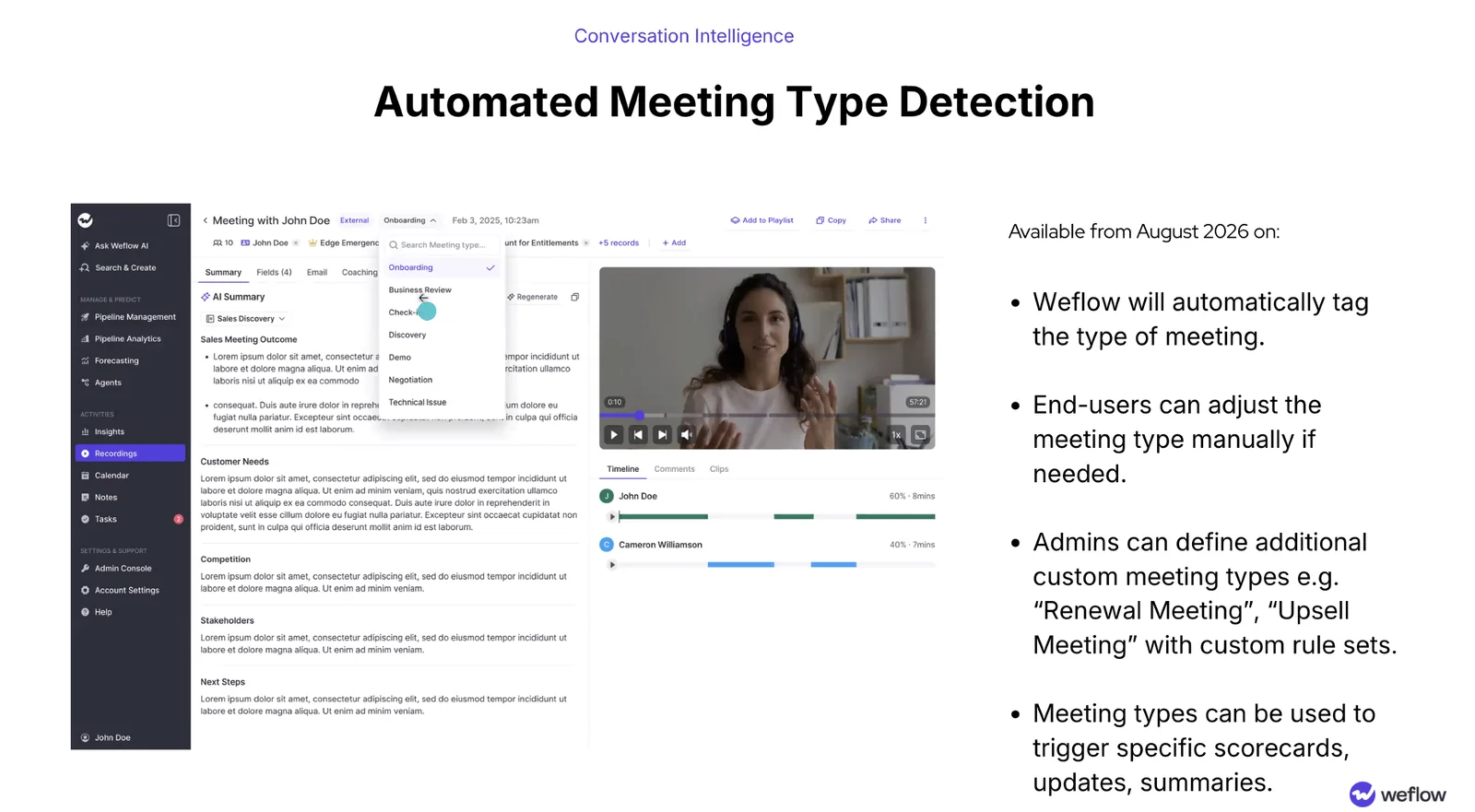
Weflow tags each recorded meeting with its type automatically: onboarding, business review, check-in, discovery, demo, negotiation, technical issue. That tag is what makes "show me discovery calls" possible without anyone filing anything.
When the AI reads a call wrong, an end user overrides it from a picker. One click, not a filing job.
Admins can define additional types with their own rule sets, so a renewal meeting or an upsell meeting exists as a first-class type if that's how you sell. The tag then drives what happens next: a meeting type can trigger a specific scorecard, a specific set of field updates and a specific summary, which is how a renewal conversation avoids being judged against the discovery rubric.
Step 3: Score every call against your sales methodology
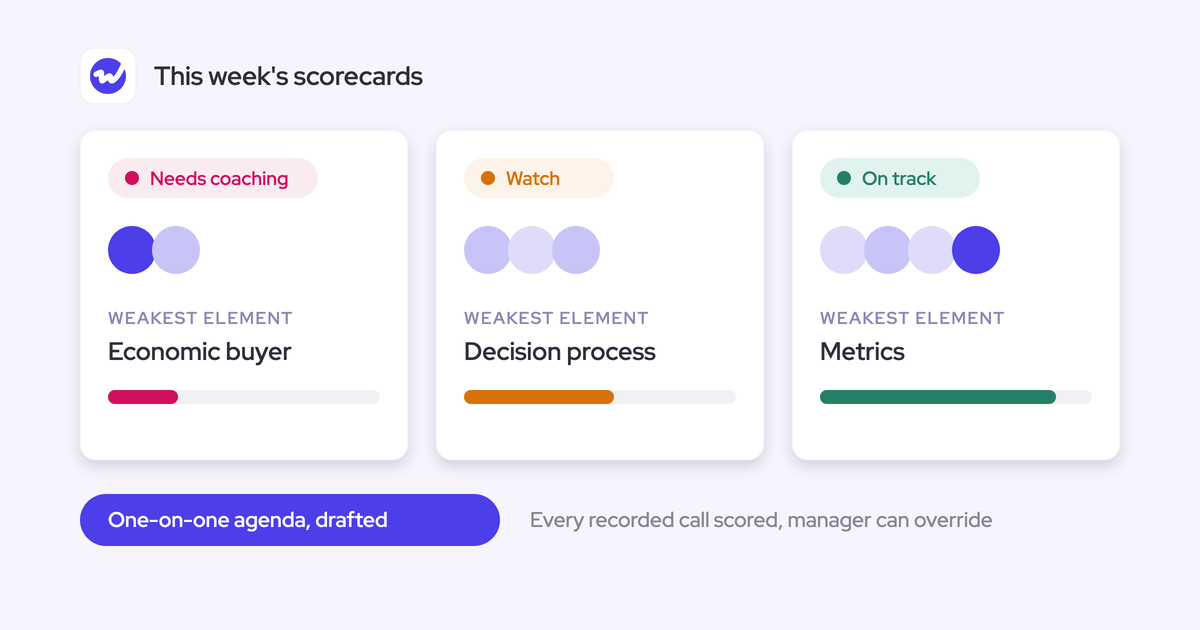
This is the step that replaces the human judge. Weflow scores every recorded meeting automatically against the methodology you configure, producing a coaching scorecard for the rep and a structured agenda for the manager.
Ranking is what turns "the calls worth copying" from something a manager has to decide into something anyone can filter for. A manager reviews a handful of calls a week at best. Scoring covers the population.
To configure it:
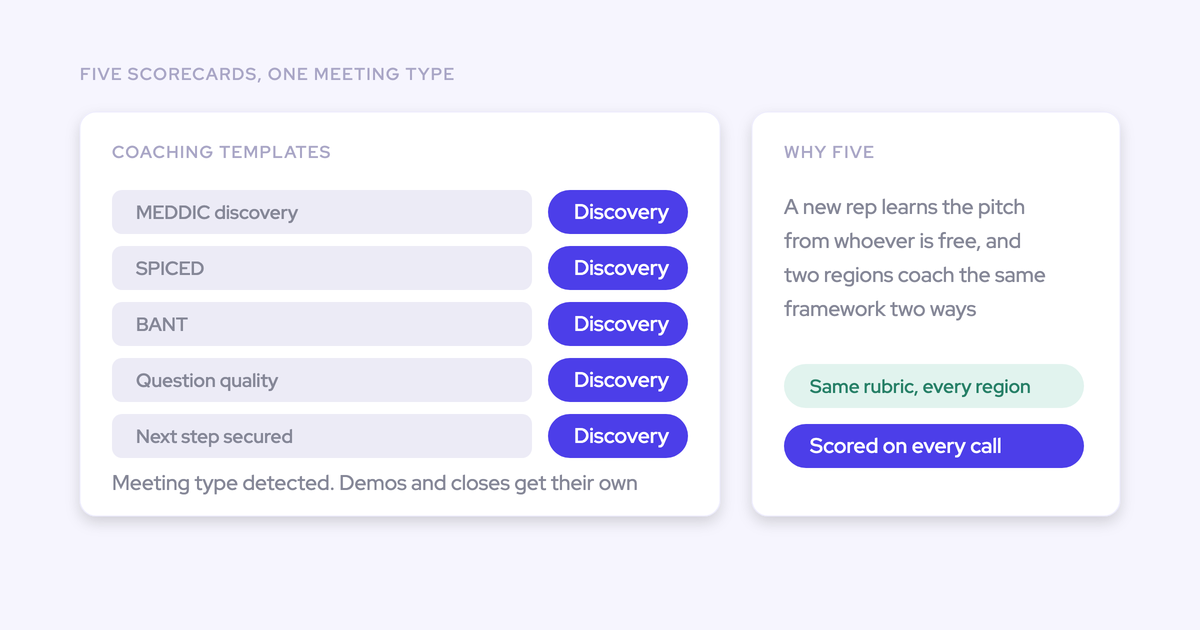
- Pick the framework. Weflow ships 250+ pre-built prompts covering MEDDIC, MEDDPICC, SPICED, BANT, Challenger, SPIN and Command of the Message, so you're editing a rubric rather than writing one.
- Assign a coaching template per team, with rating or free-form output and your own custom prompts. Different teams can be scored against different frameworks.
- Map templates to meeting types from step 2, so discovery is scored on discovery and negotiation on negotiation.
- Keep scoring restricted to meetings with external participants, so internal syncs don't pollute the ranking.
A manager can override any score they disagree with. That matters for the library specifically: the override is how a call that scored a 3 but is genuinely the best example of a hard objection gets promoted into view.
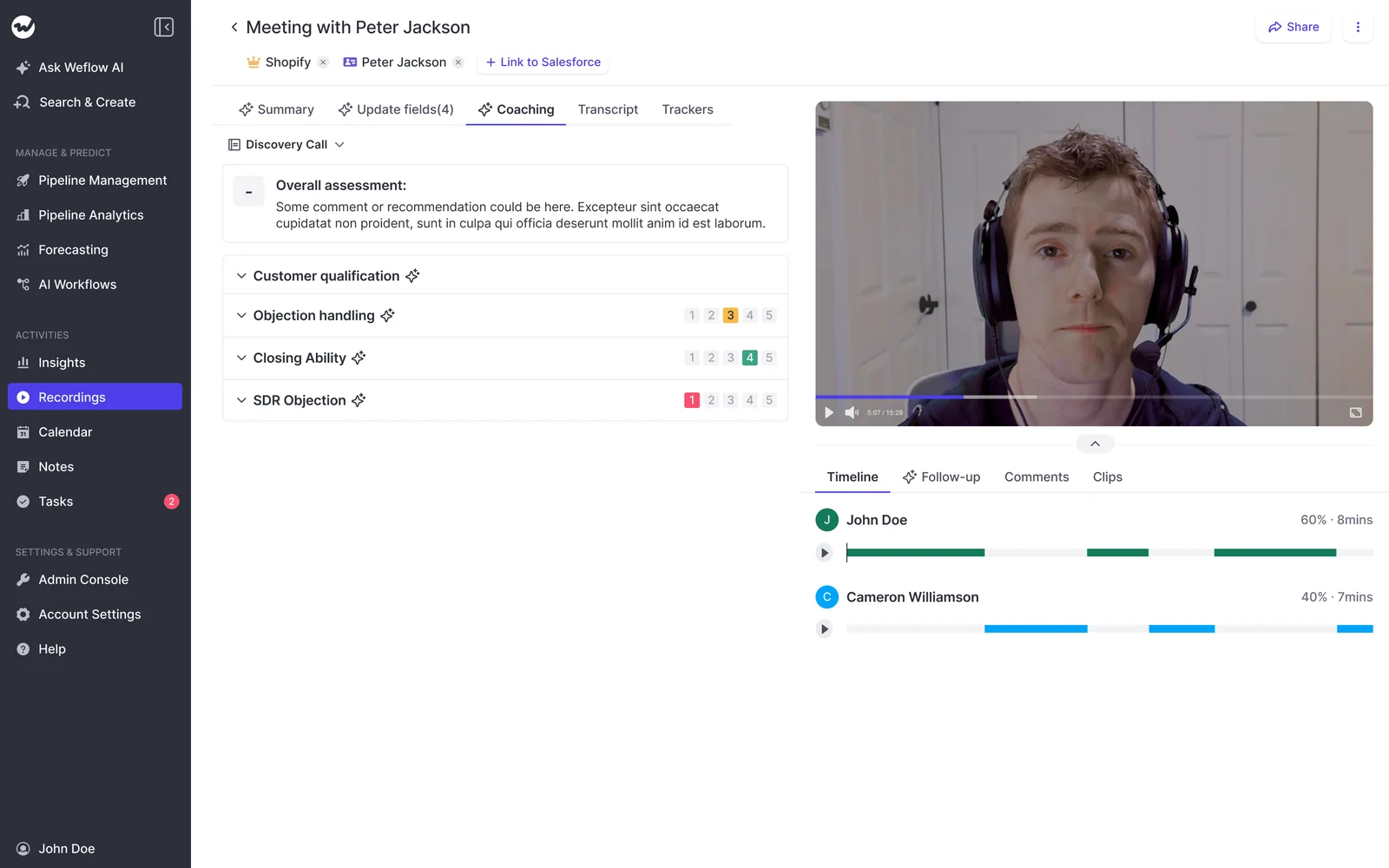
Spend real time on the rubric wording. A vague rubric scores every call a 3 and gives you nothing to sort by, which is the failure mode that quietly kills the whole build.
Step 4: Set trackers for objections, competitors, and key topics
Trackers make the library findable by moment, not just by call. Weflow trackers detect the keywords and phrases you define across every recorded call and roll them up by rep, team and region, and a new tracker crawls historical recordings retroactively rather than starting from today.
Combine a tracker with a type and a score and you have the query a new rep actually needs: top-scoring negotiation calls where the pricing objection came up.
Starter set for an onboarding library:
- Your two or three named competitors
- Pricing, discount, budget
- The two objections that kill the most deals for you
- Security, procurement, legal review
- The integration or product area new reps get stuck on
- Your methodology's key phrases, so you can see whether the rollout actually landed
Tracked over time, these stop being anecdotes. A competitor whose mention rate is climbing in one region shows up as a number instead of a rumor from one manager.
Step 5: Cut clips and group them into shared playlists
Clips are the teachable unit. Anyone can highlight a moment in the transcript, save it as a clip, and group clips from different calls into shared playlists organized by topic and call type.
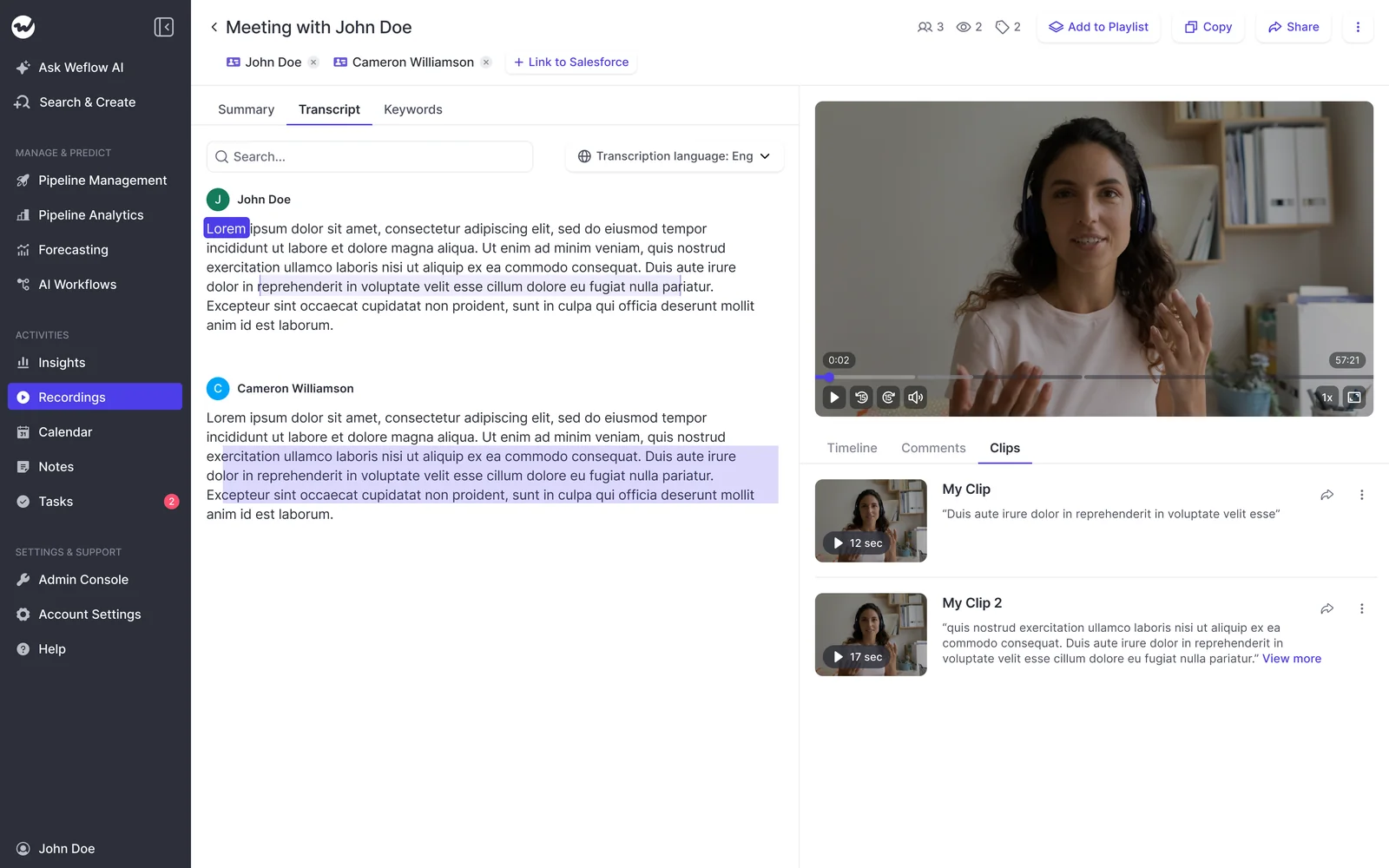
This is the one human act in the whole system, and it's deliberately small. You're not scanning a thousand recordings. You're opening the five top-scoring discovery calls the filter already surfaced and pulling the two minutes that show the pattern. Half an hour, once.
Playlists worth seeding before your next hire starts:
- Best discovery openings, first five minutes only
- Pricing objection, handled well
- Each named competitor, handled well
- The demo moment where the product actually lands
- Negotiation and the close
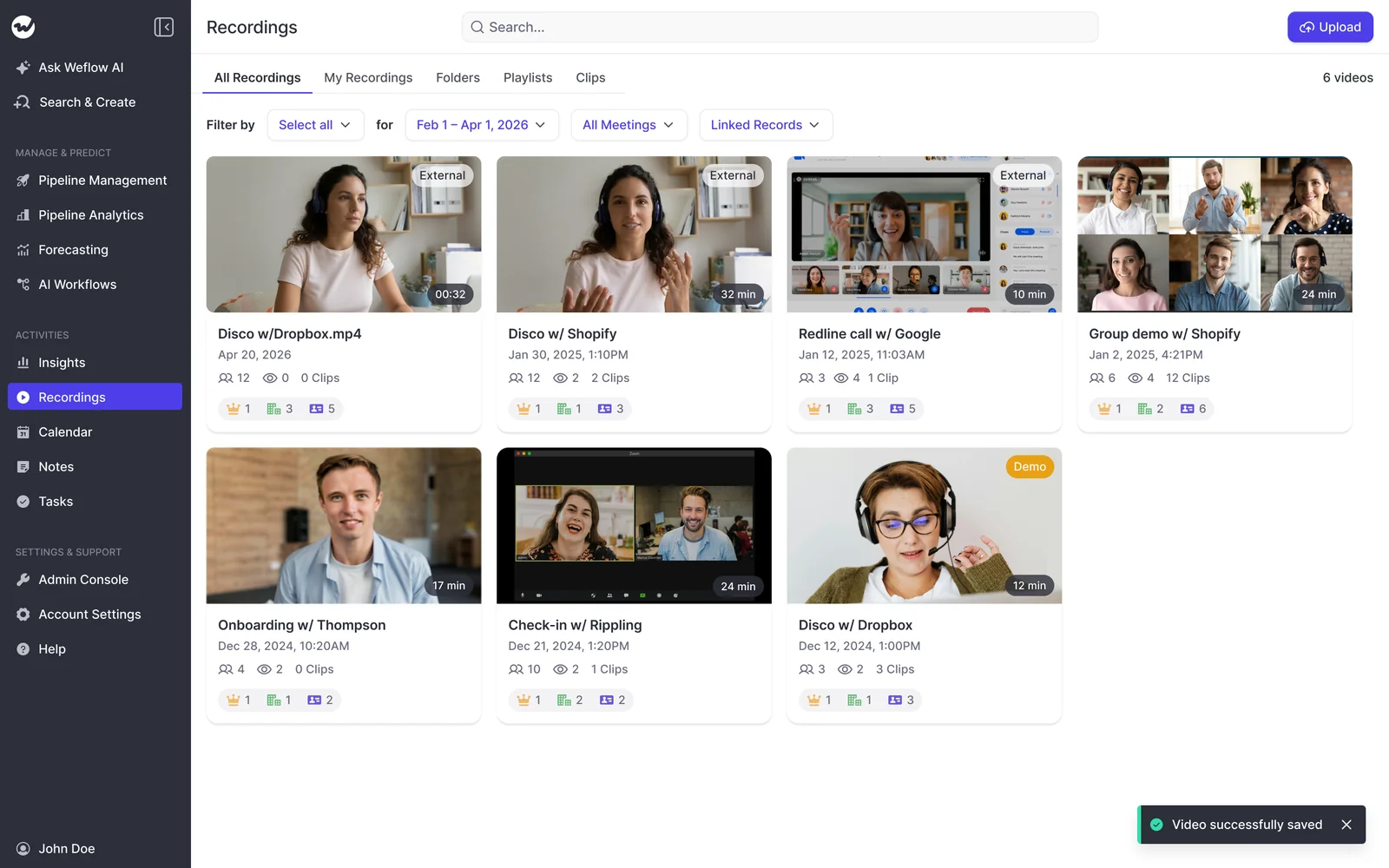
The clips and playlists live alongside the full recordings library, which reps can browse by call, folder or playlist.
Step 6: Open the library to other teams with free viewer seats
View-only licenses in Weflow are free. Enablement, product, marketing, CS and support can watch calls, read transcripts and open playlists without consuming a paid seat.
That single fact decides whether you built an asset or a locked archive. Seat rationing is the reason most call libraries stay a sales-only thing, and it's also why the product team ends up interviewing sellers to find out what customers said.
One thing to watch when you open it up: the rep-level interaction metrics (talk ratio, longest monologue, hours in meetings, email responsiveness) are exactly what makes the people being measured go cold. Give reps the library and their own scorecards first, and keep the comparative insight views with managers. Launch order changes how the whole thing gets read.
Step 7: Import your existing recordings into the library
Your existing archive doesn't have to die in the old tool. Weflow imports and reprocesses the recordings and transcripts held in the conversation intelligence platform you're leaving, pulling them through that platform's API, at no extra cost and typically in one to two weeks depending on volume. Libraries in the thousands of recordings are normal.
Reprocessing is the point. The old calls come in under the same meeting types, the same scorecards and the same trackers as everything recorded since, so your best call from eighteen months ago is findable by the same filter as last Tuesday's. An existing tracker set can be carried over too, so keyword reporting doesn't restart from zero.
One architectural note so nothing surprises you later: transcripts and the structured outputs of a call land in Salesforce, while video files are exported through the API to your own cloud storage rather than sitting in the CRM. Salesforce storage is expensive and heavy, and video is the one thing you don't want in it.
How new reps self-serve the library during ramp
Here's the payoff, and the reason to do any of this: your new hire runs their own first month against filters instead of against your calendar.
| Ramp week | What they work through | The filter that gets them there |
|---|---|---|
| Week 1 | How the company actually sells, in the customer's words | Discovery calls, top-scoring, last 90 days, their segment |
| Week 2 | The objections they'll hit on their first calls | Objection playlists plus the pricing and competitor trackers |
| Week 3 | Product depth and the technical conversation | Demo and technical issue calls, top-scoring, their product line |
| Week 4 | Their own first calls, against the exemplars | Their own recordings and scorecards, next to the playlists |
Week four is the part managers underrate. Because every call is scored automatically, the new rep's own calls come back with a scorecard within minutes of hanging up, measured against the same rubric as the exemplars they just watched. The feedback loop closes without you in it.
You still coach. You just stop being the bottleneck for the parts that were never coaching in the first place.
Pitfalls that turn the library back into an archive
Every one of these is the same mistake in different clothes: putting a human dependency back into a system designed not to need one.
- Rep-initiated recording. The moment reps have to invite the bot, coverage drops and the library becomes a biased sample of the calls people felt good about. Auto-schedule from the calendar.
- Rep-by-rep calendar authentication. Tokens expire silently and nobody finds out. Connect at the workspace level and check the recording health dashboard monthly.
- Appointing a curator. If your plan has a person tagging calls every Friday, you've rebuilt the thing that never gets funded. Tags and scores are configuration; only clipping is human, and only on pre-ranked calls.
- A generic scorecard. If everything scores a 3, there's nothing to filter for. Write the rubric in the language your team already uses in deal reviews.
- Gating access. A library only sales can open is half an asset. Hand out the free viewer seats on day one.
- Leading the rollout with the manager metrics. Show reps talk ratio leaderboards in the launch session and the whole deployment reads as surveillance, which is how the recorder quietly loses.
- Piloting with a group that has never been recorded. That turns the evaluation into a referendum on being tracked rather than a test of the product. Conversation intelligence is a leadership decision about how the team runs, then supported with enablement.
How to keep sensitive calls out of the shared library
Straight answer, including where we're coarse today: call visibility in Weflow follows position in the Salesforce hierarchy, and sharing an individual call outside that is done by tagging a specific user. There is no per-call private flag, and team-level tagging, which would let one action share a call with a whole group, doesn't exist yet.
What that means in practice:
- All-or-nothing hiding works for a person, not a call. Putting a user at the top of the hierarchy hides all of their calls from everyone below. That fits an executive whose conversations should never sit in a shared library.
- It fails the common case. If someone wants nine of ten calls shared and one kept private, the only workaround today is to hide everything and re-share by hand. That one's on us.
- Half a call is a supported answer. The host can remove the notetaker mid-conversation and everything up to that point is kept, which is how you record the working half of a meeting and leave the private second half alone.
- Consent is the other lever. If a participant opts out, the notetaker leaves and the recording, transcript and notes are destroyed. Nothing to exclude later because nothing was kept.
So plan the hierarchy deliberately before rollout rather than assuming per-call switches exist. If your model genuinely needs per-call privacy across a whole team, know that going in.
FAQ: building an onboarding call library
Does someone still have to maintain the call library?
No, not in the sense that kills most libraries. The three layers that populate it run on their own: recording is scheduled from the calendar, meeting types are tagged automatically, and every call is scored against your methodology as it lands.
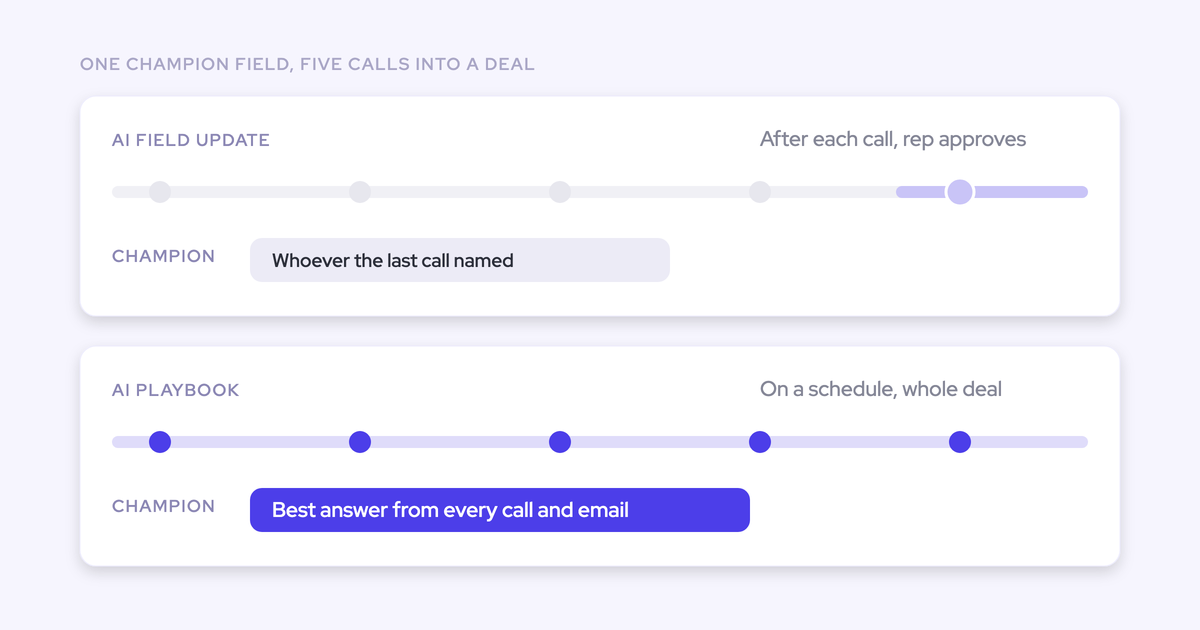
The recurring human acts are optional and small. Clipping new exemplars when you spot one. Overriding the occasional wrong tag or score. Revisiting the rubric and the tracker list once a quarter, which is why you name an owner up front.
What does a self-populating call library cost with Weflow?
Weflow Conversation Intelligence is $39 per user per month, billed annually, with a ten-user minimum, and view-only licenses are free so the people consuming the library don't add cost. Bundled with Weflow Activity & Contact Capture as Revenue AI Foundation it's $49 per user per month, which is roughly sixteen percent cheaper than buying the two standalone. There's no platform fee and no implementation fee.
Now the honest part: a call library on its own rarely justifies a purchase, and we don't pitch it that way. It's the payoff of capture and conversation intelligence a team is buying anyway for summaries, field updates and coaching. If the library is the only thing you want, the business case will be thin.
Can we build the same onboarding library in Gong?
Partly, and Gong is genuinely good at some of this. It records and transcribes well across 96+ languages, its trackers are strong, and it's strong at the aggregated level, which is where a lot of managers get their value.
Two differences decide it for most mid-market teams. The first is cost structure: Gong's Foundation tier starts at $1,600 per seat per year on top of a $5,000 annual platform access fee, with coaching sold as an add-on (Gong Enable Essentials at roughly $300 per seat per year, the fuller tiers around $800). At that per-seat level teams routinely don't deploy Gong to everyone, so CS and support sit outside the library, which is the opposite of what an enablement asset needs.
The second is where the organizing work sits. Weflow's meeting-type tagging, per-team methodology scorecards and free viewer seats are what make the filtered set appear without a curator. If you're already on Gong and happy with it, this is a renewal-cycle question, not a rip-and-replace one.
Does this work with recordings from our current tool?
Yes. Weflow pulls your existing recordings and transcripts through the incumbent platform's API and reprocesses them, at no extra cost, typically in one to two weeks depending on volume. Libraries in the thousands of recordings are routine.
The result is that your history arrives tagged and scored under the same rules as new calls, so the library doesn't start from zero on day one. For most teams that's the difference between a switch and a reset.
What happens when the AI tags or scores a call wrong?
Both are corrected in place. The meeting type changes from a picker, and a manager can override a score. One click, no review process.
The failure worth watching isn't the obvious wrong answer, it's the confidently useless one: a score or a field that's technically correct and tells you nothing, like a metrics answer that returns the customer's headcount. When that happens the fix is the prompt, not the workflow. Rewrite the rubric line so it asks for what you actually coach to, and the whole population re-sorts.