How to prepare for sales meetings with CRM data, past calls, web research, and files
Learn how to prepare for sales meetings with CRM data, past calls, web research, and files.


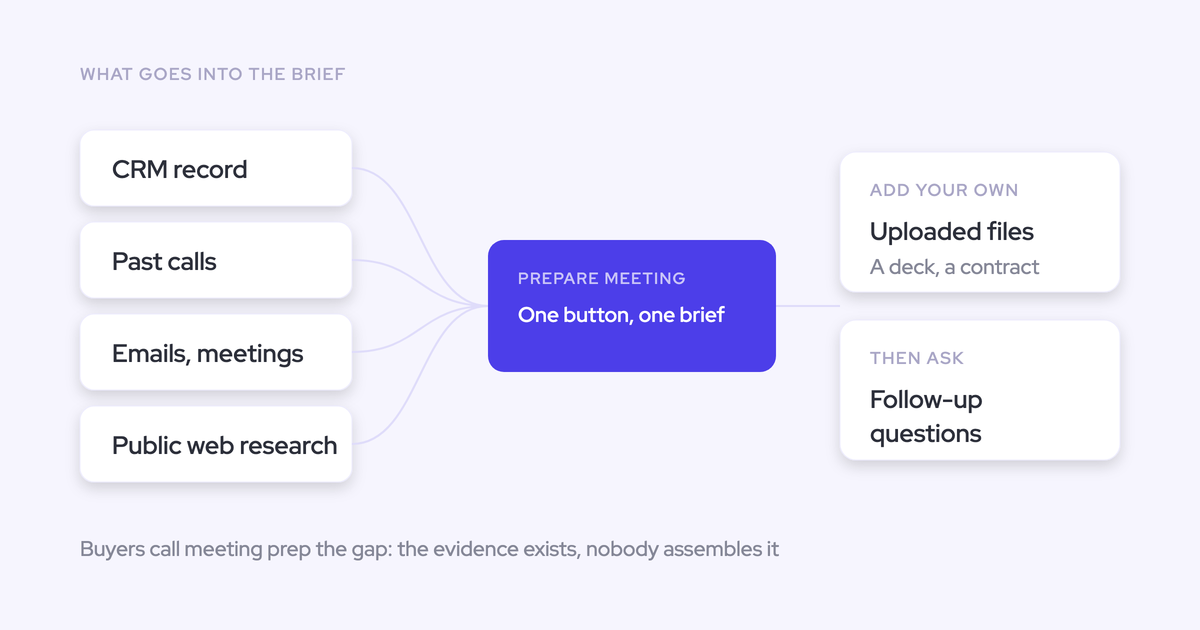

Build your sales meeting brief from the internal relationship record first: Salesforce, emails, and past conversations. Then add relevant files and current web research. That order keeps public information from crowding out what the customer already told you. AI can assemble the evidence, but the rep still needs to verify customer-facing facts and decide what the meeting should accomplish. The workflow below gives your team a shared preparation standard and helps you decide which parts of deal execution to automate.
What should a reliable sales meeting brief answer?
A reliable sales meeting brief tells the rep what’s happened, what remains unresolved, and which decision the next conversation should advance.
We hear the same preparation problem from sales leaders: diligent reps gather context by hand, while others arrive cold. A longer checklist leaves that dependency intact. The brief needs evidence behind each answer.
| Briefing component | Question answered | Source category | Required rep verification |
|---|---|---|---|
| Meeting context | Why are we meeting, and who’s attending? | Calendar and scheduling emails | Check attendees, timing, and agenda. |
| Deal state | Where does the opportunity stand? | Salesforce account and opportunity records | Check whether stage, close date, and next step still match customer evidence. |
| Relationship history | What has the customer already explained? | Emails, transcripts, and meeting notes | Check stakeholder positions and changes across conversations. |
| Open commitments | What do we owe the customer, and what do they owe us? | Calls, emails, tasks, and proposals | Confirm the owner, deadline, and completion status. |
| Current changes | What’s changed since the last interaction? | Recent communications and public sources | Check dates and distinguish announcements from assumptions. |
| Meeting objective | What decision should this conversation advance? | The assembled evidence and rep judgment | Choose an objective the attendees can advance. |
What do you need before building the brief?
You need the meeting invitation, the correct Salesforce records, and access to the customer communications that explain the deal. Everything else should earn its place.
Required inputs
- The rep owns the meeting context. Start with the invitation, agenda, attendees, and scheduling thread.
- The Salesforce admin controls CRM access. Confirm that the rep can read the relevant Account, Opportunity, Contact, and activity records.
- IT and the communication owners control email access. Include relevant customer threads within your company’s approved access rules.
- The conversation intelligence owner controls call access. Make prior recordings, transcripts, or approved notes available. Mark missing conversations as gaps.
- Security or IT approves AI use. Confirm where customer information may go before anyone uploads a transcript or contract to a generic assistant.
Optional enrichment
- The document owner supplies current internal files. Use approved proposals, account plans, contracts, or handover notes.
- The rep checks public information. Research changes that affect this meeting rather than collecting general company facts.
- Enablement supplies decision-specific material. Add a relevant case study or technical answer only when it addresses an open customer question.
How to prepare a sales meeting brief
Prepare the brief in eight steps, starting with record identity and ending with a rep-owned objective. Keep internal evidence separate from external research until you’ve checked both.
For the worked example, imagine an AE preparing for a procurement review on an expansion opportunity. The account also has an open renewal. A security question remains unresolved, and the latest customer email challenges the timing in Salesforce.
This is an illustrative scenario, not a customer result.
1. Identify the meeting and likely decision
Start with the selected calendar meeting so the brief answers a specific preparation need rather than producing an account biography.
- Read the invitation and the thread that led to it.
- Confirm the meeting type, time zone, and expected attendees.
- Write a provisional decision the meeting might advance.
Example output: Procurement review for the expansion. The likely decision is whether procurement can start its approval process, subject to the security question.
Keep that objective provisional. The evidence may change it.
2. Confirm the account, opportunity, and participants
Verify the Salesforce Account, Opportunity, and Contact records before pulling deal history. A polished brief about the wrong opportunity is worse than no brief.
- Match participant email addresses to the correct contacts and account.
- Inspect open opportunities rather than accepting an account match as a deal match.
- Check Opportunity Contact Roles where your team uses them.
- Separate a person’s job title from their demonstrated role in the decision.
If the mapping is ambiguous: Keep the context at account level until the rep confirms the opportunity. Don’t let the summary silently combine renewal and expansion commitments.
Example output: Use the expansion opportunity. Keep renewal information separate unless it directly affects the expansion approval.
3. Pull current Salesforce deal context
Extract the Salesforce fields that change how the rep should run this meeting. Copying every field creates more reading without improving preparation.
- Account: Review ownership, the existing customer relationship, and relevant account-level risks.
- Opportunity: Pull stage, amount, close date, next step, approval requirements, and qualification gaps.
- Contacts: Review titles, contact roles, and evidence of decision authority.
- Recent activity: Check the last substantive interaction, open tasks, and upcoming meetings.
Record when you retrieved the CRM values. A current field value doesn’t prove the customer confirmed it.
Example output: Salesforce shows a planned close date and a next step to begin procurement. Security approval still needs supporting evidence.
4. Review prior emails and customer conversations
Read across emails and conversations to recover commitments, objections, and changes that the Salesforce fields leave out.
The latest call rarely contains the whole relationship. Start there, then follow unresolved items backward until you find the original commitment or a clear resolution.
| Item to find | Source to inspect | Date to retain | Relevance to the example meeting |
|---|---|---|---|
| Seller commitment | Call transcript and follow-up email | When the seller made the promise and when it’s due | Check whether the promised security response reached procurement. |
| Customer condition | Latest procurement email | Message date | Establish whether security approval must precede commercial review. |
| Unresolved objection | Earlier technical conversation | Conversation date | Recover the precise security concern rather than a generic risk label. |
| Stakeholder position | Relevant calls and email replies | Most recent supporting interaction | Distinguish an engaged contact from someone who can approve. |
Example output: Procurement wants the security answer before discussing approval timing. No available communication confirms that the customer has accepted the answer.
5. Add relevant internal files
Add an internal file only when it changes the answer to an open customer question or constrains what the rep can promise.
- Confirm that the document belongs to this account and opportunity.
- Check its version, owner, and approval status.
- Distinguish a draft proposal from an offer the customer received.
- Extract the relevant section instead of summarizing the whole document.
Example output: Include the current expansion proposal and the approved security response. Exclude the older proposal and unrelated enablement material.
An approved response proves what your team can say. It doesn’t prove the customer has accepted it.
6. Research volatile facts on the web
Use web research to check facts that may have changed, while keeping public information separate from customer-confirmed relationship history.
| Appropriate web check | Inappropriate assumption |
|---|---|
| Check whether a participant still holds the listed role. | Assume their title gives them budget authority. |
| Read a dated company announcement about leadership or organizational changes. | Assume the announcement changes this deal’s budget or urgency. |
| Review current product or market information relevant to the customer’s question. | Present public positioning as the customer’s stated buying criteria. |
| Verify an external event that the customer previously mentioned. | Replace a customer-confirmed deadline with an inferred public timeline. |
Example output: Check the procurement participant’s current role. Keep their approval authority unconfirmed unless internal evidence establishes it.
7. Reconcile conflicts and label every source
Keep conflicting claims visible until you can explain the disagreement. Salesforce, a transcript, and a website shouldn’t merge into one unsupported answer.
- Do the sources describe the same thing? Separate a target close date from a customer approval date before calling them contradictory.
- Does one source explicitly supersede the other? Prefer a documented customer correction over an older statement about the same commitment.
- Does the source have authority over the claim? Use approved commercial documents for terms and customer communications for customer commitments.
- Does uncertainty remain? Show both claims and add a question for the meeting.
Use a simple label beside each material claim: source type, record or document title, source date, and status. Useful statuses include “confirmed,” “superseded,” and “needs verification.”
Example output: Label the Salesforce close date as the internal target. Label the latest procurement email as the customer’s current condition. Flag approval timing as unresolved.
8. Verify facts and set the meeting objective
The rep should verify customer-facing facts and choose the meeting objective before using the AI brief.
We’ve had buyers flag basic errors in AI preparation, including names and account history. Those errors matter: a rep can repeat them to the customer before realizing anything’s wrong.
- Check names, roles, meeting dates, and the selected opportunity.
- Open the evidence behind commitments you plan to reference.
- Verify volatile facts and unresolved source conflicts.
- Remove unsupported statements about authority, budget, or approval.
- Choose a decision the expected attendees can advance.
Example output:
- Meeting objective: Resolve the outstanding security question and establish the procurement sequence.
- Desired decision: Agree who owns the next approval step and what they need.
- Unresolved question: Does the customer’s approval process support the internal target close date?
How can managers standardize sales meeting preparation?
Standardize the finished brief and its verification rules, then remove the manual gathering work wherever your stack supports it.
A manager-owned template gives reps a shared target. It doesn’t make the underlying evidence complete. Treat those as separate responsibilities.
Define one minimum briefing format
Use one compact briefing format across the team, with extra questions only where the meeting type requires them.
| Section | Question answered | Source to record | Verification owner |
|---|---|---|---|
| Meeting and records | Which meeting, account, opportunity, and people? | Calendar and Salesforce records | Meeting owner |
| Current deal state | What matters about the deal today? | Relevant CRM fields and recent customer evidence | Opportunity owner |
| History and commitments | What must we remember or deliver? | Dated emails, transcripts, and approved files | Rep, with the commitment owner where needed |
| Changes and conflicts | What’s new, missing, or contradictory? | Internal evidence and separately labeled public sources | Rep |
| Objective and decision | What should happen because we met? | Rep’s assessment of the evidence | Rep, with manager input for consequential meetings |
Make “unknown” an acceptable answer. Requiring every section to sound complete rewards unsupported confidence.
Automate evidence gathering, not rep judgment
Automate retrieval and first-pass synthesis while keeping interpretation, verification, and meeting strategy with the rep.
| Automate | Keep rep-owned |
|---|---|
| Retrieve context associated with the selected meeting. | Confirm the account and opportunity when the association is ambiguous. |
| Extract commitments, objections, dates, and stakeholder statements. | Verify consequential claims against their sources. |
| Flag disagreements and missing evidence. | Decide what needs clarification with the customer. |
| Draft the brief in the team’s standard format. | Choose the objective, questions, and desired decision. |
Good documentation shouldn’t become a substitute for thinking. Ask the rep what they’ll do differently because of the brief.
Roll out the workflow around rep value
Introduce meeting preparation through an upcoming customer conversation, not a presentation about management visibility.
- Choose a familiar account. Have a rep prepare for an upcoming follow-up where they already know the history.
- Inspect the first brief together. Check what it recovered, what it missed, and what the rep had to correct.
- Fix the cause. Assign mapping and source-access issues to RevOps or the admin. Assign briefing-standard changes to the manager.
- Reinforce in existing routines. Use a brief in a deal review rather than adding a separate preparation meeting.
- Check after the customer call. Ask whether the brief prevented repeated questions or surfaced a missed commitment.
Name an internal owner for templates and configuration. We see adoption weaken when the original owner leaves and nobody maintains the workflow.
How to troubleshoot an unreliable meeting brief
Trace unreliable meeting briefs to source coverage, mapping, recency, and instructions before assuming the summary model is the problem.
| Symptom | Likely cause | Immediate correction | Long-term prevention |
|---|---|---|---|
| The brief mixes renewal and expansion details. | Account-level context lacks a clear opportunity boundary. | Confirm the opportunity and separate unrelated commitments. | Maintain contact roles and test accounts with multiple open opportunities. |
| A customer commitment is missing. | The relevant email or conversation isn’t available. | Find the source or mark the gap explicitly. | Review capture coverage, exclusions, and recording failures. |
| The same meeting appears twice. | Multiple systems log separate activities. | Identify the duplicate before interpreting activity volume. | Assign logging ownership and configure supported compatibility controls. |
| The brief repeats an outdated date. | It treats the CRM value as customer-confirmed. | Compare the field with the latest explicit customer statement. | Require source dates and separate targets from commitments. |
| The brief invents authority or account history. | The summary fills an evidence gap with an inference. | Remove the claim and inspect the source. | Require “unknown” where evidence is absent and test known accounts. |
| Reps ignore the brief. | It’s long, arrives in the wrong workflow, or repeats familiar information. | Cut it to the decision, changes, and unresolved items. | Review rep feedback and keep preparation close to the calendar or deal. |
Which meeting prep approach fits your team?
Use your existing approach if it produces a source-backed brief without repeated manual assembly. Buy a connected workflow when gathering the evidence remains the recurring burden.
| Approach | Manual assembly | Source reach | Traceability | Standardization | Rep effort | Best fit |
|---|---|---|---|---|---|---|
| Manager checklist | Rep gathers everything. | Whatever the rep can access. | Rep must record sources. | Consistent questions; evidence coverage varies. | Research and verification stay manual. | Simple histories and occasional preparation needs. |
| Generic AI | Rep uploads context unless approved connectors supply it. | Uploaded material and connected systems. | Depends on source preservation and retrieval setup. | A shared prompt standardizes the output. | Assembly, correction, and verification remain. | Teams with an approved assistant and manageable source gathering. |
| Existing conversation tool | Call context is available; other sources depend on integrations. | Recorded history plus supported CRM, email, or document inputs. | Test how answers point back to evidence. | Depends on supported prompts and templates. | Low for call review; test cross-source preparation. | Teams whose existing subscription already covers the required evidence. |
| Connected preparation workflow | Retrieves connected meeting and record context; exceptions still need attention. | Supported systems, mapped records, and available history. | Evaluate source visibility and conflict handling directly. | Shared output standard backed by connected evidence. | Review and judgment remain; routine gathering decreases. | Teams repeating the same research across customer meetings. |
Don’t dismiss your current conversation product as a single-call summarizer. Gong supports methodology summaries across an account’s calls. Ask Salesloft can read emails, opportunities, activity history, and uploaded documents alongside recordings.
Test the unresolved requirement: can your current setup combine the evidence for the correct meeting, and can the rep verify the answer?
How Weflow automates Salesforce meeting preparation
Weflow removes the routine meeting-framing and evidence-gathering steps by passing a selected calendar meeting into Ask Weflow AI.
Weflow is the Revenue AI Orchestration platform for sales, customer success, and RevOps teams. It’s built for Salesforce teams and connects captured communications with the customer record.
- Select the meeting. Open the Weflow calendar and choose Prepare meeting. Ask Weflow AI opens with the meeting context attached, so you don’t have to describe which meeting you mean.
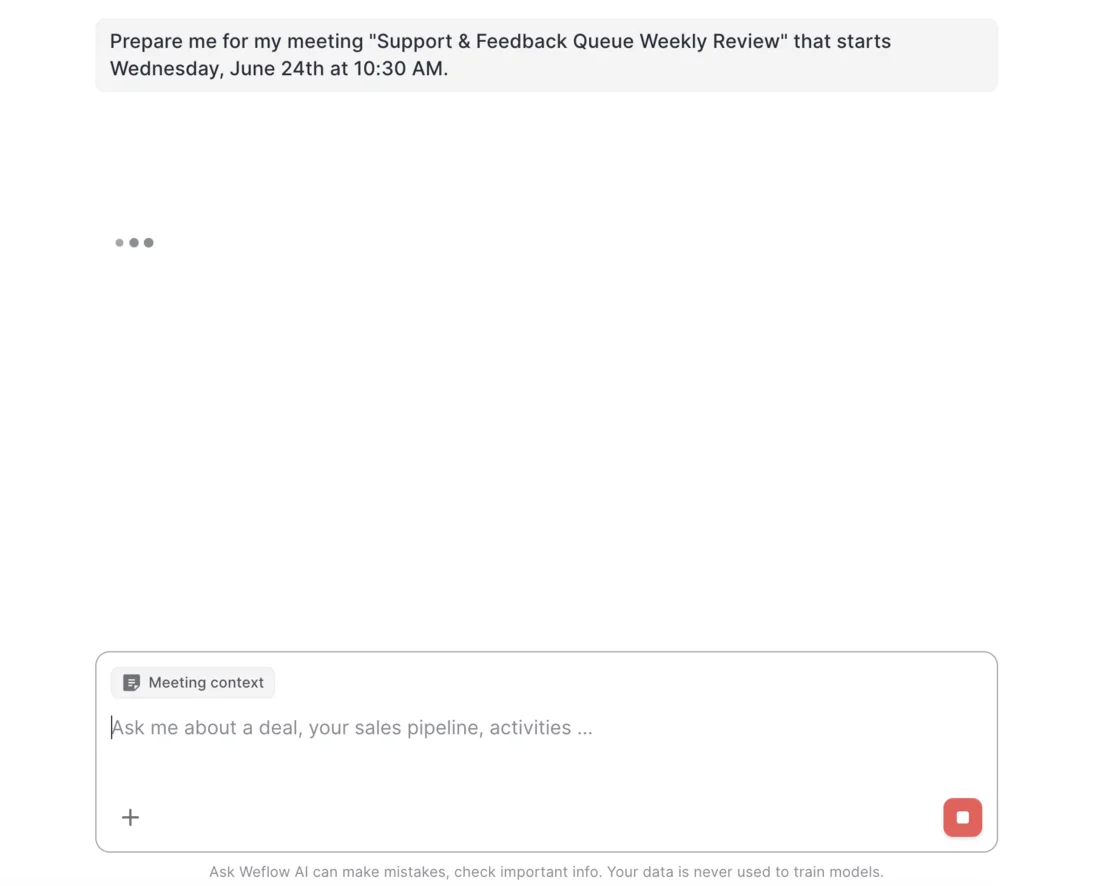
- Review the initial brief. Ask Weflow AI assembles context from available prior emails, meetings, recordings, and associated Salesforce records. Confirm the account and opportunity before using its conclusions.
- Inspect the evidence. Verify the brief’s conclusions against the original records and interactions. Source visibility supports verification; it doesn’t make every conclusion correct.

- Ask follow-up questions. Stay in the same thread to investigate a commitment or disagreement. You can attach a relevant document and search the web. Ask for public findings separately from internal relationship evidence.
- Set the objective yourself. Use the brief to decide what the conversation should accomplish. Ask Weflow AI also supports scoping to a call, deal, account, or filtered deal view when you need a different boundary.
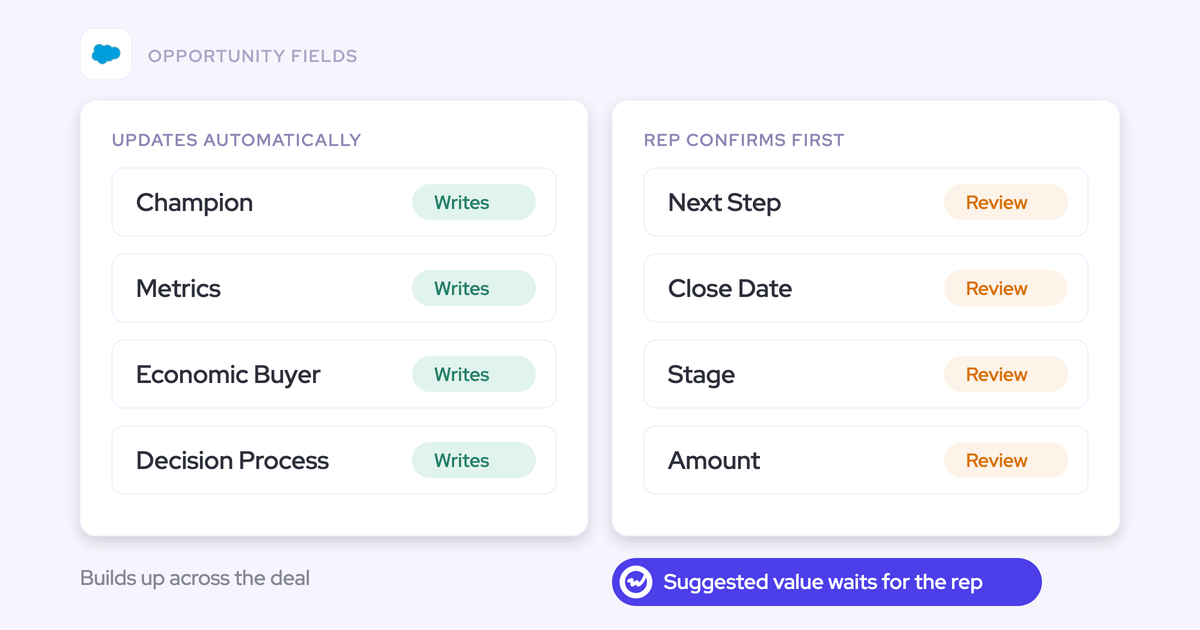
- Capture the next conversation. Weflow Conversation Intelligence produces summaries and AI Field Updates from the call. Reps can review suggested field values before writing them to Salesforce.
Weflow writes call summaries to the Salesforce Event and stores transcripts on a Salesforce recording object. AI Field Updates turn the conversation into structured deal context that the next preparation workflow can use.
The manual version asks the rep to gather and paste the history again. The connected version starts with available, mapped evidence. Both still need the rep’s judgment.
When Weflow does not fit meeting preparation
Weflow fits Salesforce-based preparation, but it doesn’t cover every stack or meeting workflow.
- You use another CRM. Weflow works exclusively with Salesforce.
- You need arbitrary finance or ERP data. Weflow isn’t a general-purpose integration or enterprise search system. Use a broader integration approach for that requirement.
- You need live battlecards or active-call answers. Weflow has no live in-meeting assistant.
- Your existing setup already meets the standard. Keep it if it produces verifiable briefs without making reps gather the same evidence repeatedly.
Choose Weflow when the gap is joining Salesforce context with customer communications before the meeting and preserving the next conversation as reusable CRM data.
Sales meeting preparation FAQ
Before rollout, confirm source availability, record mapping, access controls, and the products your team needs. Test those conditions on real meetings rather than a clean demo account.
Can Weflow build briefs from emails and recorded calls?
Yes. Ask Weflow AI can combine captured emails, meetings, call transcripts, and Salesforce context associated with the selected meeting.
The brief depends on available history. Confirm capture enrollment, exclusions, and historical coverage during setup rather than assuming every past interaction is searchable.
How does Weflow identify the correct Salesforce record?
The Prepare meeting button passes the selected calendar meeting into Ask Weflow AI. The brief then uses associated Salesforce and communication context.
Weflow’s activity mapping prefers a contact over a lead, then a single open opportunity where that person holds a contact role. Unresolved mappings fall back to the account.
Exception: When an account has multiple open opportunities, inspect the association. Reps can correct activity mapping through Weflow’s Outlook or Gmail add-in where configured.
Can Weflow use another conversation tool’s recordings?
Weflow can use existing conversation history when transcripts reach Salesforce in a structured form that Weflow can read. For example, teams can retain Fireflies while making its transcript history available through Salesforce.
That doesn’t imply universal direct ingestion from recording libraries. Confirm transcript structure, record mapping, and any migration scope before switching.
How does Weflow control access to meeting context?
Ask Weflow AI authenticates with the user’s Salesforce token and inherits Salesforce permissions. Permission sets, field-level security, and role hierarchy govern CRM access.
Admin check: Salesforce list-view restrictions and Lightning component visibility don’t substitute for permissions. Review recording-object access and uploaded-file handling separately, then test with a restricted user.
Does customer data train Weflow’s AI models?
No. Weflow never uses customer data to train AI models and applies Zero Data Retention for AI processing. That processing policy is separate from storing the customer records and recordings your team uses.
Can Weflow prepare reps for in-person meetings?
Yes. Mobile Copilot prepares an on-demand briefing using the contact, opportunity, prior meetings, communication history, and Salesforce context.
After the meeting, reps can record a voice note that produces summaries and AI Field Updates. That gives the next conversation usable context even when the customer meeting itself wasn’t recorded.
Does Weflow provide live guidance during meetings?
No. Weflow doesn’t answer questions about a call while it’s running or trigger real-time battlecards. Meeting preparation happens beforehand; conversation summaries, field updates, and coaching follow call processing.
Which plans include Weflow AI meeting preparation?
Ask Weflow AI Pro comes with every Weflow standalone product and bundle. Assistant access doesn’t mean every plan includes meeting recording.
| Product or bundle | Price per user per month, billed annually | Preparation-related coverage |
|---|---|---|
| Weflow Activity & Contact Capture | $19 | Ask Weflow AI Pro and email, meeting, and contact capture. No call recording. |
| Weflow Conversation Intelligence | $39 | Ask Weflow AI Pro, recording, transcription, AI Field Updates, and Mobile Copilot. |
| Weflow Deal Intelligence & Forecasting | $39 | Ask Weflow AI Pro with deal and forecasting workflows. No call recording. |
| Revenue AI Foundation | $49 | Combines Weflow Activity & Contact Capture with Weflow Conversation Intelligence. |
| Revenue AI Business | $59 | Includes the capture and conversation products, plus deal intelligence. |
| Revenue AI Enterprise | $79 | Includes all Weflow products, including forecasting. |
Weflow plans require annual billing and a 10-user minimum. Free view-only licenses (up to one per recording license) support reviewing shared information; confirm paid-seat requirements for reps using Ask Weflow AI.
Weflow offers a 14-day free trial with guided onboarding. Include source coverage, ambiguous mappings, and restricted-user access in the evaluation.
Does Weflow work alongside Outreach or Salesloft?
Yes. Weflow works alongside Outreach and Salesloft rather than replacing their sequencing workflows. Weflow can capture activity through the connected mailbox, with Compatibility Mode available to avoid duplicate logging of supported engagement activity.
Duplication warning: Assign ownership for email and meeting logging before rollout. Test a sequenced email and a recorded meeting in Salesforce, and confirm that each appears as the intended activity rather than duplicate records.