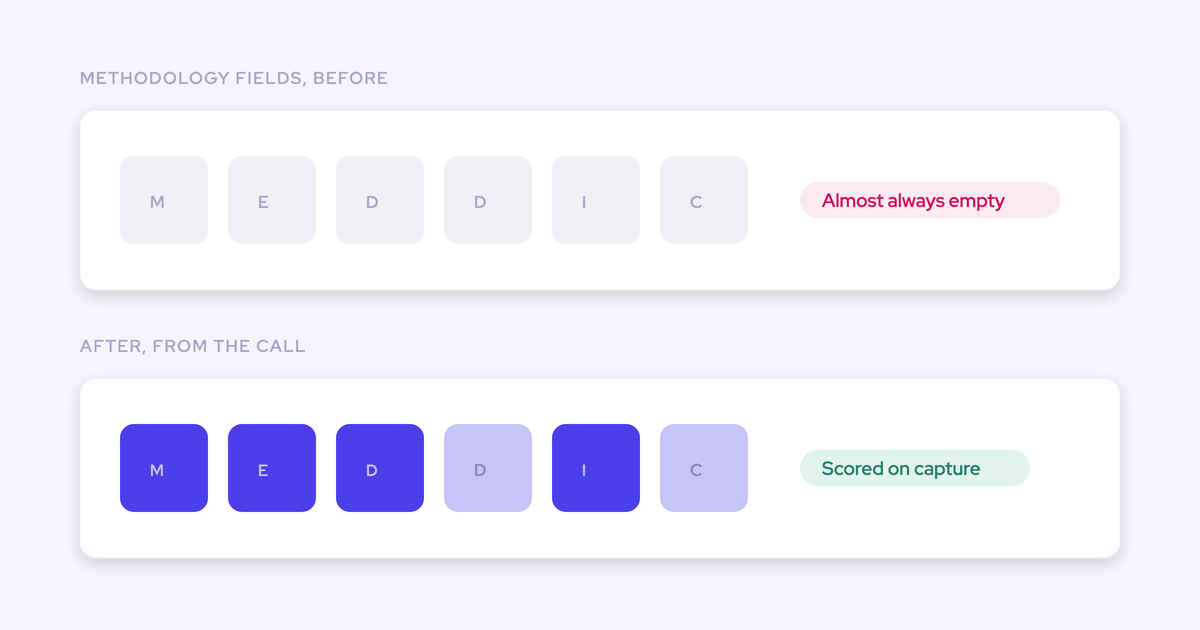
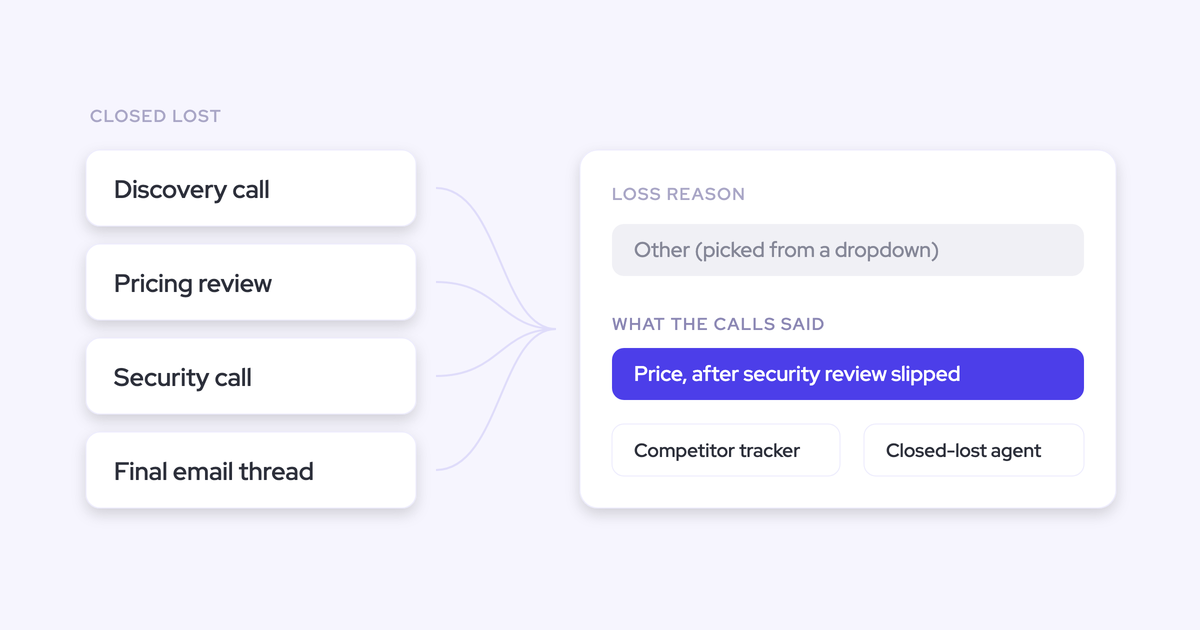
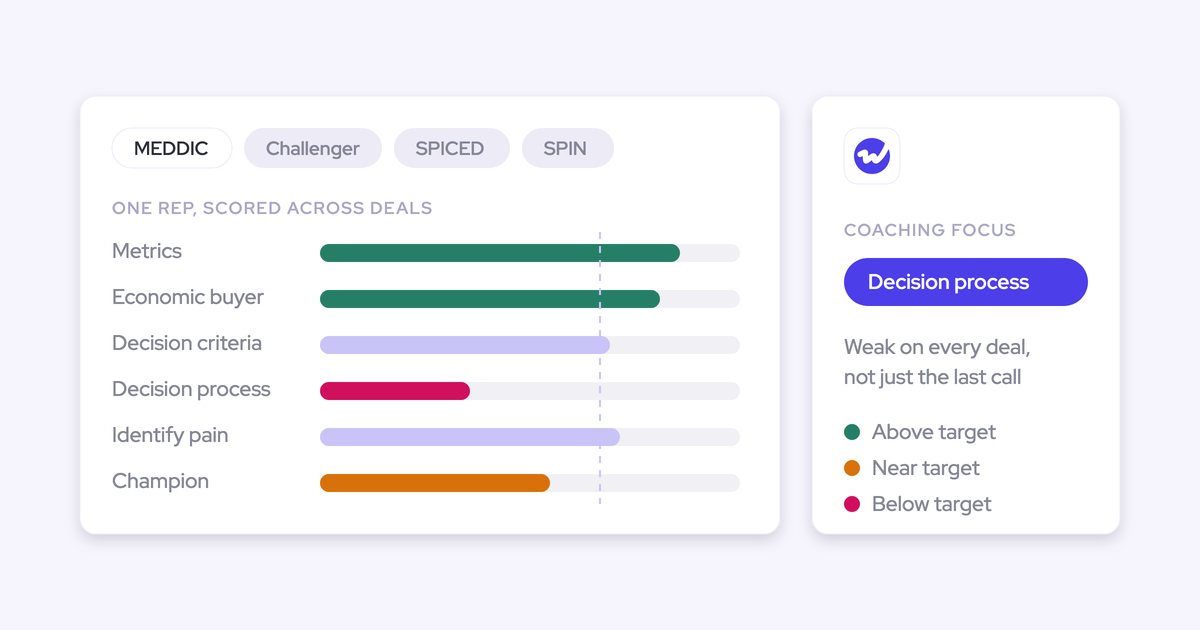
How to Run Win-Loss Analysis From Sales Call Recordings
Learn how to run win-loss analysis from sales call recordings across won, slipped, and lost deals.


Your closed-lost report says price, but you're not convinced. That field gets picked on the way out of a deal, under time pressure, and price is the answer nobody argues with.
The real reasons are already sitting in your call recordings and email threads, but they're spread across hundreds of conversations nobody has time to read. The way to get them out is to split the question into three, one for each set of closed deals:
- Won deals: Was there a strong champion?
- Slipped deals: Was the decision process mapped?
- Lost deals: Were the decision criteria documented?
This model comes from Julien Cerutti at Meltwater. The idea is to run it every month, across calls and emails, and trace every finding back to the quote behind it.
Below, we'll walk through the method step by step (it works with any recorder), then show a worked example in Ask Weflow AI and the limits to plan around.
Split win-loss into three questions: Won, slipped, lost
Each outcome traces back to a different qualification variable, so each one gets its own question. If you ask one blended "why did we lose?" across everything, you'll get one blended answer you can't act on.
| Outcome | The question to ask | What the evidence looks like in calls and emails |
|---|---|---|
| Won | Was there a strong champion? | A named contact who pulls in the economic buyer, shares how the decision gets made, and keeps the deal moving between meetings |
| Slipped | Was the decision process mapped? | No one asked, or no one answered, who signs off, in what order, and what has to happen before a contract goes out |
| Lost | Were the decision criteria documented? | The team never captured what the customer was actually buying against, so no reason to choose you was ever built |
Of the three, the champion carries the most weight, as Cerutti explains:
"Surprise, surprise, we win deals when we have really strong champions. They're the domino effect of getting access to power, the economic buyer, and information, which is basically the decision process, decision criteria. That's the main thing."
— Julien Cerutti, VP of Global Revenue Strategy at Meltwater
Still, most teams never look back at closed deals at all. As one leader told us:
"Closed lost to me is our learning opportunity. When you win a deal, that's great, but we don't usually go back and reflect on what happened when you lose a deal"
Slips get even less attention, which is why they deserve their own spot in the analysis. A slipped deal and a lost deal fail for different reasons, and if you lump them together, the decision-process signal disappears.
What you need before analyzing your sales call recordings
The good news is you can start with what you already have, as long as these five things are in place and you know how complete they are.
- Recordings tied to the opportunity: Any recorder works if each transcript can be joined to the deal and its outcome. A transcript in someone's personal OneDrive or a separate portal can't be joined, so it can't be analyzed.
- The emails on those same deals: Qualification facts often live only in email. In one test deal we saw, the champion and the decision maker never came up on a call, they only appeared in email.
- Opportunity outcome and close-date history: This is what separates a slipped deal from a lost one. Without close-date history, every slip looks like an open deal.
- A named owner: This can be RevOps or a sales manager, but someone has to be accountable, or the analysis never happens.
- Known coverage: Before you trust any answer, count how many of your closed deals have recorded calls at all.
How to run win-loss analysis from call recordings, step by step
These steps work whether your recordings sit in Gong, Fathom, Teams or Weflow, as long as the transcripts connect to the opportunity.
Step 1: Split your closed deals into won, slipped and lost
Start by building three deal sets, and make sure slipped deals get their own. Reps don't like closing dead deals, so those opportunities tend to sit in the pipeline while their close dates keep moving.
That does more than inflate your pipeline. It also stretches your average sales cycle because the average now includes deals that are effectively over, which throws off the benchmark you use to judge whether a live deal is running late.
Pick the definitions as a team and keep them fixed from month to month:
- Won: Closed-won inside your lookback window, for example the last 90 days.
- Lost: Closed-lost inside the same window.
- Slipped: Open deals whose close date has been pushed past the window, or deals sitting in one stage longer than your team considers normal. Use push count and days in stage, and set the thresholds yourself.
Step 2: Pull every call and email onto each deal
Each deal's calls and emails should be joined to the opportunity. If you only analyze recordings, you'll miss facts that only ever came up in writing.
Take the test deal from earlier: a recording-only analysis would have marked it as having no champion. Repeat that error across your won set, and the champion pattern you're looking for gets weaker exactly where it should be strongest.
Step 3: Ask each deal set its one question
Run the three questions, one per set, and ask for what was said rather than what was typed. If your question reads CRM fields, you'll get the rep's version back, which is exactly the version you don't trust.
It also helps to add one open question to each set, such as "what do these deals have in common?", to catch patterns the three questions didn't anticipate.
| Deal set | Question to ask | What the answer must include |
|---|---|---|
| Won | Who acted as champion, and what did they do to move the deal? | The champion's name, the quote, and the call or email it came from |
| Slipped | Was the approval path discussed, and by whom? | The quote or the absence of one, and the call or email it came from |
| Lost | What decision criteria did the customer state, and did we address them? | The stated criteria as quotes, and the call or email each came from |
Step 4: Check every finding against the quote behind it
Until you can trace a finding back to a quote, treat it as a hypothesis. Open the cited call, transcript or email and confirm it was actually said. This is the step that makes the analysis safe to take to the board.
It also settles the question every leader has about AI output: did it actually read the conversation, or did it invent a pattern? Leaders trust these answers when they can click straight back to the source.
"I love being able to go right to the call, transcript or email and see where something was said that the AI is referencing."
— Scott Jones, SVP of GTM Revenue Intelligence & Enablement at KORE Wireless
For each finding, check three things:
- Who said it: A rep saying "budget is tight" is a different signal from a customer saying it.
- Which deal it came from: The quote has to belong to a deal in the set you asked about.
- Whether it recurs: One vivid quote isn't a pattern, but the same finding across several deals is.
Step 5: Test the findings with the reps who ran the deals
Bring each finding to the rep who owned the deal, ask for their view, and record where the two versions differ. The evidence should challenge the rep's story, not replace it.
This is where a third-party read helps. Instead of the manager's opinion against the rep's, the conversation centers on evidence you're both looking at.
"I did a little test where I went to the Fathom recording of one of our meetings and I asked the AI, I said, why would this deal fall through? And it gave me a really nice answer. I was like, okay. Well, that's kinda cool. You know, you can use your judgment to understand that stuff, but you can also get this objective opinion from this third party robot that can, you know, give you help with that answer. And I think it takes a little bit of the onus off of the rep to try to say, oh, here's, you know, where I might have a weakness or here's something that I'm not thinking of."
Step 6: Send the findings to reps, product and the board
A finding that stays in a RevOps doc changes nothing, so package the findings separately for each audience.
| Audience | What they get | Why it lands |
|---|---|---|
| Reps | "This is why we win, slip and lose here," with quotes from your own deals | Reps accept the company's own data far more readily than a framework handed down from above |
| Product | Recurring objections and gaps, as customer quotes | A pattern across deals carries more weight than one seller's anecdote |
| The board | The pattern behind the win rate, with evidence counts | It replaces a competitive story that changes depending on which seller you ask |
Cerutti saw this with his own reps when he rolled the analysis out across Meltwater's sales org:
"This isn't generic. This isn't a book you can read. This is about real Meltwater data that tells you why you're winning, slipping, and losing deals, and the advantages you can have having that context, and what you should do moving forward."
— Julien Cerutti, VP of Global Revenue Strategy at Meltwater
Step 7: Rerun the analysis every month, not once a year
A monthly loss review catches a trend while you can still act on it, whereas a yearly review only reports the damage after it's done.
Treat the monthly loss review as its own meeting, separate from the weekly sales forecast. The forecast asks what closes this week, while the loss review asks what you learned from what didn't. Combine the two, and both get shortchanged.
Keep the same three sets, the same questions and the same owner every month, so the results stay comparable.
- Refresh the won, slipped and lost sets for the new window.
- Run the three questions plus the open question on each set.
- Verify each finding against its quote.
- Review the findings with the managers and reps involved.
- Send the packaged findings to reps, product and leadership.
Mistakes that skew win-loss analysis from call recordings
Most bad win-loss analysis comes down to biased inputs or a skipped verification step, and rarely the AI itself.
- Counting slipped deals as losses, or leaving them in open pipeline: Give slips their own set, or the decision-process signal disappears and your cycle length stays distorted.
- Analyzing recordings without the email on the same deals: Pull email in, or you'll undercount champions and decision makers who only ever showed up in writing.
- Ignoring coverage gaps: Reps who opt out of recording and notetakers stuck in a meeting lobby both leave holes, often on the weakest calls. Report those two causes separately so you know which one you're fixing.
- Accepting a finding with no quote behind it: If you can't open the source, the finding stays off the board deck.
- Using a tool that only answers preset questions or caps how many calls one question can span: For example, Clari Copilot's AI Themes answers one of seven preset questions and needs at least 100 calls in scope. Its Ask Copilot, meanwhile, caps out at 15 calls in a single chat. Your three questions need to be asked in your own words, across the whole set.
- Running it once a year: By the time a yearly review spots a pattern, it has already cost you a year of deals.
- Using the output to blame reps: Use it to question the rep's story with evidence, and keep their view in the record.
Worked example: One Ask Weflow AI question on closed-lost deals
Here's how the whole method plays out in a single question: you point Ask Weflow AI at your closed-lost deals from the last 90 days and ask what they have in common.
Weflow is the Revenue AI Orchestration platform for sales, customer success and RevOps teams on Salesforce.
Ask Weflow AI, the assistant built into the platform, answers from Salesforce records, captured emails, meetings, and call transcripts together, so it returns what was said rather than what a rep typed.
- Filter the board: Open a deal board filtered to closed-lost, last 90 days. Ask Weflow AI scopes its answer to exactly the deals in view.
- Ask the question: "What do closed-lost deals in the last 90 days have in common?" One question covers every recording on those deals at once.
- Open the cited source: Go from the finding straight to the call, transcript or email it references, and confirm it was actually said and who said it.
- Ask the follow-up on decision criteria: "On these deals, what decision criteria did the customer state, and where did we fail to address them?"
The answers often don't match what the picklist said. When one advertising customer ran a sweep like this across its call transcripts, the dominant objection wasn't price or path to power.
It was how the customer's accounting team handled advertising budgets, a blocker the company could actually fix.
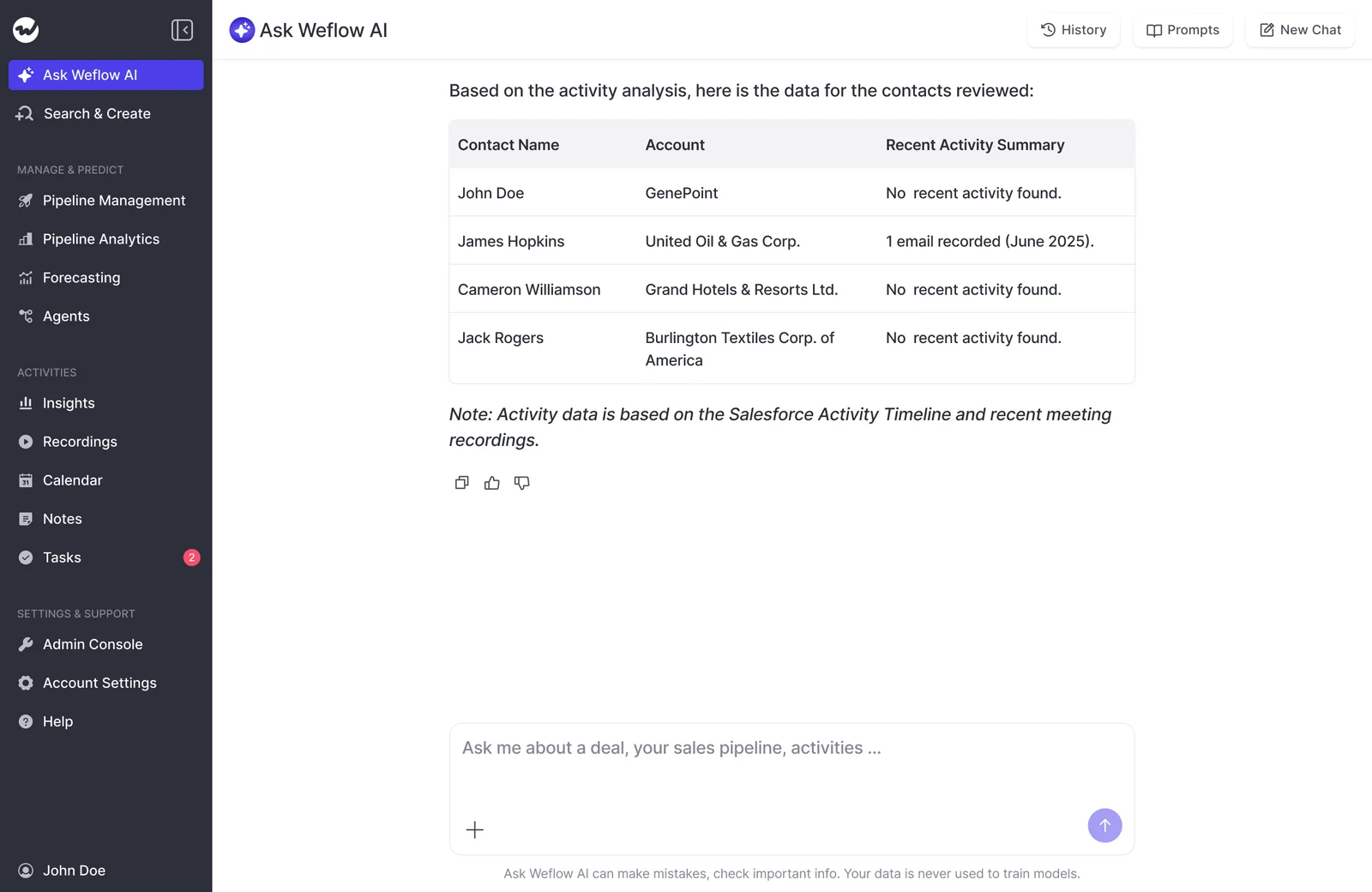
You can do the same on the won and slipped boards: filter to closed-won and ask about champions, then filter to slipped deals and ask about the decision process.
How Weflow covers slips, trends and the monthly review
Here's where Weflow takes the manual work out of Steps 1, 6 and 7, and adds the trend layer a single quarter's answer can't give you.
Weflow Conversation Intelligence tags meetings to expose slipped deals
Weflow Conversation Intelligence automatically tags every recording with its meeting type, such as discovery, demo, negotiation, onboarding or business review. Admins can customize the list (up to ten active types), and reps can correct a tag the AI got wrong.
That makes a slip question answerable: which meetings never happened on the deals that slipped? For example, a sales-technology executive told us about one organization where deals over $100k without an executive-to-executive meeting slipped by a quarter.
That kind of pattern only shows up when meeting type is a data point.
Close-date pushes, meanwhile, come from Weflow Deal Intelligence & Forecasting, which takes hourly snapshots of every opportunity.
Push counts and amount changes are comparisons between those snapshots, and Salesforce doesn't keep that history on its own.
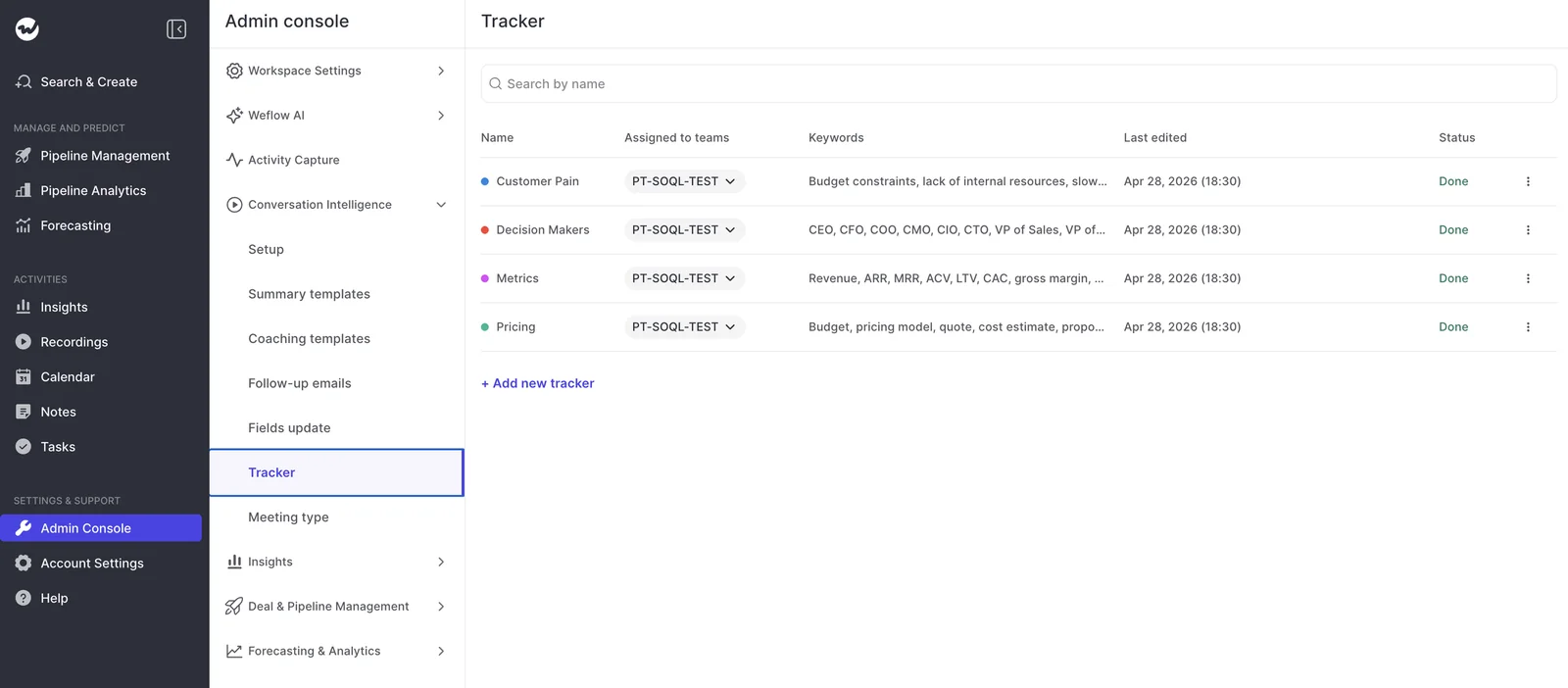
Trackers count competitor and objection mentions month by month
Trackers turn a competitive rumor into a count. You define the terms, such as competitor names, pricing language or a specific objection, and Weflow reports on them across every recorded call.
New trackers also apply to past recordings, so you don't start from zero.
For each tracker, you see:
- The number of mentions
- The number of meetings the term came up in
- The share of all meetings, overall and per rep
- How those counts move by month, with the related meetings listed so you can open the calls behind a spike
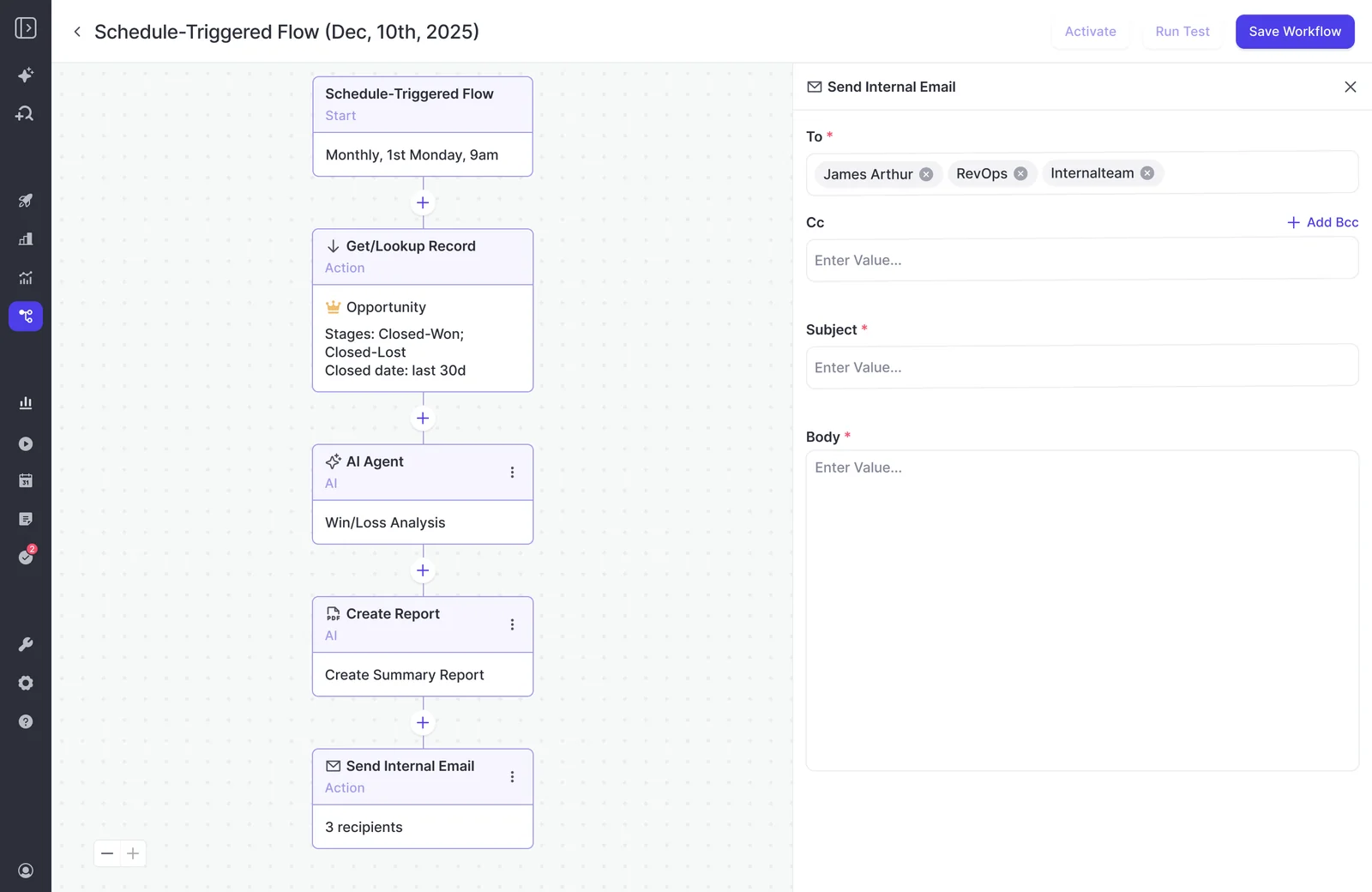
A Weflow Agent Builder agent runs the review and posts to Slack
A Weflow Agent Builder agent reviews recordings on a schedule and posts its findings to a Slack channel as a PDF or CSV, so Step 7 runs every month without anyone having to remember to kick it off.
You configure it yourself: which deals it looks at, which questions it asks, and when it runs. It's a workflow you build once, not a report that ships ready-made.
Transcripts land in Salesforce, next to the deal outcome
Weflow writes the summary and full transcript of every recorded call into a Weflow recording object in Salesforce, so your conversation data sits right next to the opportunity outcome, in the reports you already run.
The video and audio stay in Weflow's storage, because storing video in Salesforce is expensive.
Our CPO puts the point of this plainly:
"It's great if you have those recordings, but, like, the real challenge is to make sure that, you know, the next steps that are discussed in that meeting, sort of, like, the the discussion points that would have an impact on the projected amount, the stage that the opportunity is currently in, the happiness of the account that you're talking to, and so on. So I think it's, you know, part one, capture that conversation. Part two, turn that transcript data that you're able to create from that into actual updates and information that is, you know, structured in your CRM so you can retrieve it and again, use it for reporting automations, flows, tactical reviews, strategic reviews."
Weflow also includes unlimited View-Only licenses, so people outside sales, like your product team, can see the findings without anyone buying a paid seat.
Where Weflow falls short for win-loss analysis
That said, there are two limits to know about before you plan your first run.
Weflow can't analyze calls from before you started recording
Weflow captures conversations from the day recording starts. Losses from periods nobody recorded can't be analyzed from calls, because the meeting itself was the only copy.
If you were recording with another tool, Weflow migrates that library through the vendor's API or from exported files. It costs nothing extra and takes about one to two weeks, depending on volume.
Historical emails and meetings can be backfilled into Salesforce too, scoped case by case up to two to three years back.
Jiminny ships a packaged loss report; Weflow doesn't
If you want a loss report with no setup, Jiminny is a good fit. Its Deal Win vs Loss view compares the topics and phrases in won deals against lost ones and shows how the closed-won rate changes with them.
Jiminny also produces a scheduled AI loss-analysis report, delivered weekly, twice monthly, monthly or quarterly as a PDF, an audio podcast or both.
Avoma takes a different approach. It writes an AI-generated "Why We Won" or "Why We Lost" reason into the CRM when a deal closes, and shows those reasons with win-rate trends in a dashboard.
In Weflow, you configure the questions and the schedule yourself. In return, you get your own questions, asked across calls and emails, on any filtered board, with the transcripts sitting in your Salesforce.
What Weflow costs to run win-loss analysis
Weflow Conversation Intelligence is $39 per user per month, billed annually. It includes everything you need for the worked example: recording, transcripts, Ask Weflow AI Pro, Weflow Agent Builder Free, Weflow Mobile Copilot, and the desktop app.
Scheduled agent runs beyond the free tier are priced per workspace.
| Product or tier | Price | What it covers for this analysis |
|---|---|---|
| Weflow Conversation Intelligence | $39 per user per month | Recordings, transcripts in Salesforce, meeting types, trackers, Ask Weflow AI Pro, Agent Builder Free, Mobile Copilot, desktop app |
| Weflow Revenue AI Foundation | $49 per user per month | Conversation Intelligence plus Weflow Activity & Contact Capture, so the emails on every deal land in Salesforce too |
| Weflow Agent Builder Free | Included with every plan | 25 agent actions per month per workspace |
| Weflow Agent Builder Growth | $299 per month | 500 agent actions per month per workspace |
| Weflow Agent Builder Scale | $999 per month | 2,500 agent actions per month per workspace |
All plans have a 10-user minimum and annual billing. Since there are no usage caps on recordings, transcripts or Ask Weflow AI prompts, the monthly questions cost the same no matter how many deals you pull in.
Walk through the product yourself, no call required.
FAQ: Win-loss analysis from sales call recordings
How many lost deals do you need before a pattern is real?
There's no magic number. A pattern firms up when the same finding recurs across several deals, with a quote behind each one.
Julien Cerutti found that win, slip and loss drivers came out close to identical across Meltwater's enterprise, mid-market and SMB segments, so pooling segments to get more deals is a reasonable move.
What if most lost deals had few or no recorded calls?
Email still carries evidence, so run the questions across both. Treat low-coverage deals as a known bias and report coverage alongside your findings, so nobody reads a gap in the recordings as a pattern in the deals.
Do emails count, or only call recordings?
Both count. Champions and decision makers sometimes appear only in email, and a recording-only analysis misses them.
The exception is a phone-led team that sends pre-approved email templates: those emails say the same thing on every deal, so the evidence comes mainly from the calls.
How do you stop rep opt-outs from skewing the analysis?
Set recording rules centrally so coverage doesn't depend on each rep's choice. Report opt-outs separately from notetakers left waiting in a meeting lobby, because they need different fixes.
Weflow's desktop app records without a bot joining the call, but the rep is then responsible for getting consent from the participants.
Who should own win-loss analysis: RevOps or sales managers?
Name one owner. In most teams, RevOps runs the analysis and sales managers bring the rep review, which keeps the method consistent and the rep's view in the loop.
Can you use the Gong, Fathom or Teams recordings you already have?
Yes, if they can be joined to the opportunity outcome. Teams transcripts are the hard case: they sit in individual users' OneDrives, so there's no team-wide body of calls to query. Weflow can import recordings from most conversation intelligence tools.
What does migrating an old call library into Weflow involve?
Weflow pulls recordings and transcripts from your current tool through its API, or imports exported files where there's no usable API.
It's included at no extra cost and takes about one to two weeks, depending on volume. The imported transcripts land in your Salesforce and stay searchable by Ask Weflow AI.
Can product and the board see findings without a Weflow license?
Yes. Weflow includes unlimited View-Only licenses for people outside sales. And since transcripts and summaries sit in Salesforce, findings can also reach leadership through Salesforce reports.
Does analyzing recordings need separate consent from recording them under GDPR?
Under GDPR, legal teams often treat consent to be recorded and consent to have that recording analyzed as two separate questions. Weflow is GDPR compliant and handles the recording side in the product.
Its consent flows include opt-in or opt-out settings, a notice in the meeting chat with a link to stop recording, and an optional pre-meeting email. You can also set your data region, including keeping data in the EU or UK.