Ask most RevOps teams what they're working on, and the honest answer is usually "whatever someone asked for." There's no single list, no priority order and no capacity model, so the loudest request wins, and the team still gets called slow.
The fix is to run your queue like a product team, with four mechanics:
- One list of everything in flight.
- One stack rank the CRO owns across functions.
- A fixed reserve for run-the-business work.
- A monthly review that shows what each new request displaces.
Once they're in place, "no" becomes a trade-off the business has already agreed to. This guide draws on playbooks from RevOps leaders at ZoomInfo, PandaDoc and RevOps Inflection.
What a working RevOps intake and roadmap system looks like
On Tessa Whittaker's RevOps maturity scale, a working intake system moves your team from level 0, where you react to whatever comes in, to level 2, where intake and capacity live in a system everyone can see.
The intake form is actually the smallest part of this. The reserve does more of the work, because that's where the recurring asks land: weekly deal review prep, the risk scan before the forecast call, the Monday pipeline report.
Some teams shrink that load with AI-prepared deal reviews. Either way, that work comes out of a fixed share of capacity, not out of the roadmap.
| Mechanic | What it is | The question it lets you answer |
|---|---|---|
| One list | Every open request with its requester and status, cleanup work included | What are we working on, and what's waiting? |
| CRO-owned stack rank | One order across sales, partners, CS and marketing, agreed in one session | What comes first when two SVPs want the same week? |
| Reserved run-the-business capacity | A fixed share held back for enhancements, fixes and recurring requests | How much is left for the roadmap after the always-on work? |
| Monthly review | A standing meeting that shows what was delivered, what's next and what gets displaced | What drops if we say yes to this? |
What you need before you set up RevOps intake
Before you start, you need four things in place. None of them is new software.
- A place to hold one list: Jira, a project management tool or a backlog fed by a form all work, as long as everything lands in one place and you can pull throughput out of it.
- An executive willing to own the rank: That's usually the CRO. Without one, you're back to arbitrating between SVPs yourself.
- A delivery cadence: Sprints, or at least a fixed planning rhythm, so you measure capacity per period instead of guessing it.
- Time to audit, if you're new: Joe Ort puts this at roughly 30 to 60 days, depending on how complex the business is.
If you don't have the first one yet, you're not alone. In Haris Odobasic's survey of 180 RevOps professionals, fewer than half used project management software, and a ticketing or backlog system for incoming requests was rare.
If you're a team of one, the same mechanics apply. You just run all of them yourself.
Step 1: Write one list of everything RevOps has in flight
Start with the list, since every later step builds on it. Until every open request sits in one place, you can't show anyone what a new request would displace.
It doesn't need to be complete on day one, but it does need to be the only list.
Audit the data, stack, processes and team first
Joe Ort's RevOps audit covers four areas. If you find that a capability is missing, that's enough to put it on the list, so you don't need a full diagnosis yet.
- Data: What exists, how accurate it is, and whether you can track a lead from the top of the funnel through to bookings.
- Tech stack: What you own, how it's integrated, and whether sellers actually use it.
- Processes and handoffs: Whether your stages map to the buyer's journey, and how the marketing-to-sales and sales-to-CS handoffs work. Joe notes that companies between $10 million and $100 million in revenue often haven't documented the second one.
- Team: Whether RevOps has the skills and headcount for what's ahead, and whether stakeholder gaps, such as weak discovery, need training rather than a system fix.
Make sure you talk to sellers and customers directly, too. The CRM and the QBR deck only tell you part of the story.
"What you see in systems or what you see in PowerPoint presentations versus what's happening in the real world is always very different."
Put every open request on one list with its requester
Every open request goes on the list, including the hallway ask, the Slack thread, the QBR follow-up and the cleanup work nobody ever ranked.
Each entry should include:
- Request: What was asked, in plain words.
- Requester: A named person, not "sales".
- Function: Sales, partners, CS or marketing.
- Problem: What it solves, not the solution that was asked for.
- Status: New, ranked, in progress, below the line or done.
Step 2: Route every request through one intake form
Give requests one front door. A good form asks the requester to describe the problem and its business impact before anyone books a meeting, so the spec arrives close to complete.
Ask for the business problem, not the requested solution
Requesters usually show up with a solution already in mind, like "add a field" or "build me a dashboard." These qualifying questions help you get to the problem underneath:
- What problem are you trying to solve, and how does it work today?
- What's the business impact if we fix it, in deals, hours or dollars?
- Which KPI does this move?
- Who's affected, and how many people?
- When do you need it, and what's driving that date?
The last question matters more than it seems. "Board meeting next week" is a real reason, but it tells you about urgency, not importance. Importance is what the stack rank decides.
Standardize requirements so spec quality stops depending on who's free
Requirements gathering is where the week disappears. Tessa Whittaker describes one enhancement that ate six hours of meetings for a one-hour build, because:
- The stakeholder hasn't thought it through.
- More people join each round.
- The tech team sends the doc back because something's missing.
"There's this crazy amount of wasteful time that goes into the gathering the requirements process. And not all requirements docs are created equal. Not everyone on my team is as technical as each other. So how do you level the playing field?"
The fix is a single structure that every request passes through, which raises the floor across a team with uneven technical depth. A requirements template that works runs in this order:
- Problem statement, carried over from the form.
- Business impact and the KPI it moves.
- Who's affected, and which process.
- Current state: how it works today.
- Proposed change: the objects, fields and automations it touches.
- Acceptance criteria.
- Dependencies and risks, including any cleanup that has to happen first.
- The business-side owner who tests it.
Step 3: Size each request by effort and bookings impact
Before you rank anything, give every request two numbers: the effort it takes and what it adds in bookings. Once you have those, ranking becomes a comparison instead of a debate.
Estimate effort with story points or T-shirt sizes
Rough sizing is enough. Pick the method that matches how much capacity math you want to do.
| Story points | T-shirt sizes | |
|---|---|---|
| Whose practice | Tessa Whittaker at ZoomInfo, with points set by seniority | Joe Ort, for sizing projects at alignment |
| When it fits | A team running sprints that wants a real capacity model | A small team with no sprints and no dedicated tech team |
| What it feeds | A capacity model backed by throughput per sprint | A check that the period's projects fit the team's time |
| Effort to maintain | Higher: points per item, tracked sprint over sprint | Low: S, M, L or XL, agreed in a few minutes |
Our take: if you're one to three people, start with T-shirt sizes. Move to story points once you have a few sprints of data to calibrate against.
Model what each fix adds in bookings
This is Joe Ort's method, and it's what lets executives compare one RevOps project against another. The conversation shifts from effort to impact.
- Find the gap: Examples: a top-of-funnel conversion rate below where it should be, deals stalling between stage three and closed won, or a sales cycle that stretches because reps don't book the next meeting at the end of the current one.
- Size the improvement: Start from the baseline and pick a realistic lift.
- Translate it into bookings: Express closing the gap as additional bookings for the year.
Joe's goal-setting math shows how this works. If reps produce $100,000 a quarter, one more deal per quarter might take them to $150,000 or $200,000.
Multiply that per-rep lift by the number of reps affected and by four quarters, and you have the annual bookings figure the fix is worth. That's the number you bring to the ranking session.
Baseline the metric before you start the work
Write down the current number before you touch anything. Without a baseline, you can't prove the project worked, and next quarter's ranking conversation starts from zero.
"One of the steps that I always skipped early on in my career that I wish I could go back and fix was not baselining things. So we would go do all this work. We would do this big project. We'd roll things out, but we didn't have what that initial baseline was."
Step 4: Get the CRO to own one cross-functional stack rank
This is the step everything else depends on. When sales, partners, CS and marketing share one rank, agreed in one session with the CRO and their direct reports, RevOps can stop arbitrating and start executing.
"But unless we have that stack ranking, the person who is always shouting the loudest will end up winning. And I think we've all been there."
Rank company priorities, then CRO priorities, then SVP requests
Each SVP can have a perfectly reasonable list, and still nothing gets resolved, because they're all competing for the same delivery team. Tessa Whittaker handles this with a three-tier stack.
- Company priorities: The goals the business set for the year.
- CRO priorities: What the CRO needs across the whole go-to-market.
- One central stack rank of SVP requests: Every individual request, in a single order beneath the first two tiers.
Run the ranking session like this:
- Invite the CRO and their direct reports together, not one at a time.
- Open with the company and CRO priorities, already written down.
- Bring the sized list, with effort and bookings impact on every item.
- Rank the SVP requests into one order while everyone is in the room.
- Agree the standing rule: every new request names what it replaces.
- Send the rank out in writing the same day.
Sequence quick wins alongside long-tail projects
Tackling the biggest-impact item first isn't the whole answer. Nicole Bradshaw ranks RevOps work on two axes: impact and time to impact.
A twelve-month project leaves executives with nothing to show in the meantime, while quick wins buy you the time and credibility to finish the big, slow items.
| Impact and time to impact | What to do |
|---|---|
| High impact, fast | Do it first. This is where you earn credibility. |
| High impact, slow | Start the groundwork now and run quick wins alongside it. Decide what must be true first, and time the ask for buy-in. |
| Low impact, fast | Slot it into gaps in the sprint when it helps another team. |
| Low impact, slow | Keep it ranked, below the line. |
As Nicole warns, if you only fight for the large, long-term item, you're usually right on the merits, and you still lose.
Bring executives the top two problems, not the full list
Executives only have room for about two problems. If you surface everything the audit found, you hand the prioritization work back to someone with no room for it.
"I actually only care about the first two things you mentioned. Everything else, I don't have the mental capacity for it. There are so many other things in flight. There's so much else on my plate that I need my RevOps partner to actually prioritize for me and to tell me what to care about."
— Nicole Bradshaw, leads the centralized RevOps function at PandaDoc
Rank what you found, bring the two that move the business, and keep the rest on the list.
Step 5: Reserve run-the-business capacity and draw the line
"We don't have capacity" sounds like an excuse because it usually comes without a number. A capacity model, a fixed reserve and an above-the-line rule turn it into simple math.
"But I do think that there are people that use those words priorities and capacity as a way to push back instead of just using data."
Build a capacity model from your team's real throughput
Tessa Whittaker builds capacity in story points by seniority and backs it with sprint data pulled straight out of the delivery system. A team of three can do the same:
- Pull completed points, or sizes, per sprint from your delivery system for the last few sprints.
- Set capacity per person by seniority.
- Subtract the run-the-business reserve (see the next section).
- Fill from the top of the stack rank until capacity runs out. That's the line.
- Treat everything below the line as ranked and waiting, not rejected.
- When a new request arrives, size it, place it and show which item moves below the line.
Here's what the line looks like when a new request comes in at rank 3:
| Rank | Request | Size | Position |
|---|---|---|---|
| 1 | Partner deal routing fix | M | Above the line |
| 2 | Renewal forecast fields | L | Above the line |
| 3 | New: territory report for the SVP of Sales | M | Above the line, if the CRO agrees |
| 4 | Sales-to-CS handoff process | L | Moves below the line |
| 5 | Marketing attribution view | S | Below the line |
Reserve a fixed share for run-the-business and cleanup work
Hold capacity back so the always-on work doesn't quietly eat into the roadmap. At ZoomInfo, Tessa Whittaker reserves roughly 30 to 40% for run-the-business work: enhancements, changes and cleanup.
That's one practitioner's figure, not a benchmark. Your own number should come from your throughput data and how much recurring work actually lands on your team.
Make sure cleanup is explicitly part of the reserve. As Joe Ort points out, no KPI is tied to deleting old fields, so that work never gets ranked until a big project hits a wall.
"There's no real KPI that's gonna be tied to getting rid of a bunch of old fields. So that's one that's always tough to get prioritized. It's one of those things that you just never really get to. And then you're building out this whole big project and you get stopped because, okay, we can't add any more new fields, but we need to be able to do that to finish this project. And now you're on a fire drill."
Cap how many big projects run at once
If everything feels slow even though everyone's working flat out, count your big projects. In Joe Ort's experience, running three or four at once slows all of them down, and stakeholders start asking why everything takes so long.
At alignment, check that the T-shirt-sized timeline for the period fits your capacity. If it doesn't, cut a project before you start it.
Step 6: Run a monthly roadmap review that shows the trade-offs
An agreed rank starts going stale the week after the session unless something keeps it alive. That's what the monthly review is for, with a quarterly realignment to reset it.
"Unless you start systematizing it and, you know, like writing it down and tracking it and having a clear capacity model, it's actually very hard to have everybody understand that there are trade offs, and it's very hard to actually understand that you need to make decisions, and these are trade off decisions."
Show what each new request would displace
Tessa Whittaker runs a monthly review with each stakeholder group, which is where displacement becomes visible. Keep a standing agenda:
- What you delivered since the last review, against the rank.
- What's next above the line.
- New requests, sized and placed.
- What each new request displaces if it moves up.
- How much of the reserve went to run-the-business work.
- Decisions you need from this group.
Re-rank with executives every quarter
Because markets and businesses shift, Joe Ort repeats alignment every quarter.
Nicole Bradshaw works in a similar rhythm, running the roadmap in three-month increments: big items go to the executive team each quarter, and quick wins run through directors and frontline leaders in between.
| Monthly review | Quarterly alignment | |
|---|---|---|
| Who attends | Each stakeholder group: sales, partners, CS and marketing | The CRO and direct reports. Joe Ort's workshops also bring in the head of marketing and the CFO. |
| What's decided | Where new requests sit, and which displacements are accepted | The big items for the next three months, plus goals and KPIs |
| What can change | Positions below the top of the rank, and quick wins | The rank itself |
| Horizon | The current and next sprint | The next three months |
Tell executives and reps different stories about one roadmap
Different audiences need different versions of the same roadmap. Send the field the executive version, and you'll overwhelm them.
| Audience | What they hear, and where |
|---|---|
| Executives and the board | Strategic initiatives backed by data and tied to company objectives, in the roadmap meeting |
| Reps and CSMs | The new process or training that changes their week, framed for the people it affects |
| Core stakeholders | A regular newsletter covering both strategic projects and operational fixes, each framed for its readers |
If you're building the monthly and quarterly rhythm from scratch, our free Revenue Operating Cadence Guide walks you through the full cadence.
How to say no to sales leadership using the stack rank
With an agreed rank, "no" is a decision the business has already made. All you have to do is show the SVP what their request would replace and ask whether they want that trade.
"And this is one of the biggest ones that I think is a struggle because right off the bat people can't say no. And that's, you know, it's a superpower to be able to say no."
Tessa Whittaker's rule applies here too: swap the words "priority" and "capacity" for data.
| Instead of saying | Say |
|---|---|
| "That's not a priority right now." | "That's ranked eighth. One through five are above the line this quarter. Do you want to swap it with one of them?" |
| "We don't have capacity." | "Our last few sprints show what we can deliver, and the ranked work fills it. Which item should drop?" |
| "We'll get to it." | "It's on the list, sized as a medium, below the line. It moves up if the CRO re-ranks it at the quarterly review." |
| "That's a big ask." | "Here's the bookings impact we modeled for the items above it. What's the impact of yours?" |
| "I'll see what I can do." | "Bring it to the monthly review, and we'll place it with your team in the room." |
That said, these lines only land if you've built goodwill first. Nicole Bradshaw's approach is to make other teams' work easier before you need anything from them, for example:
- Simplify an intake process people find laborious.
- Cut a sales process that takes twelve clicks to update one thing.
Teams you've helped this way are quicker to back your priorities when the answer is no.
Where RevOps intake breaks down, and how to fix it
When intake systems fail, the form is rarely the problem. It's usually authority or arithmetic.
| Mistake | What it costs | The fix |
|---|---|---|
| A form with no agreed rank | Requests arrive cleaner and still get done in order of who shouts loudest | Get the CRO-owned stack rank in place before you launch the form |
| Qualitative capacity talk | "Capacity" reads as pushback, and the team looks slow | Show sprint throughput and where the line falls |
| Surfacing every problem to execs | They tune out after two, and the prioritization lands back on them | Bring the top two and keep the rest on the list |
| Designing solutions before alignment | Effort goes into options nobody picks | Agree the what and the why with execs first. After that, the how is your call. |
| A roadmap that only looks two weeks out | It can't absorb business priorities that are months away | Plan in three-month increments and review monthly |
| Shipping too much change to the field at once | Change fatigue sets in and sellers stop absorbing new process | Batch field-facing changes and space them out |
Joe Ort has seen the last one happen more than once:
"We called it change fatigue, but we were also constantly changing things. Every two, three, four weeks, there was a new thing coming out. You just can't do that to sellers. They need to be consistent. They need to be able to just go and sell."
Why RevOps needs intake discipline before running AI agents
You can't automate a process that only exists in people's heads. Intake and capacity discipline is level 2 on Tessa Whittaker's maturity scale, and every AI level builds on top of it.
| Level | What it looks like |
|---|---|
| 0: Ad hoc and manual | No defined processes and no prioritization method. The team reacts to whatever is asked. |
| 1: Manual but defined | Still manual work, but intake and the sprint cadence are written down. |
| 2: Systematized rigor | Those processes live in a system, with intake and capacity formalized. |
| 3: AI-augmented workflows | AI runs inside the defined processes. |
| 4: Agentic assistance | Agents handle parts of the workflow. |
| 5: AI-first autonomous operations | Agents operate independently, with monitoring on top. |
If you've been asked for an AI strategy while you're still at level 0, Tessa's way in is concrete.
List every task a RevOps person performs end to end, quantify the hours each one takes, and rank automation candidates by time saved rather than by how easy they are to automate. Her list includes:
- Reviewing intake and booking the stakeholder call.
- Taking notes and turning them into a requirements document.
- Writing the user story and grooming it with the tech team.
- User testing.
- Building review decks and running prioritization conversations.
One rule makes the exercise work: agree what you'd automate if anything were possible before anyone discusses how to build it.
According to Tessa, the first agent worth building in RevOps is an AI intake agent. It interviews the requester with qualifying questions, probes for the problem and its business impact rather than the solution, and writes the requirements in a consistent form.
She aims it at the 85 to 90% of requests that come from the wider organization, not the ones from the CEO or CRO.
That agent depends on Step 2: without a form and a requirements template, it has no standard to interview against.
"I can't impact the business if my team isn't working as efficiently as possible because we're never gonna be able to execute fast enough to support the speed of change."
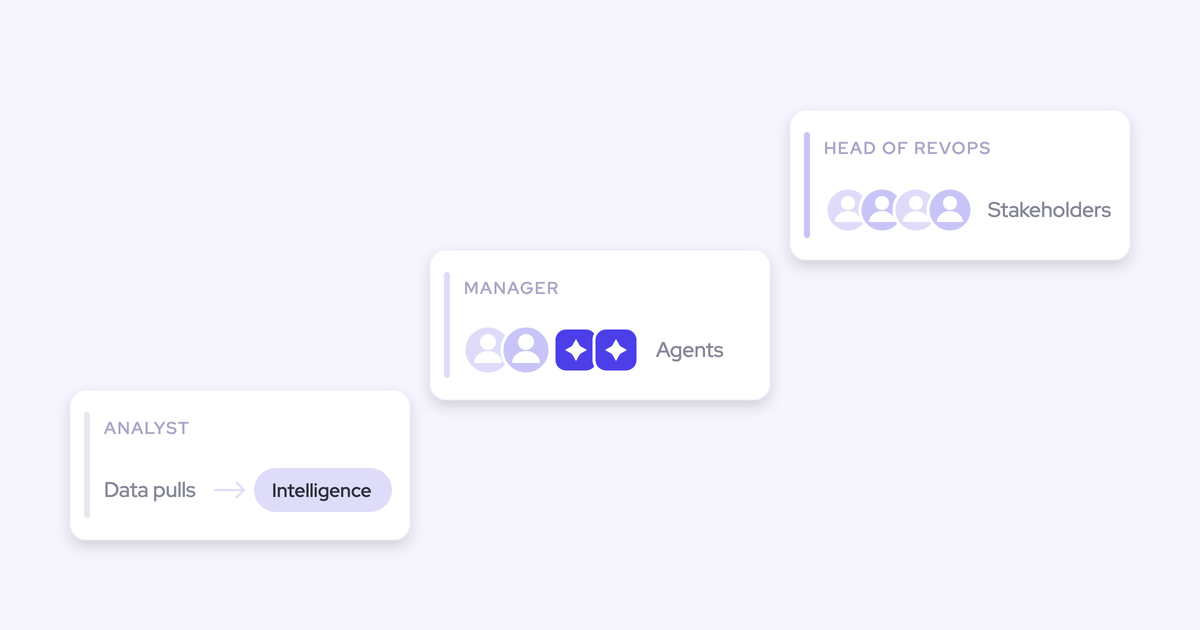
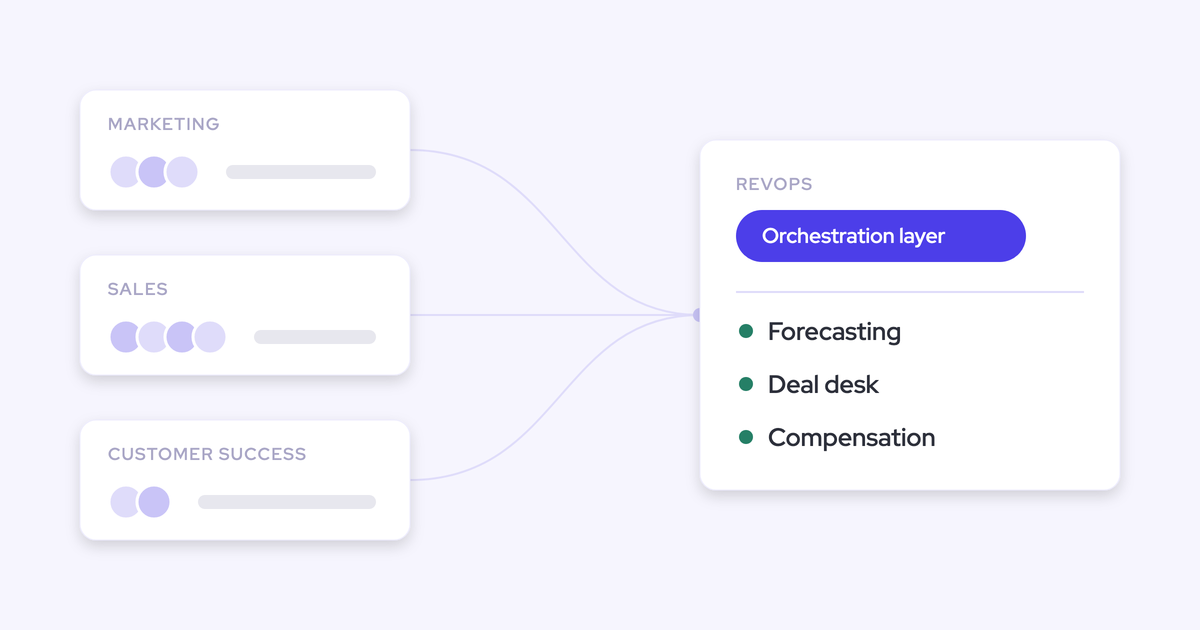
Once RevOps runs its own intake like a product team, it can become the orchestration layer for humans and AI agents, designing the agents and scheduled workflows that reps and leaders use through chat, a tool or email.
Where Weflow takes recurring requests off your roadmap
Weflow is the Revenue AI Orchestration platform for sales, customer success and RevOps teams on Salesforce. It isn't an intake system, though.
Where it helps is the reserve from Step 5: the recurring reports, dashboards and user admin that come back every week and eat into capacity before the roadmap gets any.
It also keeps your KPI cadence on track. Weflow captures activity in Salesforce automatically, so the numbers in your reviews don't depend on what reps remembered to type in.
Turn the Monday exec report into a scheduled Weflow Agent Builder run
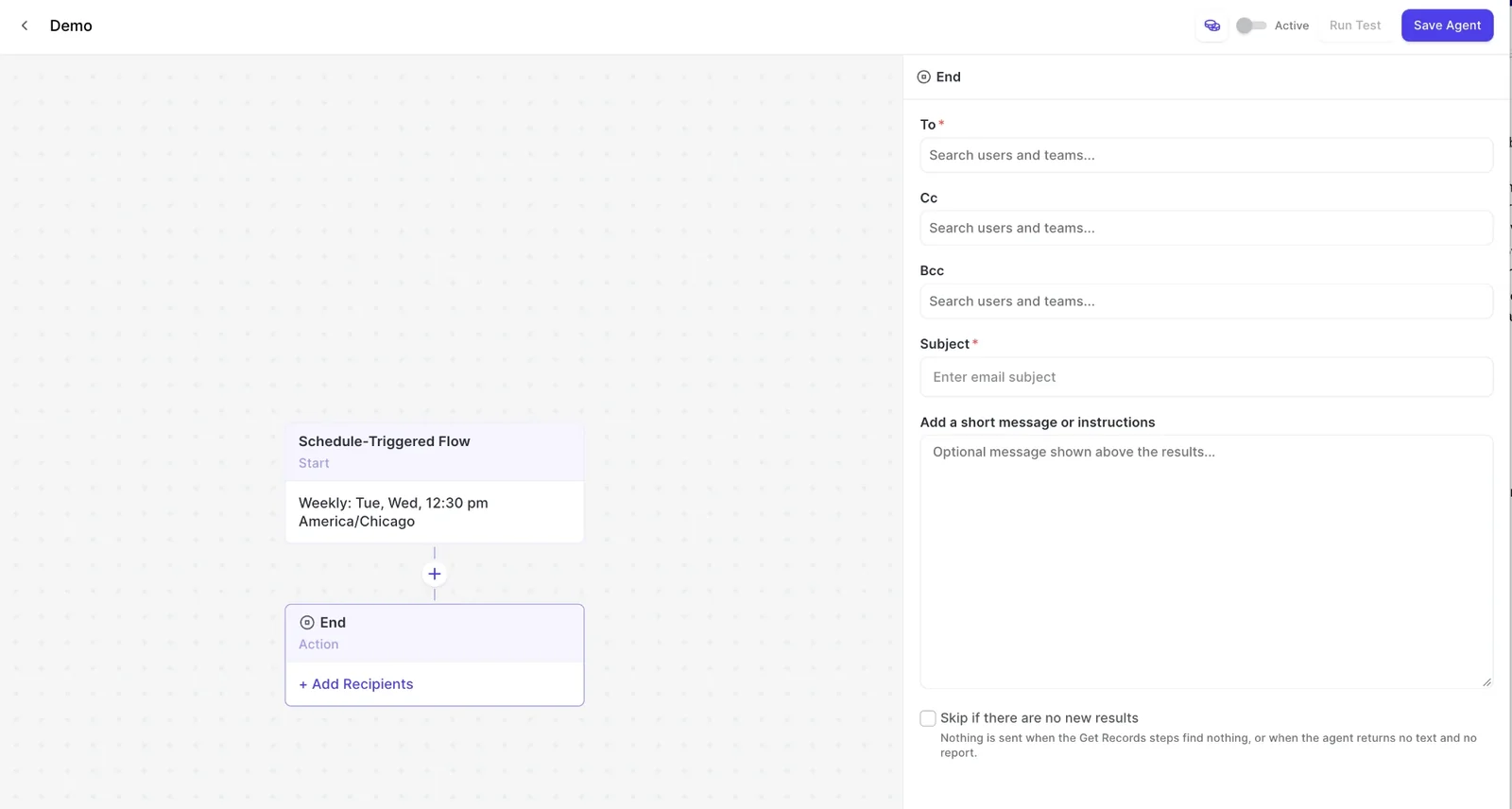
The Monday pipeline report and the weekly risk scan are the clearest candidates for automation. Weflow Agent Builder turns each into a flow you build once:
- Trigger: A schedule with day, time and timezone.
- Lookup: A step that reads Salesforce accounts, contacts, leads, opportunities, tasks, events or contracts, with field-level filters. It reads Salesforce live, so a change made a minute ago is in the run.
- AI Agent step: A free-text prompt over the activities, emails, calls and transcripts attached to those records.
- End step: An email to users or teams with the result, optionally attached as a PDF report. You can also tell it to skip sending when there's nothing new.
To get you started, Weflow ships three templates:
- A pipeline snapshot.
- A meeting recap bundle.
- A deal risk PDF.
The prompts are deliberately basic, so you can rewrite them for your team. You can use the same pattern for a monthly closed-lost analysis that reads every lost opportunity and surfaces which competitors showed up and which objections kept coming back.
Assign Weflow Insights dashboards once instead of rebuilding per request
You build a dashboard for a role once, then assign it from the Weflow Admin Console, either org-wide or to a named role such as SDR. When a rep opens Insights, they land on the board built for their role instead of an empty one.
Any later changes happen centrally, so "Can you build me a dashboard?" stops landing on the list every time someone new asks.
Let Salesforce team changes handle Weflow user provisioning
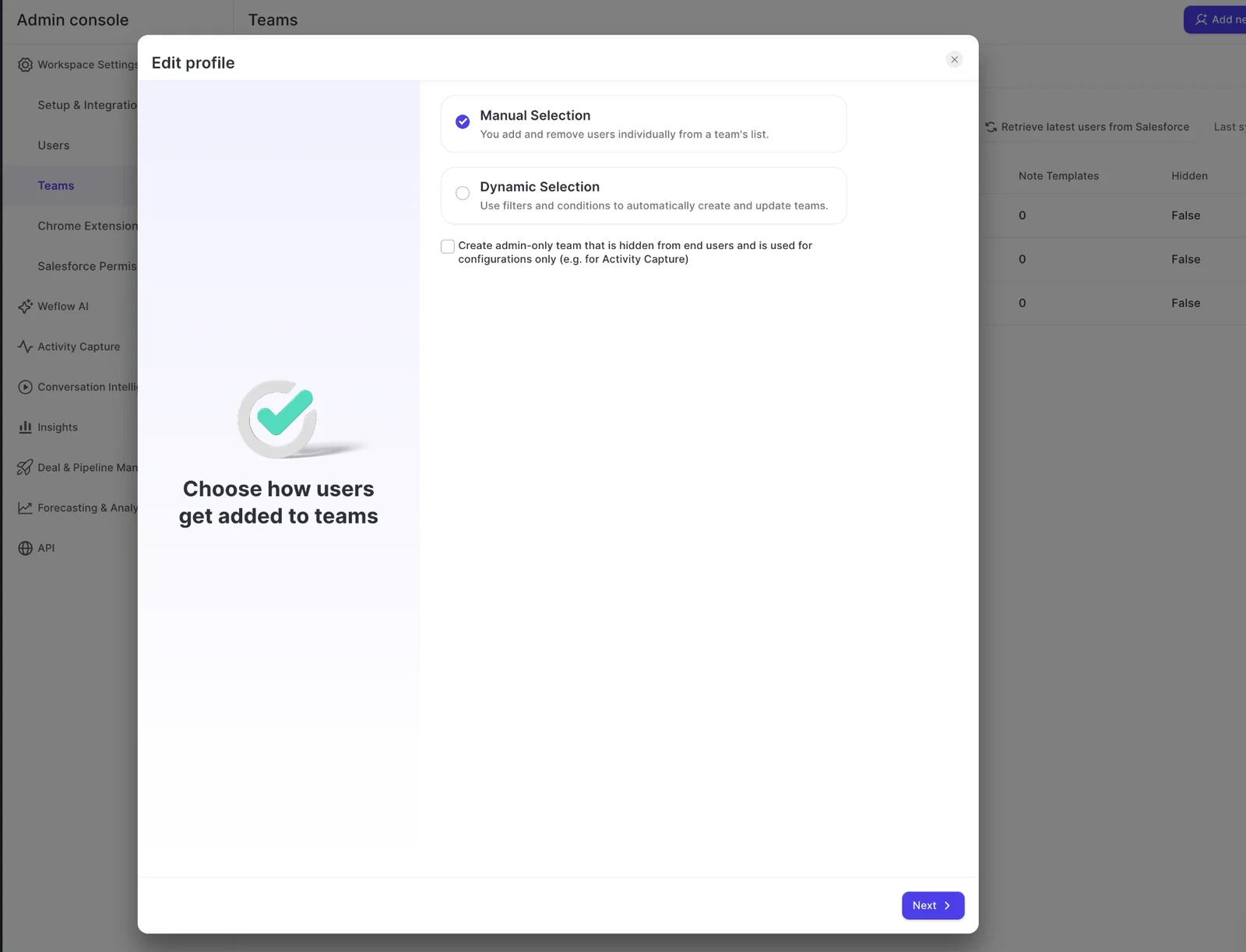
Weflow builds teams dynamically from Salesforce, pulling users by manager, role or a field condition. When a rep moves team in Salesforce, they move in Weflow automatically.
Joiners and leavers follow the Salesforce user logic your identity and HR systems already feed. Users who are only on Activity & Contact Capture start capturing as soon as they're added to a capture configuration, without ever needing to sign in.
Keep the Weflow rollout off your own RevOps roadmap
Every tool you buy can turn into a roadmap item of its own. That's why we run Weflow onboarding ourselves. Implementation is free, and teams are typically live in two to three weeks.
Onboarding runs in three phases against a mutual action plan, with named owners on both sides:
- Technical implementation: A 45 to 60 minute call with your Salesforce admin and mail admin to connect the systems.
- Configuration: Team structure and hierarchy, your sales methodology, which custom fields AI should populate, playbooks, deal warnings and prompt templates.
- Role-based rollout: Separate training for leadership and for reps.
Capture and Conversation Intelligence can go from implementation to rollout in about two weeks. Forecasting takes longer, because it encodes an operating cadence: who submits, how often, and against which quota.
If bandwidth is the blocker, our managed service option means we do the heavy lifting, and your RevOps team only needs to answer questions and unlock access.
What Weflow doesn't do in your intake process
- Weflow doesn't run intake forms, backlogs, sprints or roadmaps. Keep Jira or your project tool for that.
- Weflow works only with Salesforce: Enterprise Edition and above, or Professional Edition with Salesforce's API access add-on.
- Every Weflow plan has a 10-user minimum. Bundles start at $49 per user per month with Revenue AI Foundation, and Agent Builder is included in every product.
- If you're a team of one at a small company, or you're on another CRM, the process in this guide still works, but Weflow won't be a fit.
FAQ: RevOps intake and roadmaps
Should RevOps run intake in Jira or a form and backlog?
Either works, as long as it holds one list and gives you throughput data. If you're starting from Slack threads, a form feeding a single backlog is the first move.
Does a RevOps intake process work for a team of one?
Yes, scaled down. As Tessa Whittaker points out, in small companies the same people handle business partnering, process design and systems work, so every fire drill competes with every configuration change.
That makes the stack rank and the reserve more important for a team of one, not less.
How should RevOps handle CEO and CRO requests that skip intake?
They still go on the list and get placed against the line. Since the CRO owns the rank, a CRO request is a re-rank made in the open: show what it displaces, and let them choose which item drops.
What if the CRO won't own a cross-functional stack rank?
Start with the company priorities and the bookings-impact model, and bring only the top two problems. A rank built on modeled bookings is much harder to wave away than a list of requests.
Will buying another tool add work to the RevOps roadmap?
Often, yes. Any configurable tool needs a named internal owner. Capture largely runs itself, but conversation intelligence with per-team prompts, scorecards and field mappings doesn't.
Before you buy, ask who runs onboarding and how much RevOps time the rollout takes.