How to keep board and executive calls out of your shared call recording library
Learn how to use Weflow consent flows to keep board and executive calls out of the shared library.


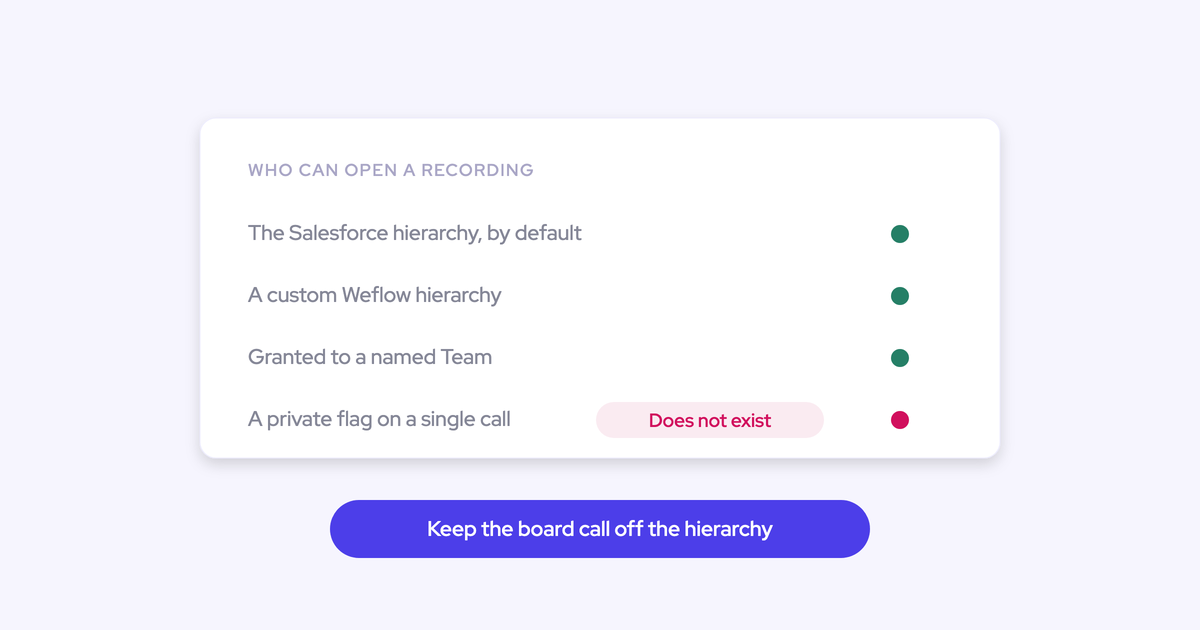

An executive asks for something that sounds reasonable. Record my calls so I can go back to them, but keep the board call, the comp conversation and the occasional sensitive one-to-one out of the library the whole sales floor can browse.
That request is workable, and this piece walks the setup step by step. But the honest answer starts with a limitation most vendors leave for week one of your rollout: there is no per-call private button.
Weflow is the Revenue AI Orchestration platform for sales, customer success, and RevOps teams, and call recording sits inside Weflow Conversation Intelligence. What follows is how its consent and visibility levers behave, where the wall is, and the policy design that holds up when legal or a works council asks who can hear what.
Can you mark a single call private in Weflow?
No. Weflow has no per-call "mark private" flag today. Call visibility follows position in the Salesforce role hierarchy, which is set per person, and a single call can be shared outside that by tagging an individual user by name.
So the mixed case, nine calls shared and one kept back, has only one workaround: hide everything for that person by hierarchy, then re-share the shareable calls by tagging individuals by hand. It works. It's also clunky enough that nobody keeps doing it after the second week.
| What you want to do | Status in Weflow today |
| Hide all of one person's calls from everyone below them | Works, through the Salesforce role hierarchy |
| Stop a specific call from ever being recorded | Works, through consent mode and the host's in-meeting control |
| Share one otherwise hidden call with a named colleague | Works, by tagging that user on the recording |
| Flag one already-recorded call as private | Not available |
| Share a call with a whole team in one action | Not available. Team-level tagging doesn't exist yet |
If the exec's need is specifically the mixed case, don't buy the workaround. The clean answer for that one radioactive call is to not record it.
Why recording privacy is set per person, not per call
Conversation intelligence permissions were built person-first and hierarchy-first, because that's how visibility already maps in a CRM. Salesforce answers "who reports to whom," so a recording layer that respects the role hierarchy inherits an access model the org already governs and audits.
Call sensitivity doesn't behave that way. It's call-level and it cuts across hierarchy: most of a CRO's week is exactly what the floor should learn from, and one meeting a month should never exist as a file. The model and the need don't line up, which is why every tool in this space hands you the same all-or-nothing choice.
Four things RevOps teams do when they inherit that choice, and what each one costs:
- Hide the executive entirely, and lose the calls new reps learn most from.
- Leave the sensitive calls in the shared library and hope nobody browses on the wrong afternoon.
- Let the exec quietly stop recording altogether, which kills the data you rolled the tool out to get.
- Bend the Salesforce reporting hierarchy to fake privacy, which corrupts reporting and forecast roll-ups downstream.
The fourth one is the most expensive and the least visible. Weflow forecast roll-ups run across the Salesforce role hierarchy, so a position invented for privacy reasons quietly reshapes the number.
The reliable rule: don't record what you can't share
A recording that was never created cannot leak, cannot be mis-shared, cannot be found by a lawyer, and needs no audit story. That's the whole argument. Every visibility setting you apply after the file exists is a control you have to maintain, document and defend; a call that was never recorded is a control that maintains itself.
So put the decision at the source: consent mode and the host's control in the room. Treat hierarchy visibility as the tool for the person whose calls should never sit in a shared library, not as a patch for the one sensitive meeting.
How to keep executive calls out of the shared library
Prerequisites: Weflow Conversation Intelligence live in your workspace (recording lives there, not in Activity & Contact Capture), admin access to the workspace, a Salesforce role hierarchy that reflects your actual org, and thirty minutes with the executive to agree which call types are off-limits. That last one is the real prerequisite. Everything below keys off it.
Step 1: separate shareable executive calls from never-record calls
Before you touch a setting, sort the executive's calendar into two classes. Not by seniority of the attendees, by what the recording would be doing in a shared library.
| Record and share | Never record |
| Customer and prospect calls, exec sponsor meetings, QBRs, partner calls, deal escalations | Board and investor calls, comp and performance conversations, legal or M&A discussions, HR one-to-ones |
The second column is short on purpose. If it starts growing past a handful of recurring meeting types, you're not designing a privacy policy, you're negotiating an opt-out. Push back on that now rather than after rollout.
Step 2: set the Weflow consent mode for executive hosts
Weflow supports three consent flows, and you don't have to pick one for the whole company. Keep the sales floor on opt-out so recording coverage stays high, and put executive hosts on manual so the decision is made in the room by the person who knows what the meeting is.
| Consent mode | How it behaves | Where it fits |
| Opt-out | The meeting records by default. A notice is posted in the meeting chat with a link any participant can use to stop it. An optional pre-meeting email lets a guest decline in advance. | The sales floor. Highest coverage, no rep has to remember anything. |
| Opt-in | Every participant has to actively accept before recording starts. | One-to-one and small meetings. In a larger group, one person forgetting kills the recording. |
| Manual | The host decides per meeting whether this call gets recorded at all. | Executive hosts, and anyone whose calendar mixes shareable and sensitive meetings. |
With manual on, the board call never becomes a file, so there's nothing to hide, delete or explain. The consent notice itself is fully customizable, including its language, which matters more than it sounds when your exec is hosting in German and your workspace runs in English.
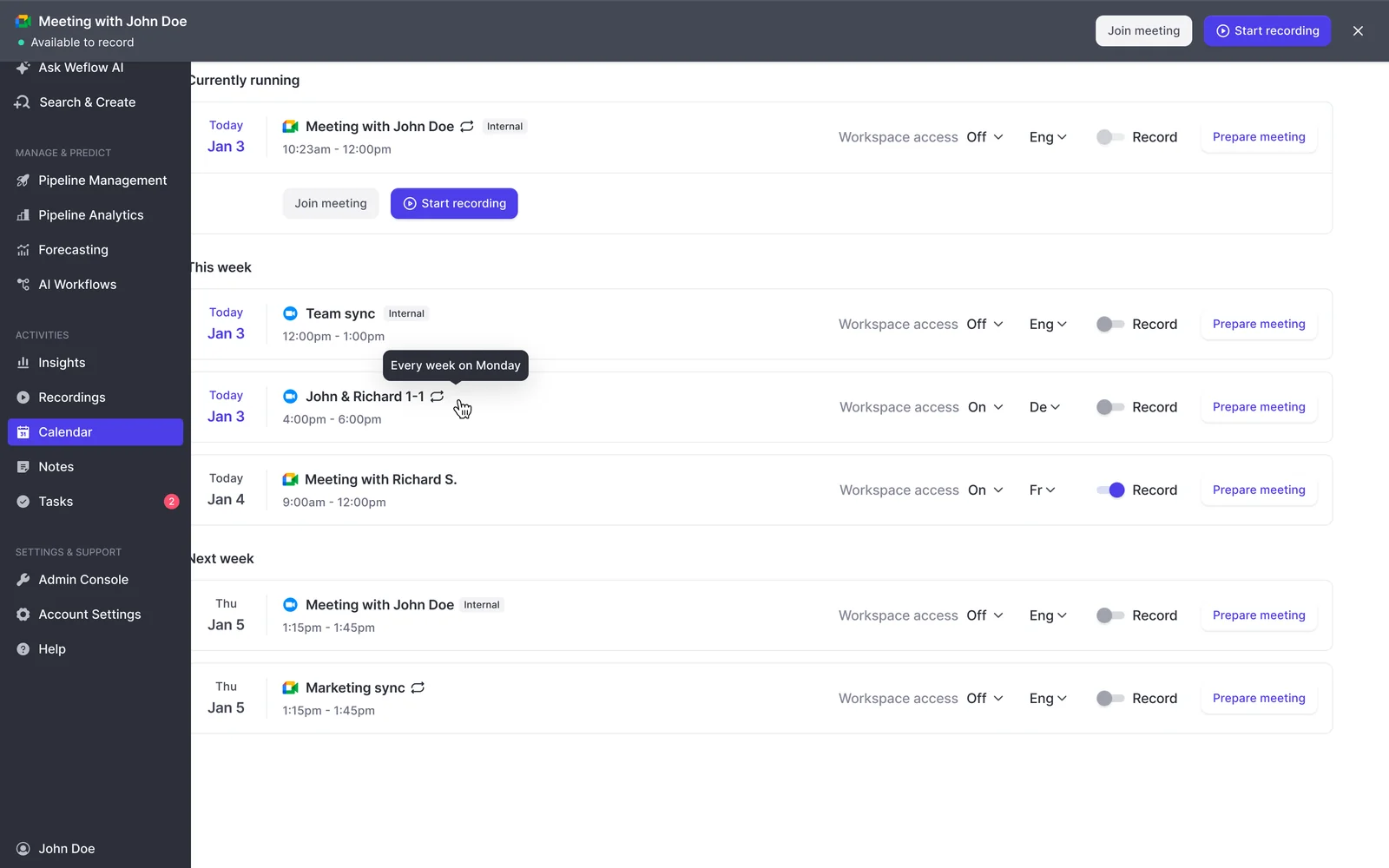
The per-meeting record control sits on the Weflow calendar view alongside workspace access and language, so the host is toggling one meeting, not a global setting.
Step 3: remove the notetaker before the sensitive part begins
Some meetings are half shareable and half not: a business review that turns into a pricing negotiation, a customer call where the last ten minutes go somewhere private. The host can remove the notetaker mid-call, and everything up to that point is kept.
That gives you a recorded working half and an unrecorded second half from one meeting. Worth knowing exactly how this differs from a guest declining, because the outcomes are not the same:
| Action | What happens to the data |
| Host removes the notetaker mid-call | Everything captured up to the removal point is kept and processed as normal |
| A participant opts out through the chat link | The notetaker leaves and the recording, transcript and notes are destroyed |
Tell the executive both mechanics in the same sentence. The one they'll actually use is the mid-call removal, and they need to know it's a hard stop rather than a pause.
Step 4: hide an executive's calls with the Salesforce hierarchy
For the executive whose calls should never sit in a shared library, this is the right lever. Weflow visibility follows the native Salesforce role hierarchy rather than a separate vendor access list, so placing a user above everyone hides all of their recordings from everyone below them.
Where it fits: a CEO or CFO whose recordings exist for their own review and nobody else's. Where it doesn't: the nine-of-ten case, because it's all-or-nothing and the only way back is tagging individual users on individual calls.
One caution before you move anyone. The Salesforce role hierarchy also drives your forecast roll-ups and reporting visibility. Move a person for privacy reasons and you've changed how the number rolls up, which is a much bigger problem than a browsable board call.
Step 5: restrict deletion to admins and control the storage
This is the part legal will ask about, and it's the part most rollouts never document. Three checkpoints:
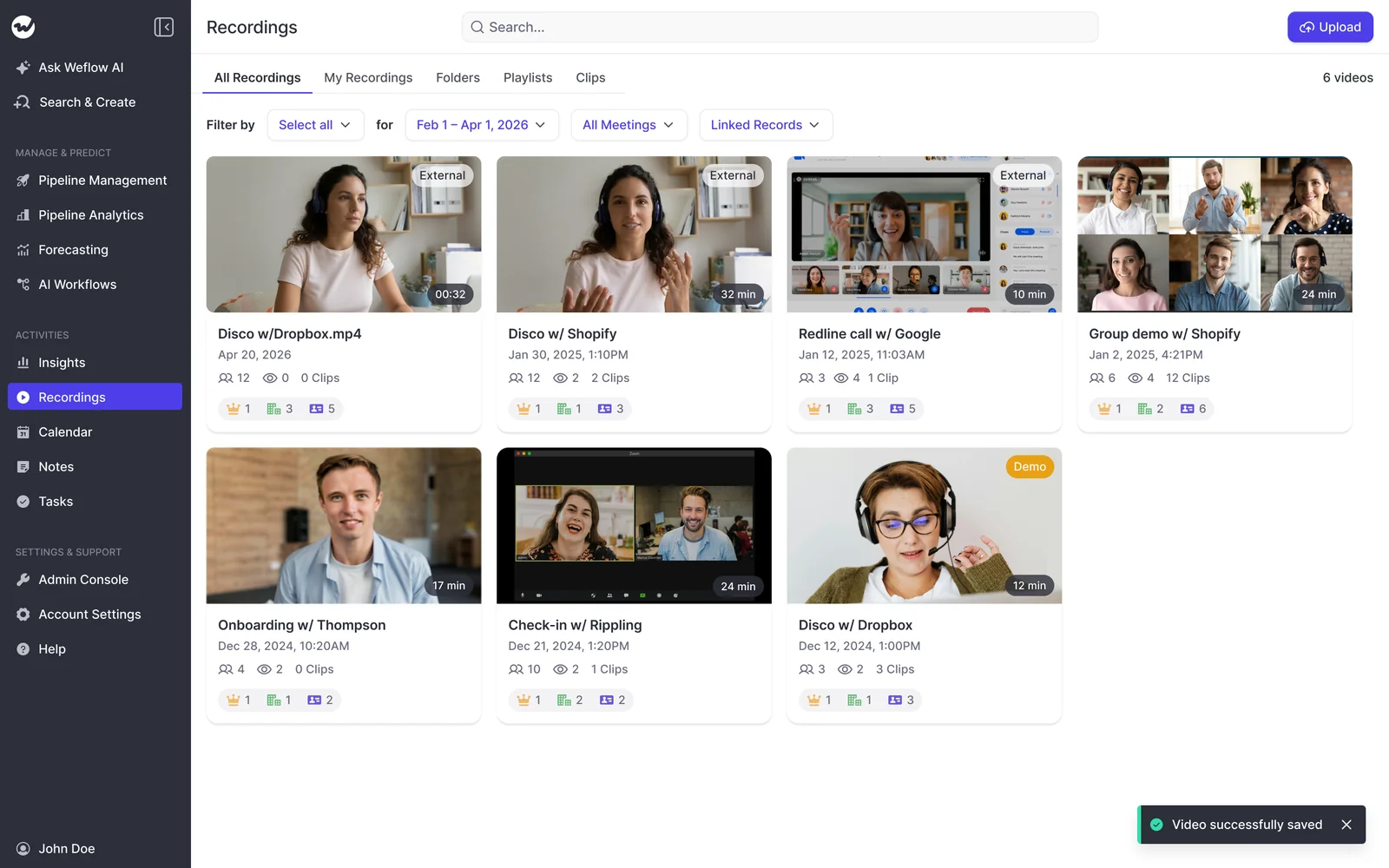
- Deletion rights. Only admins can delete a recording in Weflow, so any missing recording traces to a named admin action. Reps cannot quietly remove their own calls. Review who currently holds admin rights, because that list is your deletion audit trail.
- Where the video lives. Weflow does not store meeting video inside Salesforce. Video files are exported through Weflow's public API to your own cloud storage, and Weflow links out to them. Weflow's own processing infrastructure runs in selectable EU, US and APAC regions.
- Where the content lives. Transcripts and summaries land in Salesforce, in the Weflow_Recording__c object added by the managed package, with the summary also written to the related Event. Those are governed by your own Salesforce permissions, so check who has read access to that object as part of this design.
Access itself is worth a line in the document too. The only way into Weflow is through your Salesforce authentication, using OAuth and whatever SSO your org already enforces. Deactivate the user in Salesforce and their Weflow access goes with it, which makes the leaver process a non-event.
Step 6: write the policy down for legal and works councils
In Germany and Austria a recording rollout doesn't fail on features, it fails at the works council. What gets asked for is a document, not a demo. Write it once and reuse it:
- Which meeting types are recorded and which are excluded by rule, taken straight from your Step 1 table.
- Which consent mode applies to which group, and the exact wording and language of the notice posted in the meeting chat.
- How a participant declines, and what happens to the data when they do (the notetaker leaves, the recording, transcript and notes are destroyed).
- What is captured and what is generated: recording, transcript, AI summary, and the Salesforce fields written from the conversation.
- Where each artifact is stored: video in your own cloud storage, transcripts and summaries in your Salesforce objects.
- Who can hear what, and through which mechanism: role hierarchy for visibility, individual tagging for exceptions.
- Who can delete a recording, and how a deletion is traced.
- The vendor commitments: SOC 2 Type II, GDPR, a Data Processing Agreement with EU Standard Contractual Clauses, a public sub-processor list with advance change notice, zero data retention for AI processing, and no customer data used to train models.
One honest note for procurement: Weflow's ISO 27001 work is underway but not certified, and Weflow is not FedRAMP certified. If either is a hard gate, raise it before the pilot rather than after.
Where record-then-hide goes wrong
- Bending the reporting hierarchy to fake privacy. You get the visibility you wanted and a forecast roll-up that no longer matches your org, and the reporting damage outlives whoever made the change.
- Hiding the executive entirely as the default. The customer calls a senior leader runs are the ones new reps learn most from, and you've just removed them from the library you're asking the team to use.
- Letting the exec opt out of recording altogether. It solves the board call and quietly deletes leadership from your conversation data, which is exactly the coverage gap that makes the rest of the rollout look thin.
- Treating deletion as the privacy mechanism. Deleting the video doesn't remove the summary already written to the Salesforce record, and the deletion itself is traceable to a named admin. Deletion is an audit event, not a privacy setting.
- Rolling out the mixed-case workaround at scale. Hide-all-then-tag-by-hand works for one person for one quarter. Across a leadership team it becomes a manual job nobody owns, and the first month somebody forgets is the month you find out.
FAQ: executive call privacy and recording consent
What happens to the recording if a participant declines consent?
The notetaker leaves the meeting and the recording, transcript and notes are destroyed. Any participant can decline through the link in the meeting chat notice, and with the optional pre-meeting email a guest can decline before the call starts.
What is kept when the notetaker is removed mid-call?
Everything captured up to the point of removal is kept and processed normally, including the transcript, summary and Salesforce field updates for that portion. This is the difference from a participant opt-out, where nothing survives.
Where are Weflow call recordings actually stored?
Video files are exported through Weflow's public API to your own cloud storage rather than sitting in Salesforce, because Salesforce storage is expensive and heavy for media. Transcripts and structured outputs land in native Salesforce objects, in Weflow_Recording__c and on the related Event.
Can a rep hide or delete their own call recording?
No. Deletion is admin-only in Weflow and every deletion traces to a named admin action, which is what makes the library defensible in an audit. A rep can't quietly remove a call that went badly.
Does deleting a recording also remove the Salesforce transcript?
No. The summary and transcript written into your Salesforce records survive the deletion of the video file and are governed by your Salesforce permissions. Treat the media file and the CRM content as two separately governed artifacts in your policy, because that's how they behave.
How much does Weflow Conversation Intelligence cost?
Weflow Conversation Intelligence is $39 per user per month, billed annually, with a 10-user minimum. Recording sits in this product, not in Activity & Contact Capture, so a team that wants meeting recordings has to take Conversation Intelligence. Free view-only licenses (up to one per recording license) are included, which is useful when leadership wants access without a paid seat.
Will this setup satisfy a European works council review?
It gives you what a council asks for: a per-session consent notice with a customizable message and language, a documented capture, processing and access design, a DPA with EU Standard Contractual Clauses, a public sub-processor list with advance notice, no customer data used for model training, and SOC 2 Type II. Weflow is headquartered in Germany with Frankfurt data center infrastructure for European customers. No vendor can promise a council's verdict, and the reviews that pass are the ones where the buyer arrives with the document rather than the demo.
If you want to see the consent modes, the visibility settings and the recordings library before you commit to any of this: walk through the product yourself, no call required.