Pipeline Generation Forecasts: Why Some CROs Forecast New Pipeline on Its Own Monthly Cadence
Learn when to run pipeline generation forecasts on a monthly cadence vs in the weekly forecast call.



A pipeline generation forecast is a separate review, usually monthly, that asks one question: are we creating enough qualified pipeline, by segment and motion, for the quarters ahead?
Some CROs give it its own cadence because the weekly forecast call is built to read deals closing this quarter, and when the quarter gets tight, that's what wins the agenda. The generation question gets dropped right when you need it most.
The real question is which meeting format keeps it on the agenda:
- A separate monthly pipeline generation forecast.
- A weekly cross-functional demand council.
- Or keeping generation inside the weekly forecast call you already run.
This guide helps you pick based on your sales cycle, how many deals your quarter rests on, and how much of your pipeline comes from outside your AEs.
Whichever you pick, you'll need two things in place first: a written definition of "qualified" pipeline and a weekly forecast that runs reliably.
Once those exist, you can read future-quarter pipeline and new pipeline creation in the same place you run your forecast. That's the job of Weflow Deal Intelligence & Forecasting.
What a pipeline generation forecast answers that bookings forecasts don't
A bookings forecast asks what closes this period. The two look at different dates and inputs, and they lead to different decisions.
| Dimension | Bookings forecast | Pipeline generation forecast |
|---|---|---|
| Question asked | What closes this week, this month, this quarter? | Are we creating enough qualified pipeline for the quarters after this one? |
| Time horizon | The current period | Next quarter and beyond |
| Date it indexes on | Close date | Qualified date (or creation date), read alongside future close dates |
| Inputs | Open deals in the period, forecast categories, rep and manager calls | Qualified pipeline created, out-quarter coverage, creation by source, cohort close rates |
| Owner | CRO, run through frontline managers | CRO, with RevOps preparing the numbers |
| Decision it produces | Which deals we commit and how we get them over the line | Which segment or motion needs more pipeline, why, and who acts on it |
Robert Gimbel, a former CRO, ran pipeline generation as one of several separate forecasts:
- A weekly sales forecast
- A weekly renewals forecast
- A monthly pipeline generation forecast
- A monthly loss review
- A hiring forecast
Each one answered its own question, because collapsing them into one meeting tends to produce one unfocused discussion.
Why the weekly forecast call keeps missing pipeline gaps
The weekly call reads deals closing this quarter, but the shortfall you need to see sits in the quarters after it.
And two other things make it worse:
- When the quarter is tight, the call spends its time on closing.
- It sees coverage as one blended number, made of pipeline generated months ago.
Here's how that shows up, and why:
| What you see | Why it happens |
|---|---|
| The gap surfaces at QBR, too late to build pipeline that can close | Someone pulls coverage together by hand at QBR time, so nobody looks at it between reviews |
| A healthy enterprise team hides a region sitting at 1.4x | Coverage is reported as one aggregate rather than per segment and per target |
| Coverage looks fine, then slips and stalls in weeks five to seven | Deal reviews don't test whether the pipeline is healthy, so weak deals count at full value until they fall out |
| A rep shows 4x coverage made of 150 deals | Coverage counts amount, not deals anyone can actually work in a quarter |
| The early-quarter commit is bigger than the deals behind it | Nobody records how much of the call rests on pipeline that doesn't exist yet |
All five come back to one timing problem: by the time a shortfall shows up in coverage, its cause is weeks or months old.
"Your pipeline coverage is kind of like light from a star. By the time you see the light, it had already traveled a great distance. Same thing with your pipeline. Your pipeline was generated cohorts ago, right?"
So when the weekly call finally spots a generation miss, it's too late to act on it. The fix needed to start a quarter ago.
Three ways to run pipeline generation, side by side
Each of the three formats fits a different kind of business. Here's how they compare:
| Monthly generation forecast | Weekly demand council | Standing item in the weekly call | |
|---|---|---|---|
| Cadence | Monthly | Weekly | Weekly, inside the existing forecast call |
| Owner | CRO | Shared by the heads of marketing, BDR, sales and CS, with RevOps preparing | CRO or VP Sales running the call |
| Who attends | CRO, sales leaders for each segment or motion, RevOps, plus pipeline-source leaders where they matter | Heads of marketing, BDR, sales and CS, plus RevOps | Whoever already attends the forecast call |
| Core question | Is enough qualified pipeline being created for the quarters ahead? | Are we on or off plan this week, and where? | Is next quarter's pipeline building at the rate we need? |
| Metric set | Qualified pipeline created vs target, out-quarter coverage, creation by source, cohort close rates, unfunded commit | Reverse waterfall (MQL, SAL, SQL, closed won) against the annual plan, by segment and source | One standing generation metric, read the same way every week |
| Decision produced | A named segment or motion gap, its cause, an action and an owner | A volume, conversion or deal-size diagnosis with documented actions | A flag that escalates when the metric goes off track |
| Calendar cost | One leader-level meeting a month | One cross-functional meeting a week | A fixed, time-boxed slot in a meeting you already hold |
A monthly pipeline generation forecast, as Robert Gimbel ran it
Gimbel's monthly forum asked only whether enough pipeline was being created, and he kept it apart from the closing discussion on purpose.
"I was a big fan of not mixing up these two discussions because that would typically lead to unfocused discussions. So it was either about how do we close what we have or how do we go about the fact that it's not enough and we need more pipeline."
This isn't just about keeping meetings tidy. The two questions lead to different actions, and often different owners.
Monthly suits most mid-market teams because pipeline created in a month is a large enough cohort to read, and a monthly rhythm still leaves time to act before next quarter starts.
- Fits when: Your cycles run several months, you sell through more than one motion or segment, AEs source a meaningful share of pipeline, and your weekly forecast already runs on fixed days.
- Breaks when: "Qualified" isn't defined, the weekly forecast isn't stable, or most pipeline comes from marketing and BDR on a funnel that moves faster than once a month.
A weekly demand council across marketing, BDR, sales and CS
When pipeline comes from several functions, Rhys Williams recommends a demand council: a weekly meeting where the heads of marketing, BDR, sales and CS review week-over-week pipeline generation as a reverse waterfall (MQLs, SALs, SQLs, closed won) against the annual plan.
"And the whole point of the meeting is to essentially say, are we on track or are we off track against the annual plan? And if we're off track, where is it?"
The council breaks the waterfall out by segment, geography, product and source, then diagnoses each off-track segment on the spot as one of three problems:
- A top-of-funnel volume problem
- A conversion problem
- Or a deal-size (ASP) problem
Then it documents actions and reviews them the following week.
- Fits when: Marketing, BDR or partners source most of your pipeline, funnel volume is high enough that weekly movement means something, and you track marketing stages cleanly.
- Breaks when: Four function heads can't hold a weekly slot, marketing-stage data isn't trustworthy, or deal counts are so low that weekly changes are noise.
Pipeline generation as a standing item in the weekly forecast
For some businesses, the right answer is to add nothing new. If your quarter rests on about ten material deals, the forecast is a deal-by-deal judgment, and a separate generation forum has little to aggregate.
Short cycles change the math, too:
"If you're selling to SMB businesses and your sales cycles are less than thirty days, pipe coverage means something very different."
In that case, you measure how much pipeline you create and close inside the month against your own history, which fits easily into the weekly call.
- Fits when: The quarter rests on a handful of deals, or deals close inside the month.
- Breaks when: You run several motions or segments with different win rates, or the generation item keeps getting cut whenever the quarter is tight.
How to choose your pipeline generation cadence
Five things about your business point to the right format, and you can check all of them this week.
| Criterion | How to assess it | What it points to |
|---|---|---|
| Sales cycle length | Median days from qualified to closed won, per motion | Under 30 days points to the weekly call. Multi-month cycles point to a separate monthly forecast. |
| Deals the quarter rests on | Count the deals that make up most of the quarter's number | Around ten or fewer points to the weekly call. Dozens across many reps points to a separate forum. |
| Share of pipeline sourced outside AEs | Split last quarter's qualified pipeline by source: marketing, BDR, partner, AE | A majority from non-AE sources points to a demand council, or demand-council elements added to the monthly forecast. |
| Motions and segments with different win rates | Compare win rates for new business, expansion, renewal and each segment | Wide spreads point to a monthly forecast with per-motion targets, because one coverage ratio will mislead you. |
| Whether the weekly forecast runs reliably | Reps update and submit on fixed days, calls are recorded, and you can measure accuracy | If it doesn't, fix it before adding any new cadence. |
What we recommend: Fix the weekly forecast, then split
If you're a mid-market Salesforce team with multi-month cycles, get your weekly forecast and pipeline rhythm working first, then add a separate monthly pipeline generation forecast.
The order matters more than the format. Jeff Ignacio builds cadences in order of importance:
- The pipeline management rhythm and the forecasting rhythm.
- Then win-loss reviews.
- And only later councils and other secondary ceremonies.
Build a pipeline council on top of a forecast nobody trusts, and you're asking the same people to make decisions on data they don't believe.
It's a question we ask teams evaluating forecasting with us:
"We need to challenge them a little bit. Hey, do you actually have all the cadences set up already to actually do proper forecasting? How do you forecast today?"
If your answer is "reps keep Salesforce updated by Friday," start there. Once the weekly rhythm holds, here's how to choose:
| If your business looks like this | Run this |
|---|---|
| Multi-month cycles, several motions or segments, AEs source a real share of pipeline | A separate monthly pipeline generation forecast |
| Multi-month cycles, with marketing, BDR or partners sourcing most of the pipeline | The monthly forecast plus a weekly demand council, or a demand council that covers both |
| About ten deals carry the quarter, or deals close inside the month | A protected standing item in the weekly forecast call |
Define qualified pipeline before you forecast generation
Count pipeline from the date sales qualifies an opportunity against written entry criteria, not from the date someone created the record. Skip this step, and a generation target produces junk pipeline that dilutes the close rates every coverage target is built on.
| Counting by record-created date | Counting by qualified date | |
|---|---|---|
| What it counts | Every opportunity anyone opened, including stage zero and stage one | Opportunities that passed one explicit qualification gate |
| In a burst of early-stage deals | Overstates new pipeline for that period | Counts only what qualified |
| After a CRM migration | Wrong outright, because every record carries the migration date | Stays meaningful as long as the qualified date carries over |
| Under generation pressure | Rewards opening more records | Rewards getting deals through the gate |
| Effect on cohort close rates | Diluted, so coverage targets come out too optimistic | Comparable from quarter to quarter |
This incentive trap hits hardest when you're hiring.
"...new AEs to the business, and they wanna create their pipeline, they wanna fill their pipe, and they rather take too much than too little, so you need to guide people in the way that you want the business to run."
That's not dishonesty, just the incentive working as designed. The damage shows up two quarters later, when the cohort fails to convert. Three guardrails help prevent it:
- One qualification gate: Pick the stage that means "qualified" (stage one for some teams, stage two after discovery for others) and count only from there.
- Written stage entry criteria: Each stage has entry and exit criteria written down, so "qualified" means the same thing in every team and every quarter.
- A weekly check of new opportunities: The manager reviews every new opportunity against the criteria, and RevOps checks again, before it counts toward the generation number.
How to run a monthly pipeline generation forecast
A monthly generation forecast that holds up has five parts:
- A fixed owner
- A fixed agenda
- Per-motion targets
- A link to capacity
- A decision every cycle
Who owns the generation forecast and who's in the room
The CRO owns the decision and RevOps prepares the numbers. Keep attendance small and leader-level:
- CRO: Owns the forum and signs off on every gap, action and owner.
- Sales leaders per segment or motion: They answer for their segment's generation and take the actions.
- RevOps: Prepares the pack ahead of time with the data, an analysis and a recommendation, not just charts.
- Marketing, BDR or partner leaders: They attend when their source carries a meaningful share of the pipeline you're reviewing.
- Reps: Not in the room. Their managers bring the segment view.
Rhys Williams puts the RevOps part bluntly: "Show the data, give your analysis, and provide a recommendation." A pack with only numbers turns the meeting into a fire drill for the week after.
Run the same agenda and metric set every month
Slice your metrics by segment, source and motion so a miss points to something you can fix, and keep them consistent:
"...the metrics should largely be the same and consistently reported every meeting."
Run the agenda in this order, since each item explains the one before it:
- Review last month's actions: Did the owners do them, and did anything move?
- Qualified pipeline created against target, per motion and segment.
- Out-quarter coverage per target, to see where next quarter is thin.
- Creation by source, to find which engine is short.
- Cohort close rates, to check whether this month's pipeline is real.
- Capacity: Heads, ramping reps and their pipeline.
- Name the gaps, the causes, the actions and the owners.
| Metric | What it tells you |
|---|---|
| Qualified pipeline created vs target | Whether each motion is creating enough to fund the next periods, counted from the qualified date |
| Out-quarter coverage per target | Which segment or team is going into next quarter thin, before this quarter closes |
| Creation by source | Whether a shortfall is marketing, BDR, partner or AE-sourced, so the action lands with the right owner |
| Cohort close rate at the same age | Whether recent pipeline converts like past cohorts did, or qualification got sloppy |
| Unfunded share of commit | How much of the current call rests on pipeline that hasn't been created yet |
Always compare cohorts at the same age, since younger cohorts show lower close rates simply because their deals haven't had time to close.
Gimbel's trigger: if a cohort converts below 10% when the norm is 20%, find out whether deals are stuck or qualification slipped that quarter.
Set generation targets per motion when win rates differ
Work out how much pipeline each motion still needs from its own win rate and gap to target. Win rates can range from about 20% to 75% across motions, so a single coverage ratio will mislead you.
Here's a worked example for a quarter three months out:
| New business | Expansion | |
|---|---|---|
| Target | $100k | $100k |
| Existing pipeline for the quarter | $200k | $100k |
| Motion win rate | 25% | 75% |
| Expected close from existing pipeline | $50k | $75k |
| Gap to target | $50k | $25k |
| Pipeline still needed (gap ÷ win rate) | $200k | About $33k |
The blended view puts the business at 1.5x coverage against a $200k target, and a 3x rule says you need $300k more.
That's roughly right in total but wrong about where the gap is. Almost all of it sits in new business, and the blended ratio can't tell your expansion team that it's nearly covered.
A team we spoke with put the same problem this way:
"It would be amazing if something could just say: three months down the line you have a target of 100k, you've got 200k of pipeline, but of that you're likely to close only 50, and you're going to need another 300k to get to that number safely. We're wrestling with it relatively manually at the moment, with lots of Excel."
Their $300k includes a safety buffer on top of the straight math, which is reasonable. Just make the buffer an explicit number per motion so it doesn't get lost in a blended ratio.
Tie the generation forecast to hiring and capacity
Pipeline generation and headcount are the two leading signals of whether the plan holds, so read them together. John McMahon always started with headcount:
"Anytime I opened a meeting as a CRO, every Monday morning, nine o'clock, it was headcount first. ... if I don't have the heads, I can continue to increase productivity, I'm still gonna miss the number."
— John McMahon, board member at Snowflake and MongoDB, five-time CRO
Bring the capacity numbers into the generation forecast:
- Reps hired
- Reps ramping
- Reps fully ramped
- Attrition
A generation gap in a segment with two open seats is a hiring problem, while the same gap in a fully staffed segment is a productivity problem. Each needs a different fix, so your diagnosis has to tell them apart.
Keep a close eye on ramping reps' pipeline. Laura Fu's measure of rep productivity is one question: "can they build pipeline?"
At DevRev, reps who built their own pipeline early in ramp closed business in month six or seven, compared with month nine or ten for those who didn't.
If ramping reps aren't creating pipeline, your capacity plan is already short, even if it won't show up in bookings for another two quarters.
End each review with a named gap and an owner
Every cycle should end with a decision, not a status update. Before you close the session, make sure you have:
- A named gap: Which segment, motion or team is short, and by how much.
- A diagnosed cause: Volume, conversion or deal size.
- A specific action, such as a campaign, an outbound push, a reallocation or a hire.
- One owner per action, by name.
- A slot on next month's agenda to review whether the action happened and what moved.
For the deal reviews, coverage checks and pipeline inspection that feed this cadence, take our Free Guide: Deal Insights & Pipeline Management Best Practices.
Adapting the setup for a demand council or weekly call
The other two formats follow the same discipline (fixed metrics, a diagnosis and a named owner), but they need different inputs and guardrails.
What a demand council needs that a monthly forecast doesn't
When marketing-sourced pipeline dominates, the council needs inputs a sales-led monthly forecast can do without:
- Marketing-stage data: The reverse waterfall runs MQL to SAL to SQL to closed won, so every stage has to be tracked and defined.
- A weekly clock: Marketing and BDR programs move week to week, so the review has to keep pace.
- All four function heads: Marketing, BDR, sales and CS each own a part of the waterfall, so each one has to be in the room.
- Cuts by segment, geography, product and source: These are what turn "off plan" into "off plan here."
- Documented actions reviewed the following week: Without this, the council drifts into information sharing.
How to keep generation from getting squeezed in the weekly call
If you keep generation inside the weekly call, protect it with structure, because good intentions won't survive a tight quarter.
- Run it first: Put generation at the top of the agenda, before deal-by-deal closing, so it can't get pushed to "if we have time."
- Time-box it: A fixed number of minutes, every week, whatever the quarter looks like.
- Use one standing metric: For short cycles, that's pipeline created and closed within the month against your own trend. For small deal counts, it's next quarter's qualified pipeline against target.
- Escalate on a trigger: Agree in advance what reading moves generation into its own session, so a bad month doesn't get absorbed into the closing discussion.
Where Weflow Deal Intelligence & Forecasting fits your generation cadence
Weflow is the Revenue AI Orchestration platform for sales, customer success, and RevOps teams. For a generation cadence, Weflow Deal Intelligence & Forecasting supplies the data your monthly review reads:
- Out-quarter pipeline
- New pipeline created
- Coverage per target
- Per-motion views
It's one input to the cadence, not the cadence itself.
"If you don't run an operating cadence, the best tool in the world won't help you."
Generation metrics are only as honest as the records behind them. If stage, amount and close date are whatever a rep typed under pressure, your cohort close rates are noise.
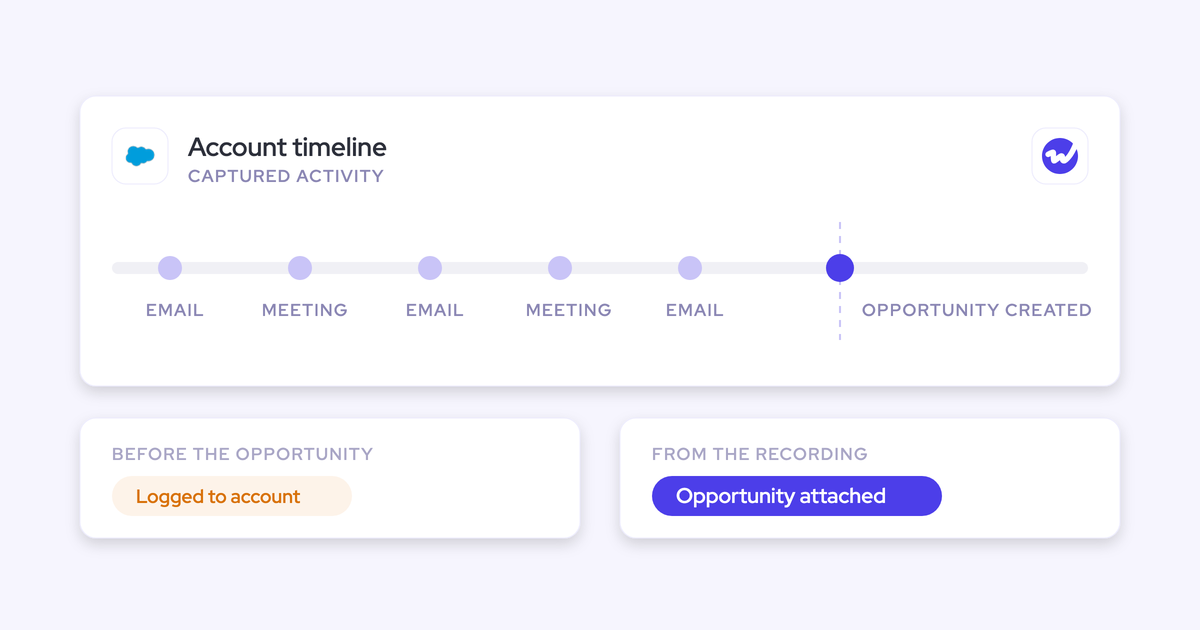
Weflow Activity & Contact Capture writes emails, meetings and contacts into native Salesforce objects. Weflow Conversation Intelligence writes call outcomes into Salesforce fields.
That way, the creation, stage and qualification data your generation forecast reads reflects what actually happened with each deal, which is what makes cohort close rates usable.
What Weflow Deal Intelligence & Forecasting shows your monthly review
Here's how each capability maps to the agenda above:
| Agenda item | Weflow capability |
|---|---|
| Out-quarter coverage | An out-quarter pipeline view that filters pipeline by target quarter, segment and stage before the current quarter closes |
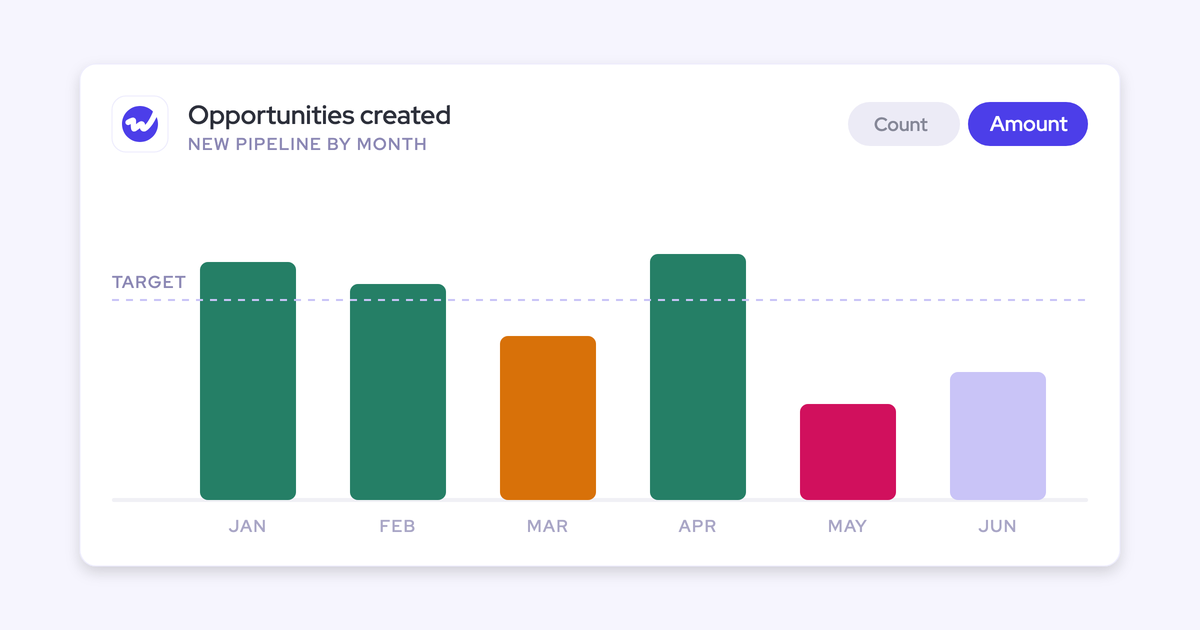
| Pipeline created vs target | The Opportunities Created chart shows new pipeline per week, month or quarter, by count or amount. You can filter it by team, record type and opportunity fields, and it converts currencies at dated rates across regions. |
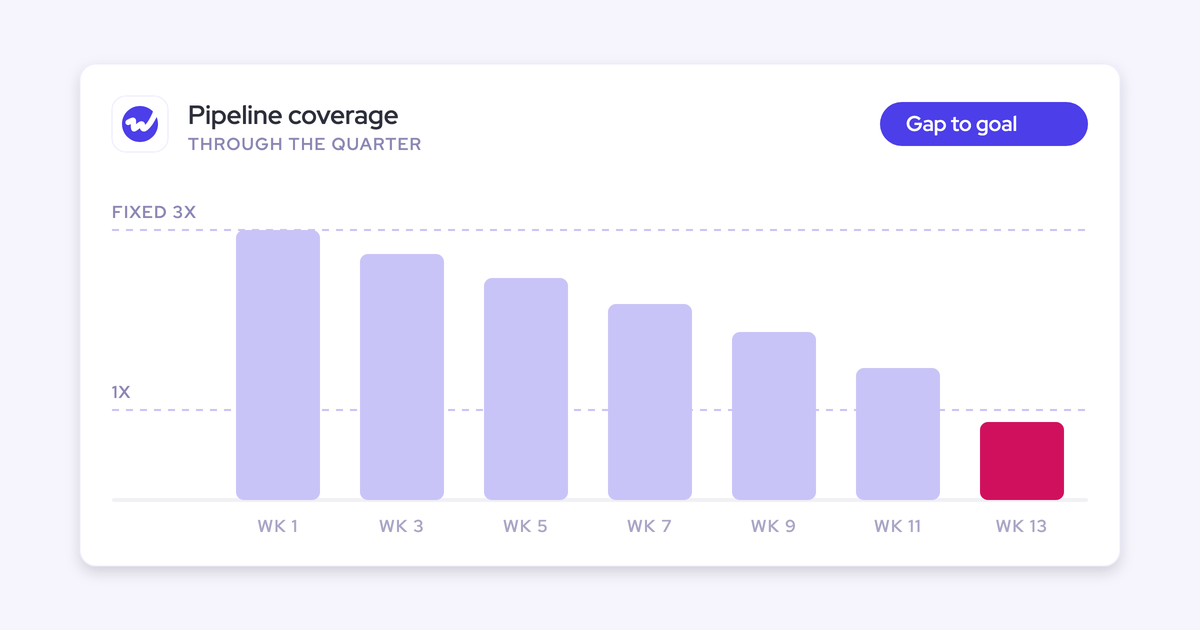
| Coverage and gap per target | Pipeline Coverage and Commit Coverage columns for every named target. Calculated columns let RevOps build "gap to target" or "pipeline still needed" without a Salesforce formula field, and they update live. |
| Creation by team and rep, read against attainment | Team Benchmark puts new pipeline generated and opportunities created beside attainment and win rate, per rep, team or territory, with each team's own minimum and average |
| Per-motion targets | Parallel forecast setups for new business, renewal and expansion, each with its own targets, so a gap in one motion stays visible |
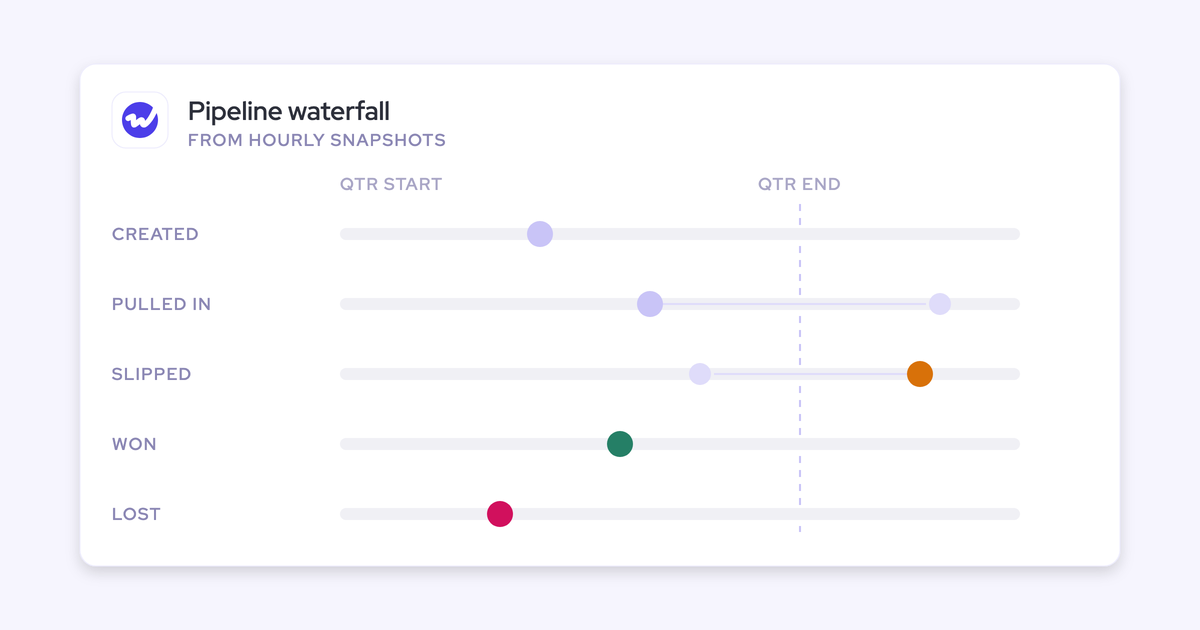
| Movement since last month | Hourly opportunity snapshots behind the waterfall and period-over-period movement |
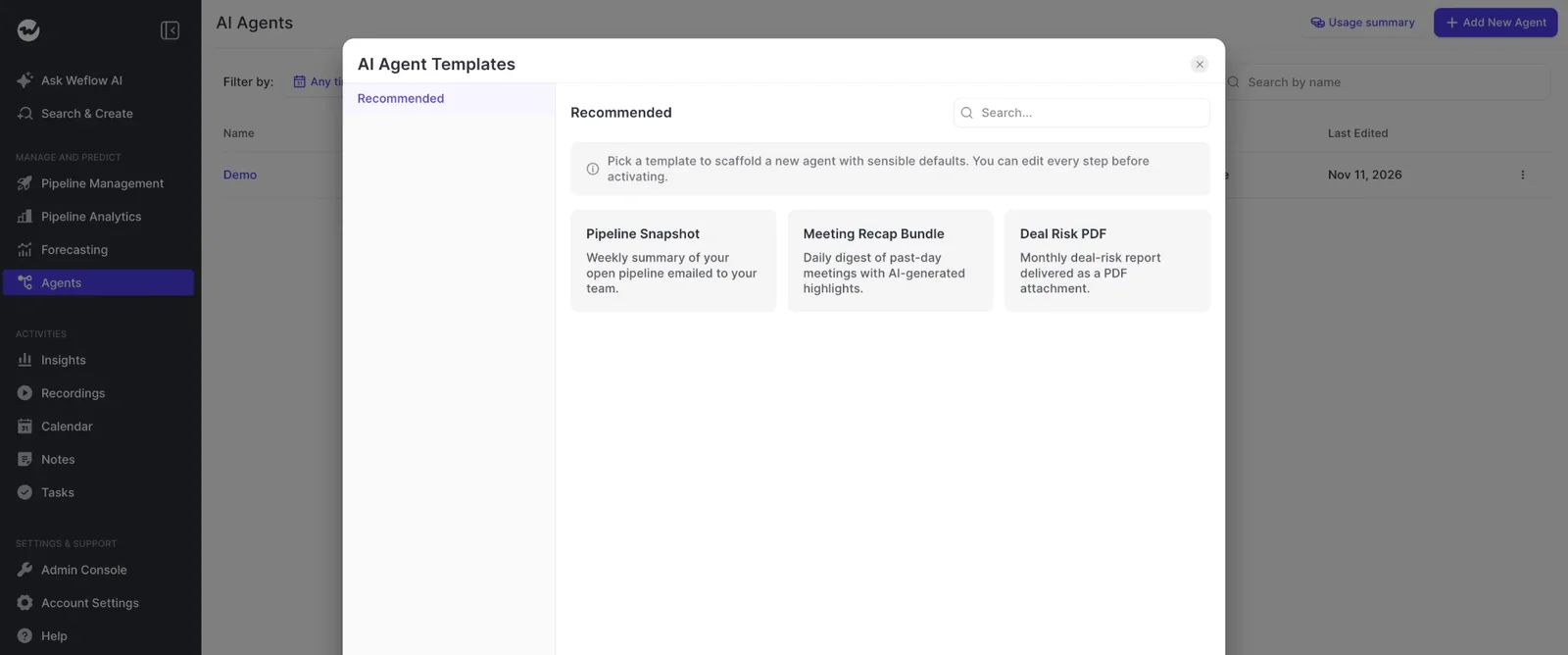
| The pre-read | Agent Builder can email a scheduled monthly report built from your Salesforce pipeline, attached as a PDF |
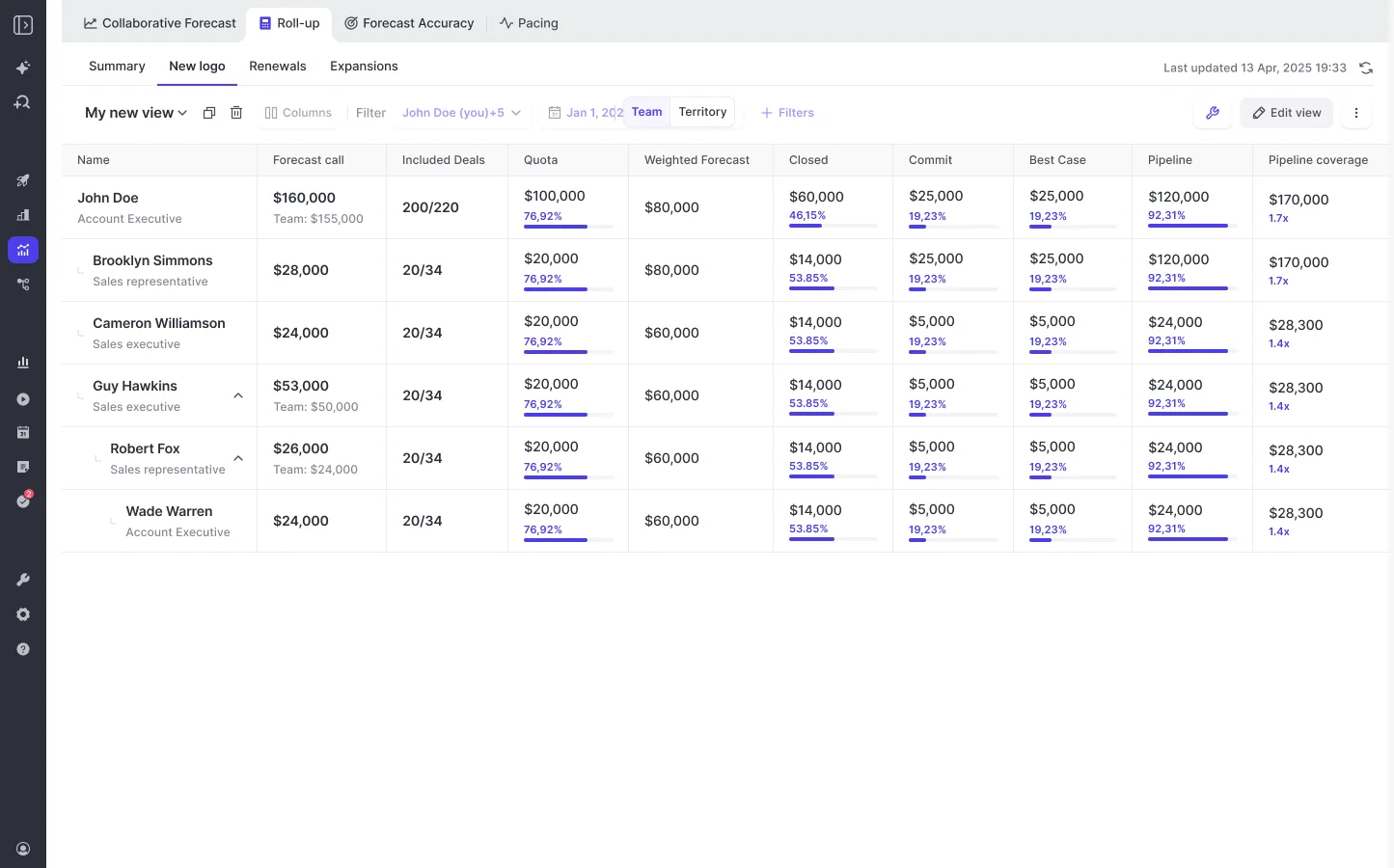
The roll-up gives you the per-motion read, with New logo, Renewals and Expansions tabs and coverage per rep and per manager.
For the pre-read, Agent Builder comes with starter templates you can adapt to your own review, including a monthly Deal Risk PDF.
What you'll still build by hand in Weflow today
Weflow doesn't yet cover every part of a generation cadence natively. Here's where you'll still work by hand:
- Weflow has no native "pipeline generation forecast" type. Forecast setups index on Close Date or Last Activity, not on creation or qualified date.
- The Opportunities Created chart groups deals by the date the record was created, so it counts whatever your qualification gate lets in.
- Targets are amounts only. You can't set a target for a number of opportunities or new logos.
- Month is the finest target grain. Weflow doesn't support weekly targets.
- Weflow has no trend view that compares pipeline today with the same point in earlier quarters. You compare snapshots by hand.
- Weflow has no funnel report. Pipeline reports sit in separate views rather than on one dashboard, so your review opens several reports.
- A demand council's MQL to SAL to SQL reverse waterfall needs marketing-stage data that Weflow doesn't model.
Some tools, such as Terret, chart pipeline created against the same day in prior quarters and against creation targets natively. If that comparison is central to your review, it's worth weighing.
What Weflow Deal Intelligence & Forecasting costs
Weflow Deal Intelligence & Forecasting is $39 per user per month, billed annually, with a 10-user minimum. It includes Pipeline Analytics, Ask Weflow AI Pro and Agent Builder Free (25 agent actions per month).
If you also want activity and call capture underneath, there are three bundles:
- Weflow Revenue AI Foundation ($49): Activity & Contact Capture and Conversation Intelligence.
- Weflow Revenue AI Business ($59): Adds Deal Intelligence.
- Weflow Revenue AI Enterprise ($79): Adds Forecasting. This is the bundle for a team running a formal generation cadence on top of captured data.
Pipeline generation forecasts: FAQ
Is 3x next-quarter coverage the right pipeline generation target?
3x next quarter's quota is a common target, and Laura Fu uses it as the main productivity check for reps. But it doesn't hold everywhere:
- With cycles under 30 days, measure pipeline created and closed within the month instead.
- An enterprise team carrying late-stage pipeline can enter a quarter at 1.5x to 2x and still hit target. At Camunda, coverage coming into a quarter was never above 2x.
Should renewal and expansion pipeline sit in the same review?
No. Forecast them as separate motions with their own targets. Renewals involve different deals, people and rates, which is why Gimbel ran a weekly renewals forecast apart from sales.
Expansion can sit in the monthly generation review as its own line, with its own win rate and target.
Can we run a pipeline generation forecast from native Salesforce reports?
You can start there, but native Salesforce reporting shows pipeline as it stands now, with no history of how it moved. Quarter-over-quarter and same-day comparisons need snapshots, so they get rebuilt in spreadsheets at QBR.
How does a pipeline generation forecast connect to the annual plan?
You don't build the annual number by rolling up deals. Gimbel triangulates it from three things:
- Year-over-year growth
- Pipeline development
- The ambition the CEO and board hold for the business
That plan carries a pipeline assumption, and the monthly generation forecast is where you check whether it still holds, while there's still time to change hiring or spend.
How long should a pipeline generation review take?
Kristina Kardell books recurring leadership meetings at 45 minutes, with a 15-minute buffer as a parking lot so one deep dive doesn't pull the whole room into problem-solving.
She also asks leaders to post any decision request on the agenda at least 48 hours ahead. Send the generation pack out ahead of time, too, and the meeting can go straight to gaps, causes and owners.