
Stakeholder Map Agent
Build the buying committee as a stakeholder map, showing each contact's role, engagement level, stance, and place in the reporting structure, then mark the seats nobody fills.
- Trigger: a second stakeholder joins the opportunity
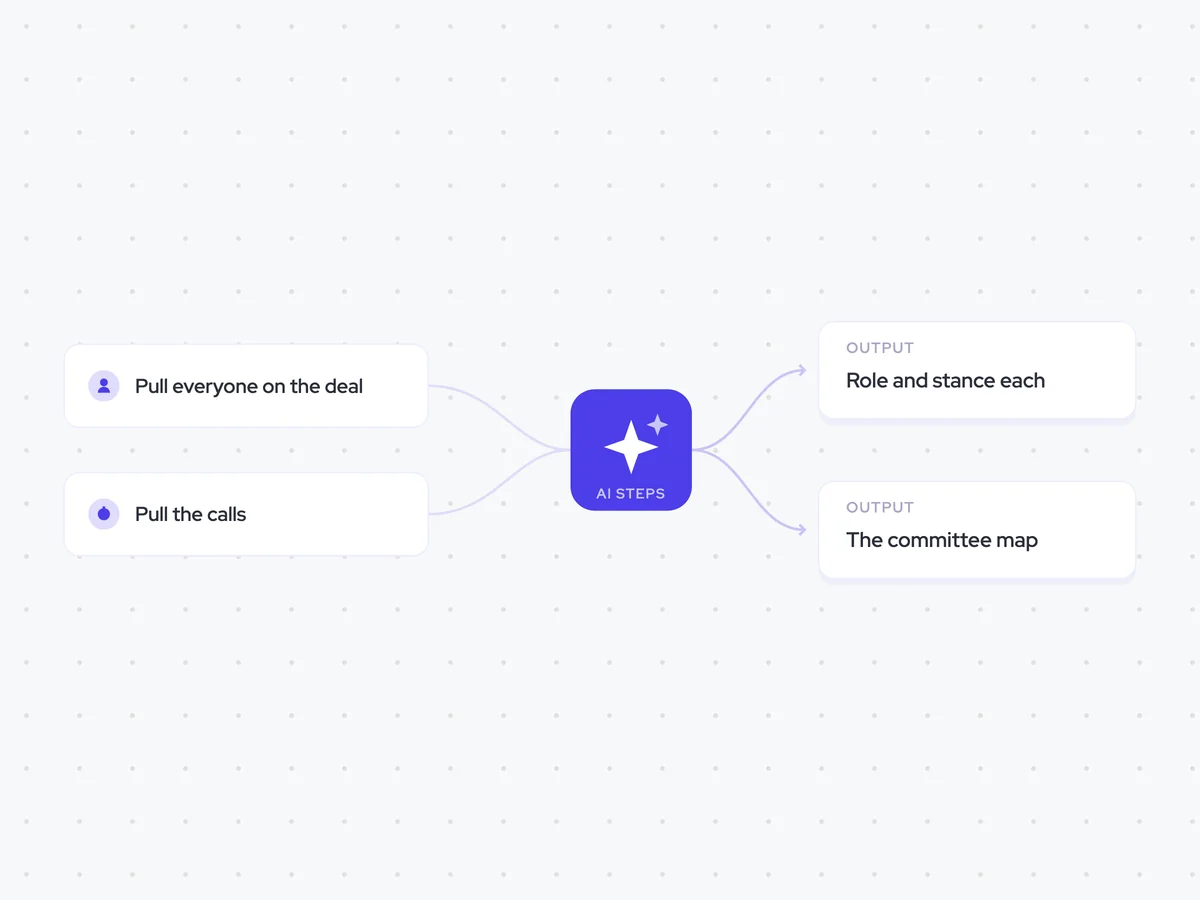
- AI steps: assess each contact, then assemble the committee map
- Output: the stakeholder map written to the opportunity
Agent breakdown
A blueprint to adapt, not a fixed recipe. Set the trigger, thresholds, and methodology that fit your team, and each step builds on the last, using the conversation and CRM context you already capture.
Run once a new contact joins
The agent runs when a second stakeholder joins the opportunity. One contact is not a buying committee, so this is the point when there is enough information to start building the map.
- Trigger: A second stakeholder joins the opportunity
- Runs again: Whenever another stakeholder joins
Pull everyone on the deal
Next, the agent pulls every contact on the opportunity. It includes people who have only been copied on an email, since they may still hold a role in the buying committee even if they have not joined a call.
- Include: Every contact linked to the opportunity
- Also include: Contacts who have only been copied on an email
Pull the calls
The agent then pulls the calls from across the whole deal. A contact's stance is not usually recorded in a field, so the agent uses what each person said and how the other stakeholders answered them.
- Calls: Every call linked to the opportunity
- Evidence: What each stakeholder said and how the others answered
Give each person a stance
For each contact, the agent identifies their role, assesses how engaged they are, and classifies their stance as supporter, neutral, or blocker. It includes the quote that decided the assessment, so the rep can see what the classification is based on.
Assess every contact on the opportunity using the contact information and calls from across the deal.
For each contact:
- Identify their role in the buying committee.
- Describe how engaged they are.
- Classify their stance as supporter, neutral, or blocker.
- Quote what they or another stakeholder said that decided the assessment.
Use the conversations from this deal as evidence. Do not invent a role, engagement level, stance, or quote.
Return a list with each contact's name, role, engagement level, stance, and deciding quote.
Assemble the map
Using those assessments, the agent assembles the contacts into a committee map that shows who reports to whom. It also marks any buying committee role that nobody fills, so the rep can see which relationships are present and which seats are still open.
Assemble the assessed contacts into a buying committee map.
The map should:
- Show each contact's role, engagement level, and stance.
- Show who reports to whom.
- Include the quote that supports each contact's assessment.
- Mark every buying committee role that none of the contacts fills.
Use only the contact information, calls, and assessments provided. Do not invent reporting relationships or contacts.
Return the committee map, followed by a list of the roles nobody fills.
Write the map to the deal
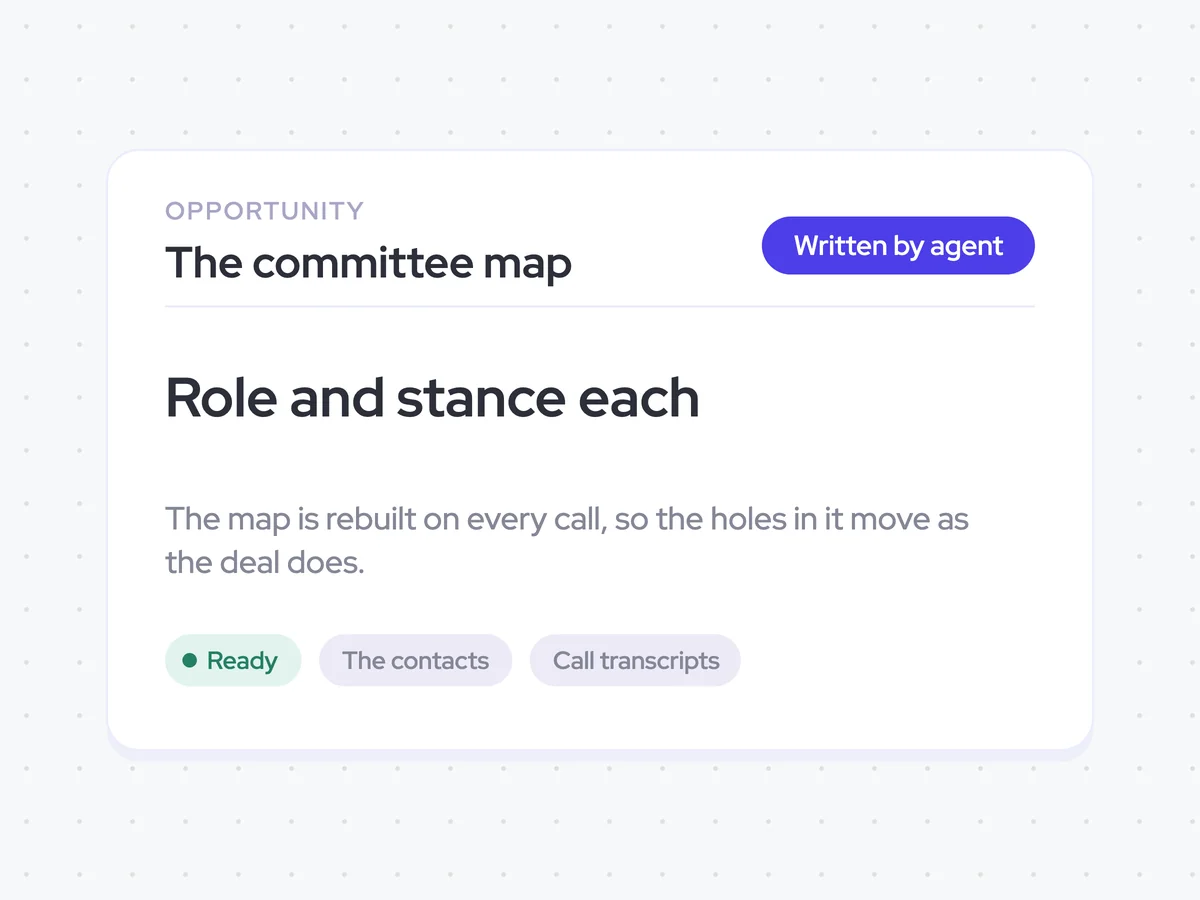
Finally, the agent writes the committee map to the opportunity. It rebuilds the map whenever another stakeholder joins, so the roles, reporting lines, stances, and open seats move with the deal.
- Update: The committee map on the opportunity
- Rebuild: Whenever another stakeholder joins
A stakeholder map with roles, stances, reporting lines, and open seats on the opportunity
See the buying committee for each opportunity, including every contact's role, engagement level, stance, and place in the reporting structure. The map also shows which seats nobody fills and is rebuilt whenever another stakeholder joins the deal.
- For reps: Check who supports the deal, who may block it, and which roles are still missing.
AI Agents that pair well
Same data, different jobs. Run them together for a fuller picture.

Learn more about GTM & Revenue Operations
RevOps Lab Podcast


50+ Free GTM & RevOps Cheat Sheets

Free RevOps Community (1k+ members)
.webp)