
Security Review Agent
Answer the buyer’s security questionnaire using approved wording only, keep unanswered questions visible, and send the completed draft through security review before it is returned.
- Trigger: a buyer’s security questionnaire lands on the deal
- AI steps: answer each question, then assemble the completed draft
- Output: a completed draft for the account executive and a review task for security
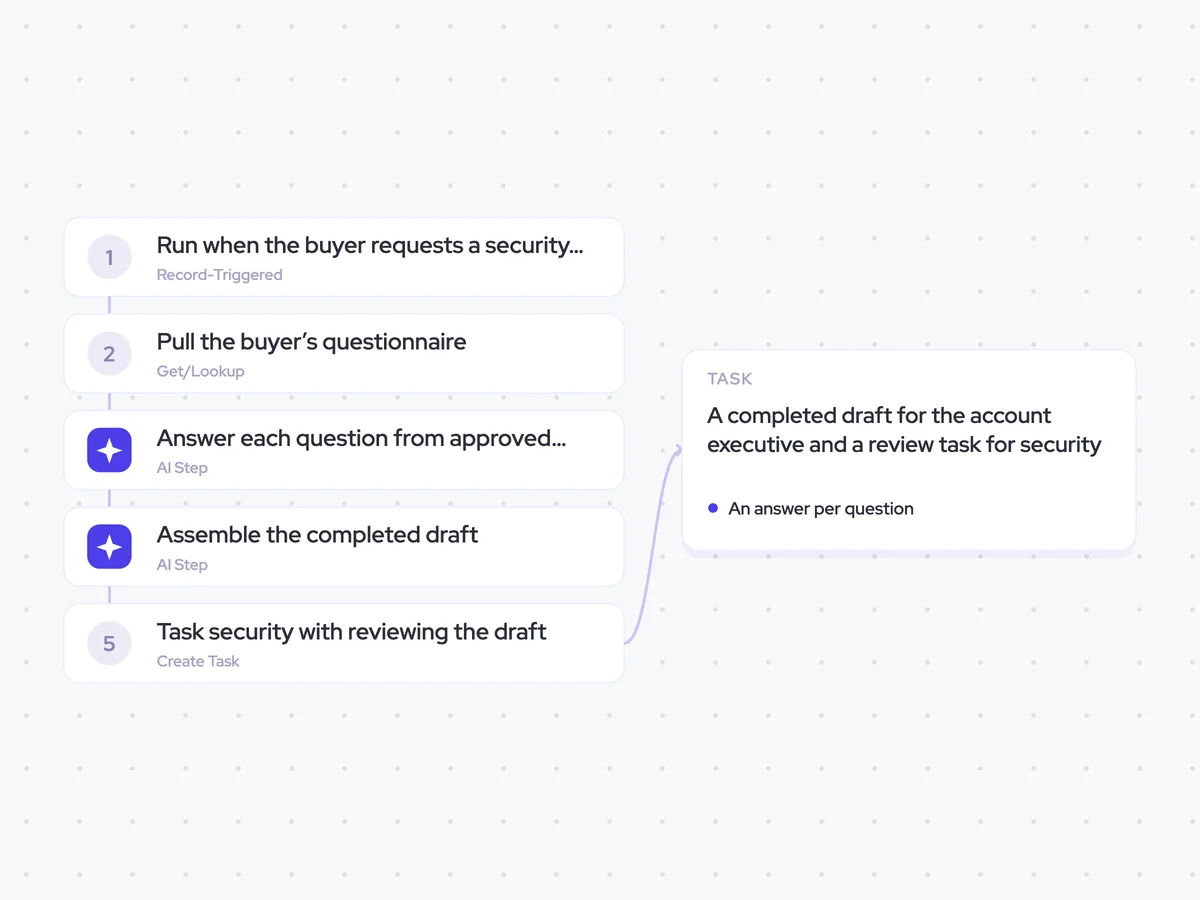
Agent breakdown
A blueprint to adapt, not a fixed recipe. Set the trigger, thresholds, and methodology that fit your team, and each step builds on the last, using the conversation and CRM context you already capture.
Run when the buyer requests a security review
When the buyer’s questionnaire lands on the deal as an attachment, the agent starts the security review. This means the work begins as soon as the request arrives, without waiting for the rep to notice the attachment.
- Trigger: A security review is requested
- Input: The buyer’s questionnaire attached to the deal
Pull the buyer’s questionnaire
Next, the agent pulls the questionnaire attached to the opportunity. It uses only the questions the buyer actually asked, rather than a standard security pack, so each answer maps directly to the questionnaire that was sent.
- Include: The questionnaire attached to the opportunity
- Pull: Only the questions in the buyer’s questionnaire
Answer each question from approved wording
For each question, the agent finds the relevant approved security wording and uses it without paraphrasing. If no approved answer exists, it leaves the answer blank and names the team that owns the question, so the gap stays visible.
Answer each question in the buyer’s security questionnaire using approved security wording only.
Input: the questions from the buyer’s questionnaire and the approved security wording.
- Answer each question with the matching approved wording.
- Keep the approved wording exactly as written. Never paraphrase it to make it fit the question.
- Where no approved answer exists, leave the answer blank and say which team owns the question.
- Keep the questions in the same order as the buyer’s questionnaire.
Return an answer per question. For unanswered questions, leave the answer blank and name the team that owns it.
Assemble the completed draft
Once the answers are ready, the agent assembles them in the buyer’s own questionnaire format and lists the compliance documents that need to be attached. It puts every unanswered question at the top, so the security reviewer can see the remaining gaps before working through the draft.
Assemble the answers into a completed draft using the buyer’s own questionnaire format.
Input: the buyer’s questionnaire, the approved answers from the previous step, the unanswered questions and their owning teams, and the compliance documents to attach.
- Keep the buyer’s original questions, order, and questionnaire format.
- Place each approved answer against the question it answers.
- Mark every unanswered question at the top of the draft, with the team that owns it.
- List the compliance documents that should be attached.
- Leave unanswered questions blank in the questionnaire. Do not fill the gaps with unapproved wording.
Return the completed draft in the buyer’s questionnaire format, with every unanswered question marked at the top and the compliance documents to attach listed separately.
Task security with reviewing the draft
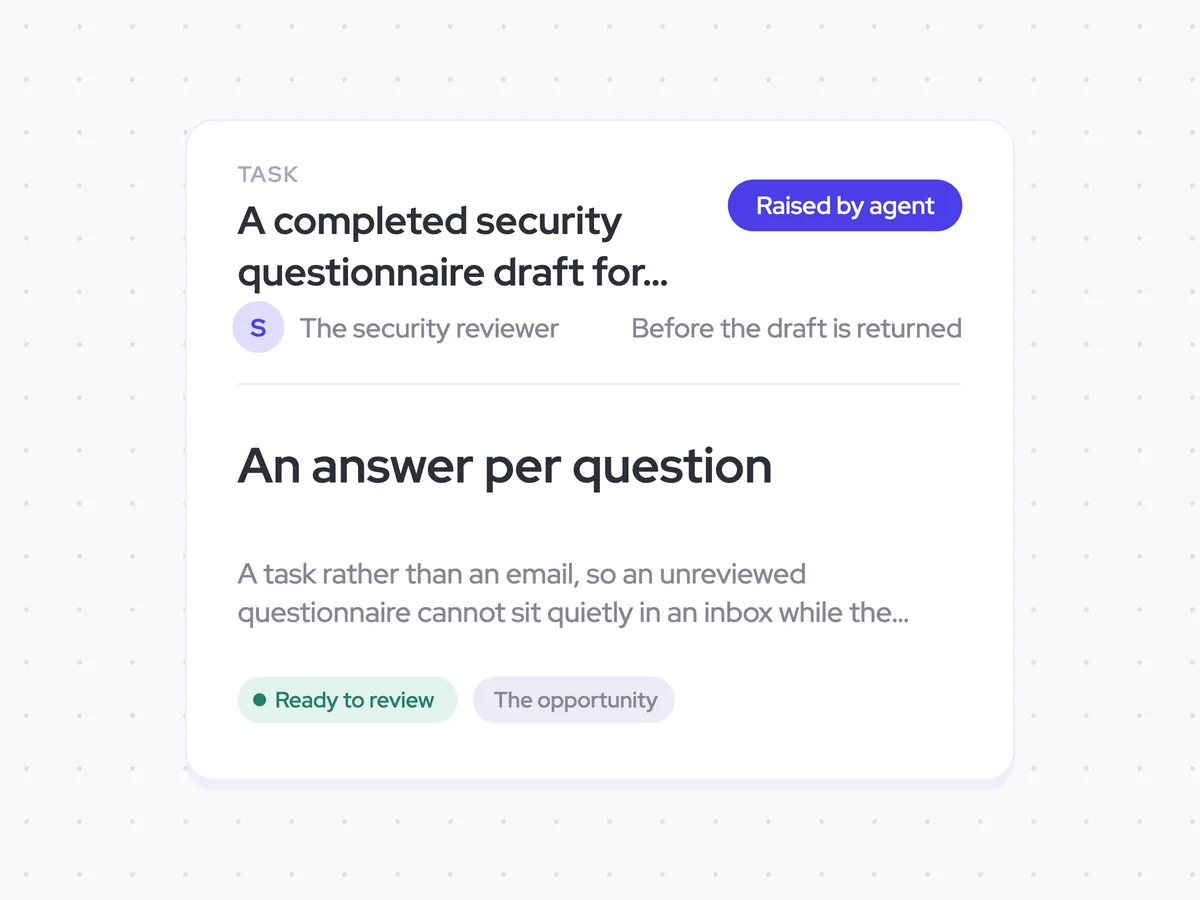
Finally, the agent creates a task for the security reviewer to check the completed draft before it is returned. Using a task rather than an email keeps the review visible while the deal waits on it, instead of leaving an unreviewed questionnaire in an inbox.
- Assigned to: The security reviewer
- Due: Before the draft is returned
- Delivery: Create a task rather than send an email
A completed security questionnaire draft for the account executive, with a review task assigned to the security reviewer
Get the buyer’s questionnaire completed with approved security wording, while every unanswered question remains visible at the top. The draft keeps the buyer’s original format, lists the compliance documents to attach, and comes with a task for security to review it before it is returned.
- For account executives: See which questions are answered, which teams own the remaining gaps, and when the draft is ready to return.
AI Agents that pair well
Same data, different jobs. Run them together for a fuller picture.


Learn more about GTM & Revenue Operations
RevOps Lab Podcast


50+ Free GTM & RevOps Cheat Sheets

Free RevOps Community (1k+ members)
.webp)