
Scenario Planning Agent
Model how changes to headcount, quota, conversion, or price affect revenue, then compare three combined scenarios to see which lever is doing most of the work.
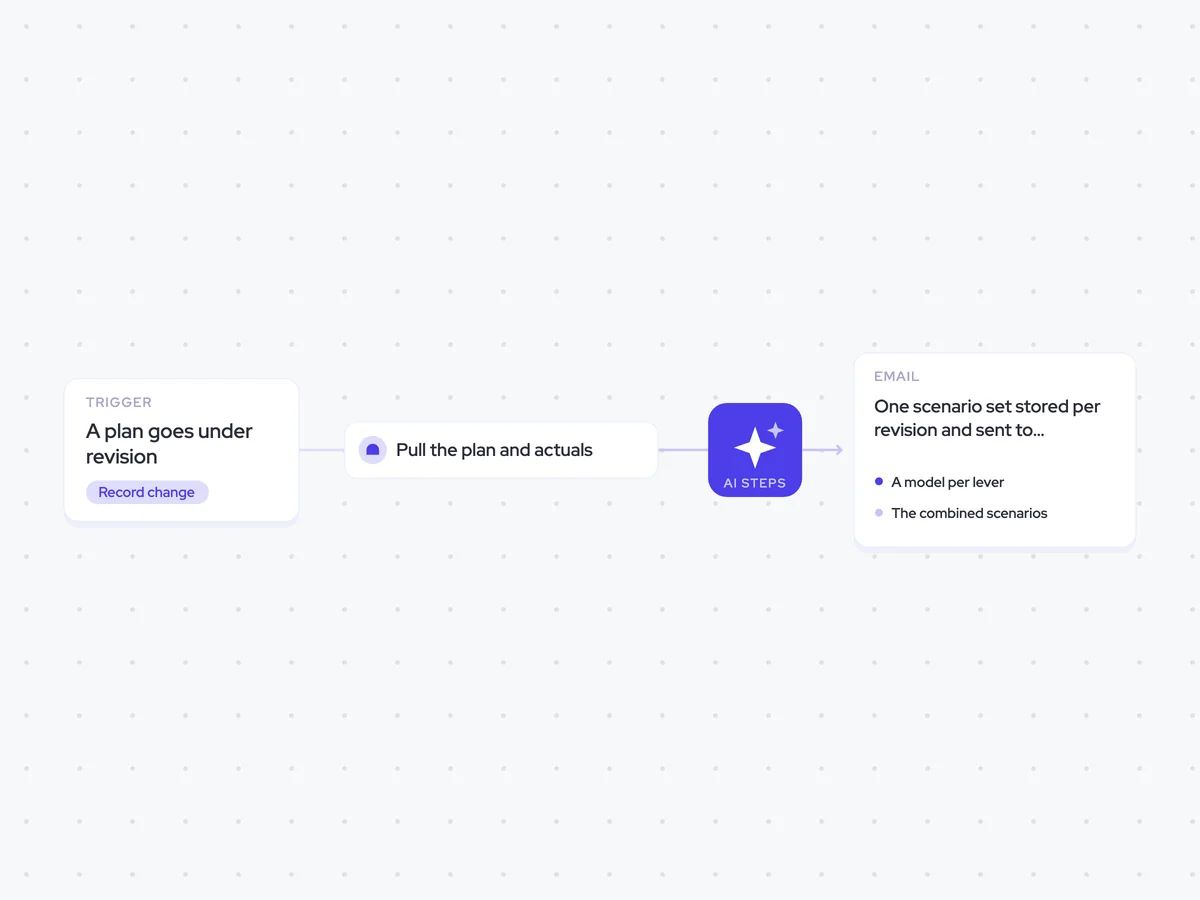
- Trigger: a plan goes under revision
- AI steps: model each lever separately, then build three combined scenarios
- Output: one scenario set stored per revision and sent to leadership and finance
Agent breakdown
A blueprint to adapt, not a fixed recipe. Set the trigger, thresholds, and methodology that fit your team, and each step builds on the last, using the conversation and CRM context you already capture.
Run when the plan moves
The agent runs when a plan goes under revision. This rebuilds the model while headcount, quota, conversion, and price can still change, rather than after the plan has been agreed.
- Trigger: A plan goes under revision
- Scope: The plan being revised
Pull the plan and actuals
Next, the agent pulls the plan under revision and the actuals behind it. Using both means it can model each lever against what the team is doing now, not just what the original plan expected.
- Include: The plan under revision
- Include: Actuals for the same plan
Model each lever on its own
Using the plan and actuals, the agent models headcount, quota, conversion, and price one at a time. It shows the revenue effect of each lever on its own, so you can see how much of the change comes from that lever before combining it with the others.
Model the revenue effect of changing headcount, quota, conversion, and price one at a time.
Input: The plan under revision and the actuals for that plan.
For each lever:
- Model the change to that lever while leaving the other three unchanged.
- Show the resulting revenue effect against the plan and actuals.
- Explain how much of the revenue change comes from that lever.
Use the values in the plan and actuals. Do not add assumptions or change more than one lever in the same model.
Return four sections, one each for headcount, quota, conversion, and price, with the change modelled and its revenue effect.
Build three combined scenarios
Based on the individual models, the agent builds three scenarios that combine changes to headcount, quota, conversion, and price. For each scenario, it names the lever doing most of the work, so leadership and finance can see what is driving the revenue result.
Build three combined scenarios using the individual headcount, quota, conversion, and price models from the previous step.
Input: The four per-lever models, the plan under revision, and the actuals for that plan.
For each scenario:
- State the headcount, quota, conversion, and price changes included.
- Show the combined revenue result.
- Explain how each lever contributes to that result.
- Name the lever doing most of the work.
Use only the plan, actuals, and per-lever models provided. Keep the three scenarios separate and make the trade-offs between their levers clear.
Return three combined scenarios, each with its lever changes, revenue result, and the lever doing most of the work.
Store the scenario set
The agent stores the per-lever models and three combined scenarios as one scenario set for the current revision. It creates a separate record for each revision, so the plan can be traced back to the scenarios used when it changed.
- Creates: One scenario set for the current plan revision
- Includes: The four per-lever models and three combined scenarios
- History: A separate scenario set for each revision
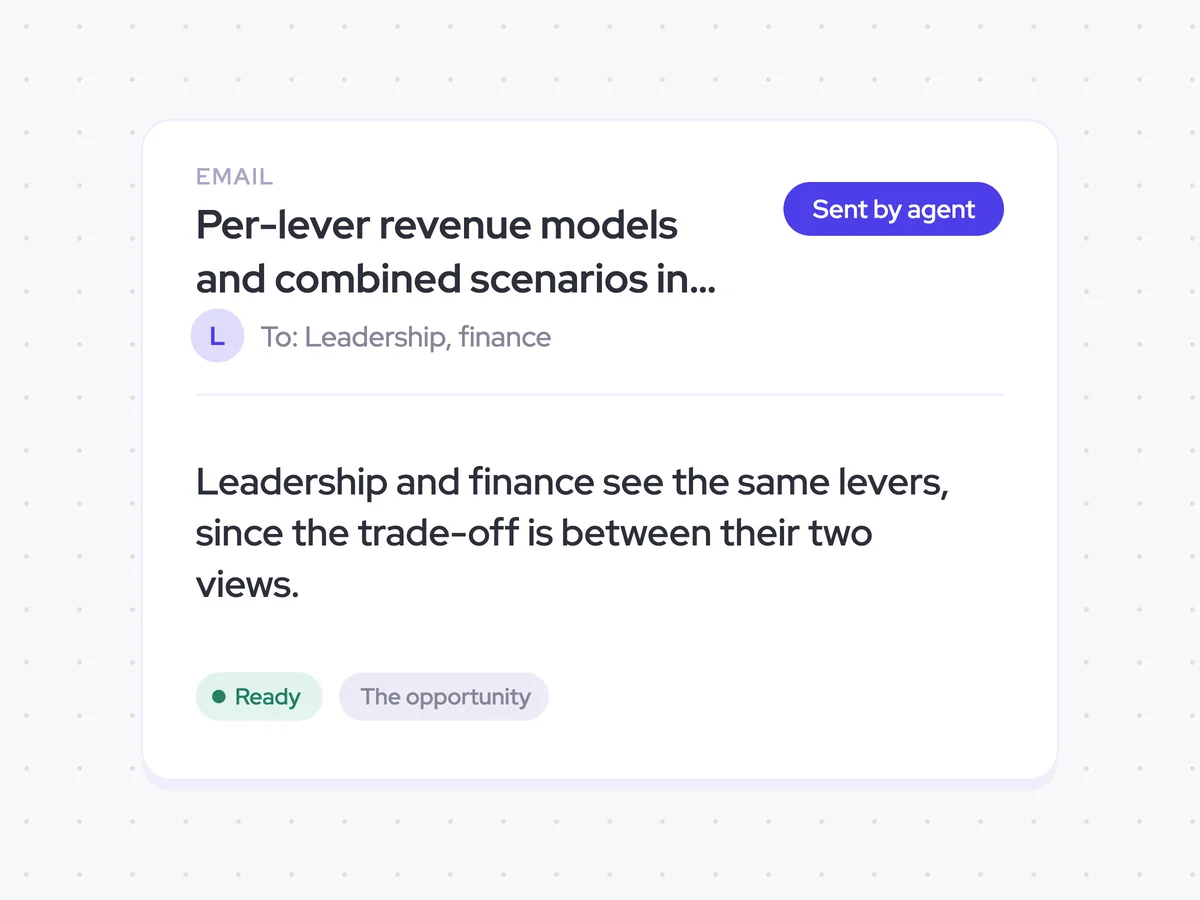
Send the same scenarios to leadership and finance
Finally, the agent sends the scenario set to leadership and finance. Both groups receive the same view of the levers and their revenue effects, so they can compare the trade-offs behind the revised plan.
- Recipients: Leadership and finance
- Content: The same scenario set and lever comparison for both groups
Per-lever revenue models and combined scenarios in one revision record and leadership and finance inboxes
See how headcount, quota, conversion, and price affect revenue on their own and across three combined scenarios. Each revision keeps its own scenario set, and leadership and finance receive the same comparison of which lever is driving each result.
- For sales leaders: Compare the revenue effect of each lever before changing the plan.
- For finance: Review the same scenarios and the trade-offs behind each revenue result.
AI Agents that pair well
Same data, different jobs. Run them together for a fuller picture.

Learn more about GTM & Revenue Operations
RevOps Lab Podcast


50+ Free GTM & RevOps Cheat Sheets

Free RevOps Community (1k+ members)
.webp)