
Revenue Reporting Agent
Draft the revenue section of the board deck from the quarter's closed and open deals, with chart briefs and commentary that explain what the numbers are showing.
- Trigger: 10 days before the board meeting
- AI steps: choose the revenue numbers, then draft the section
- Output: the drafted section sent to RevOps for a final check
Agent breakdown
A blueprint to adapt, not a fixed recipe. Set the trigger, thresholds, and methodology that fit your team, and each step builds on the last, using the conversation and CRM context you already capture.
Draft it ten days before the board meeting
Ten days before the board meeting, the agent starts drafting the revenue section. This gives RevOps time to finalize the numbers and leaves room for the CRO to disagree with the commentary before the deck is locked.
- Timing: 10 days before the board meeting
- Purpose: Leave time to finalize the draft before the deck is locked
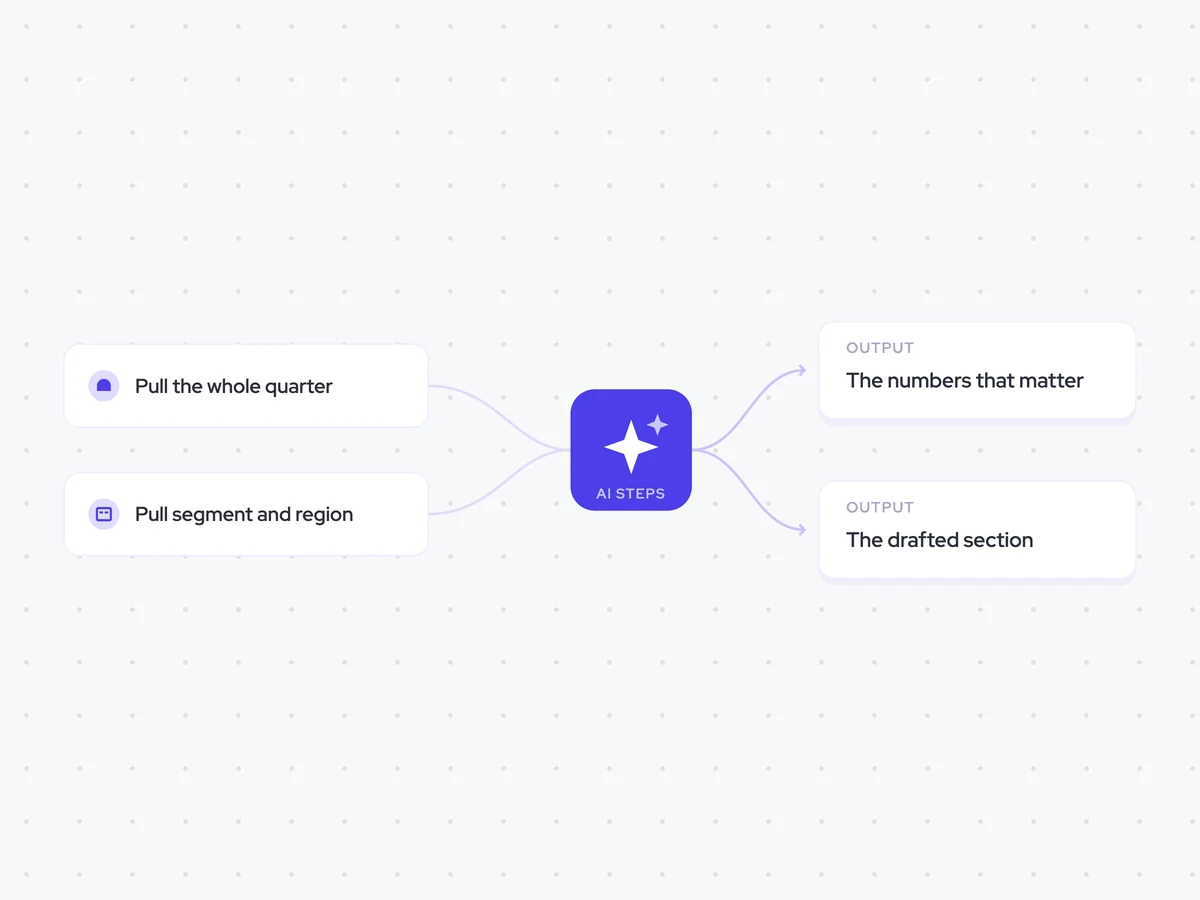
Pull the whole quarter
Next, the agent pulls every opportunity from the quarter, including closed and open deals. The board reads the revenue already closed and the pipeline still in play as one story, so the draft needs both.
- Scope: The whole quarter
- Include: Closed and open opportunities
Pull segment and region
The agent then pulls the segment and region from each account. These are the cuts the board regularly asks for, so including them in the setup makes them available when the numbers and charts are drafted.
- Fields: Segment and region
- Use: Break down the quarter's revenue numbers by segment and region
Pick the numbers that matter
With the quarter's opportunities, segments, and regions in place, the agent chooses the revenue numbers the board needs this quarter. For each number, it explains why it matters to the revenue story the deck needs to tell.
You are choosing the revenue numbers for the revenue section of this quarter's board deck.
Input: every closed and open opportunity in the quarter, with the segment and region from each related account.
- Choose the revenue numbers the board needs to understand performance this quarter.
- Use the closed and open opportunities together to show the full revenue story.
- Include cuts by segment and region where they help explain the number.
- State the value of each number and why it matters this quarter.
Rules: use only the opportunity and account data provided. Do not invent values or explanations that the data does not support. Keep the reasons concise and specific to this quarter.
Return a list with each revenue number, its value, any relevant segment or region cut, and why it matters.
Write the revenue section
Using the selected numbers, the agent drafts the revenue section of the board deck. It adds a chart brief for each number and one line of commentary explaining what the chart is showing.
Draft the revenue section of the board deck using the revenue numbers selected in the previous step.
Input: each selected revenue number, its value, any relevant segment or region cut, and the reason it matters this quarter.
For each number:
- Write a chart brief that explains what the chart should show, including the data and breakdown to use.
- Write one line of commentary explaining what the number shows and why it matters.
- Keep the commentary grounded in the quarter's actual opportunity and account data.
Rules: do not invent values, trends, causes, or conclusions that the data does not support. Keep the section concise and ready to place into the board deck.
Return the drafted revenue section with one chart brief and one line of commentary for each number.
Send it to RevOps for a final check
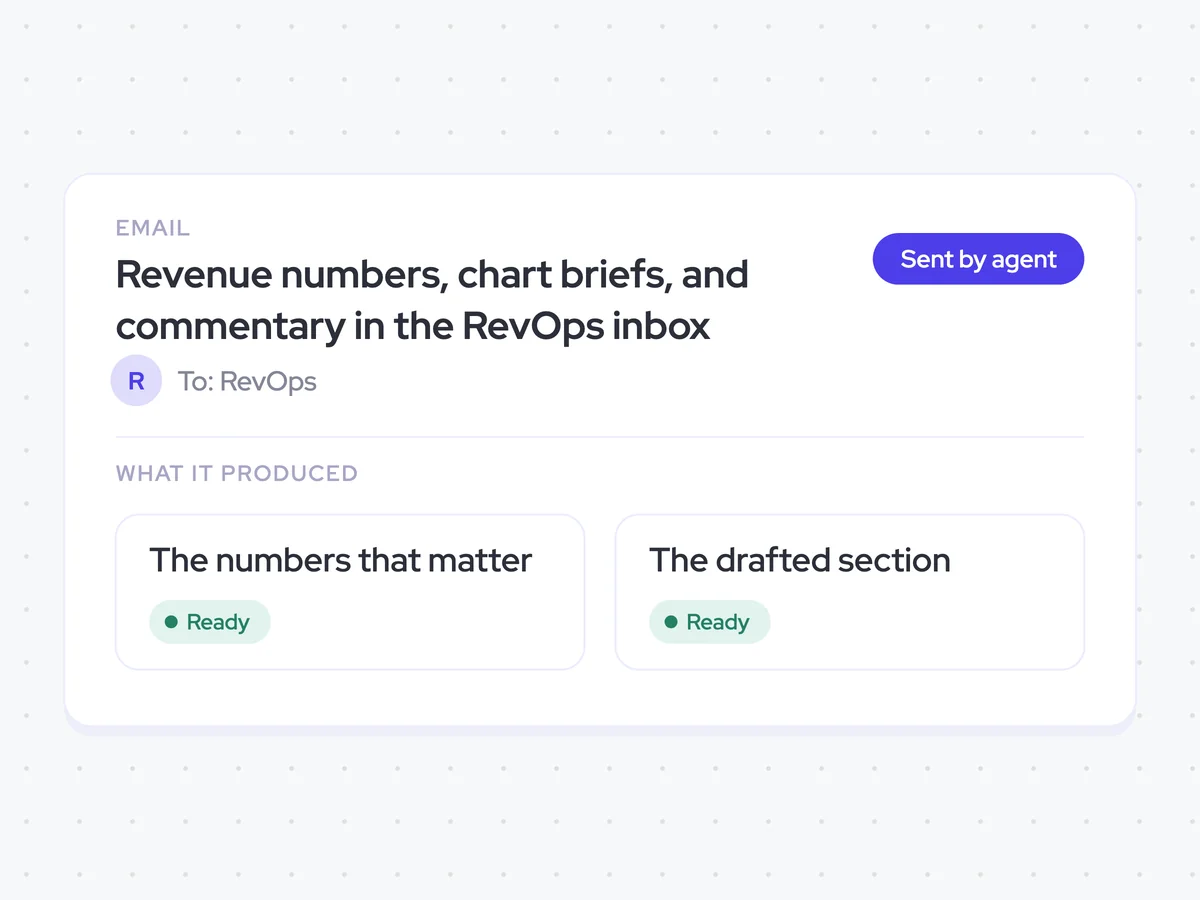
Once the section is drafted, the agent emails it to RevOps for a final check. RevOps finalizes the numbers, chart briefs, and commentary before forwarding the section to the CRO and leadership for the board deck.
- Recipient: RevOps
- Next recipients: The CRO and leadership after RevOps finalizes the draft
Revenue numbers, chart briefs, and commentary in the RevOps inbox
Get a drafted revenue section for the board deck based on the quarter's closed and open opportunities. RevOps receives the selected numbers, a chart brief for each one, and commentary explaining what each chart shows before the section goes to the CRO and leadership.
- For RevOps: Finalize the numbers, charts, and commentary before forwarding the section.
- For the board: See the quarter's revenue story across closed and open deals, including the relevant segment and region cuts.
AI Agents that pair well
Same data, different jobs. Run them together for a fuller picture.


Learn more about GTM & Revenue Operations
RevOps Lab Podcast


50+ Free GTM & RevOps Cheat Sheets

Free RevOps Community (1k+ members)
.webp)