
QBR Deck Agent
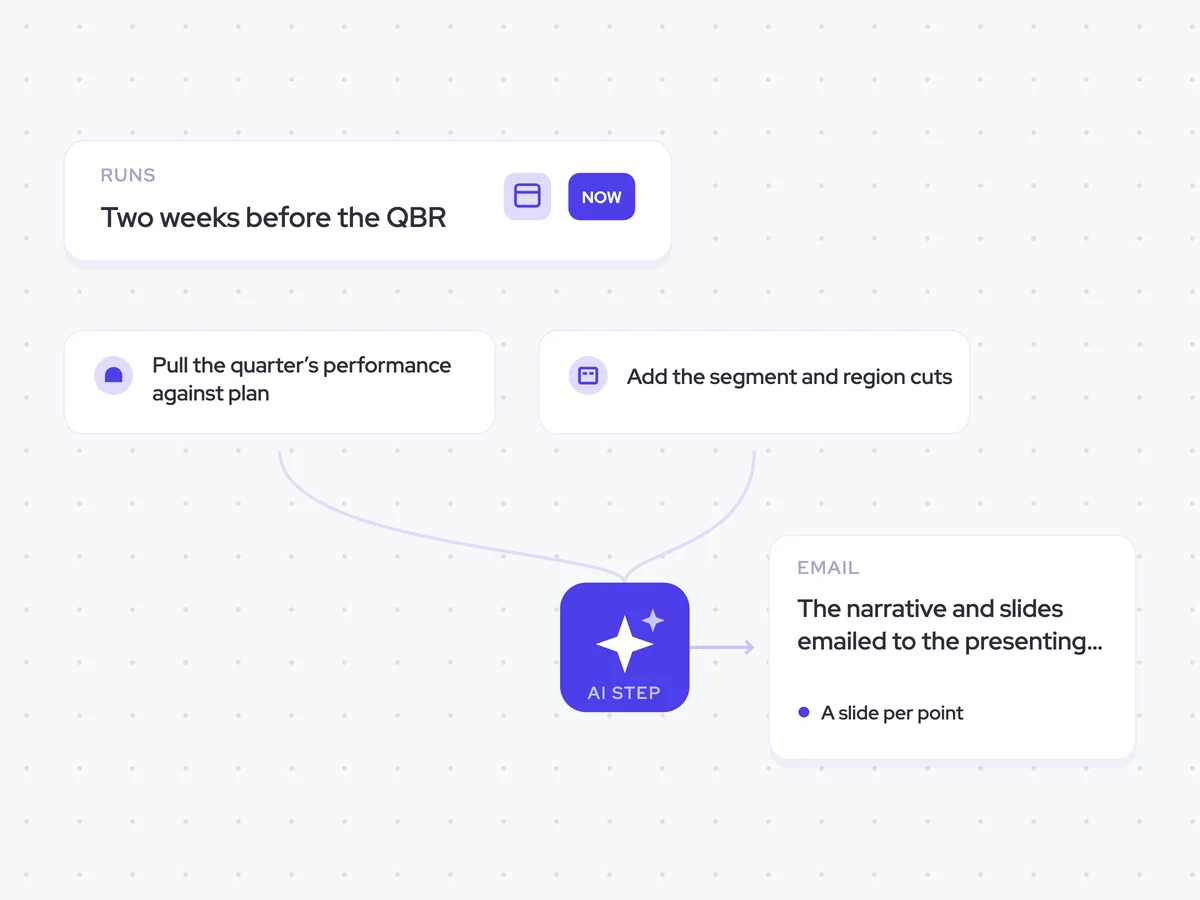
Draft the QBR narrative and the slides that support it from the quarter’s performance against plan, with the segment and region cuts the room will ask for.
- Trigger: two weeks before the QBR
- AI steps: write the quarter’s narrative, then turn each point into a slide
- Output: the narrative and slides emailed to the presenting team
Agent breakdown
A blueprint to adapt, not a fixed recipe. Set the trigger, thresholds, and methodology that fit your team, and each step builds on the last, using the conversation and CRM context you already capture.
Draft the QBR two weeks before the meeting
The agent starts drafting two weeks before the QBR. This gives the presenting team time to challenge the story, check it against the quarter, and agree on what they want to say before the meeting.
- Trigger: Two weeks before the QBR
- Meeting: The upcoming QBR
Pull the quarter’s performance against plan
Next, the agent pulls the quarter’s opportunity performance and compares it with what was planned. The gap between the two gives the QBR its starting point, rather than relying on the structure or story from last quarter’s deck.
- Scope: The quarter’s opportunity performance against plan
- Comparison: What happened against what was planned
Add the segment and region cuts
The agent then pulls the segment and region fields from the related accounts. These cuts let the narrative show where the quarter’s results came from and put likely follow-up questions into the deck before the meeting.
- Field: Segment
- Field: Region
Write the quarter’s story first
Using the quarter’s performance against plan, the agent writes the narrative before it starts building slides. It keeps the story under 400 words and lists the performance data that supports each point, so the presenting team can check the argument before working through the deck.
Write the quarter as a clear QBR narrative using the opportunity performance against plan and the account segment and region fields.
Input: the quarter’s opportunity performance against plan, with results split by segment and region.
The narrative should:
- Explain what happened during the quarter compared with what was planned.
- Use the segment and region cuts where they support the story.
- Focus on the points that explain the gap between performance and plan.
- Stay under 400 words.
Use only the performance data provided. After the narrative, list the supporting proof for each point.
Return the narrative, then the supporting proof.
Turn each narrative point into a slide
The agent turns each point in the narrative into one slide. For every slide, it writes the headline, names the chart needed to support the point, and states the number that chart should represent.
Turn each point in the QBR narrative into one slide using its supporting proof.
Input: the quarter’s narrative and the supporting performance data from the previous step.
For each point:
- Write one slide headline that states the point clearly.
- Name the chart needed to show the supporting performance data.
- State the number the chart represents.
Use one slide per point and keep every slide tied to the narrative and its supporting proof.
Return an ordered slide list with the headline, chart, and number for each slide.
Send the narrative and slides to the presenters
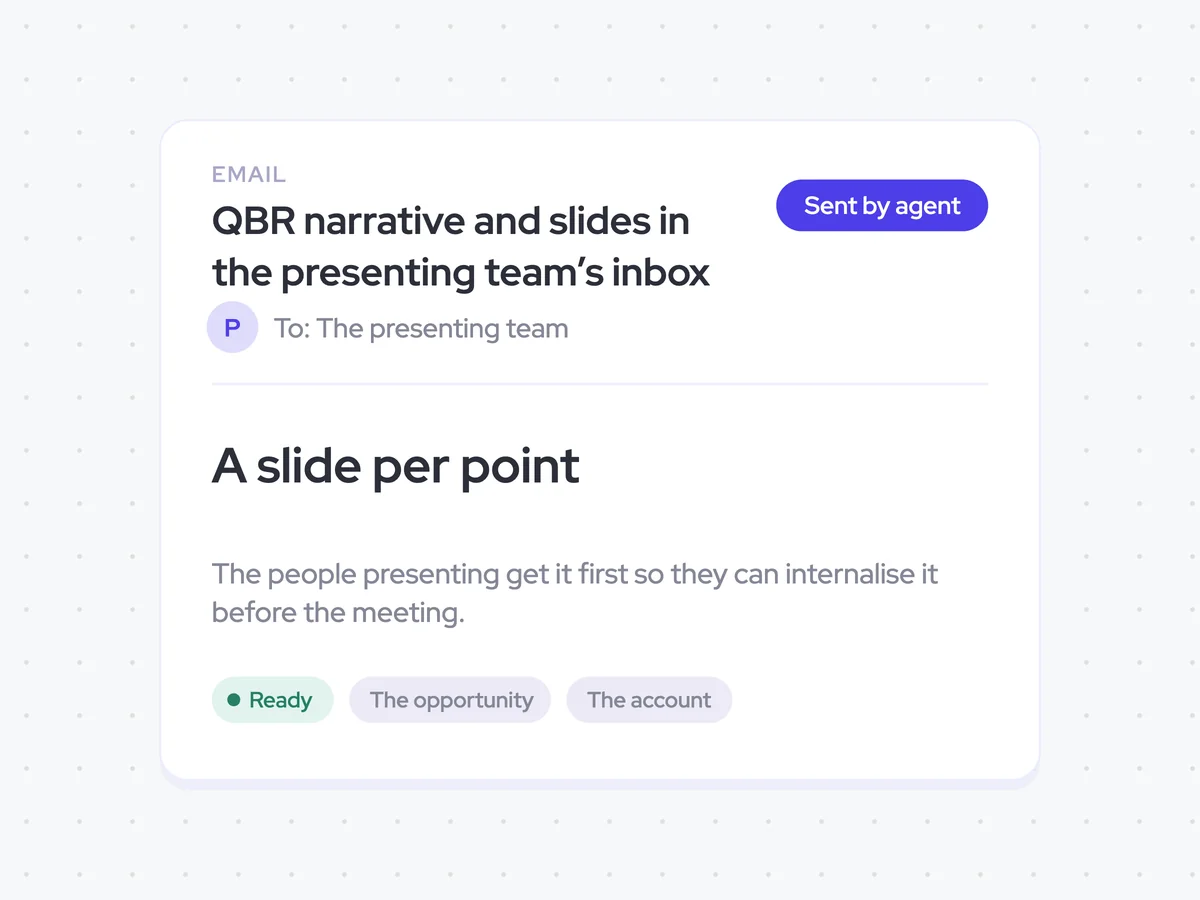
Finally, the agent emails the QBR narrative and slides to the presenting team. They receive the material first so they can internalise the story and discuss any changes before they present it in the meeting.
- Recipients: The presenting team
- Content: The QBR narrative and slides
- Sends externally: Never
QBR narrative and slides in the presenting team’s inbox
Get the quarter’s narrative and its supporting slides in the presenting team’s inbox two weeks before the QBR. The draft explains performance against plan, includes the segment and region cuts the room is likely to ask for, and gives each point a slide with its headline, chart, and number.
AI Agents that pair well
Same data, different jobs. Run them together for a fuller picture.


Learn more about GTM & Revenue Operations
RevOps Lab Podcast


50+ Free GTM & RevOps Cheat Sheets

Free RevOps Community (1k+ members)
.webp)