
Objection Handling Agent
Get the documented response to an objection while the call is still running, with the supporting battle card already linked so the rep can use it straight away.
- Trigger: an objection is raised during a live call
- AI steps: match the objection to the closest documented playbook response
- Output: the response, confidence, and supporting battle card sent directly to the rep in Slack
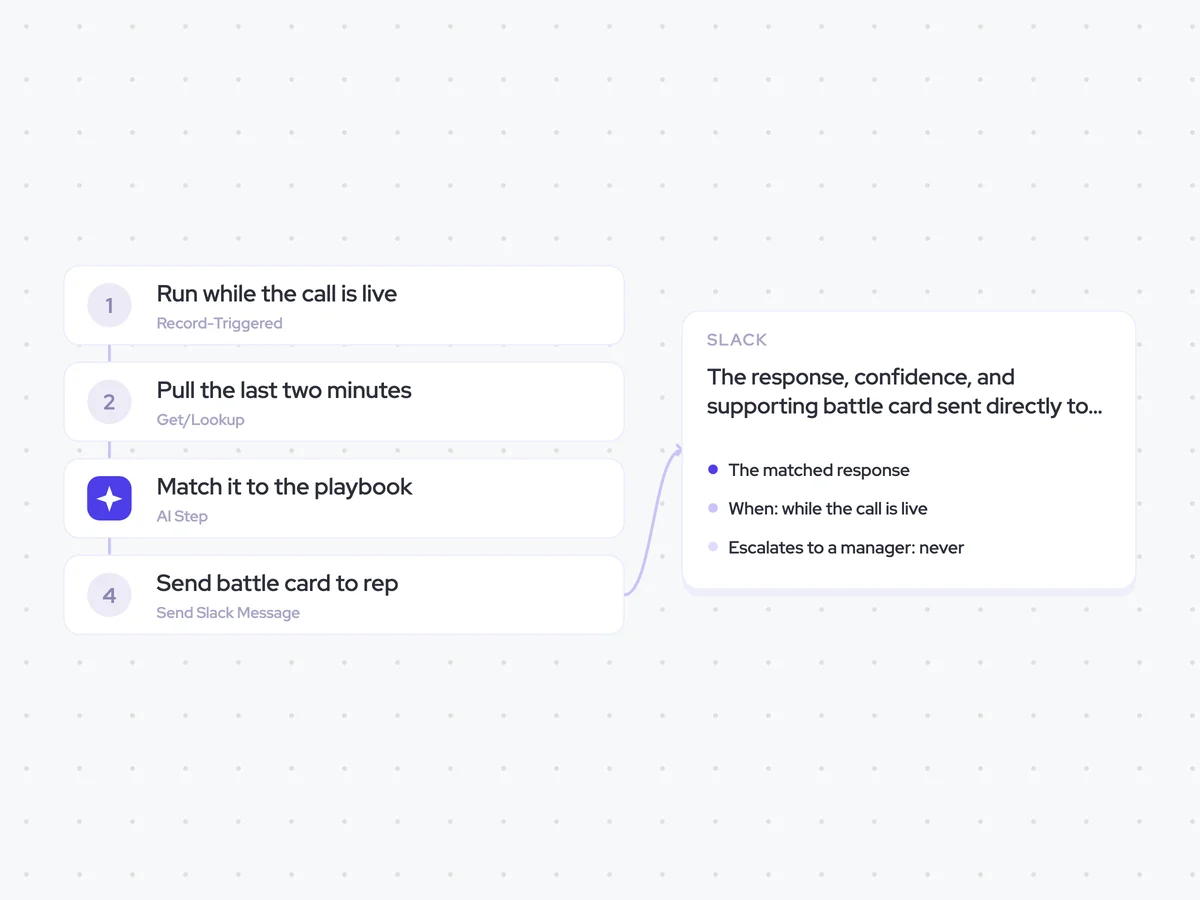
Agent breakdown
A blueprint to adapt, not a fixed recipe. Set the trigger, thresholds, and methodology that fit your team, and each step builds on the last, using the conversation and CRM context you already capture.
Run while the call is live
The agent runs as soon as an objection is raised during a live call. This gives it time to find the documented response and send it to the rep while they can still use it in the conversation.
- Trigger: An objection is raised during a live call
- Timing: While the call is still running
Pull the last two minutes
Next, the agent pulls the last two minutes of the live transcript. This captures the objection and what was said just before it, which gives the next step enough context to find the closest playbook response.
- Window: The last two minutes
- Skips: Repeat objections
Match it to the playbook
Using that excerpt, the agent compares the objection with the documented responses in the playbook and selects the closest match. It returns the response, the supporting content to send, and a confidence. If nothing in the playbook fits, it says so rather than improvising an answer.
Match the objection raised in the live call to the closest documented response in the playbook.
Input: the last two minutes of the live call transcript and the documented objection-handling playbook.
- Identify the objection using the caller's own words.
- Find the closest documented playbook response.
- Return the documented response without adding or improvising claims.
- Include the supporting content that the rep should send or refer to.
- Give a confidence for the match.
Rules: use only responses and supporting content from the documented playbook. If nothing in the playbook fits the objection, say so rather than improvising an answer.
Return the matched response, the supporting content to send, and the confidence.
Send battle card to rep
As soon as it finds a match, the agent sends the response directly to the rep in Slack while the call is still running. The message includes the linked battle card, so the rep does not have to stop and look for the supporting content.
- Delivery: While the call is live, once per objection
- Includes: Battle card
- Escalates to a manager: Never
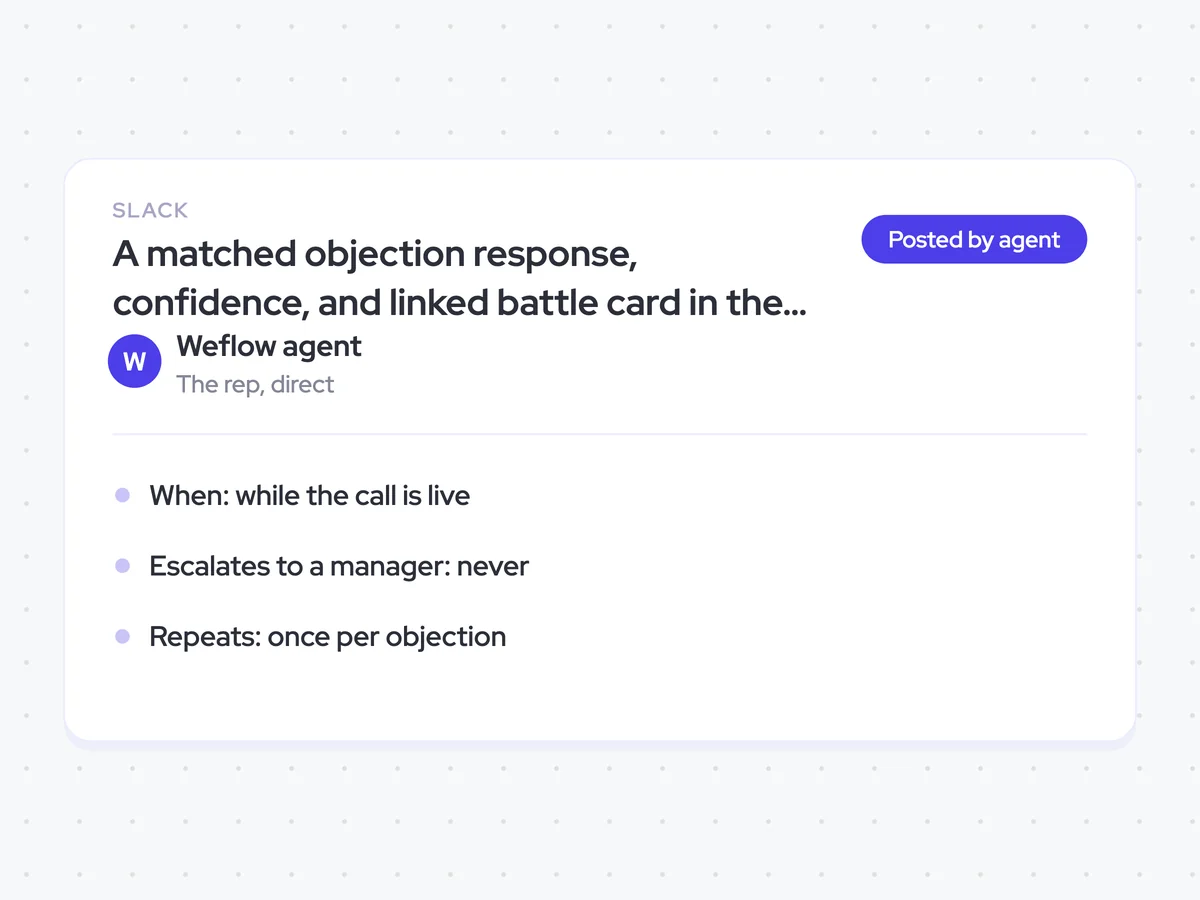
A matched objection response, confidence, and linked battle card in the rep's Slack
Get the documented response to an objection in Slack while the call is still running. Each message includes the confidence and linked battle card, so you can use the playbook response without leaving the conversation to search for supporting content.
- For reps: Read the matched response, open the supporting battle card if needed, and use it during the live call.
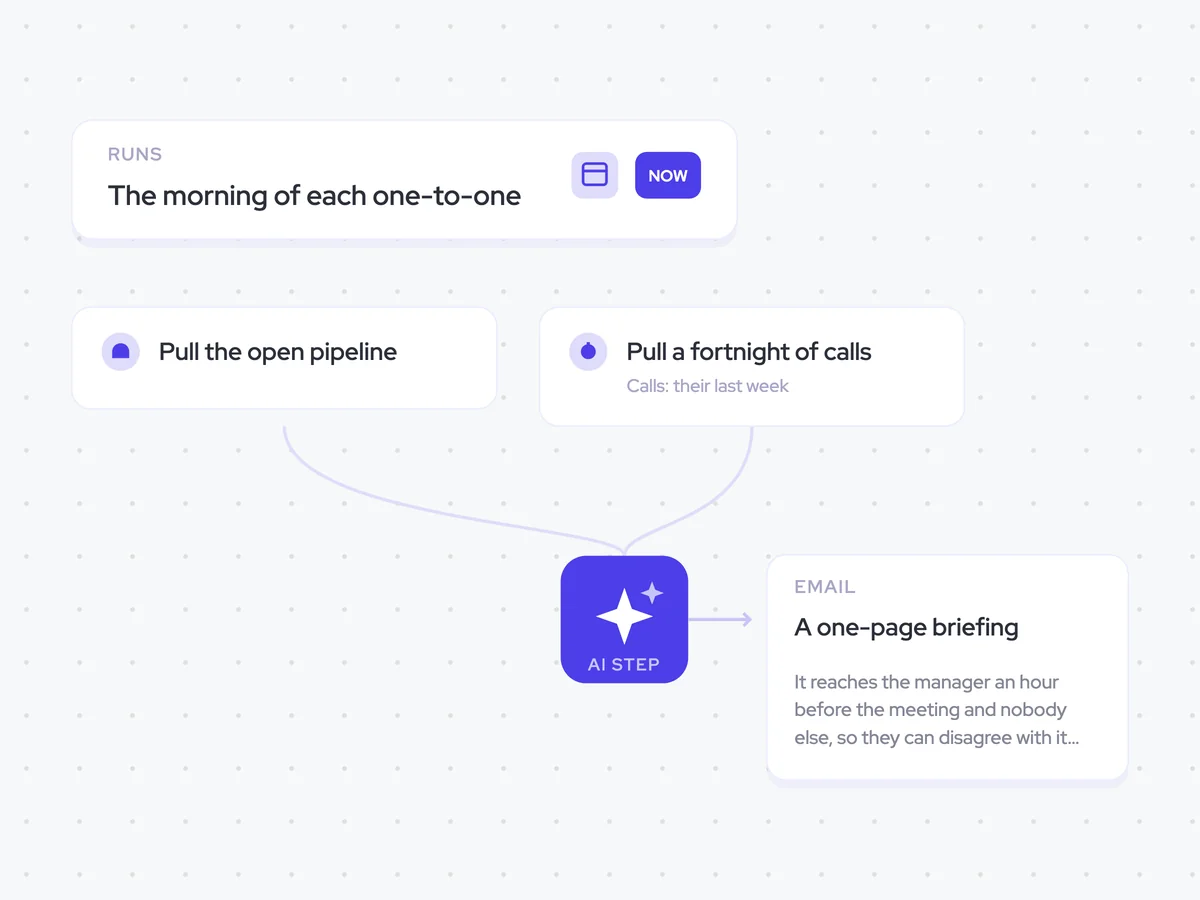
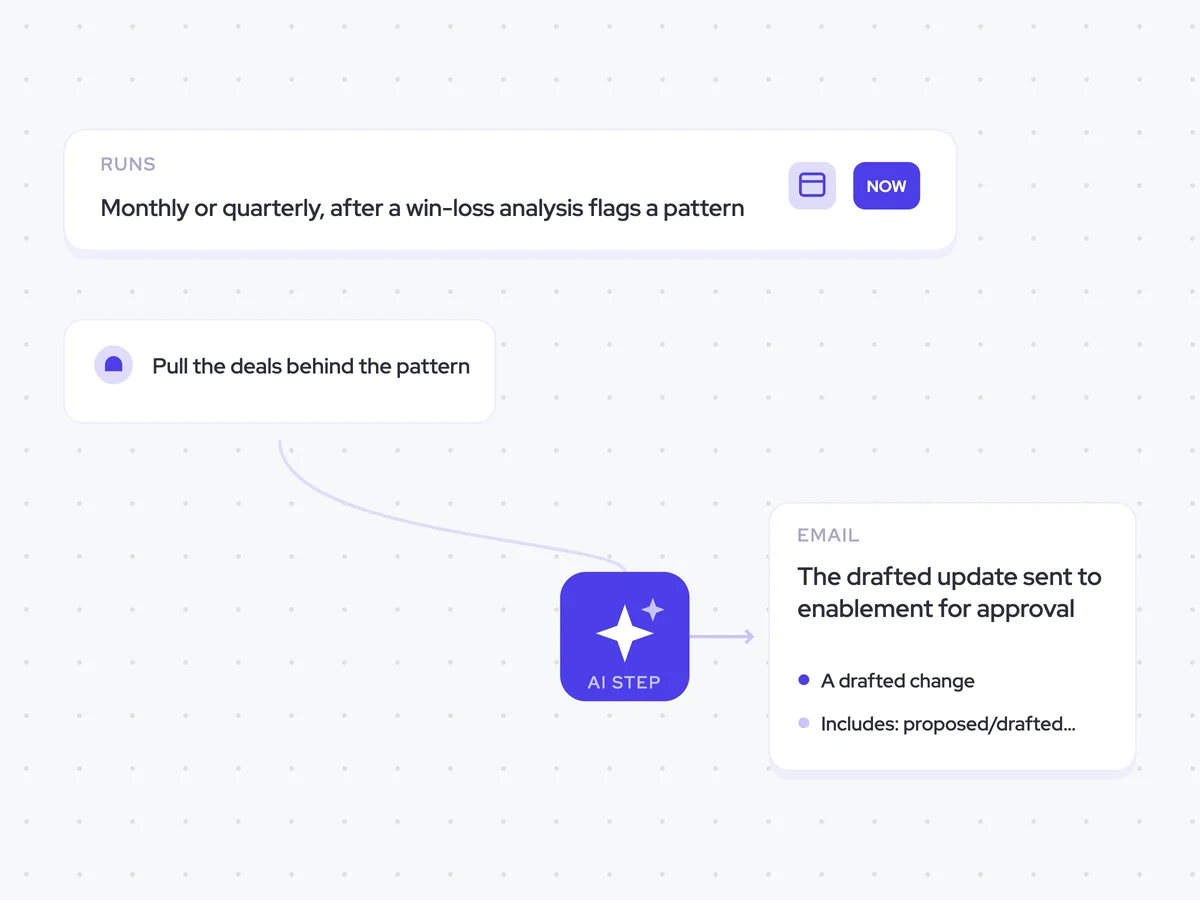
AI Agents that pair well
Same data, different jobs. Run them together for a fuller picture.

Learn more about GTM & Revenue Operations
RevOps Lab Podcast


50+ Free GTM & RevOps Cheat Sheets

Free RevOps Community (1k+ members)
.webp)