
Hiring Plan Agent
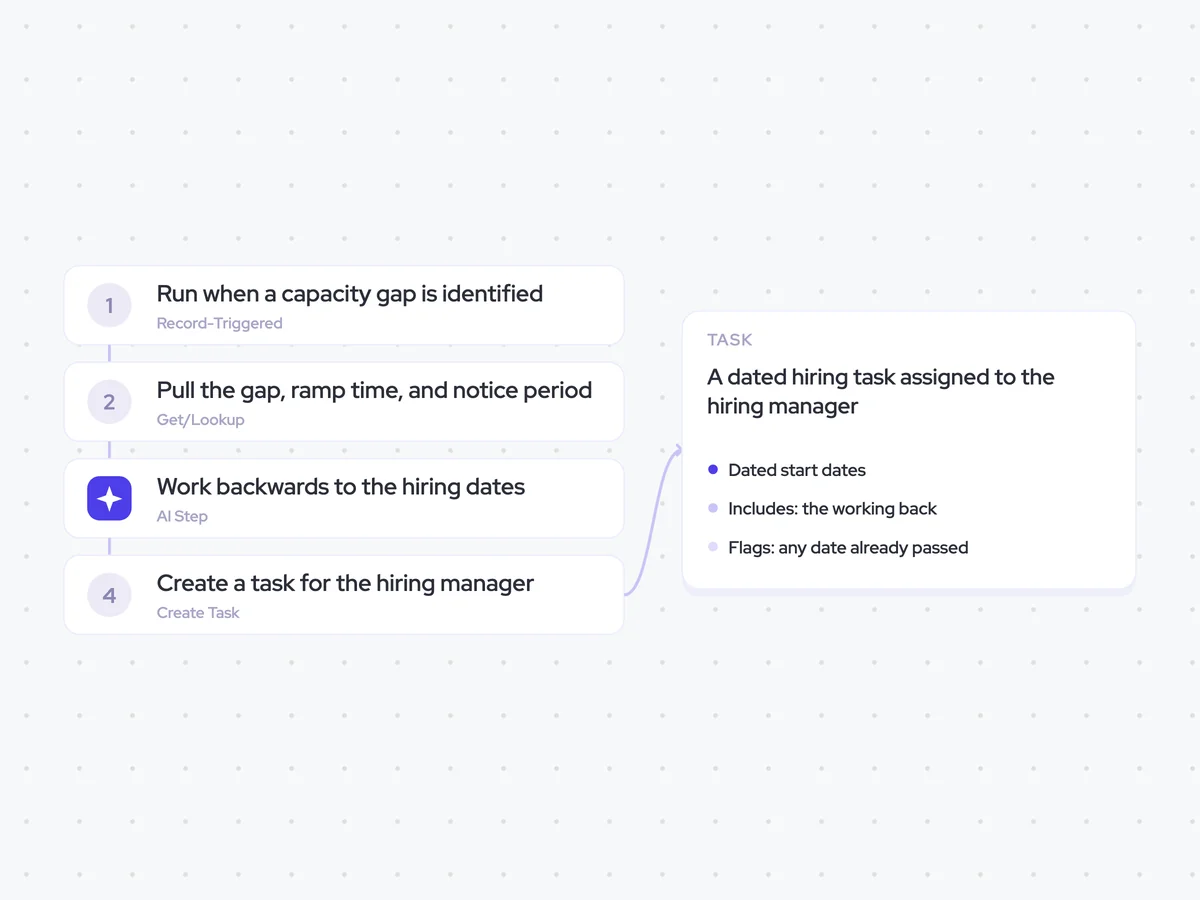
Turn a capacity gap into hiring targets by working backwards from when the capacity is needed to the latest start date and the date the requisition has to open.
- Trigger: a capacity gap is identified
- AI steps: work backwards through ramp time and notice periods
- Output: a dated hiring task assigned to the hiring manager
Agent breakdown
A blueprint to adapt, not a fixed recipe. Set the trigger, thresholds, and methodology that fit your team, and each step builds on the last, using the conversation and CRM context you already capture.
Run when a capacity gap is identified
The agent runs when a capacity gap is identified, rather than waiting for the next annual planning cycle. This means a gap found in month two and one found in month eight each produce hiring dates based on when the capacity is actually needed.
- Trigger: A capacity gap is identified
- Timing: Run when the gap appears, not on a planning calendar
Pull the gap, ramp time, and notice period
Next, the agent pulls the size of the capacity gap by territory, along with the ramp time and average notice period. These inputs determine how far back the hiring plan needs to start, since a six-month ramp produces a different date from a three-month ramp.
- Ramp: The defined ramp time
- Notice: The average period
- Skip: Gaps under half a head
Work backwards to the hiring dates
For each territory with a gap of at least half a head, the agent works backwards from when the capacity is needed. It uses the ramp time and notice period to calculate the latest possible start date and the date the requisition has to open.
You are turning a capacity gap into dated hiring targets.
Input: the size of the capacity gap by territory, when the capacity is needed, the defined ramp time, and the average notice period.
For each territory with a gap of at least half a head:
- State the size of the hiring target.
- Work backwards from the date the capacity is needed through the defined ramp time to calculate the latest possible start date.
- Work backwards through the average notice period to calculate the date the requisition has to open.
- Show the dates and assumptions used in the calculation.
- Flag any calculated date that has already passed.
Rules: skip gaps under half a head. Use the ramp time and notice period provided for the territory.
Return the territory, capacity gap, hiring target, capacity-needed date, ramp time, notice period, latest start date, requisition open date, working, and any date that has already passed.
Create a task for the hiring manager
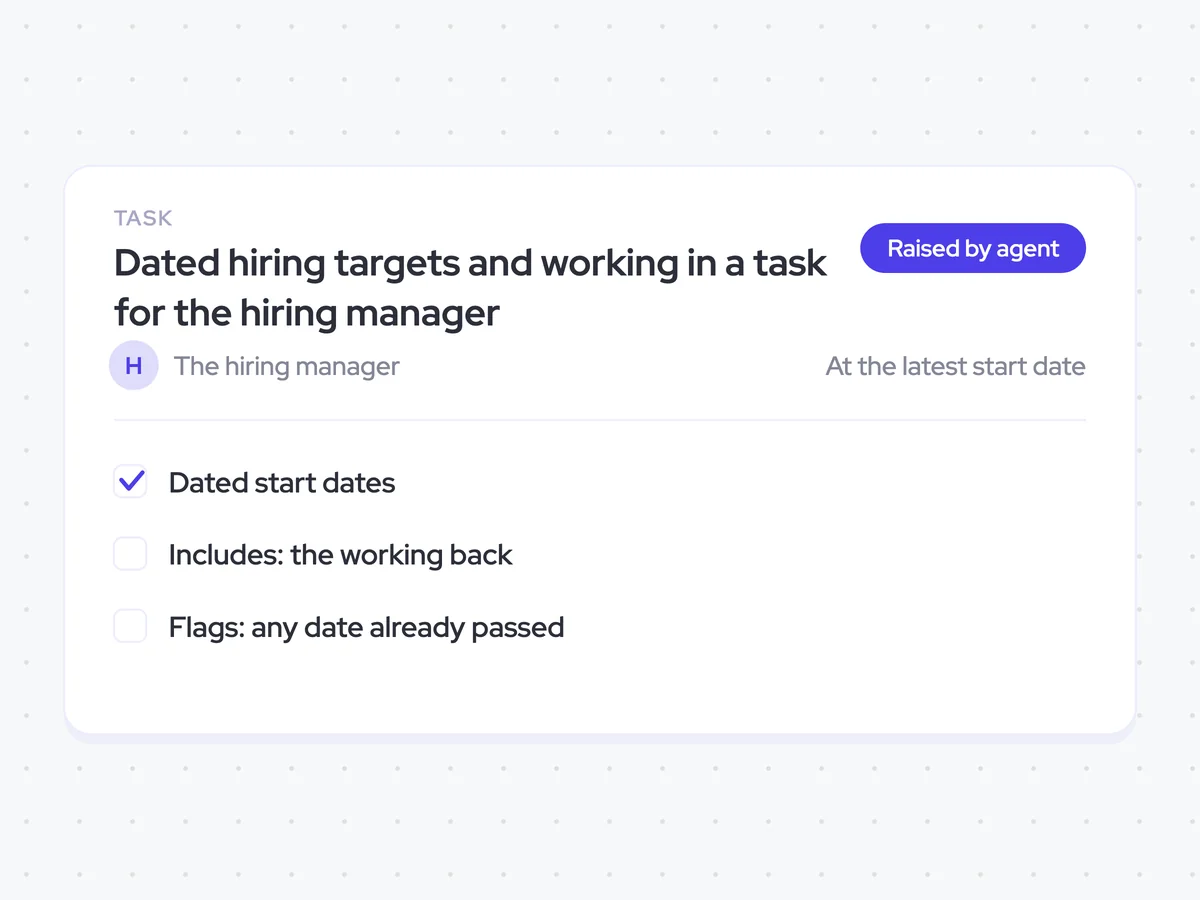
Once the dates are set, the agent creates a task for the hiring manager with the full calculation included. The manager can see how the agent arrived at each date and challenge the ramp assumption rather than only the final hiring target.
- Due: At the latest start date
- Include: The working back from the capacity-needed date
- Flag: Any date that has already passed
Dated hiring targets and working in a task for the hiring manager
See the latest start date and requisition open date for each territory where capacity is short. The task shows the ramp time, notice period, and working behind each target, so you can check the assumptions and act on any date that has already passed.
AI Agents that pair well
Same data, different jobs. Run them together for a fuller picture.

Learn more about GTM & Revenue Operations
RevOps Lab Podcast


50+ Free GTM & RevOps Cheat Sheets

Free RevOps Community (1k+ members)
.webp)