
Feature Request Agent
Pull feature requests from calls and tickets, restate the problem behind each one, and group them into existing or new themes without duplicating the backlog.
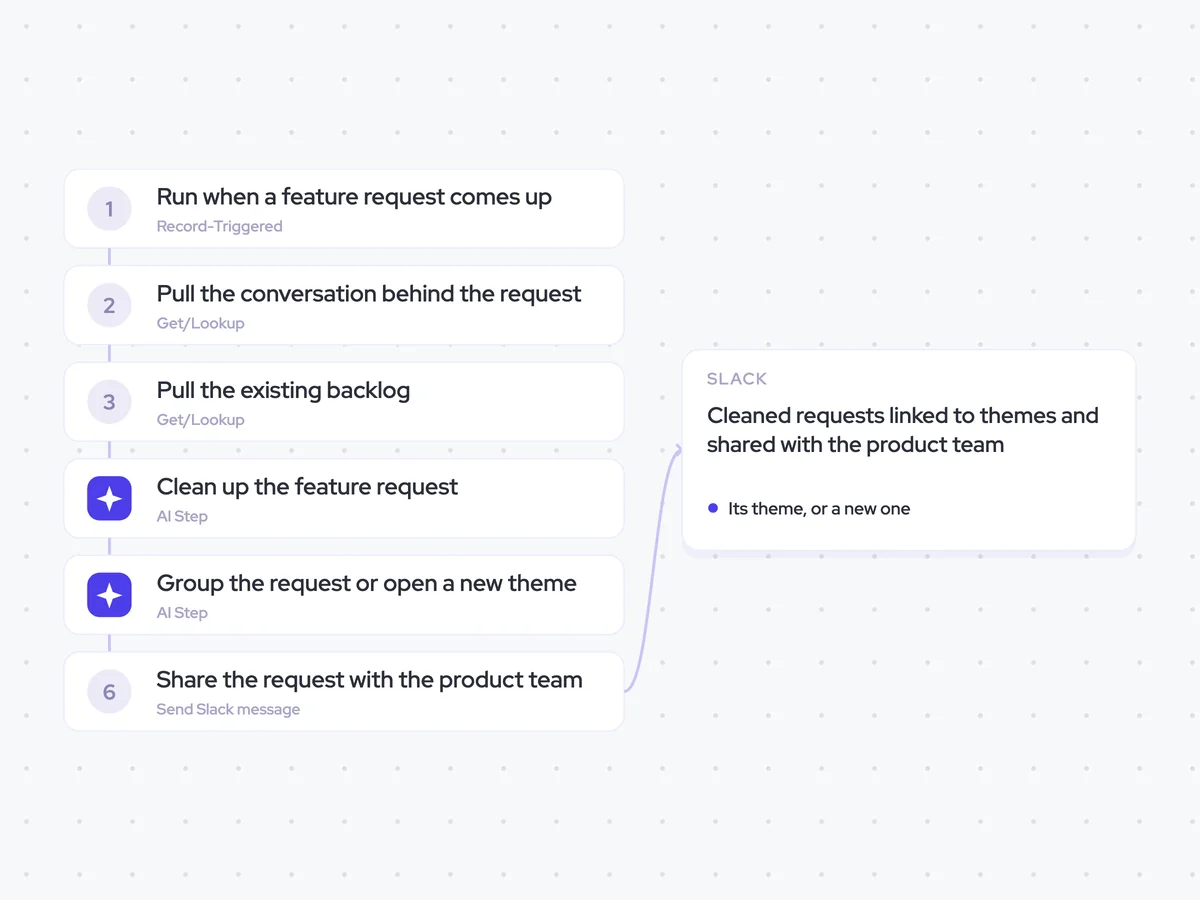
- Trigger: a feature request comes up
- AI steps: clean up the request, then match it to a theme
- Output: cleaned requests linked to themes and shared with the product team
Agent breakdown
A blueprint to adapt, not a fixed recipe. Set the trigger, thresholds, and methodology that fit your team, and each step builds on the last, using the conversation and CRM context you already capture.
Run when a feature request comes up
As soon as a feature request comes up, the agent captures it with the context in which it was raised. Starting at that point keeps the original problem attached to the request instead of relying on somebody to write it down later.
- Trigger: A feature request comes up
- Sources: Calls and tickets
Pull the conversation behind the request
Next, the agent pulls the conversation where the request came up. It includes what the buyer asked for and why they need it, because two similar suggestions may point to different underlying problems.
- Call: The one where the request came up
- Context: What was requested and why
Pull the existing backlog
Before grouping the request, the agent pulls the existing backlog. This gives it the requests and themes already recorded, so it can find a duplicate or decide that the request belongs under a new theme.
- Pull: The existing product backlog
- Include: Existing requests and their themes
Clean up the feature request
The agent restates the request in plain language and separates the buyer's underlying problem from the solution they proposed. This gives the product team a consistent description that can be compared with requests already in the backlog.
Clean up the feature request using the conversation or ticket where it was raised.
Input: what the buyer asked for, why they need it, and the surrounding context.
- Restate the request plainly and concisely.
- Describe the problem behind the request rather than repeating the solution the buyer proposed.
- Keep any context that explains who has the problem or when it occurs.
Rules: use only the information in the source conversation or ticket. Do not add a use case, requirement, or reason that the buyer did not provide.
Return the request, cleaned up, with the problem behind it.
Group the request or open a new theme
The agent compares the cleaned request with the existing backlog and links it to an existing theme when the underlying problem matches. If the same request is already there, it points back to that entry instead of creating a duplicate. If no theme fits, it opens a new one and keeps requests with little in common separate.
Compare the cleaned feature request with the existing product backlog.
Input: the cleaned request, the problem behind it, and the existing requests and themes in the backlog.
- Check whether the same request already exists in the backlog.
- If it is a duplicate, return the matching request and its existing theme.
- If it is not a duplicate, match it to an existing theme based on the underlying problem.
- If no existing theme fits, open a new theme that describes the shared problem plainly.
Rules: compare the problems behind the requests, not just similar words or proposed solutions. Never merge two requests that share very little.
Return the matching request if it is a duplicate, followed by the existing theme to use or the name of a new theme.
Share the request with the product team
Finally, the agent shares each cleaned request with the product team in Slack. Each request appears as its own entry linked to its theme, so the team can see the individual customer context without losing the broader pattern.
- Recipient: The product team
- Channel: Slack
- Include: The cleaned request and its linked theme
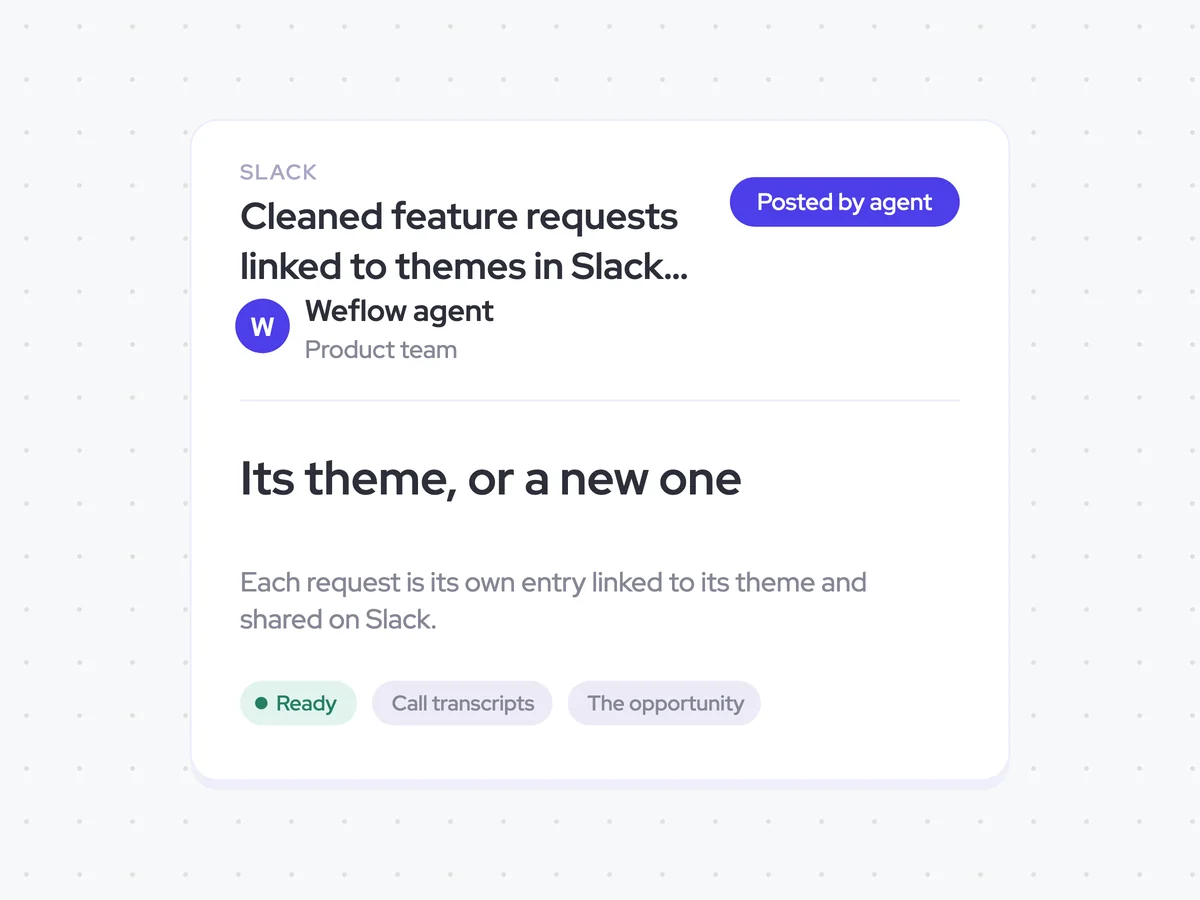
Cleaned feature requests linked to themes in Slack for the product team
See each feature request in plain language, with the problem behind it and the theme it belongs to. Requests that match what is already in the backlog point back to the existing entry, while distinct problems are grouped under an existing or new theme.
- For product: Review individual requests in Slack and follow their links to see the broader theme in the backlog.
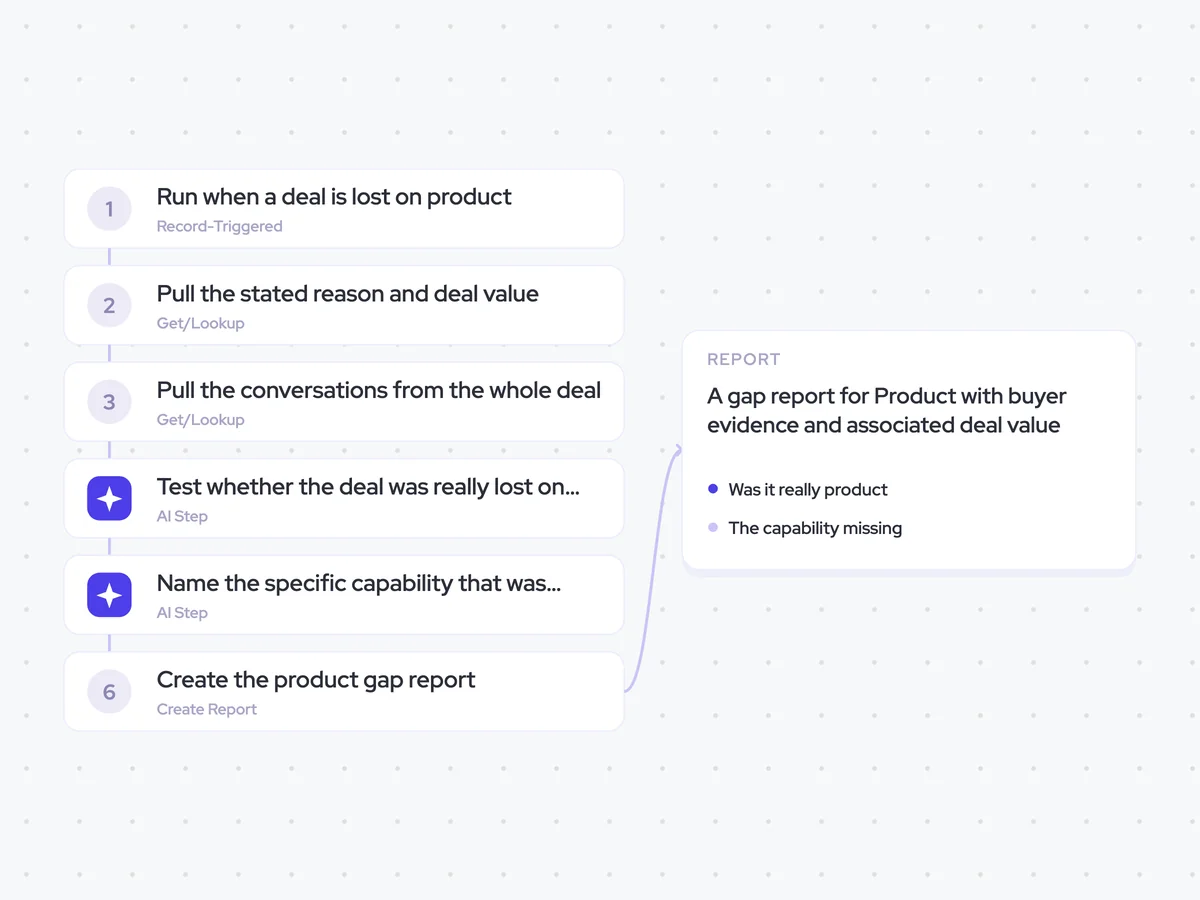
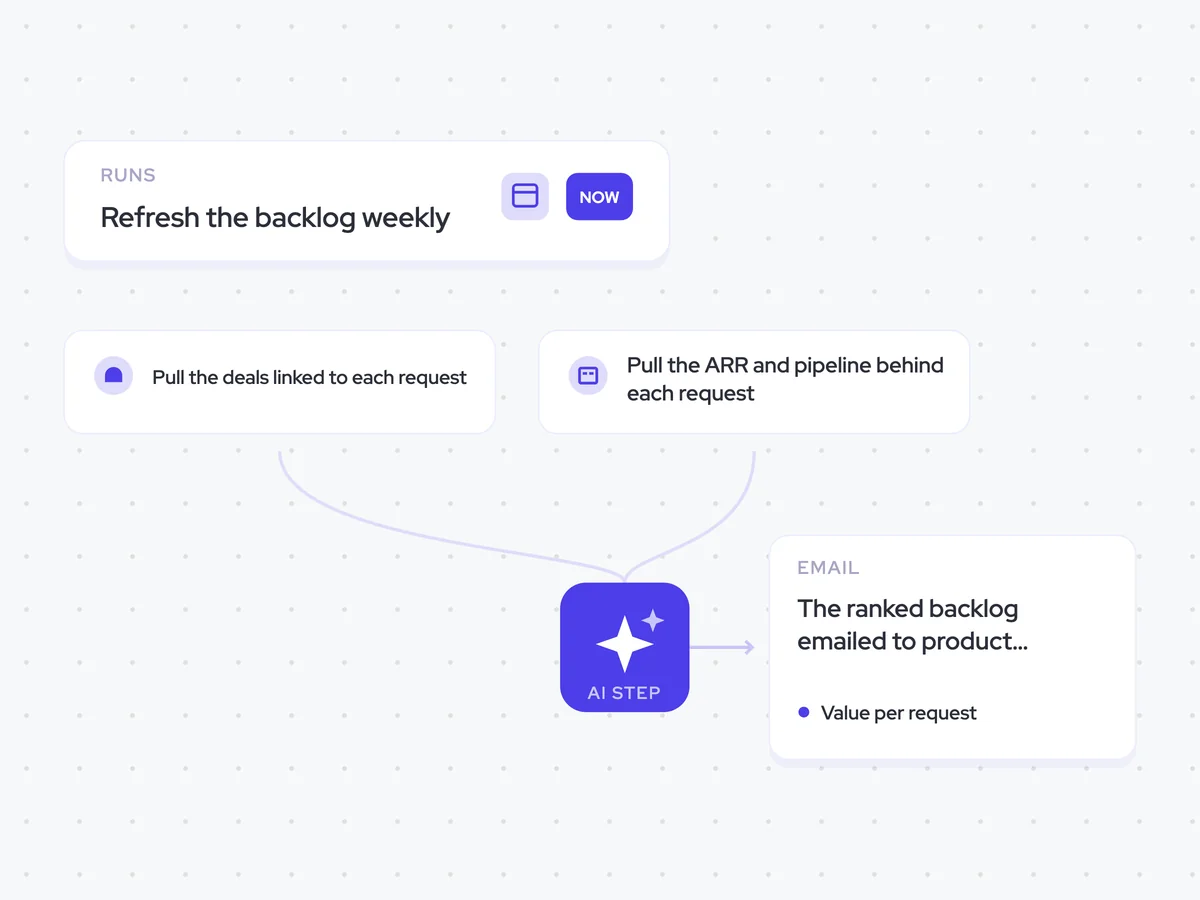
AI Agents that pair well
Same data, different jobs. Run them together for a fuller picture.

Learn more about GTM & Revenue Operations
RevOps Lab Podcast


50+ Free GTM & RevOps Cheat Sheets

Free RevOps Community (1k+ members)
.webp)