
Expansion Signal Agent
Watch usage against licences and new user activity for signs that a customer is ready to buy more, then tell the account owner which signals fired.
- Trigger: daily, across live accounts
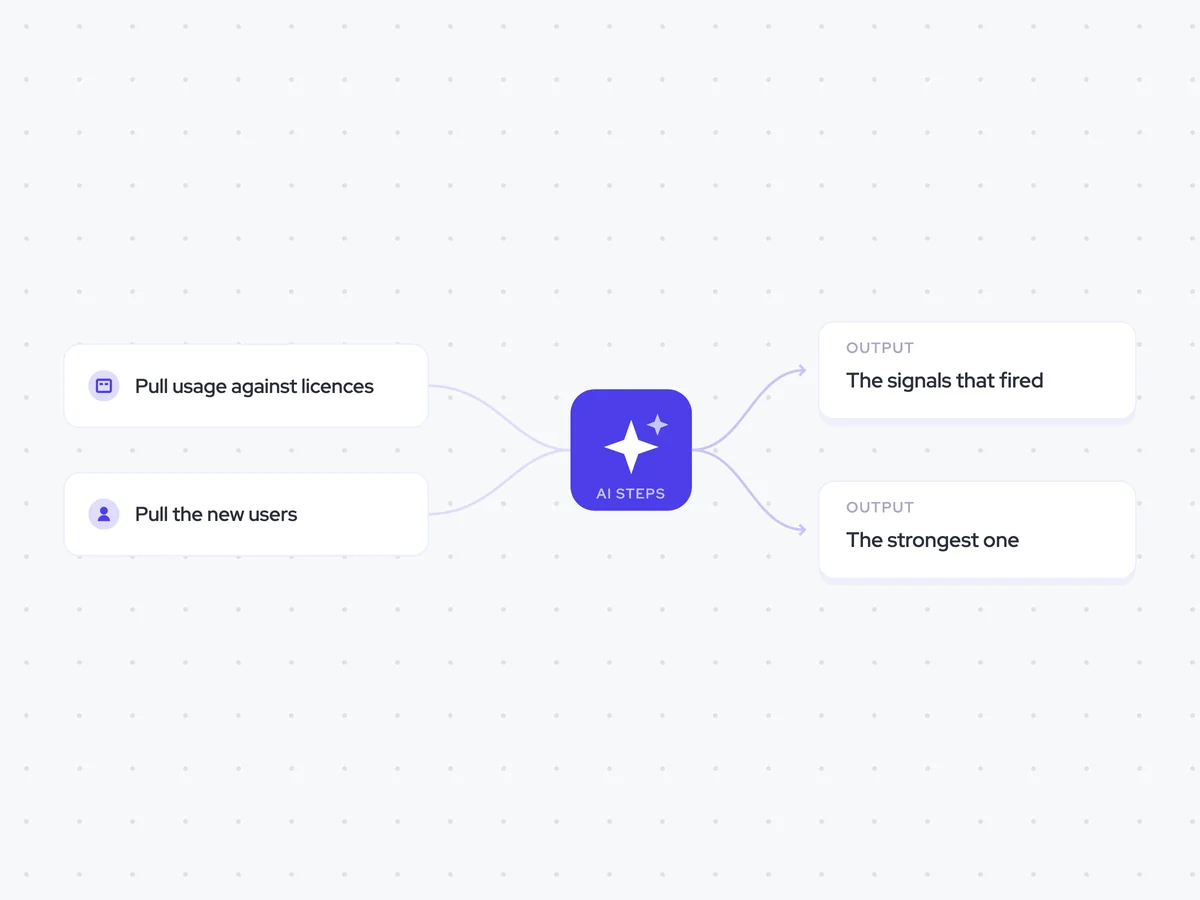
- AI steps: list the expansion signals, then pick the strongest one
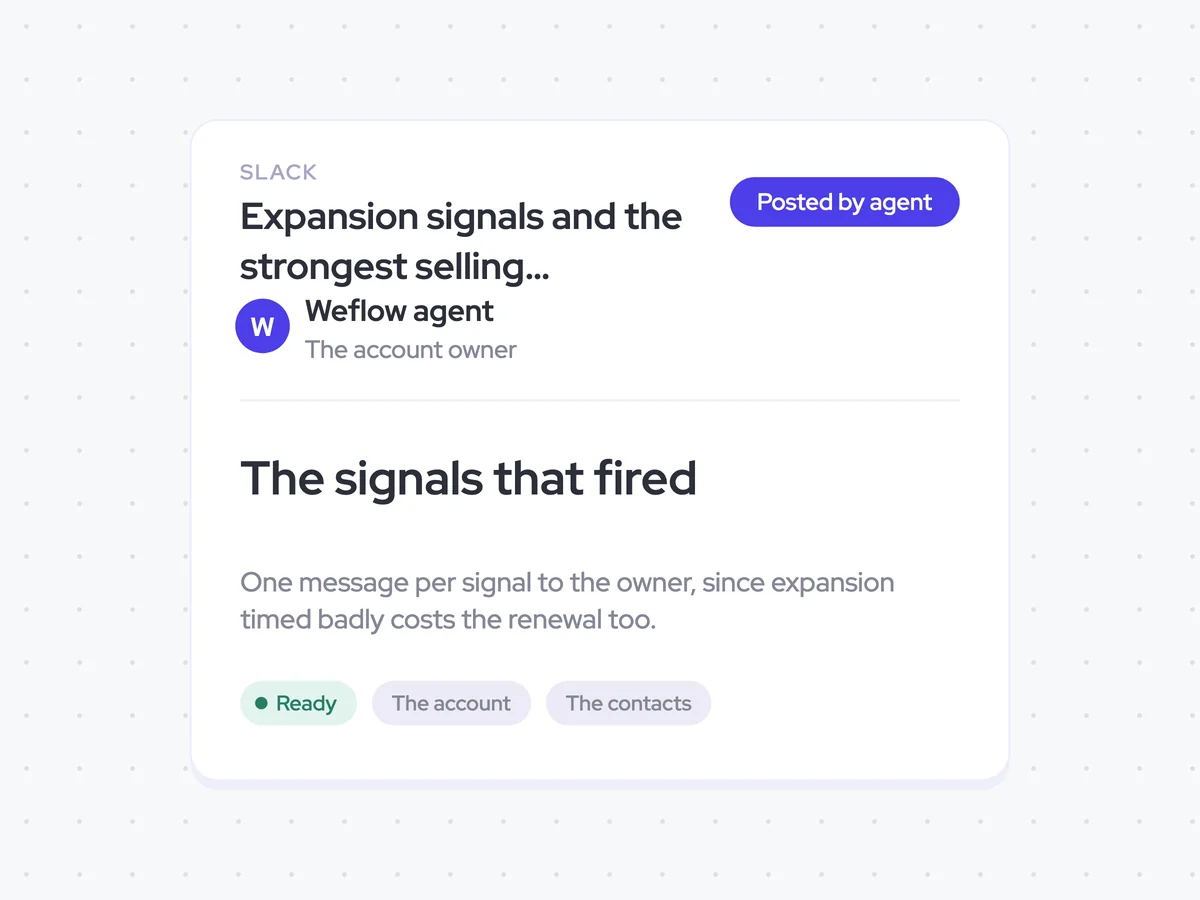
- Output: one Slack message per signal to the account owner
Agent breakdown
A blueprint to adapt, not a fixed recipe. Set the trigger, thresholds, and methodology that fit your team, and each step builds on the last, using the conversation and CRM context you already capture.
Run daily across live accounts
Each day, the agent checks every live account for new expansion signals. These signals can be short-lived, so running daily gives the account owner a chance to respond while the timing still makes sense.
- Schedule: Daily
- Scope: Live accounts
Pull usage against licences
Next, the agent pulls each account's current usage and compares it with the number of licences available. This shows whether the customer is approaching its existing limit or still has room within what it already owns.
- Fields: Current usage and available licences
- Scope: The live account being checked
Pull the new users
For the same account, the agent pulls the people who started using the product this month. New users show how the product is spreading inside the customer, which can point to an expansion conversation beyond the current group.
- Include: People who started using the product this month
- Scope: Users linked to the account
List the expansion signals that fired
Using the usage and new user data, the agent lists every expansion signal that fired on the account. It includes the figures behind each signal so the account owner can see what changed and why it matters.
Review this live account for expansion signals.
Input: the account's current usage against its available licences, and the people who started using the product this month.
- List every expansion signal that fired on the account.
- For each signal, include the account data behind it.
- Keep usage against licences and new user activity as separate signals when both fired.
Rules: use only the account data provided. Do not invent usage, users, changes, or account context.
Return a list with the signal that fired and the data behind it.
Pick the strongest expansion signal
From the signals that fired, the agent picks the strongest one and explains what it suggests selling. It also says when the signals point in different directions, so the account owner has that context before starting an expansion conversation.
Review the expansion signals that fired on this account and identify the strongest one.
Input: the list of expansion signals and the account data behind each one.
- Name the strongest expansion signal.
- Explain what that signal suggests selling to the customer.
- Say when the signals contradict each other and explain the contradiction using the account data.
Rules: base the recommendation only on the signals and data provided. Do not invent customer needs, products, or account context.
Return the strongest signal, what it suggests selling, and any contradiction between the signals.
Tell the account owner which signals fired
Finally, the agent sends the account owner one Slack message for each signal that fired. The messages include the data behind the signals and the strongest expansion opportunity, helping the owner judge the timing without putting the renewal at risk.
- Recipient: The account owner
- Channel: Slack
- Sends: One message per expansion signal
Expansion signals and the strongest selling opportunity in the account owner's Slack
See which expansion signals fired across your live accounts, the data behind each one, and which signal is strongest. The account owner receives one Slack message per signal, including what the strongest signal suggests selling and whether the account data points in different directions.
AI Agents that pair well
Same data, different jobs. Run them together for a fuller picture.


Learn more about GTM & Revenue Operations
RevOps Lab Podcast


50+ Free GTM & RevOps Cheat Sheets

Free RevOps Community (1k+ members)
.webp)