
Enablement Impact Agent
Compare how attendees behaved on calls before and after a training programme, set those changes against their results, and give Enablement a clear view of what the programme moved after ninety days.
- Trigger: ninety days after each training programme
- AI steps: compare call behaviour, then set the changes against results
- Output: one impact record per programme for Enablement
Agent breakdown
A blueprint to adapt, not a fixed recipe. Set the trigger, thresholds, and methodology that fit your team, and each step builds on the last, using the conversation and CRM context you already capture.
Wait ninety days after the programme
The agent waits ninety days after each training programme before starting the comparison. That gives changes enough time to show in attendees’ calls and results, while keeping them close enough to the programme to be attributable.
- Schedule: Ninety days after each programme
- Scope: Each completed training programme
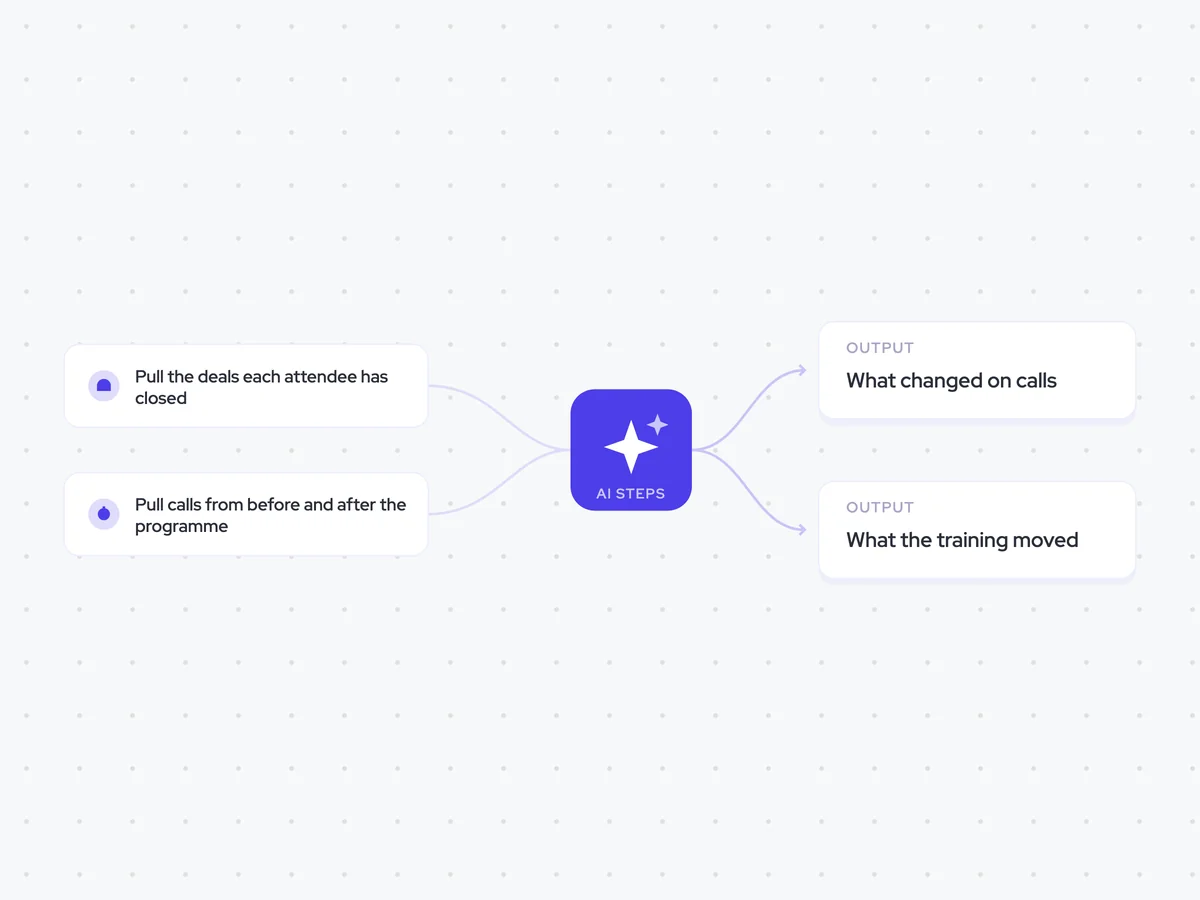
Pull the deals each attendee has closed
Next, the agent pulls every deal each attendee has closed since the programme. Using each attendee’s own results gives the later comparison the numbers needed to check whether changes on calls were reflected in what they closed.
- Include: Every deal closed by a programme attendee since the programme
- Compare: Each attendee against their own results
Pull calls from before and after the programme
The agent then pulls calls from before and after the programme for each attendee. Looking at both sides shows whether their behaviour changed after the training, rather than judging its impact from results alone.
- Include: Calls from programme attendees
- Periods: Before and after the programme
Compare each attendee’s behaviour
For each attendee, the agent compares calls from before and after the programme and names the behaviour that changed. It focuses on what the attendee did differently on calls, leaving the comparison with their results to the next step.
Compare each attendee’s calls from before the training programme with their calls after it.
For each attendee:
- Name the behaviours that changed after the programme.
- Describe what the attendee did before and what they did after.
- Include only changes supported by the calls.
- Keep the comparison focused on behaviour, not results or other numbers.
Do not infer a change when the calls do not show one. If an attendee’s behaviour did not change, say so.
Return the comparison by attendee, listing each behaviour, what happened before the programme, and what happened after it.
Set the behaviour changes against results
The agent sets each attendee’s behaviour changes against the deals they closed after the programme. It then says what the programme moved, if anything, so Enablement can see where changed behaviour and changed results line up.
Set the behaviour changes from the previous step against each attendee’s results since the training programme.
For each attendee:
- Summarize the behaviour that changed after the programme.
- Compare that change with the attendee’s results.
- State what the programme moved, if anything.
- Say when the behaviour changed but the results did not, or when neither changed.
Use only the call comparison and deal results provided. Do not claim that the programme moved something unless the comparison supports it.
Return an assessment for each attendee, followed by a summary of what the programme moved overall, if anything.
Store one impact record per programme
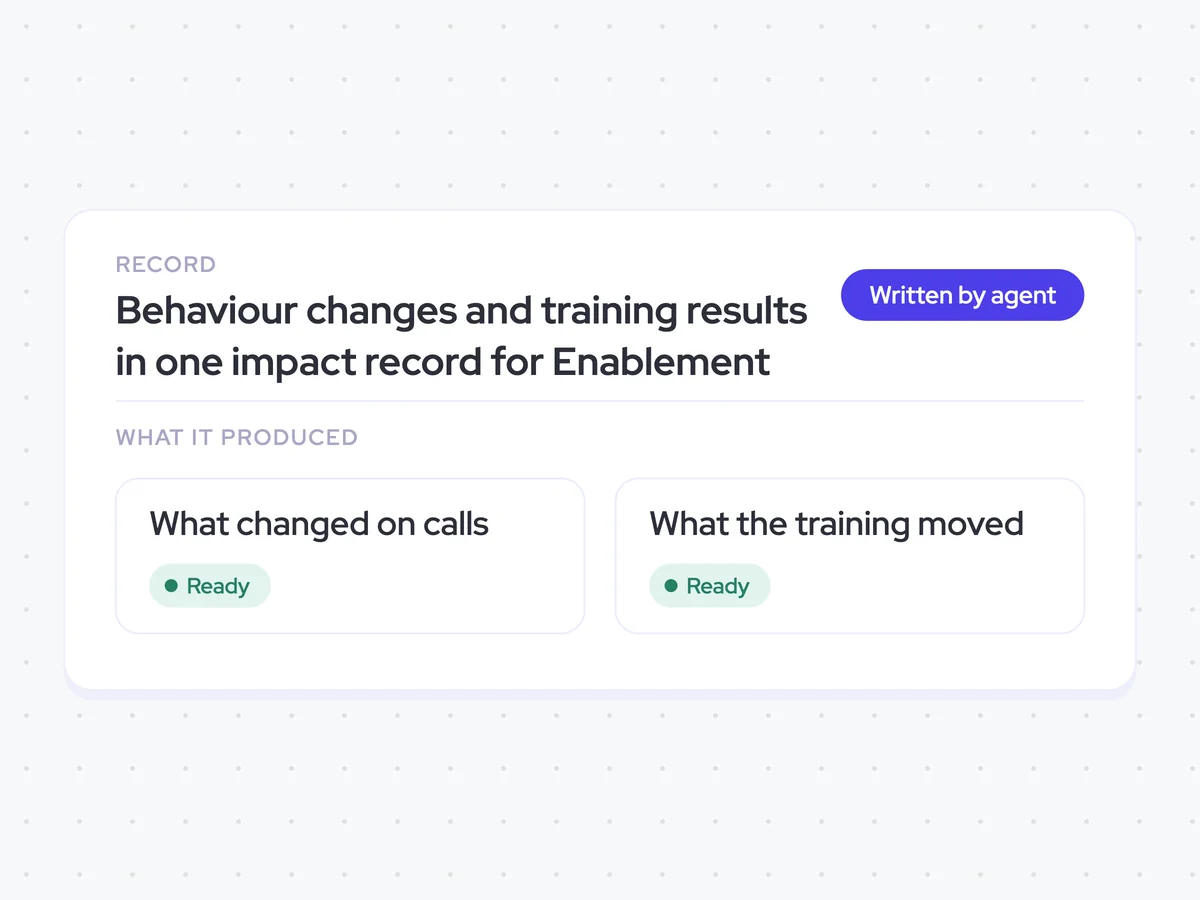
Finally, the agent creates one impact record for the programme, bringing together the behaviour comparison and what changed in attendees’ results. Enablement can use the record to see whether the programme moved anything before scheduling it again.
- Create: One impact record per programme
- Include: Behaviour changes and the comparison with attendee results
- Recipient: Enablement
Behaviour changes and training results in one impact record for Enablement
See how attendee behaviour changed after each training programme, how those changes compare with what they closed, and what the programme moved after ninety days. Each programme has one impact record, including programmes that did not produce a change.
- For Enablement: Review the impact record before deciding whether to run the programme again.
AI Agents that pair well
Same data, different jobs. Run them together for a fuller picture.

Learn more about GTM & Revenue Operations
RevOps Lab Podcast


50+ Free GTM & RevOps Cheat Sheets

Free RevOps Community (1k+ members)
.webp)