
Deal Stalling Agent
Catch a deal when it goes quiet, identify the single most likely reason it stalled, and send the reason to the deal owner while it is still fresh enough to act on.
- Trigger: a deal stalls or goes quiet
- AI steps: identify why the deal stalled and quote the moment that supports it
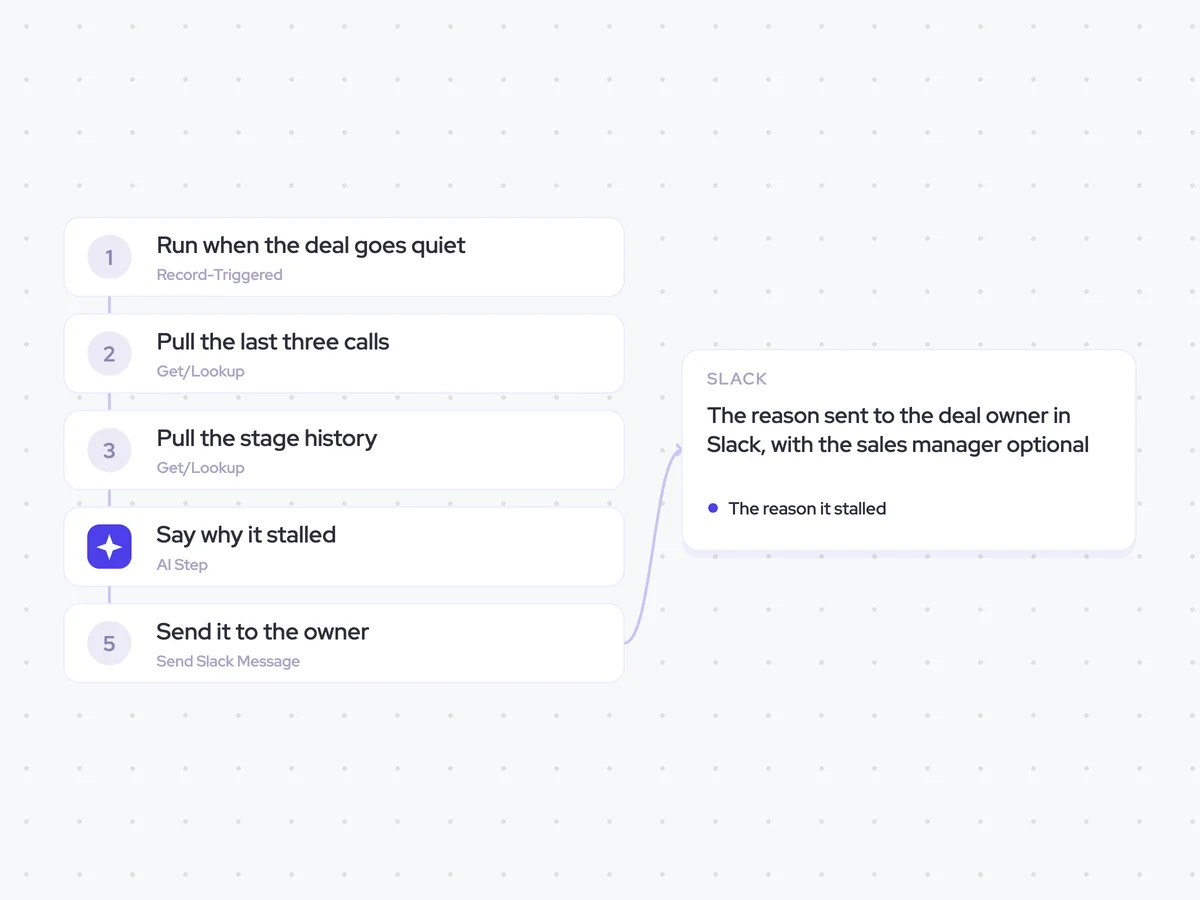
- Output: the reason sent to the deal owner in Slack, with the sales manager optional
Agent breakdown
A blueprint to adapt, not a fixed recipe. Set the trigger, thresholds, and methodology that fit your team, and each step builds on the last, using the conversation and CRM context you already capture.
Run when the deal goes quiet
The agent runs as soon as a deal stalls or goes quiet. It starts on the stall itself rather than waiting for a weekly sweep, so the change is still recent when the owner receives it.
- Trigger: A deal stalls or goes quiet
- Timing: Run on the stall itself, not as part of a weekly sweep
Pull the last three calls
Next, the agent pulls the last three calls linked to the deal and reads each transcript in full. Three calls give it enough context to find where the conversation changed without bringing in more history than it needs.
- Include: The last three calls linked to the deal
- Read: The full transcript of each call
Pull the stage history
To see what the deal was supposed to do next, the agent pulls its stage history and next step. This shows how the deal has moved and how long it has been waiting for the expected next step.
- Fields: Stage history and next step
- Include: How long the deal has been expected to take its next step
Say why it stalled
Using the last three calls, stage history, and next step, the agent names the single most likely reason the deal stalled. It quotes the moment that supports the reason, and says plainly when the evidence does not make the reason clear instead of giving the rep a generic explanation.
Identify the single most likely reason this deal has stalled.
Input: the full transcripts from the last three calls, the opportunity's stage history, and its next step.
- Look for the point where the deal changed, slowed down, or stopped moving toward the expected next step.
- Name one reason that is directly supported by the calls and opportunity history.
- Quote the moment that supports the reason.
- If the reason is unclear, say plainly that it is unclear rather than offering a generic explanation.
Return the single most likely reason the deal stalled, followed by the supporting quote. If the reason is unclear, return that conclusion plainly.
Send it to the owner
Once it has the reason, the agent sends it directly to the deal owner in Slack so the rep can decide how to unblock the deal. It can also send the message to the sales manager when that optional recipient is included.
- Recipient: The deal owner
- Optional recipient: The sales manager
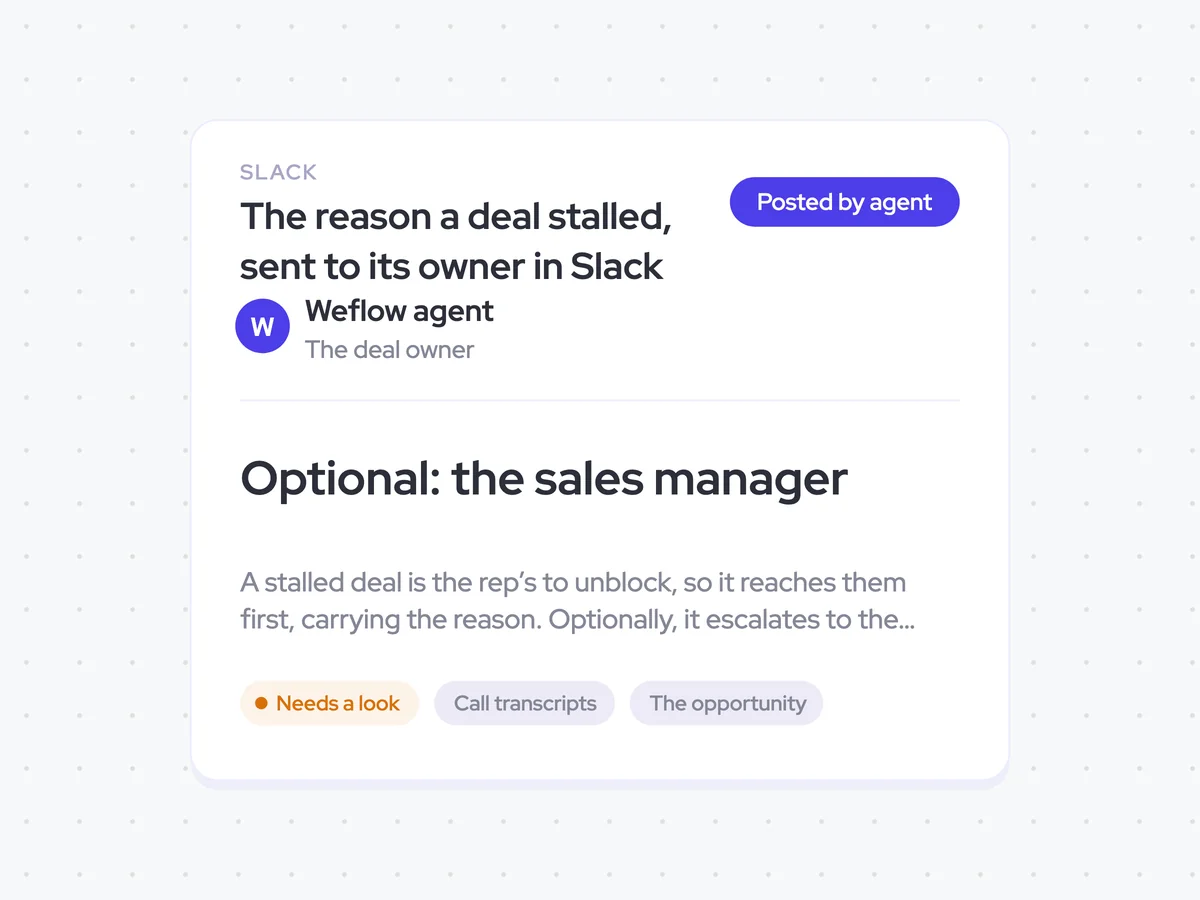
The reason a deal stalled, sent to its owner in Slack
Get a Slack message when one of your deals goes quiet, naming the single most likely reason it stalled and quoting the moment that supports it. If the reason is not clear from the calls and opportunity history, the message says so plainly instead of giving you a generic explanation.
- For reps: Use the reason and supporting quote to decide how to unblock the deal.
- For managers: Join the Slack message when you want stalled deals escalated to you.
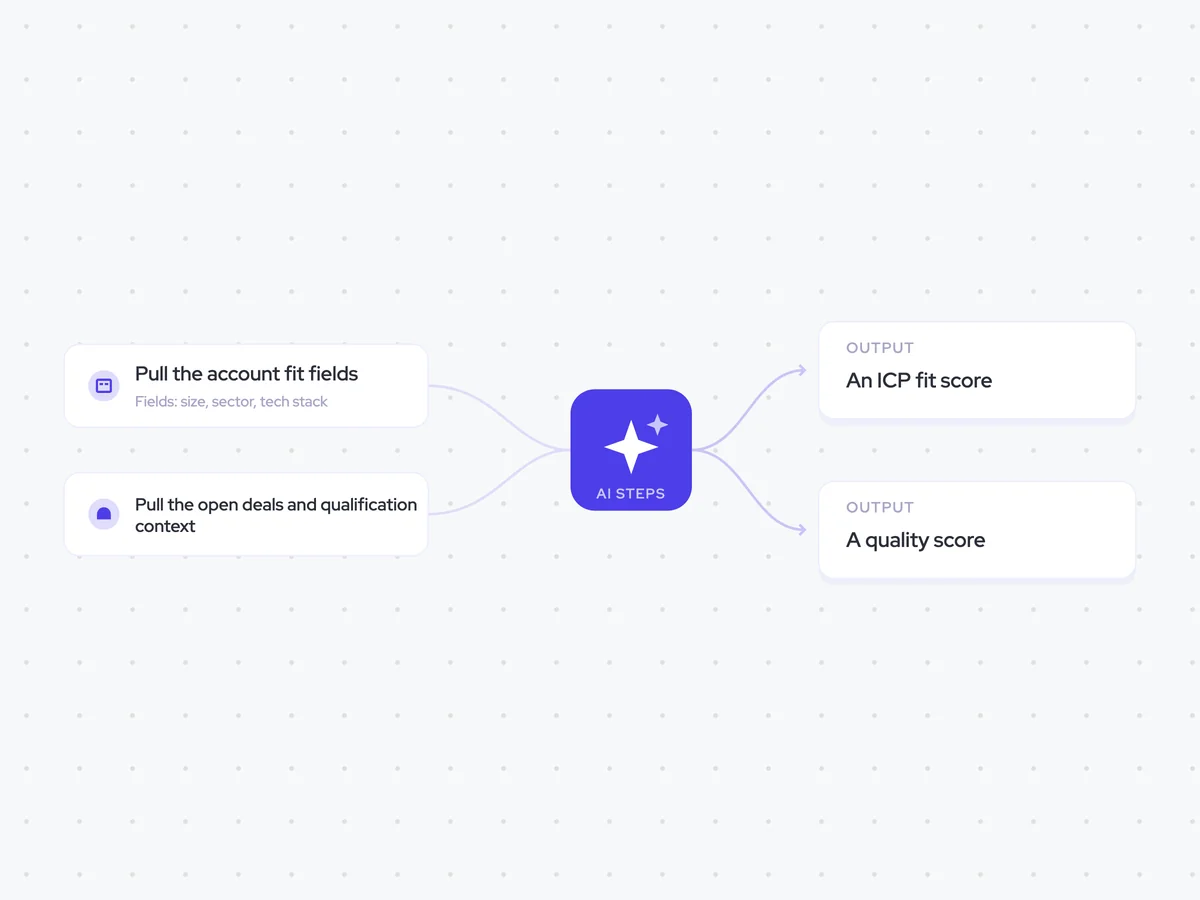
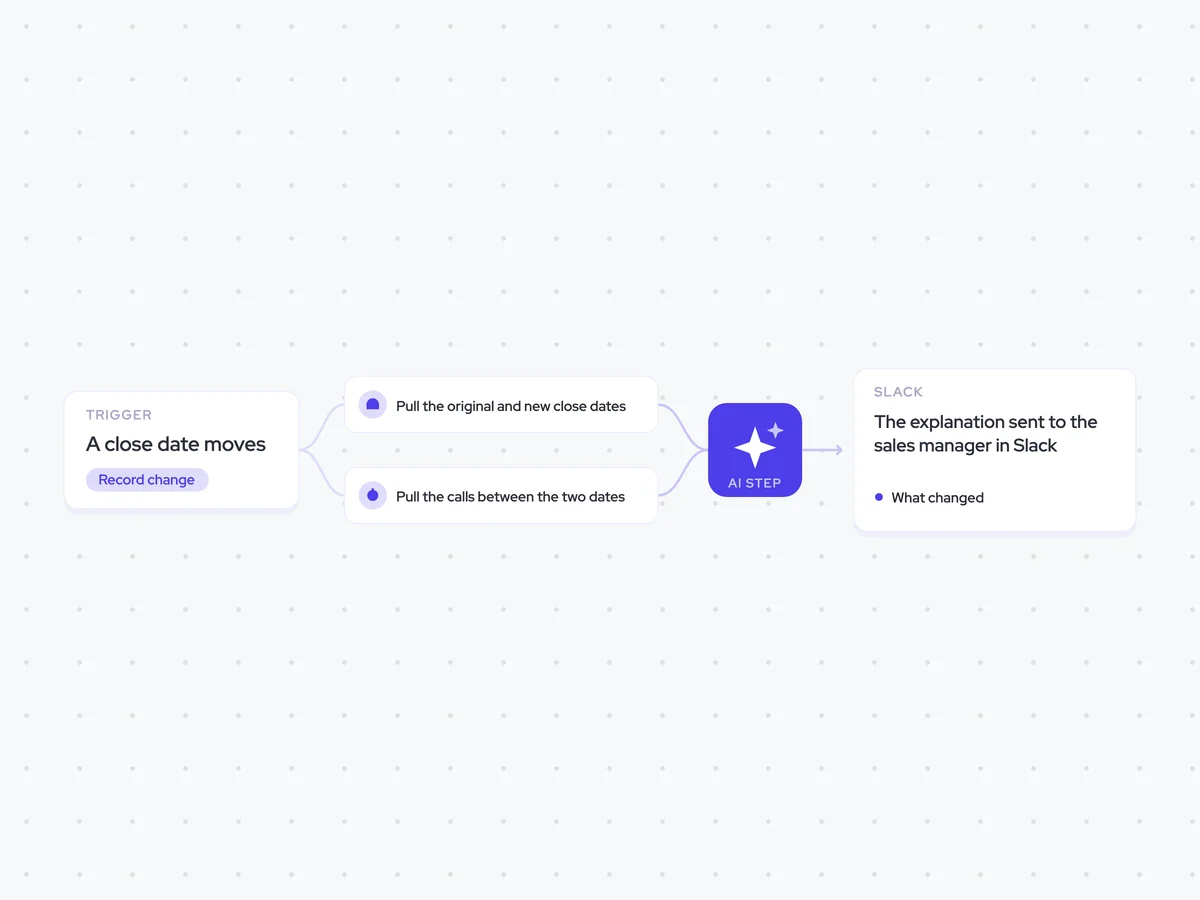
AI Agents that pair well
Same data, different jobs. Run them together for a fuller picture.

Learn more about GTM & Revenue Operations
RevOps Lab Podcast


50+ Free GTM & RevOps Cheat Sheets

Free RevOps Community (1k+ members)
.webp)