
Coverage & Capacity Agent
Compare the capacity your team actually has with the coverage the plan assumes, and see which territories do not have enough capacity.
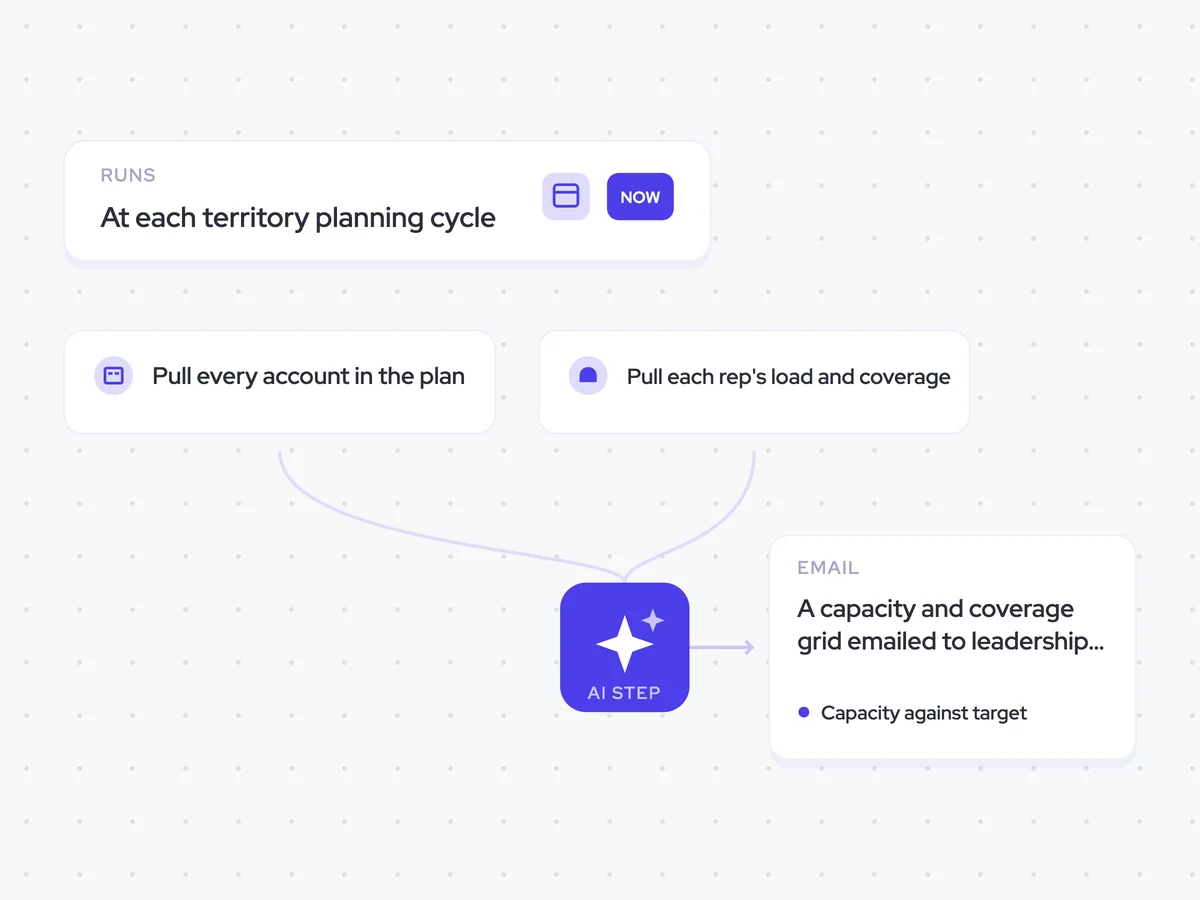
- Trigger: at each territory planning cycle
- AI steps: compare capacity with planned coverage for each territory
- Output: a capacity and coverage grid emailed to leadership and RevOps
Agent breakdown
A blueprint to adapt, not a fixed recipe. Set the trigger, thresholds, and methodology that fit your team, and each step builds on the last, using the conversation and CRM context you already capture.
Run at each territory planning cycle
When territories are being set, the agent runs the comparison as an input to the plan. It does not run continuously because the result is meant to shape territory coverage, rather than become another metric to monitor.
- Trigger: The start of each territory planning cycle
- Runs: When territories are being set, not continuously
Pull every account in the plan
Next, the agent pulls every account the plan expects the team to cover. It includes accounts nobody has touched, since those accounts are needed to show where planned coverage exists without anyone working it.
- Scope: Every account included in the plan
- Include: Accounts nobody has touched
Pull each rep's load and coverage
The agent then pulls how many accounts each rep already carries and how many they are actually touching. Keeping those numbers separate shows the difference between assigned load and active coverage before capacity is compared with the plan.
- Rep load: Number of accounts each rep carries
- Coverage: Number of accounts each rep is actually touching
Compare capacity with planned coverage
For each territory, the agent compares the team's capacity with the coverage assumed in the plan. It shows where the two do not meet, names the territories without enough capacity, and calculates the size of each gap.
Compare team capacity with planned account coverage for each territory.
Input: every account the plan expects to be covered, including untouched accounts, plus the number of accounts each rep carries and the number they are actually touching.
- Set the available capacity against the planned coverage for each territory.
- Show the number of accounts carried by reps and the number they are actually touching.
- Name every territory where the plan assumes coverage but the team does not have the capacity.
- For each territory without enough capacity, state the size of the gap.
Return a grid with the columns: territory, planned coverage, rep load, accounts being touched, and capacity gap. After the grid, list the territories where coverage is assumed but capacity does not exist, with the size of each gap.
Send the comparison to leadership and RevOps
Finally, the agent emails the capacity and coverage comparison to leadership and RevOps together. Leadership can consider whether the team needs more people, while RevOps can assess whether the plan needs to be smaller.
- Recipients: Leadership and RevOps
- Delivery: Send the comparison to both groups together
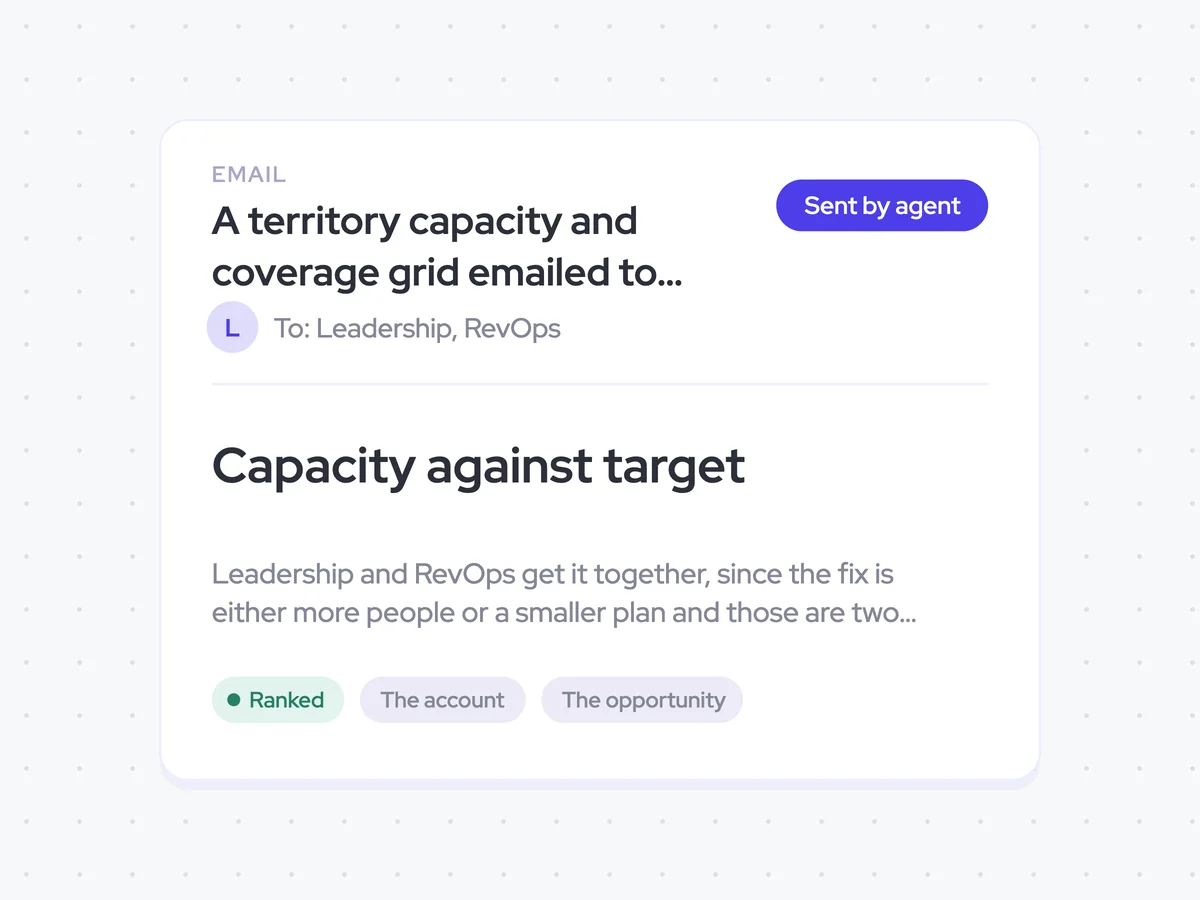
A territory capacity and coverage grid emailed to leadership and RevOps
See how the capacity your team has compares with the coverage assumed in each territory plan. The grid shows rep load, accounts being touched, and the size of the gap wherever planned coverage exceeds available capacity.
- For leadership: See where the plan requires more people than the team currently has.
- For RevOps: See where territory coverage needs to be adjusted to fit available capacity.
AI Agents that pair well
Same data, different jobs. Run them together for a fuller picture.

Learn more about GTM & Revenue Operations
RevOps Lab Podcast


50+ Free GTM & RevOps Cheat Sheets

Free RevOps Community (1k+ members)
.webp)