
Call Debrief Agent
Turn each finished sales call into a concise debrief for the rep, then update the opportunity’s next step and close date with new information from the conversation.
- Trigger: a sales call ends and its recording becomes available
- AI steps: summarize the call, then identify the CRM fields it changed
- Output: the summary sent directly to the deal owner, with the next step and close date updated on the opportunity
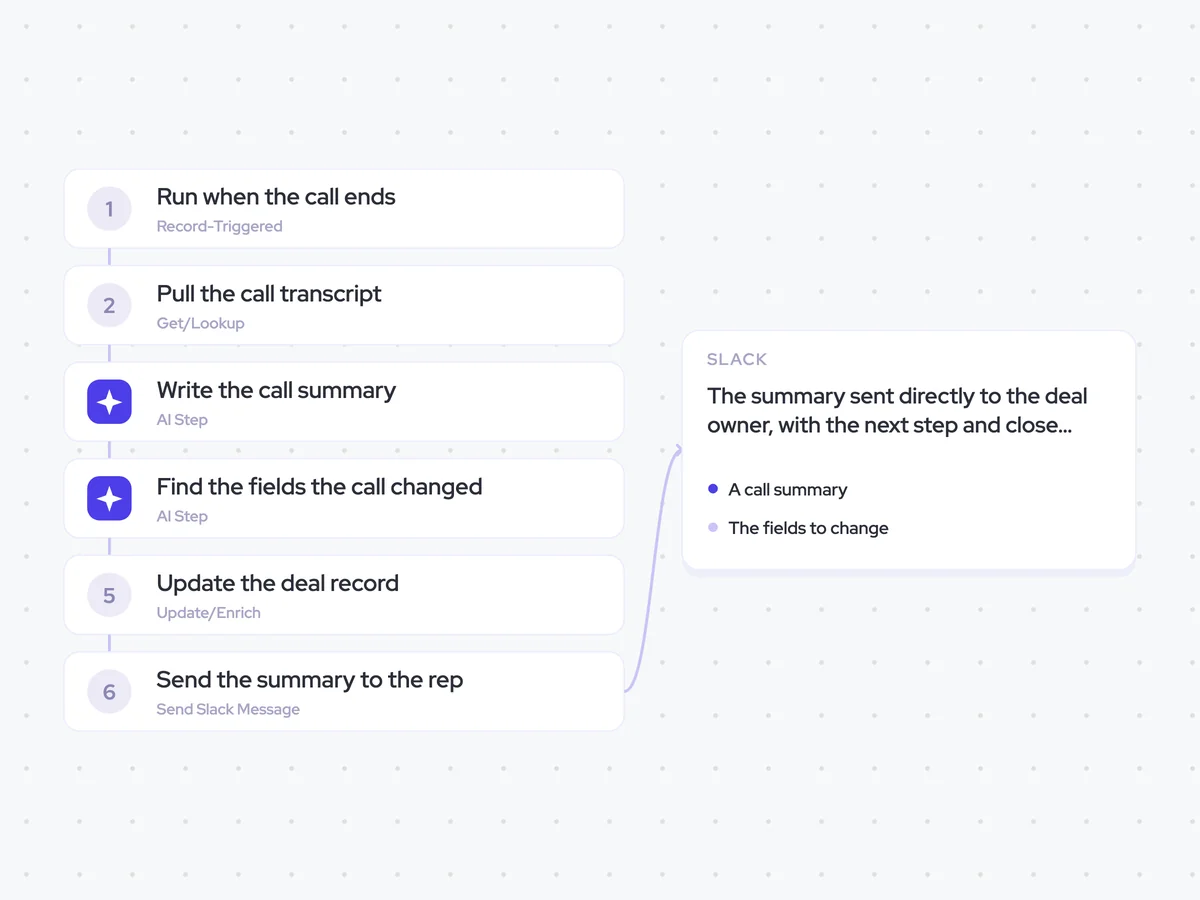
Agent breakdown
A blueprint to adapt, not a fixed recipe. Set the trigger, thresholds, and methodology that fit your team, and each step builds on the last, using the conversation and CRM context you already capture.
Run when the call ends
The agent runs when a sales call ends and its recording becomes available. This starts the debrief from what was actually discussed, so the rep gets the summary while the conversation is still fresh.
- Trigger: A sales call ends
- Condition: The call recording is available
Pull the call transcript
Next, the agent pulls the transcript from the call that just ended. It uses only this conversation, rather than the deal’s full history, so the debrief reflects what changed on this call.
- Include: The transcript from the call that just ended
- Exclude: Earlier calls and the rest of the deal history
Write the call summary
From that transcript, the agent writes a five-line summary and lists every next step agreed on the call. Each next step includes its owner and the agreed date, so the rep can quickly see what each side committed to doing.
The summary stays concise enough to read in Slack without losing the commitments that need following up.
Summarize the sales call that just ended.
Input: the transcript from the call.
Write a five-line summary covering:
- Why the call took place
- The main points discussed
- Any decisions made
- Any concerns or open questions raised
- What happens next
Then list every next step agreed on the call. For each next step, include:
- The action
- The person who owns it
- The date agreed on the call
Rules: use only information stated in the transcript. Do not invent an owner, date, decision, or next step. If no date was agreed, say that no date was agreed.
Return the five-line summary, followed by the list of next steps with their owners and agreed dates.
Find the fields the call changed
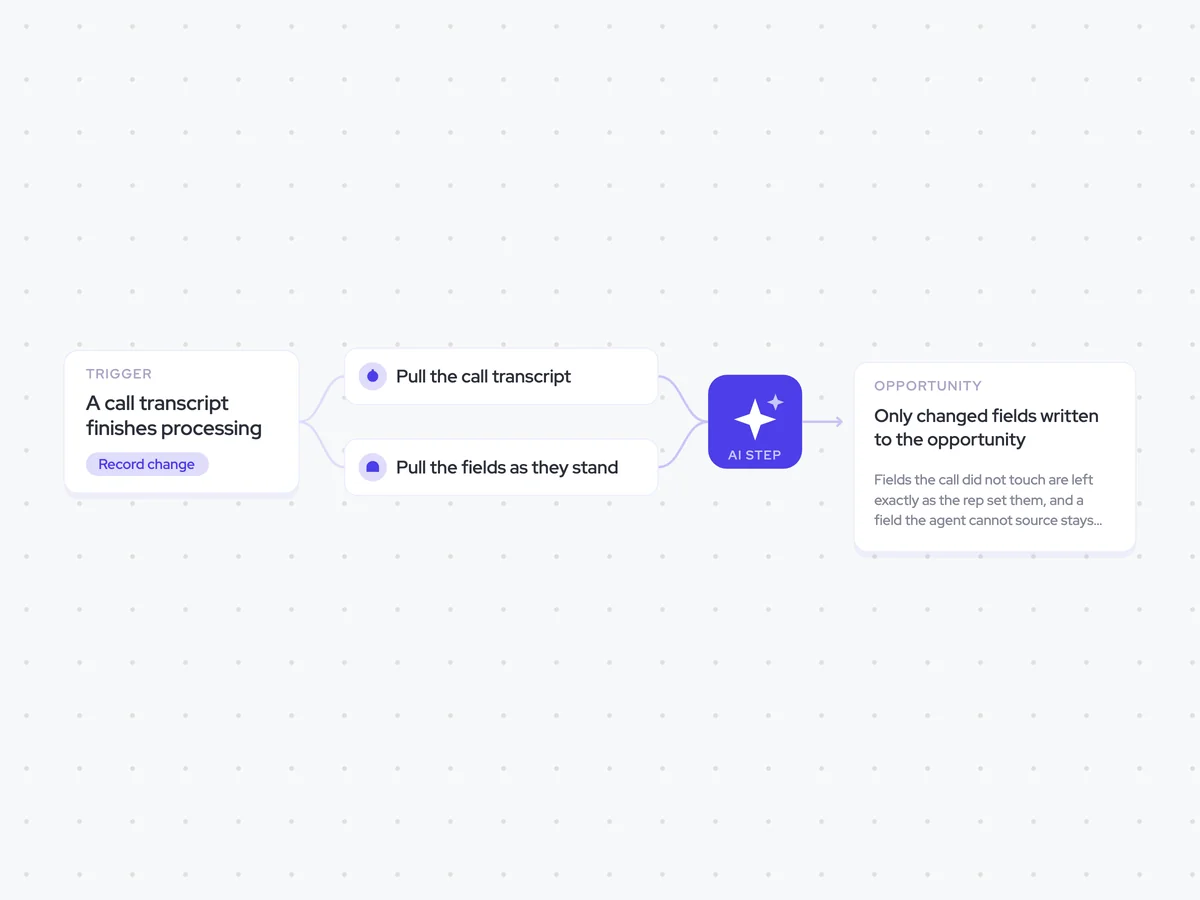
Using the transcript and summary, the agent identifies the CRM fields changed by new information from the call. It compares that information with the existing field values and lists the old and new value for each change, while leaving out fields the conversation did not touch.
This gives the next step a clear set of changes to work from when it updates the opportunity.
Identify the CRM fields changed by new information from this sales call.
Input: the call transcript, the call summary, and the opportunity’s existing CRM field values.
For each field changed by the call:
- Name the CRM field.
- Show its old value.
- Show the new value stated or agreed on the call.
Rules: use only information from the call transcript. Ignore any field the call did not change. Do not infer a new value that was not stated or agreed during the conversation.
Return a list of the CRM fields the call changed, with the old value and the new value for each.
Update the deal record
The agent writes the new next step and close date to the opportunity when the call changed them. It leaves every other CRM field untouched, even if the previous step identified other changes.
- Update: Next step and close date
- Keep unchanged: Every other field on the opportunity
Send the summary to the rep
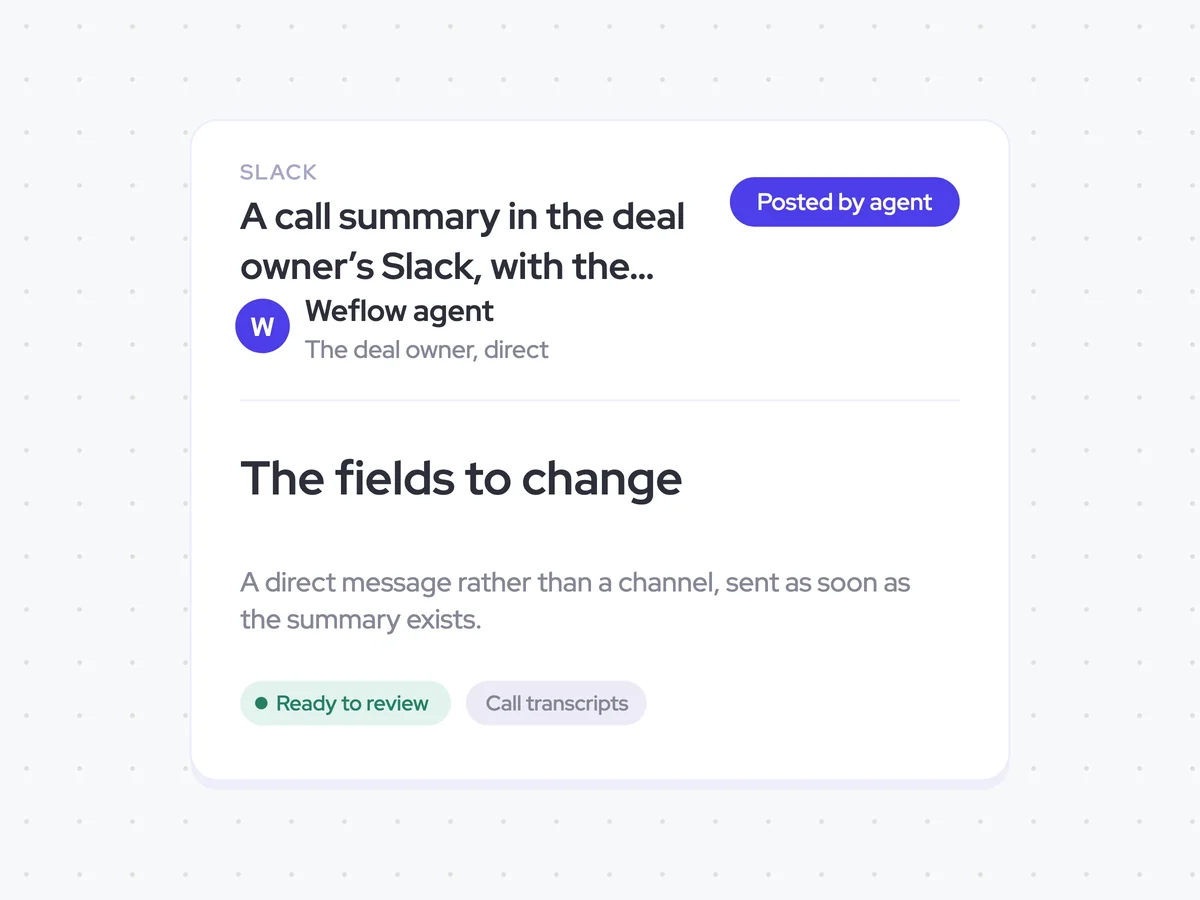
As soon as the summary exists, the agent sends it directly to the rep who owns the deal in Slack. It uses a direct message rather than a channel, so the rep receives the debrief without adding another update to a shared feed.
- Recipient: The deal owner
- Delivery: Direct Slack message
- Timing: As soon as the summary exists
A call summary in the deal owner’s Slack, with the next step and close date updated on the opportunity
Get a concise debrief in Slack after each sales call, including the decisions made and every agreed next step with its owner and date. The opportunity’s next step and close date are updated when the conversation changes them, while all other fields stay untouched.
- For reps: Read the debrief, check your commitments, and see the latest next step and close date without replaying the call.
AI Agents that pair well
Same data, different jobs. Run them together for a fuller picture.


Learn more about GTM & Revenue Operations
RevOps Lab Podcast


50+ Free GTM & RevOps Cheat Sheets

Free RevOps Community (1k+ members)
.webp)